Inspiration
How do you preserve memories of the wonderful events in your life? By using Meta Presence Platform, we've created a brand new way to keep your memories alive. Decorate your room with photos, emojis, and text, and capture the entire space in a capsule to save your cherished moments.
What it does
MEMOREAROOM has two modes: Edit and View.
Edit
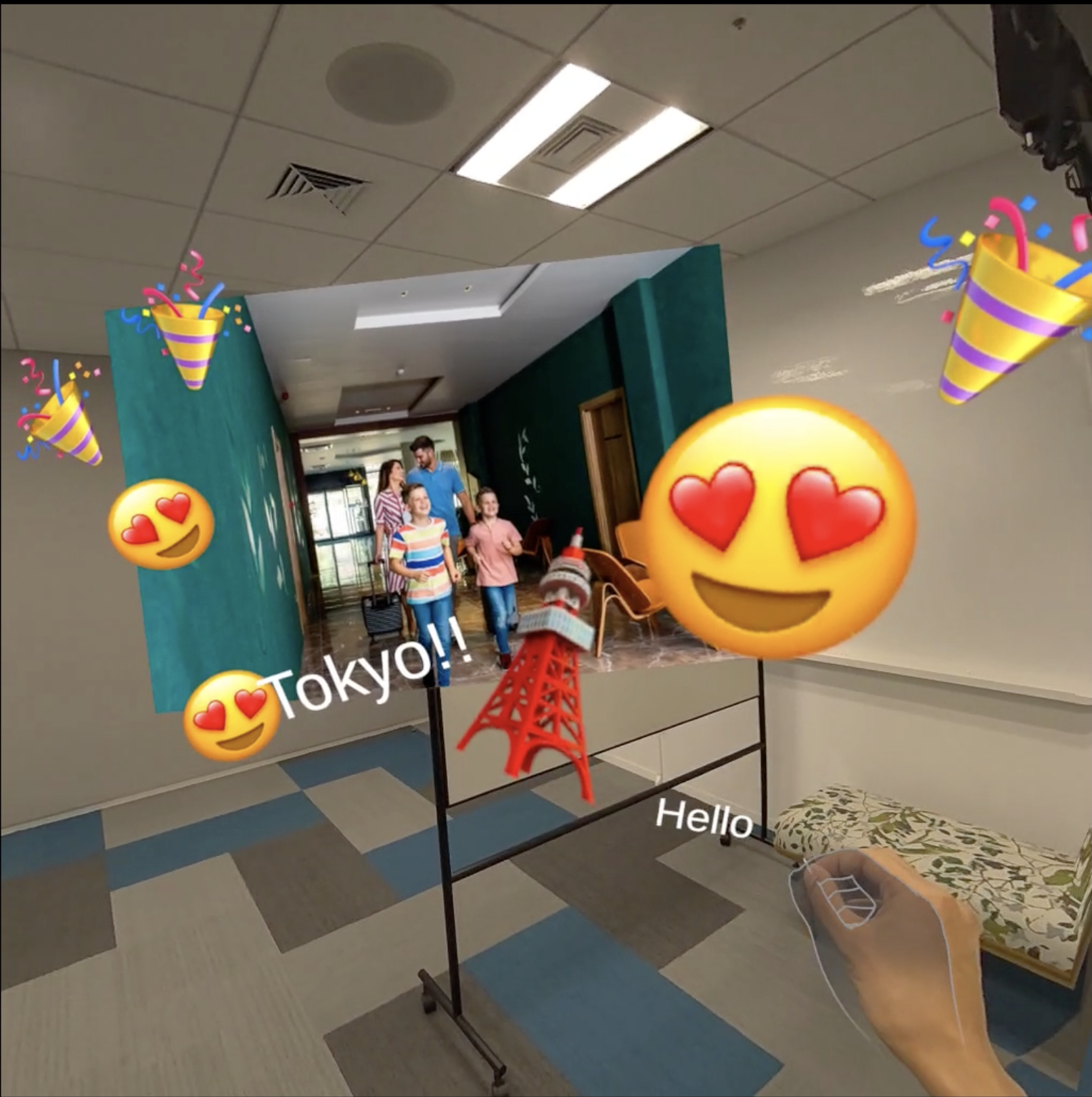
In Edit mode, you decorate and save the room with objects. You can pick up objects with your hands and place them wherever you like, and change their size by grabbing them with both hands. Photos loaded from storage are scattered on the floor; pick them up one by one and decorate the room while reminiscing. You can also pull out emojis and text from the menu and place as many as you want. If the room becomes cluttered with too many items, you can throw them away in the trash bin. Once you've created your ideal decoration, press the button to save the space.
View
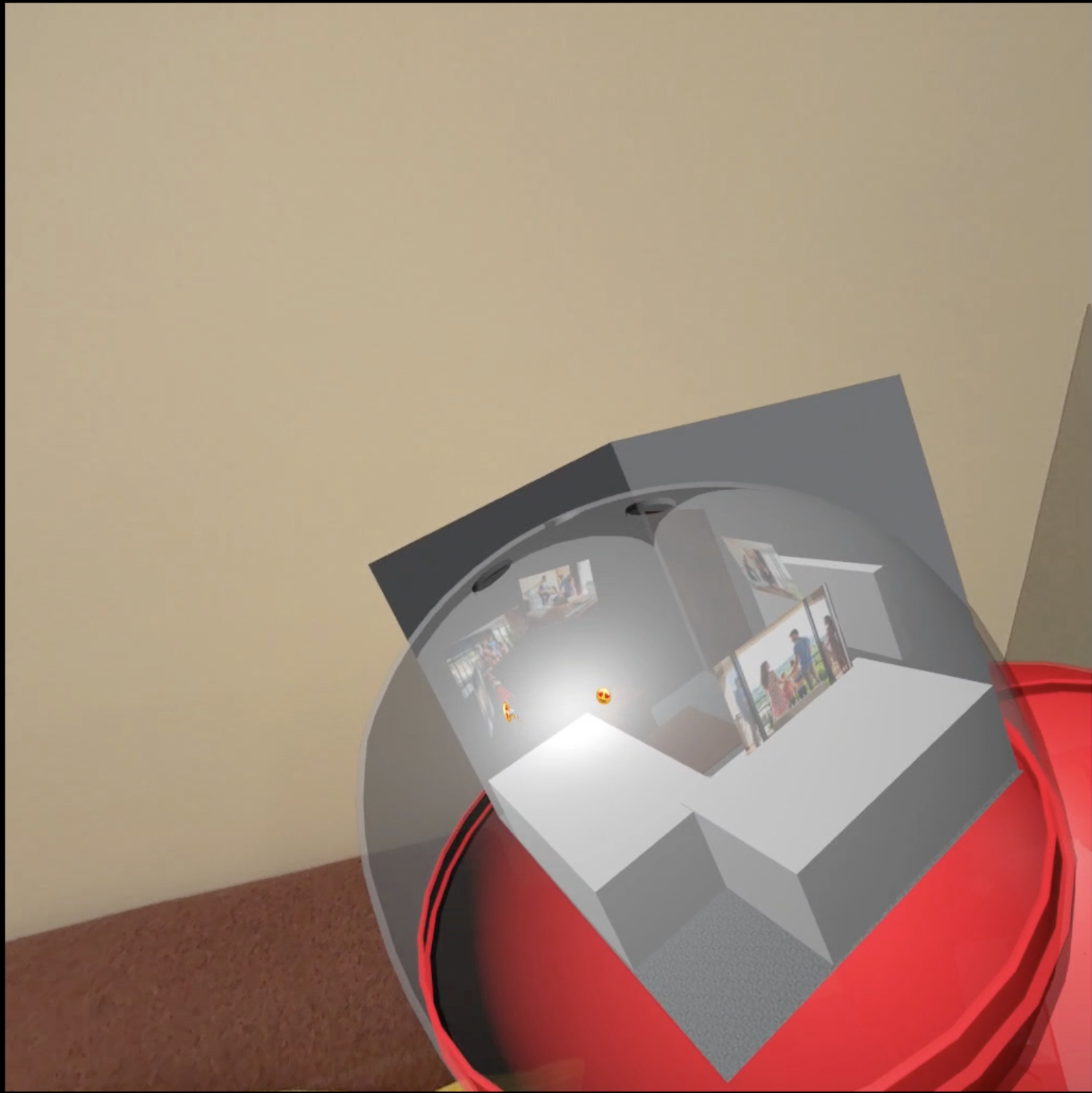
In View mode, you can look at the spaces you've saved. Capsules containing the saved spaces will appear scattered around the room. Grab any capsule with your hand to view and reflect on your memories. For a closer look, grab the capsule with both hands to open it and carefully examine the space.
How we built it
MEMOREAROOM provides an experience in the real world using the Passthrough feature throughout the app. With the Interaction SDK, you can manipulate objects using your hands. Additionally, by accessing the Scene Model through the MR Utility Kit, we are able to save the spaces. These features are built using the Building Blocks of the Presence Platform.
What's next for MEMOREAROOM
The next steps include:
- Developing a system to easily import photos by integrating with smartphones and other devices.
- Enabling multi-user Edit/View experiences using Shared Spatial Anchor.
- Expand the saved room for VR experience in View mode.
- Allowing users to share saved rooms with each other.
- Exporting rooms as models in formats like USDZ/GLB.

Log in or sign up for Devpost to join the conversation.