
Memo: A Second Digital Brain
Inspiration
Memo was born out of a common frustration we all face: the struggle to effectively organize and retain information in our increasingly digital lives. As students and professionals, we found ourselves constantly juggling between note-taking apps, flashcard tools, and learning platforms, yet still feeling overwhelmed by information overload.
We were inspired by the concept of a "second brain" - a digital extension of our thinking that helps us capture, organize, and synthesize knowledge.
We know that Obsidian is a great resource for this, but we wanted to expand on its functionality, adding the ability to chat with an AI bot within the application itself and have it generate flashcards or even quizzes for you. We wanted to consolidate all these key ideas into one application!
What it does
Memo is a comprehensive knowledge management platform that combines the power of markdown note-taking with active learning tools in one seamless experience:
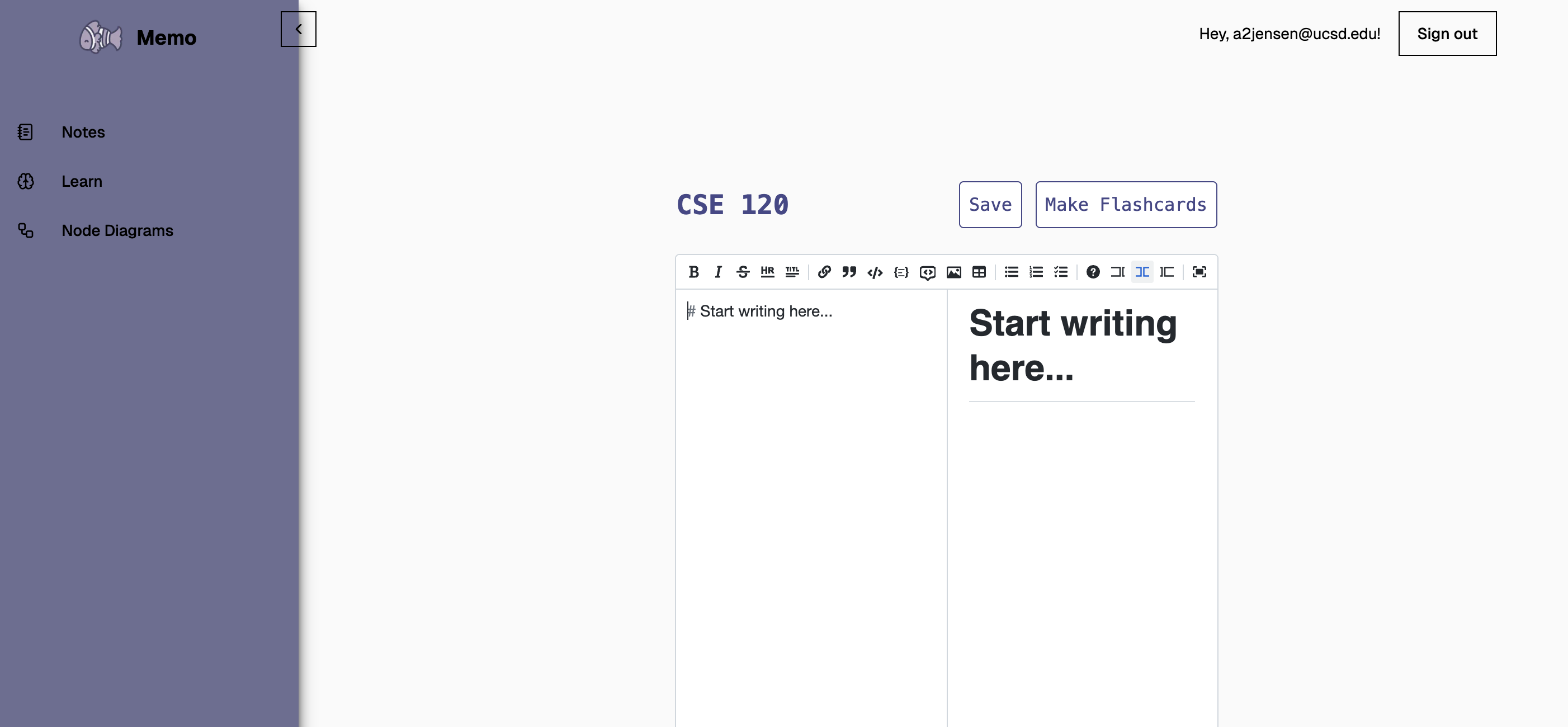
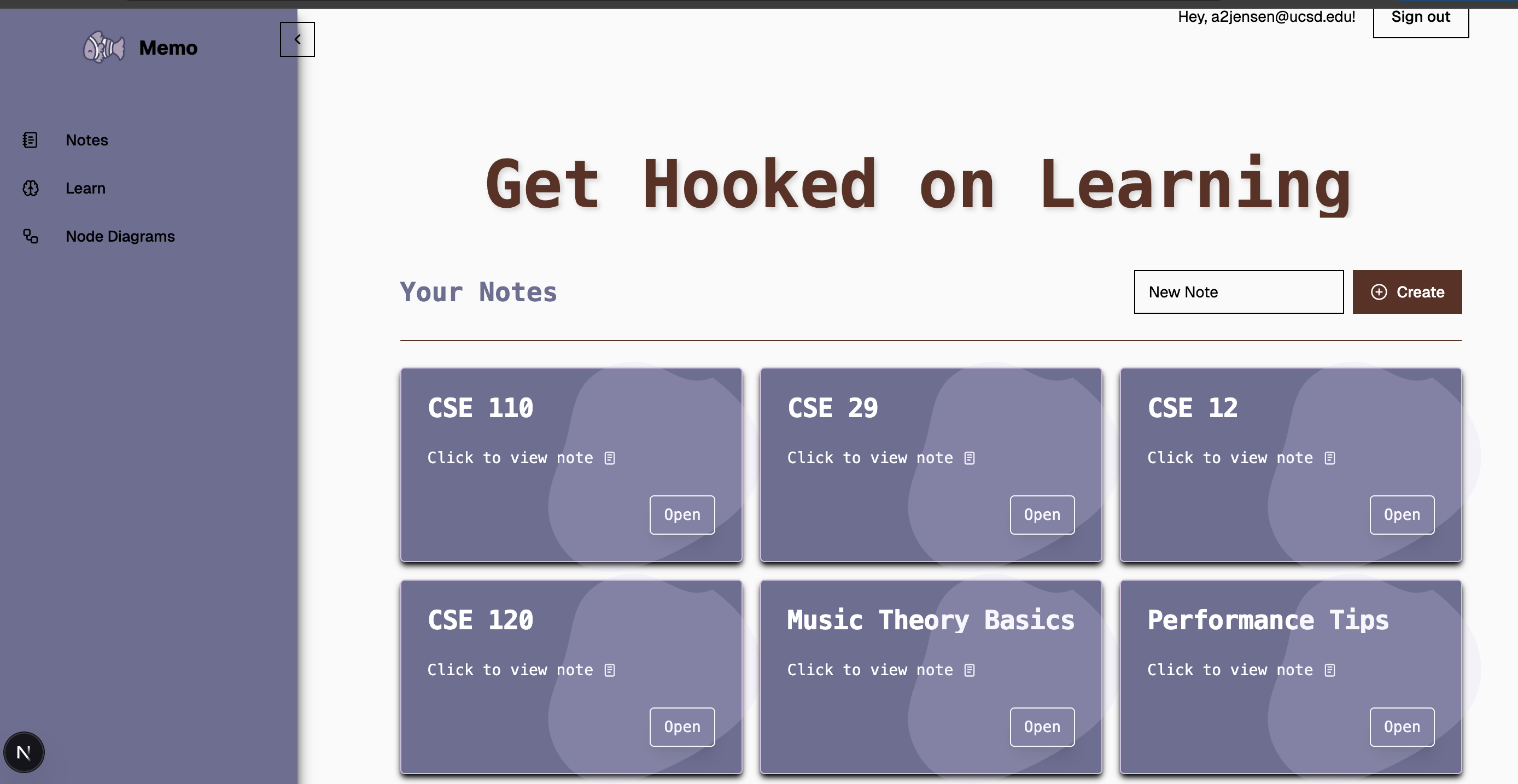
- Smart Notes: Create Markdown-based notes that support rich formatting, code snippets, and embedded content
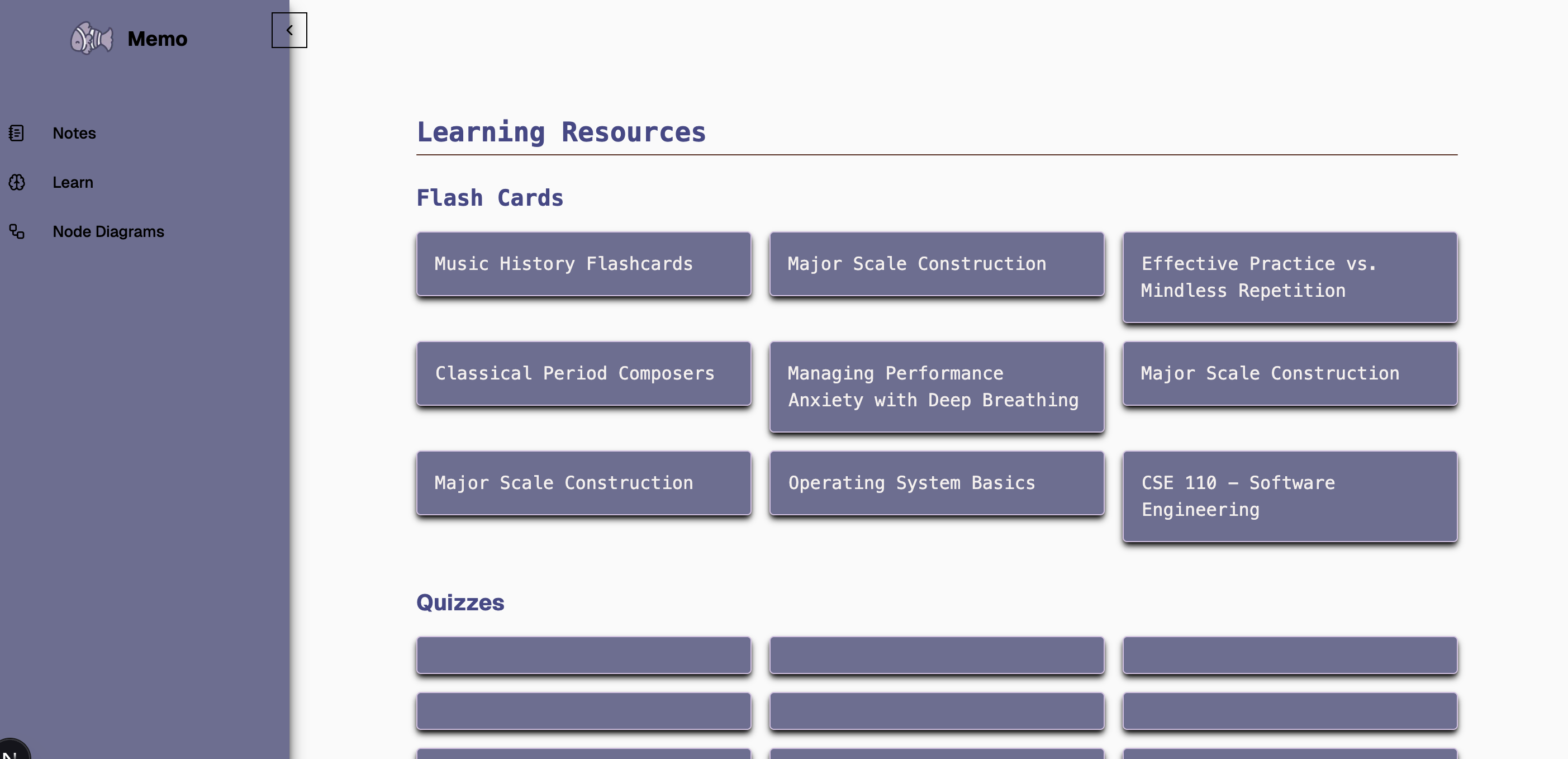
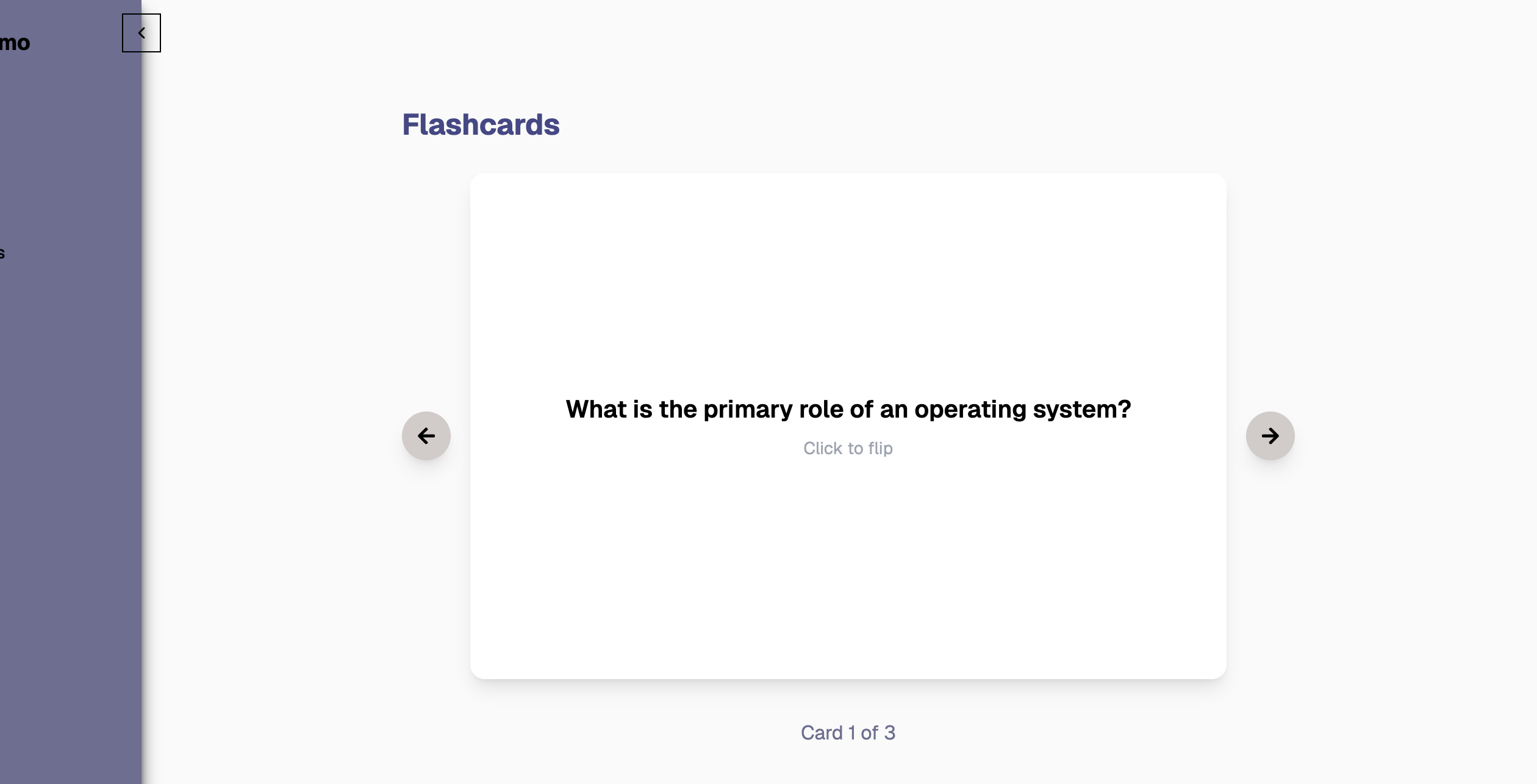
- AI-Powered Learning: Transform your notes into interactive flashcards and quizzes with Gemini AI assistance. Have access to a chat both with the context of your notes.
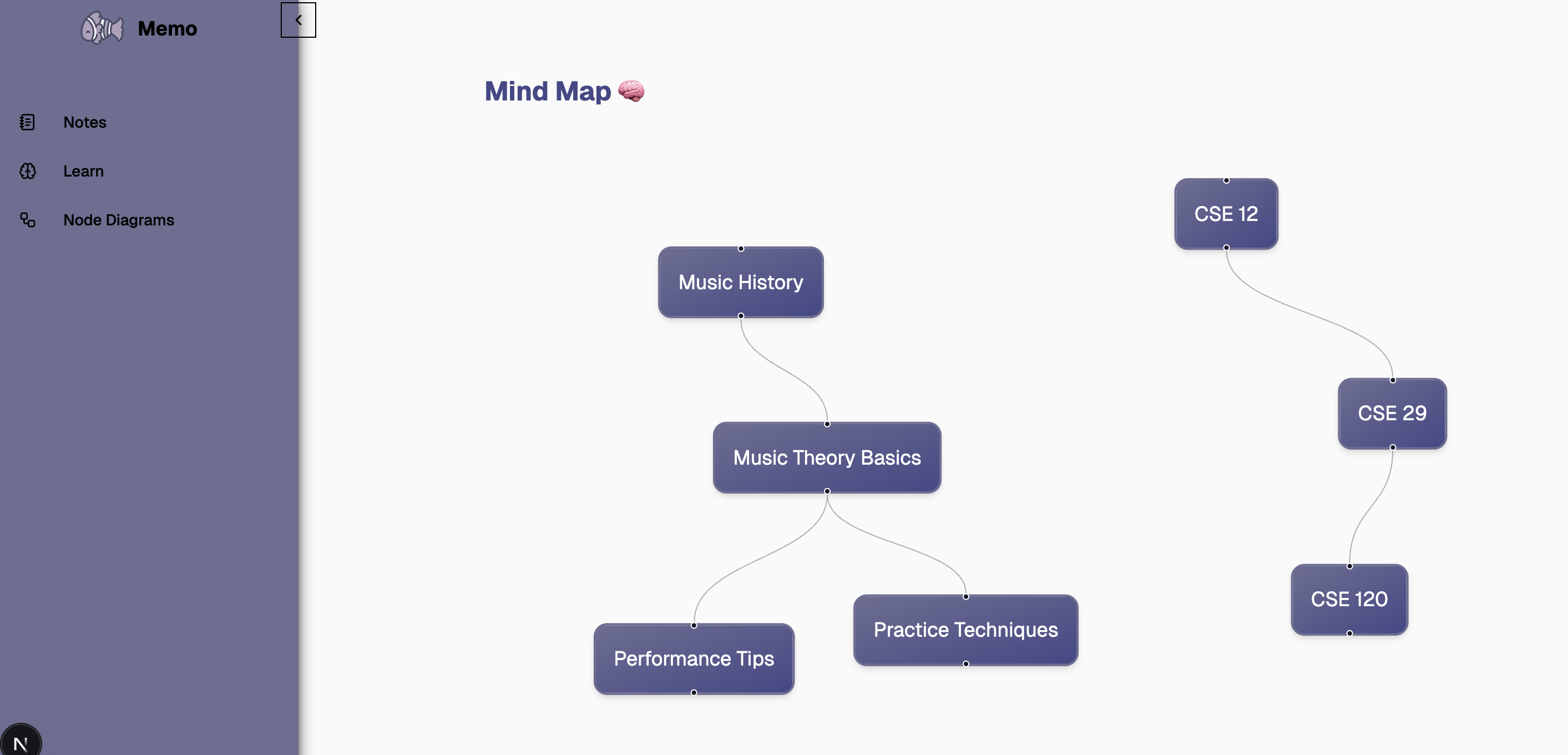
- Visual Organization: View connections between your ideas through a visual node-based interface
- Authentication: Secure user authentication powered by Supabase
- Responsive Design: Beautiful UI that works across devices using TailwindCSS, Shadcn, and Reactflow
The platform serves as your digital second brain, where information doesn't just sit idly but becomes part of an active learning system enhanced by AI.
How we built it
We built Memo using a modern tech stack optimized for performance, security, and AI integration:
- Next.js: For the frontend framework, providing both server-side rendering and static site generation capabilities
- Supabase: For authentication, database, and storage needs
- Gemini AI: For intelligent content analysis, flashcard generation, and quiz creation
- Tailwind CSS: For responsive styling with a component-based approach
- shadcn/ui: For beautiful, accessible UI components
- React: For the interactive user interface elements
- TypeScript: For type safety and improved developer experience
Our development process began with integrating Gemini's powerful AI capabilities into our workflow. We used Gemini to analyze note content, identify key concepts, and automatically generate learning materials. This AI foundation allowed us to build smarter features throughout the application.
The authentication system was implemented using Supabase, providing secure user management with features like password reset and session persistence. We structured our Next.js application with a clear separation between authentication pages, note management, learning tools, and the visual node interface.
We leveraged Gemini's natural language processing capabilities to:
- Extract important concepts from notes
- Generate meaningful flashcards with appropriate question-answer pairs
- Create quizzes that test understanding rather than just memorization
- Suggest connections between different notes and topics
Challenges we ran into
Building Memo wasn't without its challenges:
AI Integration: Calibrating Gemini's outputs to generate truly useful learning materials required significant experimentation and fine-tuning. For the first half of the hackathon we had various challenges setting up a chatbot as we ran into pricing problems with different LLMs. We eventually were able to safely settle with Gemini!
Authentication Flow: Implementing secure authentication with Supabase while maintaining a smooth user experience required careful handling of tokens and session management.
Data Relationships: Designing a database schema that effectively captured the relationships between notes, AI-generated flashcards, and quizzes while maintaining performance was complex.
Visual Node View: Creating an intuitive visual representation of knowledge connections was technically challenging, requiring careful state management and performance optimization.
Balancing AI and User Control: Finding the right balance between AI automation and user customization was a delicate process, ensuring the AI was helpful without being overbearing.
Accomplishments that we're proud of
Despite the challenges, we definitely felt satisfied given that for most it was their very first hackathon, and it was nice to work with UI libraries and backend services that we had never worked with.
Intelligent Learning Content Generation: We successfully integrated Gemini AI to analyze notes and generate high-quality flashcards and quizzes that actually enhance learning.
Seamless Authentication: We implemented a secure, user-friendly authentication system with Supabase that handles sign-up, sign-in, password reset, and session management elegantly.
Intuitive User Interface: We created a clean, accessible interface that makes complex knowledge management feel simple and intuitive.
AI-Powered Connections: The system intelligently suggests connections between notes and concepts, helping users build a more interconnected knowledge base.
Cross-Device Experience: The application works beautifully across desktops, tablets, and mobile devices.
What we learned
This project was a tremendous learning experience for our team:
Gemini AI Integration: We gained practical experience working with Gemini's API and fine-tuning AI outputs for specific use cases.
Next.js App Router: We mastered the Next.js App Router architecture and its approach to server components.
Supabase Integration: We learned how to effectively leverage Supabase for authentication, database, and real-time features.
AI-Enhanced UX: We discovered effective ways to incorporate AI capabilities without overwhelming users or compromising user agency.
Learning Science: We researched and applied principles of cognitive science and spaced repetition to make our AI-generated learning tools more effective.
Built With
- gemini
- nextjs
- react-flow
- react-md-editor
- shadcn
- supabase


Log in or sign up for Devpost to join the conversation.