-
-
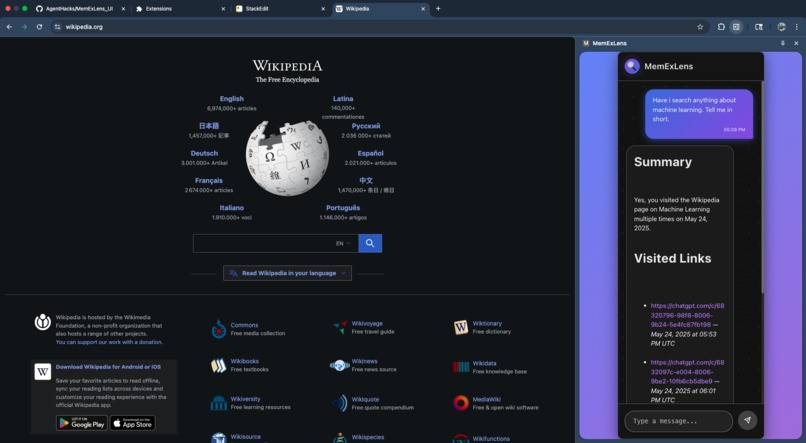
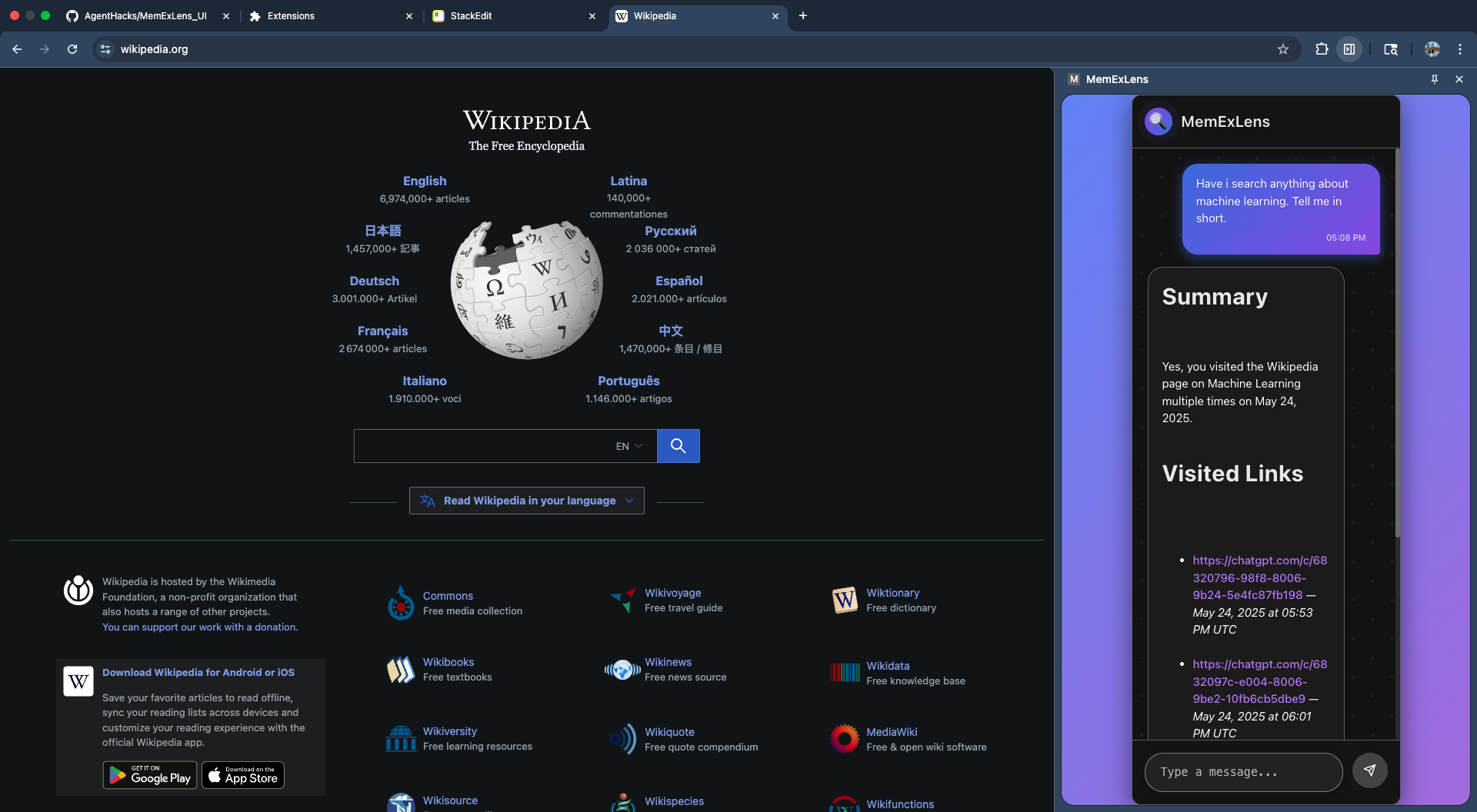
Chrome extension with user input and output
Inspiration
We wanted a smarter way to search and ask questions about our own browsing history—something that goes beyond simple keyword search and actually understands the context of what we've read online. With the rise of powerful language models and vector databases, we saw an opportunity to build a personal knowledge assistant that makes your web history truly useful.
What it does
MemExLens is a chrome browser extension that ingests your browsing history, extracts and embeds webpage content using Gemini, and stores it in Pinecone as semantic vectors. You can then ask natural language questions about your past browsing, and MemExLens retrieves relevant information and generates answers grounded in your actual visited content. All data is isolated per user, and you can interact via our Chrome Extension UI or REST APIs or a Streamlit UI.
How we built it
- Backend: Python with Flask and FastAPI for API endpoints.
- Embeddings: Google Gemini API for semantic vector generation.
- Vector Storage: Pinecone for fast, scalable vector search.
- Frontend: Streamlit for interactive querying and demos.
- Deployment: Dockerized for easy local and cloud deployment (Google Cloud Run).
- Environment Management: All configs and secrets managed via
.env.
Challenges we ran into
- Handling large and variable-length webpage content required robust chunking and batching strategies.
- Ensuring fast and accurate semantic search across potentially thousands of user-specific vectors.
- Managing API rate limits and error handling for external services (Gemini, Pinecone).
- Seamless deployment to Cloud Run with secure environment variable management.
Accomplishments that we're proud of
- End-to-end pipeline from raw browsing data to semantic Q&A, all deployable in the cloud.
- User isolation and security by design.
- Flexible architecture supporting both REST APIs and an interactive UI.
- Automated CI/CD workflow for rapid iteration and deployment.
What we learned
- The power and limitations of retrieval-augmented generation (RAG) for personal data.
- Best practices for managing secrets and configs in cloud deployments.
- How to optimize vector search and chunking for real-world, messy web data.
- The importance of clear API design and documentation for usability.
What's next for MemExLens
- Support for more data sources (PDFs, notes, emails).
- Enhanced answer citation and summarization.
- User authentication and multi-device sync.
- Open-sourcing more components and inviting community contributions.


Log in or sign up for Devpost to join the conversation.