-
-
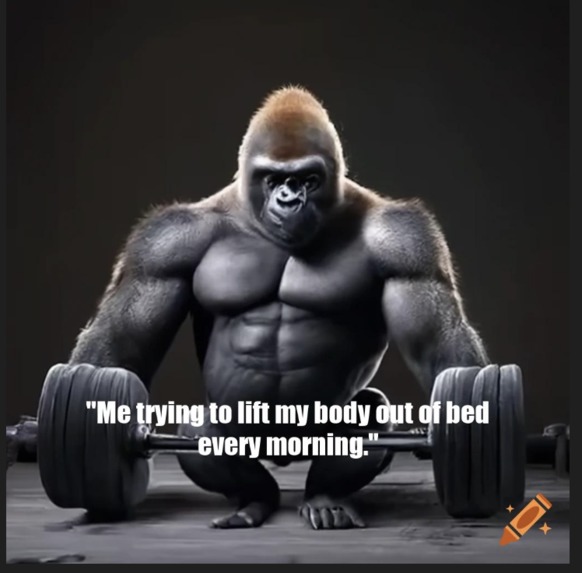
Meme generated by our project MemeGenAI
-
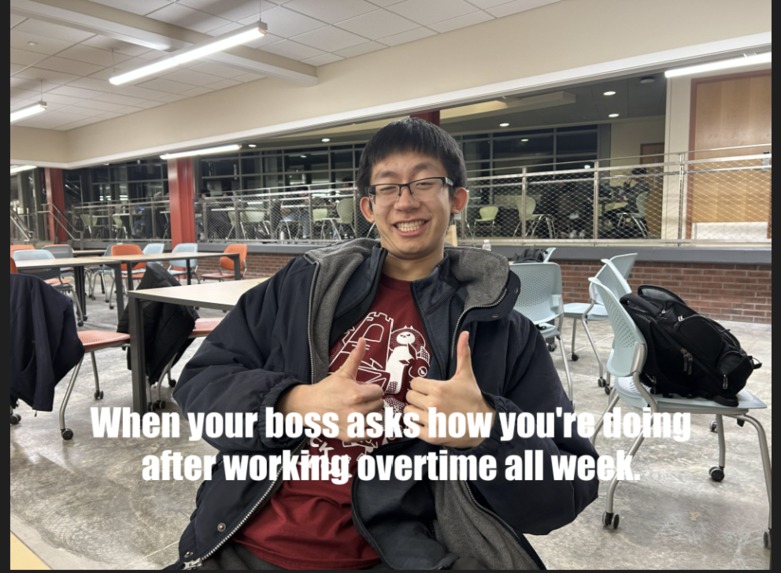
Another meme generated by our project MemeGenAI
Inspiration
Our constant browsing of memes on social media and our love for humor inspired us to make our own meme generator!
What it does
The user can upload an image to the website, and it will return the image turned into a meme! Behind the scenes, the front-end takes in the image file, and passes it on to the backend. The backend analyzes the image, using Blip 2 to create a context-relevant description. It then creates an AI generated meme caption for the image using GPT 3.5. This caption is then centered, sized, and overlayed onto the image. The image is then returned back to the frontend, which displays the image to the user.
How we built it
For the frontend: We used Flask--a framework for building web applications--and HTML to create a simple, yet interactive web application with multiple web pages to allow the user to upload an image file. The application only accepts valid image file extensions (such as jpg or jpeg) and then downloads the file in a dedicated directory. The backend program then accesses the file using the file path and creates a separate meme image file. The web application then displays that file to the user.
On the backend side: We used Python, and a few APIs to make everything work. We used the Python PIL library to take in images, and used Blip 2 to analyze what was going on in the image. We then put this query into GPT 3.5, and asked that to generate a meme caption. We then parsed out the caption from the json file it returns, and gave that caption to the function to write over the image. In that function, it uses algorithms, and the textwrapper library, to perfectly size and center the text over the image, so the program can take an image of any resolution. This final "memed" image is then saved to the user's filesystem.
Challenges we ran into
This was an extremely challenging project to make for both of us. Going into this, both of us had nearly zero python experience, and zero frontend development experience. A lot of our challenges came with figuring out the ropes with HTML, Python, and everything else. We also ran into a lot of issues trying to integrate and use different APIs. With the frontend, it was extremely challenging to develop the website, as neither of us had experience with this. We also had issues with integrating the frontend and the backend together.
Accomplishments that we're proud of
We are both extremely proud of what we have learned in this project. For both of us, this is one of our first times using python, and our first time experimenting with web development, and our first time building an open-ended coding project. We are proud that we managed to integrate all of the different libraries and get a fully functional and built out backend. We are also proud of ourselves for developing a decent looking (but simple) frontend, as HTML was a foreign language to us 36 hours ago. We are also proud of ourselves for integrating the frontend and backend, as that was a daunting challenge for us. Finally, we are proud of our dedication and perseverance. We spent a lot of time and pulled an all-nighter to get this finished in time.
What we learned
We learned a significant amount through this project. Coming in, we had zero frontend experience and extremely minimal python experience. We learned how to use functions in python, install and utilize different dependencies, search through documentation to write functions and diagnose errors, and integrate different APIs/libraries into our program. We also learned fundamentals such as virtual environments, package installation, and using Visual Studio code.
What's next for MemeGenAI
There is a lot we can and plan to do with this website. We are hoping to add input parameters, so the user can choose to generate different types of memes such as a "dark meme", or a "lighthearted funny meme."
We are also hoping to turn this into a mobile app (which was our original idea). This way, the user can take a picture on their phone, and it would be generated into a meme.


Log in or sign up for Devpost to join the conversation.