MEMAR — Your World, Your Memories.
What if the things around you could remember for you?
We interact with hundreds of objects every day. Our laptop holds our work, our notebook holds our ideas, our camera holds our experiences, and even the smallest objects around us are connected to important moments in our lives.
But our digital memories are scattered across apps, notes, photos, documents, and endless notifications. We often remember that something exists, but forget where we saved it, why it mattered, or when we need it.
We started thinking: What if remembering didn't require opening an app? What if the physical world itself could help us remember?
That's the idea behind MEMAR — a spatial memory layer for Snap SPECS.
Inspiration
Imagine looking at your laptop and remembering the project idea you had last night.
You look at your notebook and rediscover a thought you saved weeks ago.
You glance at your camera and reconnect with a moment from your last trip.
You look at your medicine box and recall the information or routine you associated with it.
These aren't just reminders. They're ideas, knowledge, personal notes, experiences, and pieces of information connected to our everyday lives.
We realized that the physical world already provides natural context for our memories. We just needed a better way to connect the two.
Instead of organizing everything only inside folders, apps, and timelines, why not organize digital memories around the objects and places they relate to?
That question inspired MEMAR.
What is MEMAR?
MEMAR is an AR-powered personal memory layer for Snap SPECS that connects digital information with the physical world.
It allows you to attach memories to everyday objects and revisit them through an immersive, context-aware experience.
Think of it as giving ordinary objects a digital memory of their own.
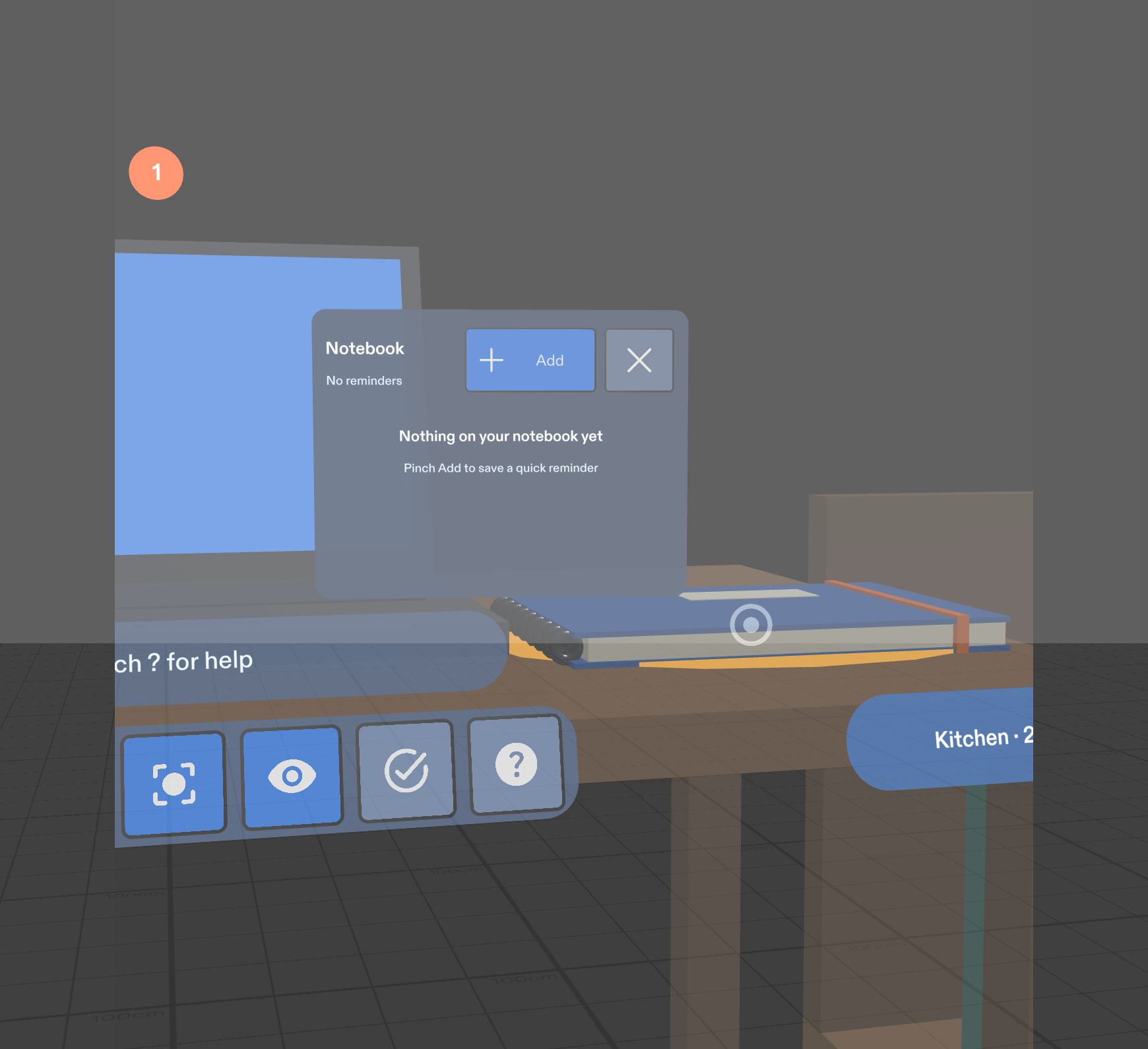
Your laptop can become a gateway to your work, projects, and ideas. Your notebook can hold thoughts and knowledge. Your camera can reconnect you with experiences. Your keys can bring back information associated with your next journey.
MEMAR is designed to go beyond conventional task management. It can become a personal layer for capturing, organizing, and rediscovering the information that matters in everyday life.
What can you remember with MEMAR?
- Ideas & Creativity: Save random thoughts, inspiration, plans, and ideas against relevant objects.
- Knowledge & Learning: Associate concepts, notes, research, and useful information with the things you use while learning.
- Personal Experiences: Connect memories, photos, stories, and meaningful moments to objects or places.
- Work & Projects: Keep project context, important notes, references, and next steps connected to your workspace.
- Everyday Life: Store useful information, routines, reminders, and things you don't want to forget.
The goal isn't to create another place where information gets buried. It's to make that information easier to rediscover when its context becomes relevant.
How it works
MEMAR follows a simple idea: Capture → Connect → Recall → Interact.
1. Capture
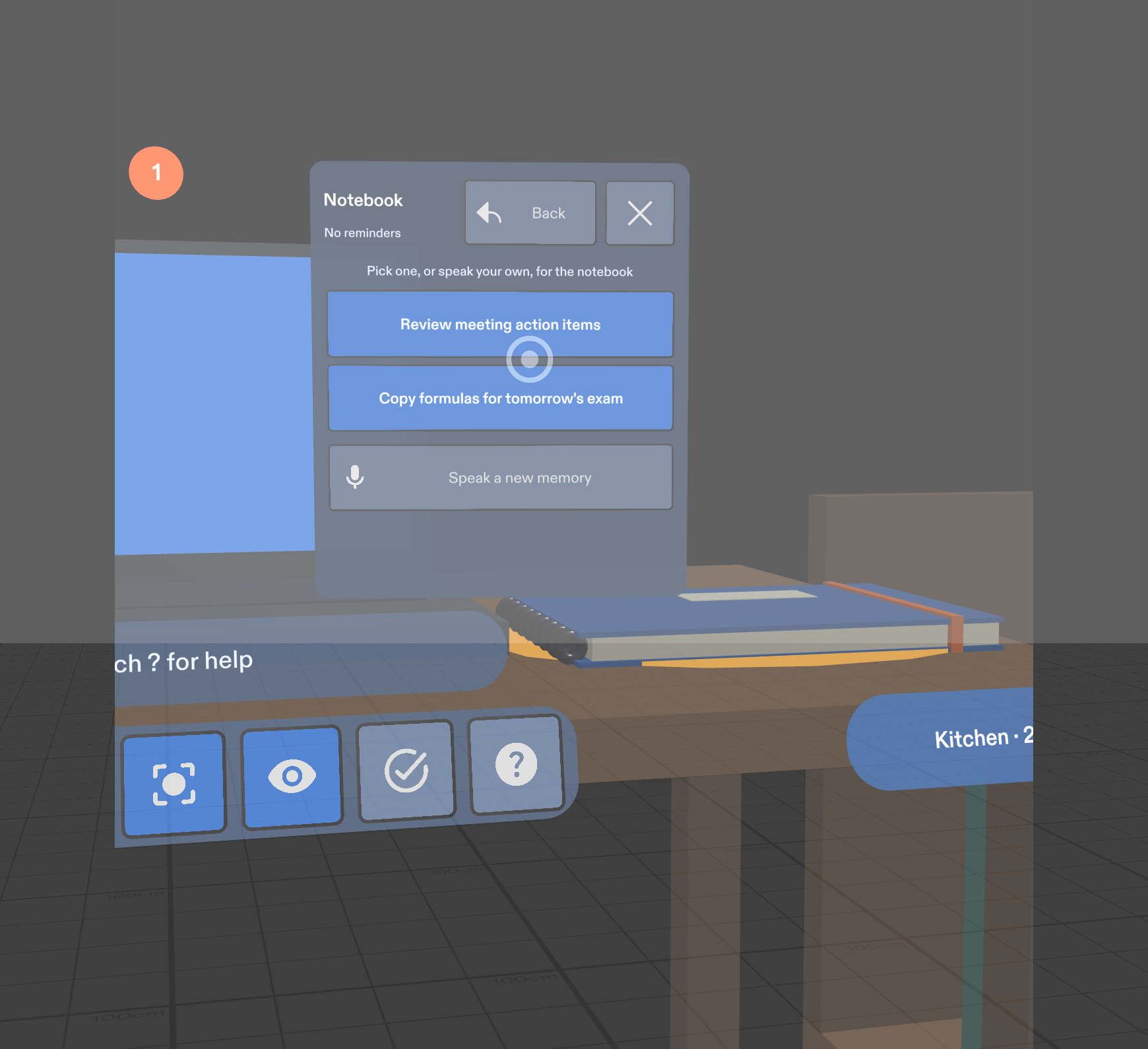
Create a memory using a quick preset or a spoken sentence. It could be an idea, a note, a task, a piece of knowledge, or something worth remembering.
2. Connect
Associate that memory with an everyday object, such as a laptop, notebook, keys, bag, fridge, or medicine box.
3. Recall
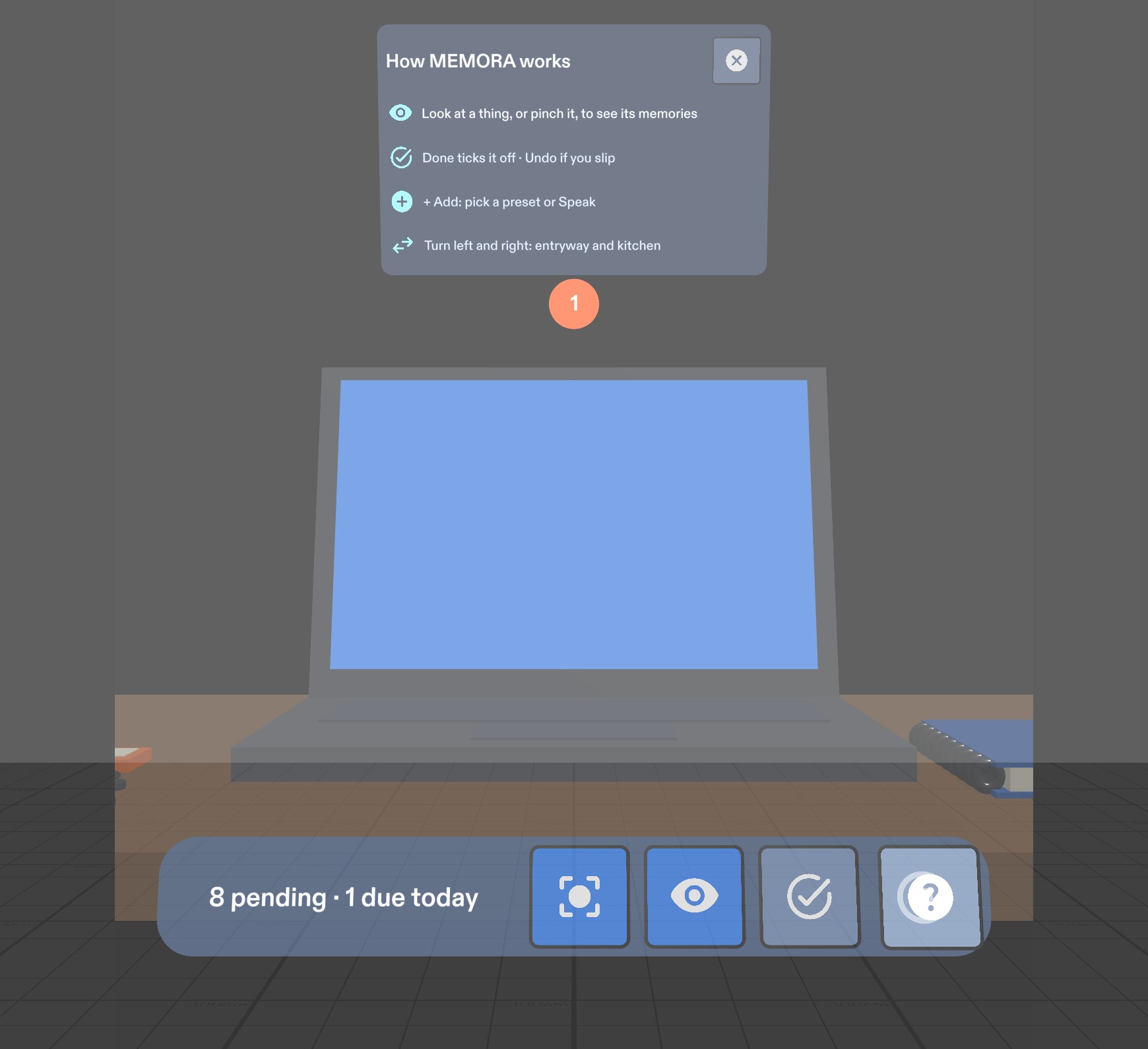
When you look towards an associated object or select it through the SPECS interaction, MEMAR brings its connected memories into view.
4. Interact
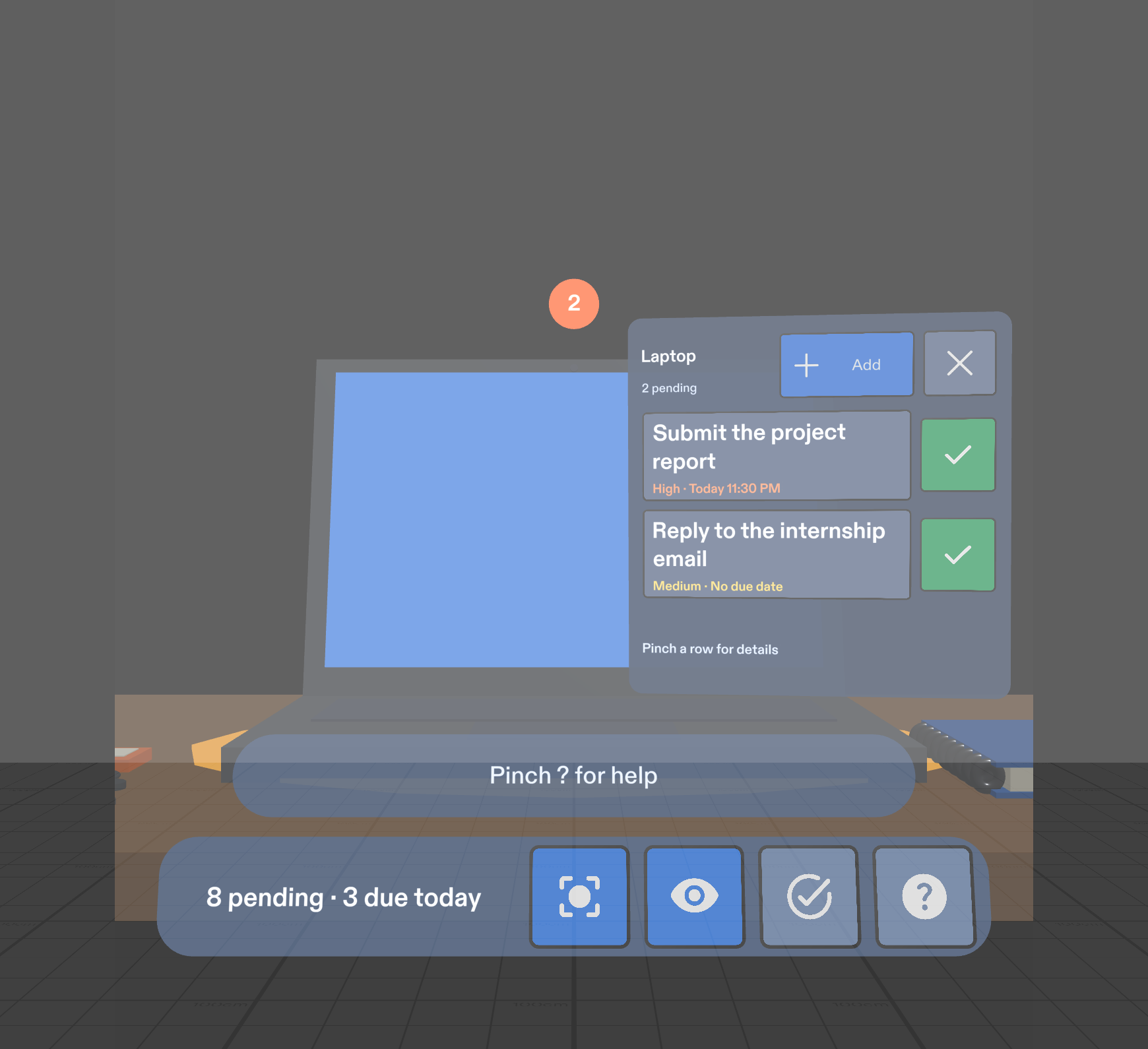
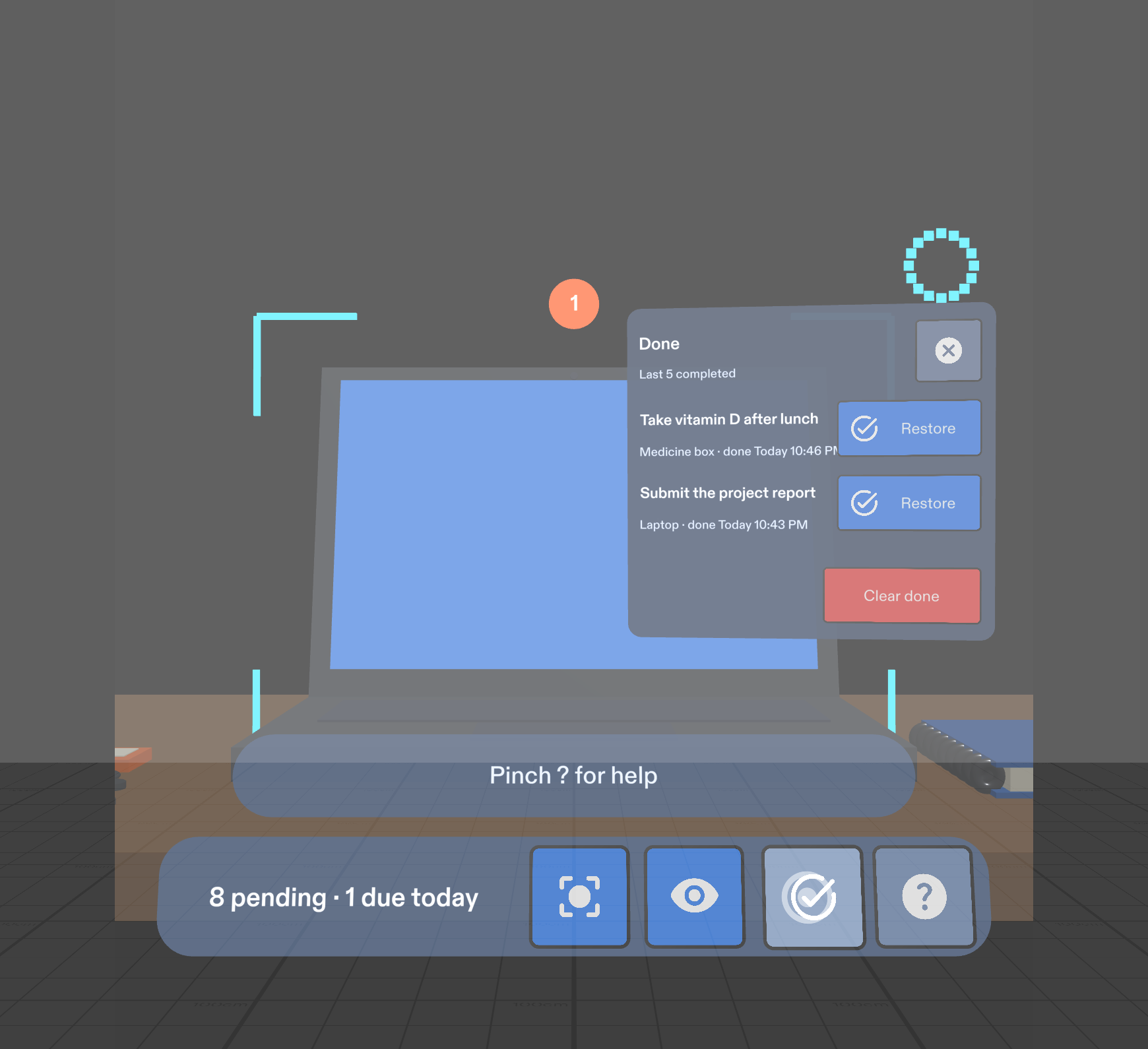
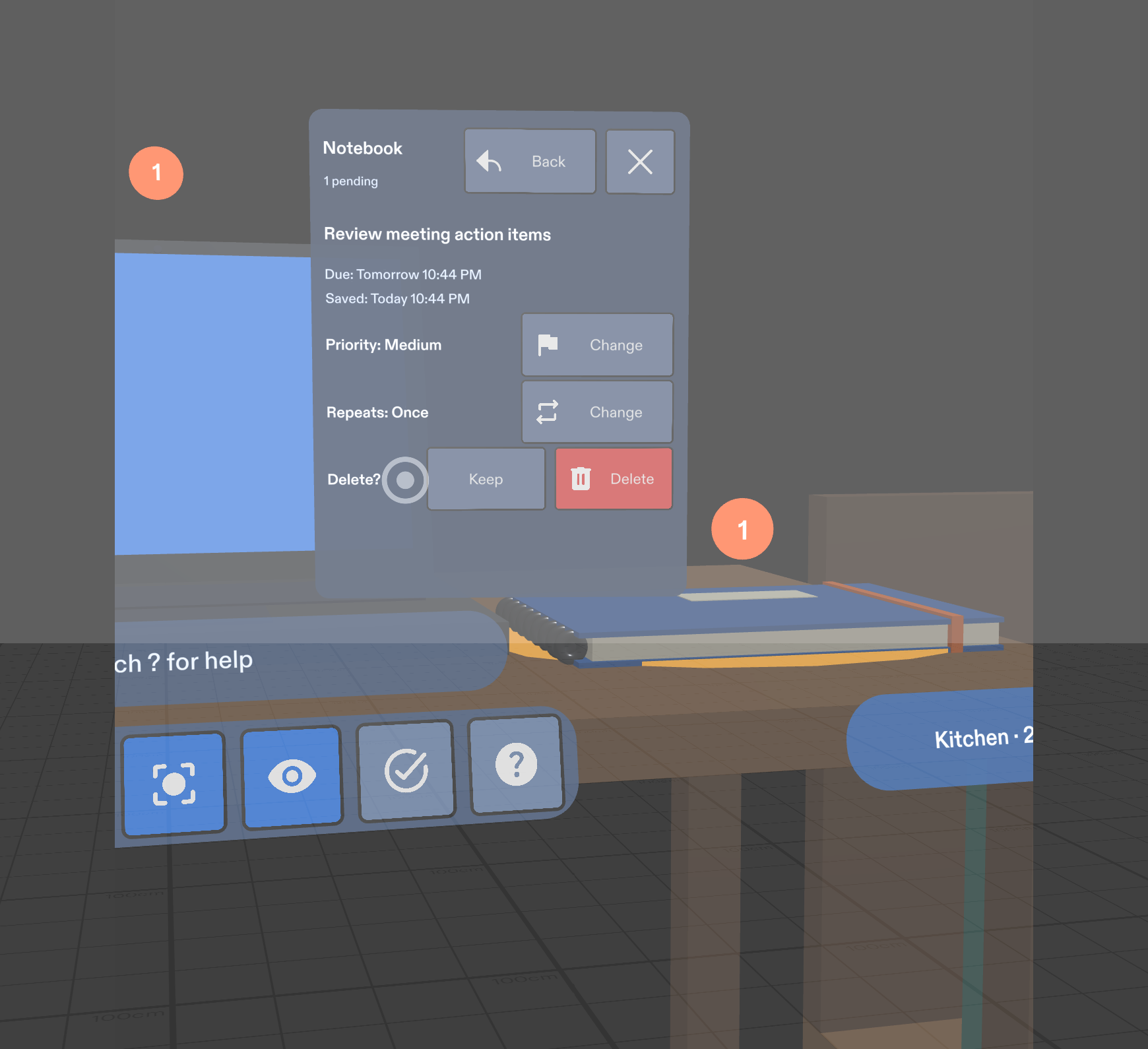
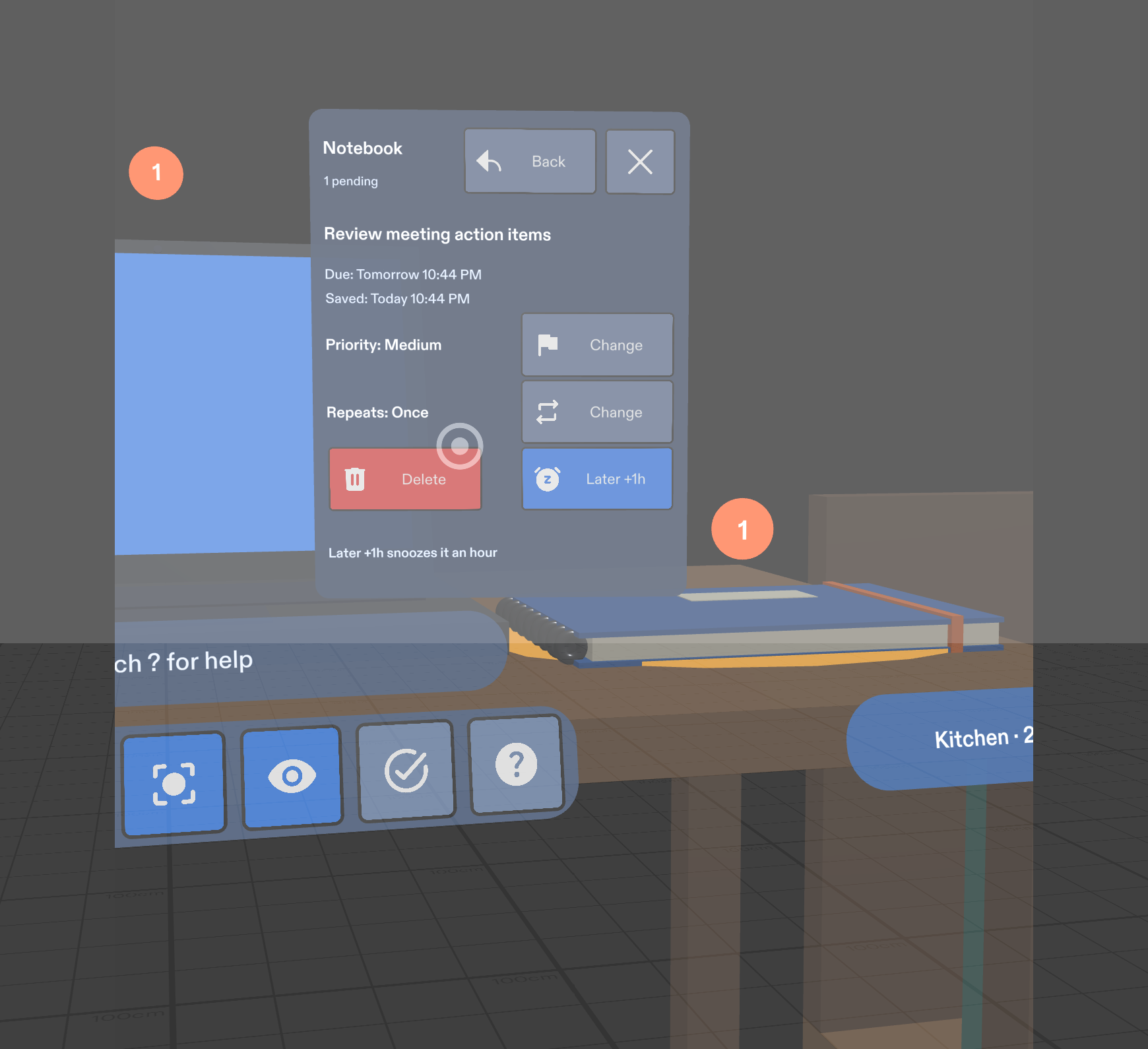
Explore the information, mark items as done, snooze them, restore completed entries, or add something new.
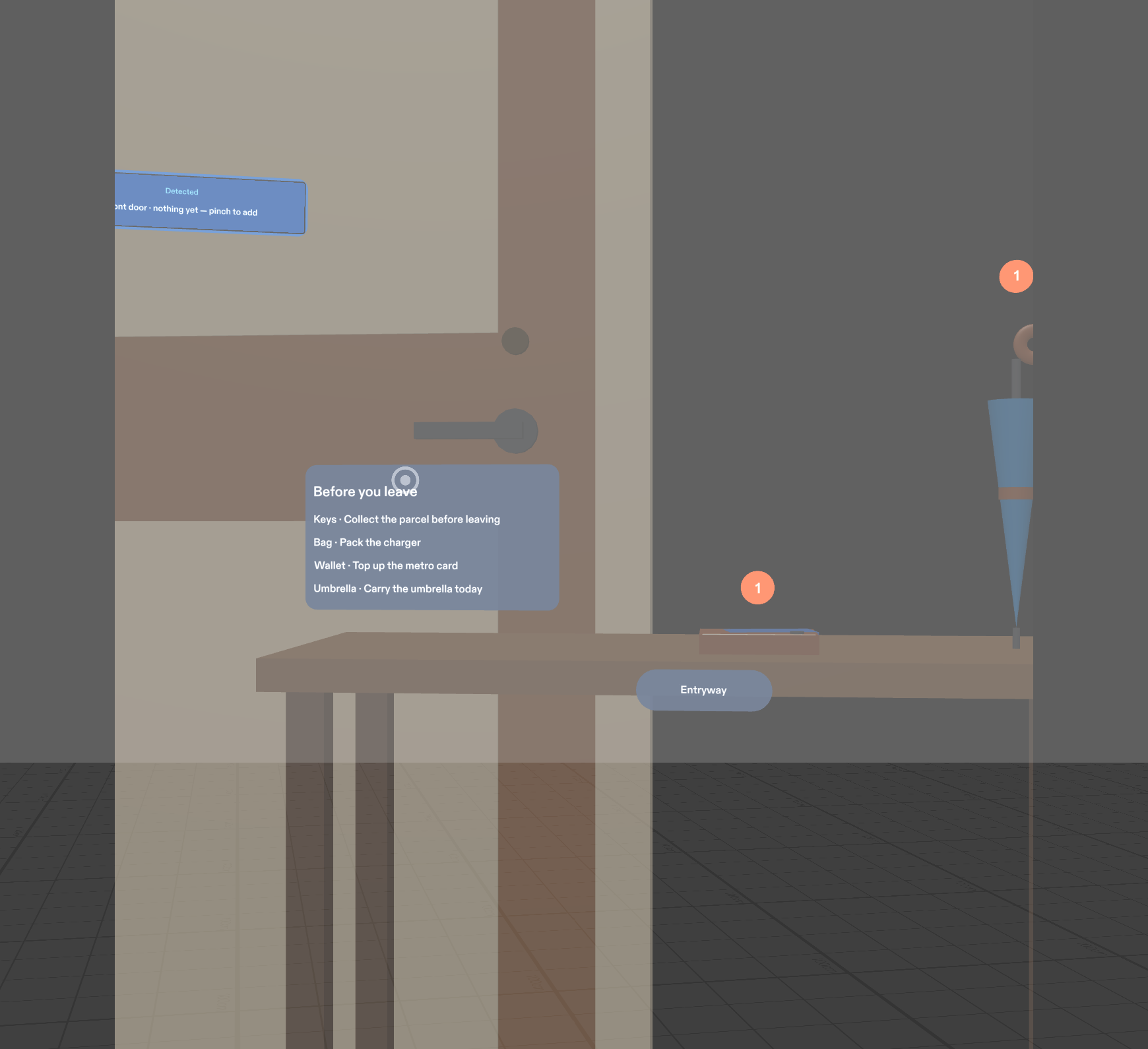
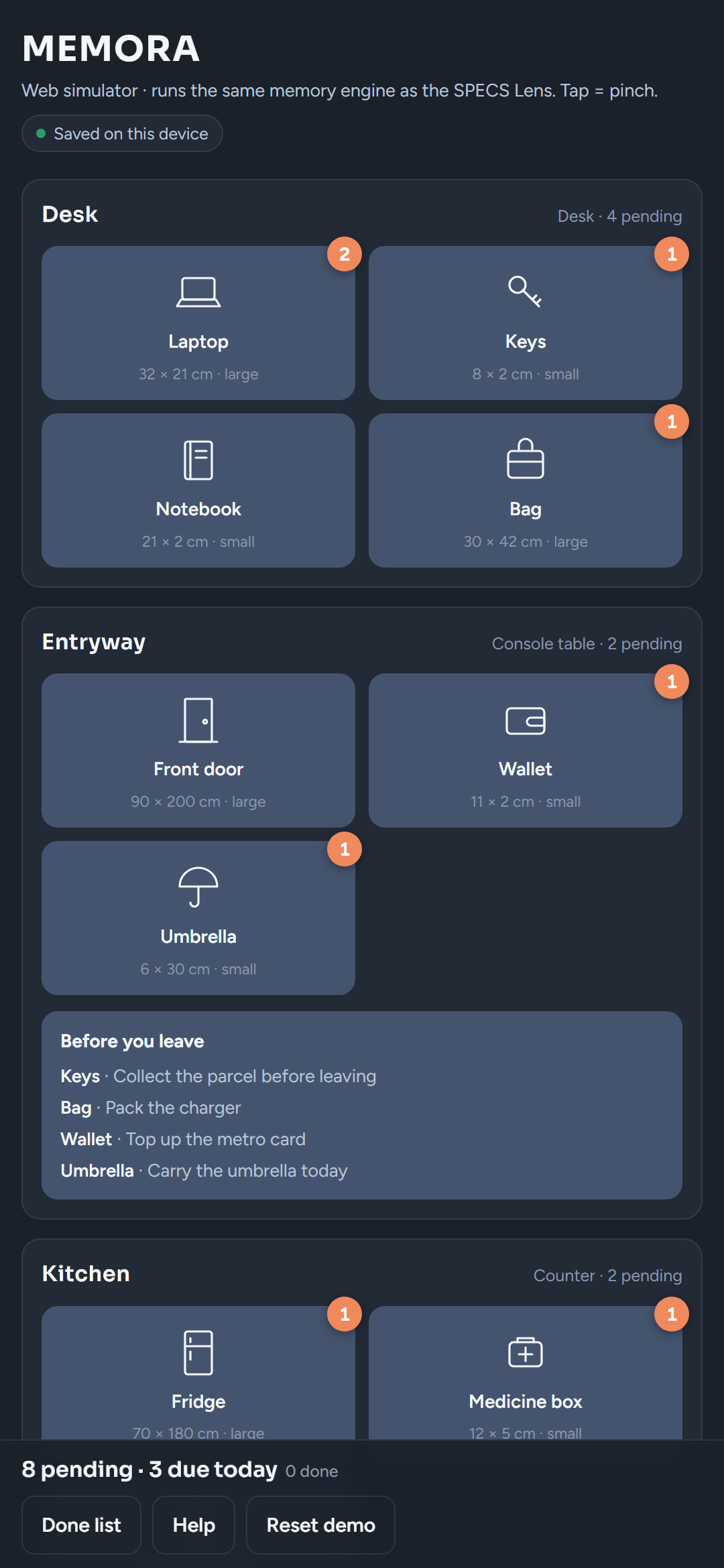
MEMAR also includes recurring routines, quick presets, voice capture, an archive, and a "Before you leave" view that brings together relevant information associated with the things you carry.
The experience we built
We designed MEMAR specifically for the unique experience of wearing smart glasses.
Instead of bringing a traditional phone-style dashboard into AR, we wanted information to feel connected to the environment while remaining lightweight and accessible.
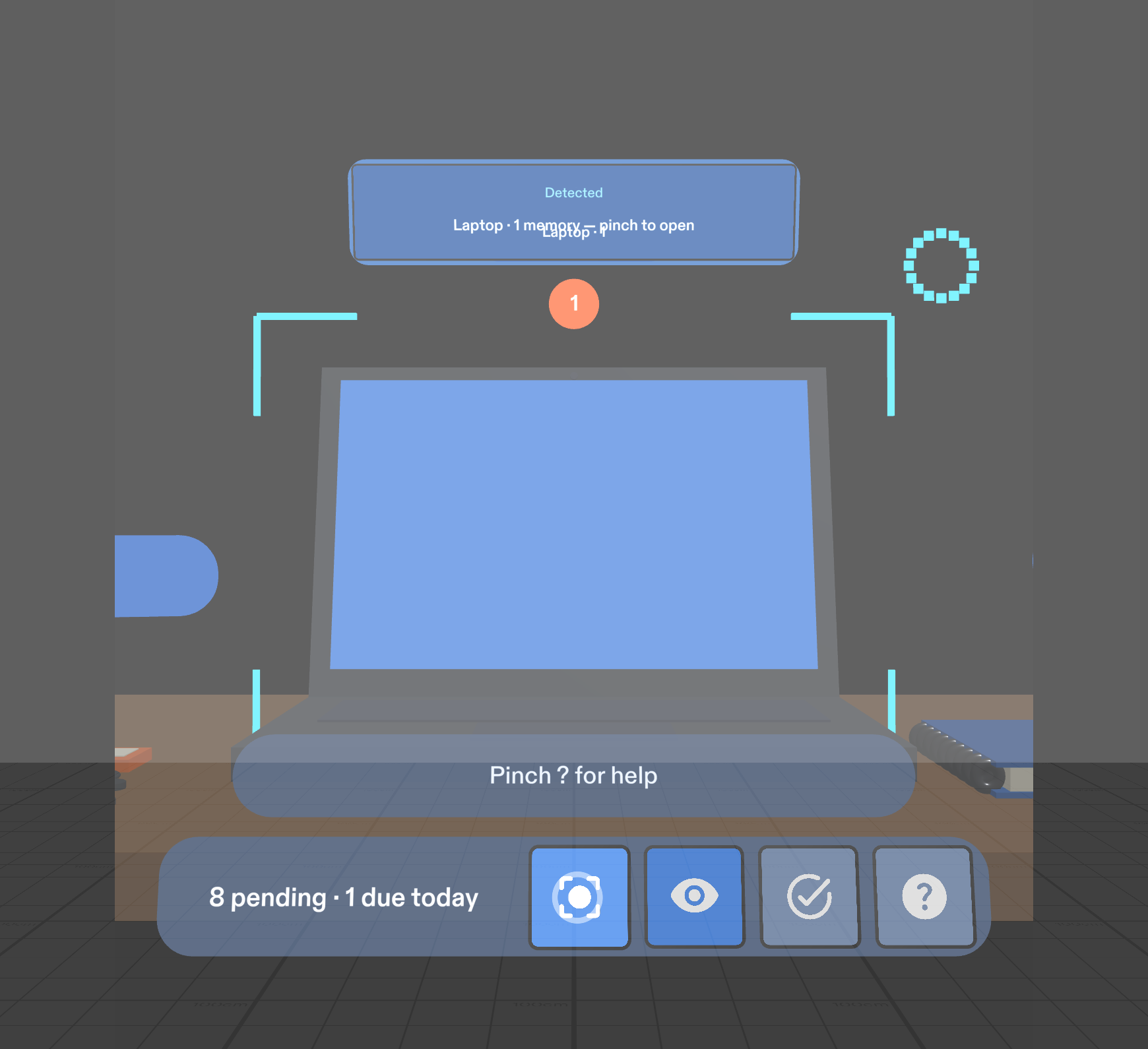
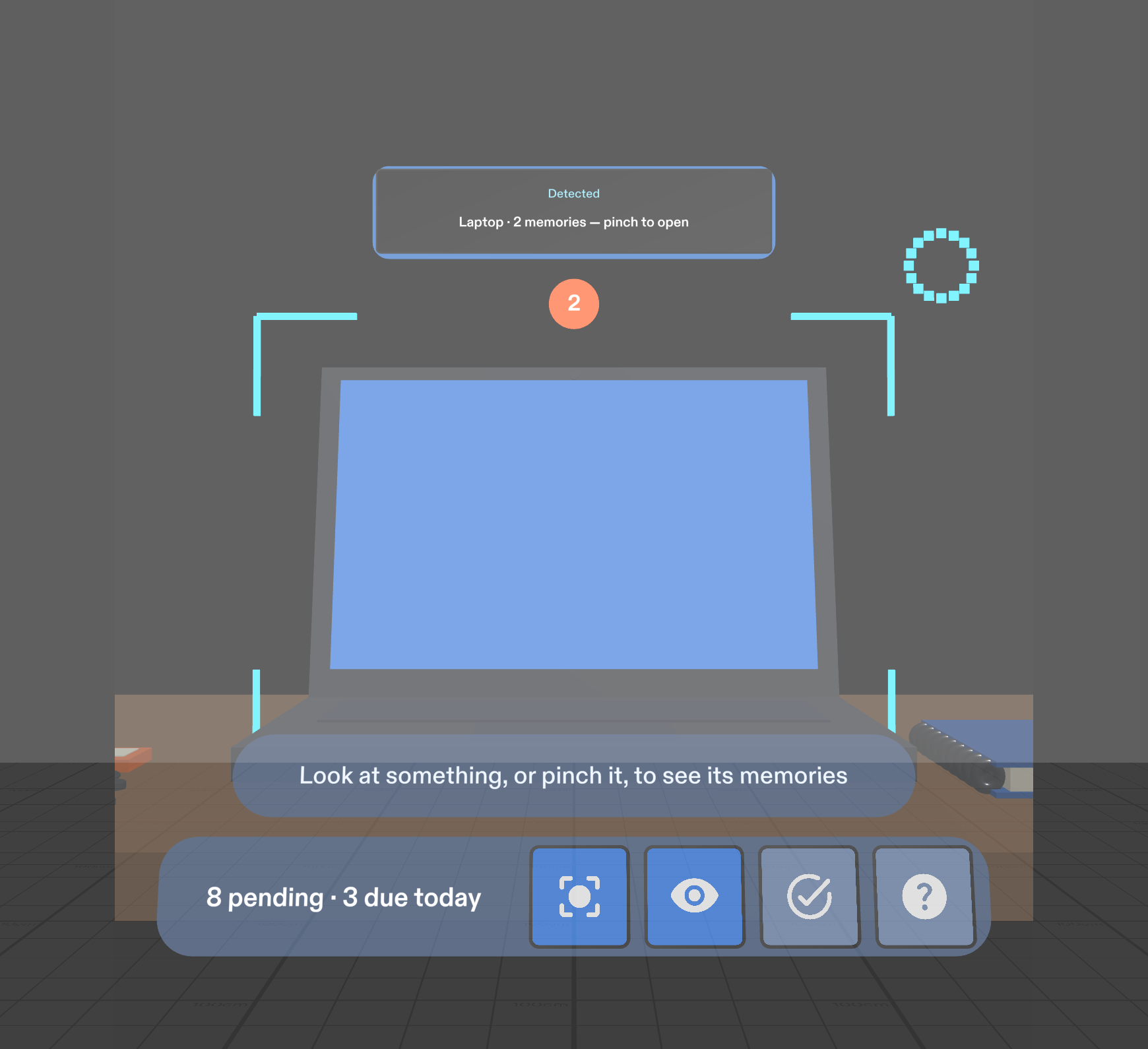
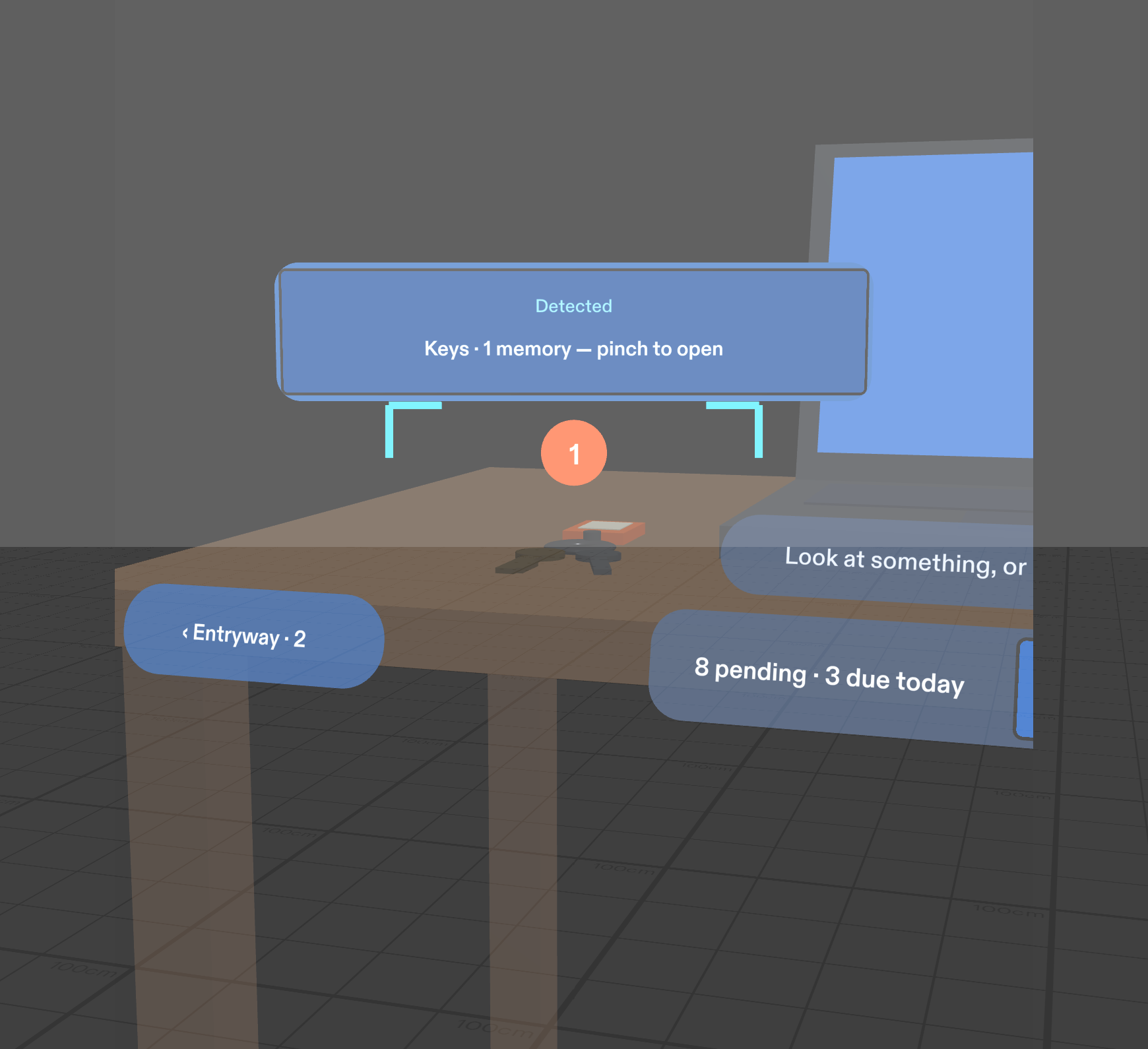
- Objects display small badges showing how much information is associated with them.
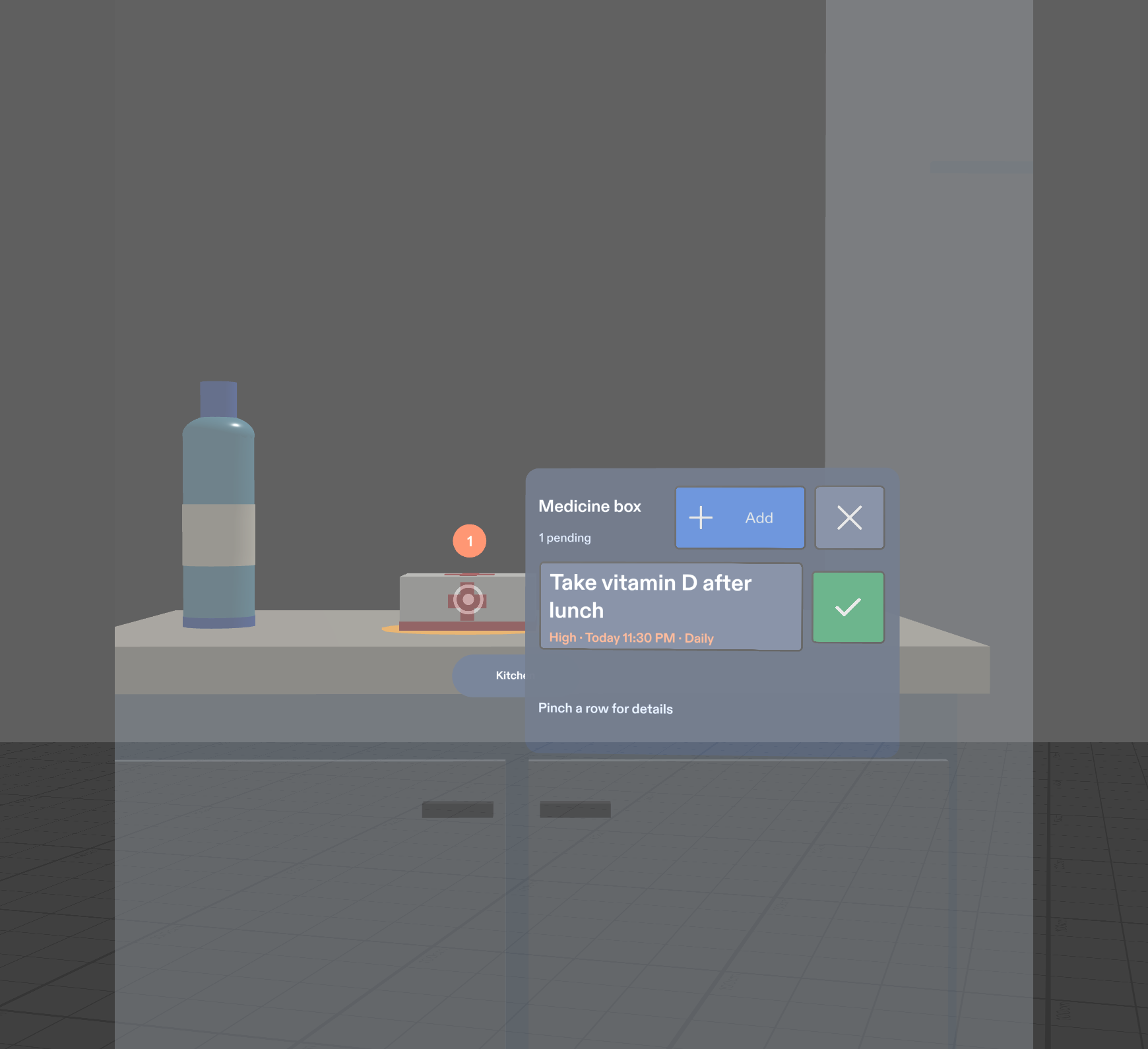
- Looking towards an object or pinching it opens a compact contextual memory card.
- Relevant information appears in priority order.
- Users can complete items with an Undo option.
- Daily and weekly routines can reappear automatically.
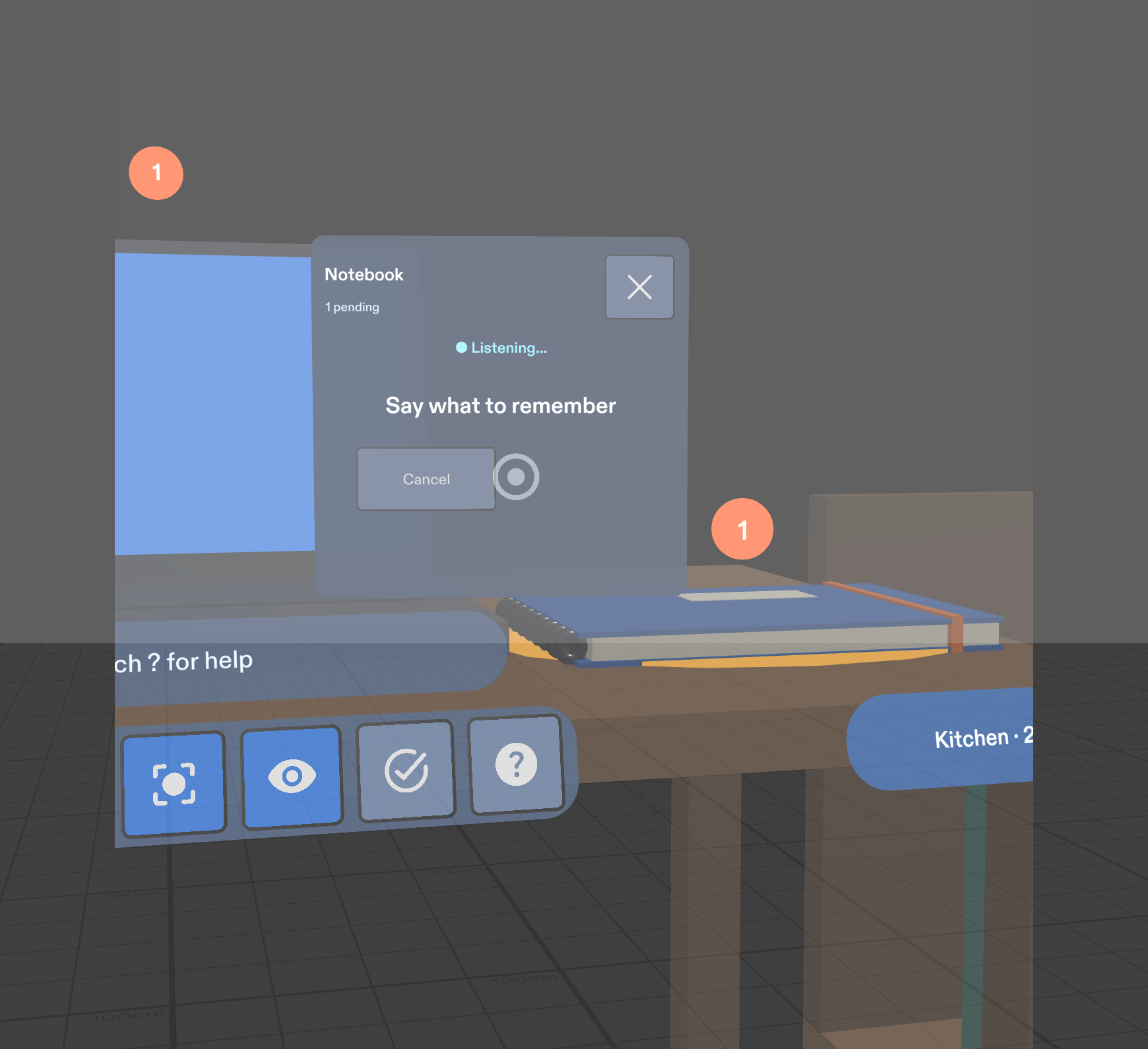
- Voice capture makes adding information more natural.
- A desk-edge information strip provides a quick overview without overwhelming the view.
- A "Before you leave" panel helps surface relevant information before heading out.
We also designed the interface around the narrow field of view of SPECS, keeping cards compact and positioning them closer to the centre of the user's view.
How we built it
We began by using the Devpost Learn SPECS skill pack and its plan-lens workflow to structure the project and generate our design brief.
We then used Claude Code, CLAD, Lens Studio, and Lens Studio MCP to build and iterate on the experience.
Our implementation uses:
- Lens Studio: The development environment for building the SPECS experience.
- Spectacles Interaction Kit (SIK): For interactions such as looking, pinching, and selecting.
- Spectacles UI Kit: For the AR interface and contextual UI elements.
- CLAD and Lens Studio MCP: To assist with scene creation, implementation, and preview workflows.
- TypeScript: For the core memory engine and application logic.
- LEAF: For testing the scene interactions and acceptance criteria.
- ASR: For spoken memory capture.
The memory engine
One important architectural decision was keeping the memory engine independent of the AR scene.
The core engine lives in Assets/Scripts/Memora and handles:
- Creating, retrieving, editing, and deleting memories.
- Connecting memories to objects.
- Managing recurring routines and snoozed memories.
- Maintaining completed and restored memories.
- Processing look-to-detect interaction logic.
- Cleaning voice transcripts before saving.
- Handling persistent storage and corrupted-data cases.
This separation makes the memory system easier to test and allows the experience to evolve without rewriting its underlying logic.
We have 41 Node.js unit tests covering the memory engine and its edge cases. The Lens experience is also covered by LEAF scenarios corresponding to the acceptance criteria.
Challenges we faced
1. Designing for a new kind of interface
We initially approached the idea like a conventional reminder application. But smart glasses are not phones.
Users shouldn't have to navigate multiple screens or read large dashboards. We shifted towards contextual information that appears when it is relevant and gets out of the way when it isn't.
2. Working within a narrow field of view
The SPECS viewing experience has a limited field of view. Cards positioned beside objects could easily become partially invisible.
We redesigned the positioning logic to bring cards closer to the centre of the user's view while keeping the associated object's badge visible.
3. Making object recognition honest
Our current preview uses stand-in objects and simulated look-to-detect behaviour based on head direction.
We deliberately separate this simulation from actual object recognition. Both looking and pinching can trigger the same selectObject() interaction, while a confirmation pinch keeps the interaction intentional.
This gives us a foundation for integrating real recognition later without pretending that the current prototype already has it.
4. Making memory capture natural
Typing on smart glasses isn't ideal.
We introduced quick presets and one-sentence voice capture to make saving information easier. Importantly, a voice transcript is not saved automatically; the user must confirm it through Save.
5. Building reliable interactions and storage
We had to carefully manage memory states, recurring routines, snoozing, undo actions, and corrupted storage data.
We also encountered compatibility issues between newer LEAF and preview-agent packages and the Interaction Kit version used by our project. We resolved this by pinning compatible versions rather than introducing unstable dependencies.
Accomplishments
We built MEMAR from an initial desk-based MVP into a multi-zone spatial memory experience.
Our current implementation includes:
- Three everyday environment zones.
- Object-associated memories.
- Contextual memory cards and object badges.
- Simulated look-to-detect interaction.
- Voice-based memory capture.
- Recurring routines and snoozing.
- Completed memory archive with Restore.
- A "Before you leave" experience.
- Persistent storage integration.
Testing results:
- 41 memory-engine unit tests passed.
- 14 out of 14 LEAF scenarios passed in the Lens Studio preview.
- 51 real SIK pinch interactions were tested with zero retries.
These results are from the Lens Studio preview, not physical SPECS hardware.
What we learned
The biggest lesson was that the future of computing doesn't necessarily mean putting more information in front of people.
Sometimes it means showing the right information in the right context.
Building MEMAR changed how we think about reminders, personal knowledge, and spatial computing. We learned that objects can be more than things we interact with physically. They can also become meaningful anchors for digital information.
We also learned that designing for smart glasses requires a different mindset: interactions must be intentional, information must be concise, and the experience should never compete with the real world.
Most importantly, we learned to build around the user's environment instead of forcing the user to navigate another digital environment.
What's next?
MEMAR is our first step towards a broader vision: a personal memory layer that connects our digital lives with the physical world.
Our next steps include:
- Real object recognition: Move from simulated detection to image-target and on-device recognition, with user confirmation.
- Spatial memory anchors: Explore placing memories at meaningful physical locations.
- Richer memories: Support links, images, documents, voice notes, and other forms of personal information.
- Semantic search: Find memories using natural language rather than remembering exact titles.
- Persistent spatial context: Explore ways to reconnect with memories across sessions.
- Personal knowledge graph: Connect related ideas, objects, experiences, and information.
- Shared memories: Allow people to share selected memories with family, friends, or teams, with consent.
We have currently tested the experience in the Lens Studio preview. Testing on physical SPECS hardware and validating real-world recognition and persistence are important next steps.
Our vision
We don't want MEMAR to become just another reminder application.
We imagine a future where your surroundings become an extension of your memory — where your workspace knows your ideas, your objects reconnect you with useful information, and your environment helps you rediscover things at the moment they matter.
Your world is already full of memories. MEMAR helps you find them.
MEMAR — Give your world a memory.
Built With
- 3d-interaction
- ar
- artificial-intelligence
- augmented-reality
- clad
- claude-code
- computer-vision
- context-aware-computing
- human-computer-interaction
- javascript
- leaf
- lens-studio
- lens-studio-mcp
- memory-assistant
- object-recognition
- persistent-storage
- personal-knowledge-management
- snap-spectacles
- spatial-computing
- spectacles-interaction-kit
- spectacles-ui-kit
- speech-recognition
- typescript
- voice-recognition


