-
-
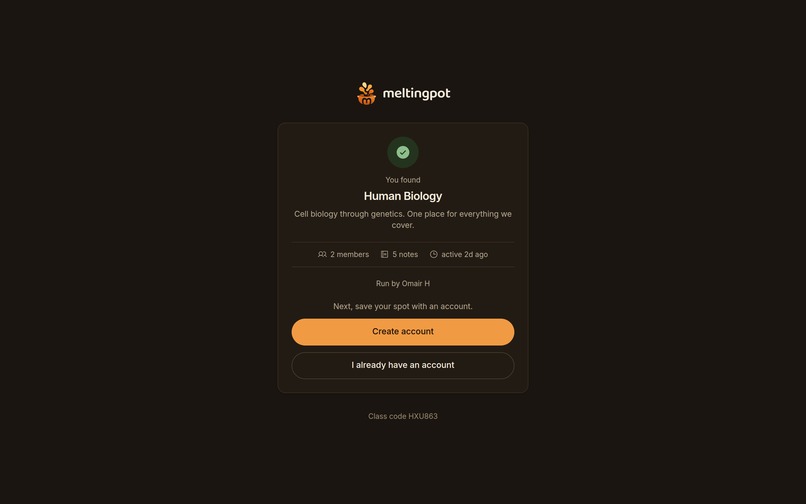
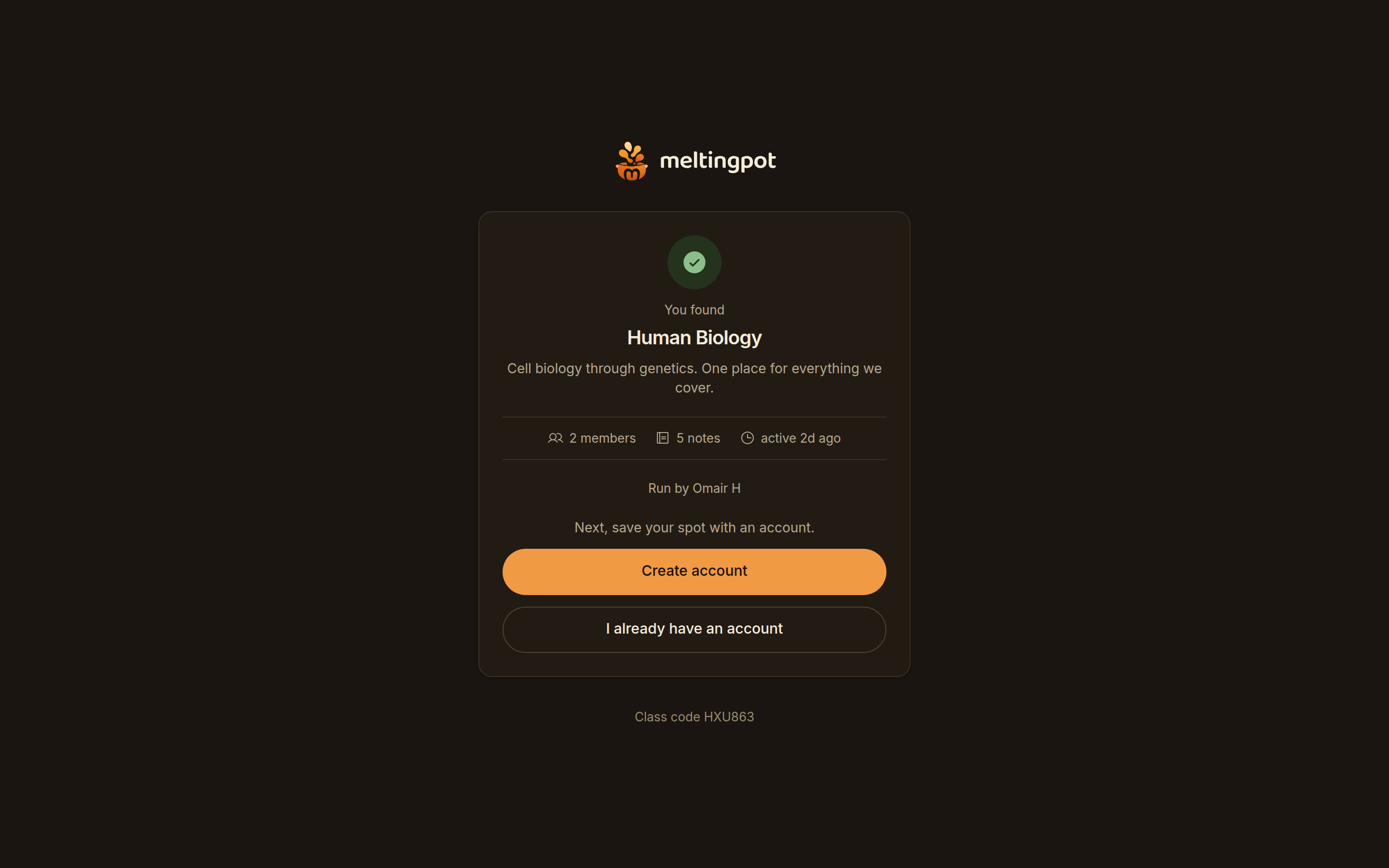
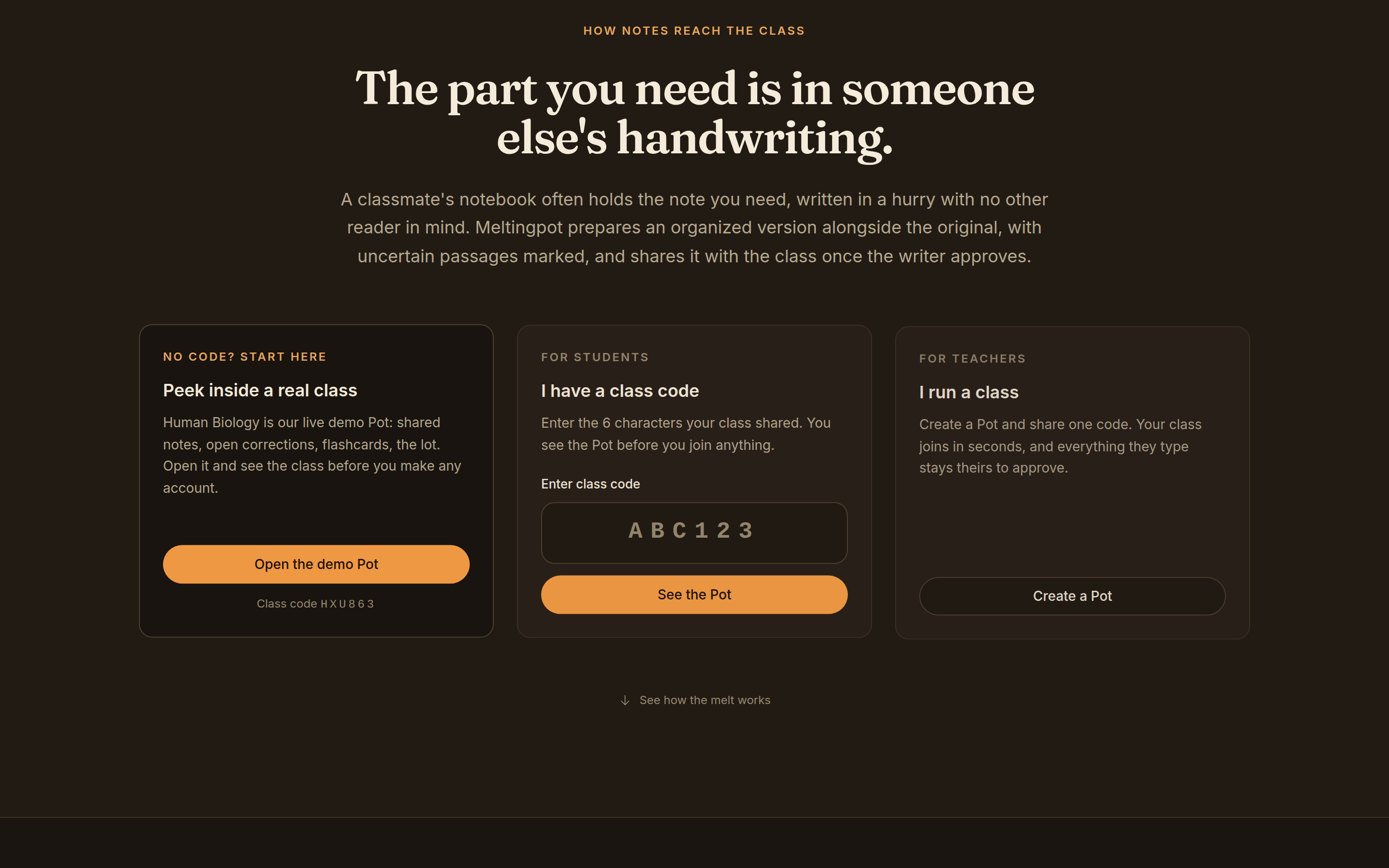
A class code shows the class before asking who you are. Human Biology, 2 members, 5 notes, all visible while still signed out.
-
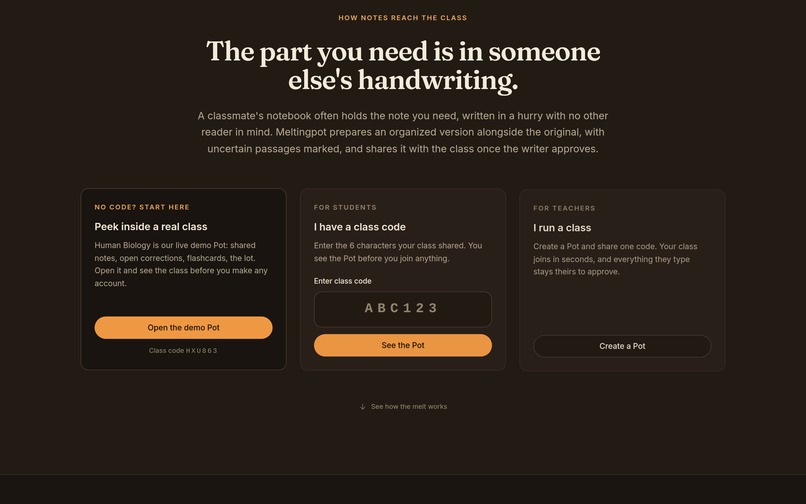
Three ways in and no sign up wall: open the live demo class with code HXU863, enter a classmate's code, or start a Pot as the teacher.
-
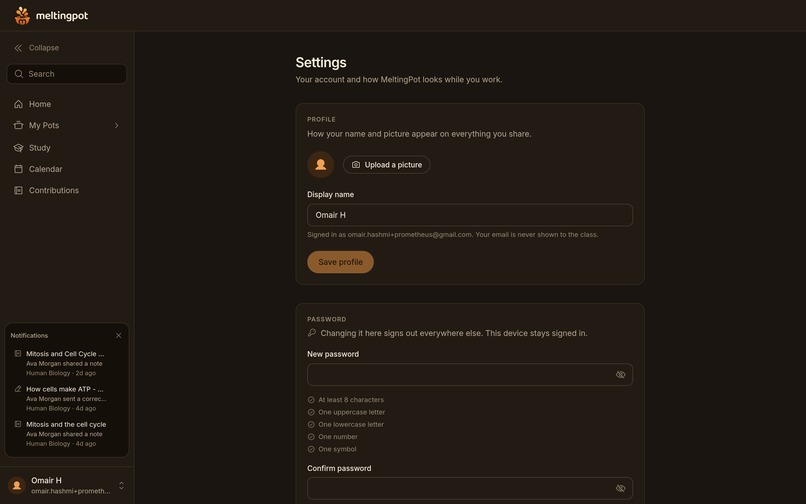
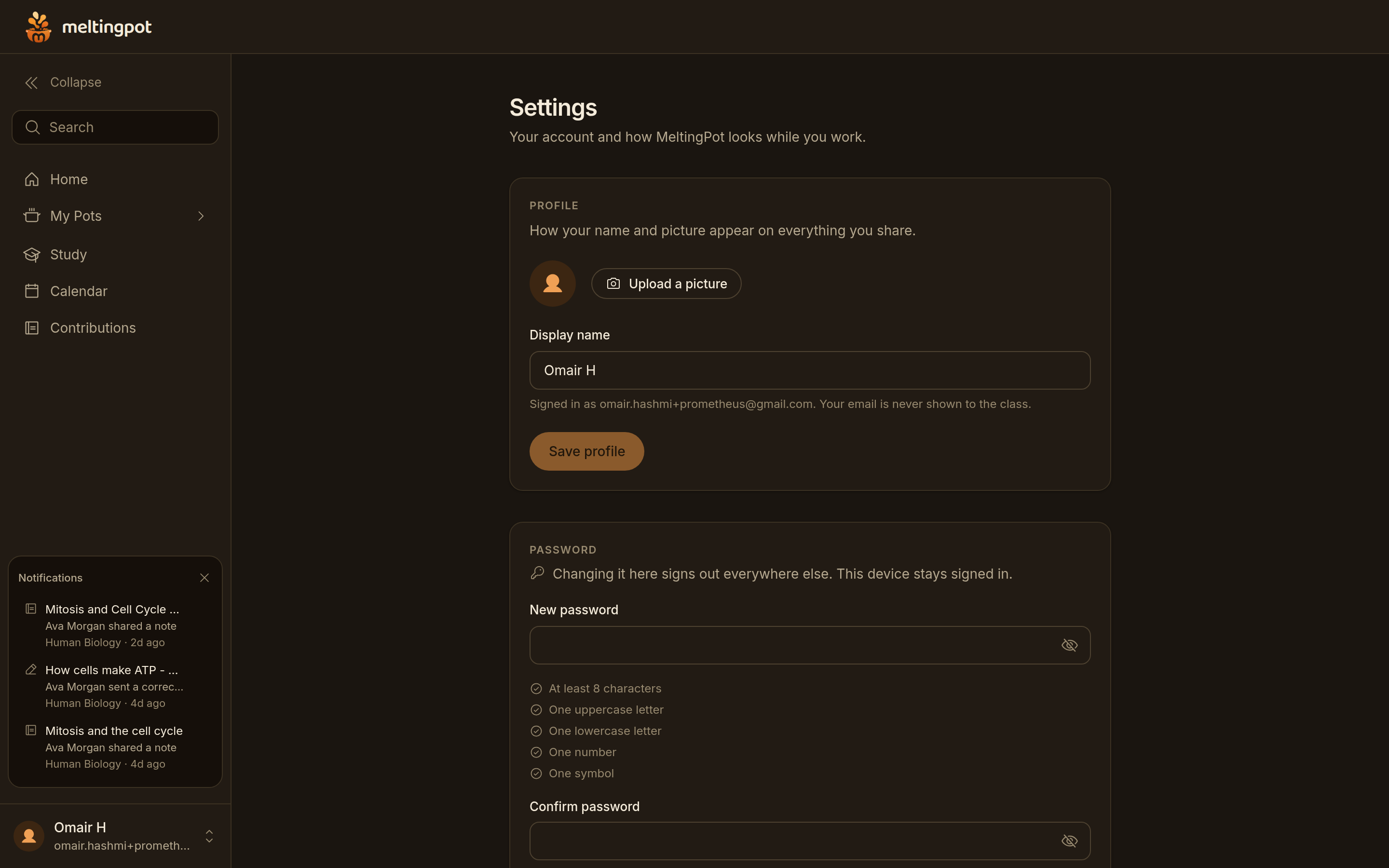
Account settings. A password change enforces the same five rules as signup and ends every other session when it succeeds.
-
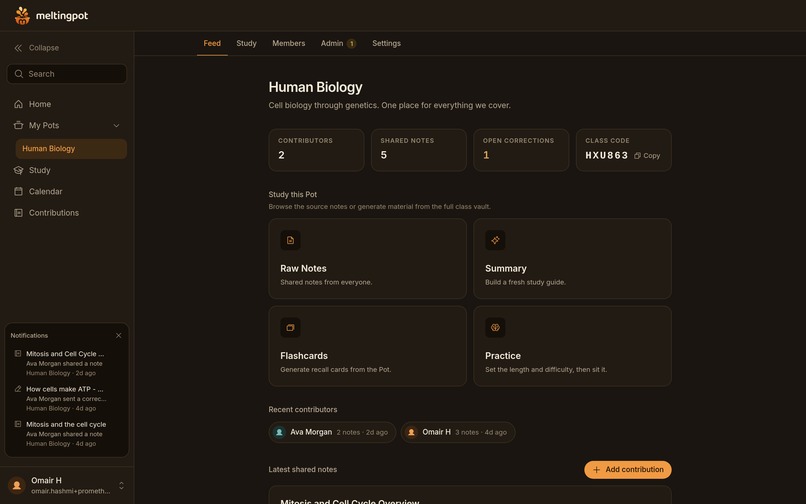
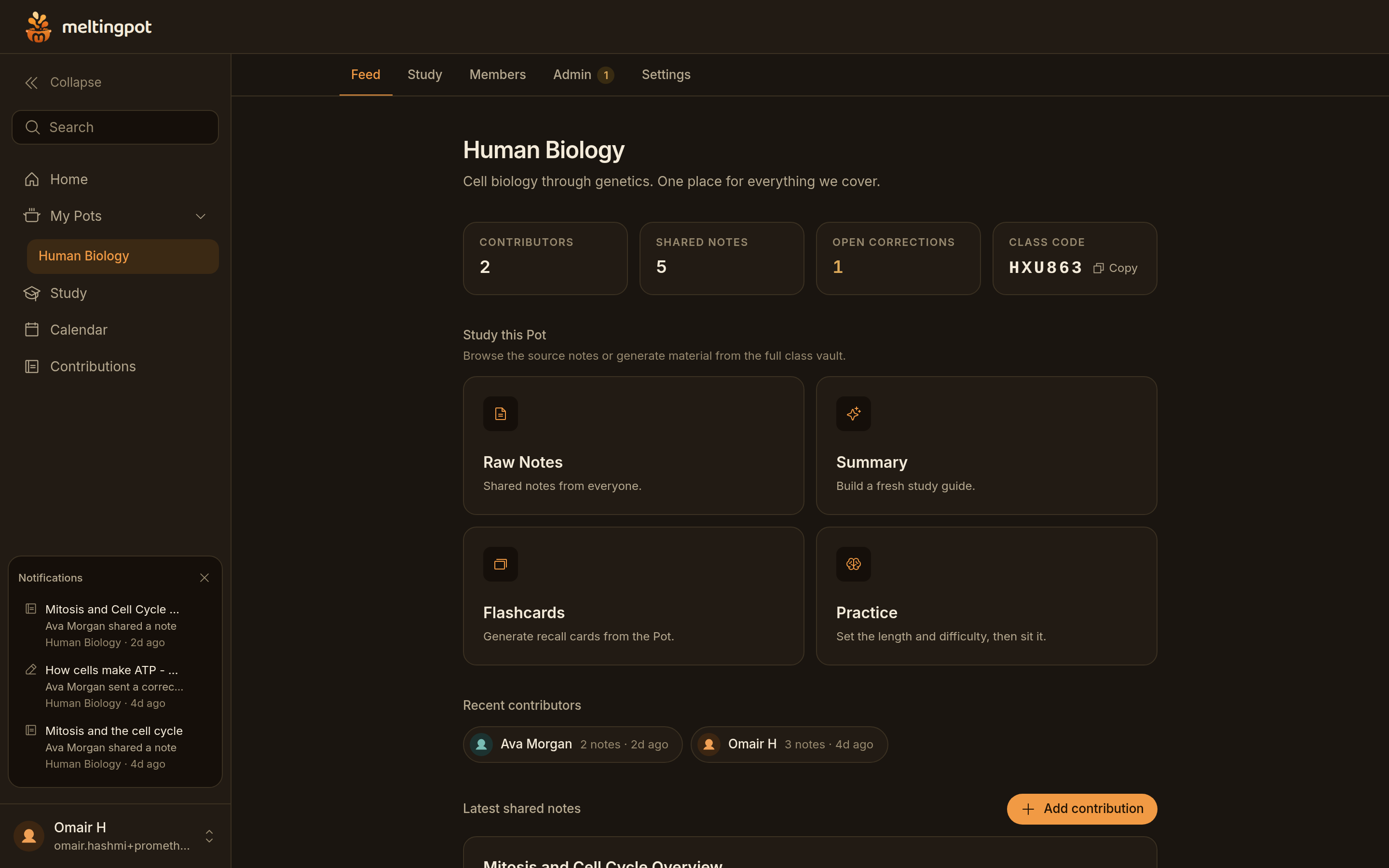
Inside a Pot: 2 contributors, 5 shared notes, 1 open correction, and the four things a class can do with what it has written.
-
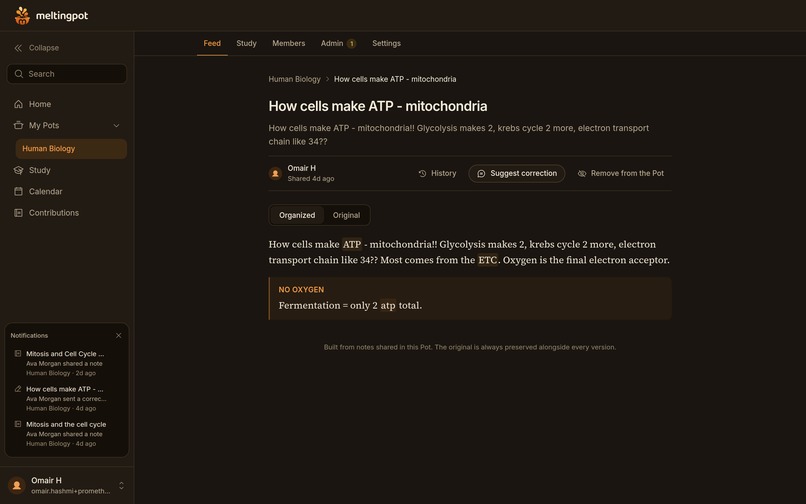
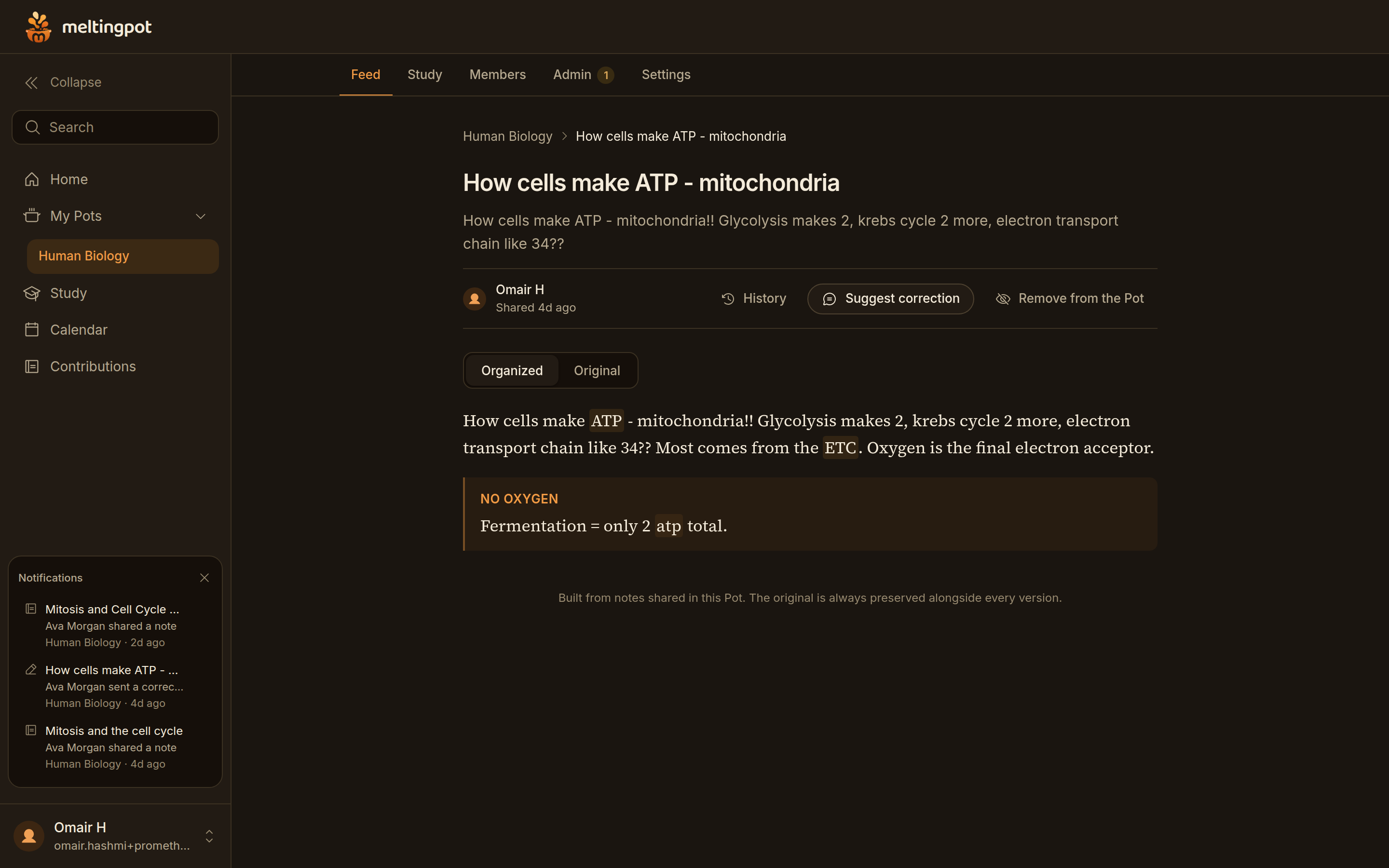
A shared note as the class reads it. The organized version shows, the original stays one tap away, and the writer's name is on it.
-
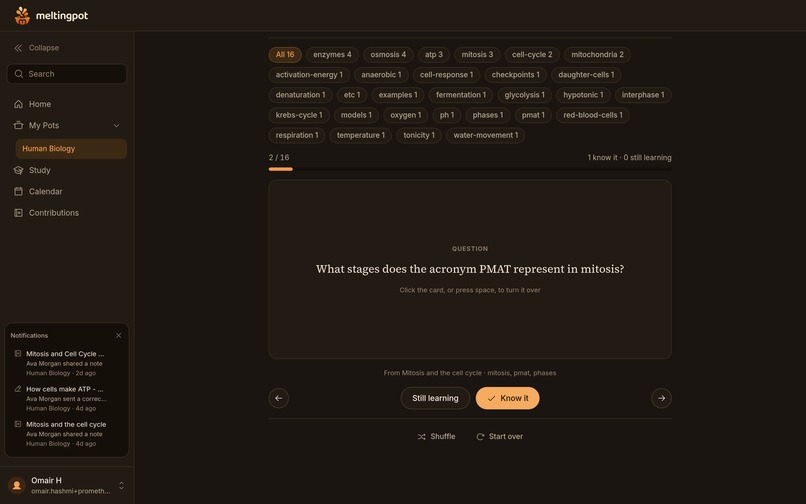
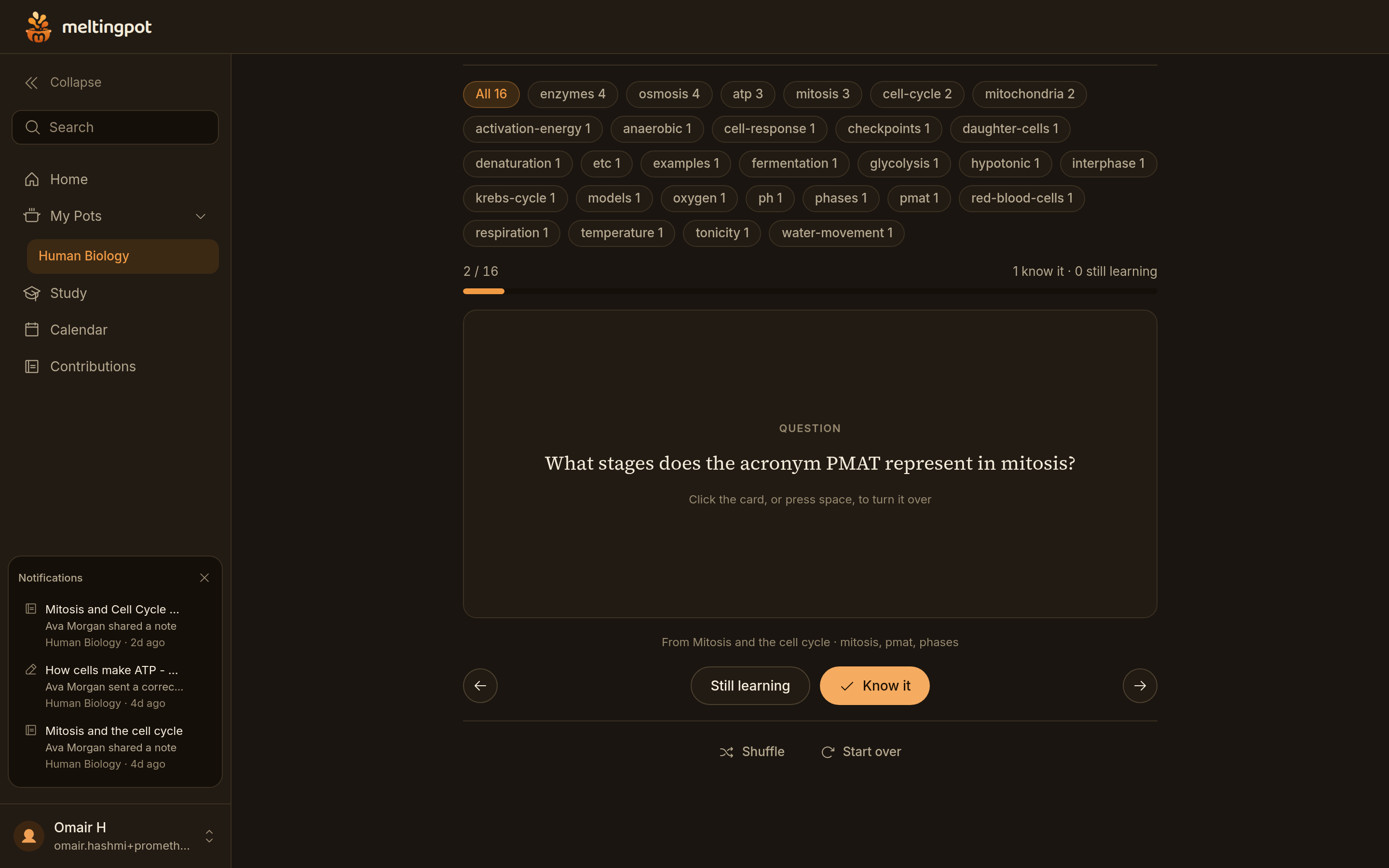
A deck built from the class's own notes. Sixteen cards tagged by topic, each one naming the note it came from. Card 2 of 16.
-
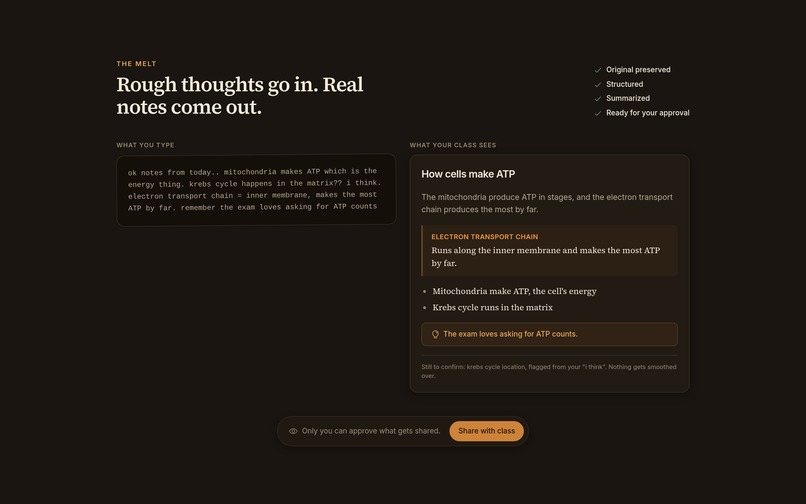
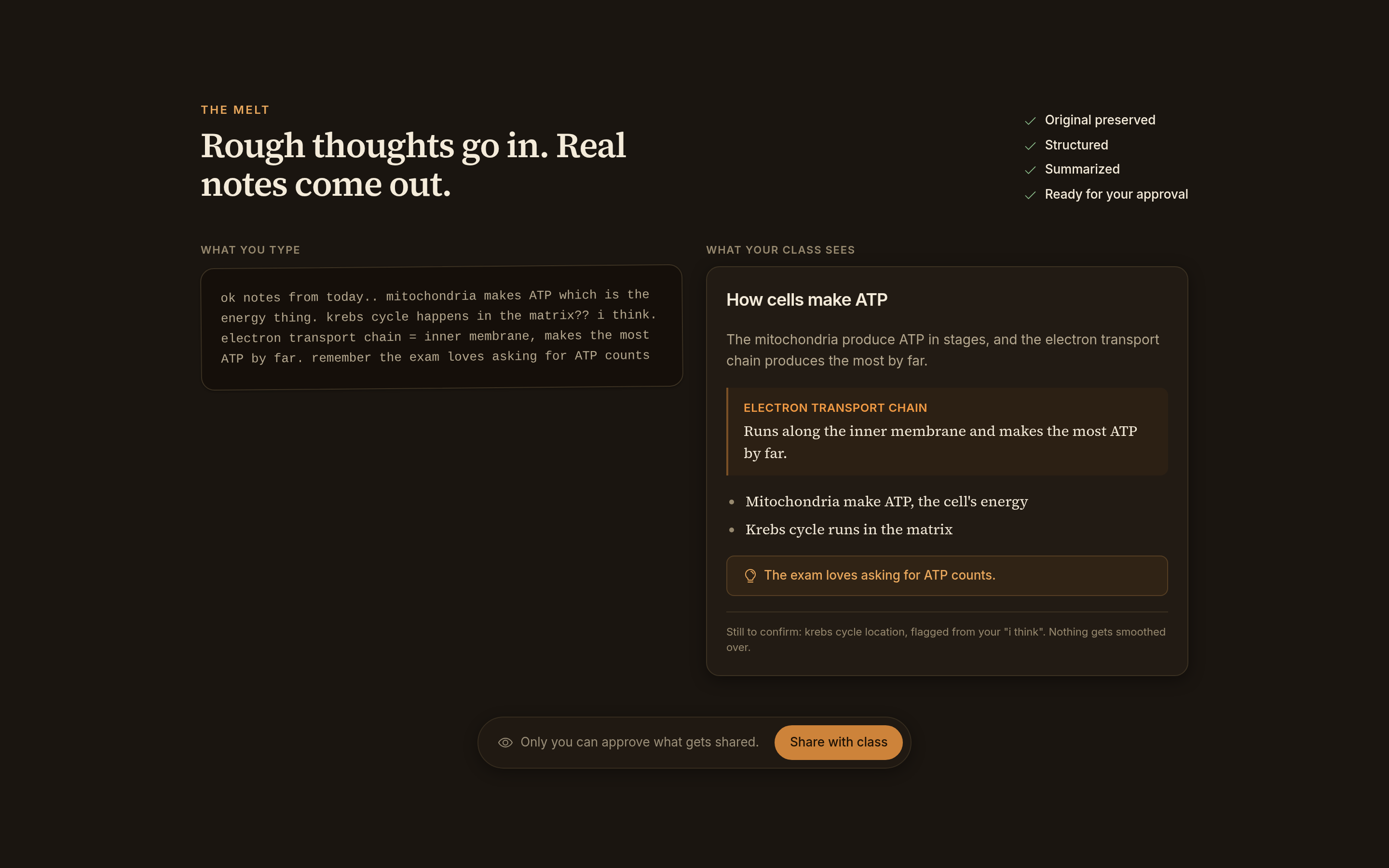
Left is what a student typed at midnight. Right is what the class reads, with the line they were unsure about flagged for a person.
-
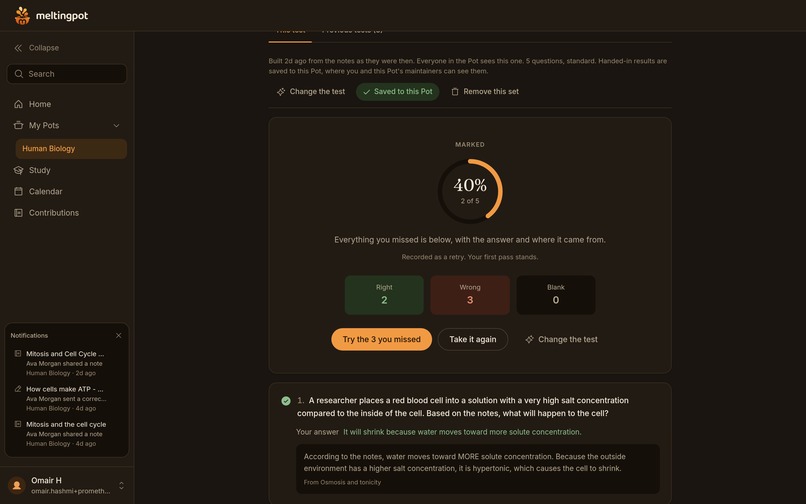
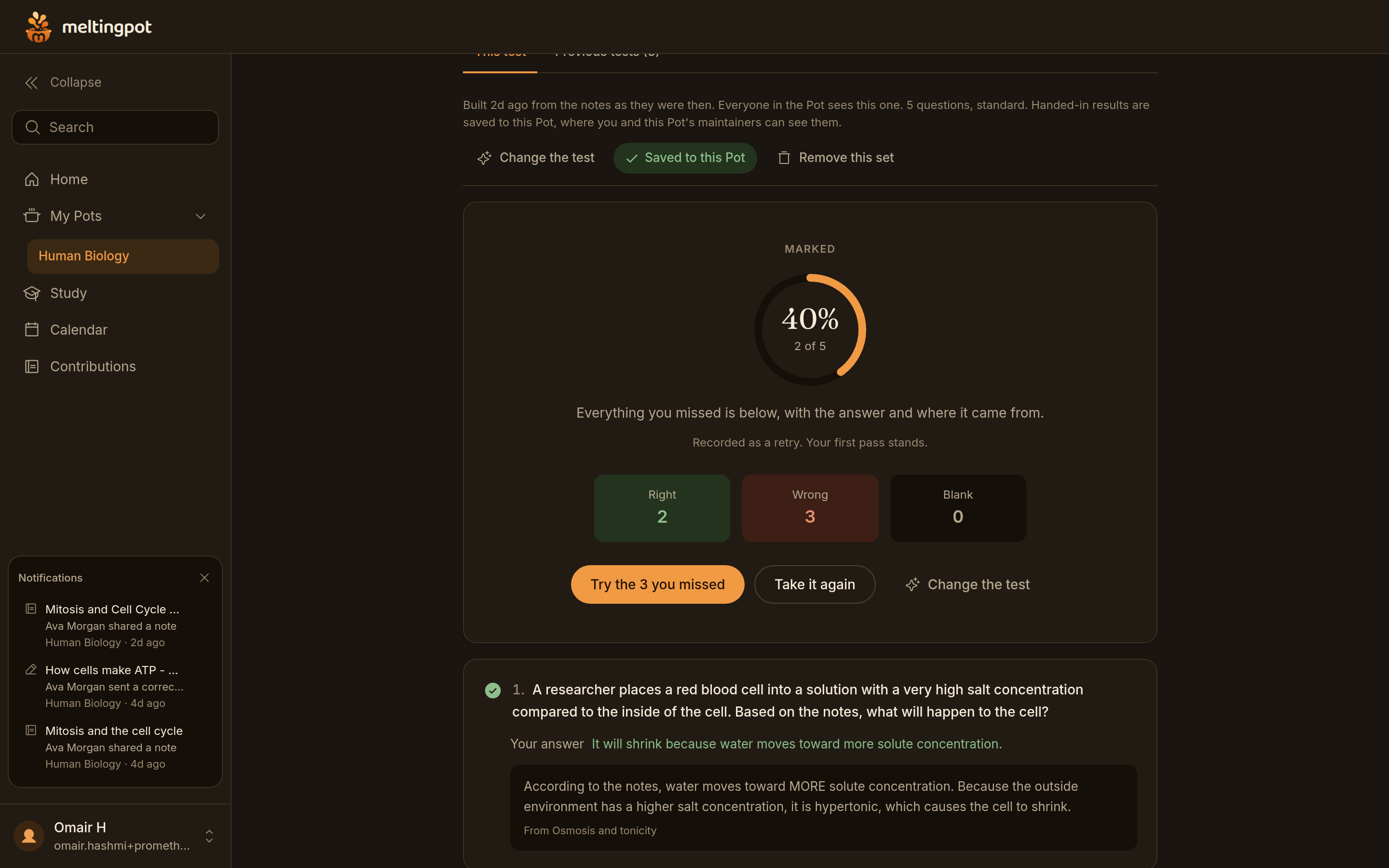
A marked practice test: 2 right, 3 wrong, none blank, 40 percent. Recorded as a retry, so the first attempt still stands.
-
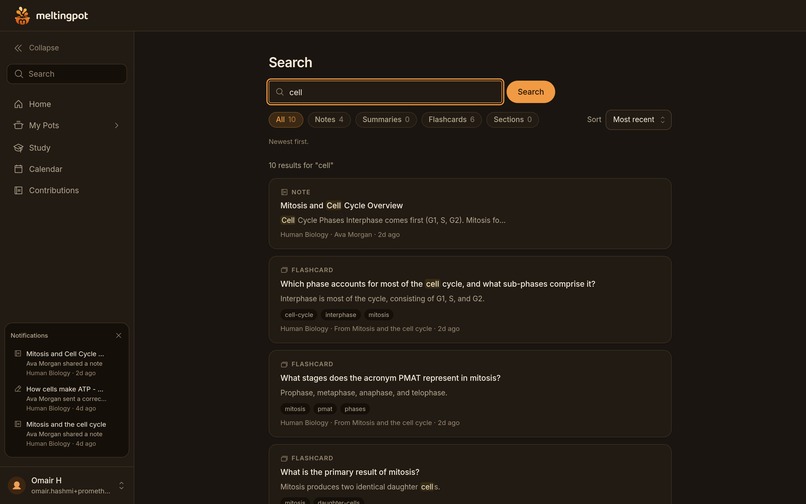
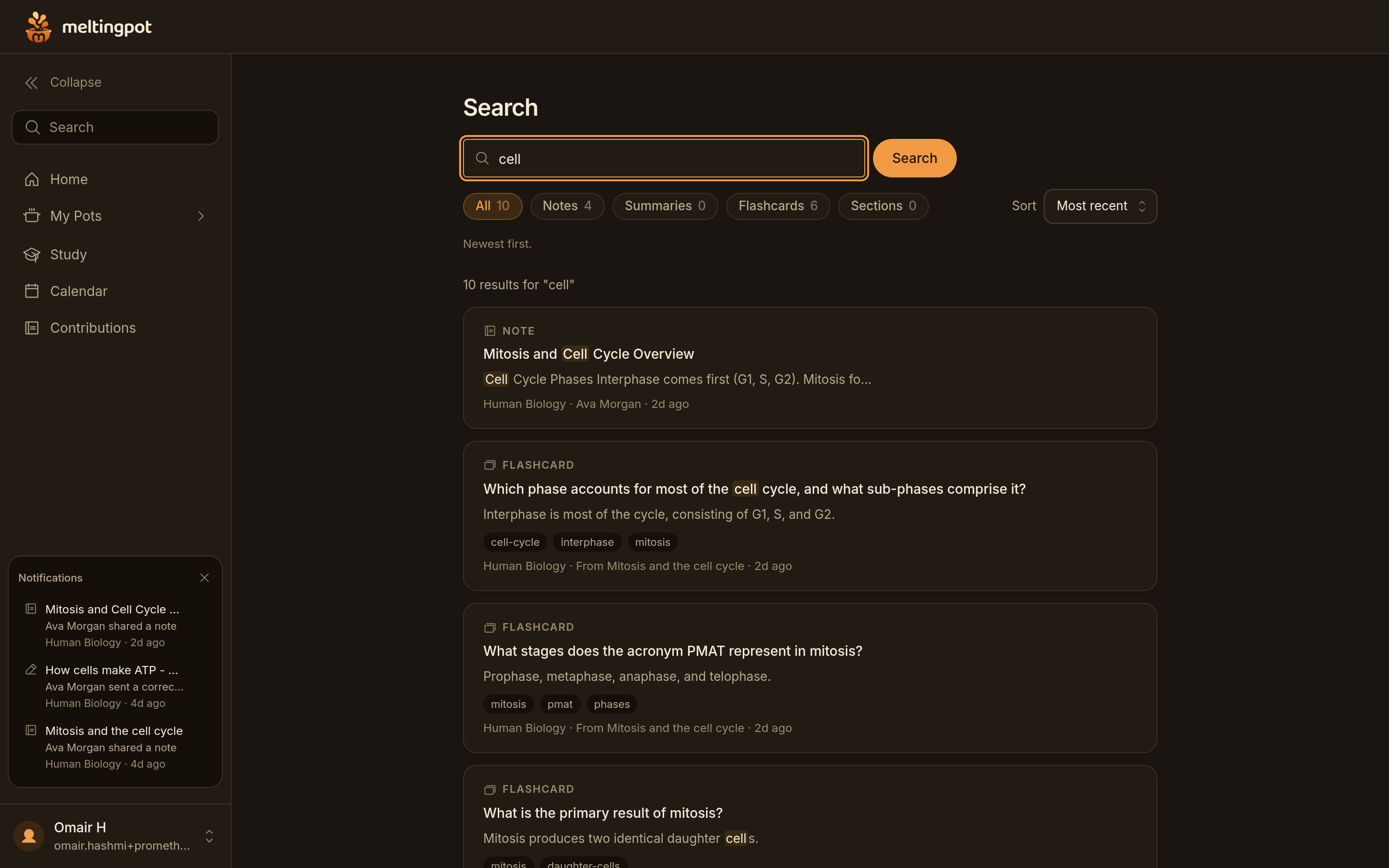
Search across everything the class built. Ten results for the word cell, spanning notes, summaries, flashcards and sections.
-
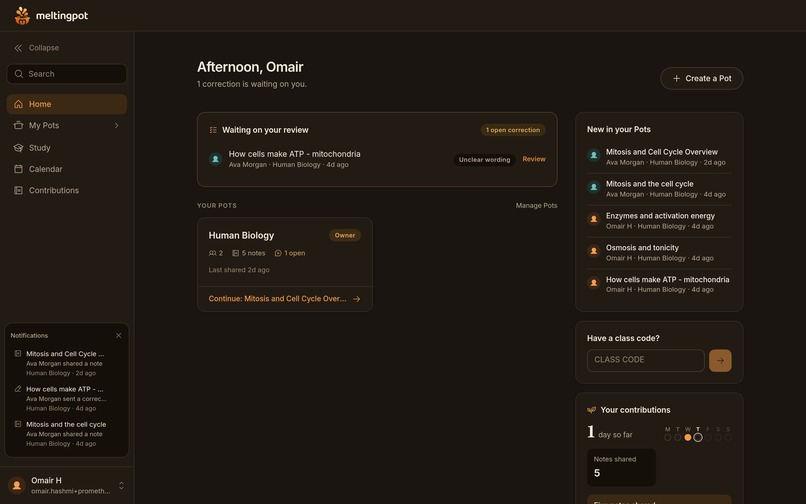
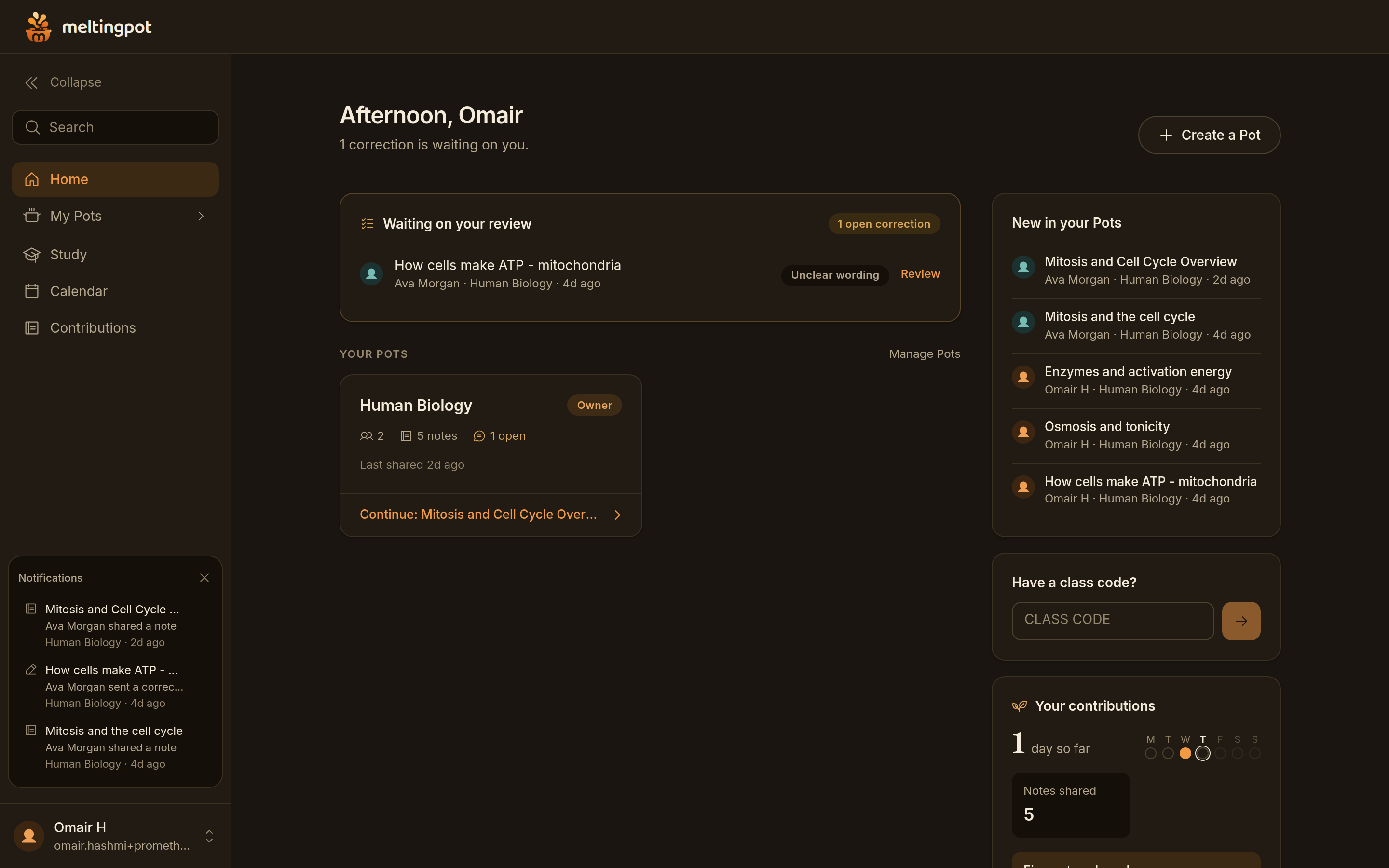
Home for someone who runs a class. One correction waits on them, and the record on the right is private: 1 day so far, 5 notes shared.
-
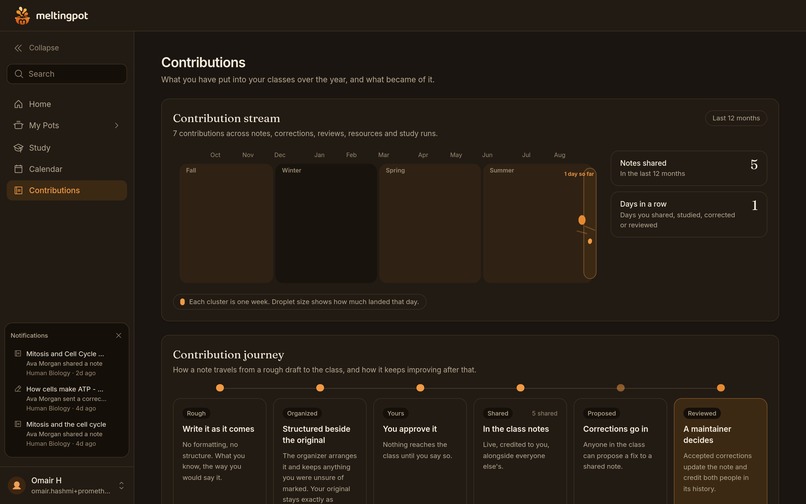
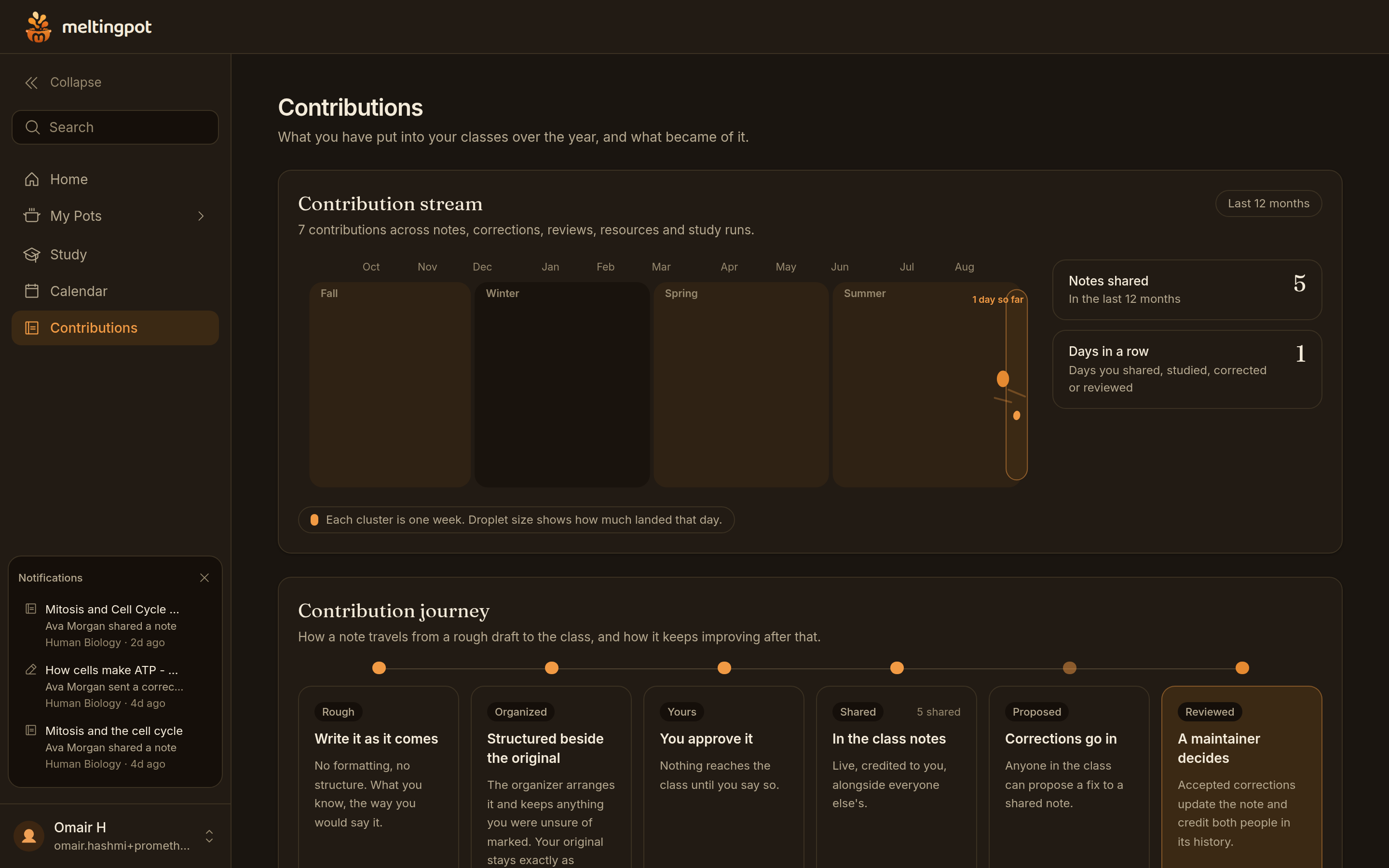
One person's own year: 7 contributions across notes, corrections, reviews and study runs, drawn week by week across four terms.
-
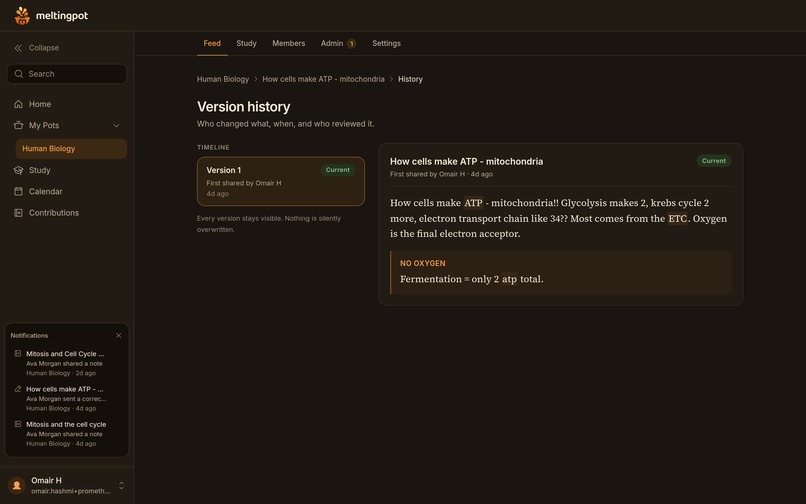
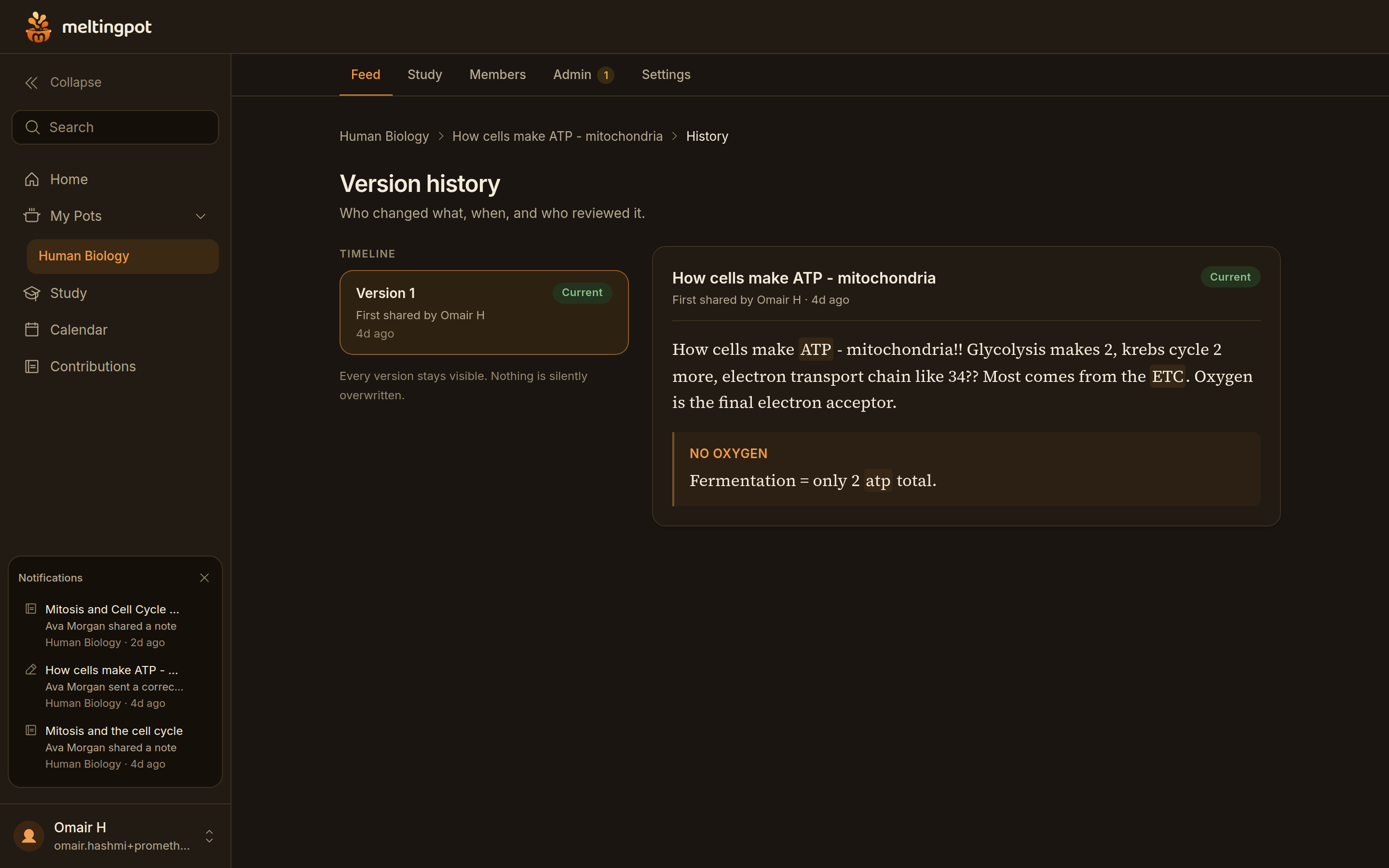
Every version is kept. This note is at version 1, shared by Omair H four days ago, with the original text preserved underneath.
-
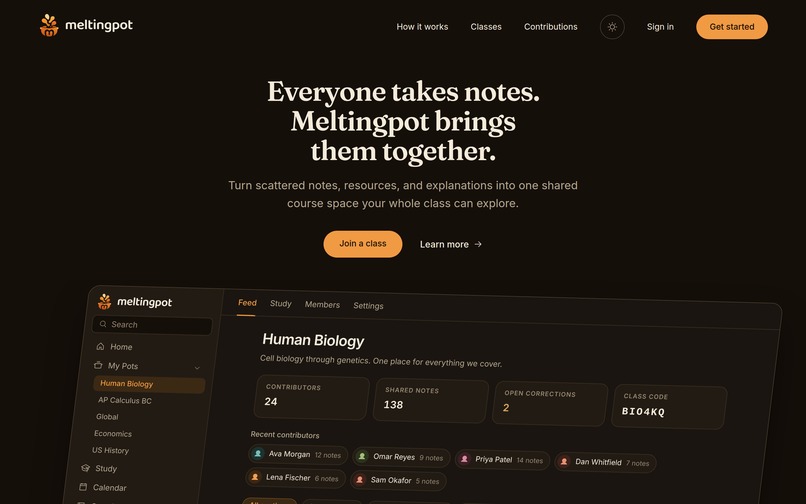
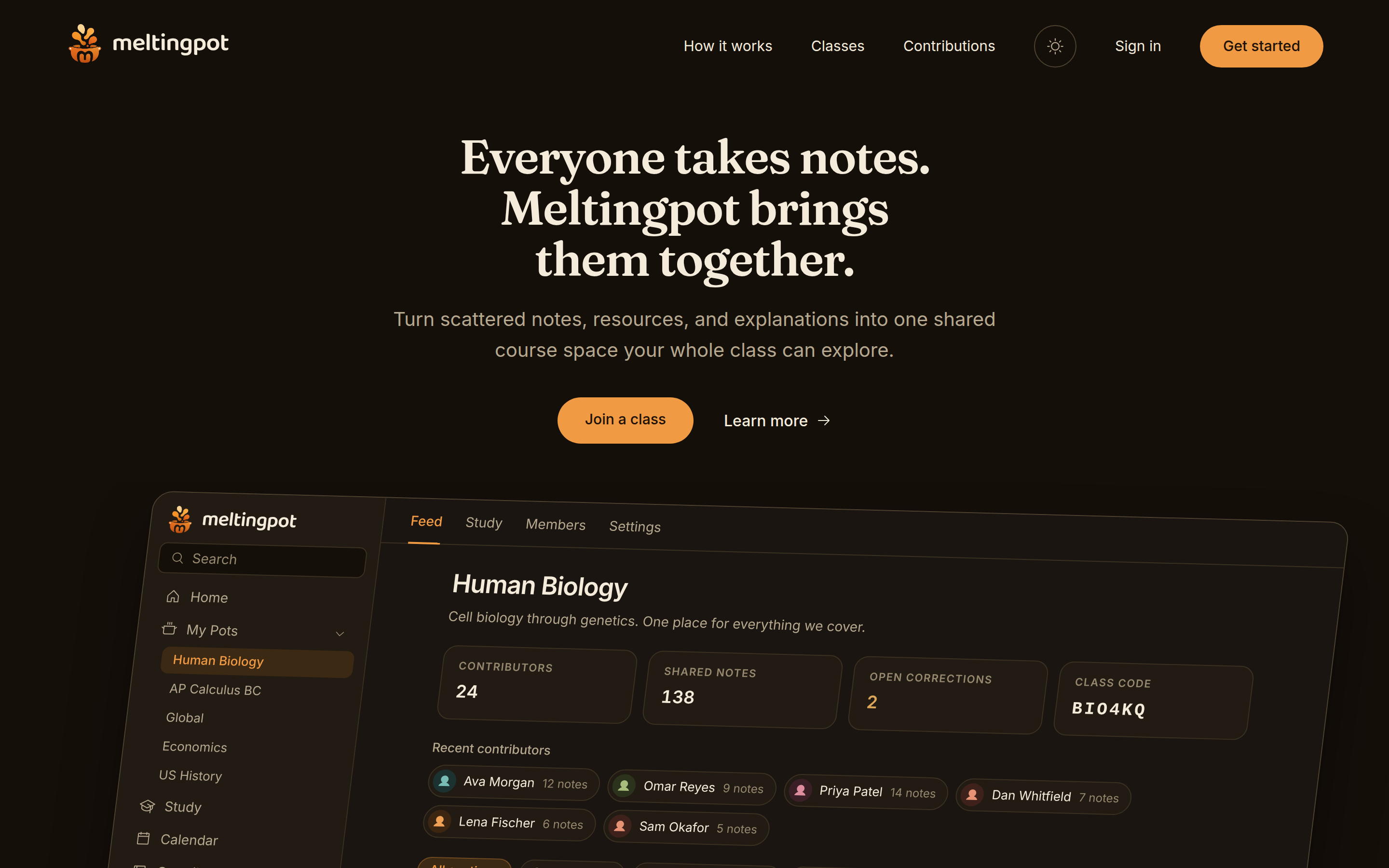
The first screen shows a real Pot, not an illustration: 24 contributors, 138 shared notes, 2 corrections waiting, and the class code.
-
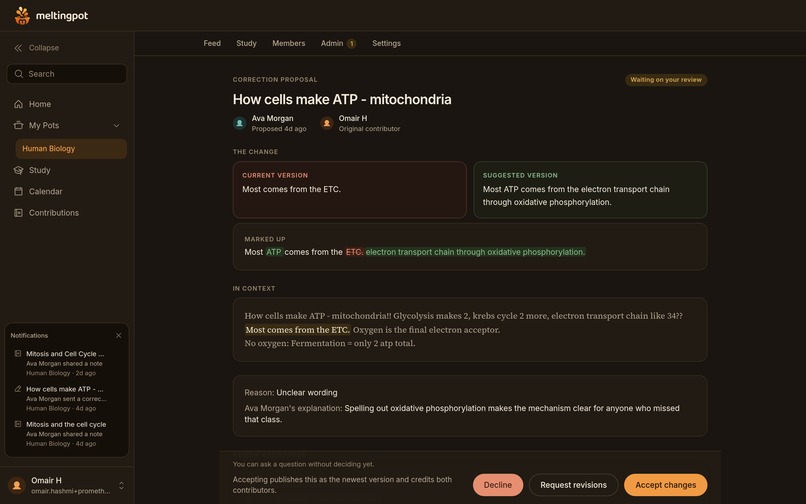
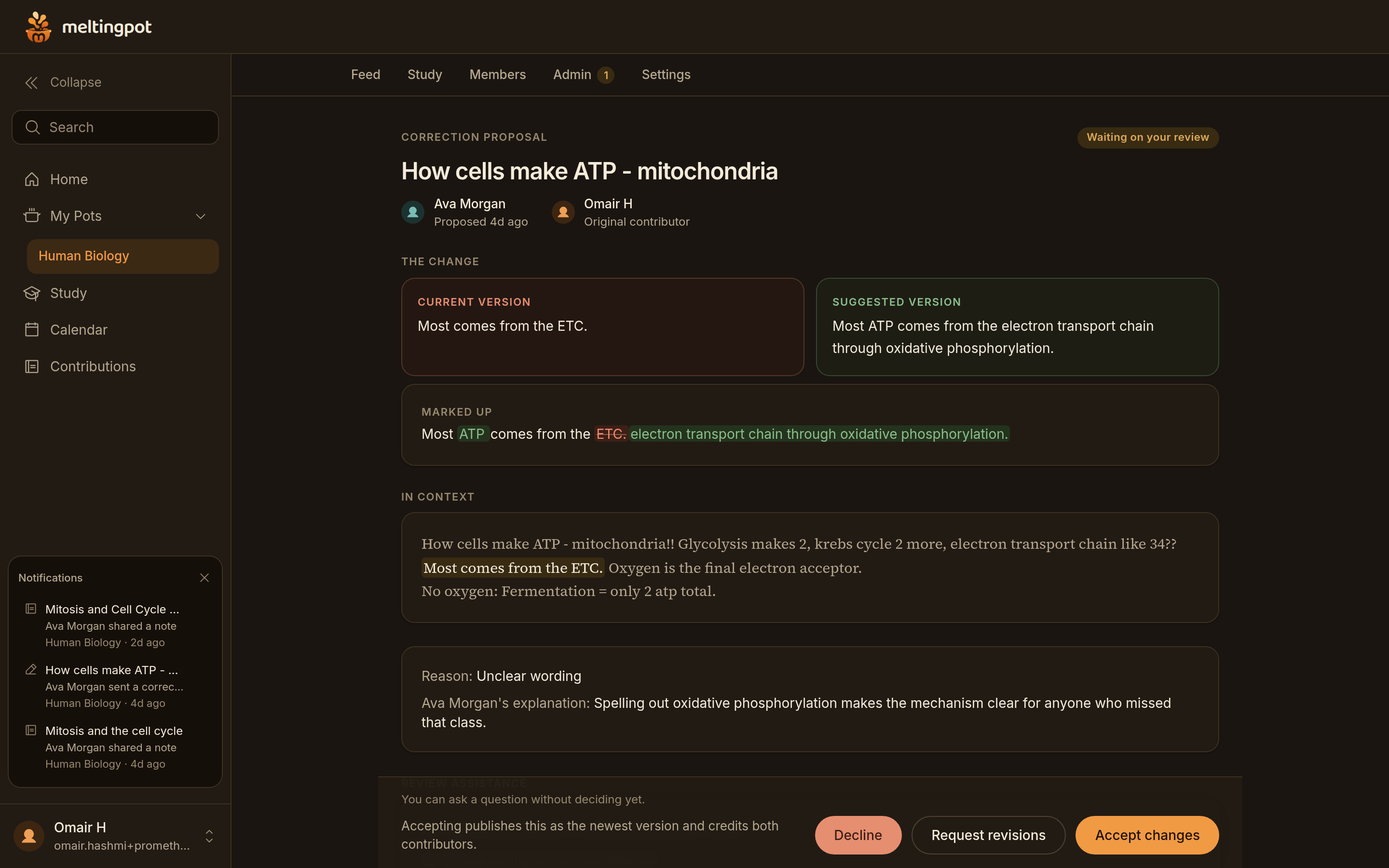
A correction waiting on a maintainer. Ava proposed a clearer sentence with her reason attached. A person decides, not the model.
-
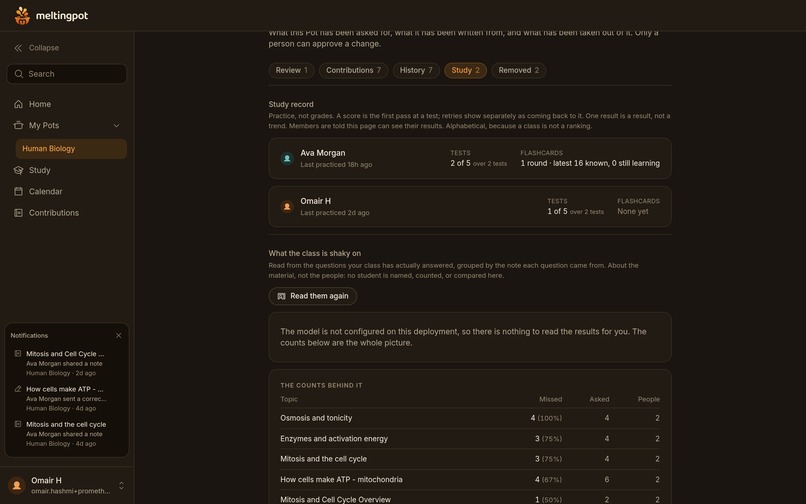
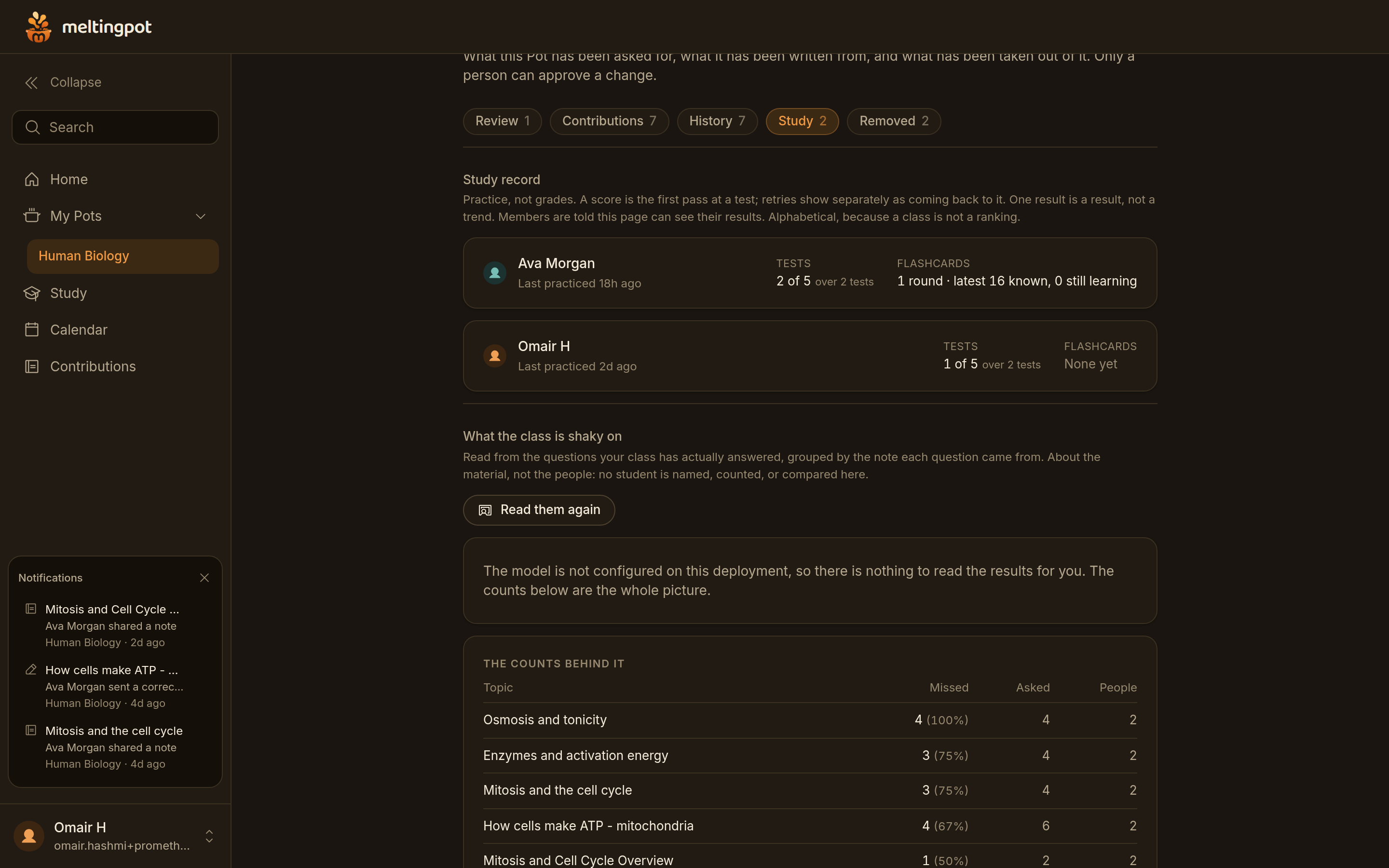
Read from 20 first attempts by 2 students: osmosis and tonicity missed 4 times out of 4. About the material, never a named student.
Inspiration
This project was inspired by one of our group member’s experience taking a human biology class. The professor went over a lot of material each lecture and very quickly, which caused our group members to have trouble keeping up and to have very disorganized notes that were barely legible. The solution was an all-in-one app that would generate legible summaries from messy notebook pages.
What it does
MeltingPot is an AI-powered notes analyzer that collects notes from multiple students in the same class, mixes their common themes and ideas, and generates summaries with corrected English, facts, etc.
Additionally, MeltingPot can take the notes inputted and use them to create flashcards & full practice tests.
It tracks version history, contributions by person, and allows for editing in case of error.
It uses roles to enable teachers or hosts to control the submission of edits, notes, and admission of users.
How we built it
MeltingPot was developed as a full stack web app with NextJS, GSAP, TypeScript and Tailwind CSS.
We are powered by Supabase for our Postgresql database, user authentication and private files.
For database access control, we implemented rules at the database level to provide separate access to student draft notes versus public notes as well as to enable varying levels of permissions for students, maintainers and pot owners.
All of our AI features are accessed via authenticated server-side routes to Google Gemini.
The output from Gemini will be structured in a way that allows us to validate its format prior to displaying it to users.
As a fail safe we have implemented a deterministic organizational fallback so that even if the AI providers are down or unavailable the primary organizational flow will continue to work.
We host the application on a Netlify subdomain at Meltingpot.
Challenges we ran into
One of the most complex problems we had to confront was ensuring that AI did not end up directing the learning while remaining very useful for students. There is a fear that the model filters information but can get it wrong as it might not decipher unclear or incomplete notes. Therefore, we came up with a way to review the material that would keep the text visible and would not allow publishing of anything without a human review.
Another important challenge dealt with creating a secure multi-user system. Private documents have to be carefully differentiated based on the permission rules of sharing notes, teachers, and students along with version history. We soon realized that those rules need to be dealt with on the database level instead of just in the interface.
The process of creating a perfect multi-user application was one of the major challenges we encountered at the beginning of the development. It encompassed multiple problems such as doing simultaneous saves, editing notes during corrections, speed of responses, network issues, file management, and responsive design. Testing the whole process allowed identifying problems that would not be visible in tests with single users.
Ultimately, the live lecture recording idea turned into a bigger challenge than anticipated, producing the need for reliable streaming transcription, which consists of issues such as microphone permissions, connection recovery, recording consent, privacy and other provider costs, as well as how to deal with the final remarks of the recording. Although we developed and prototype the feature, we did not want to release it as a complete one until testing was done.
Accomplishments that we're proud of
We take pride in the fact that we achieved serious improvement in our product MeltingPot which transformed into an advanced note generating platform. Now, the system covers the entire process from generating rough notes to completing them, having them acknowledged by a professional human expert, and completing the course.
We are proud of the fact that our system allows recording the authorship, so the users know what material is theirs and what information was given to them by other people.
We also developed a full range of studying tools extracted from the knowledge base of the class, such as just summaries, flashcards, tests, and the like. The notable achievement is that we managed to avoid creating separate materials for each student.
Besides, our main achievements include searchability of the class spaces, file attachments, dashboards, tools for moderation, and a lot of other features. Meltingpot is unique from other source-to-material study apps, since it also carries a social and collaborative aspect that are inexistent in other apps.
What we learned
The conclusion we reached was that the role of AI in education should be primarily to assist and not to replace the students' judgment. Students are more inclined to trust the organized notes created by the AI if they can see the original wording and how the AI changed the content.
Furthermore, it is vital to pay attention to provenance. It is more useful for the students to have a flashcard, summary, or practice answer that they can trace back to the original note, and keep digital notes saved rather than being discarded.
The construction of the MeltingPot application has shown that collaborative applications have to be developed for different situations that do not enter the ordinary demos.
Many people might be altering the information, and network requests might fail at inconvenient times or content can change while being reviewed. Database restrictions, state management, and realistic testing become as mandatory as one can see.
Of utmost importance is the understanding that there are serious privacy obligations attached to educational technology. Features that process information such as student files, voices or classroom recordings should include prior consent, retention controls, deletion options and full disclosure of the way the data will be processed.
What's next for Meltingpot
We were working on implementing features that allow for live lecture recordings and allow the user to upload recordings of lectures, from which it would transcribe and create notes of, as well as a feature to import and connect the app to both Google Classroom and Canvas LMS. These features were not pushed to the website due to time constraints.
Additionally, we would improve the notes that are created through having the AI add visual diagrams and pictures to the notes.
Built With
- css
- gsap
- javascript
- plpgsql
- supabase
- tailwindcss
- typescript


Log in or sign up for Devpost to join the conversation.