Melt 3D is a free, open-source desktop 3D modeller that makes 3D design feel like playing with clay. Instead of fighting with booleans and fillets, you drop in simple shapes and they melt into each other with smooth, organic joins — then you can still type exact millimetre dimensions, carve shapes away, sketch and extrude, sweep pipes and curves, add colour and gloss, and export print-checked STL / 3MF / OBJ / PLY / GLB files. For precise parts it also includes a full parametric "SolidCraft mode" with constrained sketches and history, and solids made there can be melted back into soft designs. I built it because the 3D printers at schools often sit unused: beginner tools feel like toys, and professional CAD is too hard for a first try. Melt 3D is written in Rust with egui and wgpu, runs on ordinary laptops, and is built on top of the open-source SolidCraft CAD kernel (MIT OR Apache-2.0); my own work is the Melt modelling app in apps/meltcad/.
Inspiration
At school, 3D printers are available but rarely used — students quit CAD in the first lesson because booleans, fillets and constraint errors are frustrating. I wanted a tool where a 13-year-old can make something soft and printable in 10 minutes, but that still respects real dimensions.
What it does
- Shapes melt (smooth-blend) into each other; small shapes carve holes with soft edges
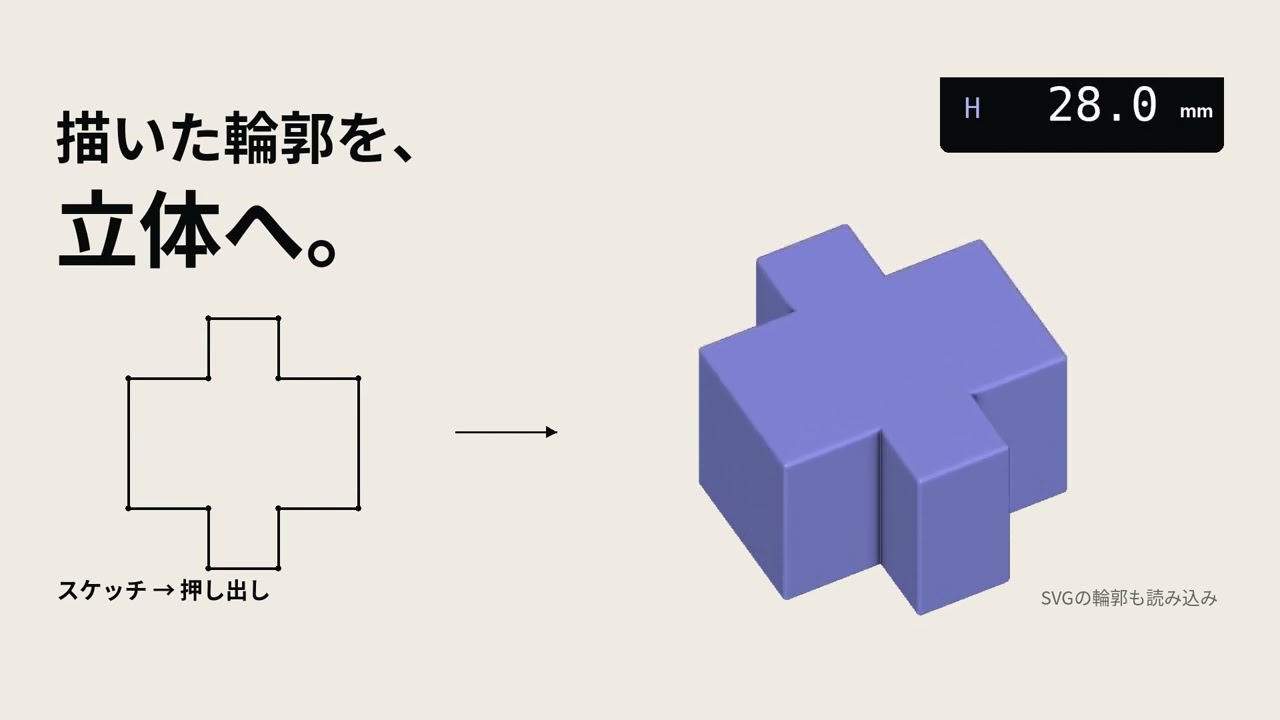
- CAD-style numeric dimensions, sketch → extrude, curves and pipes, groups that melt into their parent, simple animation
- Materials (colour / gloss) and export to STL, 3MF, OBJ, PLY, GLB with 3D-print checks
- SolidCraft mode: constrained sketches + parametric history for precise parts, importable into Melt
- Beginner-first wording (Japanese/English docs); free desktop downloads on GitHub Releases
How I built it
Rust; egui for the UI; wgpu for GPU rendering; signed-distance-style smooth blending for the "melt" operations; the open-source SolidCraft CAD codebase (tangency-labs/solidcraft, MIT OR Apache-2.0) is embedded for the precise-solid kernel and file formats. Development is fully public on GitHub with 300+ numbered PRs since the repo was created on 15 Oct 2026.
Challenges I ran into
Keeping smooth blends fast enough for real-time editing on school laptops; caching shape preparation so edits stay interactive; making "soft" melted shapes and exact parametric solids live in one scene; designing icons and wording that beginners understand without a manual.
Accomplishments that I'm proud of
A working cross-platform release with print-ready export; grouped melting (child groups melt into each other and into the parent); a promo/demo video; entered in Japanese youth contests (Heroes League 2026, Bunri Creative Award).
What I learned
Real-time GPU rendering with wgpu, structuring a large Rust workspace, reading and building on someone else's CAD kernel while respecting its licence, and UX writing for beginners.
What's next for Melt 3D
Classroom lesson packs and a teacher guide; a browser viewer so students can share models by link; an optional "describe a shape" AI helper that turns text into starter shapes; more languages.
Track
General Track
AI disclosure
I used AI coding assistants (ChatGPT / Claude / Cursor) for code suggestions, debugging help, and drafting documentation/translations. All design decisions, architecture, integration, testing, and final review are mine. Melt 3D itself has no AI feature yet.
Third-party / pre-existing code
Melt 3D embeds SolidCraft (https://github.com/tangency-labs/solidcraft, MIT OR Apache-2.0); crates/, vendor/, xtask/ are SolidCraft code; Melt 3D's own work is mainly in apps/meltcad/. Not affiliated with or endorsed by the SolidCraft authors. Repository created 15 Oct 2026.
Team
Solo — Taichiro Eguchi (07egta), 16, high-school student, Saga, Japan.
Built With
- 3mf
- egui
- github-actions
- rust
- solidcraft
- stl
- wgpu

Log in or sign up for Devpost to join the conversation.