-
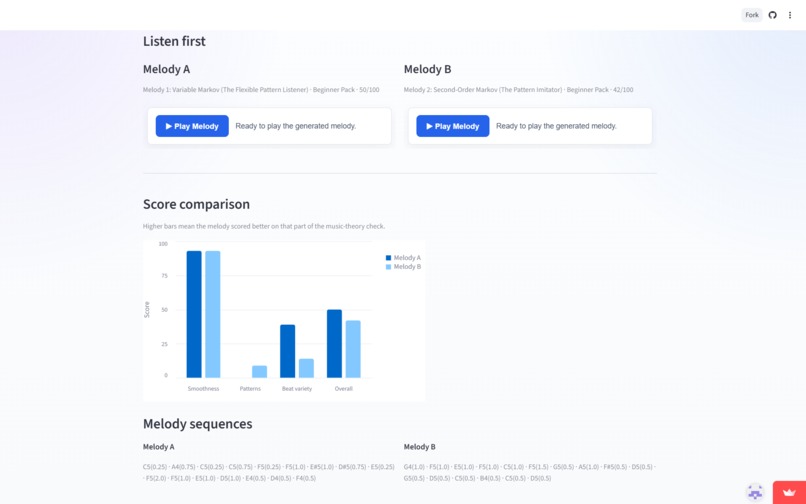
Compare Melodies
-
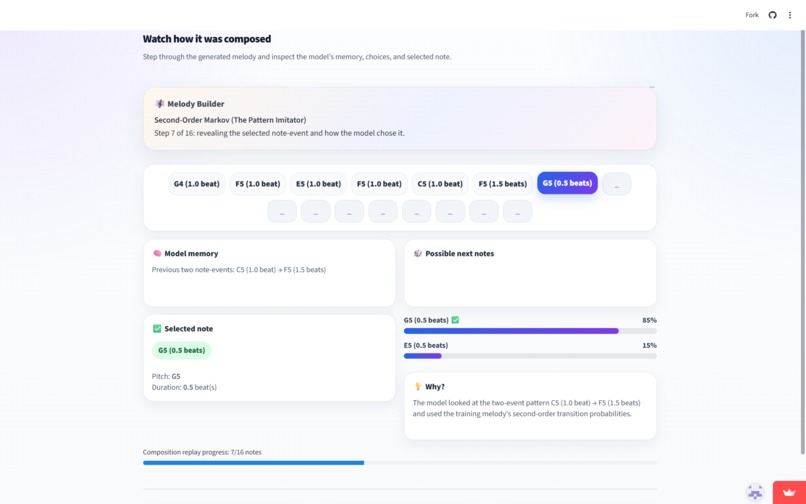
Learning Mode
-
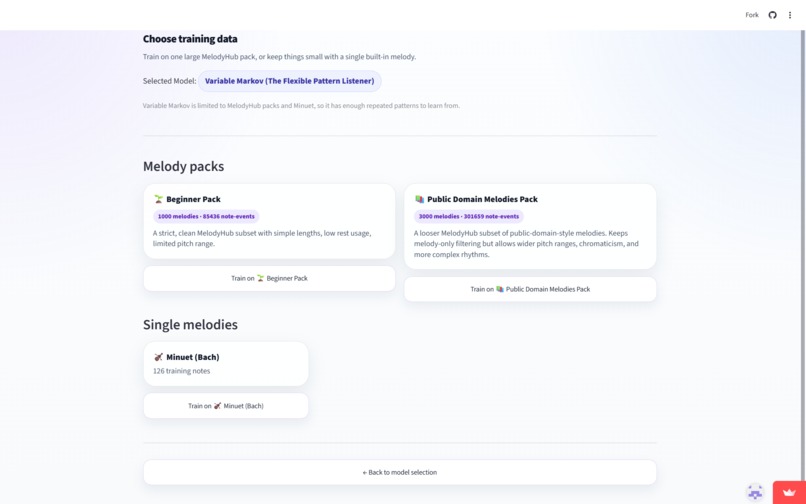
Training Melodies
-
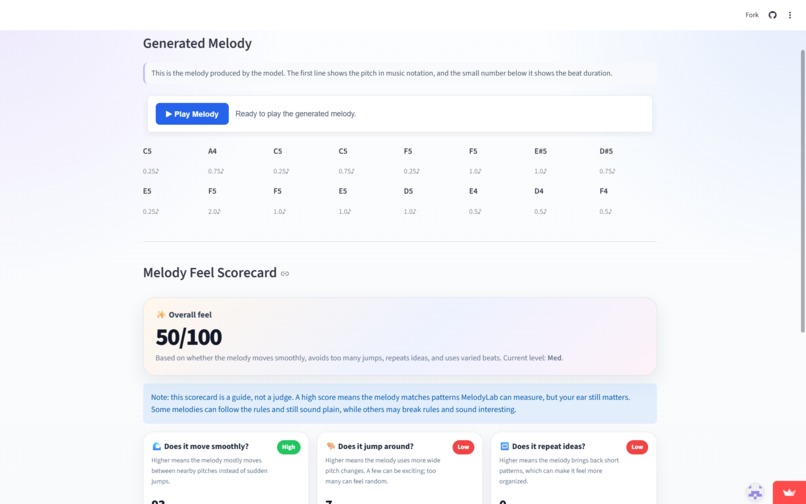
Scorecard
-

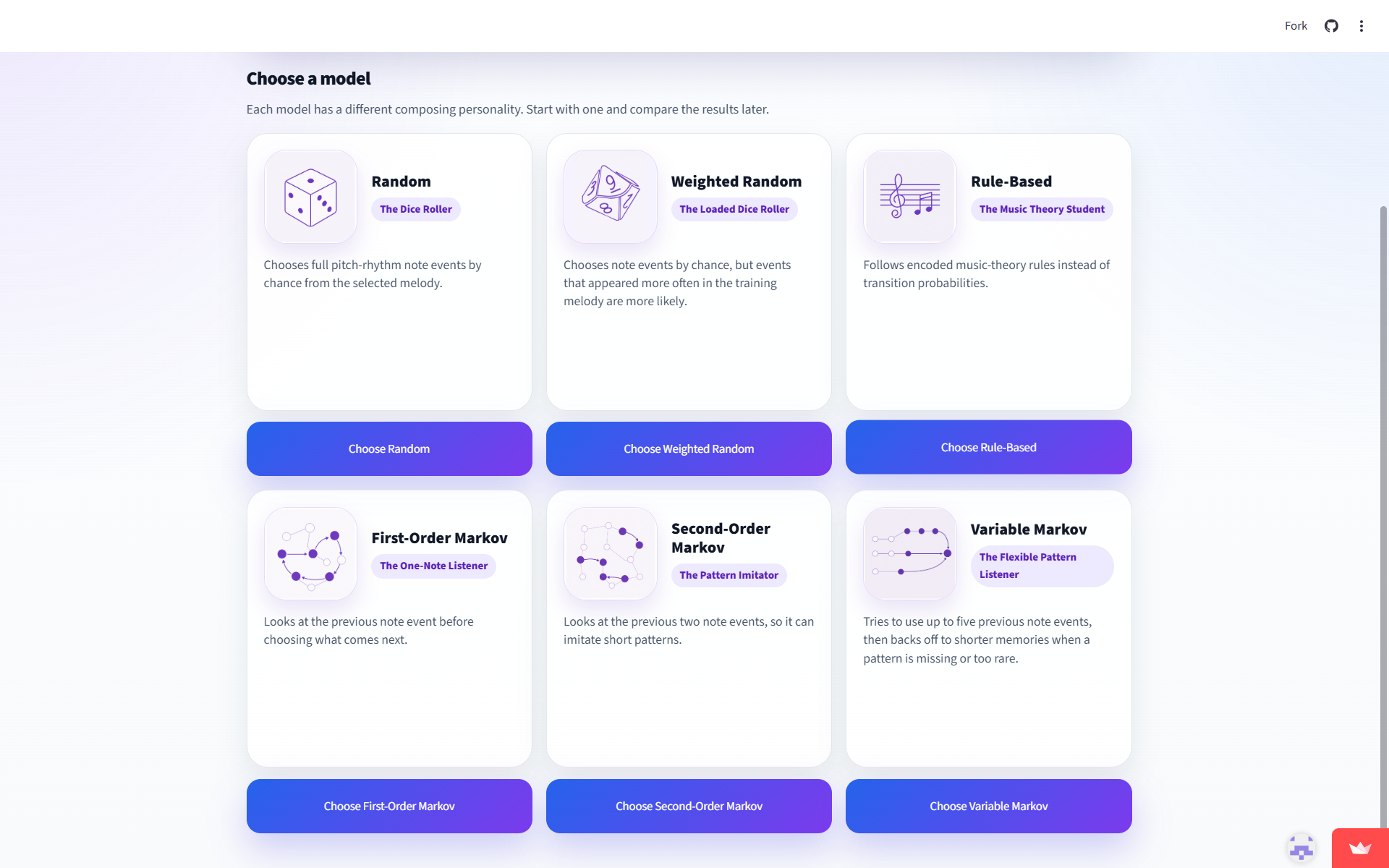
Model Options
-

Home Screen

Inspiration
I've always been fascinated by the connection between mathematics and music.
At some point, I started wondering: can mathematical models actually create music that sounds meaningful?
That question led me to explore algorithmic music generation and eventually do a research project comparing different Markov-chain approaches for melody generation. Through that project, I learned how simple probabilistic models could produce musical results.
But while working on the paper, I realized something was missing. The research showed the results, but it didn't let people interact with the models or see how they made decisions.
That's why I created MelodyLab.
I wanted to turn those ideas into an interactive experience where anyone could generate melodies, compare different computational models, listen to the results, and watch the composition process unfold note by note.
What it does
MelodyLab is an interactive web application that generates original melodies using different computational approaches.
Users can choose from multiple melody-generation models:
- Random Model
- Weighted Random Model
- Rule-Based Model (uses Music Theory)
- First-Order Markov
- Second-Order Markov
- Variable-Order Markov
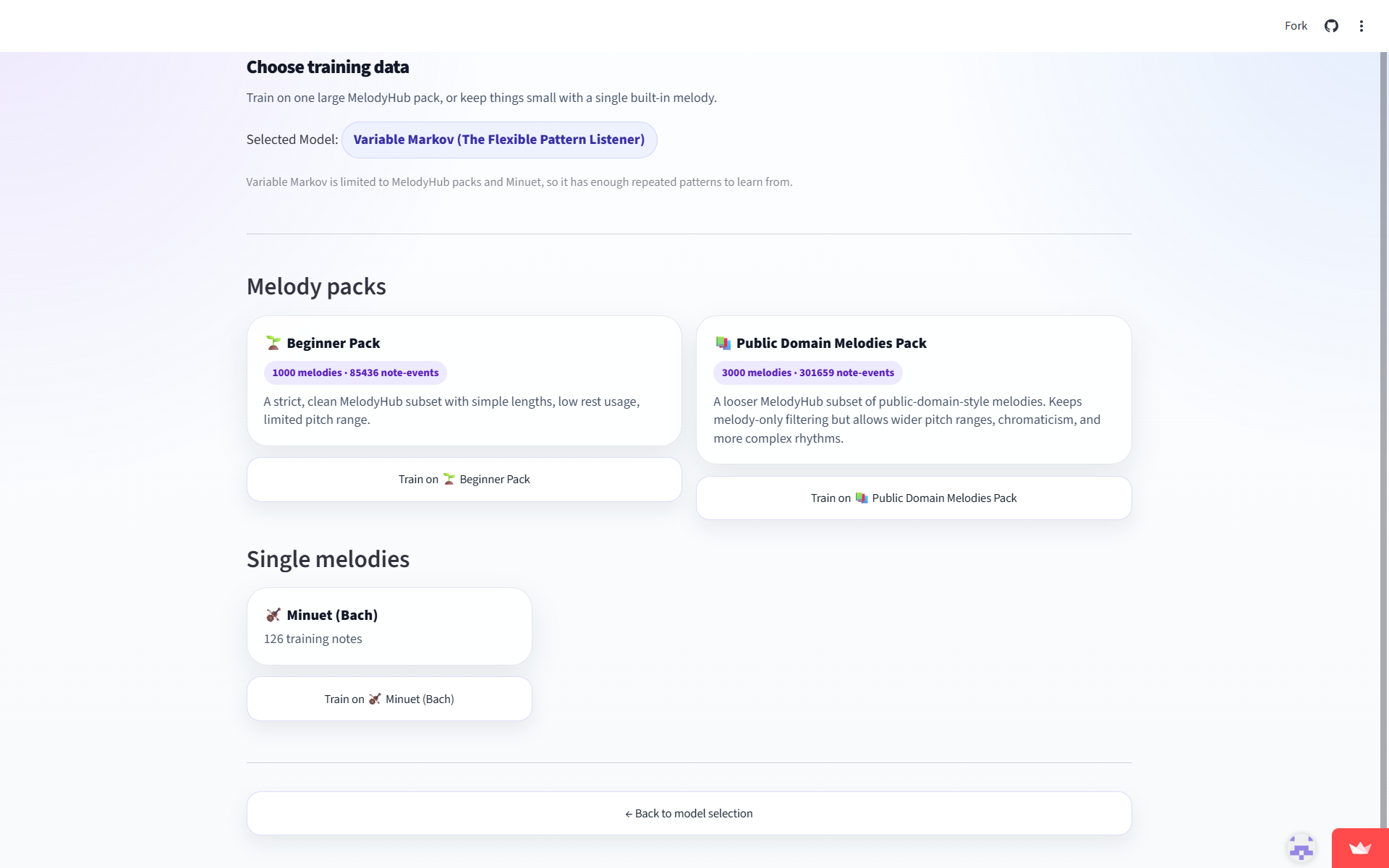
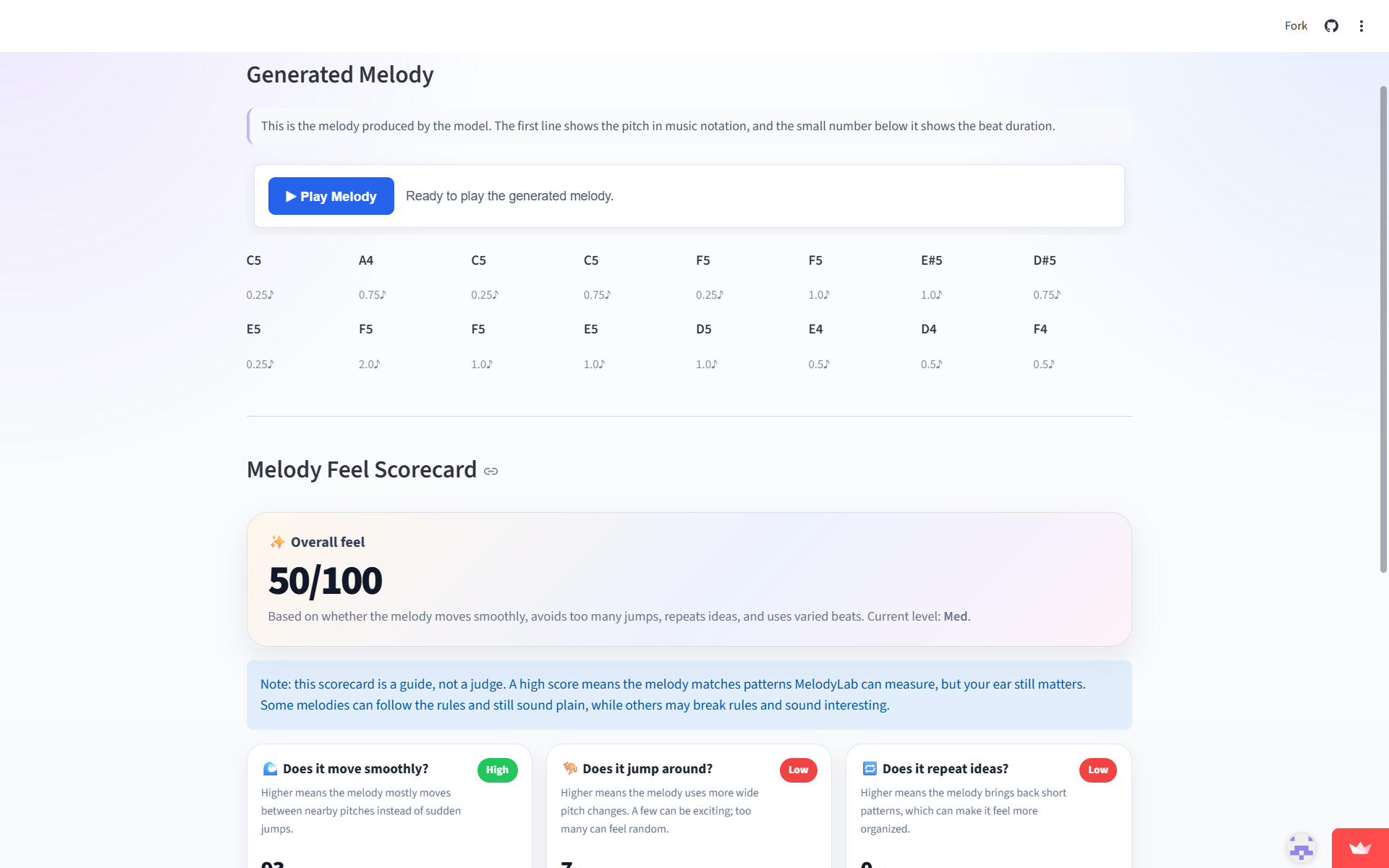
After selecting the training material, users can generate a new melody, listen to it directly in the browser, and analyze it using a built-in music-theory scorecard.
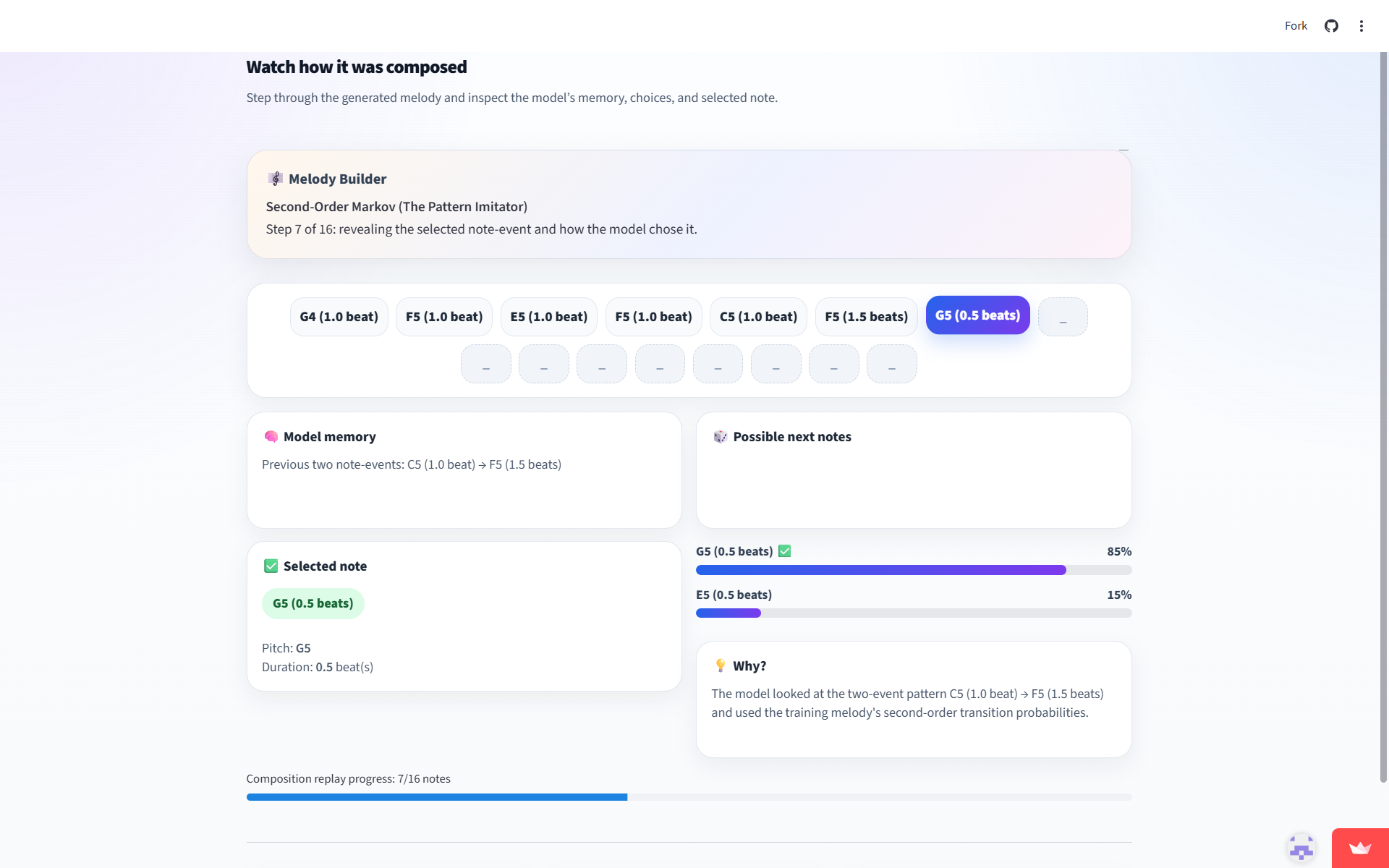
One of the app's main features is Learning Mode, which enables users to replay the composition process note by note. It shows model memory, what note options it considered, and why it selected a certain note. This feature helps users understand how computational models can create musical structure.
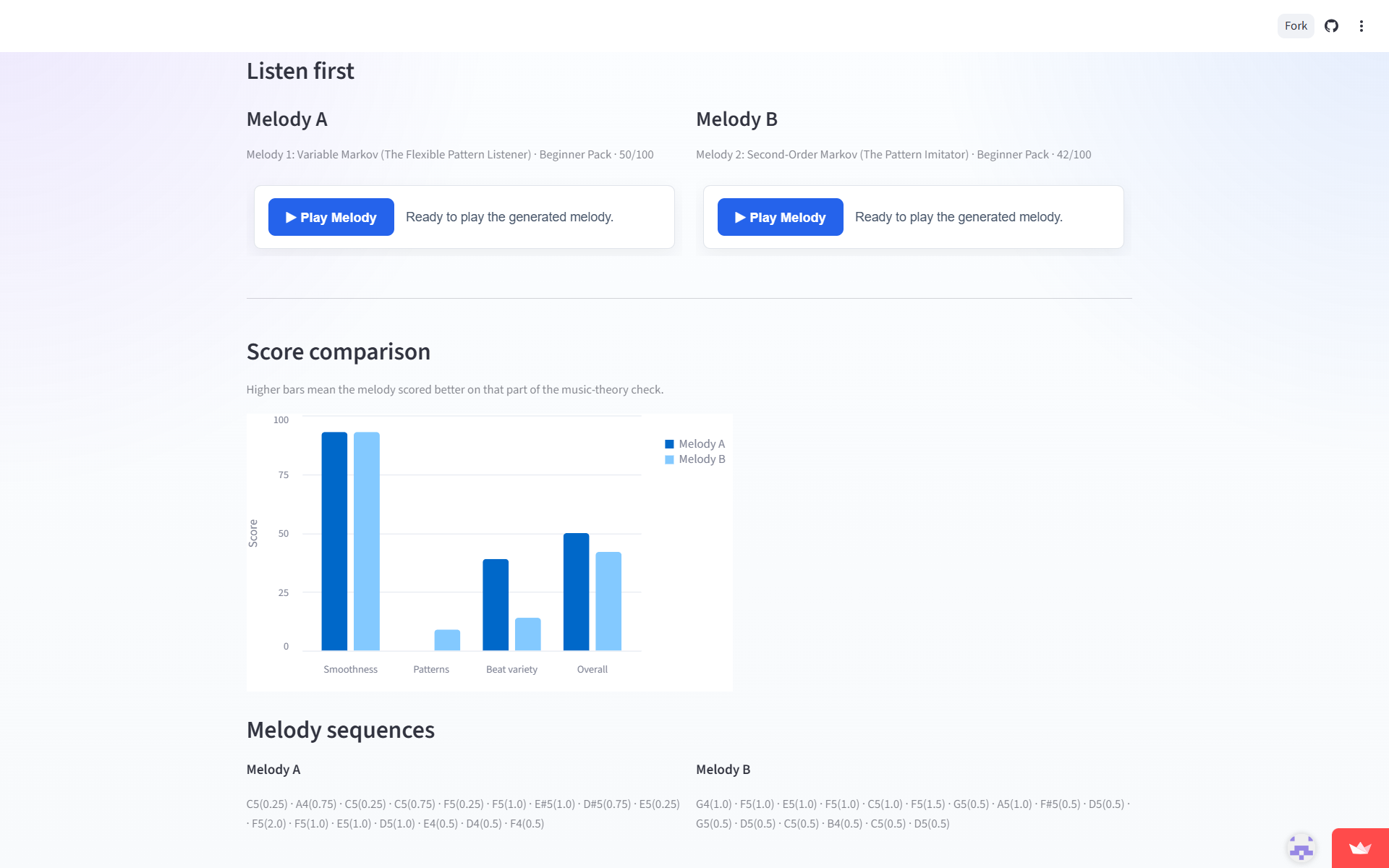
Another major feature of MelodyLab is the Compare Melodies feature, enabling users to analyze two generated melodies side by side. Users can listen to each melody, compare their music-theory evaluation scores, and observe differences in melodic smoothness, motif repetition, rhythmic variety, and overall quality. This helps users understand how different generation models influence the musical outcome.
How I built it
I built MelodyLab using:
- Python
- Streamlit
- NumPy
- Pandas
- Altair
- MelodyHub dataset from Hugging Face
- Music21
- TQDM
The app currently includes:
- A random melody generator
- A weighted random melody generator
- A rule-based generator that follows basic musical constraints
- A first-order Markov model that remembers one previous note
- A second-order Markov model that remembers two previous notes
- A variable-order Markov model that adjusts memory based on context
I also developed a music-theory scorecard that evaluates generated melodies using measures such as:
- Smoothness
- Motif repetition
- Rhythmic variety
- Melodic resolution
To make the system educational, I created a composition replay mode that visualizes the model's decision-making process step by step and allows users to inspect how each melody was constructed. Additionally, I also built a Compare Melodies feature that enables users to listen and compare the scorecards of two melodies side-by-side.
Challenges I ran into
One challenge was turning a research idea into something interactive and easy to understand.
Another challenge was creating meaningful ways to compare different melody-generation approaches. I developed a music-theory scorecard so users could evaluate generated melodies beyond simply listening to them.
Finally, I had to translate standalone research code into a polished web application with audio playback, visual feedback, and an intuitive user experience.
Accomplishments that I'm proud of
- Turning a research project into an interactive educational tool
- Creating a note-by-note composition replay system
- Designing a music-theory scorecard for generated melodies
- Combining music, mathematics, and computer science into a single application
What I learned
This project taught me that relatively simple computational models can create musical results.
I gained a much deeper understanding of probability, Markov chains, music theory, and UI design.
In addition, I learned that educational tools become much more engaging when users can explore and experiment for themselves rather than simply read about a concept.
What's next for MelodyLab
Some improvements I would like to explore in future versions include:
- Allowing users to upload their own melodies for training
- Supporting MIDI import and export
- Expanding the music-theory analysis tools
- Adding piano-roll and musical notation visualizations
My long-term goal is to make MelodyLab a fun and accessible way for people to explore the intersection of music, mathematics, and computation.

Log in or sign up for Devpost to join the conversation.