-
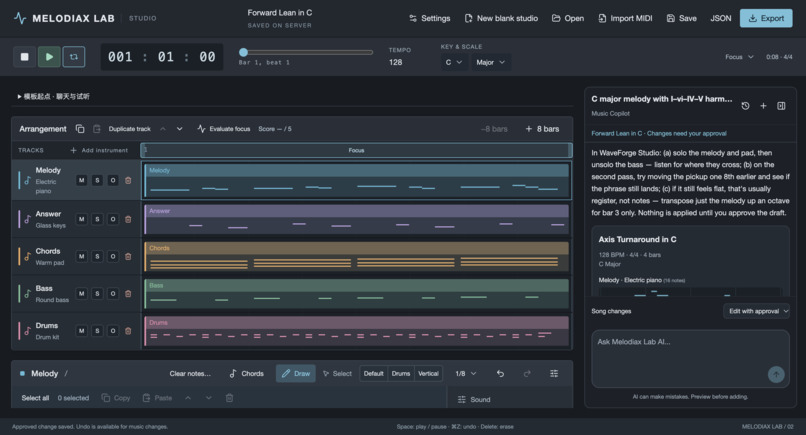
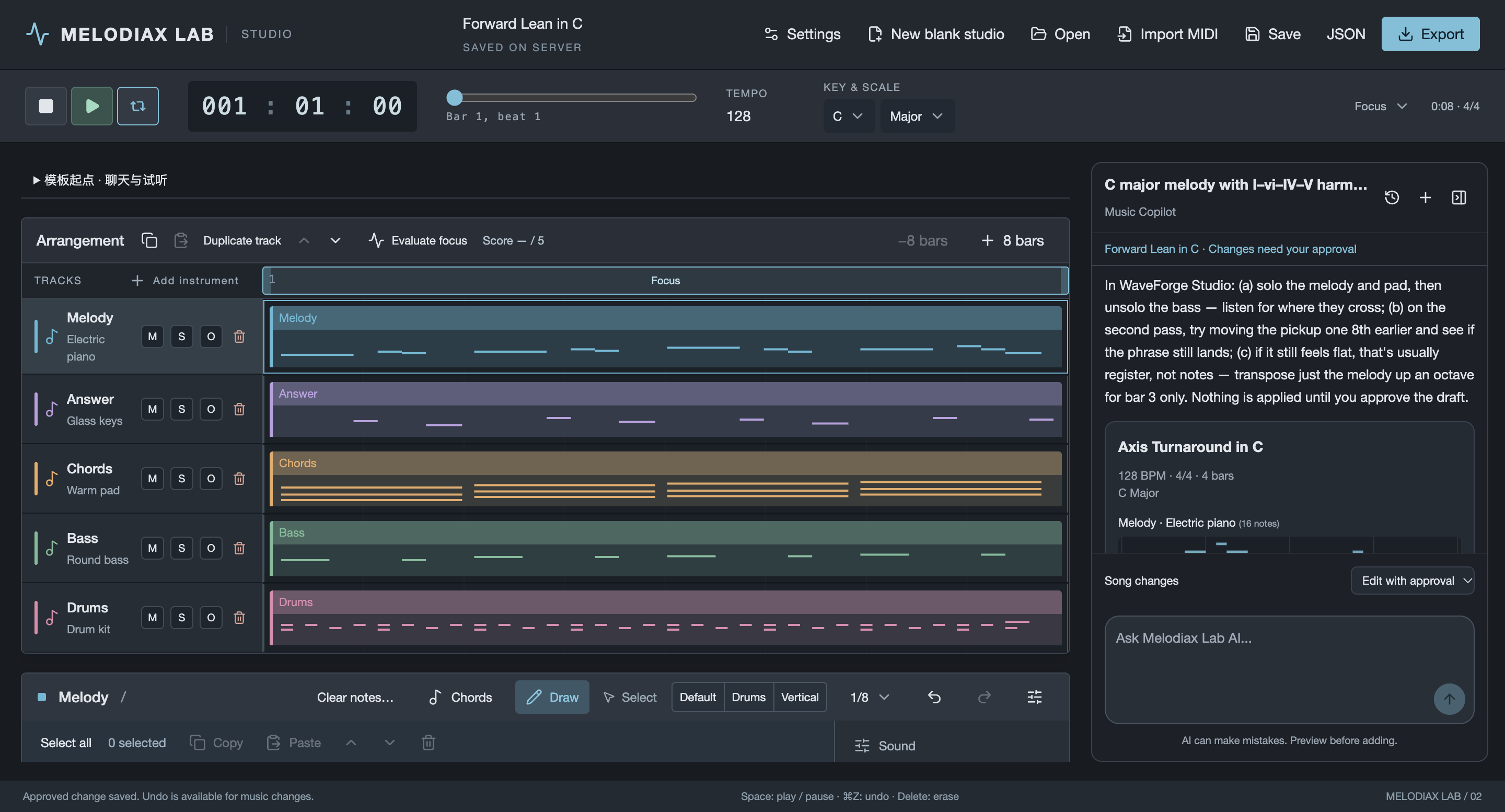
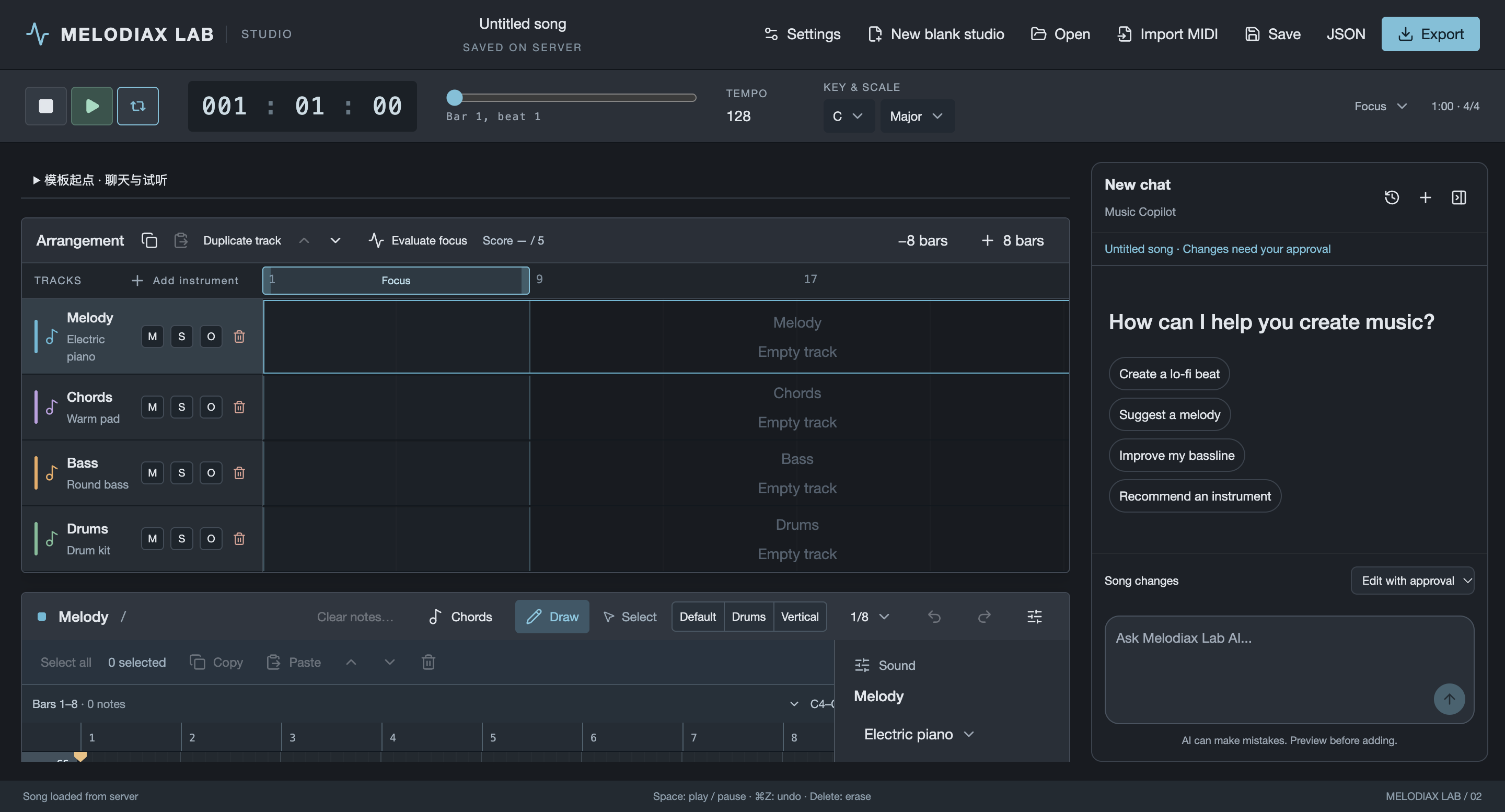
Studio dashboard
-
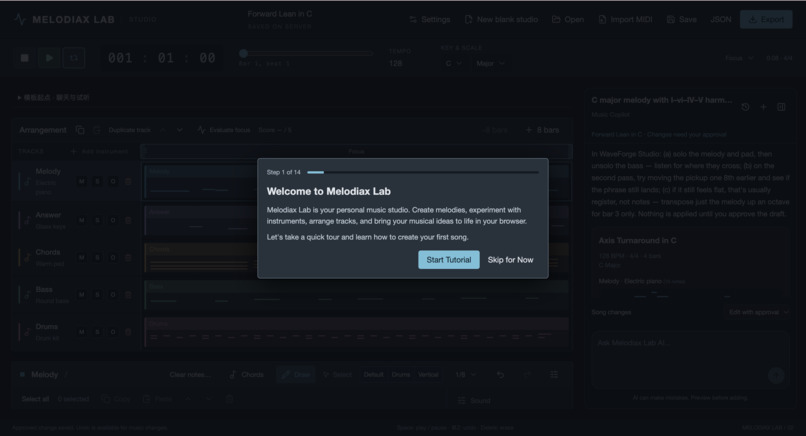
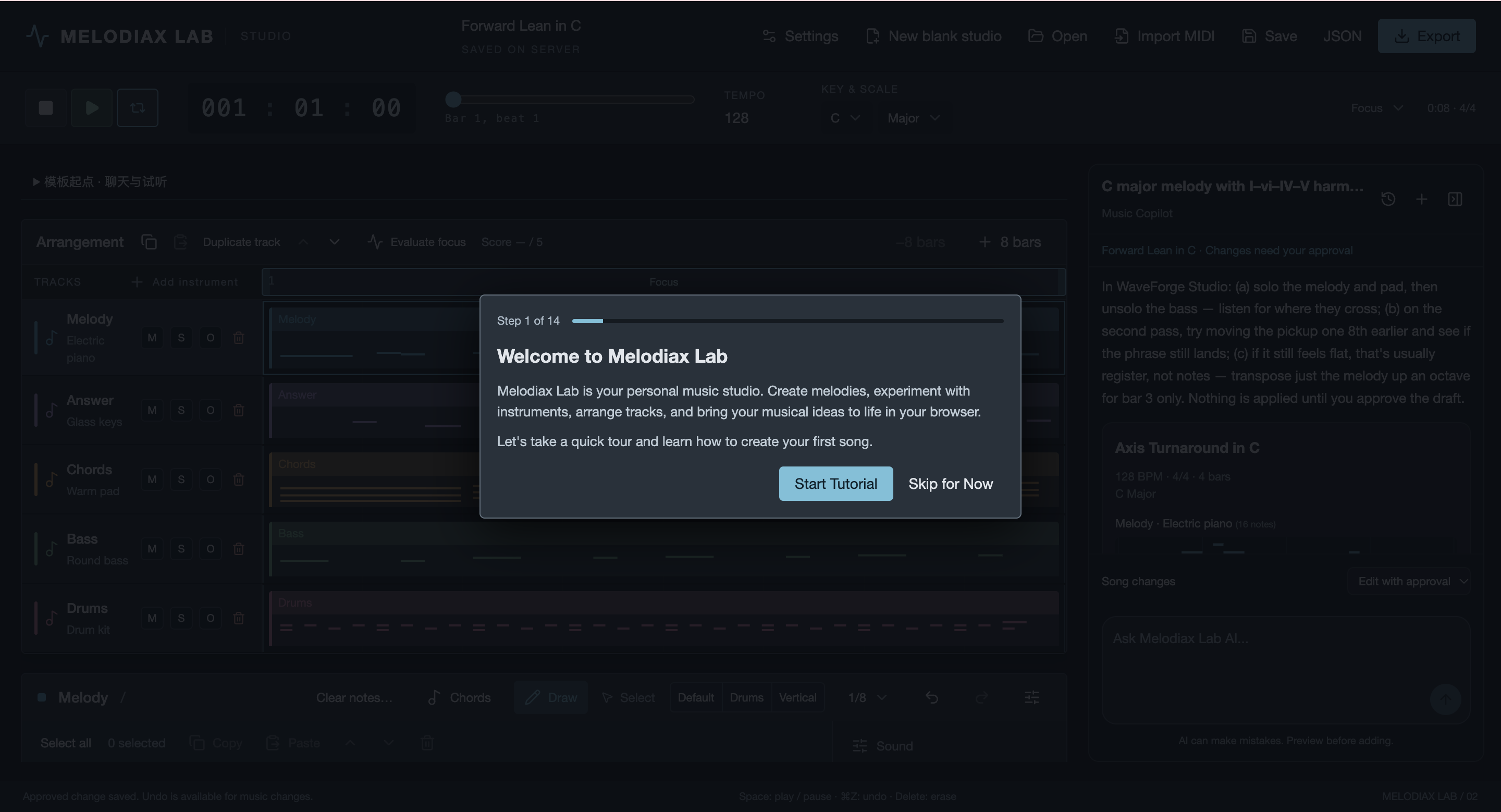
Onboarding tutorial
-
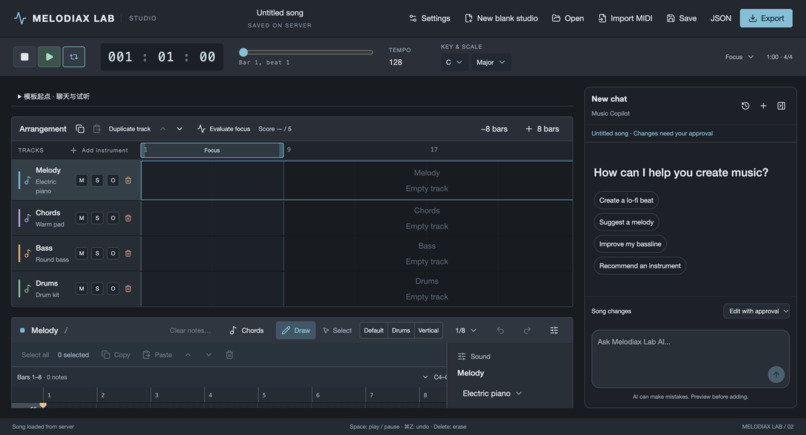
Instruments track
-
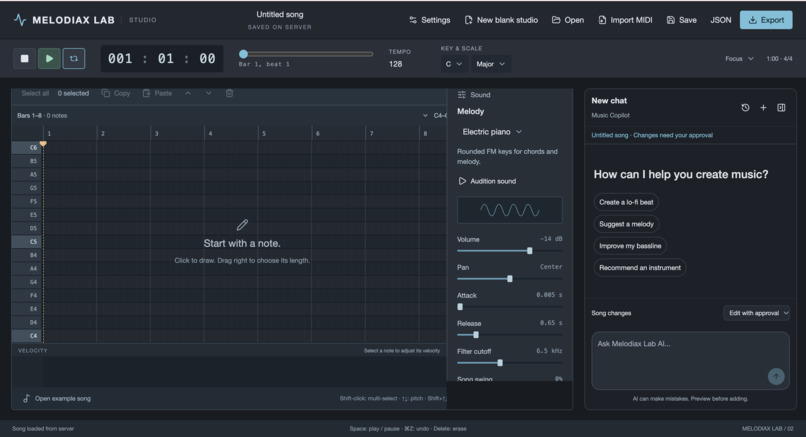
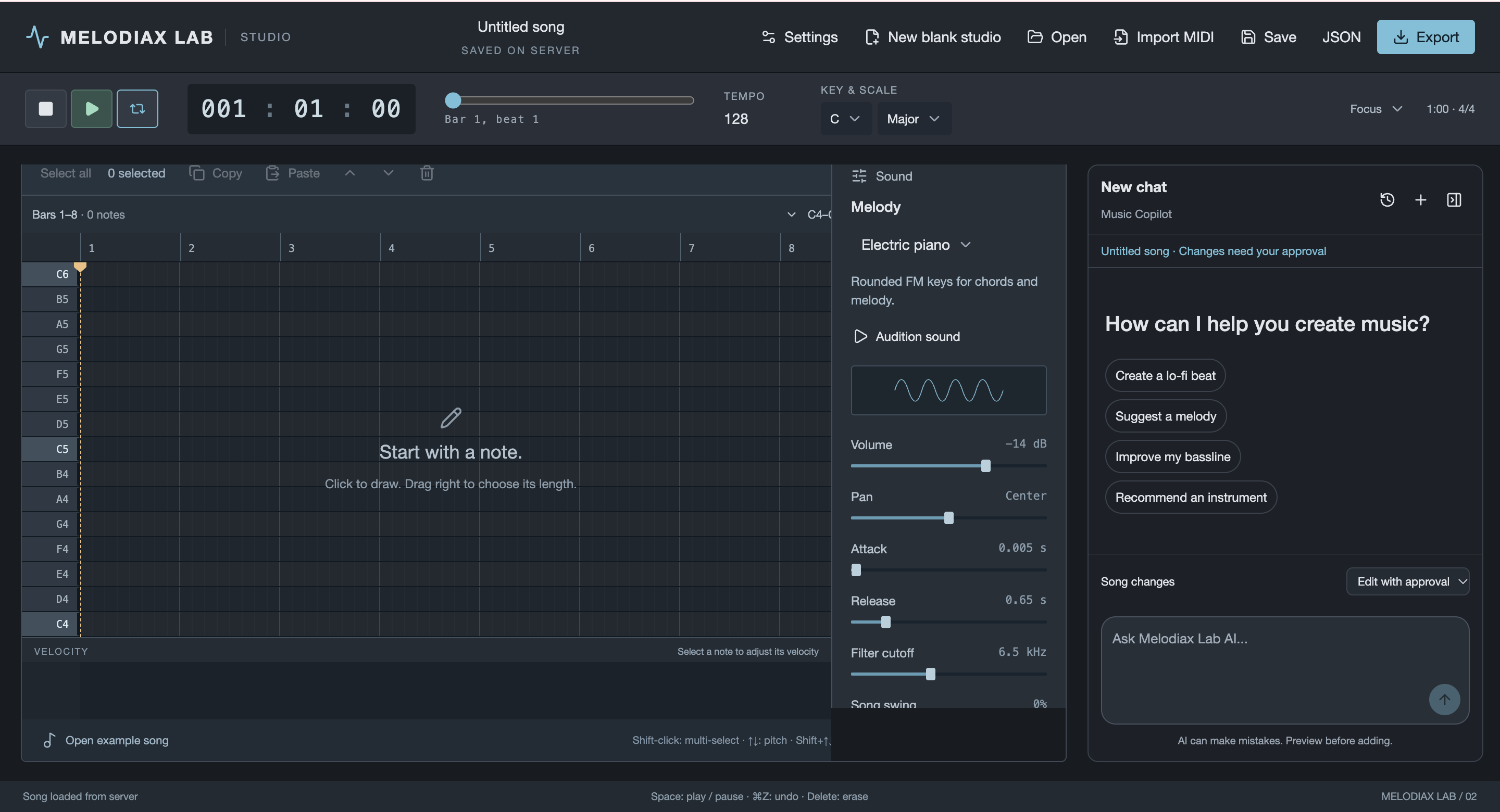
Interactive piano roll editor
-
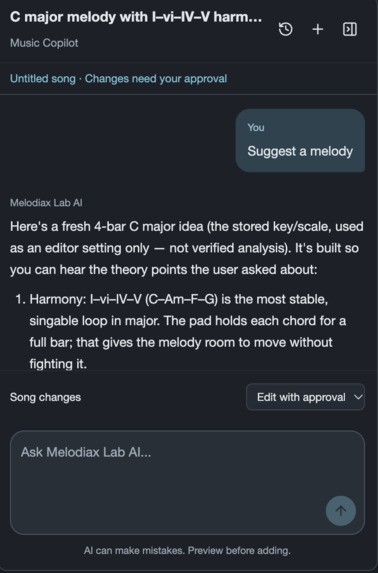
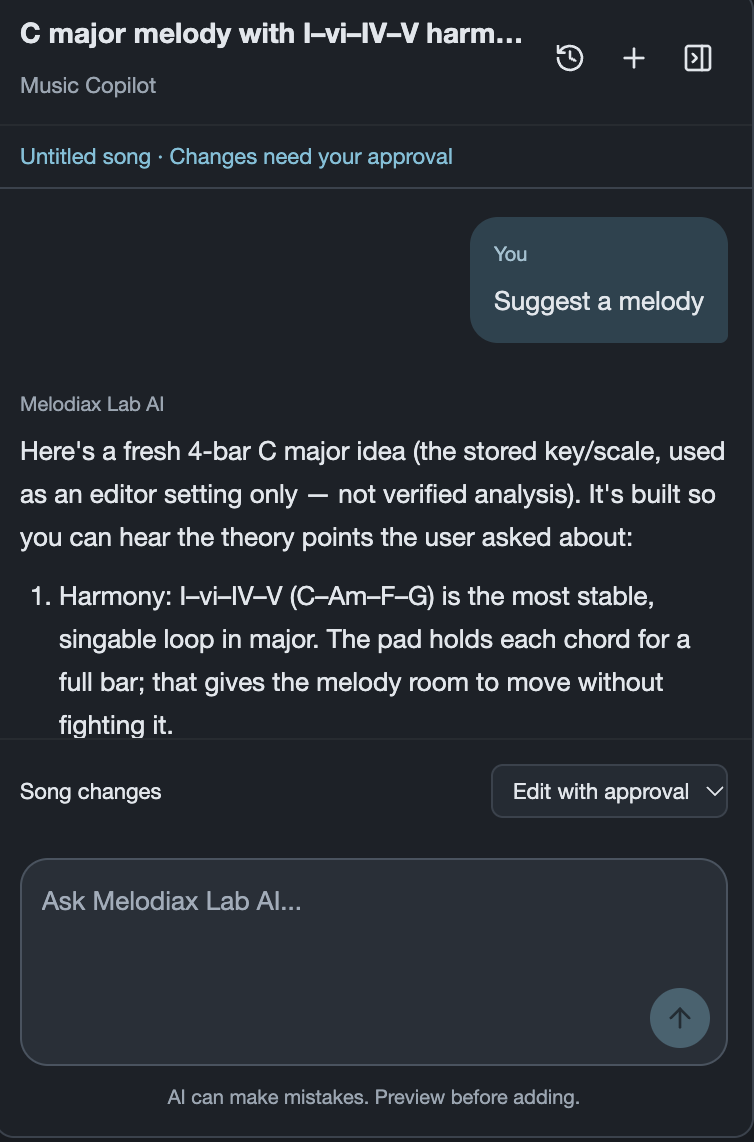
AI copilot
-
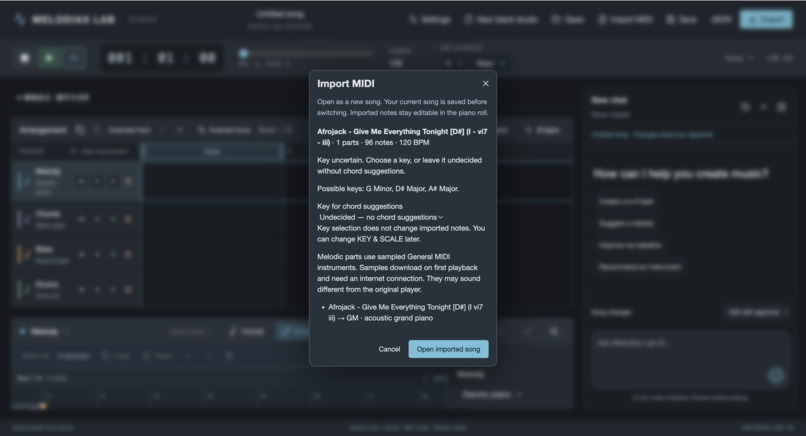
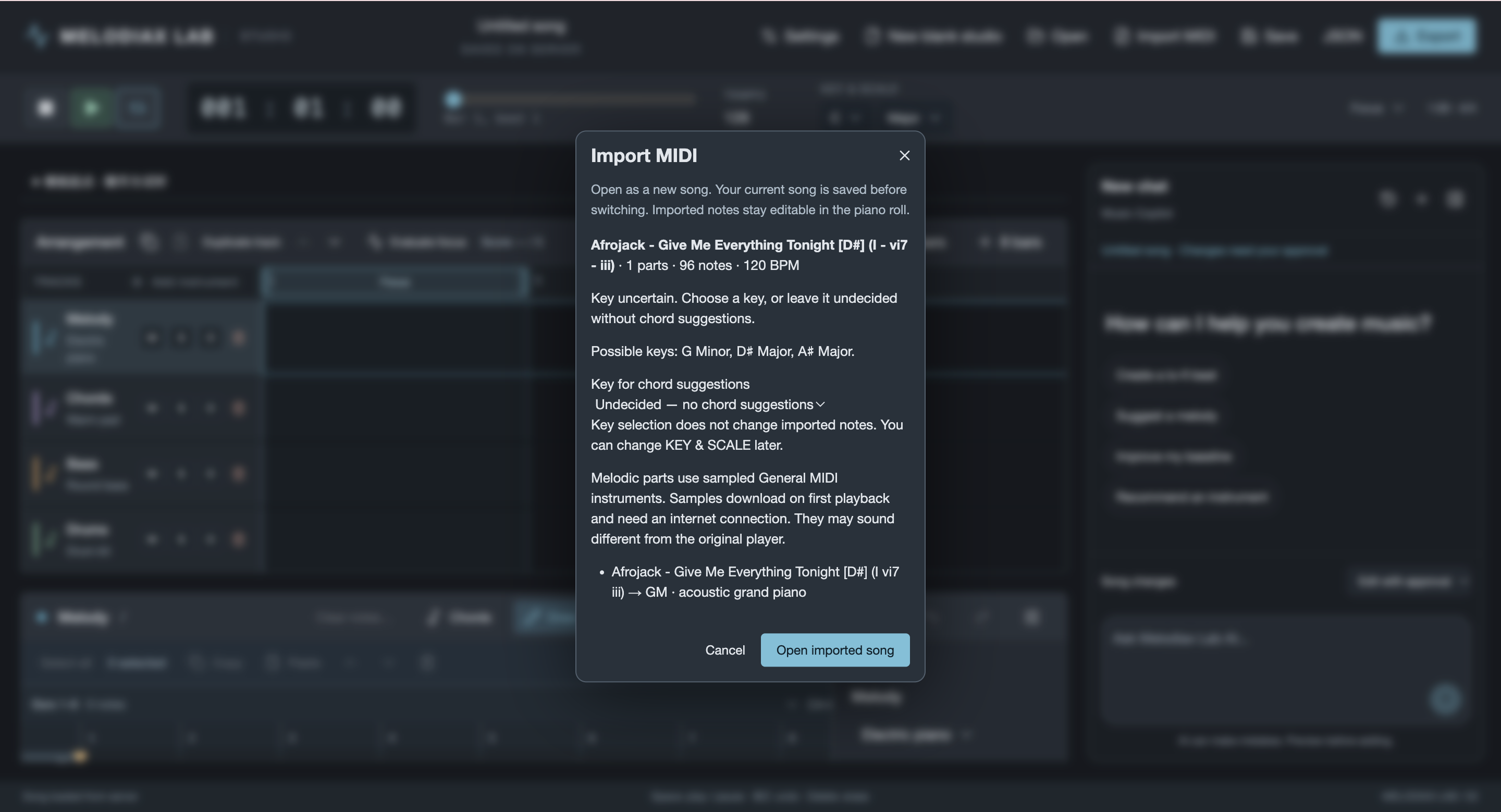
MIDI import
Inspiration
We wanted to make music creation more accessible without taking away the creative process.
Starting a song from scratch can be intimidating, especially for people who have little or no experience with music production software. Traditional digital audio workstations often come with a steep learning curve, while many AI music generators produce finished songs without giving users much control over the results.
We wanted to find a middle ground.
Our idea was to combine the accessibility of AI assistance with the flexibility of a hands-on music editor. Instead of having AI create an entire song that users simply listen to, we wanted people to explore their own musical ideas, experiment with different instruments, and directly edit the notes and arrangements generated by AI.
That's why we built Melodiax Lab, a browser-based music studio where AI helps people get started while leaving the creative decisions in their hands.
Our goal is simple: make music creation easier to begin, without limiting what users can create.
What it does
Melodiax Lab is an interactive, browser-based music studio that combines traditional music editing tools with an AI Music Copilot.
Users can create, edit, arrange, and export their own compositions directly from their browser, without installing professional music production software.
Interactive Music Editor
Users can:
- Create and edit music: Write and modify individual notes using an interactive piano-roll editor.
- Arrange multiple tracks: Build compositions by organizing different instruments and musical parts.
- Choose instruments: Experiment with different instrument sounds to create unique arrangements.
- Control playback: Listen to compositions and make adjustments as they work.
- Import MIDI files: Bring existing MIDI compositions into the studio for further editing.
- Save projects: Preserve compositions through automatic saving and project storage.
- Export music: Download completed compositions as MIDI or WAV files.
AI Music Copilot
One of Melodiax Lab's main features is its AI Music Copilot, which allows users to interact with the studio through natural language.
For example, users can ask the AI to:
- "Create a happy, upbeat melody."
- "Make this section sound more emotional."
- "Help me develop this musical idea."
The Copilot can generate new musical ideas or suggest modifications to existing compositions.
However, unlike AI tools that automatically replace the user's work, Melodiax Lab follows a draft-and-approval workflow.
When the AI generates a suggestion, it creates a separate draft rather than immediately changing the current composition. Users can preview the suggestion, compare it with their existing music, and choose whether to accept or reject it.
Even after accepting the AI-generated changes, users can continue modifying individual notes and tracks in the piano roll.
This approach allows AI to support creativity without replacing the user's artistic control.
How we built it
We developed Melodiax Lab as a full-stack web application, separating the interactive music editor from the backend services responsible for AI integration, user accounts, and project storage.
Frontend and Music Editor
The frontend was developed using React, TypeScript, vinext, and Vite.
We used Tone.js for browser-based audio synthesis, instrument playback, and audio rendering. This allows users to interact with the piano roll, edit musical notes, and listen to compositions directly in their browsers.
A key architectural decision was keeping music editing and playback independent of server requests. Users can continue editing their compositions without waiting for the backend to respond.
Backend Architecture
We built the backend using Node.js and Hono to manage API requests, AI interactions, user accounts, and project persistence.
Separating the frontend and backend allowed us to handle different responsibilities independently.
Interactive music editing requires immediate feedback, while AI generation and project synchronization involve asynchronous operations and external services.
We used shared TypeScript contracts to maintain consistent music data structures across the frontend and backend, with npm Workspaces organizing the codebase.
AI Music Copilot
We integrated DeepSeek to support natural-language conversations and AI-assisted music generation and modification.
AI requests are processed through the backend, keeping external API credentials out of the browser.
We also designed a draft-and-approval mechanism that allows users to review AI-generated musical changes before applying them.
To protect existing compositions, server-side revision checks help prevent outdated AI suggestions from overwriting newer user edits.
Project Storage and Recovery
We used SQLite to store songs and AI chat sessions.
Projects are automatically synchronized with the backend, while browser-local recovery drafts preserve unsynchronized changes when a network interruption occurs.
This helps reduce the risk of losing creative work during a session.
Additional Tools and Technologies
Our technology stack includes:
- React, TypeScript, vinext, Vite: Frontend development
- Tone.js: Music synthesis, playback, and audio rendering
- Node.js, Hono: Backend API development
- DeepSeek: Conversational AI and music generation assistance
- SQLite: Persistent storage for songs and chat sessions
- Qdrant: Vector search for the optional MIDI-template retrieval workflow
- npm Workspaces: Managing shared code and dependencies
Challenges we ran into
1. Making AI-generated music editable
One of our biggest challenges was connecting AI-generated musical ideas to a fully interactive music editor.
Generating a musical suggestion is one problem, but converting that suggestion into structured notes and tracks that users can edit is another.
We needed to ensure that AI-generated content followed the same music data structure used by the rest of the application.
This was essential to making AI suggestions feel like part of the music production workflow rather than separate, uneditable outputs.
2. Preventing AI from overwriting user work
Another major challenge was preserving user control when AI requests and manual edits happen simultaneously.
For example, a user might continue modifying a composition while an earlier AI request is still processing.
If that AI response were applied automatically, it could overwrite more recent edits.
To address this, we implemented a draft-and-approval workflow and server-side revision checks.
AI suggestions remain separate until users explicitly accept them, reducing the risk of accidental changes.
3. Balancing frontend responsiveness with backend operations
Music editing needs to feel immediate. Even small delays between changing a note and hearing the result can interrupt the creative process.
However, AI requests, authentication, and project synchronization require backend communication.
We addressed this by separating browser-based editing and playback from server-dependent operations, allowing the music editor to remain responsive even when network requests take longer.
4. Maintaining project consistency and preventing data loss
Keeping projects synchronized across local editing sessions and server storage was another technical challenge.
Network interruptions or incomplete synchronization could potentially cause users to lose their latest changes.
We introduced automatic saving, browser-local recovery drafts, and revision checks to improve reliability and protect users' work.
Accomplishments that we're proud of
Our biggest accomplishment is creating a music studio where AI assistance and hands-on creativity work together.
Rather than building a simple chatbot that generates music, we developed an interactive application that allows users to create compositions themselves, request AI assistance, review suggestions, and continue editing the results.
We are especially proud of our AI draft-and-approval workflow. It makes AI-generated content something users can evaluate and build upon, rather than something they must accept without modification.
We are also proud of bringing together several different technical components into one browser-based experience:
- An interactive piano-roll editor with multi-track arrangements
- Browser-based instrument synthesis and playback
- Natural-language AI music assistance
- Editable AI-generated musical suggestions
- MIDI import and MIDI/WAV export
- Project persistence, autosave, and local recovery
- Independently runnable frontend and backend applications
Integrating these features into a cohesive application required us to think beyond individual components and focus on how the complete system should behave.
Most importantly, we built something that reflects our original goal: helping users create music with AI while keeping creative control in their own hands.
What we learned
Building Melodiax Lab taught us that integrating AI into an application involves much more than connecting to a model API.
We needed to consider how AI-generated responses would be represented as structured music data, how users would interact with those responses, and how to handle unexpected or outdated results.
One of our most important lessons was that AI should fit naturally into the user's workflow, rather than forcing users to adapt to the AI.
We also gained practical experience designing a full-stack application with clearly separated responsibilities.
For a highly interactive product like a music editor, we learned that not every action should depend on a backend request. Keeping playback and note editing in the browser helped us design a more responsive user experience.
Another important lesson involved data consistency and reliability.
Features such as autosave, revision checks, and local recovery may not be immediately noticeable to users, but they are essential when people spend time creating something they care about.
Finally, this project strengthened our understanding of collaborative software development, system integration, and the importance of designing features around real user needs.
What's next for Melodiax Lab
We see Melodiax Lab as a foundation for making AI-assisted music creation more accessible and flexible.
Our next steps include improving both the AI Music Copilot and the overall music editing experience.
Smarter AI Music Assistance
We want to improve the Copilot's ability to understand follow-up instructions and make more context-aware modifications to existing compositions.
This would help users refine musical ideas through natural conversation while maintaining control over the final result.
Better Instruments and Audio Quality
We plan to expand and improve instrument sounds and enhance playback quality, particularly when multiple tracks and instruments are playing together.
More Powerful Music Editing
We want to make arranging and editing music smoother, especially for longer or more complex compositions.
Our goal is to help users move naturally from a simple musical idea to a complete arrangement.
More Ways to Find Inspiration
We would also like to explore additional uses of MIDI templates and musical references to help users discover ideas, experiment with different styles, and overcome creative blocks.
Ultimately, our vision is to make Melodiax Lab a place where anyone, regardless of musical experience, can experiment with music, collaborate with AI, and turn their own ideas into something meaningful.
Disclosure of Prior Work
Melodiax Lab builds upon an existing project originally called WaveForge.
The original foundation included a browser-based piano-roll editor, track arrangement functionality, Tone.js synthesis and playback, project saving, MIDI and WAV export, and browser-local autosave.
Subsequent development expanded instrument options, improved user onboarding, and introduced conversational AI assistance. Additional work included separating the frontend and backend into independently runnable applications, implementing server-persisted projects and chat sessions, adding MIDI import, introducing approval-based AI musical edits, and supporting chat memory and recovery of unsynchronized changes.
The project uses open-source technologies including React, TypeScript, vinext, Vite, Tone.js, and Hono. Some instrument sounds use attributed FluidR3 soundfont resources.
Our AI functionality relies on external model APIs, and we did not train the underlying foundation models. The optional MIDI-template retrieval workflow also uses existing embedding models and Qdrant.
We acknowledge these existing foundations and dependencies to distinguish prior work from subsequent development.
Built With
- deepseek
- hono
- javascript
- node.js
- npm
- qdrant
- react
- sqlite
- tone.js
- typescript
- vinext
- vite


Log in or sign up for Devpost to join the conversation.