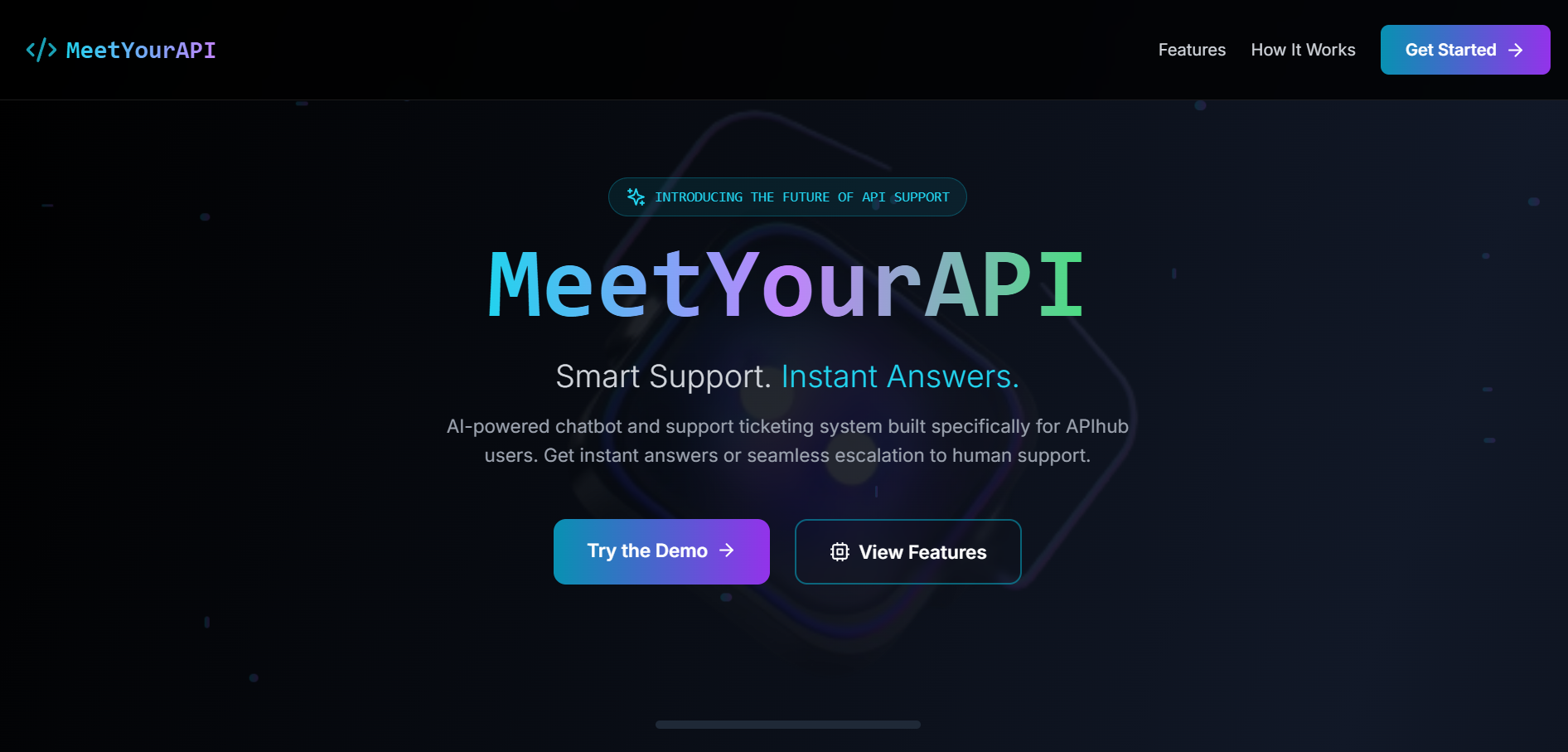
About This Project
The Inspiration: Solving a Developer's Common Frustration
As a developer, I've spent countless hours navigating the often-convoluted world of API documentation. Finding the right endpoint, understanding authentication flows, or debugging a cryptic error message can feel like a treasure hunt without a map. Traditional support systems, like email or generic ticketing, often add long delays, breaking a developer's focus and momentum.
I was inspired to build MeetYourAPI to solve this exact problem. I envisioned a tool that could act as an intelligent, ever-present partner for developers—one that understands the nuances of APIs and can provide instant, accurate answers. The goal was to bridge the gap between the immediate, context-aware power of AI and the necessity of human expertise for complex issues. I didn't just want to build a chatbot; I wanted to build a complete support ecosystem.
What I Learned: A Full-Stack Journey
Building this project from the ground up was an immense learning experience. It pushed me to connect frontend polish with backend power and orchestrate multiple third-party services.
Advanced Frontend Development: I moved beyond basic React and dove deep into the Next.js 14 App Router, leveraging its server components, dynamic routing, and layout capabilities. I honed my skills in state management using React Hooks, and for the UI, I used Tailwind CSS for rapid styling and Framer Motion to implement complex but subtle animations that give the application a fluid, modern feel. Implementing features like real-time streaming text and client-side image upload previews taught me a lot about handling asynchronous UI updates gracefully.
Robust Backend Architecture: I built a comprehensive RESTful API using Next.js API Routes. A key learning was designing and implementing a system that could stream responses from an AI model in real-time. This involved working with
ReadableStreamon the server and decoding the chunks on the client, which was crucial for the conversational UX. I also gained experience in securely integrating and managing multiple external APIs for authentication, AI, email, and image hosting.Database & Authentication: I designed the database schema from scratch using Mongoose for our MongoDB database, carefully considering the relationships between users, chats, and reports. For authentication, I integrated Clerk, which provided a secure and feature-rich user management system out of the box, teaching me how to protect routes and manage user sessions in a full-stack application.
DevOps and Automation: This project was my first time setting up and scheduling a cron job with
node-cron. I wrote an automation script to periodically check for pending reports and send email reminders, which taught me about background processes and application maintenance. Managing a suite of environment variables for different services (Clerk, MongoDB, Google, Resend) and deploying it all to Vercel gave me a practical understanding of the modern deployment pipeline.
How It Was Built: The Tech Stack and Process
I built MeetYourAPI methodically, layering features to ensure a stable foundation.
Foundation & Authentication: The project started as a Next.js 14 application with TypeScript. The very first feature I integrated was Clerk for user authentication, as it would be central to the entire application logic.
Core UI & Chat: I then focused on building the
ChatInterfaceandSidebarcomponents. The goal was a clean, intuitive, and highly interactive UI. I used Tailwind CSS extensively for styling and Framer Motion to add life to the interface with animations on message loading, button clicks, and component transitions.AI Integration with Google Gemini: The core of the application is its AI. I connected to the Google Gemini API and engineered a detailed system prompt that strictly confines the AI to API-related topics, ensuring its expertise remains focused. I implemented a backend route (
/api/gemini) that streams the AI's response token by token, creating the "live typing" effect seen in ChatGPT.Database & API Endpoints: With the UI in place, I defined the Mongoose schemas for
ChatandReportand built out the API endpoints for all CRUD (Create, Read, Update, Delete) operations. Every endpoint is protected, requiring a valid user session from Clerk.Reporting and Notification System: To make this more than just a chatbot, I built a full ticketing system. This involved creating frontend modals for submitting reports, a backend to save them with a snapshot of the chat for context, and integrating Resend to send professionally styled HTML emails to an admin for every new ticket.
Automation: To ensure tickets don't get lost, I wrote a script using
node-cronthat runs on a schedule, finds reports that have been pending for too long, and automatically sends a reminder email.
Challenges Faced and Solutions
Real-Time AI Streaming: The biggest technical challenge was streaming the AI response. I solved this by using the
ReadableStreamAPI on the Next.js server. The client-sidefetchrequest then reads this stream, and aTextDecoderdecodes the incoming chunks of data, which are then appended to the message state in React. This was complex but essential for the user experience.Cross-Component State Management: When a chat was created or deleted in the
ChatInterface, theSidebarneeded to update its list of recent chats instantly. Instead of pulling in a heavy state management library, I used a lightweight solution: custom browser events. TheChatInterfacewoulddispatchEventan event likechatUpdated, and theSidebarwould have aneventListenerto catch it and re-fetch the chat list.AI Prompt Engineering: Getting the AI to be helpful but not too helpful (i.e., not answering off-topic questions) took dozens of iterations on the system prompt. I had to be very specific about its role, its limitations, and the exact phrasing it should use to decline non-API queries.
Styling Dynamic Markdown: I wasn't happy with the default HTML output of the
react-markdownlibrary. To achieve a polished, ChatGPT-like appearance, I created a custom CSS utility class (.chatgpt-markdown) that defined specific styles for paragraphs, headings, code blocks, lists, and tables, giving me full control over the final look.
Built With
- clerk
- css
- express.js
- gemini
- javascript
- mongodb
- next.js
- react
- resend
- tailwind

Log in or sign up for Devpost to join the conversation.