Inspiration
We were inspired by a simple, frustrating problem: AI is everywhere, but our tools are scattered. We use one app for transcribing meetings, another for AI chat, and a separate website for practicing a new language. This constant "context-switching" is a major drain on productivity.
We saw an opportunity to use the powerful, multimodal Gemini API to build a single, unified platform. We wanted to create one hub that could boost our real-world productivity and accelerate our personal learning, all in one place.
What it does
Our project is an all-in-one AI Productivity and Learning Suite that centralizes your workflow. It features:
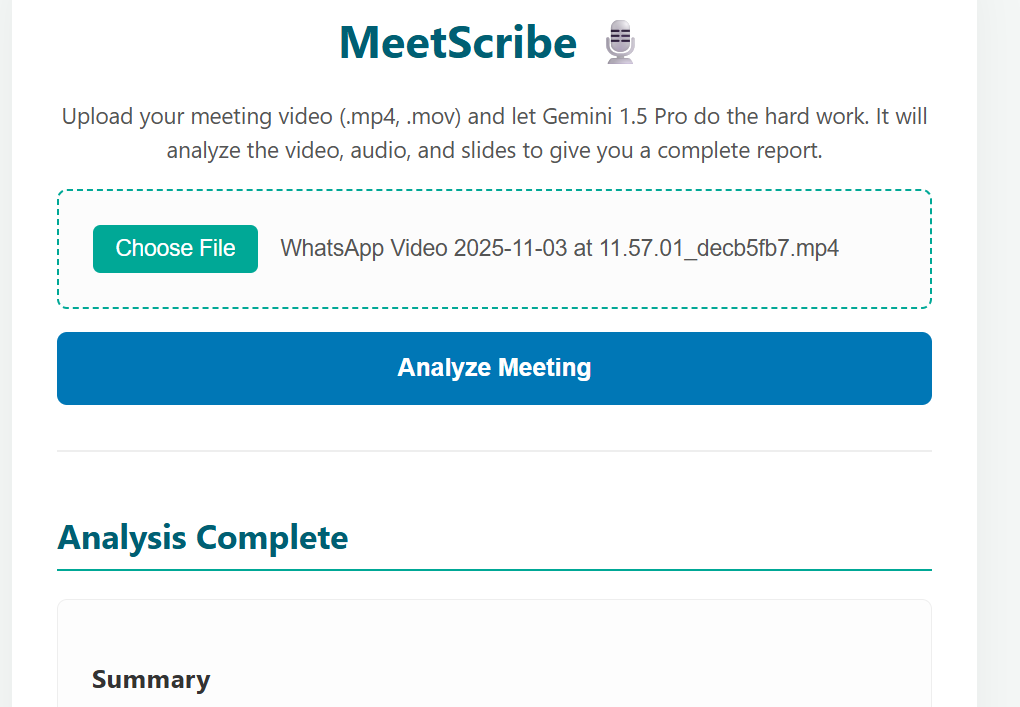
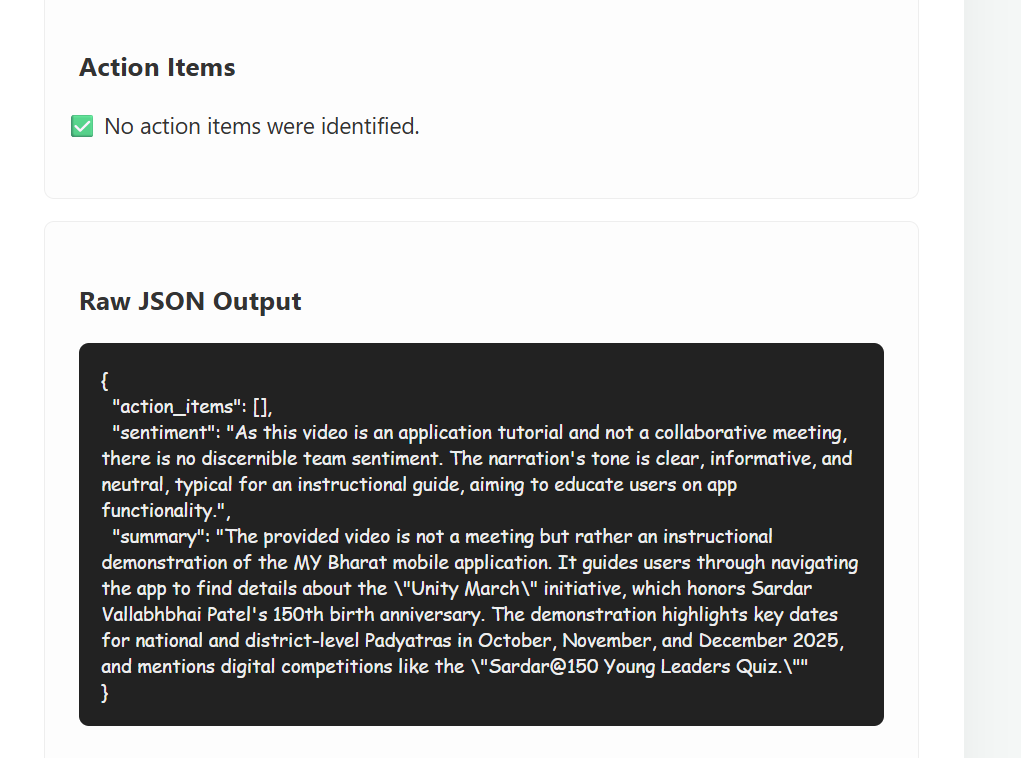
- MeetScribe (Video Analyst): The user uploads a meeting video. The AI "watches" the video, reads the slides, and analyzes the audio to generate an instant, actionable PDF report containing a summary, sentiment analysis, and a list of action items.
- Image Analyzer: The user can upload any image—like a complex diagram, a chart, or a handwritten note—and get a detailed explanation of what it shows.
- Stream Partner (Language Tutor): A conversational AI chat where the user can practice speaking and writing in a new language, receiving instant corrections and guidance.
- AI Chat: A general-purpose AI assistant for quick questions, brainstorming, and debugging code.
How we built it
We built this as a full-stack web application with the Gemini API at its core.
- Backend: We used a Python Flask server. This handles all the logic: serving the webpage, managing file uploads, and making secure calls to the Gemini API.
- AI Core: We used the google-generative-ai Python library to connect to the Gemini API. After debugging our model access, we are using the gemini-2.5-flash model, which is perfect for high-speed, multimodal tasks (video, image, and text).
- Frontend: The user interface is built with clean HTML, CSS, and JavaScript. This is what allows the user to click buttons, upload files, and see the results without reloading the page.
- Report Generation: For our "MeetScribe" feature, we integrated the fpdf2 library in Python. This allows us to take the structured JSON data from Gemini and dynamically build a professional, downloadable PDF report.
Challenges we ran into
We faced several significant technical challenges that we had to overcome.
- The API "404 Not Found" Error: Our biggest problem was that the model names we thought were correct (like gemini-1.5-pro) kept giving us 404 Not Found errors. We solved this by building a diagnostic script (check_models.py) to ask the API exactly which models our key had access to. This is how we discovered gemini-2.5-flash was the correct name for our account.
- Reliable PDF Generation: Getting the JSON data from Gemini and converting it into a PDF was difficult, especially with international characters. We had to write specific code to "encode" the text properly so the fpdf2 library wouldn't crash.
- The "Dead Button" Bug: Our "Analyze Meeting" button would not work. We traced this to a combination of a browser caching issue and an HTML type="submit" bug that caused the page to reload. We fixed it by changing the button to type="button" and forcing a hard refresh (Ctrl+Shift+R) to load the new JavaScript.
Accomplishments that we're proud of
- It actually works! Seeing the app successfully analyze a real video and generate a perfect PDF report was a massive win.
- True Multimodal Analysis: We are incredibly proud that "MeetScribe" isn't just a text summarizer. It watches the video and reads the text on the slides. This is a huge leap in capability that truly shows off Gemini's power.
- A "Suite," Not a "Toy": We didn't just build one small feature. We successfully integrated four different, complex AI tools (video, image, chat, and language) into a single, cohesive platform.
- Debugging Under Pressure: We are proud of solving the 404 API error. By building a diagnostic script, we didn't just guess; we used code to find the solution.
What we learned
- Multimodal is the Future: The real power of AI is not just text. The ability to analyze video, images, and audio at the same time is a game-changer.
- APIs are Specific: We learned that API model names are not "one size fits all." You must check what your specific key has access to.
- Full-Stack Debugging: We learned how to trace a bug from a "dead" button in JavaScript, to a 404 error in our Python server, all the way to an API model name issue.
What's next for MeetScribe AI-Learning-Platform
This is just the beginning. Our vision is to make this a truly autonomous AI partner.
- Use Function Calling: This is our #1 next step. When MeetScribe finds an action item, it won't just list it. It will use Gemini's Function Calling to automatically call the Trello, Asana, or Jira API and create the task for the user.
- Real-Time Integration: We want to move from file uploads to a live agent that can join your Google Meet or Zoom call and provide insights in real-time.
- Personalized Learning: For the "Stream Partner," we will add user accounts so the AI can remember your progress, your vocabulary, and your specific learning goals.
Built With
- api
- css
- flask
- googlegemini
- html5
- javascript
- python

Log in or sign up for Devpost to join the conversation.