-
-
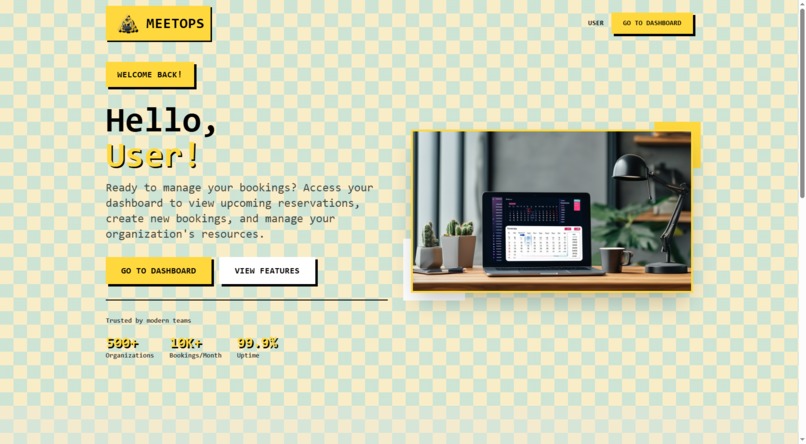
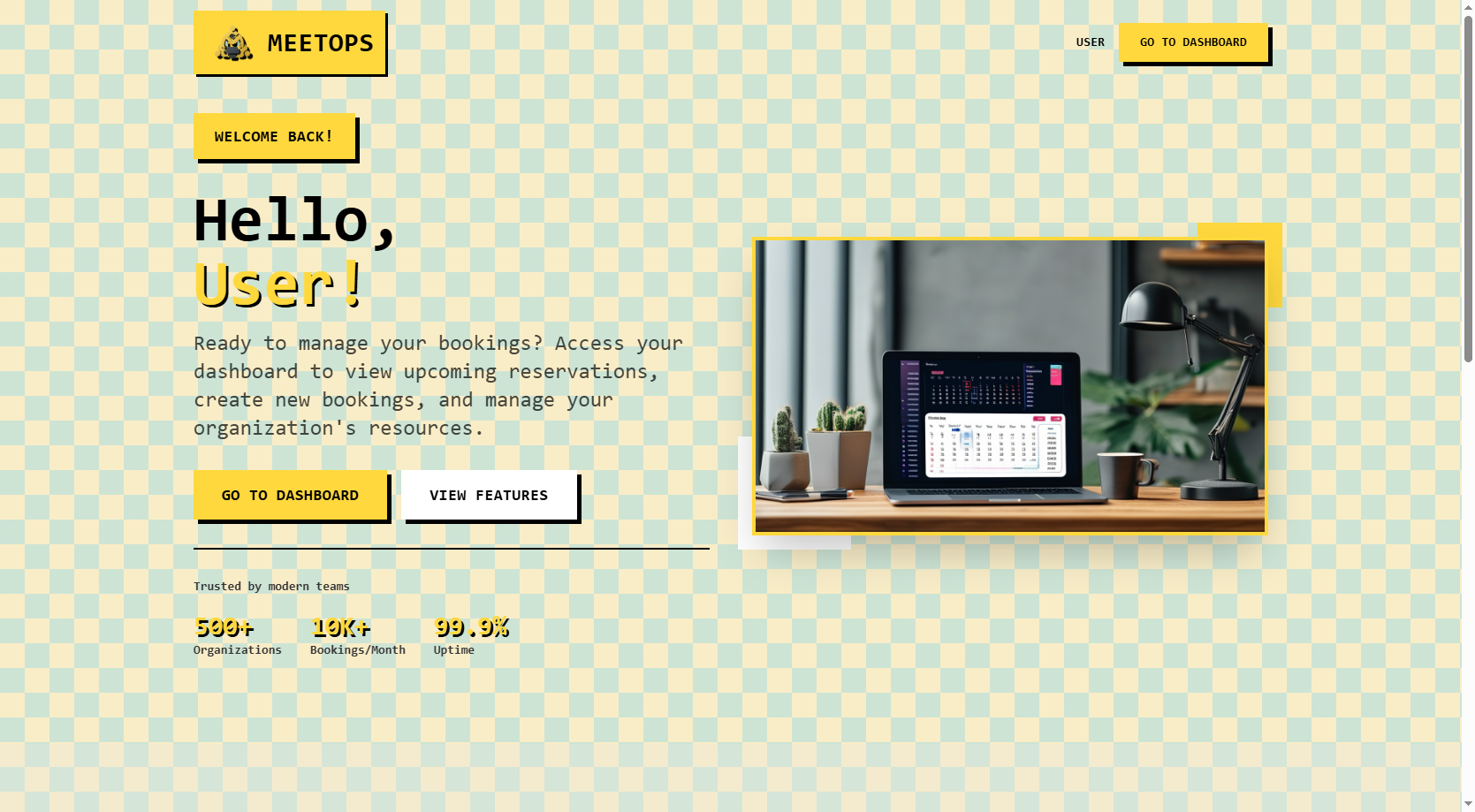
Landing page
-
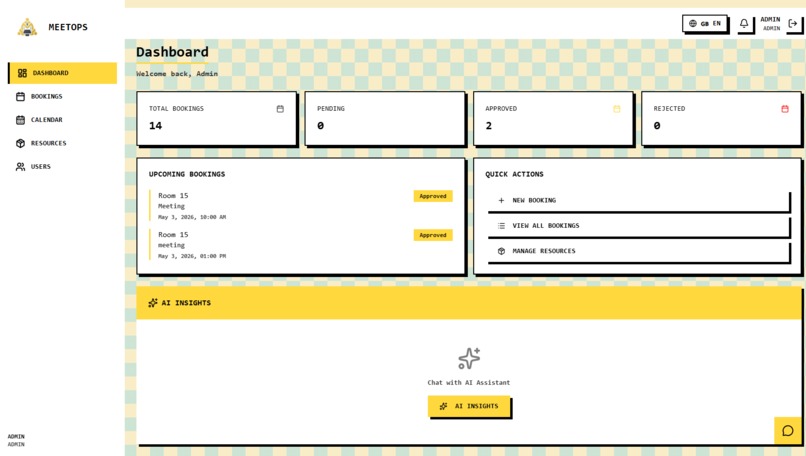
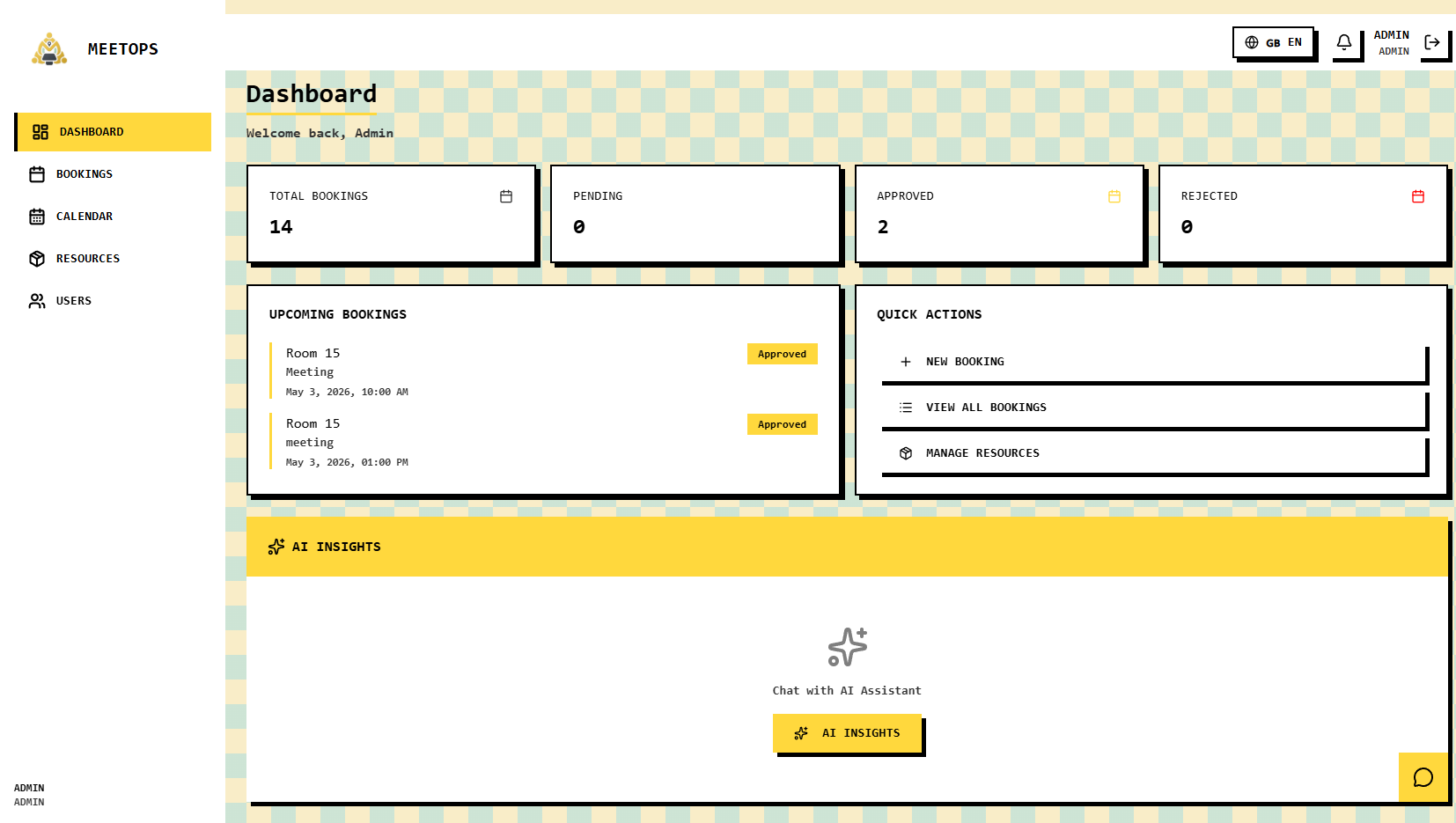
Dashboard
-
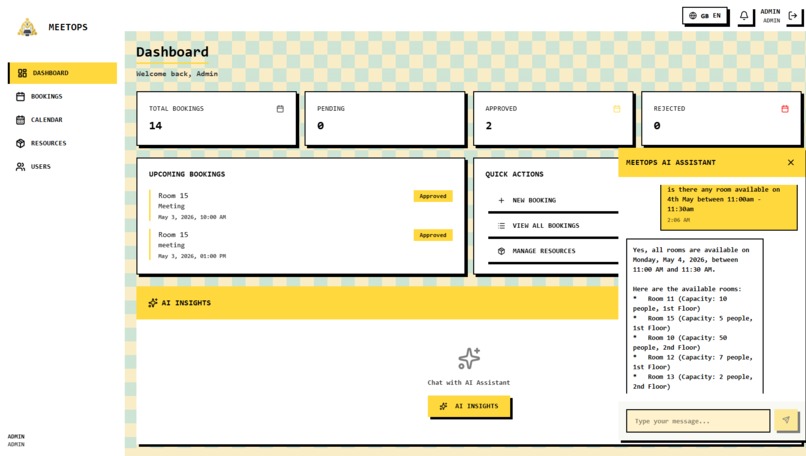
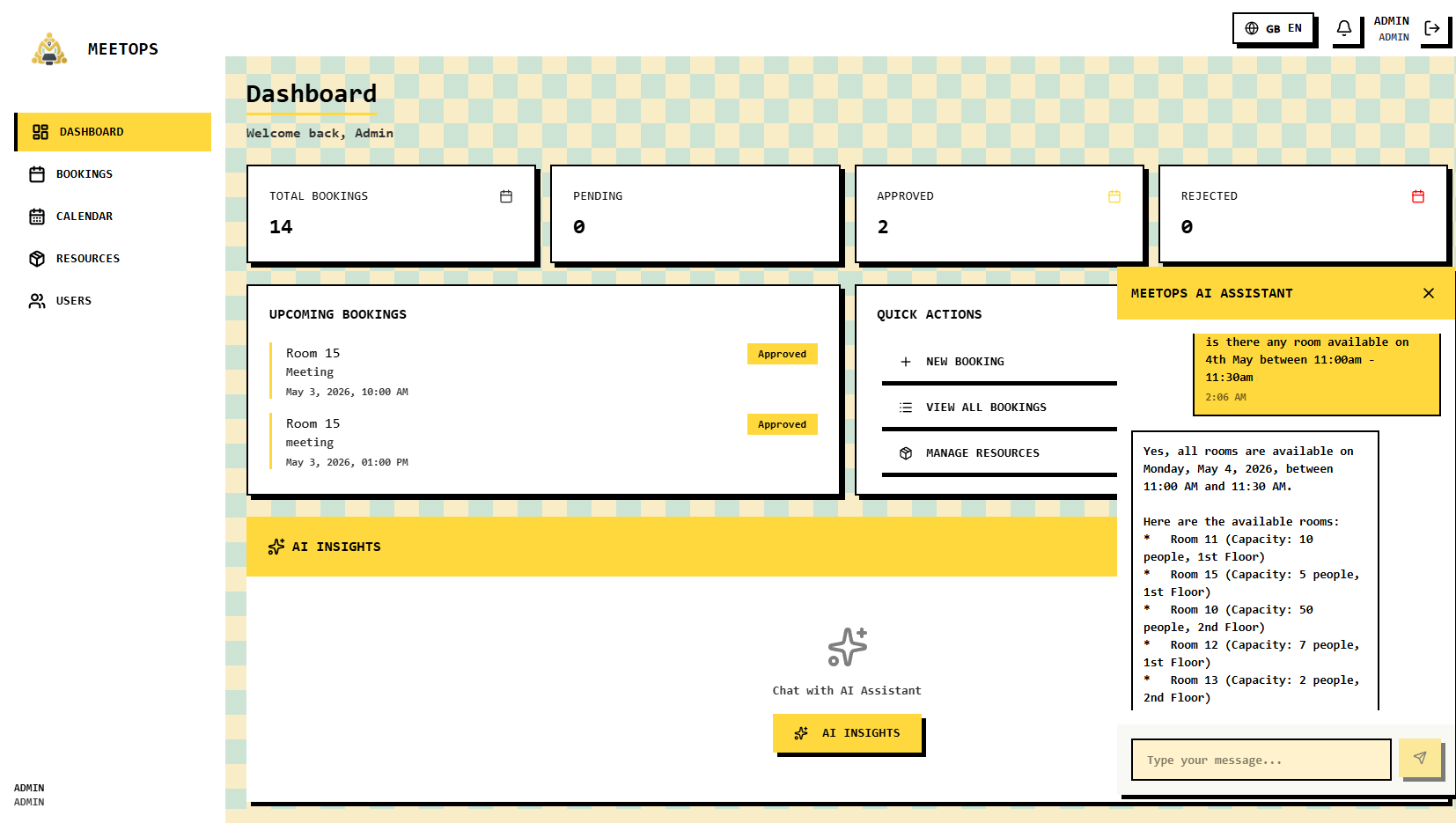
AI Booking Interface
-
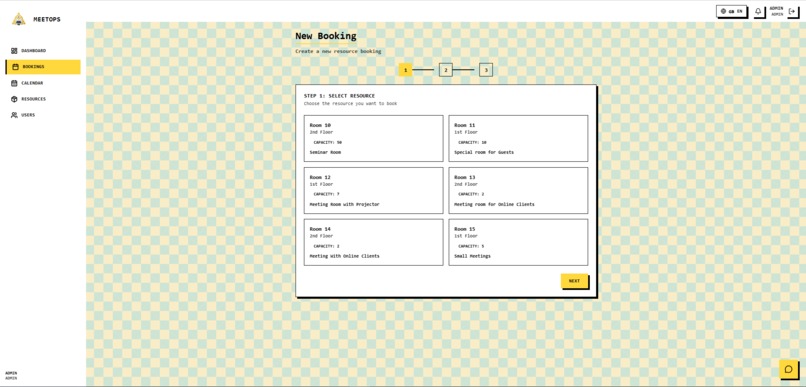
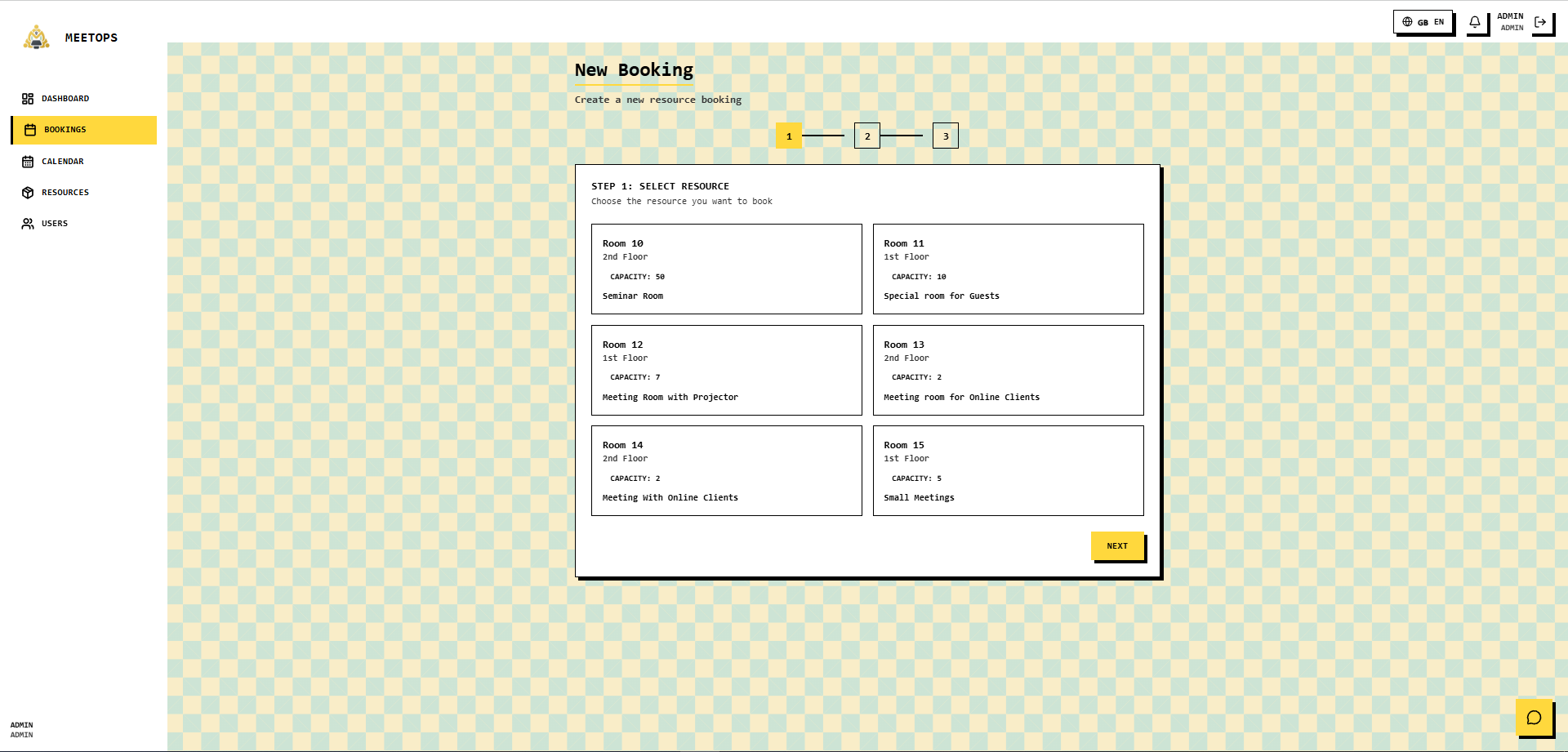
Booking Creation
-
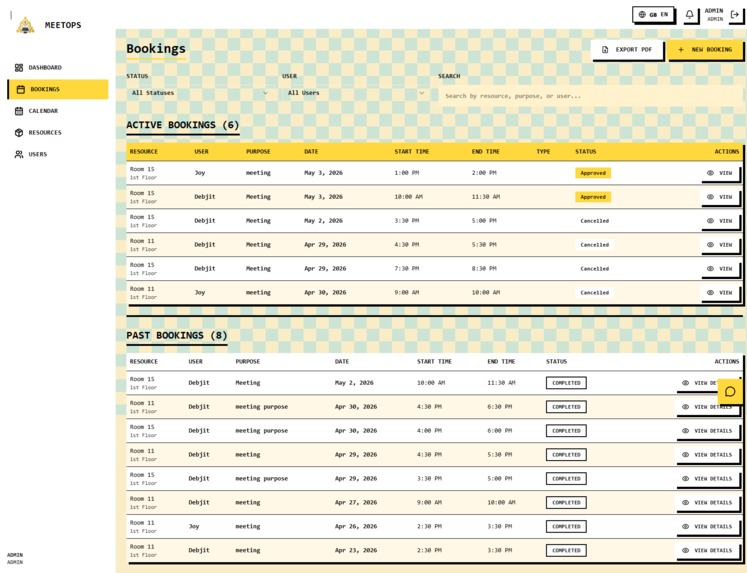
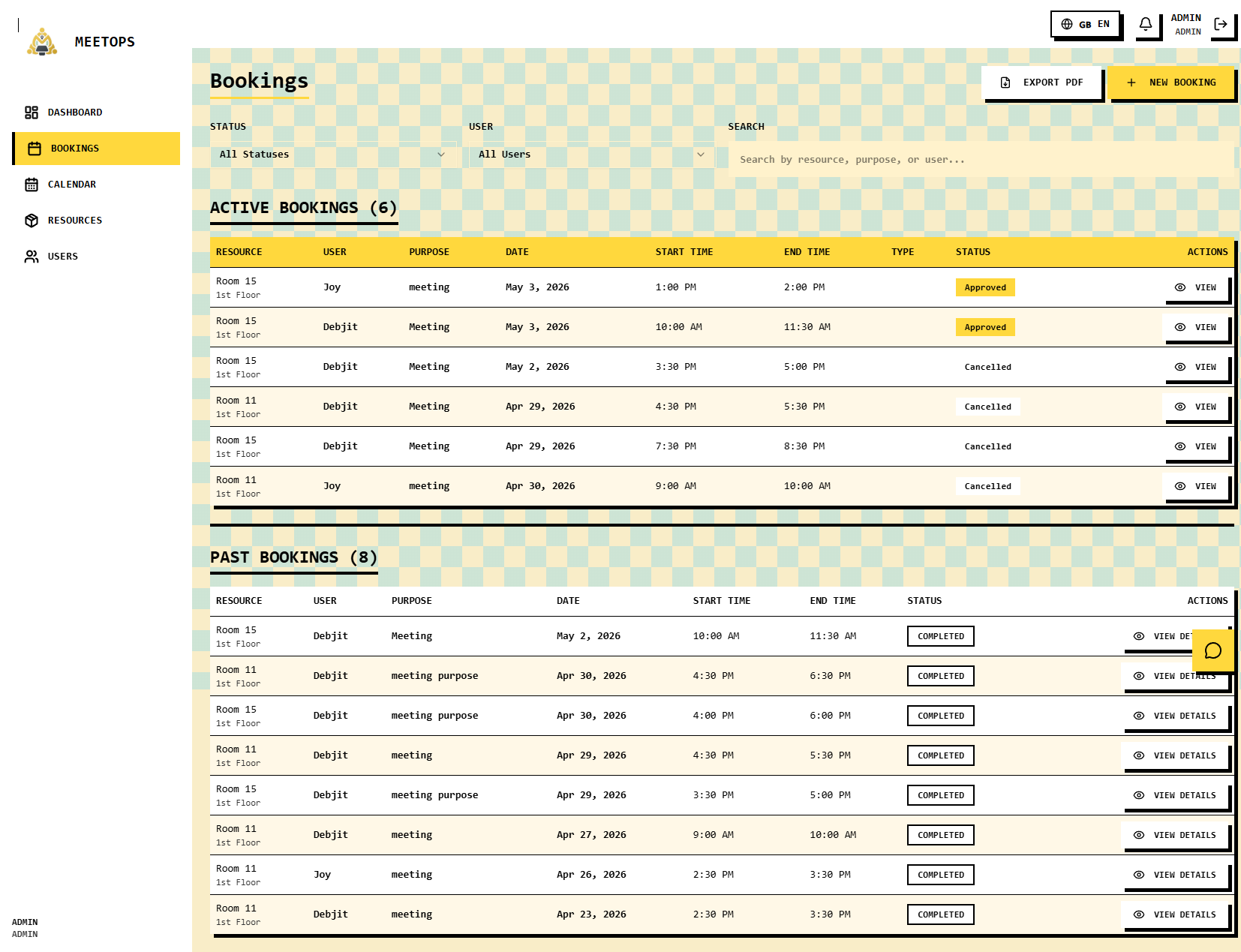
Booking Management
MeetOps — Smart Meeting Room Management
Inspiration
Managing meeting rooms in offices and shared workspaces often becomes unnecessarily complicated. Teams rely on spreadsheets, chat messages, calendars, or manual coordination to find an available room. This can lead to double bookings, wasted time, unclear availability, and delays when a booking requires approval.
We wanted to build a solution that does more than simply display available rooms. The goal was to make meeting-room management faster, smarter, and more operationally reliable.
That idea led to MeetOps, a centralized meeting-room management platform with an AI-assisted booking experience.
The Problem
Organizations can face several problems when managing shared meeting spaces:
- Double or overlapping bookings
- No centralized view of room availability
- Manual coordination between employees and managers
- Approval delays for meeting requests
- Difficulty finding the right room for a specific meeting
- Poor visibility into upcoming bookings and resource usage
These problems may seem small individually, but together they create unnecessary operational friction and waste valuable time.
Our Solution
MeetOps brings meeting-room management into one centralized platform.
Users can check room availability, create bookings, manage their meetings, and receive booking updates. Administrators and managers can manage rooms, review booking requests, and control operational workflows.
The platform also includes AI-assisted room booking, allowing users to describe what they need instead of manually going through multiple booking steps.
For example, a user can provide a request such as:
"I need a meeting room for 8 people tomorrow at 3 PM for one hour."
MeetOps can use that request to help identify a suitable available room, consider booking constraints, and streamline the booking process.
This makes the booking experience much closer to telling the system what you need rather than manually searching for it.
Key Features
AI-Assisted Booking
Users can describe their meeting requirements naturally, while MeetOps helps determine a suitable room and streamline the booking workflow.
Smart Conflict Detection
MeetOps validates booking requests to prevent overlapping reservations, invalid time ranges, and bookings outside configured availability.
Approval Workflow
Bookings can move through a structured workflow:
Pending → Approved / Rejected
This allows organizations to maintain control over rooms that require managerial or administrative approval.
Role-Based Access
MeetOps supports different operational roles, including:
- Admin
- Manager
- User
Each role receives appropriate permissions for managing rooms, bookings, and approval workflows.
Centralized Dashboard
Users can view relevant booking information and operational statistics from a centralized dashboard.
Resource Management
Administrators can create and manage meeting rooms and configure details such as:
- Room name
- Description
- Location
- Capacity
- Availability
- Booking rules
Booking Management
Users can create, view, cancel, and reschedule bookings, while administrators can manage bookings across the organization.
Search and Filtering
Bookings can be filtered by factors such as date, resource, status, and user to make large booking histories easier to navigate.
Notifications
MeetOps keeps users informed about important booking events such as creation, approval, rejection, and cancellation.
How We Built It
MeetOps is built as a modern web application using:
- React
- TypeScript
- Vite
- Supabase
- PostgreSQL
- Tailwind CSS
Supabase handles the application's backend infrastructure and data layer, while the frontend provides the user-facing booking and management experience.
The system is designed around real operational workflows rather than treating room booking as a simple CRUD application.
Challenges
One of the biggest challenges was designing reliable booking logic.
A booking system must correctly handle edge cases such as:
- Two users requesting the same room at the same time
- Overlapping time ranges
- Boundary-time conflicts
- Invalid booking periods
- Approval-dependent booking states
Another challenge was integrating AI into the booking workflow in a way that provides a meaningful advantage instead of simply adding a chatbot interface.
The AI experience therefore focuses on helping users complete the actual booking task faster.
What We Learned
Building MeetOps helped us understand that a useful SaaS product is not only about the number of features it contains. The underlying workflows and edge cases are equally important.
We learned how to think about:
- Resource scheduling
- Conflict prevention
- Role-based access control
- Approval workflows
- State-based booking systems
- AI-assisted user workflows
- Building a product around a real operational problem
What's Next
Future versions of MeetOps could expand into broader workplace resource management, including equipment and other shared assets.
Potential improvements include smarter room recommendations, richer analytics, calendar integrations, automated notifications, and more advanced AI-powered scheduling.
Why MeetOps?
MeetOps combines a practical business problem with automation and AI.
Instead of making users repeatedly search through calendars and booking forms, the platform aims to make the process as simple as:
Describe what you need → Find the right resource → Check availability → Book it.
That is the experience we wanted to build with MeetOps.
Built With
- ai
- artificial-intelligence
- automation
- booking-system
- postgresql
- react
- resource-management
- role-based-access-control
- saas
- supabase
- tailwind-css
- typescript
- vite
- web-application


Log in or sign up for Devpost to join the conversation.