Inspiration
What it does
How we built it
Challenges we ran into
Accomplishments that we're proud of
What we learned
What's next for MeetingMortem
MeetingMortem — The Story Behind the Build
What inspired us
Every team we've ever been part of has the same problem: meetings happen, energy is high, everyone nods — and then nothing gets done. Action items live in someone's notebook, a forgotten Slack message, or worse, nowhere at all. A week later, the same issues come up in the next meeting.
We wanted to kill that cycle. Not with another note-taking app, but with something that turns the chaos of raw meeting notes into structured, tracked, accountable outcomes — automatically.
The name MeetingMortem is a play on "post-mortem." Because every meeting deserves one.
What we built
MeetingMortem is a full-stack AI-powered accountability platform. Here's what it does:
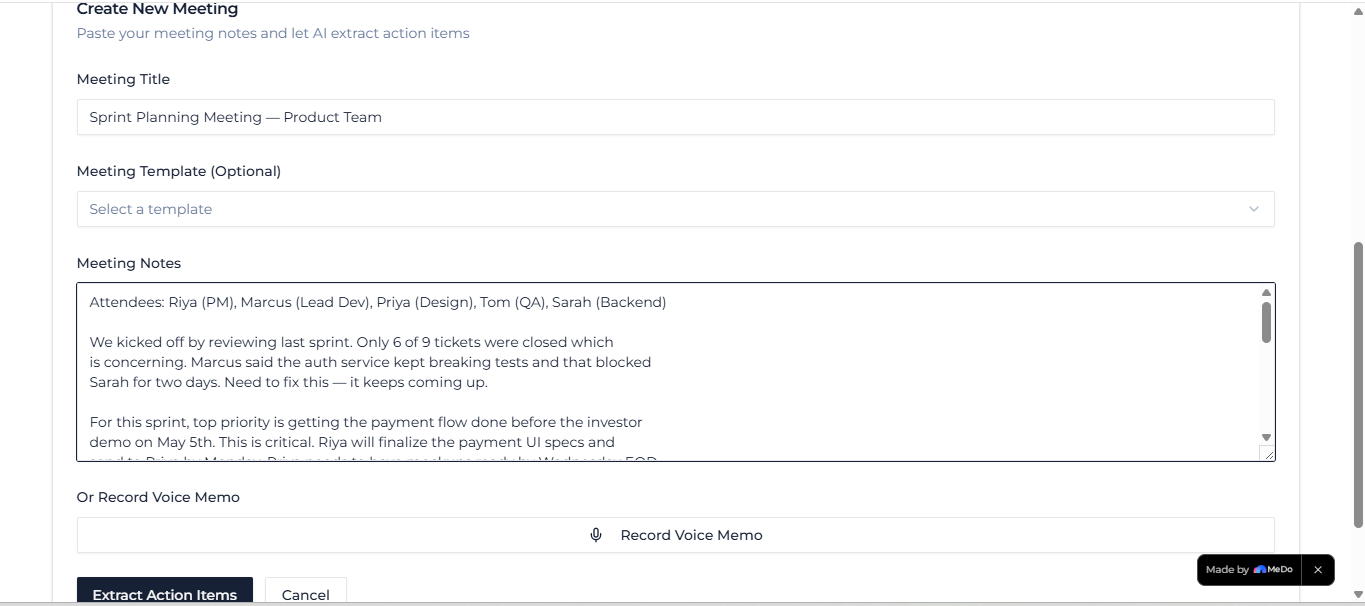
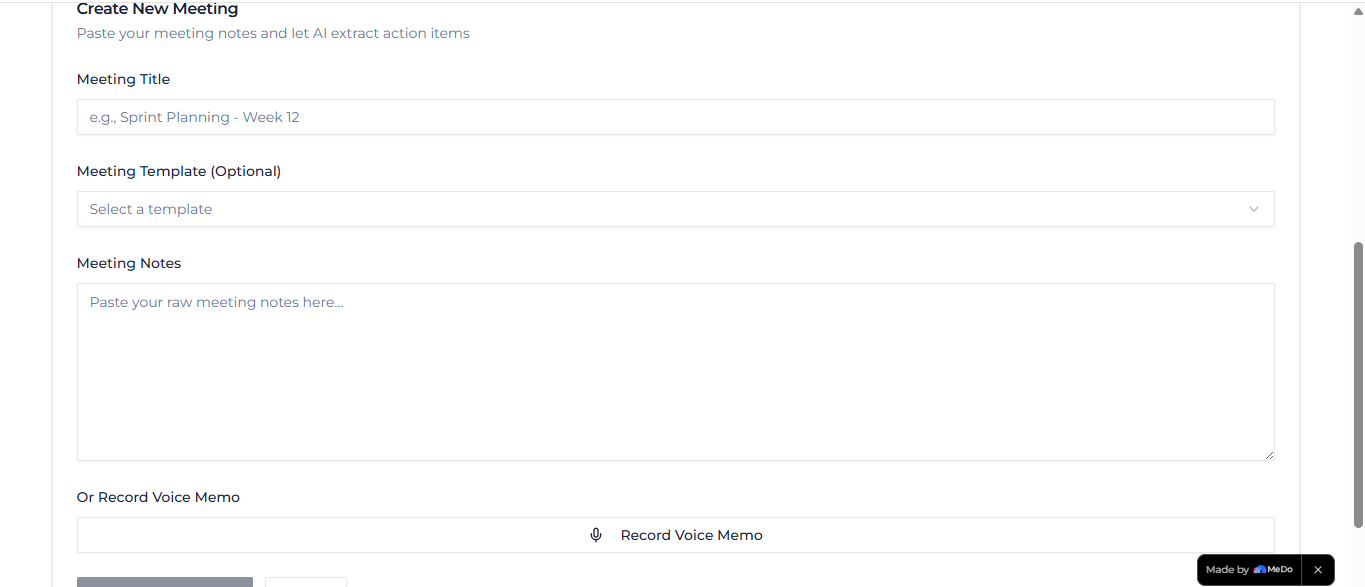
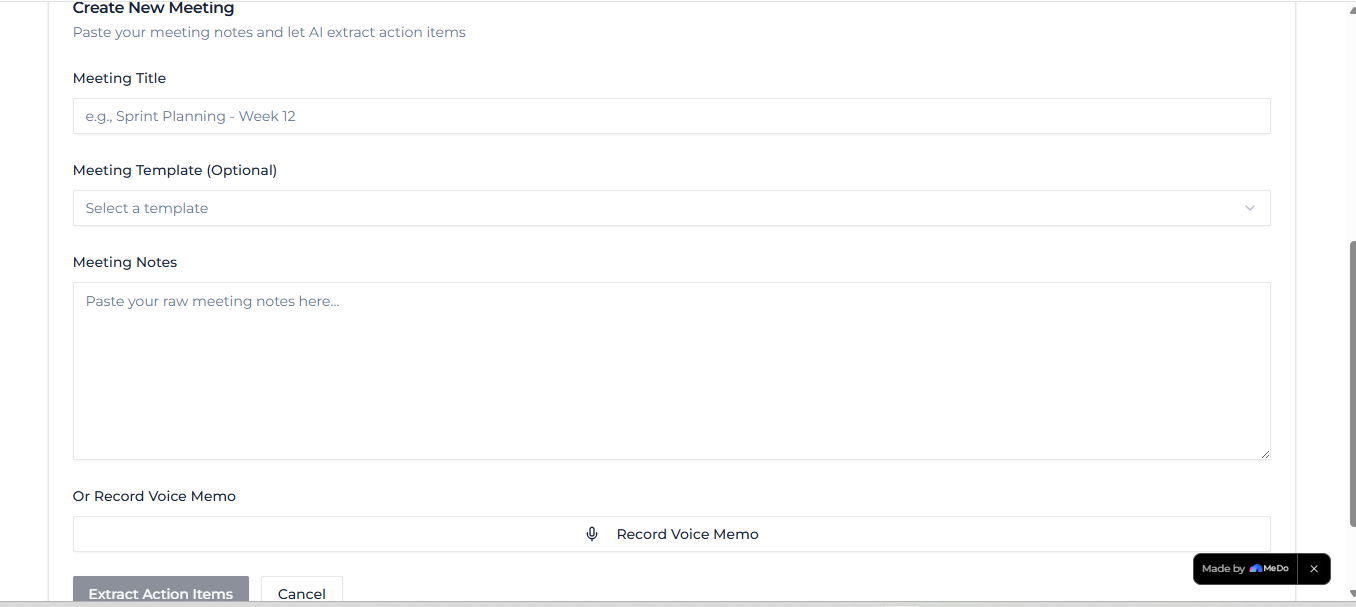
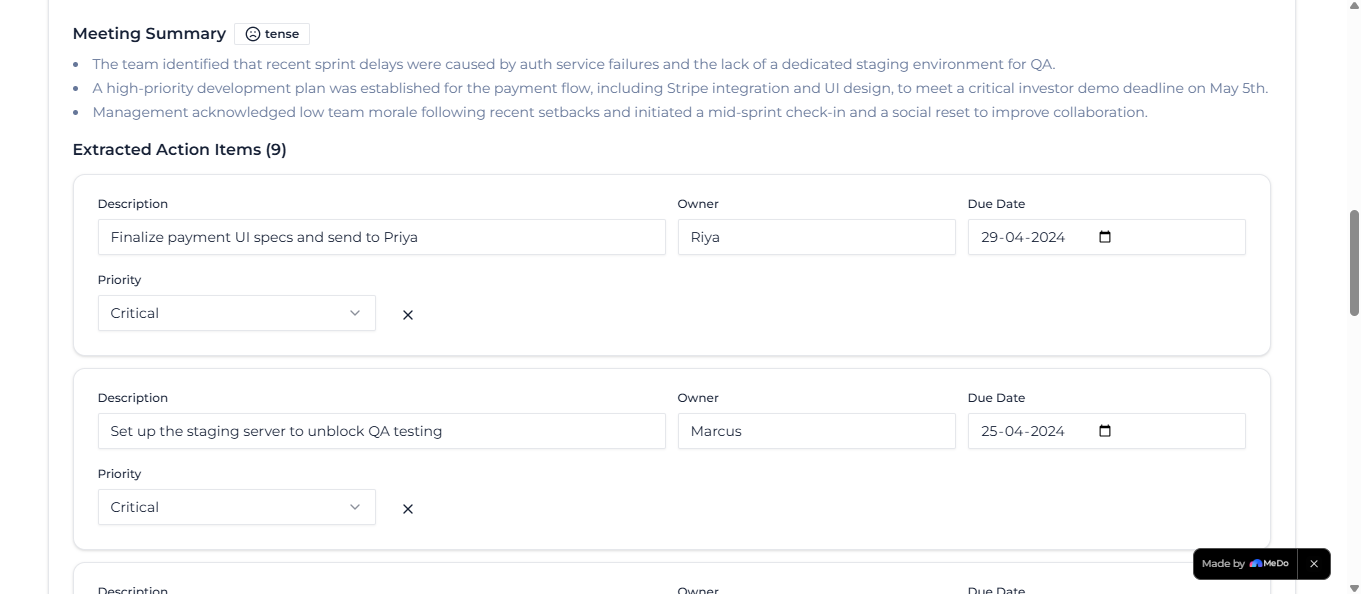
- AI extraction — paste raw notes, get action items with owners, deadlines, and priority levels instantly
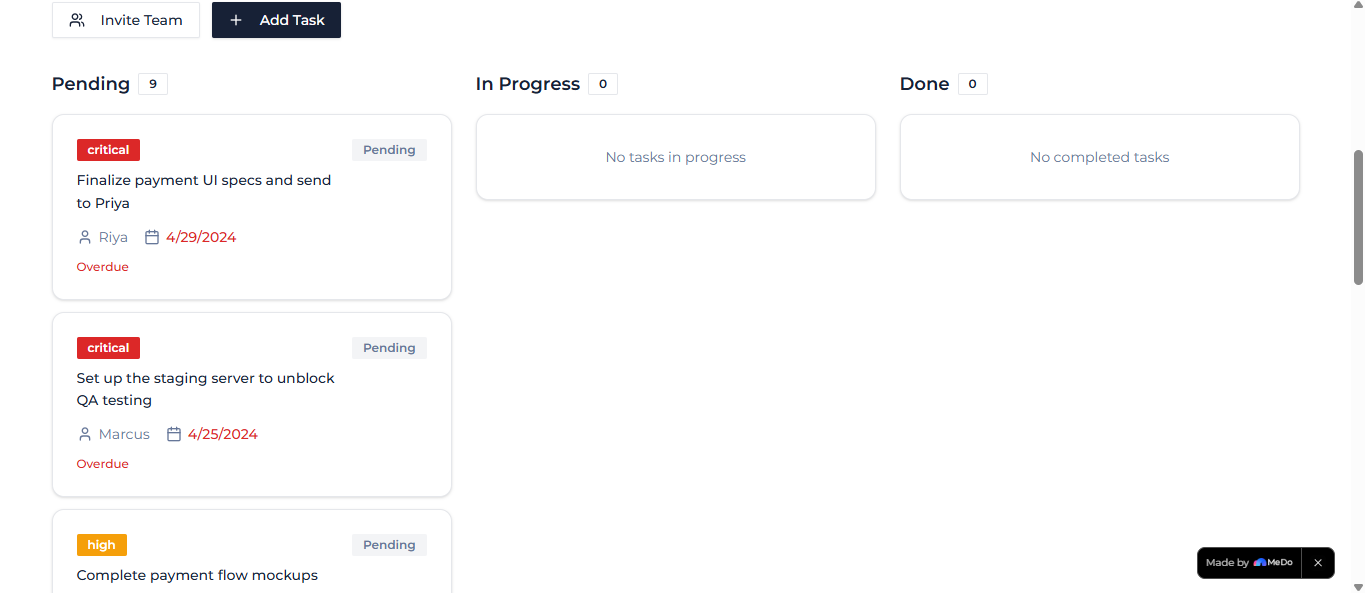
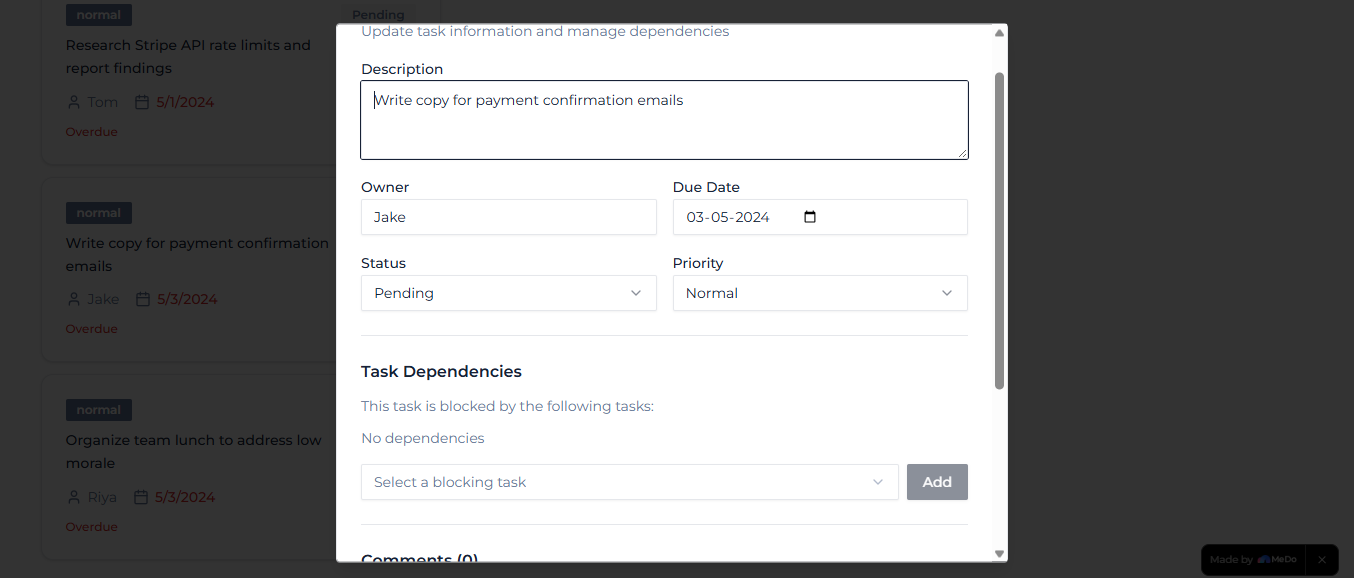
- Live Kanban board — Pending → In Progress → Done, with task dependency linking and in-task comment threads
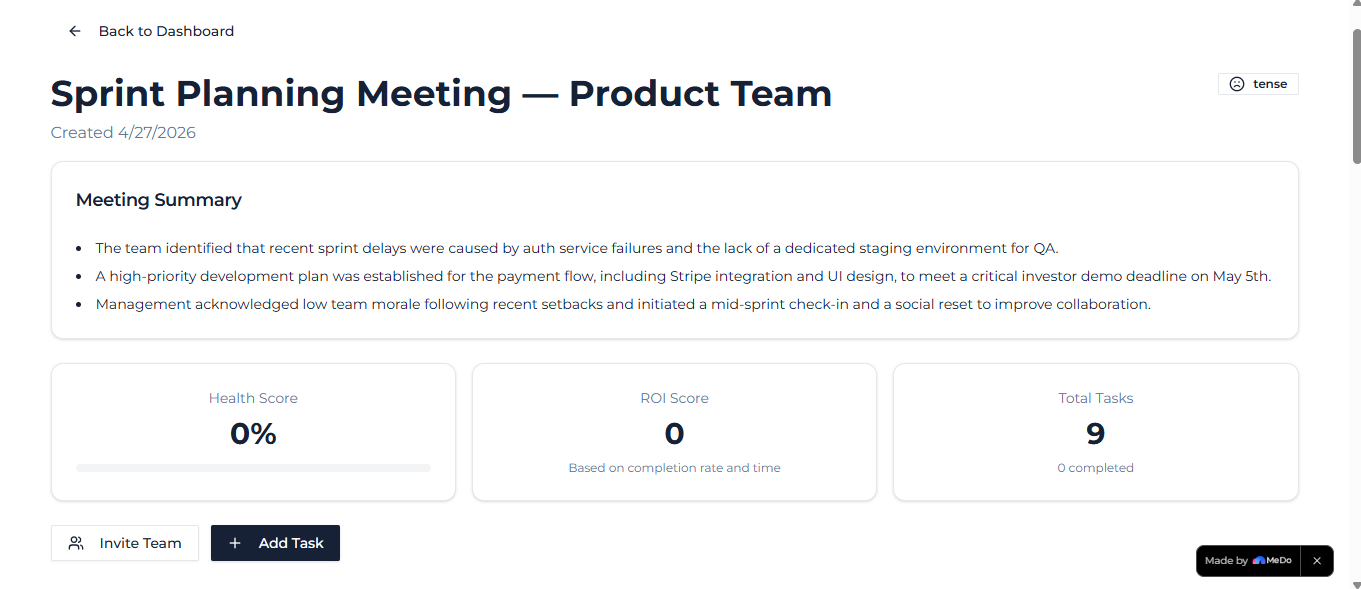
- Meeting Health Score — calculated as:
$$\text{Health Score} = \frac{\text{Tasks completed on time}}{\text{Total tasks}} \times 100$$
- Meeting ROI Score — a signal of whether the meeting was worth having:
$$\text{ROI Score} = \frac{\text{Tasks completed}}{\text{Tasks generated}} \times \frac{1}{1 + \text{days since meeting}}$$
- Sentiment analysis — AI reads the tone of notes and badges each meeting: Aligned / Tense / Confused / Energized
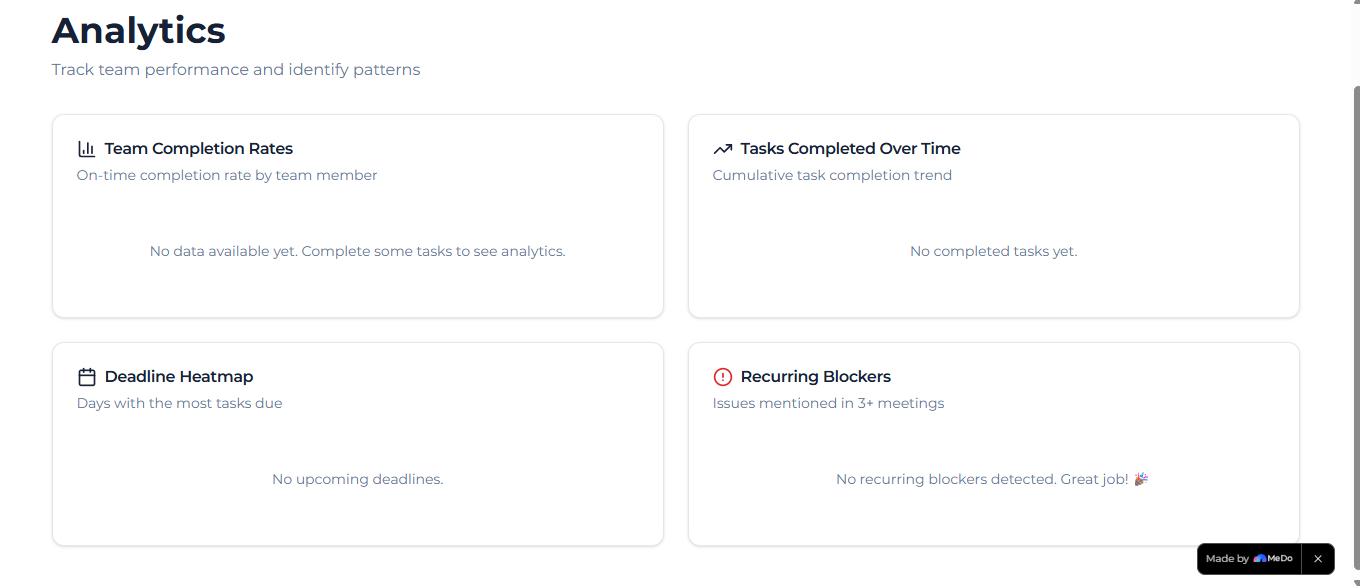
- Recurring blocker detection — flags issues that appear across 3+ meetings as chronic blockers
- Voice memo to tasks — record audio, we transcribe and extract action items automatically
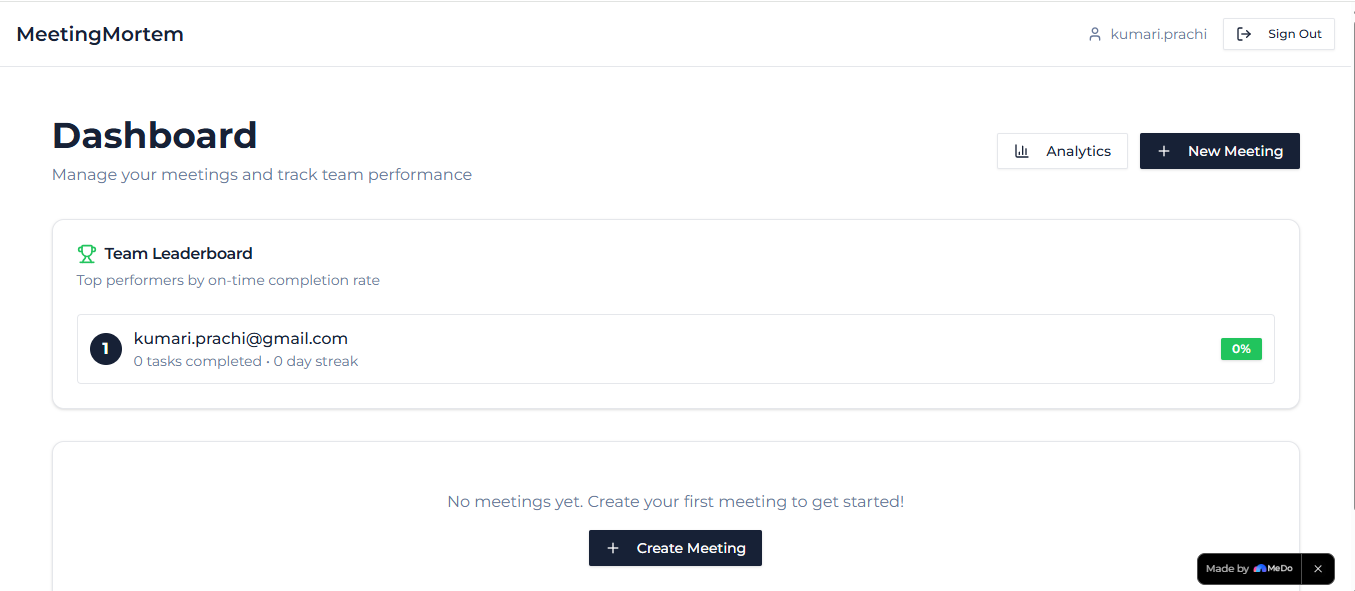
- Gamification — on-time streaks and a team reliability leaderboard
- Slack webhook — post meeting summaries and task lists to your team channel automatically
- Weekly PDF reports — auto-generated leadership summaries
- Guest view links — share a read-only board with stakeholders, no account needed
How we built it
100% built with MeDo. Zero lines of code written manually.
We structured the build in three prompt layers:
Prompt 1 — The full core app: auth, meeting workspace, Kanban board, AI extraction, analytics, gamification, Slack integration, email digests, and PDF export — all described in a single detailed natural language prompt.
Prompt 2 — Voice memo feature: microphone recording, real-time waveform animation, speech-to-text transcription, and automatic task extraction from audio.
Prompt 3 — Demo polish: landing page, pre-loaded sample workspace so judges could explore instantly without signing up, skeleton loading states, and animated Health Score counters.
MeDo handled the frontend, backend, database, and deployment. We iterated by describing what needed fixing in plain English and letting MeDo rebuild. The entire app went from idea to deployed URL in one session.
Challenges we faced
Getting AI extraction right — The first prompt produced action items that were too vague. We refined the MeDo prompt to instruct the AI to look for ownership language ("John will...", "team to...") and urgency signals ("before launch", "blocker", "ASAP"). The quality improved dramatically with specificity.
Task dependency logic — Describing a "blocked by" relationship between tasks in natural language and having MeDo implement it correctly as a database relationship took several iterations. We learned that breaking complex relational features into their own focused prompt worked better than bundling everything together.
Voice transcription flow — Getting the microphone → waveform → transcription → AI extraction pipeline to feel seamless required a separate dedicated prompt. Trying to include it in the core prompt produced a half-working implementation.
The demo problem — A live demo with an empty database looks terrible. Describing a realistic pre-seeded workspace (real team names, mixed task statuses, overdue items) in the polish prompt was the single biggest improvement to the judge experience.
What we learned
The biggest lesson: MeDo rewards specificity. Vague prompts produce generic apps. Detailed prompts — with exact feature names, UI descriptions, color schemes, and user flows — produce production-quality results.
We also learned to build in layers. Get the core deployed first, then add features one prompt at a time. This kept a working URL live throughout the build and made debugging simple — you always knew which prompt introduced a problem.
Finally: the problem you choose matters more than the features you build. Accountability after meetings is a pain every professional recognizes instantly. That emotional resonance made every feature feel meaningful rather than technical.
Built with MeDo · #BuiltWithMeDo
Built With
- claude-ai
- css3
- html5
- javascript
- medo
- node.js
- pdf-generation
- postgresql
- react
- rest-apis
- slack-api
- smtp-email
- speech-to-text
- web-speech-api
- webhooks

Log in or sign up for Devpost to join the conversation.