-
-
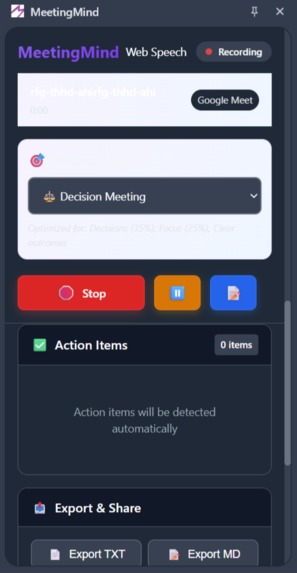
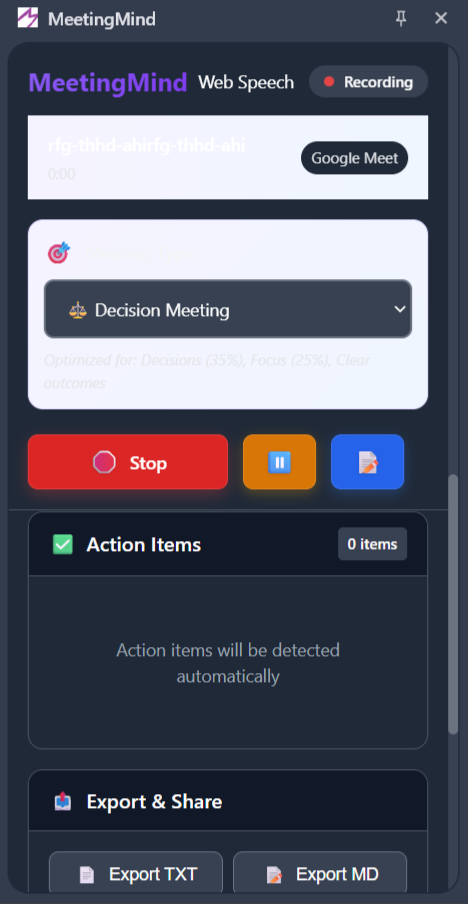
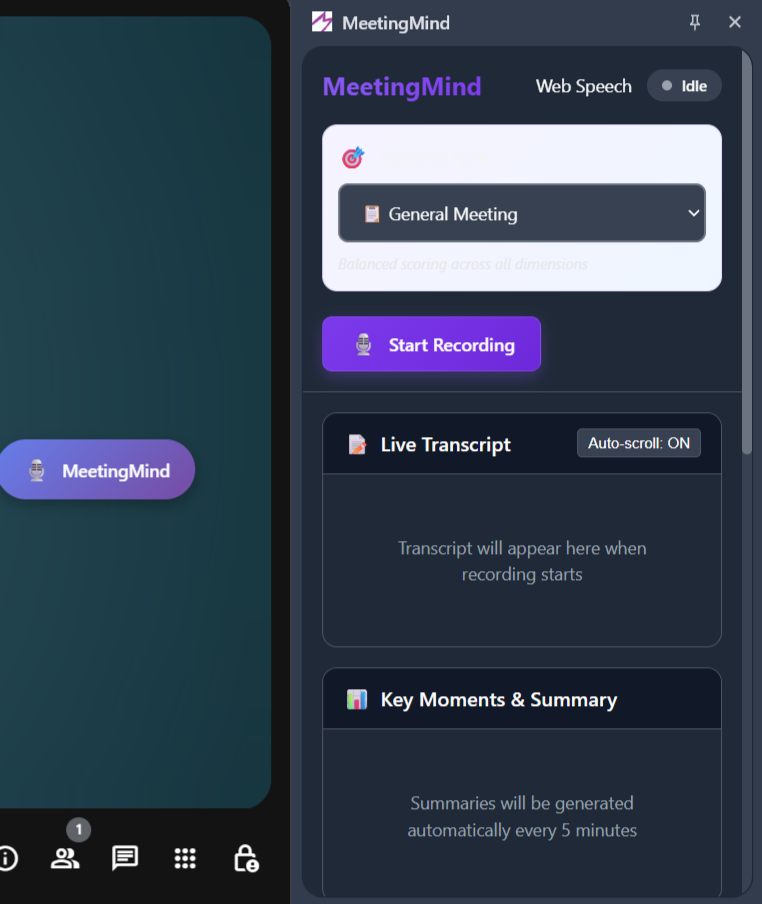
MeetingMind Additional Features
-
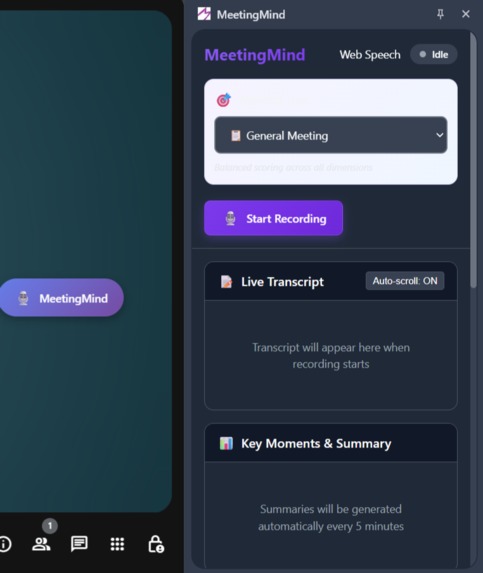
Side Panel Interface
-
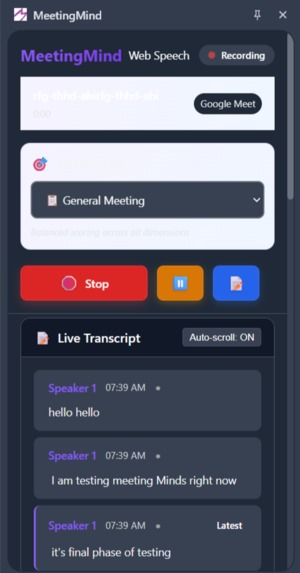
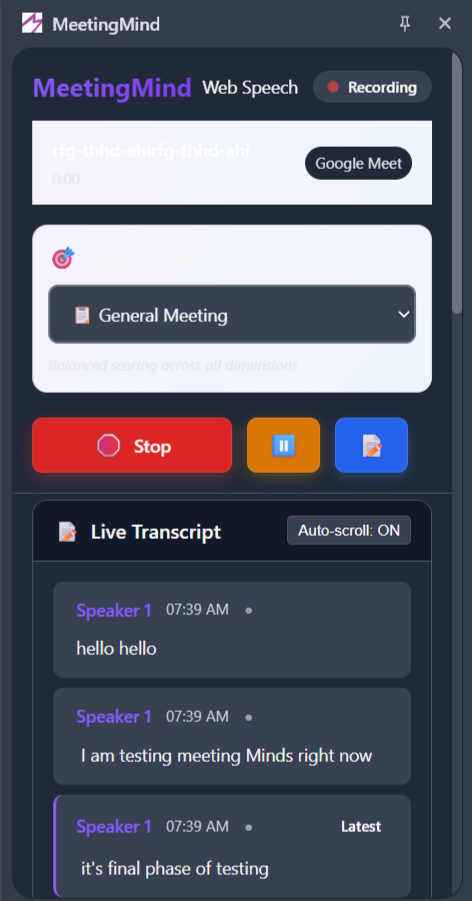
MeetingMind Live Transcription
-
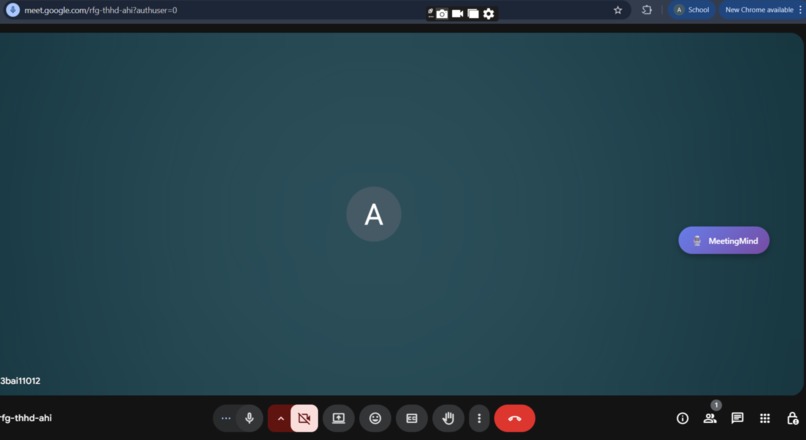
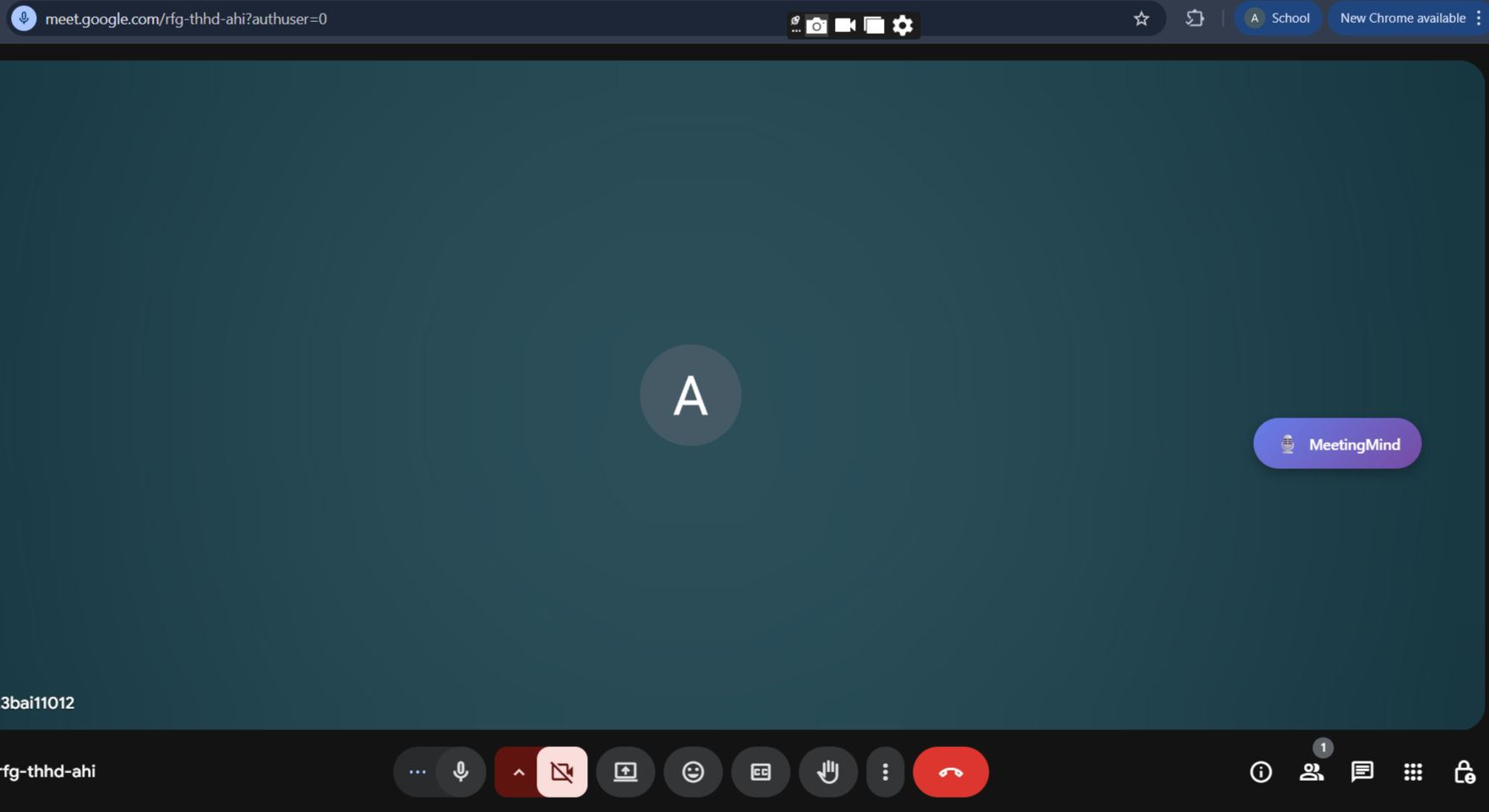
MeetingMind Button
MeetingMind - AI-Powered Content Summarization Extension
Inspiration
We've all been there—sitting through yet another meeting that drags on for 45 minutes, wondering "What did we even decide?" The breaking point came during a critical product planning session where we made exactly zero concrete decisions, forgot to assign three action items, and one person dominated 80% of the conversation. Worse yet, nobody could agree on what was discussed when we reconvened the following week. That's when we realized: meetings aren't broken because people don't care—they're broken because there's no feedback loop. Athletes have performance metrics. Coders have test coverage. Designers have user testing. Why don't meetings have a score? Research shows companies waste $37 billion annually on unproductive meetings, yet there's no way to measure what makes them fail or succeed. We asked ourselves: What if AI could score your meeting quality in real-time and tell you exactly how to improve? That's how MeetingMind was born—to transform meetings from necessary evils into measurably productive experiences.
What it does
MeetingMind is an AI-powered Chrome extension that acts as your intelligent meeting companion, providing real-time feedback and actionable insights. It's like having a meeting coach, note-taker, and productivity analyst rolled into one—completely private and running locally on your device.
How we built it
We developed MeetingMind using a hybrid approach that prioritizes both functionality and user privacy:
Frontend:
- Built as a Chrome Manifest V3 extension for modern browser compatibility
- Implemented with vanilla JavaScript for lightweight performance
- Designed an intuitive UI with real-time progress indicators
- Created seamless integration with Chrome's context menu and keyboard shortcuts
AI Integration:
- Integrated Chrome's Built-in AI (Gemini Nano) for on-device processing
- Implemented fallback to Web Speech APIs when local processing isn't available
- Added smart content preprocessing to optimize text extraction from HTML
- Built a robust error handling system for various edge cases
Key Features: Meeting IQ Scoring (0-100) - The Game Changer Our unique scoring system analyzes six dimensions in real-time:
Participation Balance (20%) - Is everyone being heard or is one person dominating? Clarity & Focus (25%) - Are we staying on topic or drifting into tangents? Action-Oriented Outcomes (20%) - Are we defining clear next steps? Decision Velocity (15%) - How quickly are we resolving questions? Engagement Quality (15%) - Is this active discussion or passive listening? Time Efficiency (5%) - Are we respecting everyone's time?
Watch your score jump from 62 to 85 in real-time when you ask a quiet team member for input—instant feedback that reinforces good meeting behavior and creates accountability. 🎙️ Real-Time Transcription with Speaker Detection
Leverages Chrome's built-in AI Prompt API for accurate transcription Automatically identifies multiple speakers using audio fingerprinting and AI analysis Captures every word as it's spoken with <3 second latency Works seamlessly with Google Meet and Zoom Completely on-device processing—no cloud, no privacy concerns
✅ Intelligent Action Item Extraction Never lose track of commitments again:
Automatically detects tasks, decisions, and open questions from conversation Identifies owners and deadlines from natural language ("John, can you deploy by Friday?") Highlights unresolved items carried over from previous meetings Sends contextual reminders 24 hours before deadlines Tracks completion rates to identify bottlenecks
📧 One-Click Follow-Up Generation Transform 45 minutes of discussion into a polished email in seconds:
AI-generated summary of key discussion points Formatted action items with clear ownership Decisions made and their context Open questions requiring follow-up Customizable tone (professional, friendly, brief) and length Copy-to-clipboard ready for immediate sending
📊 Context-Aware Meeting Intelligence Our AI adapts scoring based on meeting type:
Standups prioritize speed and participation (everyone speaks) Brainstorms reward high engagement and idea generation Decision meetings emphasize clarity and resolution speed 1:1s focus on balanced conversation and development actions Client meetings optimize for listening ratio and relationship building
📈 Team Analytics & Insights Learn what makes YOUR team's meetings effective:
Track Meeting IQ trends over time (week-over-week improvement) Identify optimal meeting times, durations, and formats Personal performance insights and coaching tips Team leaderboards (opt-in) to encourage healthy competition "Before meeting" briefs with context from previous sessions
🔒 Privacy-First Architecture Everything runs locally on your device using Chrome's built-in AI:
Zero data sent to external servers or the cloud No third-party API calls Complete data control—export or delete anytime GDPR compliant by design All meeting data stored in your browser's IndexedDB
Tech Stack:
- Chrome Extensions API (Manifest V3)
- Chrome Built-in AI APIs (Summarizer API , Prompt API , Rewriter API)
- Google Gemini API (API fallback)
- JavaScript ES6+
- Chrome Storage API
Challenges we ran into
Storage Limitations: The Gemini Nano model requires 22GB of free storage space, which many users don't have. We solved this by implementing a API fallback system, ensuring everyone can use MeetingMind regardless of their hardware.
Trial Token Management: Registering for Chrome's Early Preview Program and managing trial tokens for different extension IDs during development and production was tricky. We created comprehensive documentation to streamline this process.
Content Extraction: Websites have vastly different HTML structures. We built an intelligent content parser that strips unnecessary elements (ads, navigation, footers) while preserving the actual article content using various heuristics.
User Activation Requirements: Some AI operations require explicit user interaction. We designed the UX to naturally incorporate user actions while maintaining a smooth workflow.
Asynchronous Processing: Balancing between batch and streaming summarization while keeping the UI responsive required careful implementation of promises and async/await patterns.
Privacy vs Functionality: Deciding when to use local AI (private but resource-intensive) versus cloud APIs (convenient but data leaves device) led us to give users full control over their preference.
Accomplishments that we're proud of
- ✅ Successfully integrated cutting-edge AI technology that was just released in Chrome's Early Preview Program
- ✅ Built a production-ready fallback system ensuring 100% uptime regardless of local AI availability
- ✅ Created an intuitive UX that requires zero learning curve - anyone can use it instantly
- ✅ Achieved real-time summarization with streaming capabilities for immediate feedback
- ✅ Maintained user privacy by prioritizing on-device processing when possible
- ✅ Developed comprehensive error handling that gracefully manages edge cases
- ✅ Made it accessible across different hardware configurations and user scenarios
- ✅ Built extensible architecture that can easily integrate new AI models and features
What we learned
Technical Learnings:
- Deep understanding of Chrome's Built-in AI APIs and their capabilities/limitations
- Mastery of Chrome Extension Manifest V3 architecture and best practices
- Effective strategies for working with large language models in production
- Importance of progressive enhancement and graceful degradation
- How to optimize API calls and manage rate limiting
Design Learnings:
- Users value speed over perfection - providing instant feedback is crucial
- Privacy matters - users appreciate transparency about where their data goes
- Context matters - different content types need different summarization approaches
- Simple UI beats feature-rich complexity - users want one-click solutions
Product Learnings:
- Hardware requirements can be a significant barrier to adoption
- Cloud fallbacks are essential for reliability
- Users have diverse needs - flexibility in output format/length is crucial
- Documentation and onboarding are as important as the product itself
What's next for MeetingMind
Short-term (Next 3 months):
- 🎯 Multi-document summarization - compare and synthesize multiple articles
- 🎯 Smart categorization - automatically tag summaries by topic
- 🎯 Export options - save summaries to Notion, Google Docs, or PDF
- 🎯 History dashboard - browse and search past summaries
- 🎯 Custom prompts - let users define their own summarization styles
Medium-term (6 months):
- 🚀 Meeting transcription integration - summarize live meetings from Zoom, Meet, Teams
- 🚀 Video summarization - extract key points from YouTube videos
- 🚀 Email integration - summarize long email threads
- 🚀 Collaborative features - share and annotate summaries with teams
- 🚀 Browser sync - access summaries across all devices
Long-term Vision:
- 🌟 Personal knowledge base - build a searchable library of all consumed content
- 🌟 AI assistant mode - chat with your summaries to ask follow-up questions
- 🌟 Automatic insight generation - connect dots across multiple articles
- 🌟 Research assistant - automatically gather and summarize sources for projects
- 🌟 Cross-platform support - expand to Firefox, Safari, and mobile browsers
- 🌟 Enterprise features - team workspaces, admin controls, and analytics
Our Mission: Make every meeting measurably better, one conversation at a time.

Log in or sign up for Devpost to join the conversation.