-
-
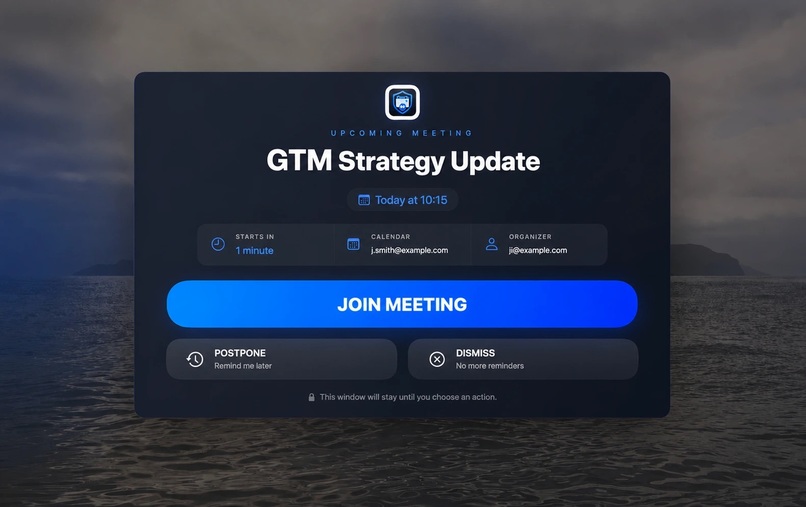
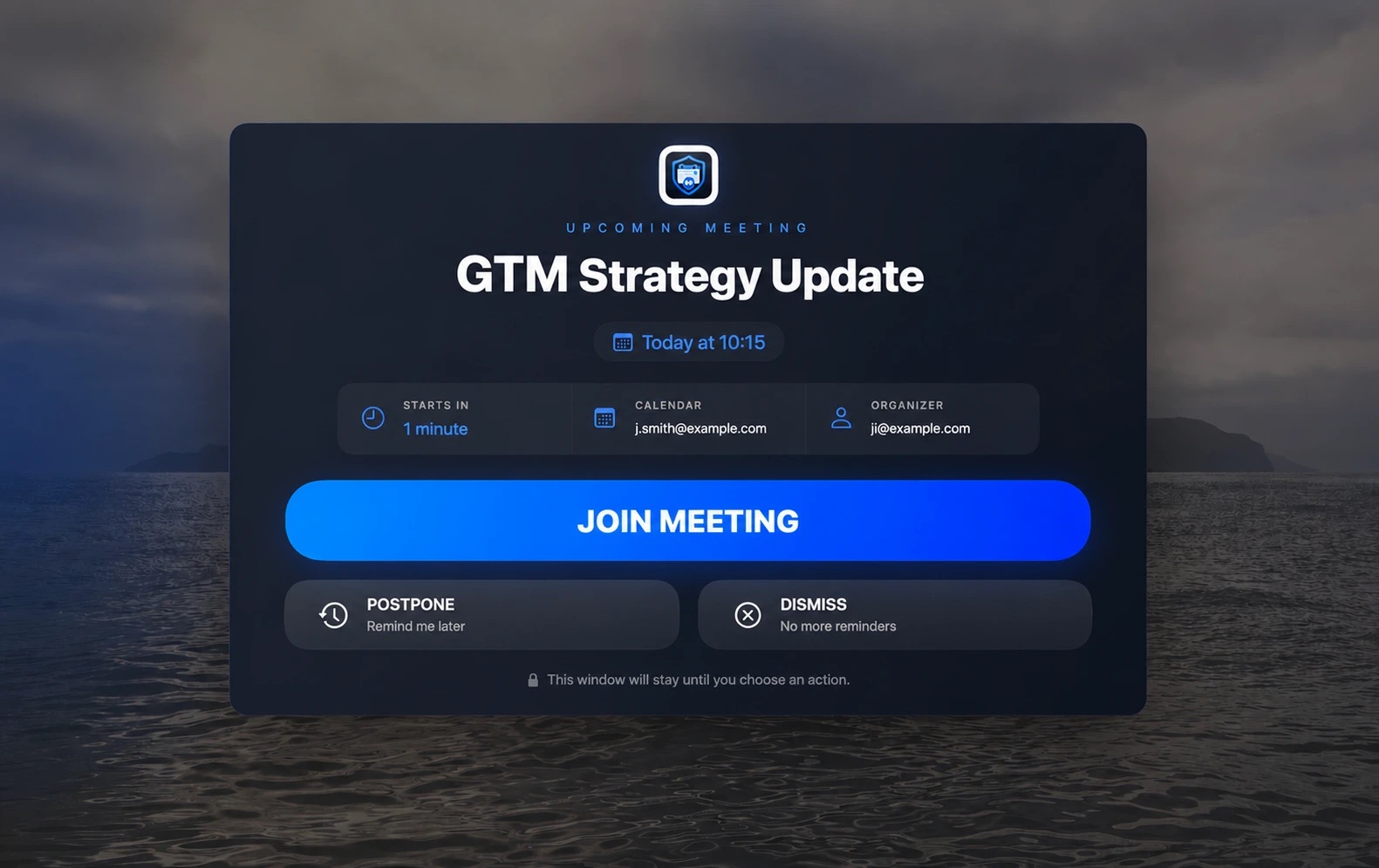
Overlay preview
Inspiration
MeetGuard was born from a problem I experience far too often: when I am deeply focused on programming or other demanding work, I completely miss calendar notifications.
Even with a dedicated productivity app and a carefully managed calendar, ordinary notifications are simply too easy to overlook during deep work. Unfortunately, some of the meetings I miss are important. I wanted a reminder that I genuinely could not ignore, without sending my calendar data to another company or relying on an external service.
What it does
MeetGuard is a lightweight, native macOS menu bar app that detects upcoming online meetings and displays a fullscreen alert shortly before they begin.
The alert appears across connected displays and provides a direct way to join the meeting. MeetGuard recognizes links from platforms such as Google Meet, Zoom, Microsoft Teams, and Webex.
The goal is simple: make it almost impossible to miss an important commitment, even when completely immersed in work.
How I built it
With Codex, I developed MeetGuard as a native macOS application in Swift.
It uses Apple's EventKit APIs to read calendar events directly on the device. It examines event URLs, notes, locations, and titles to identify conferencing links, then schedules alerts according to the user's preferred lead time.
The application runs entirely from the menu bar and does not need a custom backend, external database, API keys, analytics platform, or third-party framework. Calendar processing happens locally. Preferences and recent dismissals can be synchronized between the user's Macs through Apple's native iCloud key-value storage.
Codex helped me move quickly across the entire development process, from designing the architecture and implementing native macOS behaviors to testing, packaging, and refining the experience.
Challenges
One of the main challenges was creating an alert that was genuinely difficult to miss without making the app frustrating to use. The fullscreen overlay needed to work reliably across multiple displays while still allowing users to dismiss, postpone, or immediately join a meeting.
Another challenge was meeting detection. Calendar events store conferencing information in many different ways: inside a dedicated URL field, in the location, within notes, or sometimes only in the title. Supporting several meeting providers required careful URL extraction and validation.
I also needed to prevent duplicate alerts and keep dismissal state consistent across Macs, while preserving the application's local-first and privacy-focused design.
Finally, building a native menu bar application introduced macOS-specific considerations such as Calendar permissions, startup behavior, application bundling, and operating without a Dock icon.
What I learned
I learned how much can be achieved using the APIs already provided by macOS. A useful, scalable product does not always require a cloud backend or a complex infrastructure.
Building MeetGuard also reinforced the value of native development for focused utilities. The result is fast, lightweight, energy-efficient, and deeply integrated with the operating system.
Most importantly, I learned that privacy can be a product advantage rather than a limitation. MeetGuard delivers its core functionality without requiring users to create another account or give an unknown company access to their calendars.
What's next
The next step is to expand MeetGuard beyond online meetings. Because the app already understands calendar events, it can be extended to provide unmissable reminders for in-person appointments, travel time, deadlines, and other important commitments.
I also plan to improve meeting detection, offer more alert customization, and make the app easier to distribute to macOS users.
Built With
- appkit
- calendar
- call
- cisco-webex
- codex
- eventkit
- macos
- meet
- swift
- swiftui
- teams
- zoom


Log in or sign up for Devpost to join the conversation.