-
Events Calendar Application System
Inspiration
A lots of Business, Companies, Organizations, Health-care Institutions etc. rely on Events Calendaring System for managing their Meetings, appointments, documentations , reviews etc.
While they exist so many Events Calendar System exist in the World of Centralized Database but none of them can prove that all the users data stored on the Servers are Secured and in privacy conditions.
Web5JS is the Game Changer. You can now create, secure and share your data only with the person you want within Web5 Decentralized Storage System.
Its time to create a Competing Decentralized Event Calendar System that offers Users, Businesses, Companies etc. Security and privacy over their Data leveraging Web5JS Decentralized Ecosystem.
What it does
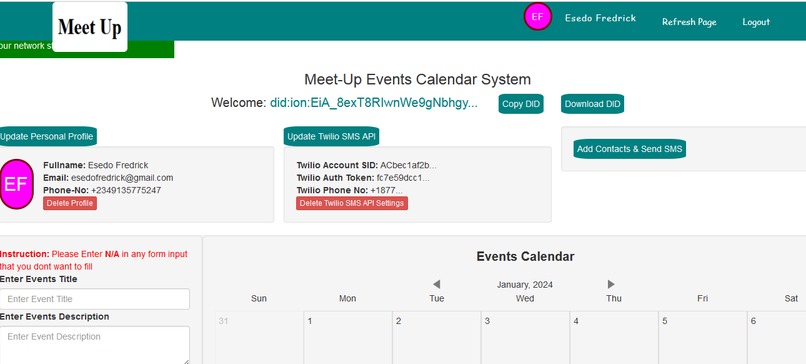
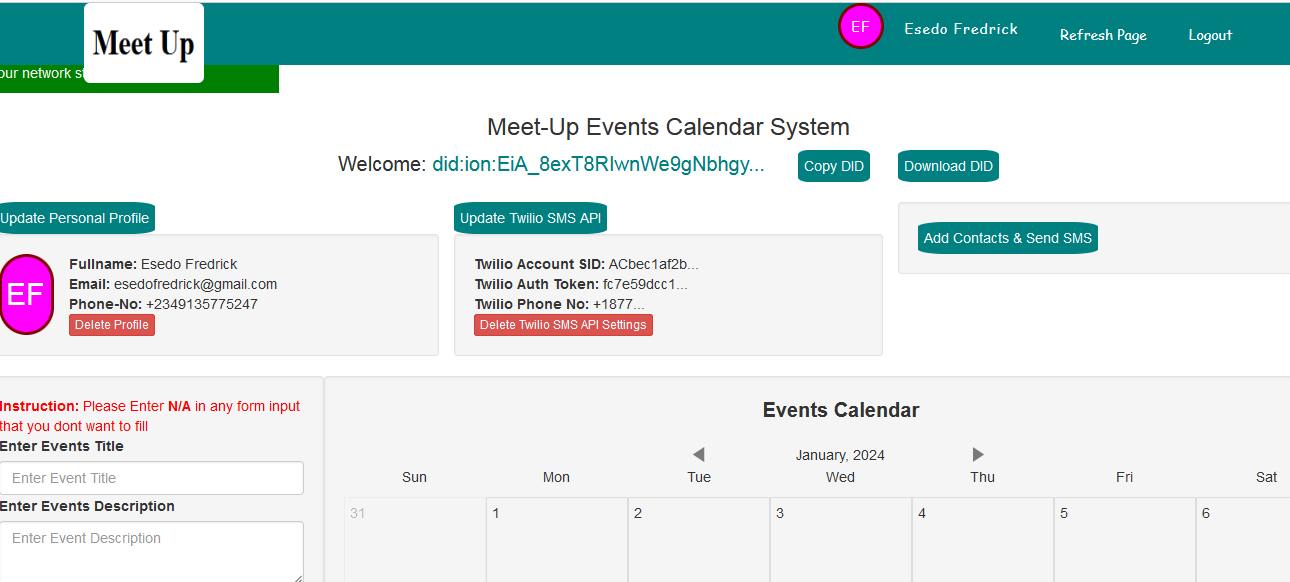
Meetup is a meeting Calendar management tool built with Web5JS and Twilio SMS
It allows teams, businesses, Companies etc. to enhance appointments, meeting planning, documentation, and review and much more..
The App allows users to directly create meeting Notes from your Calendar and automatically share events with any of your Recipients via Recipients DID.
Consequently, Users of the app can also create an SMS Contact List that allows them to send periodic SMS messages and notifications to all their event Participants leveraging Twilio SMS Gateways.
How we built it
The Application is built with Web5Js, Twilio SMS API, Javascript, Jquery
Calendar Events data are store, shared and query to and from users WEB5 DWN Storage over WEB5 Protocols.
When the User Connects to the Application, Web5 DID will be created and Web5 Protocols will automatically be configured and installed. This Protocol is what enable Data sharing between the Author(Sender) and Recipients
How to use the application
1.) Open 2 browsers Eg. Mozila and Chrome. (One for WEB5 Author/Sender and the other for Recipient)
2.) Call Up Index.html file
3.) Click on Connect DID Button. Once the application is Loaded, DID will be created and Protocols will automatically be installed.
4.) Click on Update Personal Profile to create your Personal Data
5.) Click on Update Twilio SMS API(Optional) to update your Twilio SMS API Credentials for sending SMS Messages. (https://www.twilio.com/blog/send-sms-twilio-shell-script-curl )
6.) Click on Add Contact List (Optional) to create list of contacts for sending events SMS Notification Alert.
7.) You can now start creating Calendaring Events and can also schedule participants sms events notification alerts within the calendaring system.....
Challenges we ran into
Integrating Events Calendar with Web5Js has not been easy. Am glad, I finally get the application working...
What we learned
Web5JS is easy and simple to learn. The Technology is awesome and great.
What's next for Meet Up -- Web5 Events Calendar
More Features coming soon
Built With
- javascript.

Log in or sign up for Devpost to join the conversation.