-
Dashboard
-
Text Recognition Flow
Inspiration
Many seniors struggle with medication compliance. MedTrack hopes to help seniors take their medication accordingly by creating an easy-to-use schedule with photo verification to help them take the right medications at the right time.
What it does
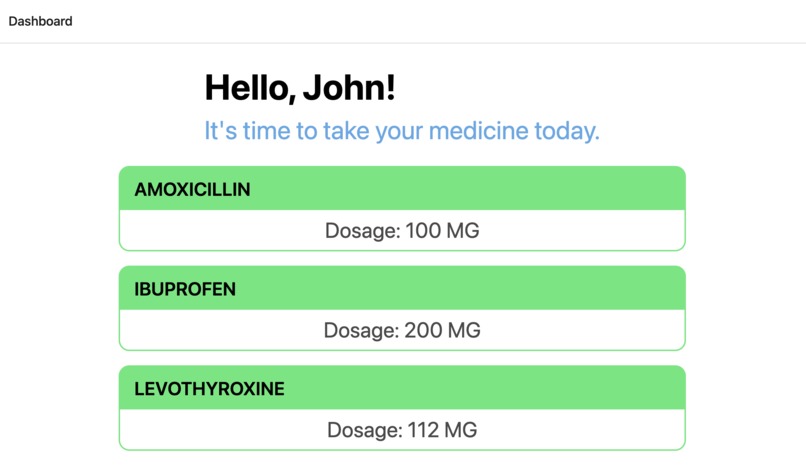
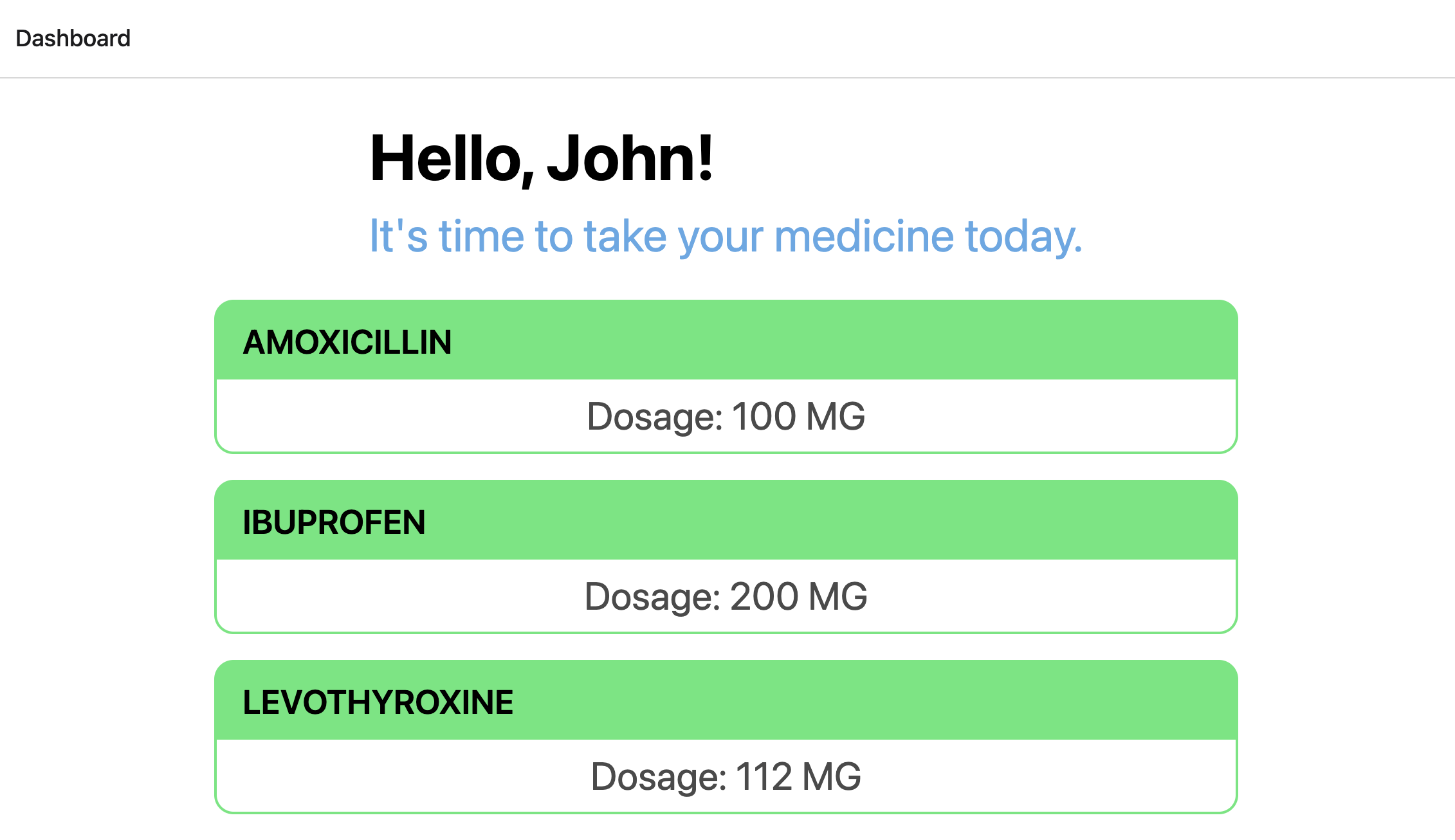
Users are shown the list of medications they are required to take in a day in a to-do list type of format. When they want to take a medication, they choose the medication and take a picture of the prescription bottle to verify it is the correct one.
How we built it
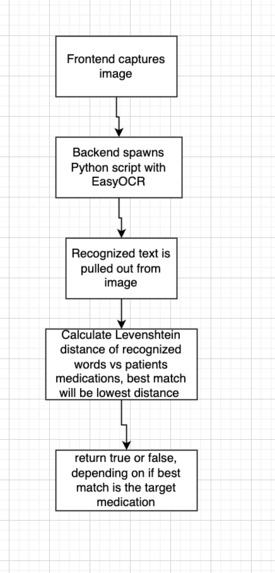
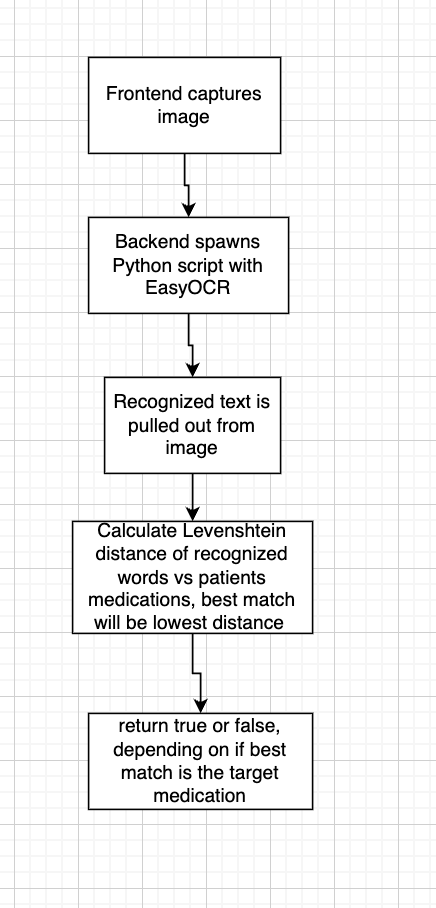
We built it using a Node.js backend and React Native Frontend. Our text cognition is done by a Python script that is spawned by the Node.js backend We created a simple database with Supabase for some of the required information.
Challenges we ran into
Getting the Python environment to work with the Node.js backend was challenging at first. React Native was fairly new to us, so that took awhile to get set up as well.
Accomplishments that we're proud of
Getting the text recognition to work, as well as getting the backend/frontend to communicate mostly without flaw.
What we learned
How to build an app with React Native, and how text recognition works with Python libraries.
What's next for MedTrack
UI Accessibility- MedTrack is designed to be used by people who may have a hard time reading prescriptions, so have more accessibility features(text to speech for instructions/prescription names) would be useful. Connection with medical staff-Having an interface where pharmacists can easily add, remove, or update prescriptions could also be useful.

Log in or sign up for Devpost to join the conversation.