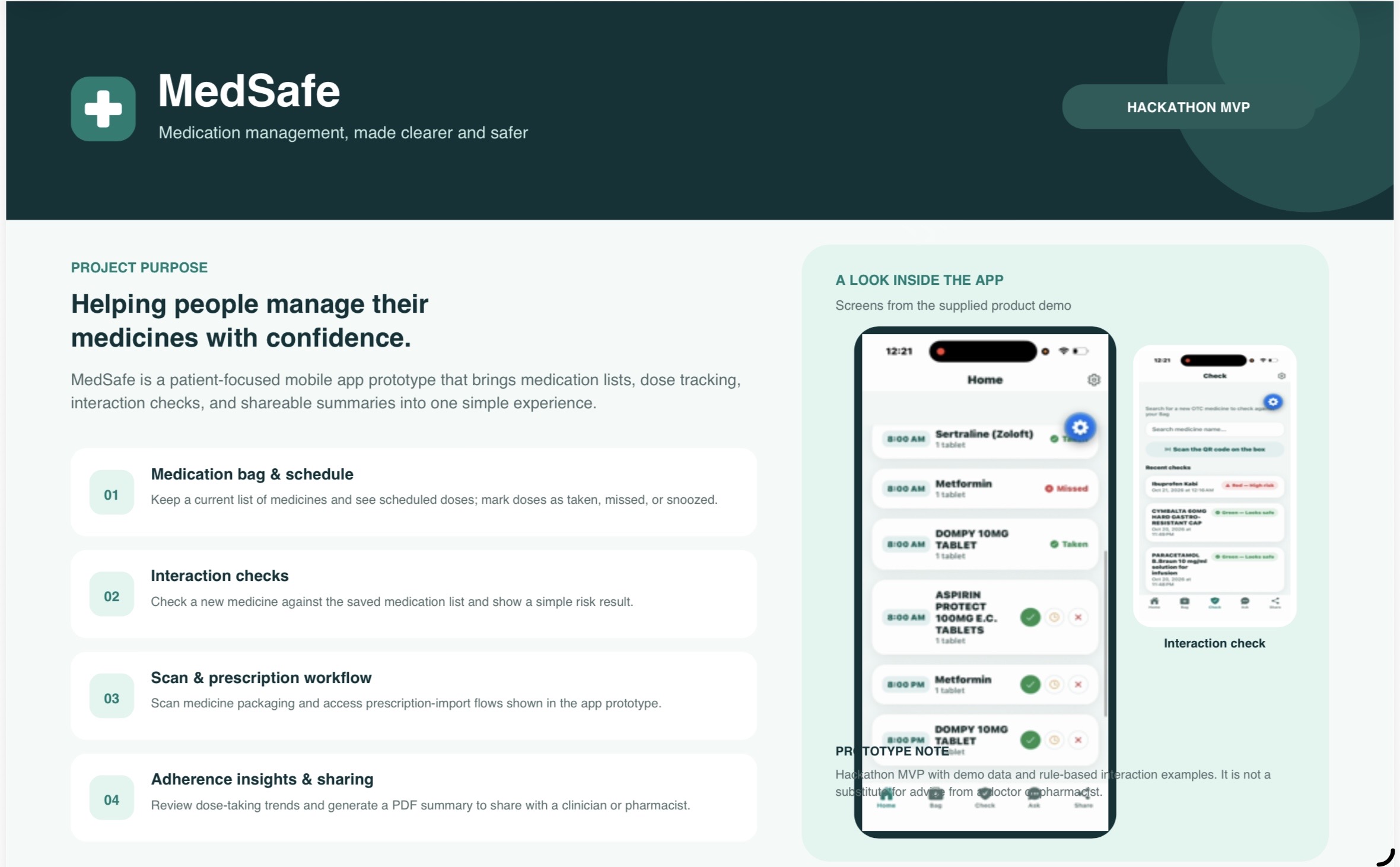
MedSafe is a working prototype, on mobile and the web, that helps patients manage their medicines safely: what they take, when, and whether a new medicine clashes with the ones they already take.
- The app: bilingual (Arabic by default, right to left, plus English), with a look modelled on the Saudi Sehhaty app.
- Server and website: both run at medbag.jrfbms.dev, with the site and the API served from one origin.
- Mobile: distributed through Expo Go with over-the-air updates (EAS Update) for SDK 57 and SDK 58.
- Drug data: built on the Saudi Food and Drug Authority (SFDA) registry of approved medicines.
- Size: about 4,500 lines on the server and 8,000 in the app, built on 19–20 October 2026 across 10 commits.
This is a demo with fictional data, and it does not give medical advice.
Problem and idea
Patients on several medicines easily lose the full picture, so MedSafe gathers everything into one digital "Bag".
- Scattered sources: prescriptions come through Wasfaty, over-the-counter medicines from the pharmacy, and directions from box labels.
- Drug interactions: an over-the-counter purchase can clash with a prescribed medicine (for example warfarin with painkillers).
- Adherence: missed doses are common, and neither the patient nor their doctor knows which doses get missed most, or why.
- Family care: one person often manages the medicines of a parent or children.
A constraint that shaped the design: Wasfaty has no public API, and the SMS a patient receives carries only the prescription number, not the medicines. So import is built on what the patient has in hand: a photo of the printed prescription or the pharmacy label, and the QR codes on the medicine boxes.
Key features
The app covers a medicine's whole cycle: adding it, taking it on time, checking it is safe, and sharing the results with a doctor.
| Feature | What it does | Mobile | Web |
|---|---|---|---|
| Bag | Current medicines with dose, frequency and expiry date; search the SFDA registry to add one | Yes | Yes |
| Today's schedule | Mark each dose taken, snoozed or missed. Exact days set by the doctor are never overwritten automatically | Yes | Yes |
| Dose reminders | Local notifications at each dose time, with "I took it" and "Remind me in 10 minutes" buttons | Yes | No |
| Interaction check | Green / Yellow / Red result with a plain-language explanation and the next step | Yes | Yes |
| Wasfaty prescription import | A photo of the prescription or label is read on our server; the patient reviews the list before anything is added | Yes | Yes |
| Box QR scan | Identifies the medicine and its expiry date from the GTIN code | Yes | Depends on browser |
| Family | One account manages several people's profiles, or follows a shared profile read-only | Yes | Yes |
| Adherence report | Share of doses taken and on time over 7 / 30 / 90 days, plus an analysis of what missed doses have in common | Yes | Yes |
| PDF summary for the doctor | Current medicines, today's schedule and recent interaction checks | Share directly | Print or save as PDF |
| Assistant (Ask) | Answers grounded in a fixed, hand-written reference, with no language model | Yes | Yes |
The missed-dose analysis compares factors such as time of day, weekends, drug class (ATC codes from SFDA), intake method and pill count. It runs a statistical test per factor, plus a logistic regression over all factors together.
Architecture
Everything runs in one container on our server; the only outside dependencies are the SFDA data sync and mobile update delivery.
[embedded content: MedSafe architecture · one container, two outside services]
Requests reach the API through Caddy, and the API serves the website's files for every path outside /api.
| Layer | Technology |
|---|---|
| Mobile and web app | React Native with Expo (SDK 57), Expo Router, i18next for the two languages, react-native-web for the browser |
| Server | Bun with the Elysia framework, in TypeScript |
| Data | SQLite with numbered migrations (5: drugs, barcodes, GTIN, patient data, family) |
| Medicines | SFDA registered-drugs API, with ATC classification for drug classes |
| Prescription reading | Tesseract OCR and ImageMagick, plus an optional small model through Ollama |
| Operations | Docker and Caddy on Node B, and EAS Update for mobile delivery |
How we built it
We started from a shared written contract (SPEC.md) that fixes the API paths, field names and design colours, so the server and the app could be built in parallel without conflicts. Features then landed in small stages, each tested and shipped before the next.
| Date | Stage | What we added |
|---|---|---|
| 20 Oct 2026 | Web version | The app runs in the browser, served by the backend from the same address |
| 20 Oct 2026 | Camera fix | An "Open Settings" button when access was denied, and clear errors instead of silent failure |
| 20 Oct 2026 | Session fix | Automatic sign-out when the server rejects the saved session |
| 20 Oct 2026 | QR scanning | GTIN codes on boxes linked to SFDA medicines, plus a barcode library for the team |
| 20 Oct 2026 | SDK 57 and 58 support | Type fixes so the app builds on both versions, and an ESLint setup |
| 20 Oct 2026 | App screens | Dose screen, reminders, adherence report, prescription import, family |
| 20 Oct 2026 | Saved data | SQLite for patient data, family profiles, and the local prescription reader |
| 20 Oct 2026 | SFDA sync | Request timeouts, and resuming the download from a given page |
| 19 Oct 2026 | First version | Expo app and Bun/Elysia server with the SFDA drug database |
Key decisions:
- Arabic first: every string exists in both languages, and the server returns data in both (
nameandnameAr), so the app never translates data. - Nothing is added without review: whatever is read from a photo appears in a list the patient confirms first.
- Small models only: no large language models; any model allowed has at most 4 billion parameters and runs on our own server.
- The doctor's exact days win: automatic schedule generation never overwrites them.
Deployment and operations
The server and the website run in one Docker container on our server (Node B), and the mobile app reaches users through Expo's over-the-air updates.
| Part | Where it runs | How it ships |
|---|---|---|
| Server (API) | medbag-api container on Node B, behind Caddy, which provides the HTTPS certificate |
Code copied with rsync, then the Docker image is built on the server and the container restarted |
| Website | The same container, for every path outside /api |
Built with expo export -p web, then shipped with the server |
| Database | A SQLite file on a persistent volume, so redeploys don't wipe it | Backed up with VACUUM INTO before every deploy |
| Mobile app | Expo Go on iOS and Android | eas update per platform and per version (SDK 57 and SDK 58) |
Operating rules we learned:
- Back up the database before every deploy.
- Secret credentials (such as the SFDA login) stay on the server only and are never copied from a local machine.
- Build the website with a clean cache (
--clear), because the server address is baked into the app at build time. - A phone only opens the update that matches its installed Expo Go version, so we publish one copy per version.
Privacy, security and limits
Prescription photos are read on our own server, are never sent to an outside service, and are not kept after reading.
- Local prescription reading: Tesseract OCR in Arabic and English, which tries the photo at four rotations and keeps the best reading. A small model through Ollama then structures the text if one is configured; otherwise text rules do.
- Small models only: the server reads each model's size and refuses any model over 4 billion parameters.
- Access control: every request for a patient's data checks that the user is linked to that profile, and anyone following a profile by share code can read but not change it.
- Assistant and interaction check: both run on fixed rules and a hand-written reference, so the answer is the same every time and no API keys are needed.
- Safety copy: a permanent disclaimer banner, and the app never tells a patient to stop a prescribed medicine, only to "consult your doctor or pharmacist".
Limits of the current prototype:
- Login uses demo accounts without passwords, and the token is just the user ID encoded. This is not safe for real data.
- The data is fictional, and the interaction rules are a curated set, not a full clinical reference.
- Dose reminders don't work in the browser.
Challenges and lessons
Most of the problems we hit were in operations and distribution, not in the app's logic.
| Problem | Cause | Fix |
|---|---|---|
| "Not authenticated" on every screen | The database was recreated, so user IDs changed, and the phone kept an old session | Automatic sign-out on any rejected session (401) |
| Camera button did nothing | Once access is denied the system never asks again, and errors were not shown | An "Open Settings" button and an on-screen error message |
| "Incompatible" in Expo Go on Android | Each update is tied to one SDK version and platform, and the list shows all versions together | One copy published per version, plus links and QR codes that point at the exact Android update |
| Pop-up messages missing in the browser | React Native's Alert does nothing on the web |
Mapped onto window.alert and window.confirm |
| PDF and sharing on the web | A browser can't save and share a file the way a phone does | The print dialog directly, with "Save as PDF" from there |
| Icons missing on the live site | The copy step skipped every folder named node_modules, including the icon fonts' folder |
Exclude only the top-level folder |
Lessons:
- Testing every change in a real browser before and after deploying caught the icon problem within minutes.
- Automated tests must be blocked from reaching the live server. One "local" test added a test medicine to a real demo account, so we stopped it and added a guard that blocks any request leaving the machine.
- Clear error messages save a lot of time: silent failures were the hardest problems to diagnose.
Proposed next steps
The priority is real authentication before any use with real patient data.
- [ ] Real authentication (for example Nafath or an SMS code) instead of demo accounts.
- [ ] Fix the server so stopping a medicine removes its upcoming doses from the schedule.
- [ ] Move SDK 58 updates to their own branch (for example
main-sdk58) so SDK 57 users don't see them as "incompatible". - [ ] A standalone app build (EAS Build) for the app stores instead of relying on Expo Go.
- [ ] Web push notifications from the server, if we want reminders in the browser.
- [ ] Clearer guidance on the add screen: jump to the missing fields (dose and frequency) after a medicine is picked.
- [ ] Expand the interaction rules with an approved clinical reference and a pharmacist review.

Log in or sign up for Devpost to join the conversation.