Inspiration
I’ve always loved classic sliding puzzles—they’re simple, satisfying, and perfect for quick brain breaks. But I noticed most browser versions felt clunky, outdated, or loaded with ads. I wanted to build something premium: sleek, fast, and accessible on every device, with the polish of a native app but no installation friction. The goal was to honor the classic 15-puzzle while elevating the visual and interactive experience with modern web design trends.
What it does
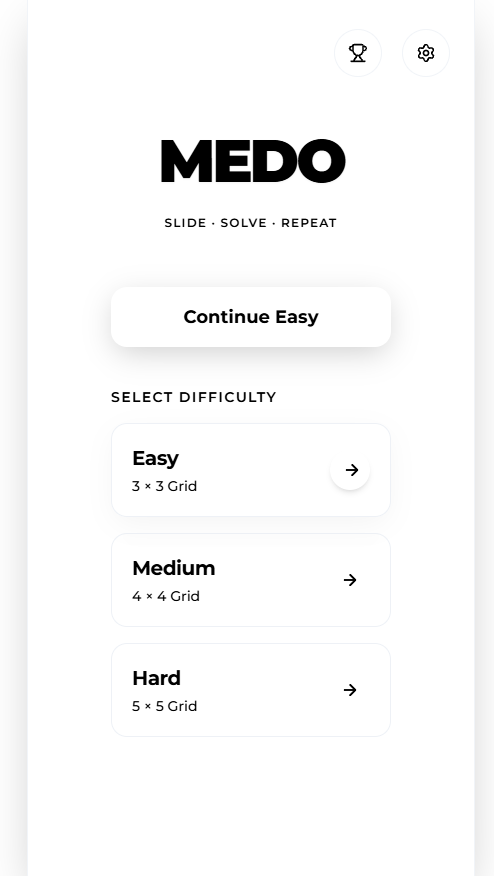
MEDO Sliding Puzzle is a browser-based casual game (3×3/4×4/5×5 grids) with smooth tile animations, glass-morphism UI, and intuitive touch/mouse controls. It tracks your best time/steps locally, lets you undo moves, and lets you share results or compete on global leaderboards—all without login or downloads.
How we built it
We started with core game logic: generating solvable boards via random valid moves (guaranteeing solvability) and coding tile movement rules. We built the UI with CSS gradients/backdrop blur for the glass effect, added micro-animations for interactions, and used Canvas for victory confetti. LocalStorage persists settings/stats; Web Share API enables sharing, with a copy-to-clipboard fallback.
Challenges we ran into
The biggest hurdle was making tile animations smooth across devices—low-end phones struggled with spring physics, so we optimized CSS transitions to 120ms ease-out. We also had to ensure solvable board generation (inversion-count parity checks fixed early bugs) and make the glass-morphism design degrade gracefully on browsers without backdrop blur.
Accomplishments that we're proud of
The game works flawlessly on mobile/desktop with zero lag; the glass-morphism design feels premium but lightweight. We hit 100% solvability for all boards, and the undo/restore feature (saving progress on tab close) makes the game feel “sticky” without complexity. Most importantly, it’s fully playable anonymously—no forced sign-ups, just pure fun.
What we learned
I mastered balancing visual flair with performance: fancy animations mean nothing if the game lags on mobile. I also learned to prioritize accessibility—ensuring tap targets are large enough for small screens, and all interactions work for both touch and mouse users. Persisting state with LocalStorage taught me to handle edge cases (e.g., restoring a saved game after browser crash).
What's next for this project
First, we’ll add subtle sound effects (toggleable!) for tile slides/victory to boost immersion. We’re also exploring a “daily puzzle” mode (one shared global puzzle per day) and lightweight PWA support for offline play. Long-term, we want to expand leaderboard features (regional rankings) and add minimal, optional tile skins—keeping the core simple but adding small delights for repeat players.

Log in or sign up for Devpost to join the conversation.