Inspiration
As newcomers ourselves, we know how intimidating it feels to walk into a doctor's office when English is not your first language. The doctor speaks quickly, uses words you have never seen outside of a medical textbook, and before you have fully processed one thing, they have already moved on to the next. You leave the appointment with a mix of relief that it is over and quiet anxiety that you may have missed something important.
That feeling made us think, if we struggle with this sometimes, what about people who have it even harder? What about elderly patients who did not grow up here, whose English is limited, or whose memory makes it difficult to hold onto information under stress? For them, a routine doctor's visit can feel genuinely frightening.
That thought is where Mednote started.
What it does
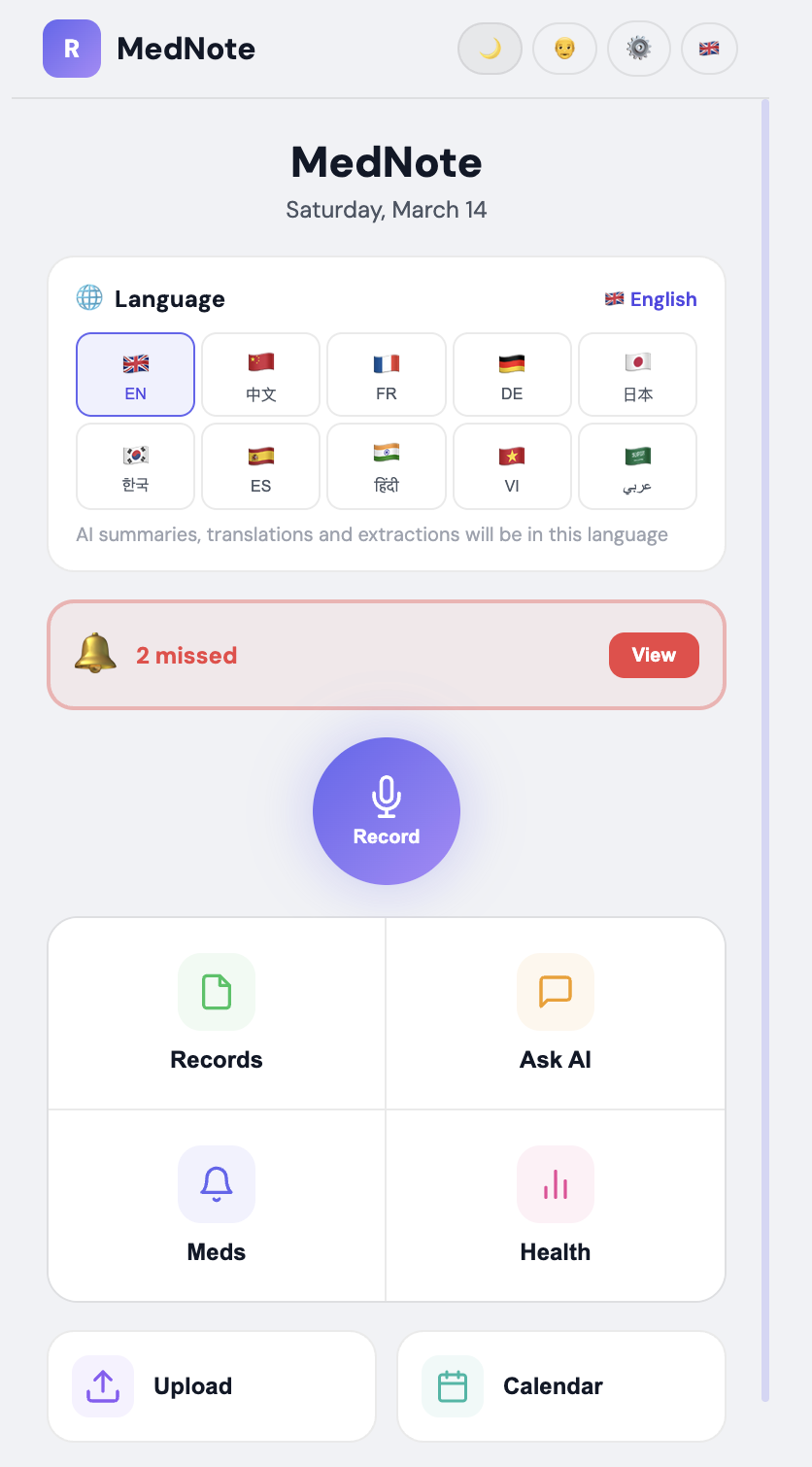
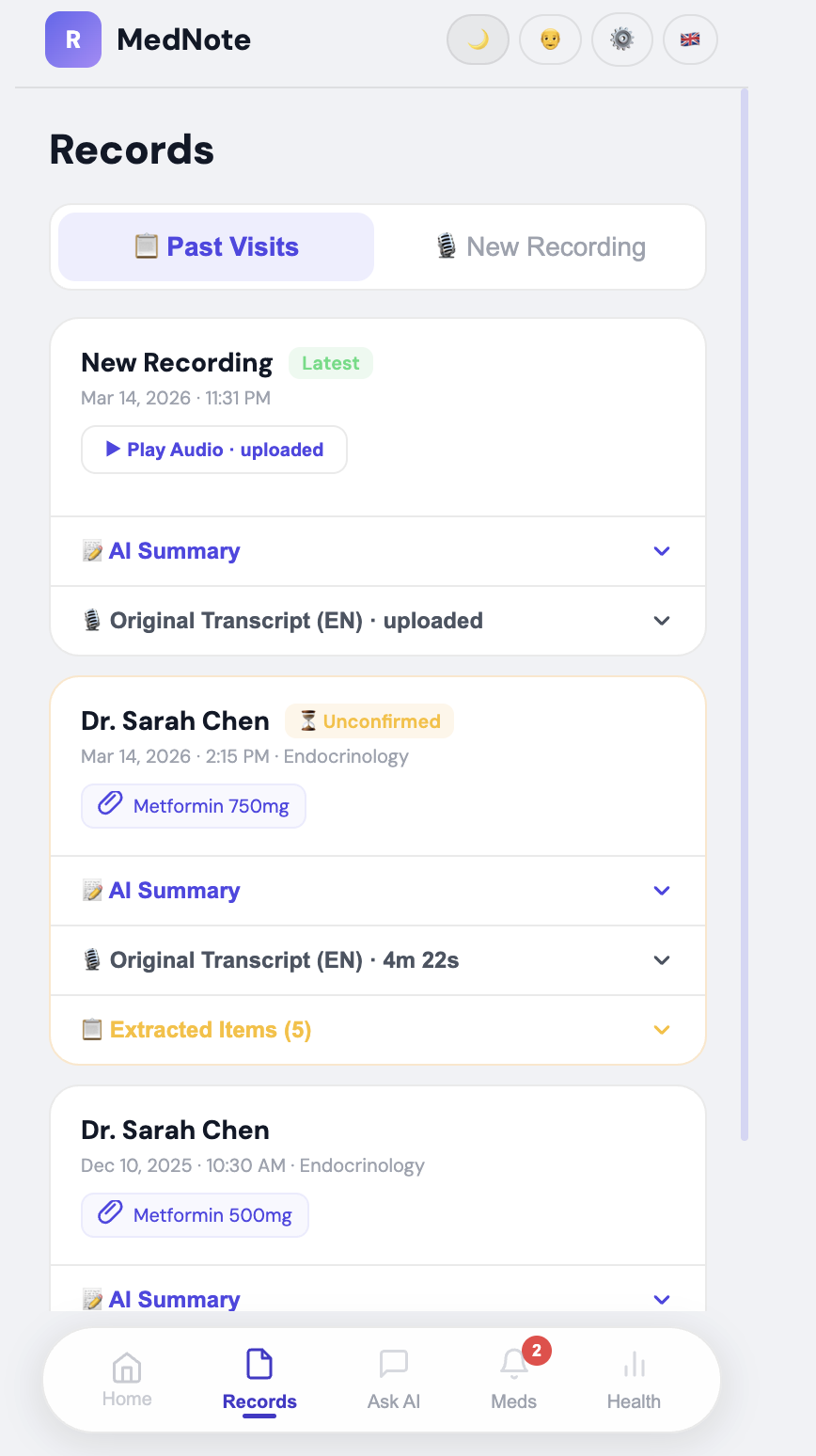
MedNote records your doctor's appointment, transcribes it into the doctor's original language, and delivers a clear summary in your chosen language with medication reminders set automatically.
- Record live or upload audio from any recording app
- Upload doctor's written notes or prescriptions alongside your audio
- Transcribes in the doctor's language and translates into yours
- Gives you a structured summary covering diagnosis, medications, and side effects and follow-up dates
- Automatically pulls out your medications and appointments, asks you to confirm the reminder times, and lets you edit them before saving
- Answers follow-up questions from your own appointment first, then fills in anything missing with trusted information from the web
- Saves the original transcript so you can always go back to it or share it with family
- Available as both a web app and a mobile app on any device
How we built it
None of us had built an AI app before. We had an idea we believed in and just figured it out as we went. We used Gemini to help us think through the structure and shape our ideas, Claude to work through the backend logic with us, and Stitch to help build the frontend. We spent a lot of time reading what came out, understanding it, adjusting it, and making it work for what we actually needed. It was messy, but we got there together.
Tools and stack
| Tool | What we used it for |
|---|---|
| React | Frontend, runs straight in the browser with no complicated setup |
| Groq Whisper | Audio transcription in any language, free and surprisingly fast |
| Google Gemini | Translation, summarization, and extracting medications and appointments |
| Web Speech API | Live transcript on screen while recording |
| localStorage | Remembers API keys and appointment history on the patient's device |
Responsible AI
Privacy was something we thought about from the beginning because we are dealing with people's medical information, and that is not something to take lightly.
The audio recording is sent directly to Groq for transcription, and then it is gone. It is never stored on any server. Groq processes it in real time and discards it immediately. There is nothing to breach because nothing is kept.
The transcript, summary, and reminders are saved locally on the patient's own device using the browser's localStorage. This means nobody at MedNote, Groq, or Google can read a patient's medical history. Only the patient has it. Currently, this is tied to one device and browser. A future version will offer optional backup to the patient's own Google Drive or iCloud, so their history is never lost if they switch devices, while keeping all data in their own hands and never on our servers.
When the app answers a follow-up question, it is always clear about where the answer came from. If it came from the appointment transcript, the patient knows that. If it came from the web, the patient knows that too. We never present outside information as if it came from the doctor.
MedNote is not a replacement for a doctor. It is a tool to help patients remember and understand what their own doctor already told them. We do not generate medical advice or add anything beyond what was actually said in the appointment.
Patients are in full control at all times. They can edit reminders, delete transcripts, and manage everything themselves. The API keys are stored only in their own browser and can be cleared whenever they want.
The app is designed to be used openly and with consent. Recording a medical conversation is legal under one-party consent laws in Canada, and the patient is always the one who initiates it. The app is not designed for secret recording, and we encourage patients to let their doctor know.
Challenges we ran into
The stop button would not respond because of a bug where the function was holding onto old references from before recording even started. Took us a while to figure out what was happening.
The browser cuts off speech recognition after about 60 seconds of silence so we had to build something that restarts it automatically without the user noticing.
Every device records audio in a different format. iPhone uses one, Chrome uses another, Firefox uses another. Each one had to be handled before sending to Whisper, or it would fail without telling us why.
Getting Gemini to give us clean, structured data was harder than expected. It kept adding extra text around the output that broke our code until we figured out how to clean it.
Learning to write prompts that actually worked while also trying to build the app at the same time was probably the biggest challenge overall.
Accomplishments that we're proud of
The whole pipeline actually works end to end. You record an appointment, or upload a file you recorded on your phone, and you come out with a real summary in your language and reminders ready to confirm. For a team of first timers that felt like a lot.
The translation moment in the demo. Watching a full medical summary switch into Mandarin in real time is one of those moments that just makes the whole thing clicks for people.
Everything runs on free tools. Anyone can use this without paying anything.
We built something that actually addresses a real gap for people who are often overlooked. That matters to us more than anything else.
What we learned
Breaking a big problem into small steps is the only way to make it feel doable.
Writing good prompts takes real practice. You have to be specific about what you want and even more specific about what you do not want.
There are a lot of small edge cases that only come up when real people actually use something. Testing your own app is never enough.
Building for someone whose experience is different from yours means you have to slow down and actually think about what they are going through.
What's next for Untitled
Add an optional backup to the patient's own Google Drive or iCloud so their history is never lost when they switch devices, while keeping all data in their own hands and never on our servers.
Add full support for uploading doctors' written notes and discharge papers alongside audio so the app can combine everything into one complete picture.
Connect to Apple Health and Google Fit, so MedNote can flag when your real health data does not match what the doctor recommended.
Work with clinics and newcomer community organizations to get MedNote to the patients who need it most.
Eventually connect to health records systems so summaries can flow directly into a patient's file.

Log in or sign up for Devpost to join the conversation.