-
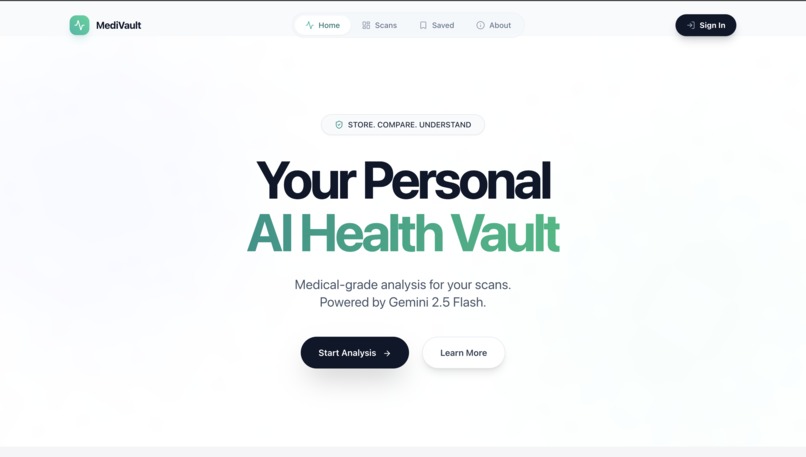
homepage
-
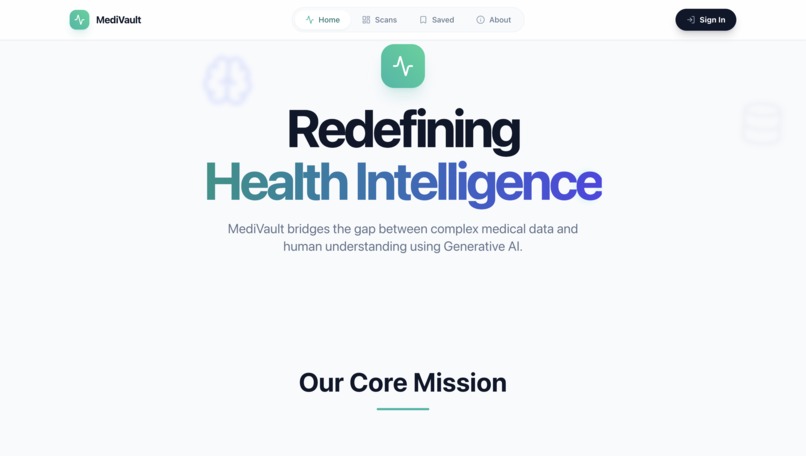
about section
-
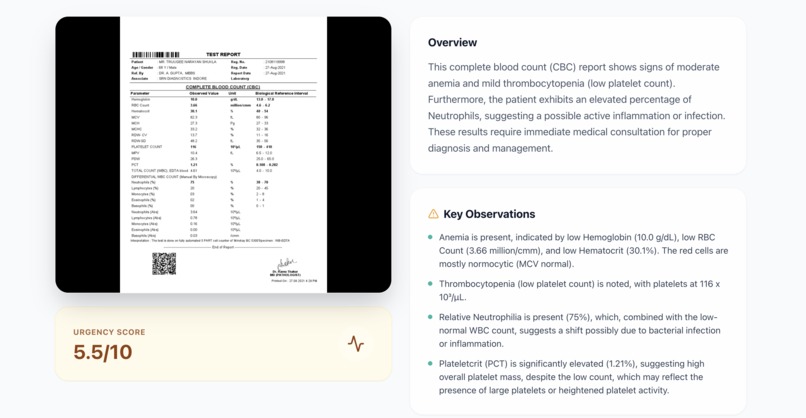
scans vault with analysis
-
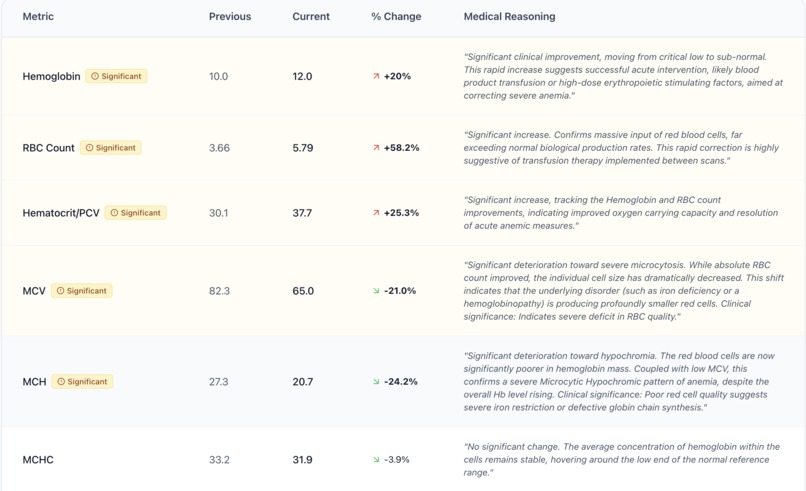
scans comparision mode
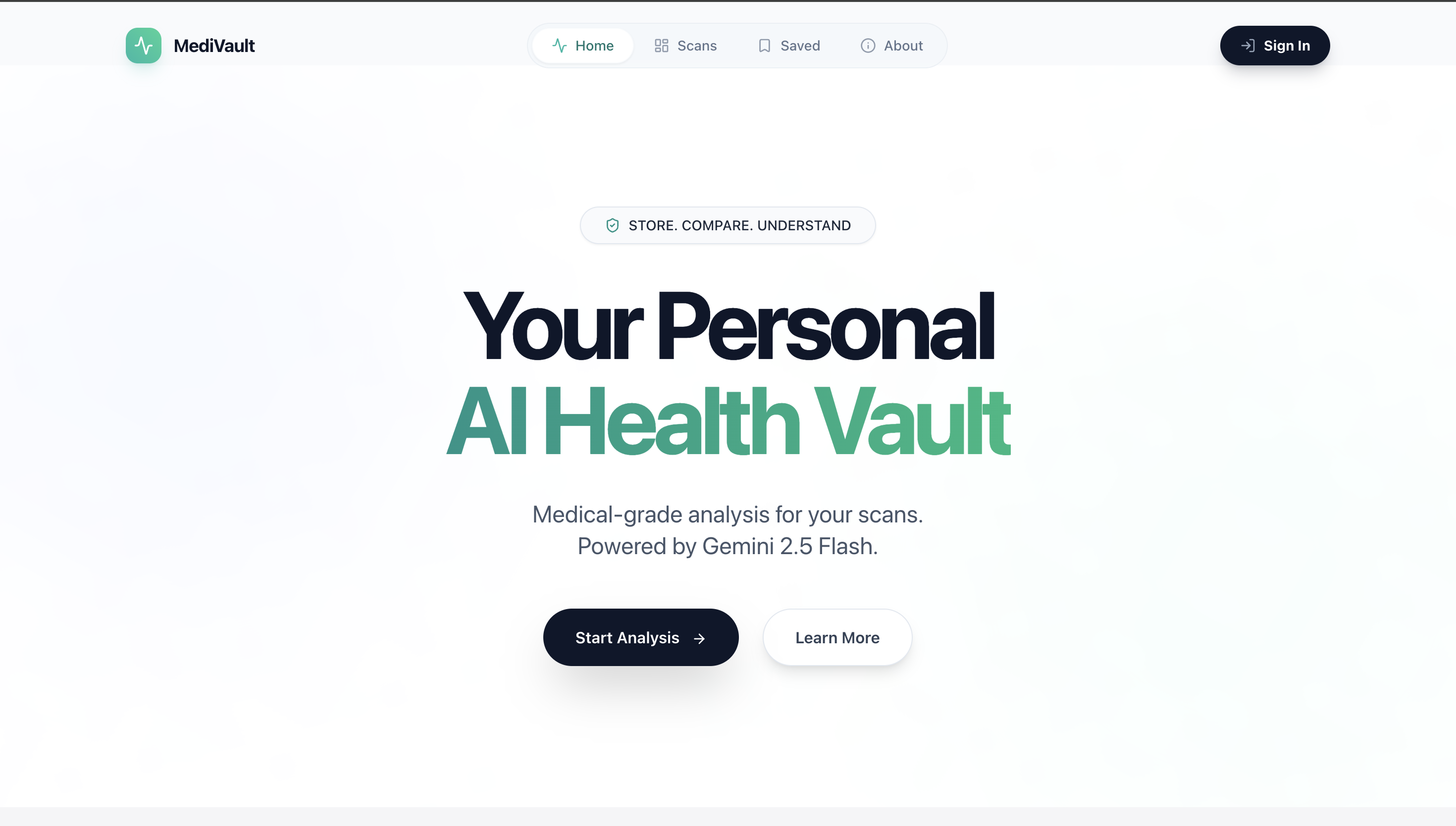
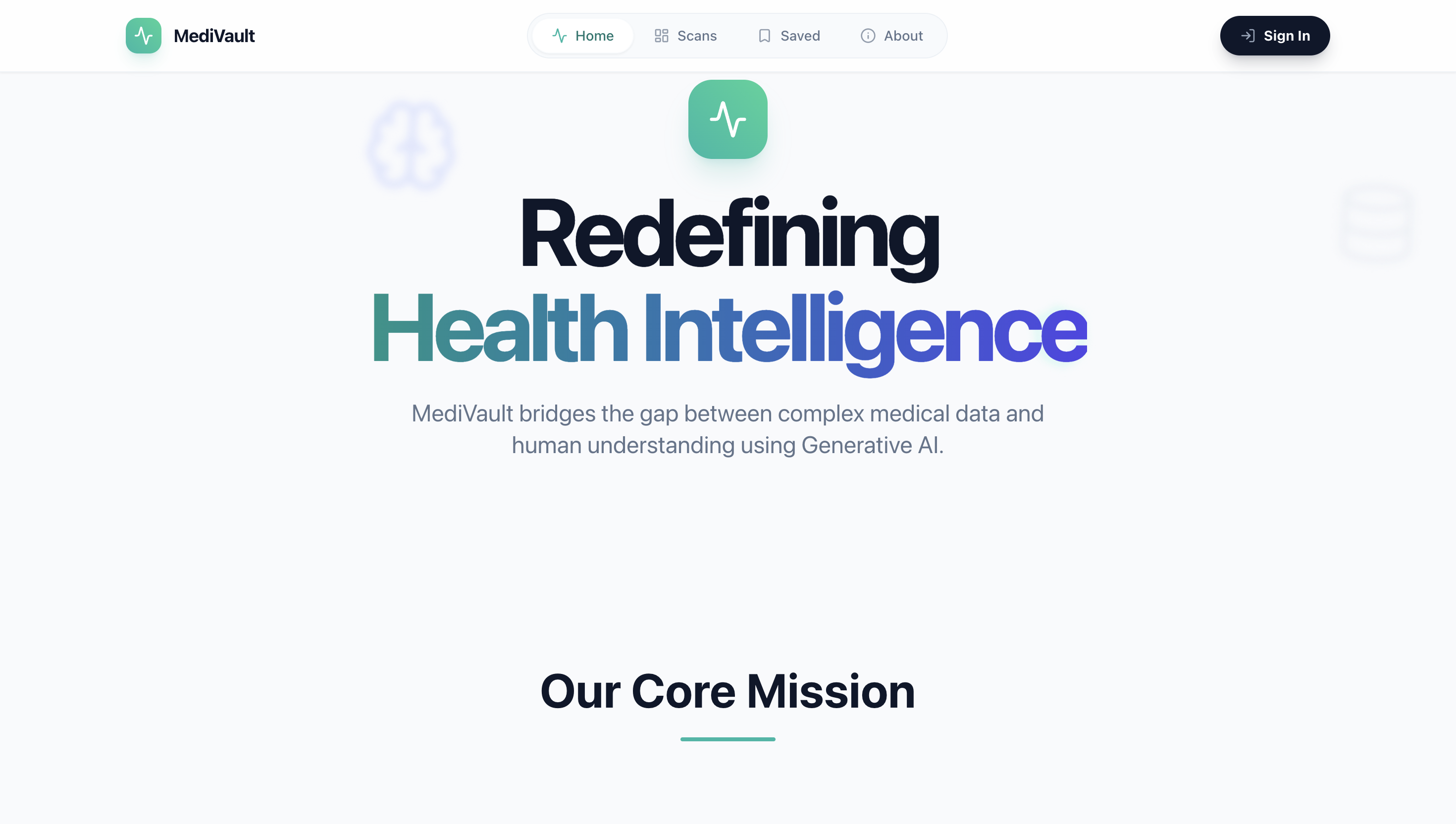
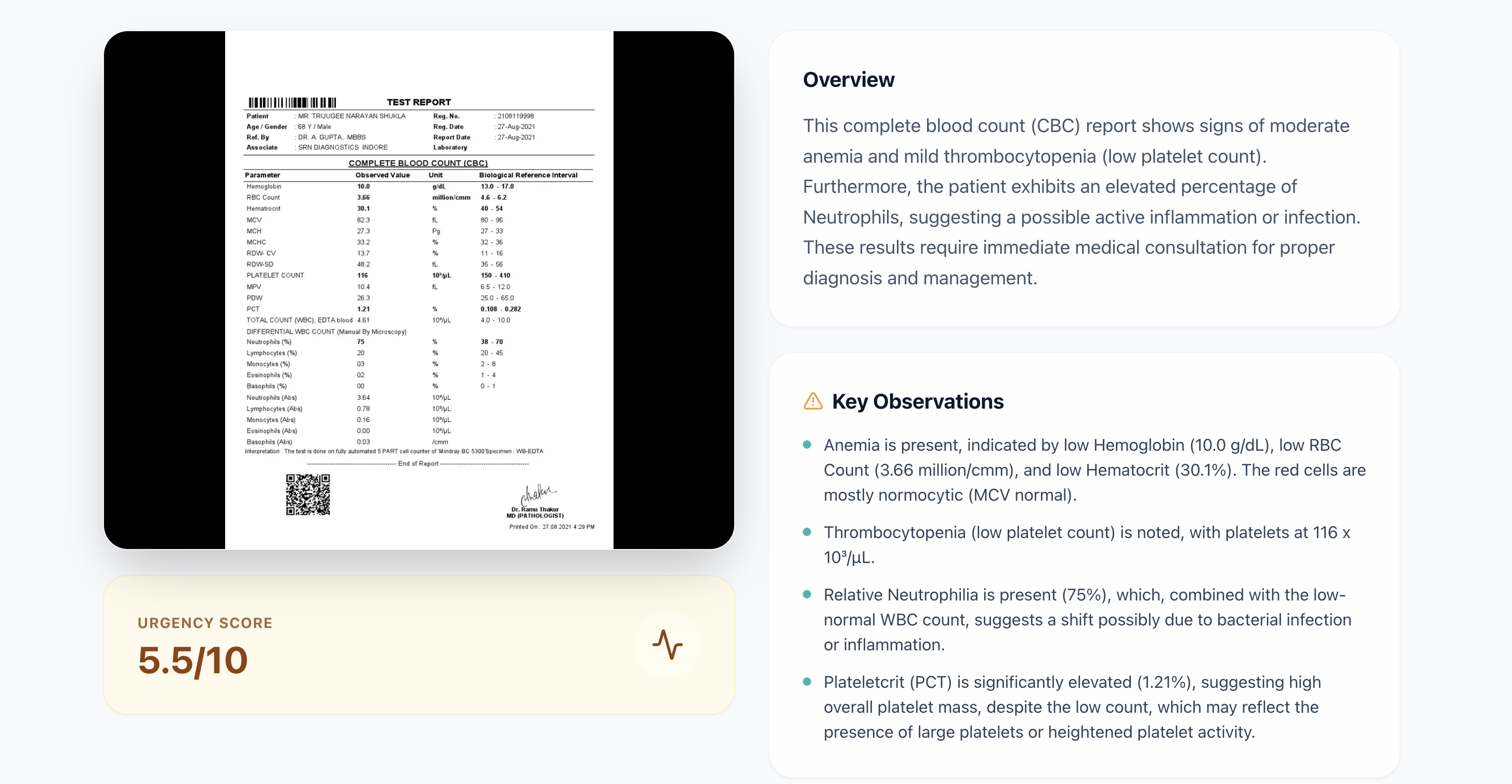
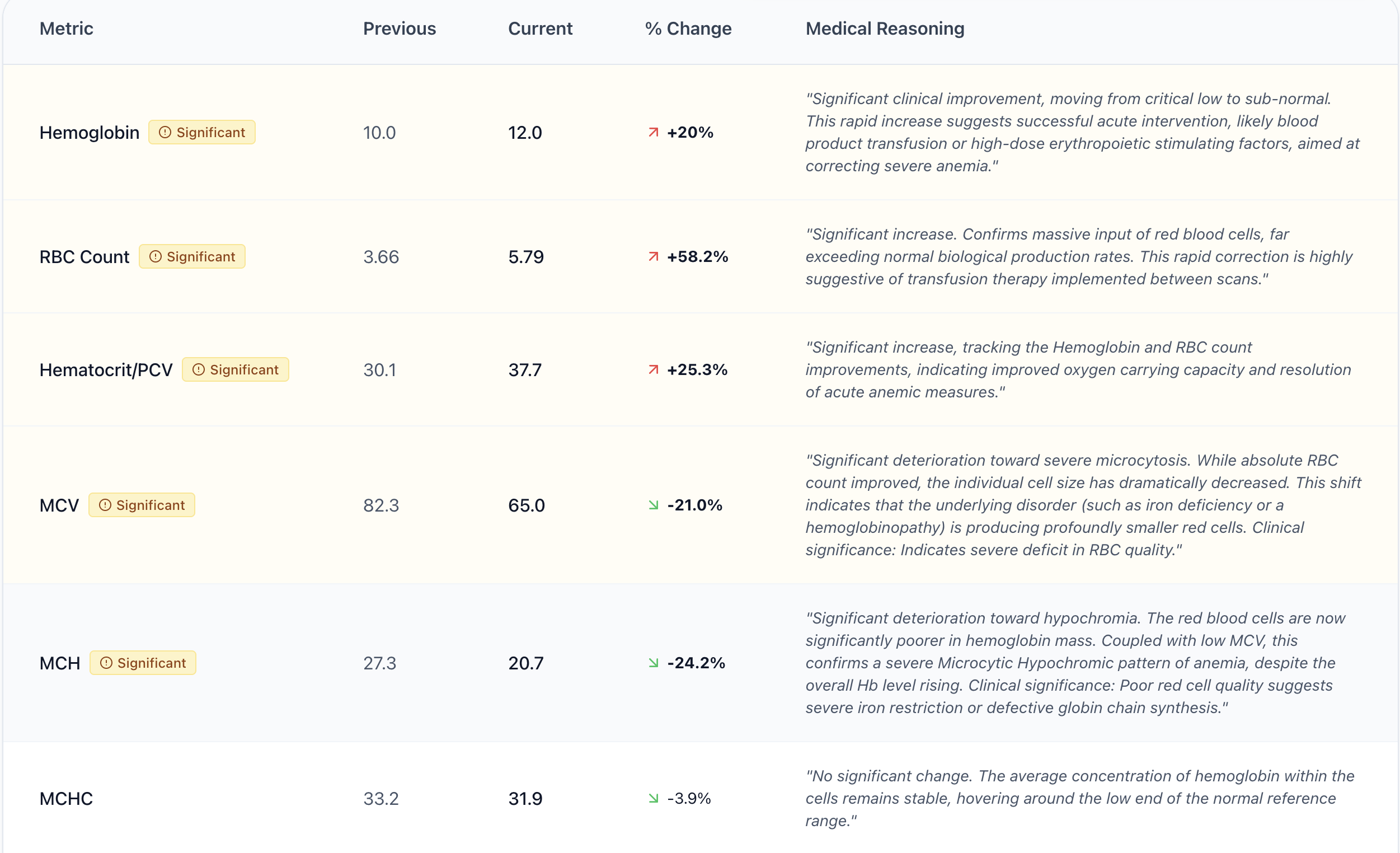
# 🏥 MEDIVAULT
### *Your health, stored, visualized & explained.*
[](https://react.dev/)
[](https://www.typescriptlang.org/)
[](https://vitejs.dev/)
[](https://ai.google.dev/)
[](https://tailwindcss.com/)
[](LICENSE)
**MEDIVAULT** bridges the gap between complex medical imaging and patient understanding. Upload your scans, get AI-powered analysis in plain language, track biomarkers over time, and make informed health decisions — all in one beautifully designed platform.

**Built with ❤️ using React, TypeScript, and Google Gemini AI** ⭐ Star this repo if you found it helpful!
**MEDIVAULT** bridges the gap between complex medical imaging and patient understanding. Upload your scans, get AI-powered analysis in plain language, track biomarkers over time, and make informed health decisions — all in one beautifully designed platform.
✨ Features
| ### 🔬 Multi-Modal Scan Support Upload and analyze **CT scans, MRI, X-rays**, and **blood reports** — all from a single, unified interface. MEDIVAULT handles diverse medical imaging formats seamlessly. | ### 🤖 AI-Powered Analysis Powered by **Google Gemini AI**, receive instant, patient-friendly explanations of your medical scans. Understand what your results mean without a medical degree. |
| ### 📊 Biomarker Tracking Extracted metrics are displayed with interactive charts showing your values against standard reference ranges. Instantly see what's normal and what needs attention. | ### 🔄 Longitudinal Comparison Compare scans taken over time to track your health trajectory. The AI calculates percentage changes and provides **predictive analytics** forecasting future health trends. |
| ### 📄 PDF Report Export Generate professional, downloadable PDF reports of your analysis — perfect for sharing with your healthcare provider or keeping for your records. | ### 🎨 Premium UI/UX Smooth page transitions with **Framer Motion**, interactive data visualization with **Recharts**, and a clean design system built with **Tailwind CSS** and the **Inter** typeface. |
🛠️ Tech Stack
| Layer | Technology |
|---|---|
| Frontend Framework | React 19 with TypeScript |
| Build Tool | Vite 6 |
| AI Engine | Google Gemini AI (@google/genai) |
| Styling | Tailwind CSS + Custom CSS |
| Animations | Framer Motion |
| Charts | Recharts |
| Icons | Lucide React |
| PDF Export | html2pdf.js |
| Typography | Inter (Google Fonts) |
| Routing | Hash-based SPA routing |
📁 Project Structure
MEDIVAULT/
├── index.html          # Entry point with importmap & global styles
├── index.tsx           # React root render
├── App.tsx             # Main app with routing & auth logic
├── types.ts            # TypeScript interfaces & enums
├── vite.config.ts      # Vite configuration
├── components/
│   ├── Navbar.tsx      # Navigation bar with auth state
│   └── Footer.tsx      # Site footer
├── pages/
│   ├── Home.tsx        # Landing page with hero & feature cards
│   ├── Auth.tsx        # Login / Signup page
│   ├── UploadScan.tsx  # Scan upload with drag-and-drop
│   ├── AnalysisView.tsx # AI analysis results & biomarker charts
│   ├── ScanDashboard.tsx # Gallery of all uploaded scans
│   ├── CompareMode.tsx # Side-by-side scan comparison
│   └── About.tsx       # About / How it works page
├── services/
│   ├── gemini.ts       # Google Gemini AI integration
│   ├── auth.ts         # Authentication service
│   └── mockDb.ts       # Local mock database
└── assets/
    └── homepage.png    # Homepage screenshot
🚀 Getting Started
Prerequisites
- Node.js v18+ and npm installed
- A Google Gemini API Key (Get one here)
Installation
# 1. Clone the repository
git clone https://github.com/yourusername/MEDIVAULT.git
cd MEDIVAULT

# 2. Install dependencies
npm install

# 3. Set up environment variables
cp .env.local.example .env.local
# Add your Gemini API key:
# VITE_GEMINI_API_KEY=your_api_key_here

# 4. Start the development server
npm run dev
The app will be running at http://localhost:5173 🎉
🔑 Environment Variables
| Variable | Description | Required |
|---|---|---|
VITE_GEMINI_API_KEY |
Google Gemini AI API key for scan analysis | ✅ Yes |
📸 How It Works
graph LR
    A[📤 Upload Scan] --> B[🤖 Gemini AI Analysis]
    B --> C[📊 View Results]
    C --> D[📈 Track Biomarkers]
    D --> E[🔄 Compare Over Time]
    E --> F[📄 Export PDF Report]
- Upload — Drag and drop or browse to upload your medical scan (CT, MRI, X-ray, or blood report).
- Analyze — Gemini AI processes the image and returns a structured analysis with a patient-friendly summary, key observations, urgency score, and extracted biomarkers.
- Visualize — View your metrics on interactive charts with reference ranges highlighted.
- Compare — Select multiple scans to track changes over time with AI-driven trend analysis.
- Predict — Get "Minority Report"-style predictive analytics forecasting future health outcomes based on current trends.
- Export — Download a polished PDF report to share with your doctor.
🎯 Key AI Capabilities
| Capability | Description |
|---|---|
| Scan Analysis | Processes medical images and returns structured JSON with summary, observations, urgency score (1–10), and extracted biomarkers |
| Metric Extraction | Automatically identifies and extracts biomarkers with values, units, and reference ranges |
| Health Status | Classifies each metric as Low, Normal, or High |
| Trend Analysis | Calculates percentage changes between sequential scans and identifies clinically significant shifts (>10%) |
| Predictive Forecasting | Projects future health outcomes based on current metric trajectories over a 3-month horizon |
🤝 Contributing
Contributions are welcome! Here's how you can help:
- Fork the repository
- Create a feature branch (
git checkout -b feature/amazing-feature) - Commit your changes (
git commit -m 'Add amazing feature') - Push to the branch (
git push origin feature/amazing-feature) - Open a Pull Request
⚠️ Disclaimer
MEDIVAULT is designed to assist in understanding medical reports — it is not a replacement for professional medical advice. Always consult a qualified healthcare provider for diagnosis and treatment decisions.
📄 License
This project is licensed under the MIT License — see the LICENSE file for details.
**Built with ❤️ using React, TypeScript, and Google Gemini AI** ⭐ Star this repo if you found it helpful!

