-
-
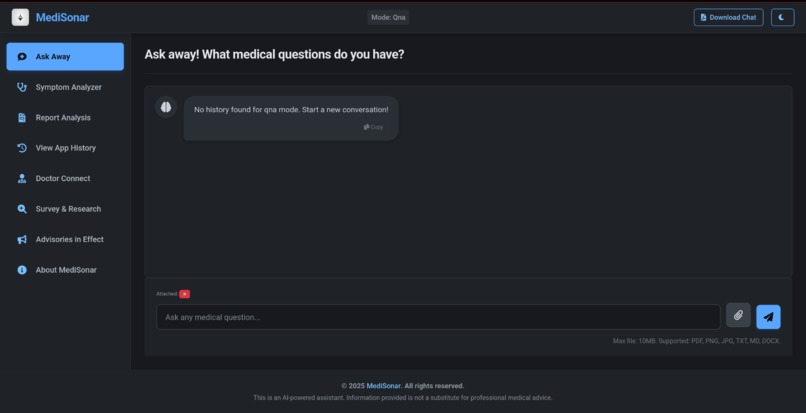
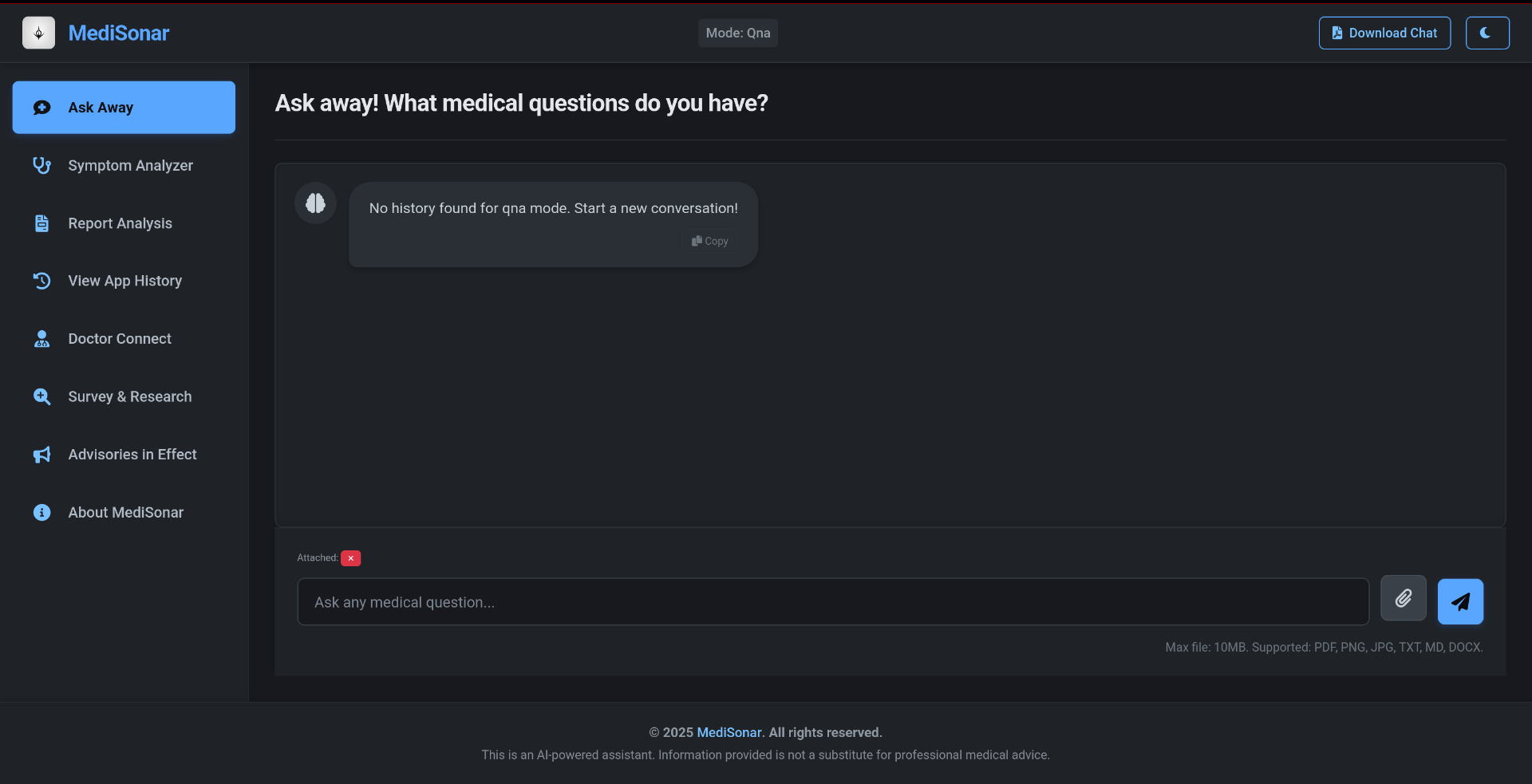
Welcome page (here this was a fresh session with no previous history), files of any format can be uploaded as well.
-
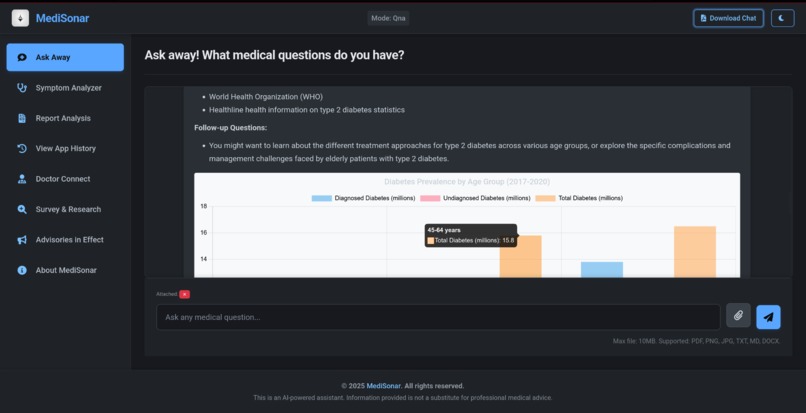
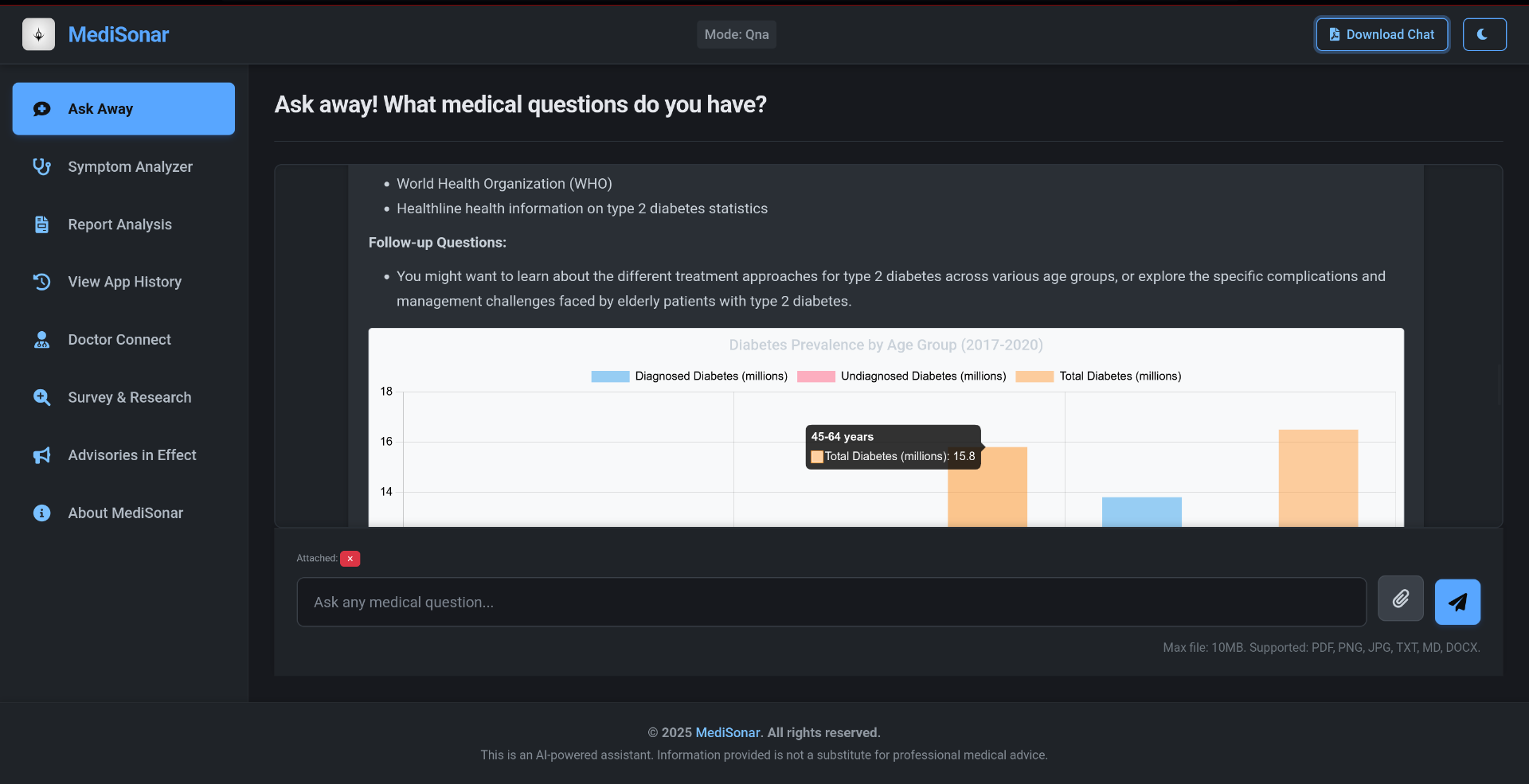
showing the capability of our QnA model, answering in the form of well-defined document
-
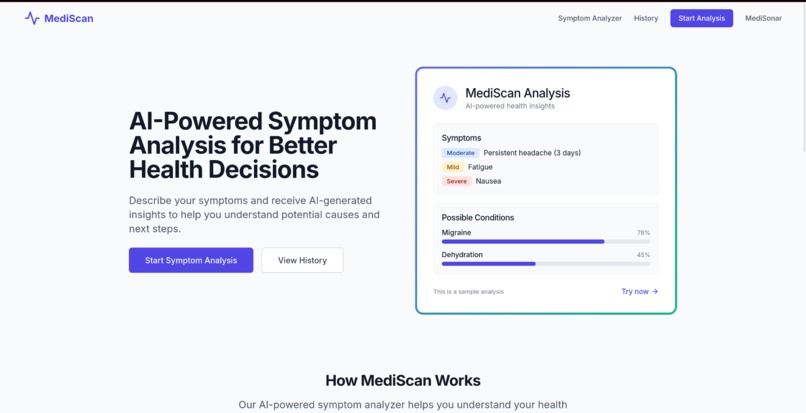
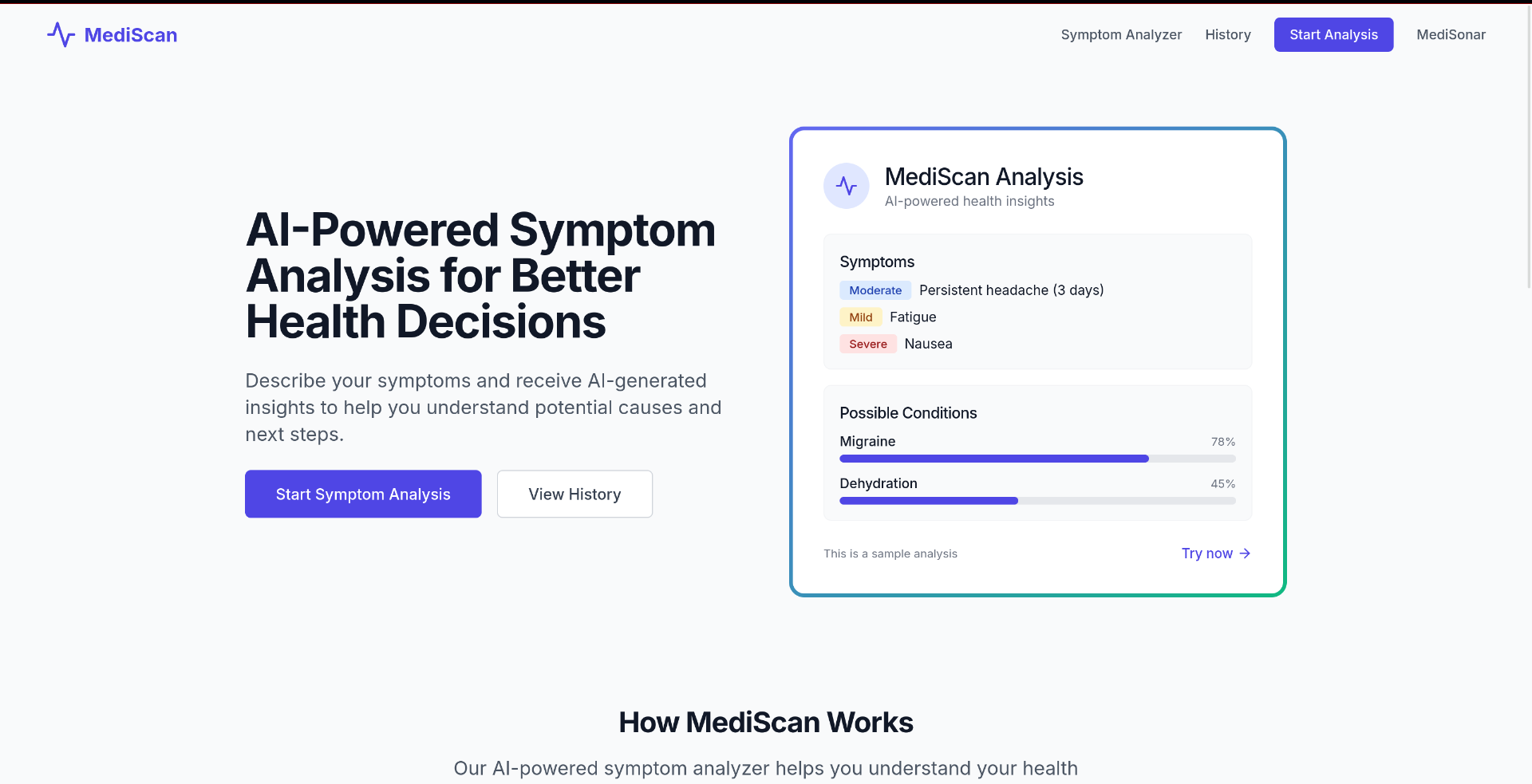
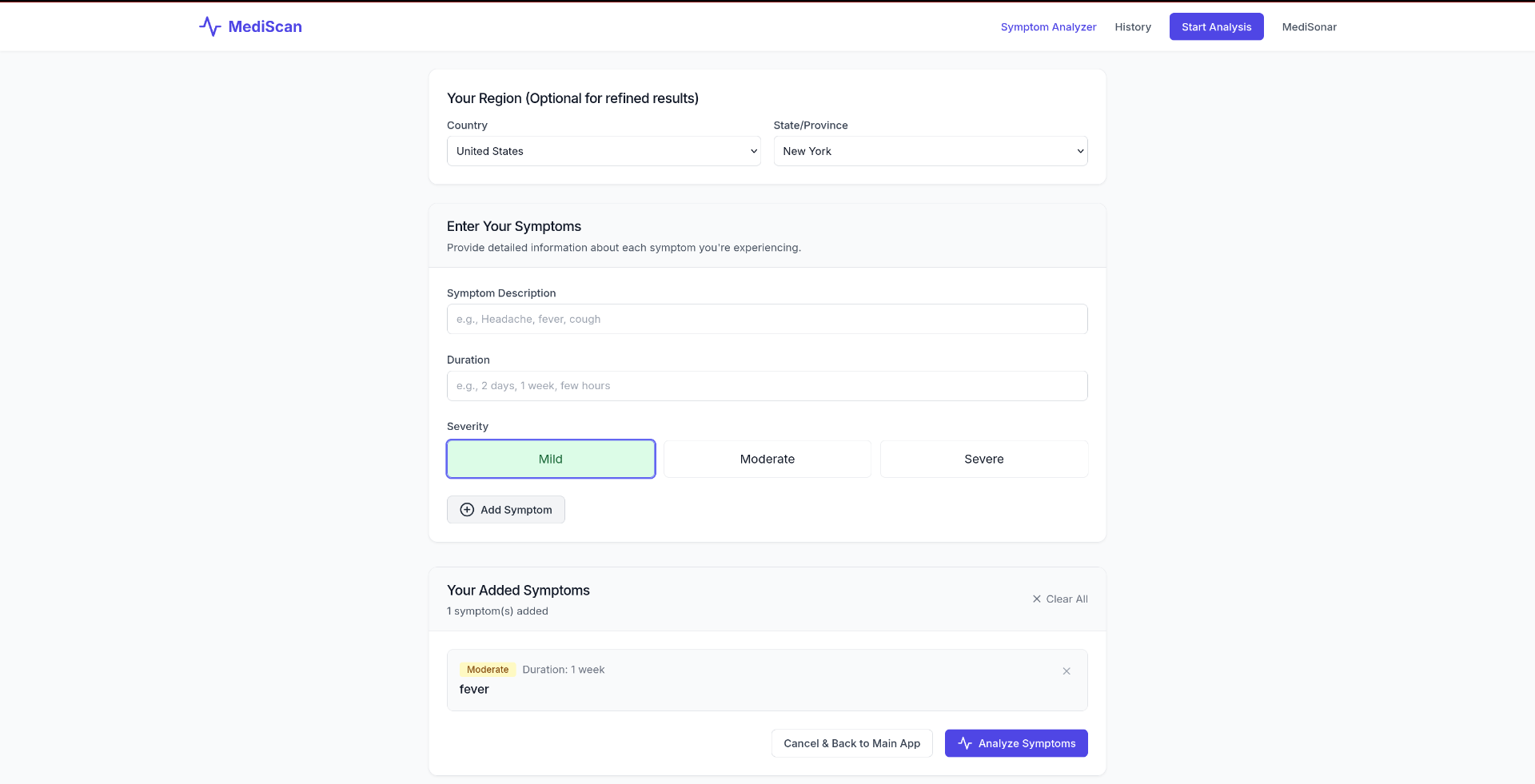
symptoms analyzer homepage (MediScan)
-
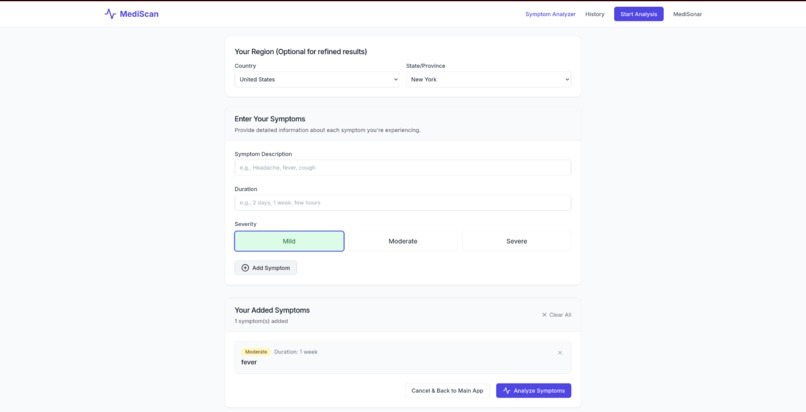
Symptoms analyzer working
-
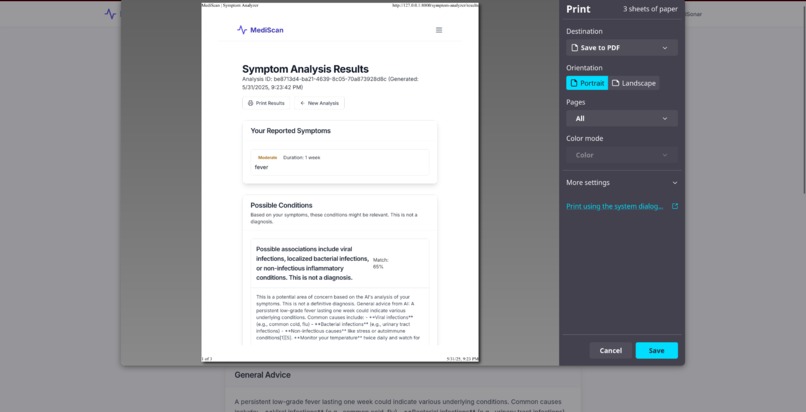
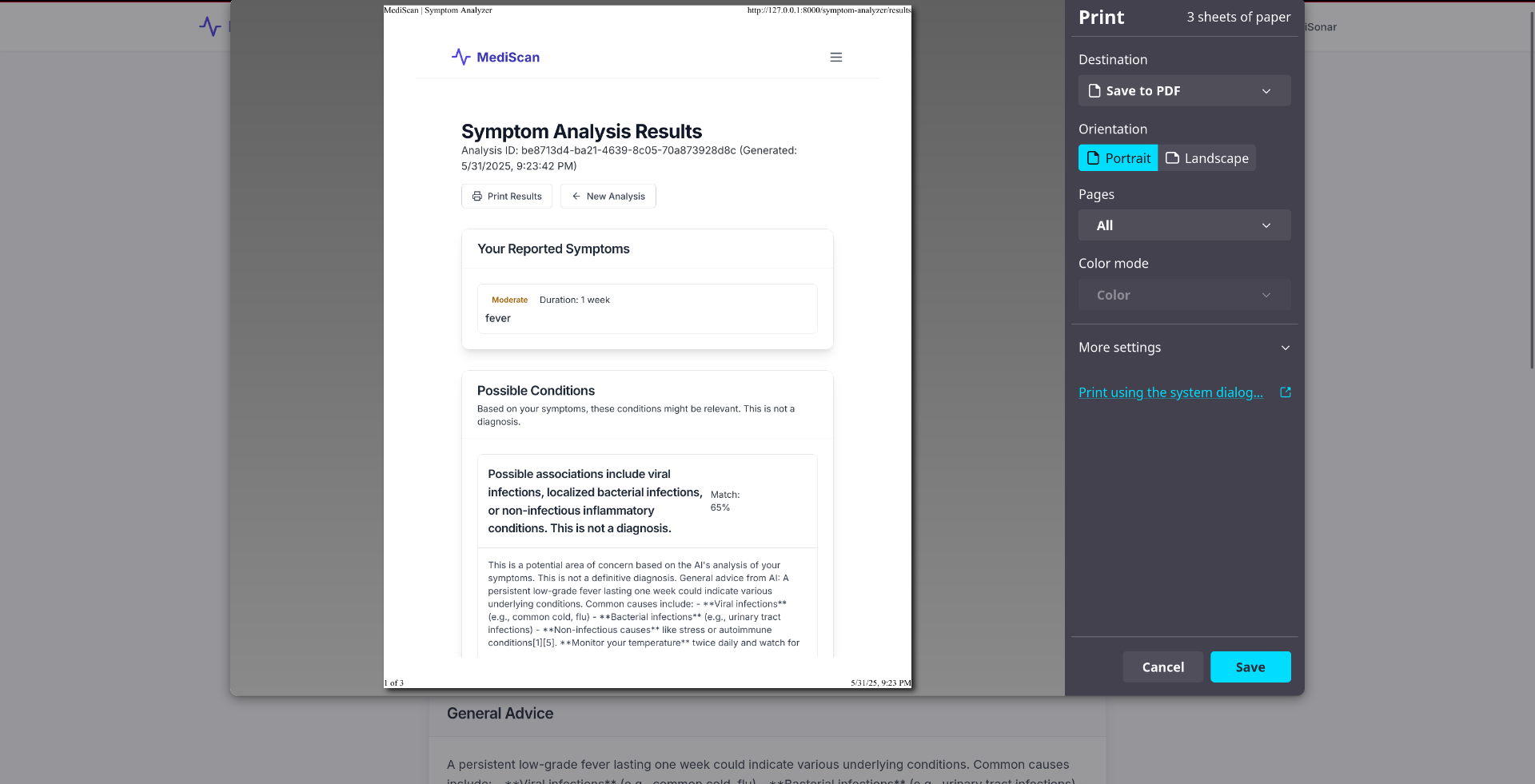
output of any result can be printed if required. Output includes diagnosis as well as specialist and clinic recommendation based on region.
-
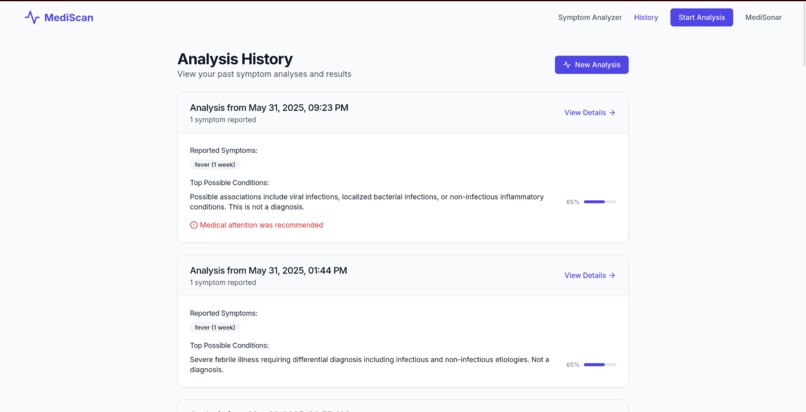
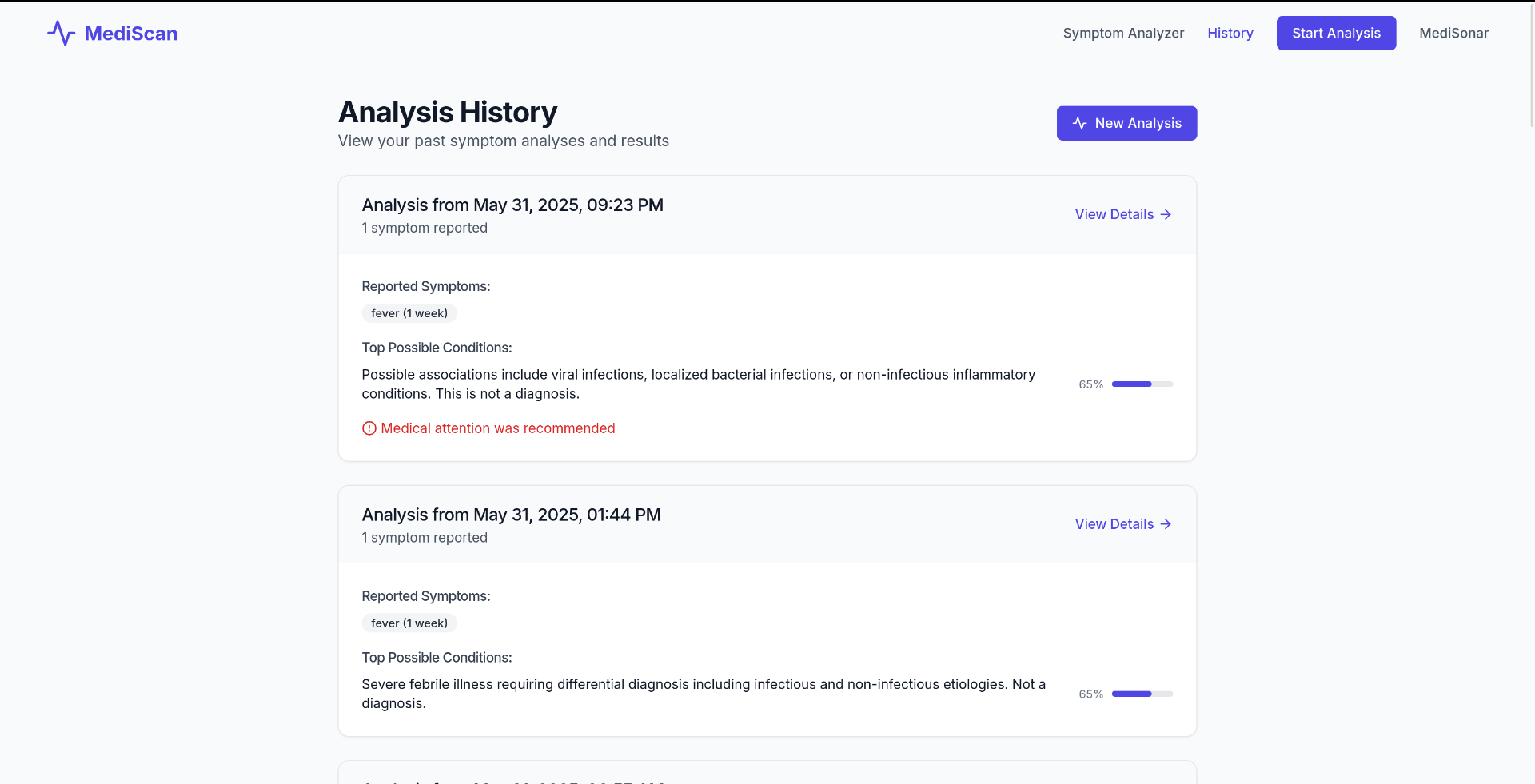
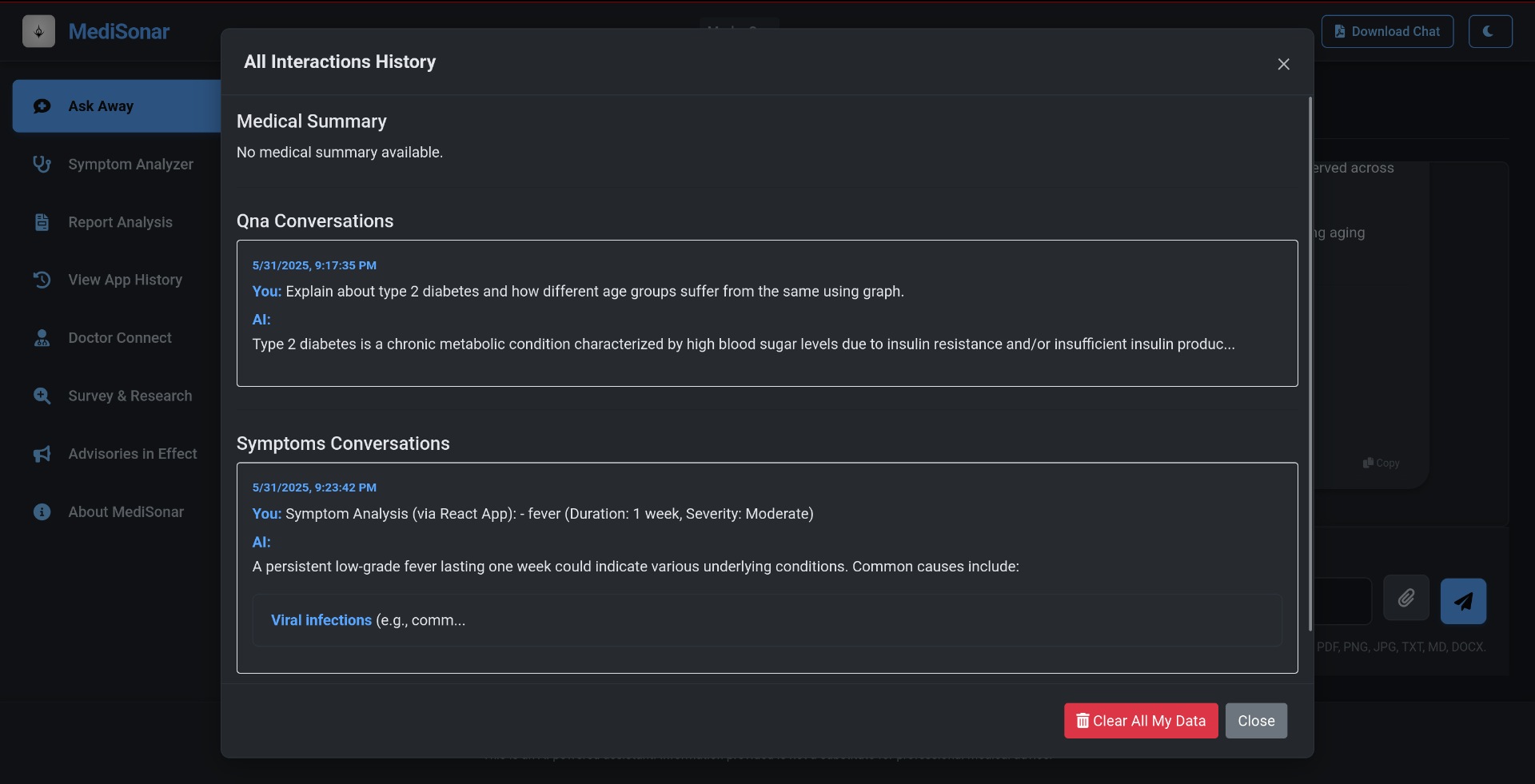
Symptoms' history is stored and utilized in the context of future diagnosis
-
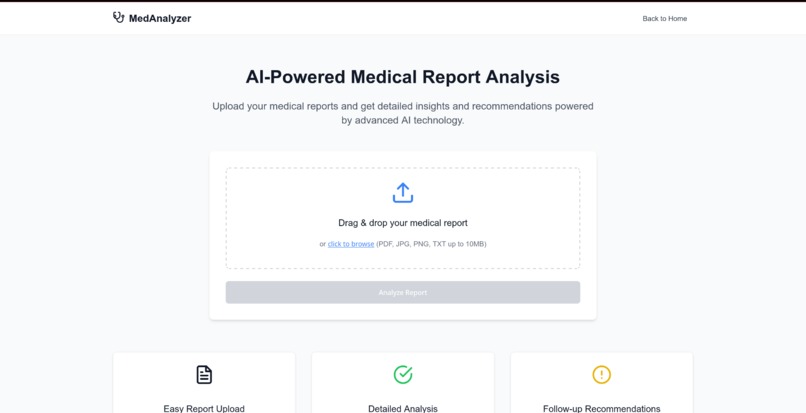
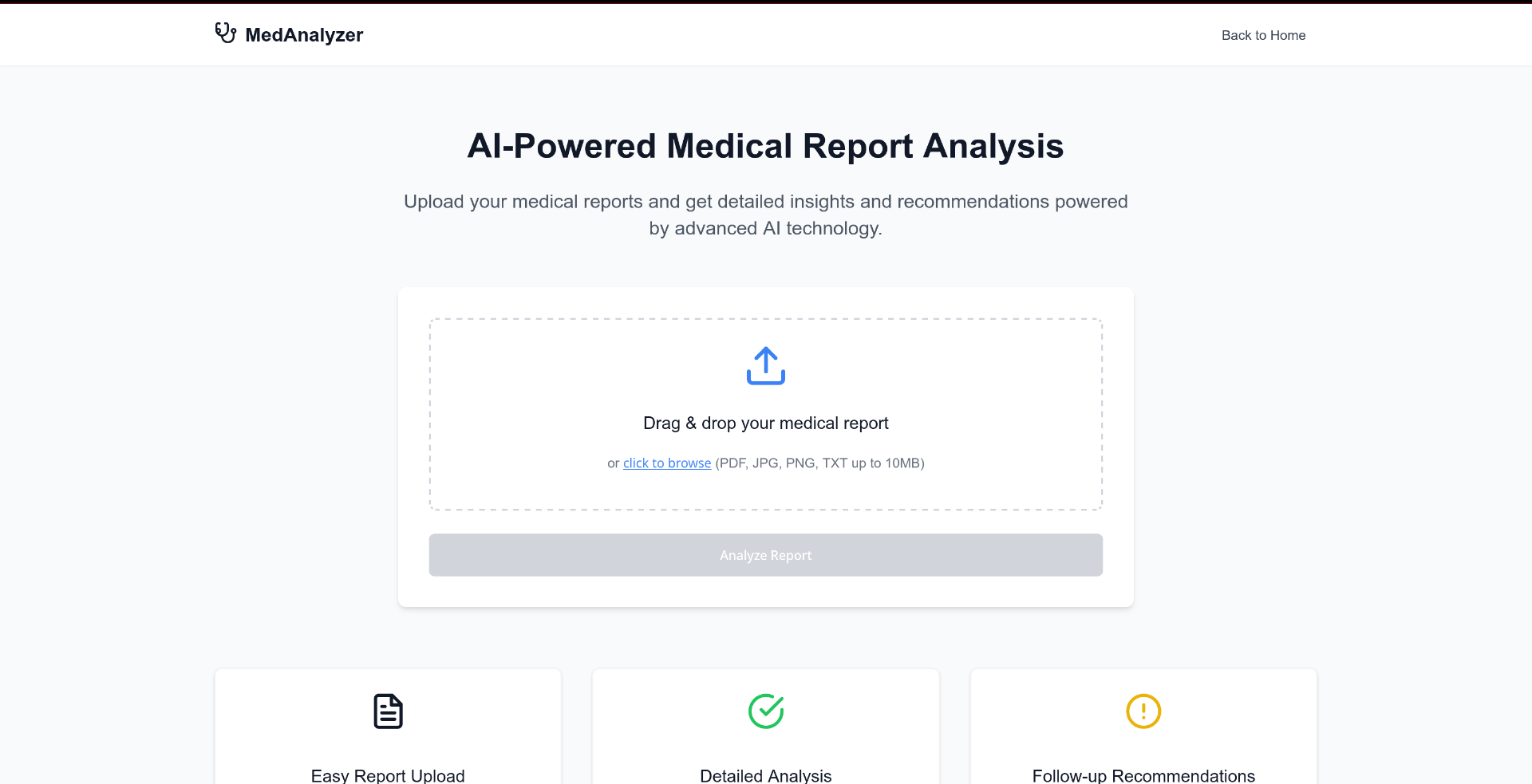
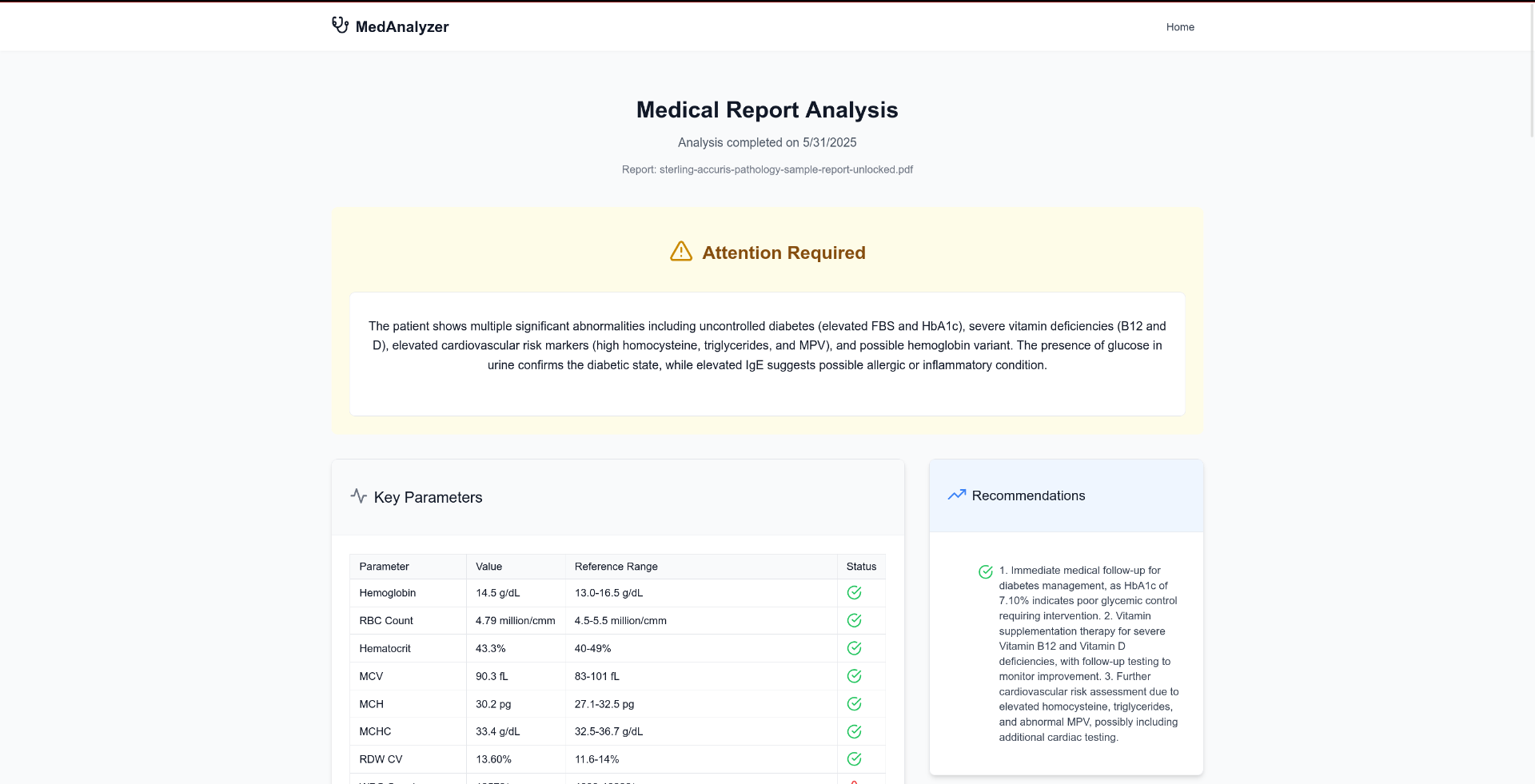
report analyzer homepage (MedAnalyzer)
-
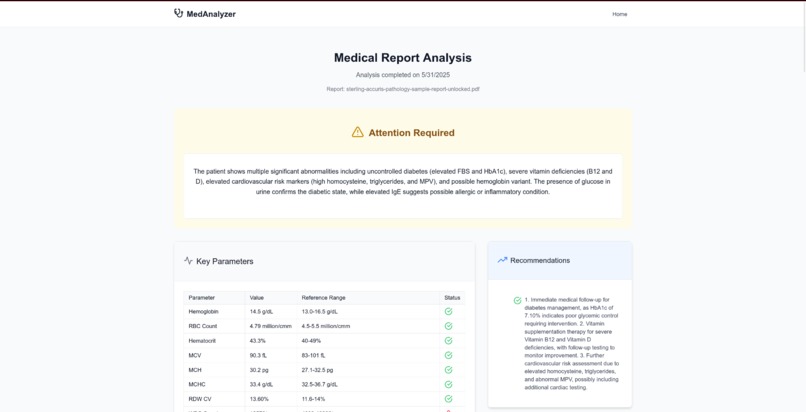
Gives detailed output of any report, along with recommended steps and diagnosis. File can be in any format,
-
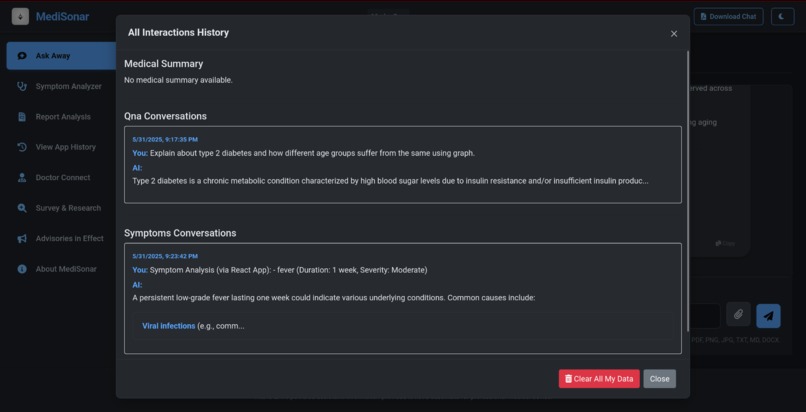
Ability to view both QnA and symptoms' history on the main page as well. Both are independent and after a while a medical summary is formed.
-
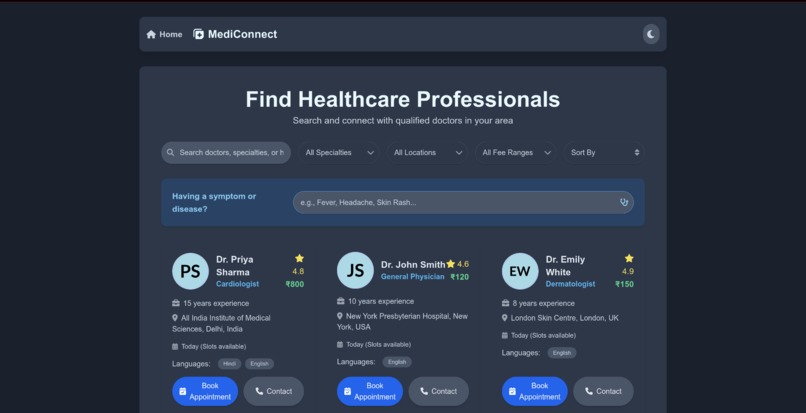
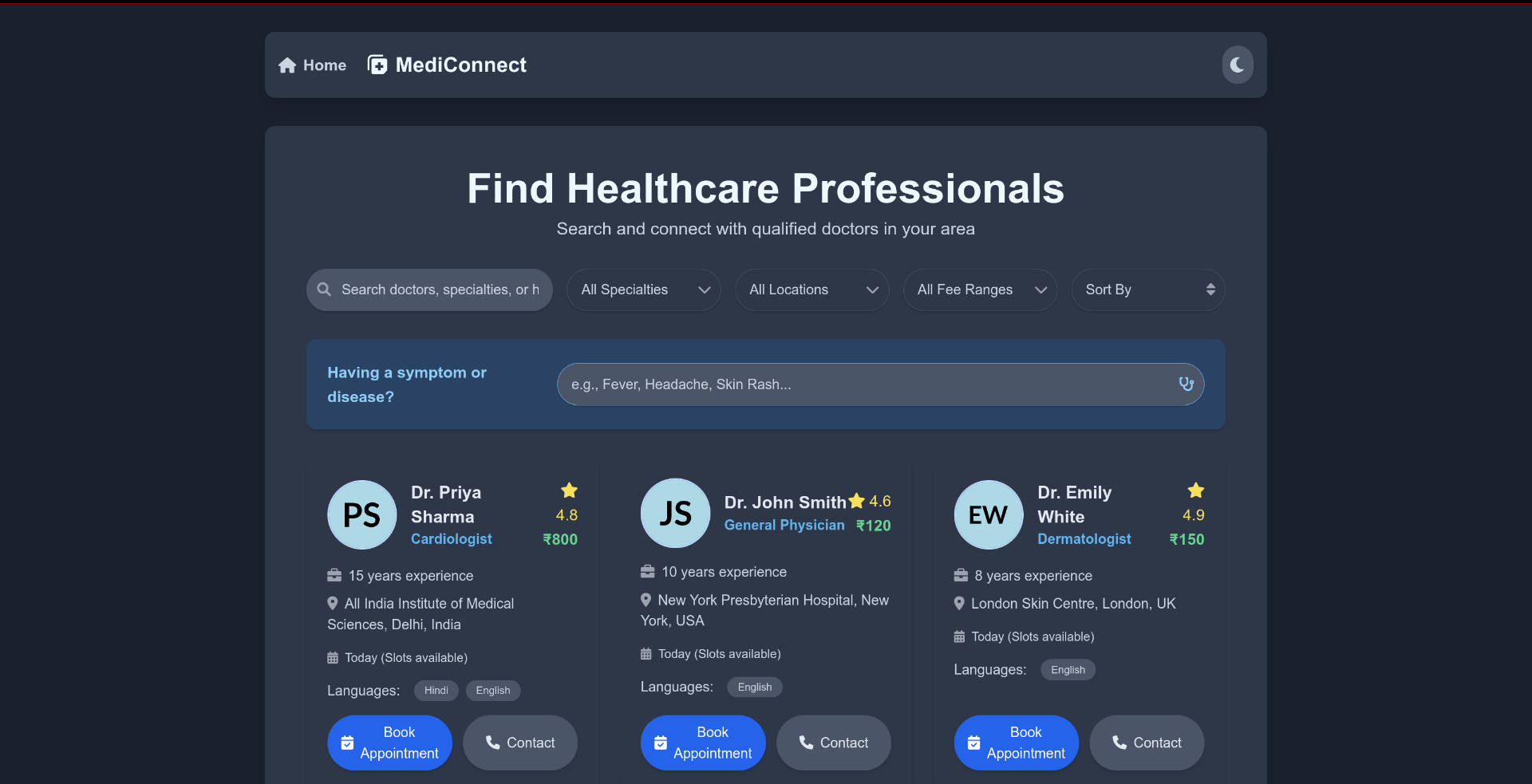
Connect with a Doctor (MediConnect)
-
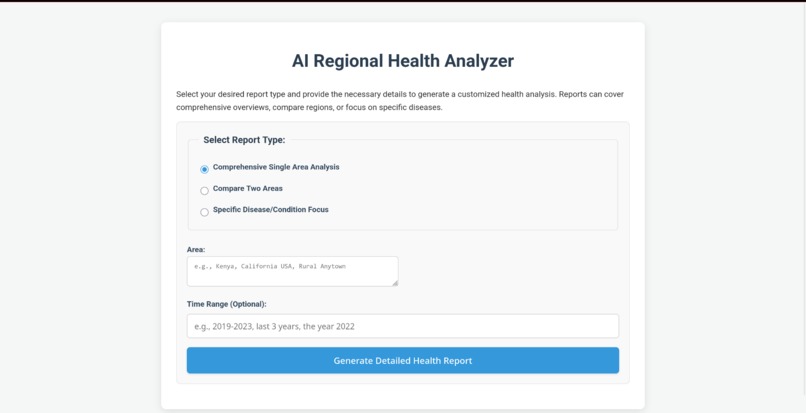
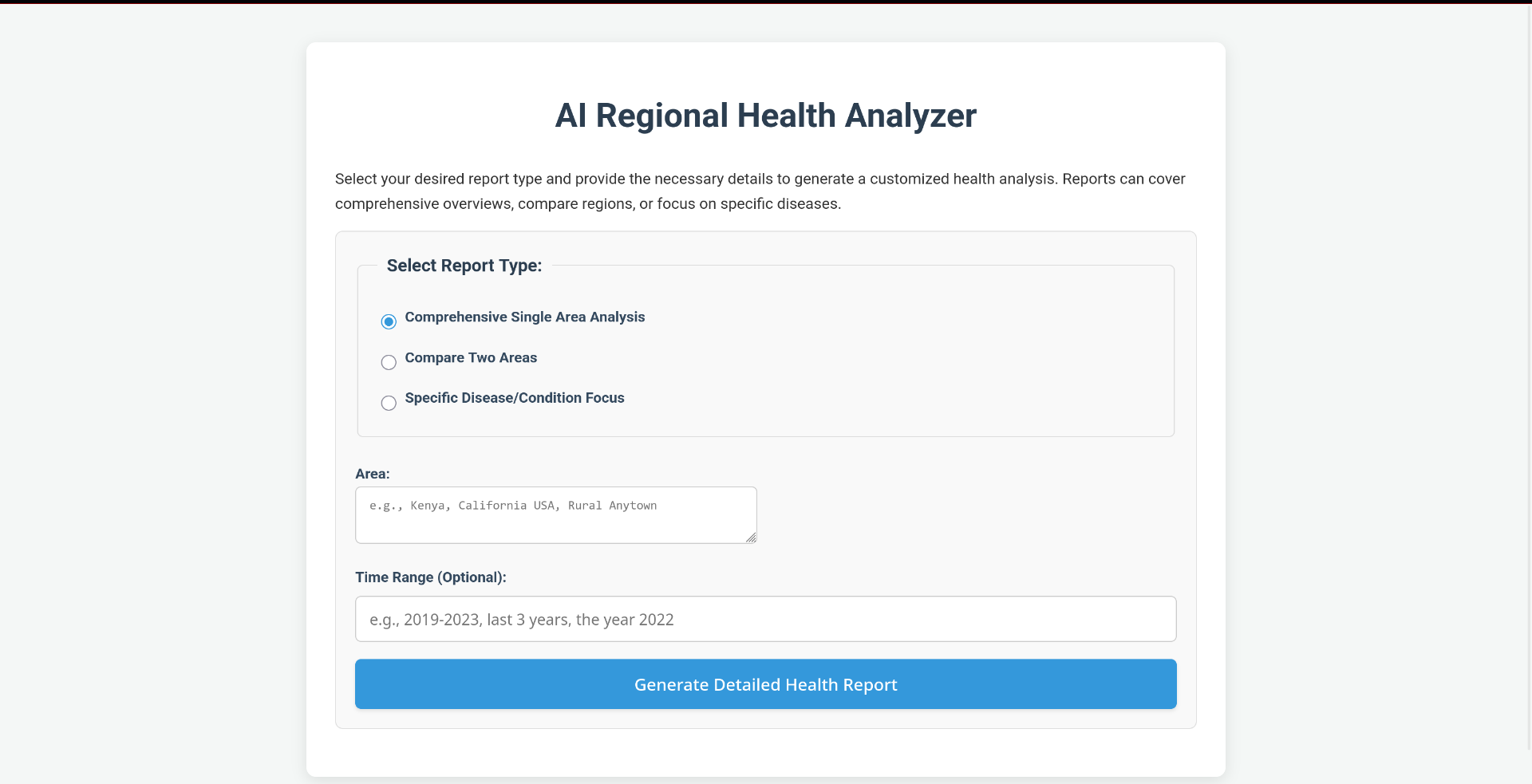
Detailed report generator with a wide variety of options to choose from, ensures extremely tailored & in-depth results.
-
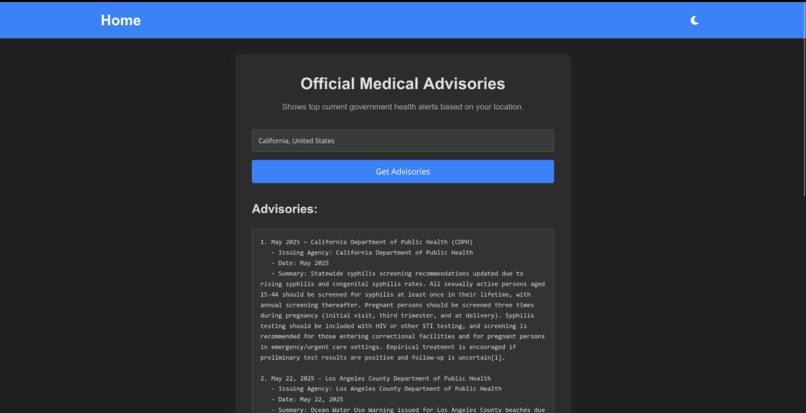
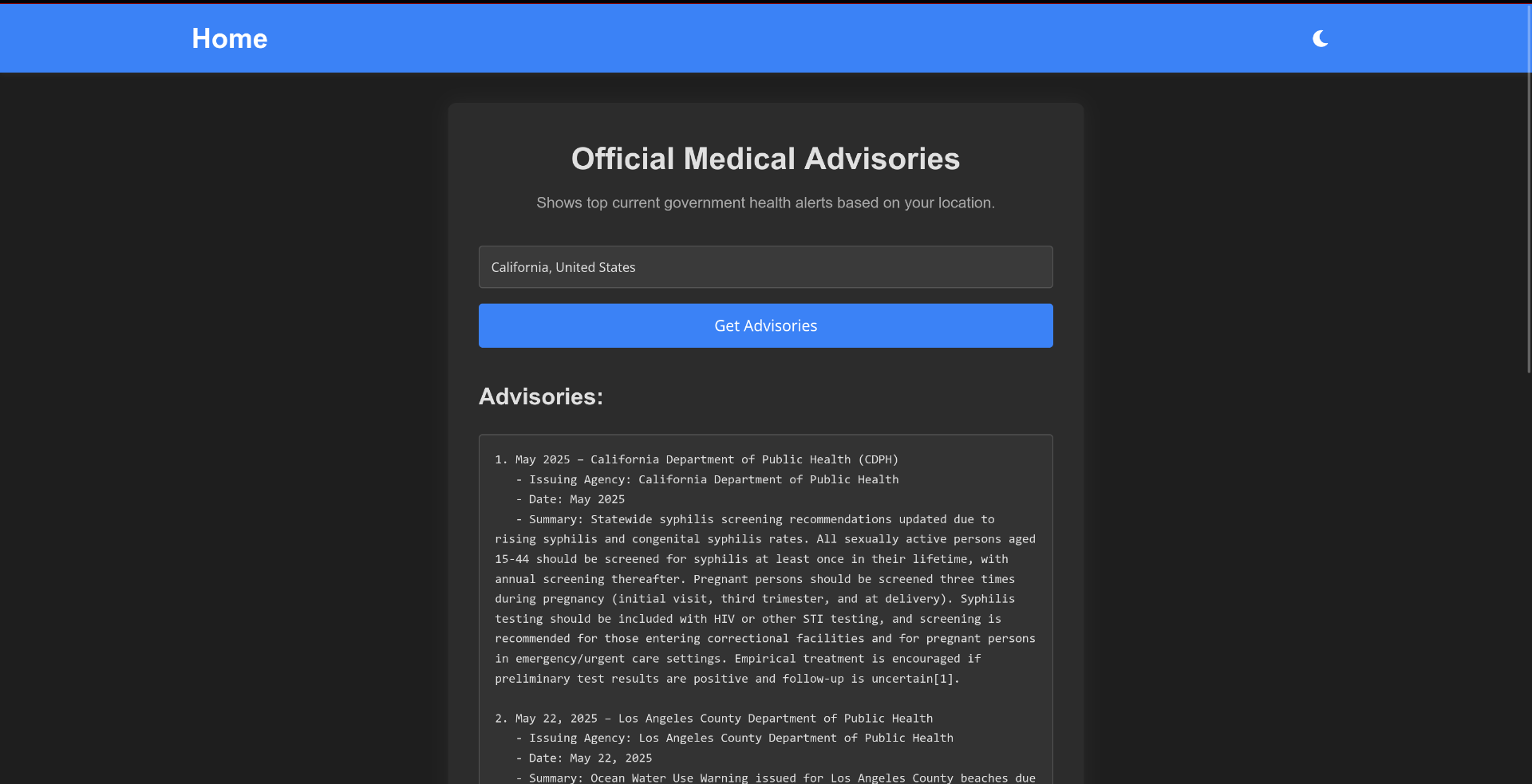
Shows the advisory issued by the respective govt. agencies in any region
-
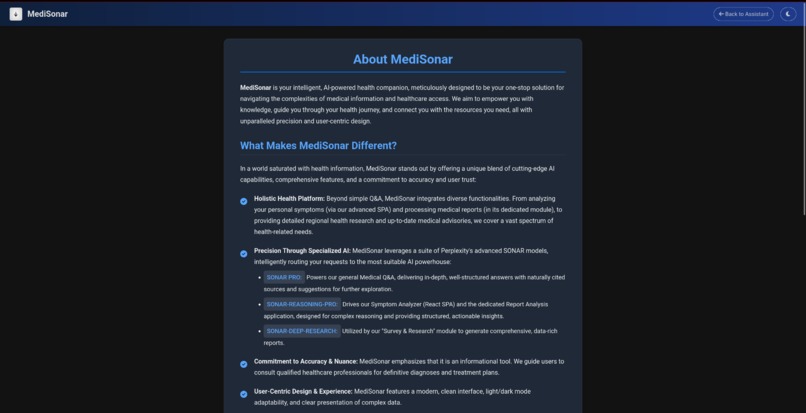
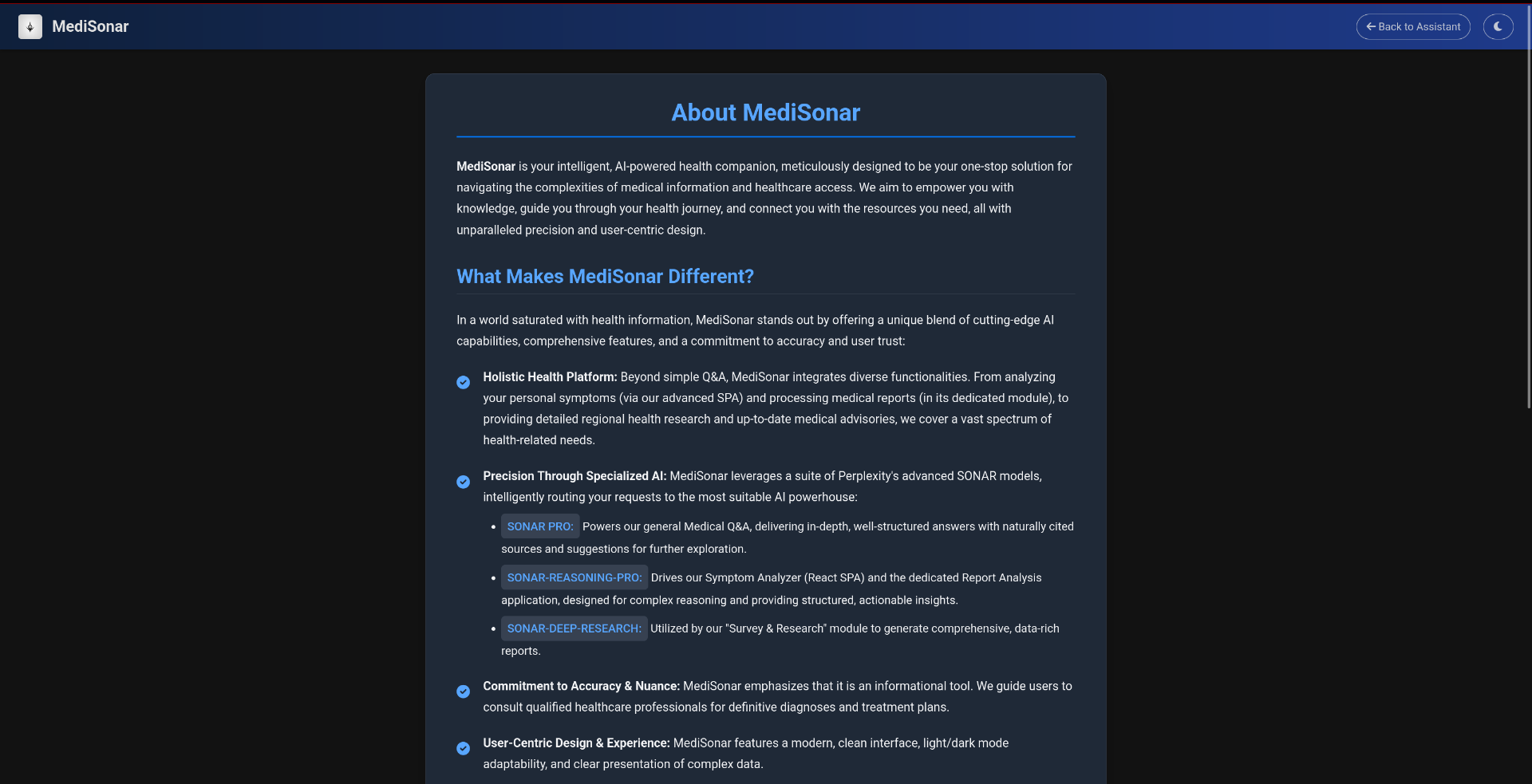
About us page
About MediSonar: An AI-Powered Health Intelligence Suite
The journey to create 'MediSonar' began with a simple observation: navigating the world of health information can be overwhelming, fragmented, and often unreliable. Patients, caregivers, and even students seek clarity amidst a sea of complex medical jargon and siloed data sources. We envisioned a unified platform that could not only answer general medical questions but also provide deeper, context-aware insights into personal symptoms, analyze medical reports with precision, and even explore broader public health landscapes. The goal was to democratize access to intelligent health information, making it more understandable and actionable for everyone, while always emphasizing the importance of professional medical consultation. The power of advanced AI, particularly specialized models like Perplexity's SONAR suite, seemed like the perfect catalyst to bring this vision to life.
What We Learned
This project has been an incredible learning experience, spanning both technical and conceptual domains:
- The Nuance of AI in Healthcare: We learned that while AI is immensely powerful, its application in healthcare requires extreme caution and clear communication about its limitations. It's a tool for information and preliminary analysis, not a replacement for doctors.
- Prompt Engineering is Key: The quality of AI output is directly proportional to the quality and specificity of the prompts. Crafting prompts to elicit structured data (like JSON for symptoms), ensure natural language source citation, or guide detailed report generation was a significant learning curve and an iterative process.
- Integrating Diverse AI Models: Understanding that different tasks benefit from different AI strengths (e.g.,
sonar-profor Q&A,sonar-reasoning-profor analysis,sonar-deep-researchfor extensive reports) and building a system to leverage this specialization was a core learning. - Full-Stack Integration Challenges: Connecting a Python/FastAPI backend with multiple static frontends and a React SPA involved navigating routing, CORS, static file serving, and API design complexities. The "single server" approach required careful namespacing and configuration management.
- User Experience for Complex Data: Presenting potentially complex medical information (like report analyses or regional health data) in a user-friendly, digestible format is paramount. This involved thinking about UI structure, data visualization (charts), and clear textual summaries.
- Iterative Development & Debugging: Building a multi-faceted application like this is rarely linear. We encountered and overcame numerous bugs, from simple import errors to complex AI response parsing issues, reinforcing the importance of systematic debugging and testing.
How We Built MediSonar
MediSonar is architected as a central FastAPI application serving as an orchestrator and API provider, with several integrated modules:
Backend (Python & FastAPI):
- The main FastAPI application handles core API logic for the main chat interface (Q&A, Symptoms initiated from main UI) and serves all frontend components.
- Specialized
APIRouterinstances were created for each integrated sub-application (Report Analyzer, Survey & Research, Advisories), encapsulating their unique backend logic and API endpoints. - Perplexity AI Integration: All AI-driven features utilize Perplexity's API, specifically routing queries to
sonar-pro,sonar-reasoning-pro, orsonar-deep-researchmodels based on the task, via carefully engineered prompts. API interactions are handled asynchronously usinghttpxor theopenailibrary (for Perplexity's OpenAI-compatible endpoint). - Data Persistence: The main chat assistant uses local JSON files (
conversations_by_mode.json,medical_summary.json) to store user interaction history for contextual AI responses. - Configuration: A central
.envfile manages API keys and model name configurations, accessed via a sharedconfig.pymodule or loaded directly by sub-app services.
Frontend:
- Main Chat Assistant UI: Built with HTML, CSS (including Bootstrap for modals and FontAwesome for icons), and vanilla JavaScript. It features distinct modes (Q&A, Symptoms), a theme toggle, chat history modal, and PDF chat download.
- Symptom Analyzer SPA: A dedicated Single Page Application built with React, Vite, TypeScript, and Tailwind CSS for a rich, interactive symptom input and results display experience. It communicates with a specific FastAPI endpoint.
- Dedicated Sub-Application UIs (Report, Survey, Advisories): These are implemented as static HTML, CSS, and JavaScript frontends, each tailored to its specific functionality and served by the main FastAPI app. They interact with their respective namespaced API endpoints.
- Styling: A combination of custom CSS, theme variables for light/dark modes, and Bootstrap (primarily for modals in the main app) is used. The React SPA utilizes Tailwind CSS.
Integration Strategy:
- The project follows a "single server" model where one Uvicorn instance runs the main FastAPI application, which in turn includes and serves all sub-applications.
- Static files for each sub-app are mounted under unique URL prefixes (e.g.,
/report-analyzer-static/). - API endpoints for sub-apps are namespaced using router prefixes (e.g.,
/report-analyzer/api/...).
Challenges We Faced
- Import Resolution & Packaging: Integrating multiple Python applications (originally standalone) into a single FastAPI project under a unified package structure (
medical-assistantand sibling sub-app packages) presented significant challenges with Python's import system. Ensuring correct relative and absolute imports that work both for linters/IDEs and at runtime with Uvicorn required careful attention to__init__.pyfiles and import paths. - Consistent Configuration Management: Ensuring all parts of the application (main app and all sub-apps) correctly and securely access API keys and model configurations from a single root
.envfile took several iterations. - AI Prompt Engineering for Structured Output: Getting the
sonar-reasoning-promodel to consistently return valid, complex JSON for symptom and report analysis required highly specific and iterative prompt design. Stripping an AI's internal "thought process" (e.g.,<think>blocks) while preserving the desired output was also a hurdle. - Frontend State Management for Multiple Chat Contexts: Designing the main UI to handle separate chat histories and UI states for different modes (Q&A, Symptoms) while ensuring a clean user experience on mode switching was complex.
- Static File Serving and API Routing for Integrated Apps: Correctly configuring FastAPI to serve the static frontends of each sub-application and route API calls to their respective routers, all under a single domain/port, needed meticulous path management.
- Debugging Asynchronous AI Responses: Tracing issues when AI responses were not as expected, or when parsing failed, required detailed logging at multiple stages (API call, raw response, cleaned response, parsed data).
- Scope Creep vs. "No Compromise": Balancing the ambition of a feature-rich application with the practicalities of development time and complexity was a constant challenge. Sticking to the "no compromise" on core functionalities while managing the integration of many parts was demanding.
Despite these challenges, the process of building MediSonar has been immensely rewarding, pushing us to learn and adapt across the full stack of web and AI development.
Built With
- axios
- bootstrap
- chart.js
- css
- fastapi
- framer
- html
- html2canvas
- javascript
- json
- jspdf
- marked.js
- motion
- openai
- pillow
- pypdf2
- python
- react
- react-hook-form
- sonarapi
- tailwind-css
- typescript
- uvicorn
- vite


Log in or sign up for Devpost to join the conversation.