-
-
-
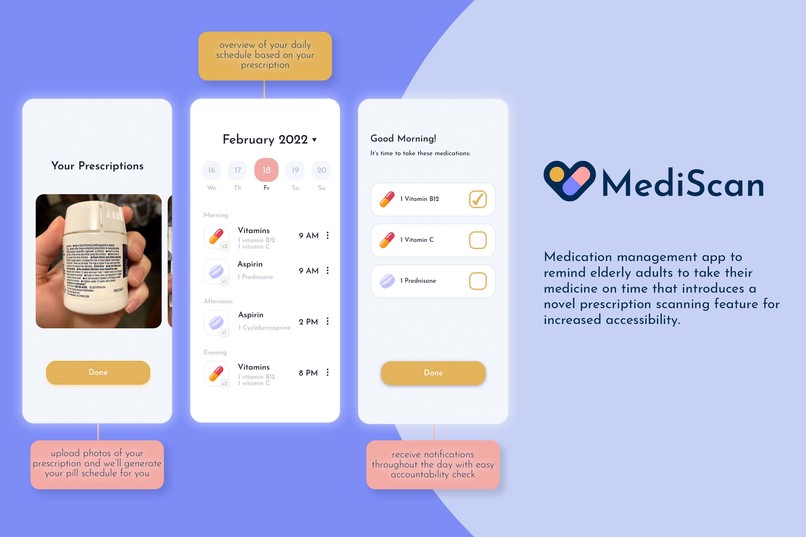
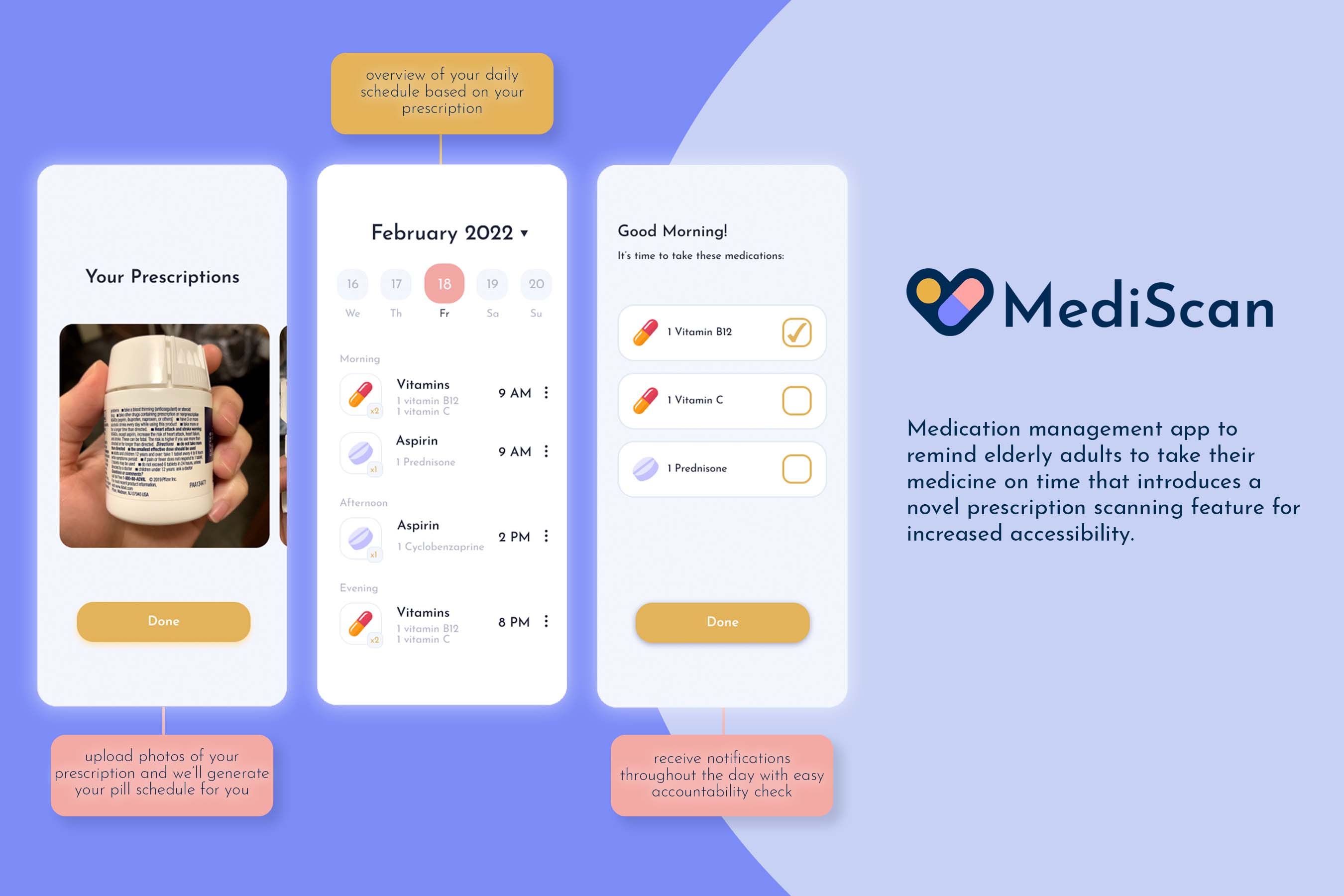
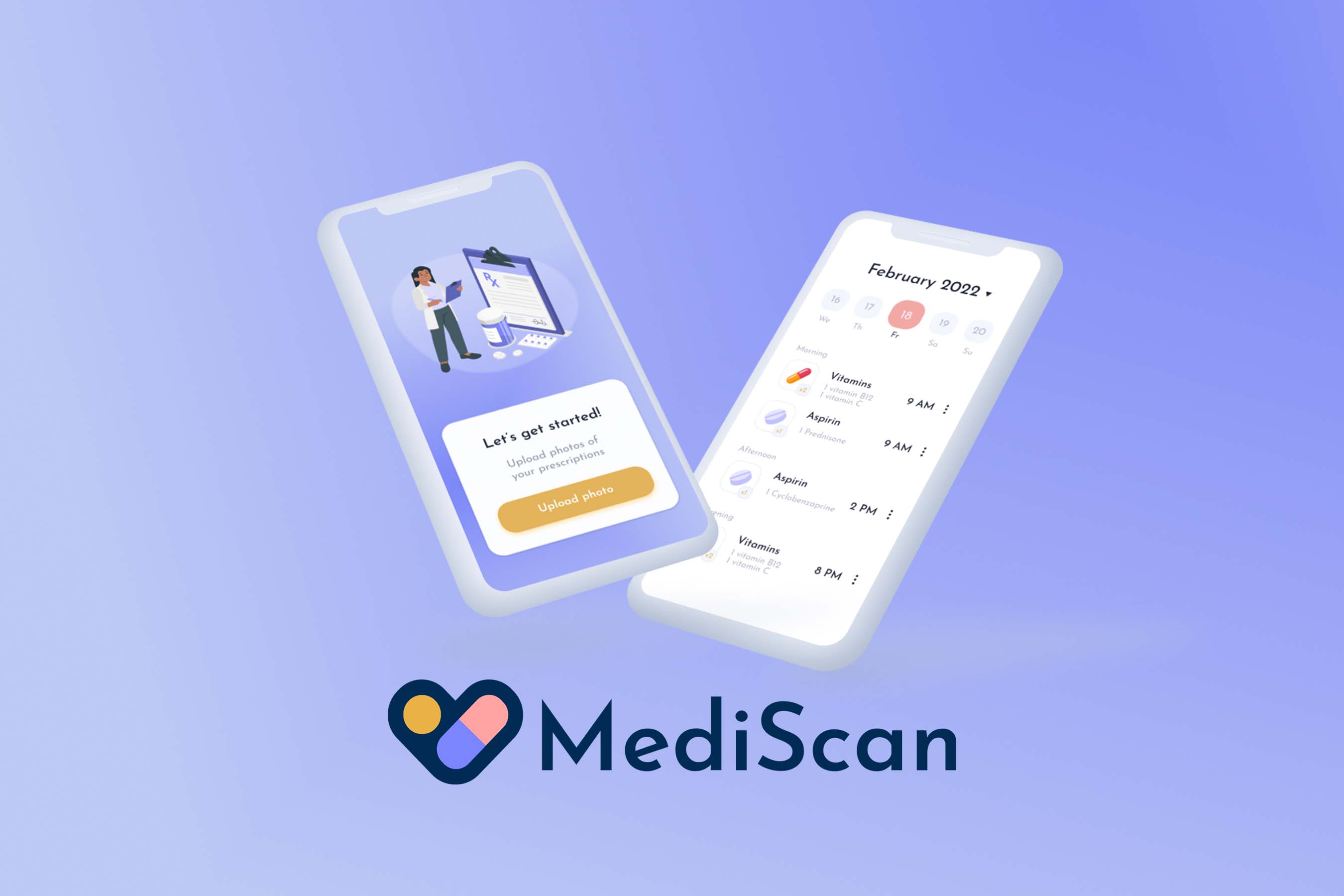
Mobile app main pages: upload/view prescriptions, daily calendar, and reminder tasks
-
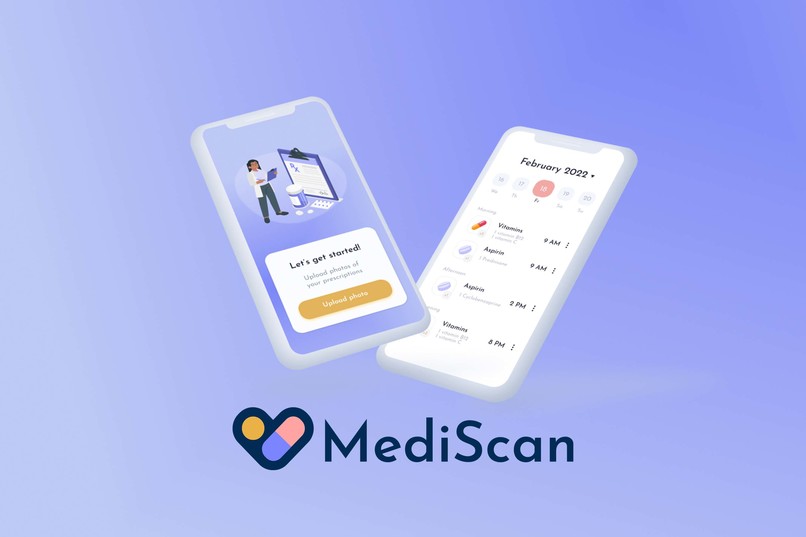
Landing pages
Inspiration
Medical technology has greatly advanced in the past decades, but what is the point of having tablets if patients forget to take them? According to the FDA, 50% of prescribed medication isn’t taken as directed by doctors and pharmacists, and the root cause of this is simply because users tend to forget when to take their prescriptions. This can lead to significant consequences, as it’s crucial to take certain medications at specific times of the day—for example, taking blood pressure drugs at night before going to bed can prevent heart attacks and strokes, and birth control pills must be taken at the same time every day to ensure optimal efficacy. Each year, 7,000 to 9,000 people die as a result of a medication error.
As young people in the tech industry, we rarely see people designing things for the elderly even though they face the highest risk in life-threatening health conditions. Thus, our team decided to create an all-in-one tool that helps adults manage their prescriptions while prioritizing ease of use and accessibility.
What it does
MediScan is a medication management app that creates a personalized schedule from uploaded prescription images. Our concept is two-fold: first, we target the issue of adults forgetting to take their daily prescriptions; and second, we acknowledge the technology gap across generations and make medication management as accessible as possible.
Scheduled reminders
MediScan creates a personalized schedule for the user every day based on their current prescriptions. It then sends a notification at the appropriate time to remind the user to take their medication(s) as directed. There is also a daily view to allow users to keep track of their medicine intake. These frequent daily notifications will ensure users take all of their prescriptions on time.
Add prescription from image
The concept of a pill reminder app is not new; there already exists multiple functional apps that achieve the same goal of helping users take their prescriptions on time. However, these existing apps require the user to manually enter their prescription based on the label. This could be an issue to users with limited health literacy or those who are visually impaired, both of which are common among the elderly. As a result, errors can occur when users misread their prescriptions or input incorrect information into the app, which could be fatal.
To target this problem, we incorporate a novel feature that allows users to take or upload a photo of their prescription. MediScan then analyzes the image and extracts the relevant information from the prescription (name of drug as well as quantity and frequency) so that the user doesn’t have to. They then confirm this information and MediScan will automatically import the prescription to their profile and calendar. No other user inputs are necessary!
How we built it
The backend of MediScan relies on optical character recognition (OCR) and natural language processing (NLP) techniques. We leverage the use of the Tesseract OCR engine to extract prescription information from images of prescription bottles that users upload. From there, we perform NLP that analyzes the extracted text to parse information such as the name of the drug, how often it should be taken, and how many pills/tablets should be taken at once. Both OCR and NLP are done with javascript. This information is then compiled into a calendar-esque application that is user-friendly and easy to manage. The frontend of MediScan is built with React Native and designed from scratch with Figma.
Challenges we ran into
We ran into two significant challenges: extracting text accurately from the images and also creating a native iOS app for the first time. Extracting text from the images was made difficult from the inconsistencies of the image, from the background to the skewness to the variation in colors and font color/size. To tackle this, we used image preprocessing techniques to aid in the accuracy of the optical character recognition (OCR). We binarized and blurred the image, turning it into a high-contrast and slightly blurred gray-scale image that makes OCR significantly more effective. To tackle the challenge of building an iOS app, we relied on what we were familiar with to build our ideas before developing it in react native. We transferred our experience in React.js over to React native while also relying on Figma to design components. We also created standalone scripts for the OCR and natural language processing steps of the app as proof of concepts before integrating the code with the iOS app.
Accomplishments that we're proud of
We’re proud of the design and concept of the application. We were able to design a thoroughly thought out application that’s clean, functional, and user-friendly. On top of that, our application tackles an important demographic in the elderly that is often overlooked, and it has the potential to create a large impact on the lives of many people. Most importantly, we’re proud of how we were able to build our first react native iOS app while multiple team members learned JavaScript for the first time. We were each able to pick up new skills to contribute significantly to the application, growing both as hackers and collaborators.
What we learned
We learned tremendously about the end-to-end development of a standalone application. We learned how to put together and combine the design elements, front-end, and back-end of the application. In each of these parts, we also developed new skills using different technologies such as Figma, React Native, and Javascript. We also learned how to develop an iOS application for the first time, as well as how to streamline workflow between each of the team members.
What's next for MediScan
Next steps for MediScan include fine tuning the OCR and text processing to be faster and more robust, adding push notifications to the application, and adding the app to the app store for the public to use. There are further improvements that can be made with the OCR that involve more complex image processing techniques and potentially machine learning additions, and this will benefit the text processing as well, which could be further expanded to be more robust with the type and format of the description. Finally, we want to continue to polish the application in order to publish it on the app store and have it be enjoyed by the general public.

Log in or sign up for Devpost to join the conversation.