Inspiration
In a medical emergency, time is everything. When paramedics arrive at a scene, they often know almost nothing about the patient. They might not know about allergies, medications, or existing health conditions. If the wrong medication is given to someone with an unknown allergy, it could make the situation much worse.
We started thinking about one simple question: What if emergency responders could instantly see a patient’s medical history and get AI support at the same time?
Many of us have seen situations where important medical information wasn’t available when it was needed most — like when someone is rushed to the ER and can’t speak for themselves. MediPulse was created from that problem. We believe AI shouldn’t just exist for convenience, it should help save time and possibly lives when every second matters.
What It Does
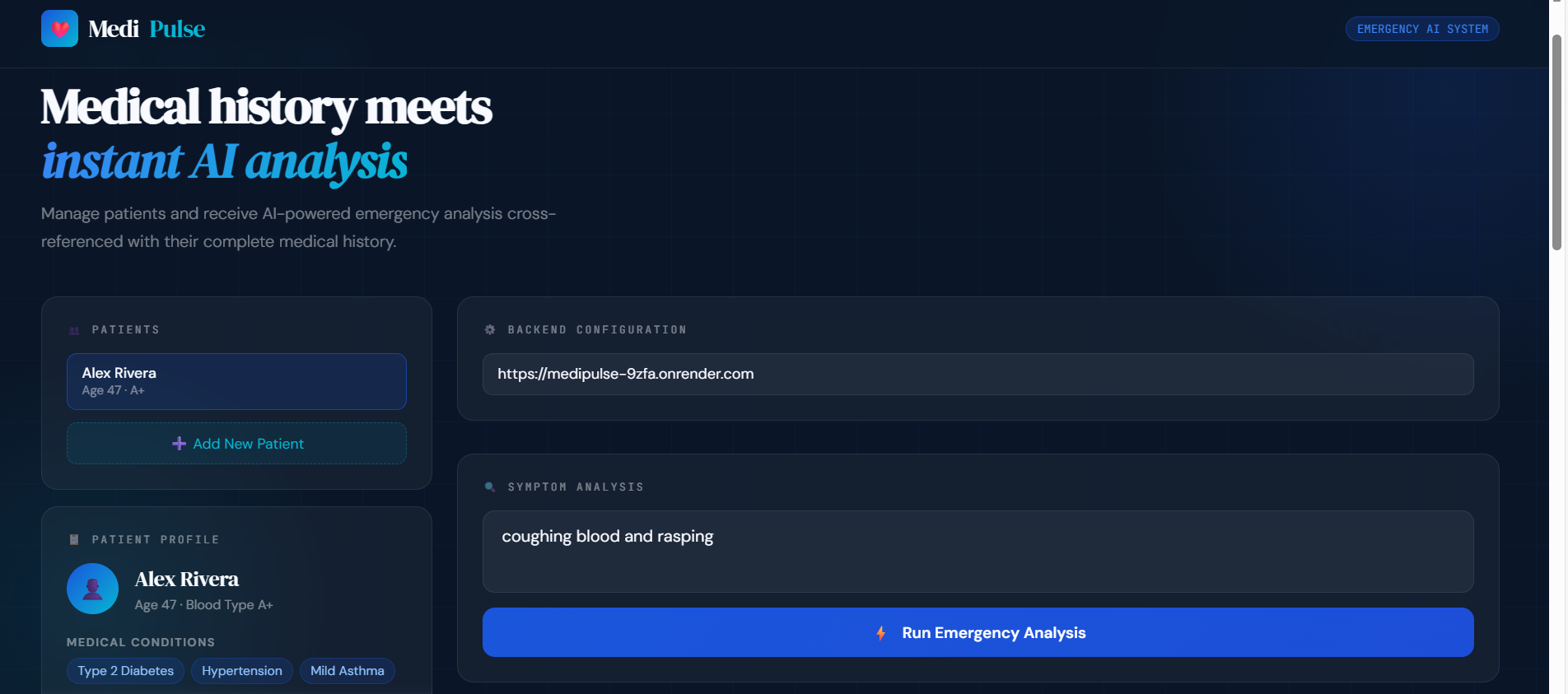
MediPulse is an AI-powered emergency medical support system. It stores a patient’s medical profile and uses AI to analyze symptoms based on that specific history.
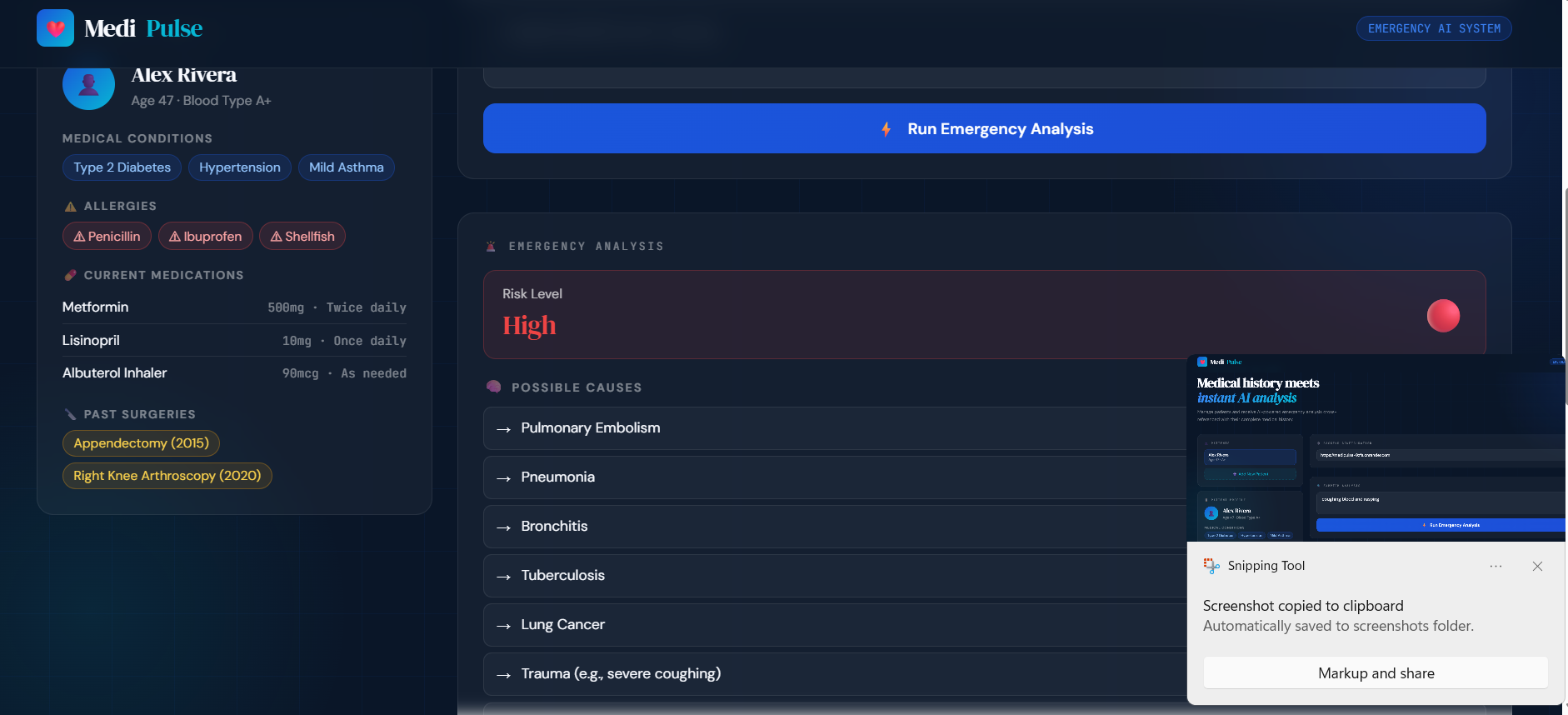
When someone enters a symptom, MediPulse quickly generates:
- Possible causes connected to the patient’s conditions
- A risk level (Low, Medium, or High)
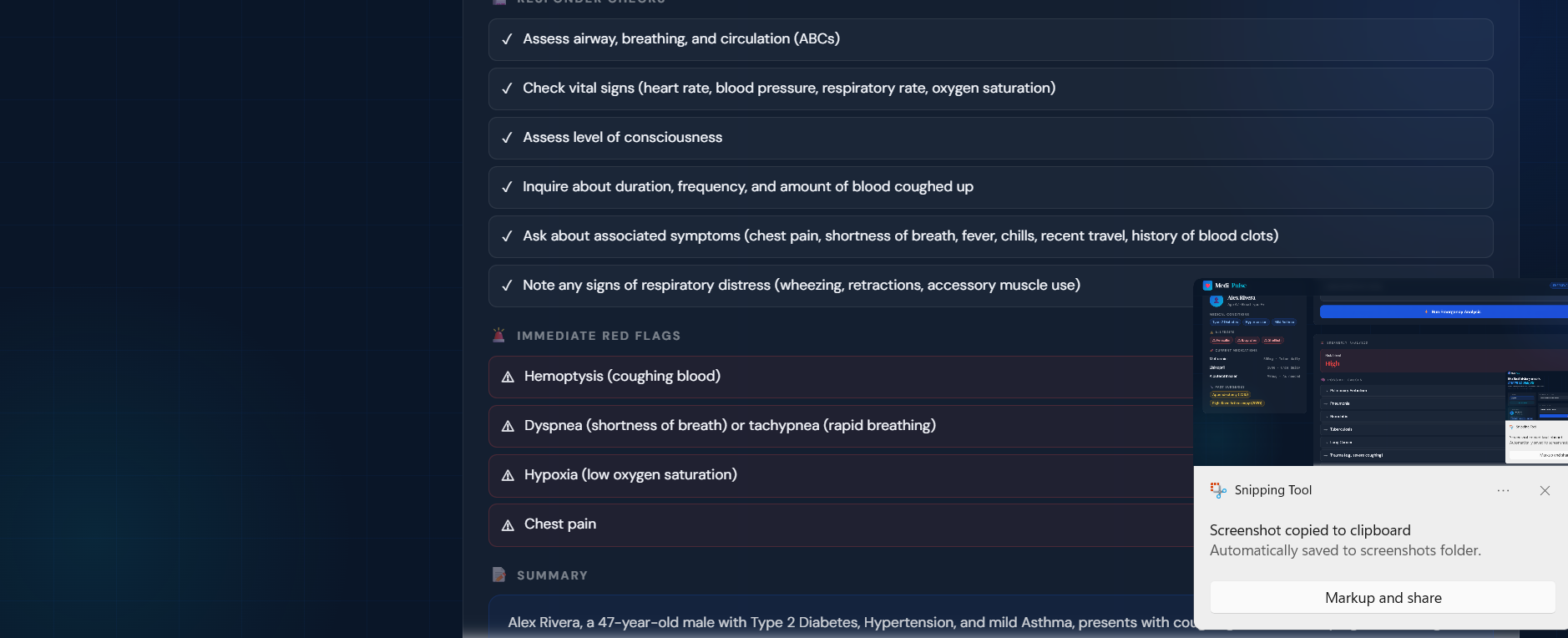
- A checklist of what responders should check immediately
- Red flags related to allergies or medications
- A clear, simple summary that first responders can understand fast
You can add multiple patients, switch between them, or delete profiles. This makes it useful for families, small clinics, or demonstration purposes.
Instead of giving general medical advice, the AI looks at the patient’s actual history. The risk level depends on how serious the symptom is and how it connects to the person’s existing conditions.
How We Built It
We built MediPulse using both a backend and a frontend.
Backend, Python + FastAPI
We used FastAPI to create a simple REST API. It includes endpoints to:
- Check if the server is running
- Add patients
- View patients
- Delete patients
- Analyze a symptom
When the analyze endpoint is used, the backend combines the symptom with the patient’s full medical history. It then sends that information to an AI model using the OpenRouter API. The AI sends back structured results, which we display in the app.
Frontend — HTML, CSS, and JavaScript
The frontend is built using plain HTML, CSS, and JavaScript — no frameworks. It connects to the backend using the browser’s built-in fetch() function.
The page updates dynamically when patients are added or when an AI analysis is returned. The results are shown in a clear dashboard layout so they are easy to read quickly.
AI Integration
One challenge was making sure the AI returned clean, organized data instead of random paragraphs. We designed the prompt carefully so the AI would respond in structured JSON format.
The backend then reads that JSON and maps each part (risk level, red flags, summary, etc.) into the correct section of the dashboard.
Challenges We Faced
API restrictions — We tried multiple AI providers, but some had region limits or usage caps. We eventually switched to OpenRouter, which gave us more flexibility.
Structured output — The AI didn’t always return perfect JSON at first. We had to adjust our prompts carefully to make sure the output stayed consistent.
Environment variables on Windows — Setting up environment variables in PowerShell was different from Mac/Linux, which caused some confusion early on.
CORS errors — Since our frontend and backend run on different ports locally, we had to configure CORS properly so the browser would allow communication between them.
Each of these problems slowed us down at first, but solving them helped us understand full-stack development better.
Accomplishments We’re Proud Of
- We built a fully working AI-powered full-stack application during a hackathon.
- The AI responses are actually personalized to each patient’s medical history.
- The interface looks clean and professional.
- We successfully implemented multi-patient management.
- We adapted quickly after running into multiple API provider issues.
Most importantly, the system works — and it works in a meaningful way.
What We Learned
- Small changes in AI prompts can completely change the quality of responses.
- FastAPI makes it very fast to build functional APIs.
- Free AI tools come with real limitations like rate limits and region blocks.
- Connecting frontend and backend smoothly is often harder than building them separately.
We also learned how important structure is when designing AI tools for serious topics like healthcare.
What’s Next for MediPulse
We have several ideas to improve MediPulse:
- QR code patient cards that paramedics can scan
- A real database so data doesn’t disappear when the server restarts
- Secure login and authentication
- Voice input for hands-free use
- Integration with wearable devices for real-time vitals
- Offline access for emergencies without internet
- Multi-language support
Our goal is simple:
Medical History + AI + Speed = Better Emergency Response
Built With
- openrouter
- python
- vscode


Log in or sign up for Devpost to join the conversation.