-
-
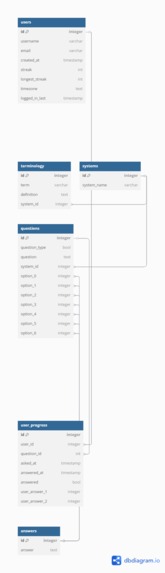
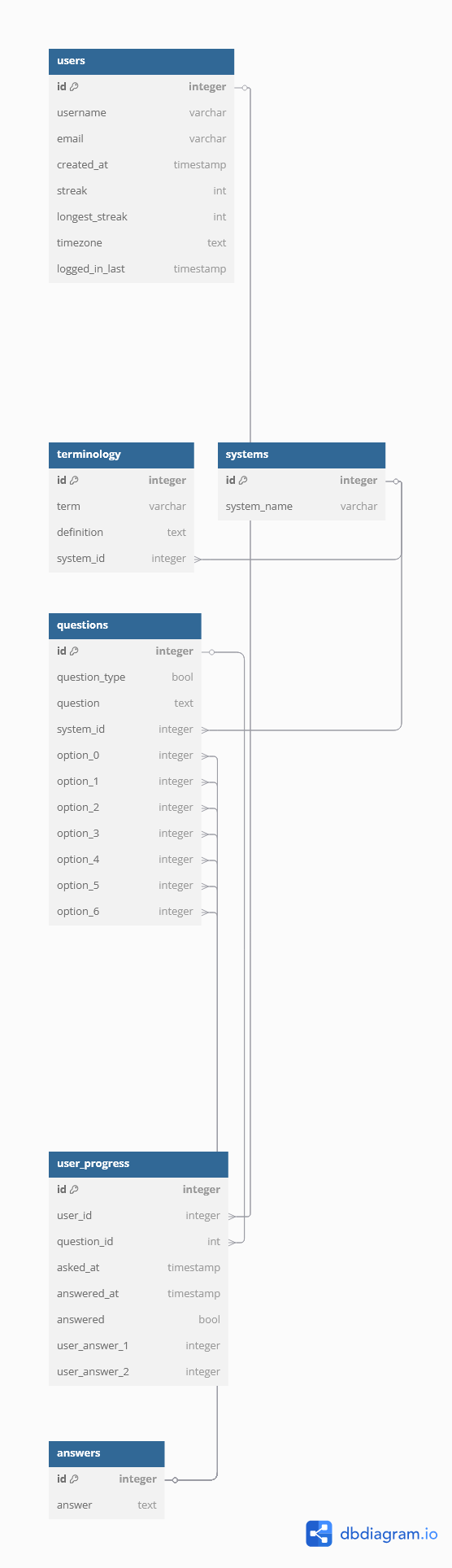
Database Schema
-
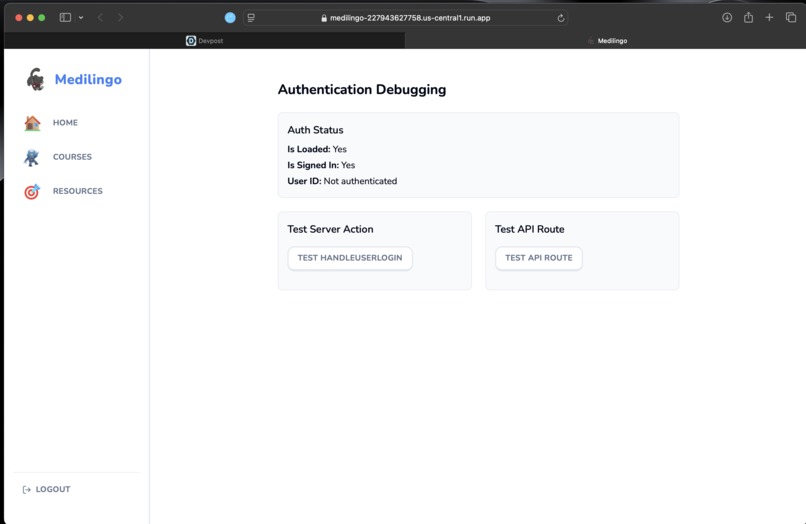
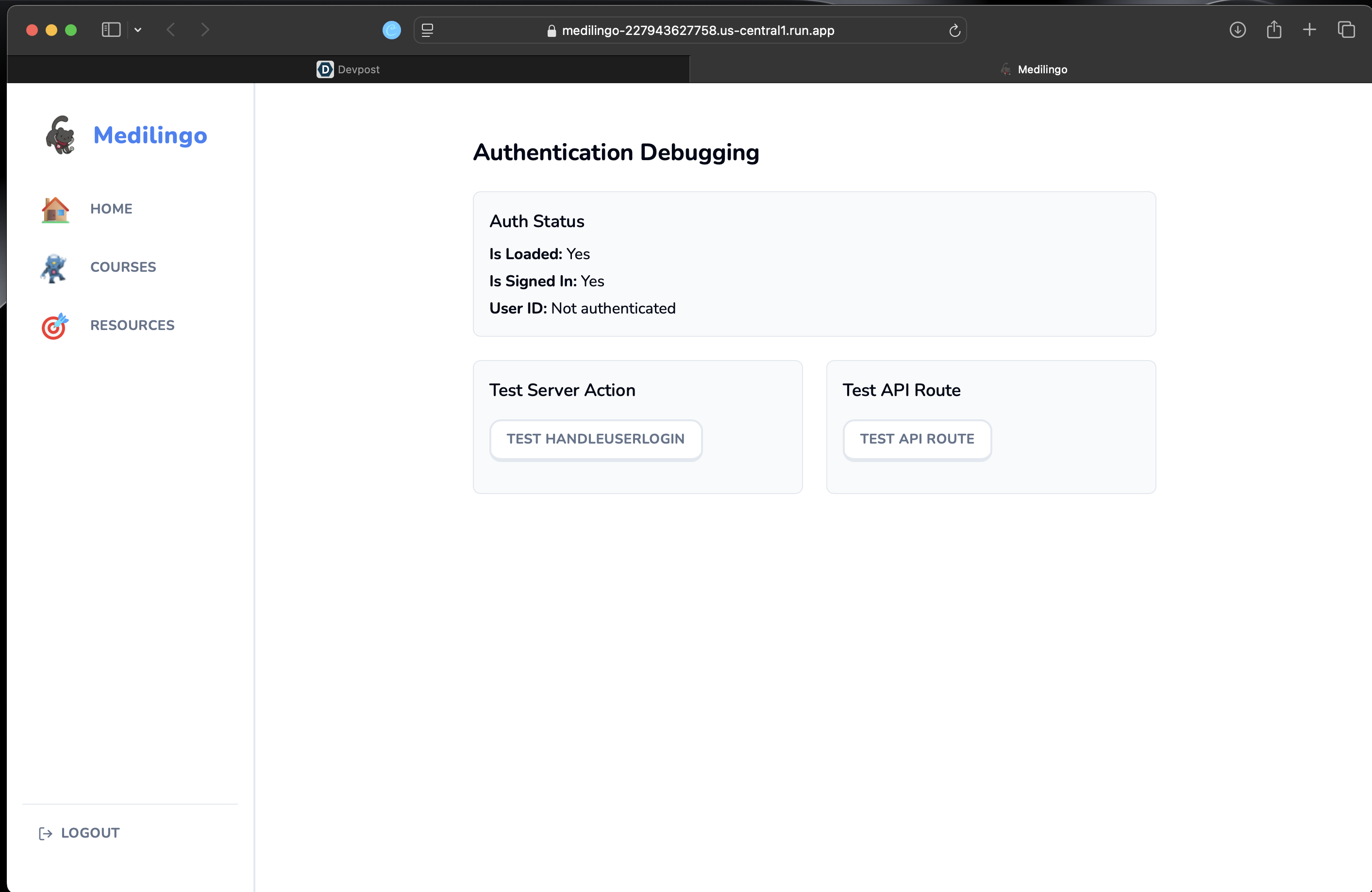
Authentication Debugging
-
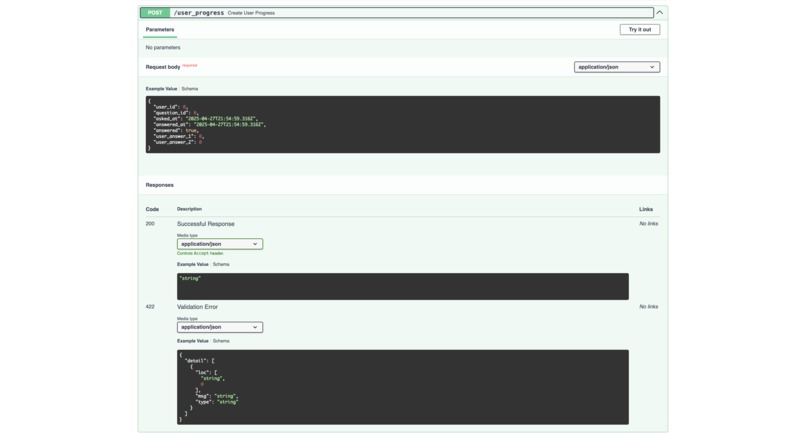
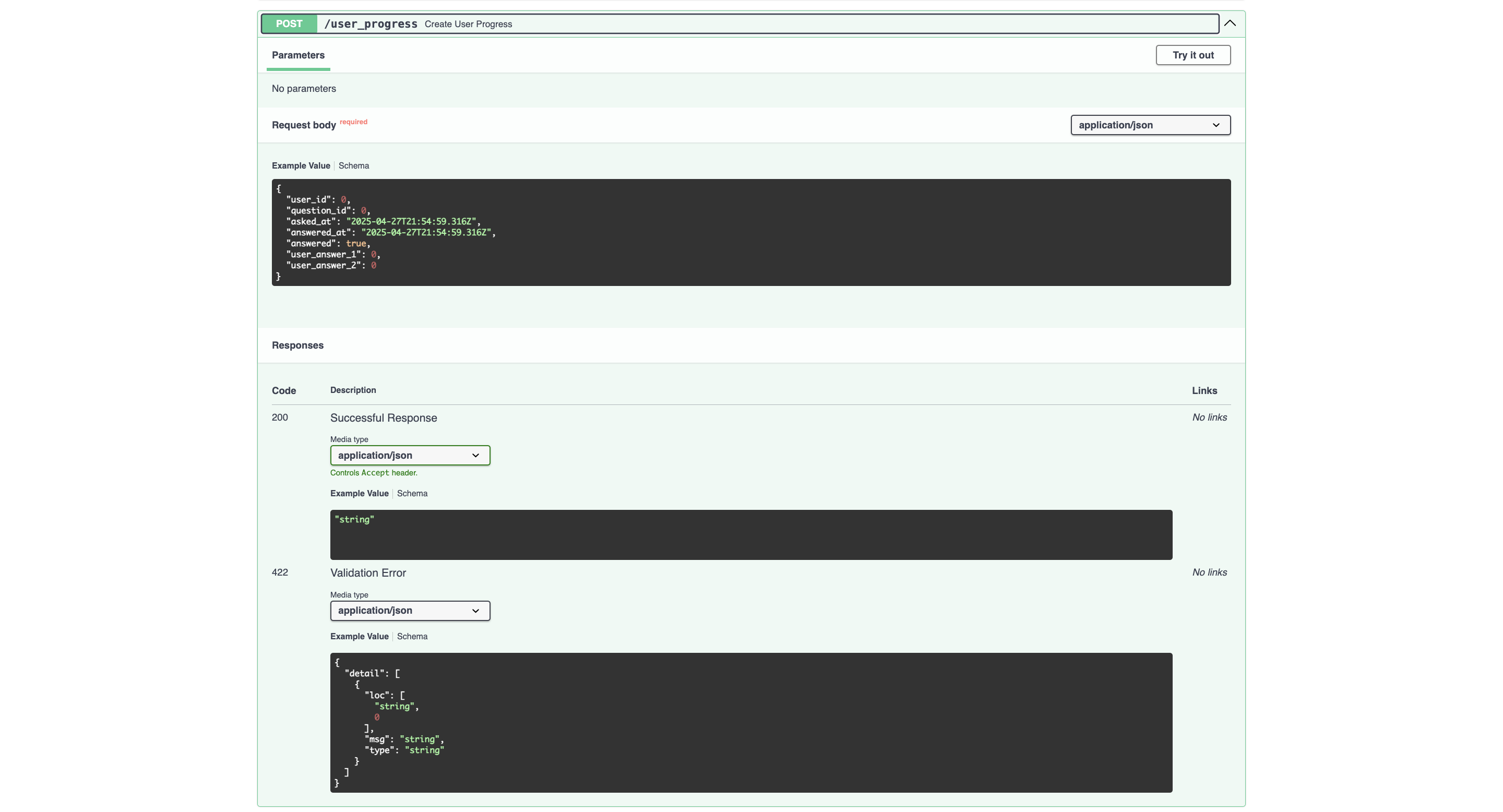
User Progress API
-
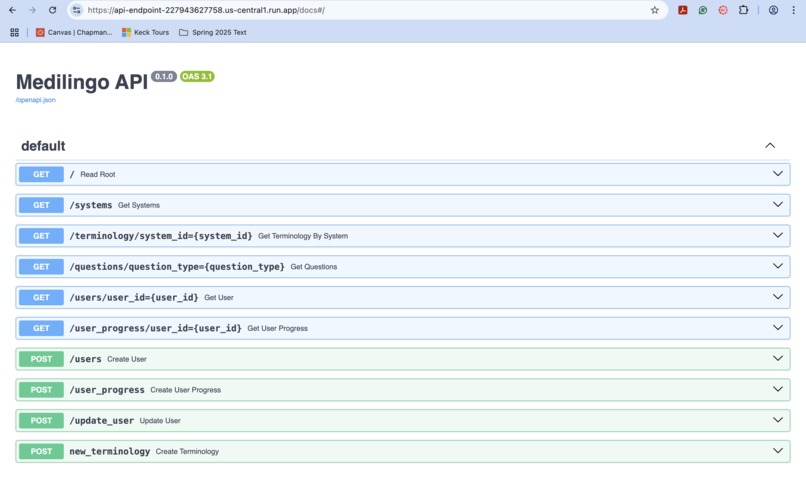
General API
-
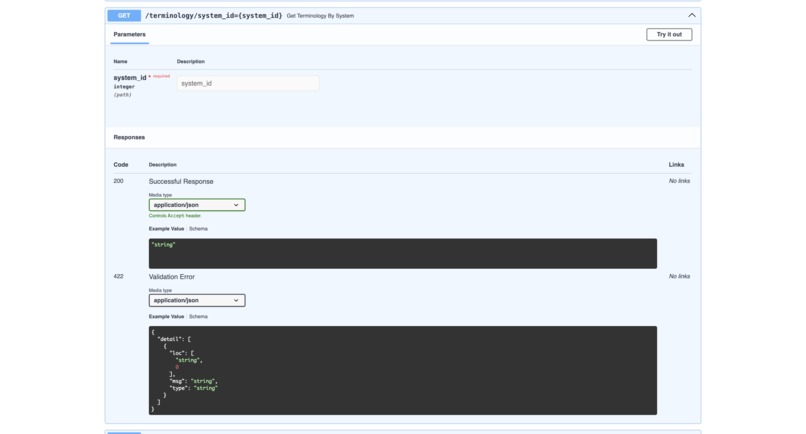
Terminology API
Here is the video link: https://drive.google.com/file/d/1AexYDP_1MDveEQGlrTWxcriCpfGZqY_i/view?usp=sharing
Inspiration
Our healthcare project was inspired by Duolingo, an interactive language learning application. Furthermore, we wanted to create a fun, interactive, and accessible way for future and current medical students to learn key terminology related to the human body systems. Our goals are rooted in making learning fun and accessible for all. With the ever-growing field of machine learning and artificial intelligence in medicine, we wanted our healthcare project to be made for future healthcare providers and the expansion of medical knowledge. We wanted this platform to help users learn medical terms or locations and provide users with an engaging experience through “game-like” features, personalized learning, fun daily quotes, and credible transparency on the resources used. Finally, our non-negotiable aspect of this platform is providing a free and open-source solution that’s easily accessible by any type of user, regardless of their medical background. We wanted to reduce the paywall often associated with personalized learning and review. In short, we wanted our platform, Medilingo, to be a free, open-sourced platform that users can easily access to improve their medical knowledge or hidden passion.
What it does
Medilingo is designed to make learning medical terminology more enjoyable, effective, and less overwhelming for users, especially current or future medical students, studying the human body systems. Some of the key features of the app are listed below:
- Inspirational Quote of the Day: Motivates learners to continue learning or have a quote to reflect throughout their day
- Streak Tracker: Helps users track their progress and stay motivated to continue learning (Non functional at the moment but will be implemented in future iterations)
- Active Courses: Shows the interactive courses that the user is currently enrolled or completing
- Favorited/Starred Terminology: Allows users to favorite or star the flashcards they enjoyed or need to continue learning or practicing.
- Different Modes of Learning: Users are able to choose how they would like to learn the information
- Flashcards: Allows students to practice the terminology in a flashcard format
- Multiple Choice Practice: Provide multiple choice quizzes to test the user’s knowledge on the terms, definitions, and similar questions
- Fill-in-the-Blank Practice: Users are given a sentence or prompt with a blank section so they can fill in the missing information
- Flashcards: Allows students to practice the terminology in a flashcard format
- Additional Resources: Each system’s terms, definitions, and questions were sourced from credible external resources. Additionally, the link to these sources for further reading or video watching is added to encourage students to further their learning and read more about each system.
How we built it
- Built the frontend using Next.js and Tailwind CSS for responsive, modular design.
- Connected the frontend to a custom REST API pulling live data from a PostgreSQL database, hosted on Google Cloud Virtual Machine.
- Implemented session-based flashcard progress tracking without requiring user login.
- Integrated text-to-speech functionality using the Web Speech API for improved accessibility.
- Focused on clean, consistent UI/UX design with modular React components.
- Used Git and GitHub for version control and handled manual conflict resolution where necessary with frontend deployment on Google Cloud Run for CI/CD with a Dockerfile.
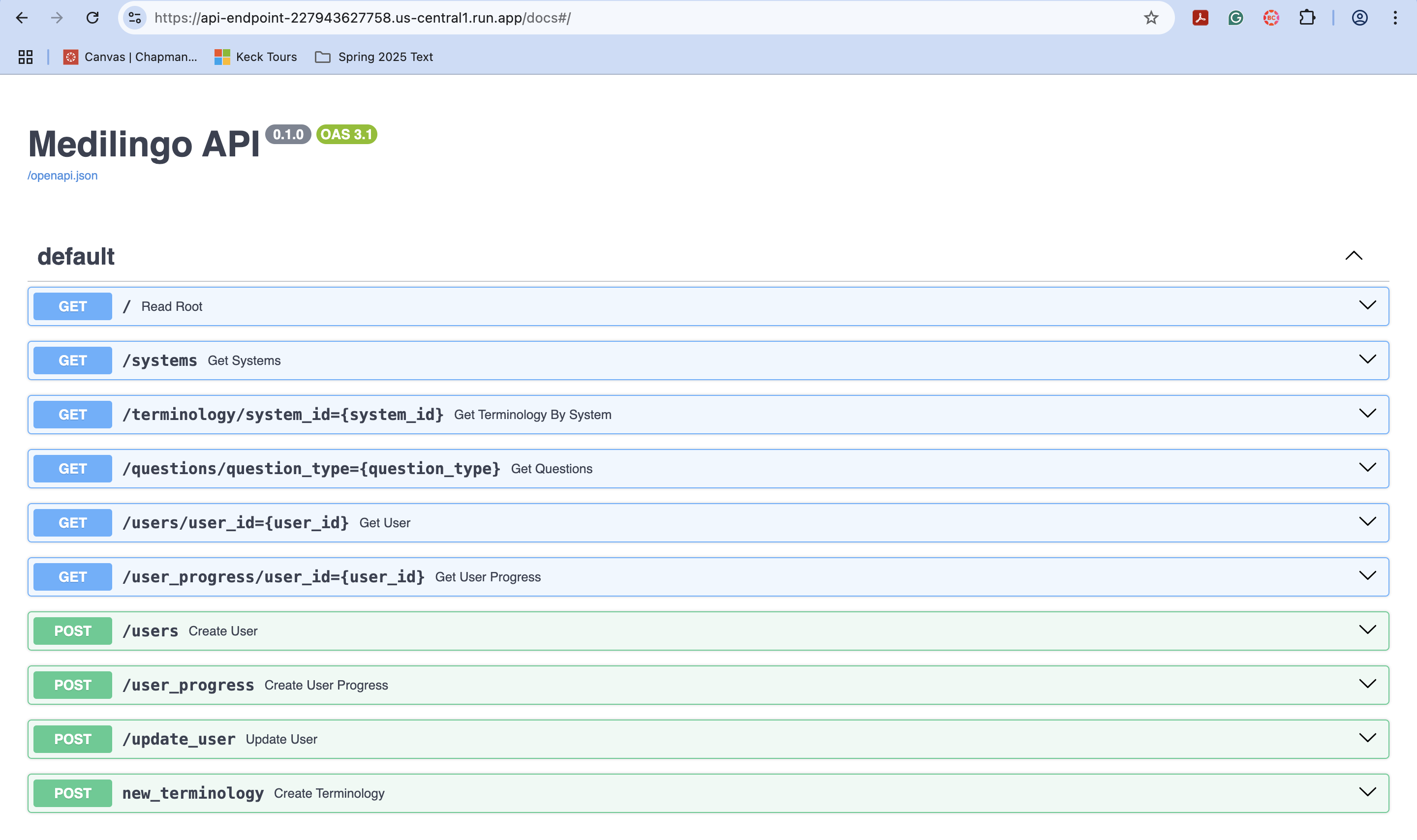
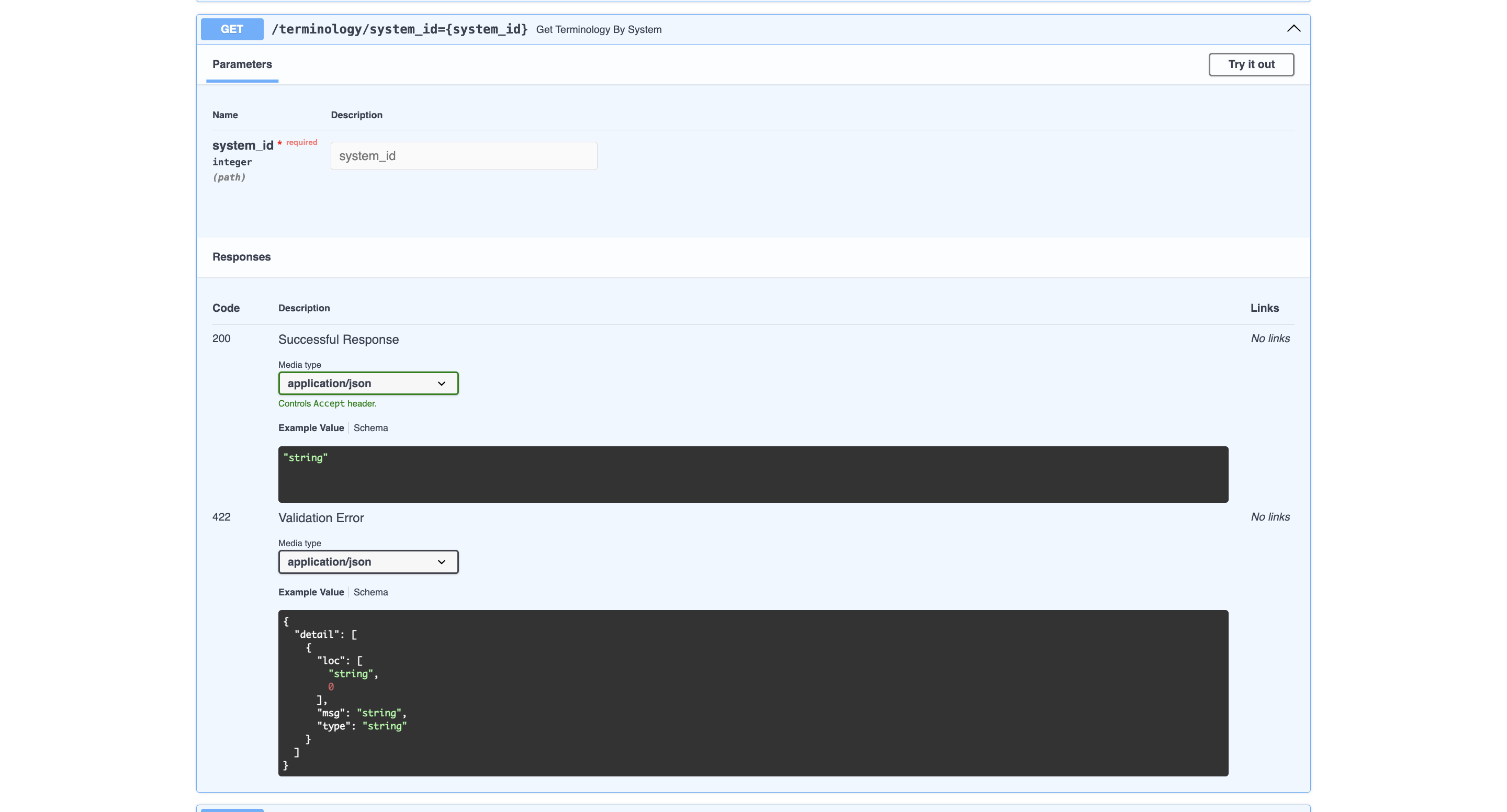
- Deployed the backend API to Google Cloud Run and documented endpoints via Swagger UI.
Challenges we ran into
- Resolved Git merge conflicts between conflicting branches
- Setting up OAuth login/logout updates and traditional login flows.
- Could not fully set up persistent user data early on, requiring temporary session-only tracking.
- Faced issues integrating text-to-speech across multiple flashcard and dashboard components.
- Dealt with outdated dependencies like caniuse-lite, which resulted in occasional build errors.
- Balanced rapid feature expansion with maintaining modular, readable code.
- Designed fallback user progress indicators when full backend progress tracking wasn't available.
- Ensured smooth user experience despite not being able to save cross-session data early in development.
- Cloud Deployment Challenges:
- Learned how to deploy a live REST API using Google Cloud Run.
- Navigated configuring environment variables, scaling settings, and CORS headers properly for frontend-backend communication.
- Debugged latency and cold-start issues typical with serverless deployments.
- Learned how to deploy a live REST API using Google Cloud Run.
- API Challenges:
- Structured API endpoints to cleanly separate concerns (e.g., terminology fetching vs user progress).
- Handled cases where API responses needed better error handling or validation.
- Ensured database schema design (foreign keys, relations) aligned well with API access patterns.
- Structured API endpoints to cleanly separate concerns (e.g., terminology fetching vs user progress).
Accomplishments that we're proud of
- Deploying on the cloud
- Setting up Virtual Machines to host the SQL database
- Connecting an API
- Successfully created a polished, domain-specific medical education app.
- Achieved dynamic flashcard loading from live backend API data instead of static examples.
- Built a session-only progress tracking system that kept users engaged without needing persistent login.
- Added accessibility features like text-to-speech to make learning more inclusive.
- Elevated visual design with professional UI polish, hover animations, and proper text alignment.
- Maintained clean separation between backend API logic and frontend presentation layers.
- Adapted flexibly to missing backend features without sacrificing user experience quality.
What we learned
- Schema-driven design: How to structure relational database tables (users, systems, terminology, questions, progress) cleanly from the start, and think ahead for scalability.
- API-first thinking: How to plan app logic and page flows based directly on live API endpoints rather than hardcoded assumptions.
- Session vs persistent state: Understanding when to rely on backend storage (e.g., for user streaks) and when session-only local tracking was sufficient (e.g., temporary flashcard progress).
- Conflict resolution in git: Resolving Git merge conflicts (e.g., OAuth login buttons vs link-based login) by choosing the correct versions carefully.
- Improving visuals: Learning that even without deep backend dependencies, you can make an app feel complete and polished by adjusting UI/UX (e.g., replacing broken progress bars with session-based counters).
- Importance of user-centered design: Small touches like hover animations, clear text alignment, and soft shadows improved the user's feeling of professionalism and engagement.
What's next for MediLingo
- Introduce personalized daily challenges based on the user's weak areas or past mistakes.
- Logging user information to have a more personalized experience that is not dependent on browser caching
- Improve accessibility with additional features like keyboard navigation and ARIA labels.
- Add multiplayer modes or friend leaderboards for competitive learning options.
- Optimize mobile responsiveness and launch a progressive web app (PWA) version.
- Improve mini-games library (e.g., matching games, timed quizzes, case studies) and integrate with API
- Implement real-time in-session saving of flashcard progress using sessionStorage or localStorage fallback.
- Continue UI/UX polish with animated transitions, better onboarding flows, and dynamic “learning paths”
- Implement dynamic progress bars
Built With
- and-user-progress-tables)-api/backend:-custom-rest-api-built-with-fastapi-deployed-on-google-cloud-run
- ci/cd
- documented-using-swagger/openapi-cloud-services:-google-cloud-run-(api-hosting)
- fastapi
- git
- github
- google-cloud-run
- google-cloud-sql
- google-sign-in
- javascript
- lucide-icons
- lucide-icons-state-management:-react-hooks-(usestate
- next.js
- node.js
- openapi
- postgresql
- questions
- shadcn-ui
- sql
- sql-frontend-framework:-next.js-(using-the-app-router)-ui/component-libraries:-tailwind-css
- swagger
- swagger-ui
- systems
- tailwind-css
- terminology
- typescript
- useeffect);-sessionstorage-for-temporary-session-tracking-authentication:-nextauth.js-(oauth-with-google-sign-in)-database:-postgresql-(with-a-schema-including-users


Log in or sign up for Devpost to join the conversation.