-
-
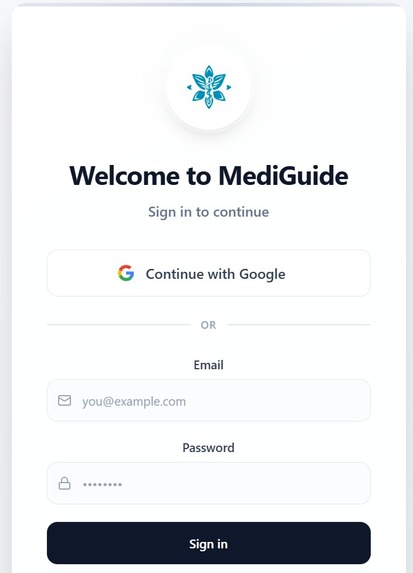
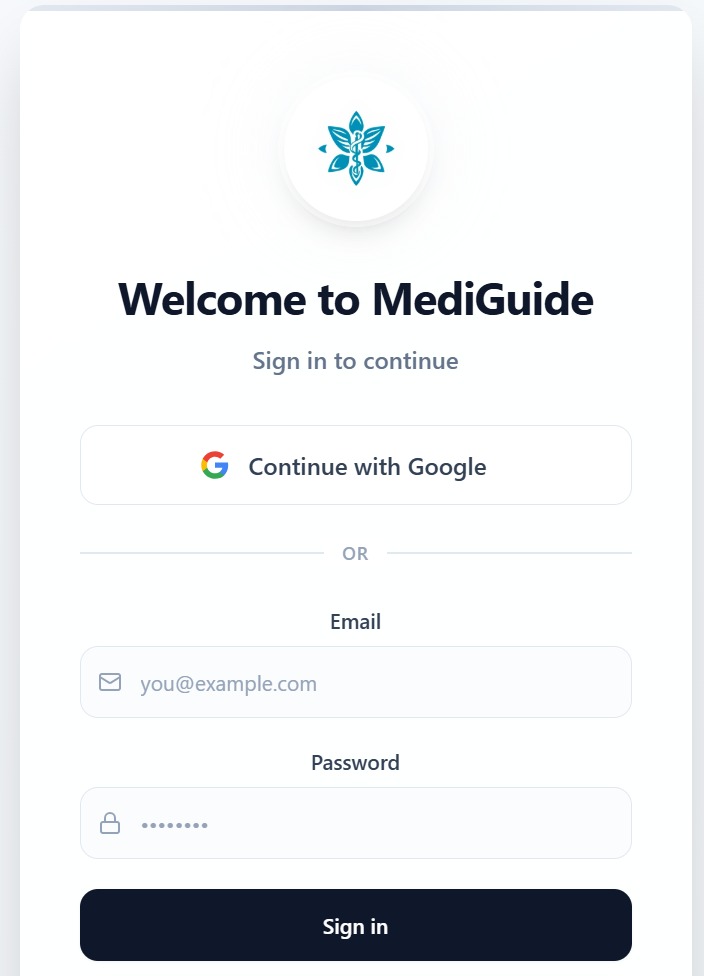
one has to login with google account to sigh in
-
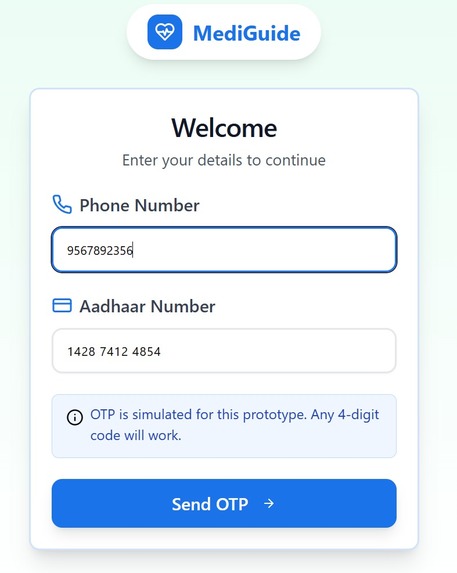
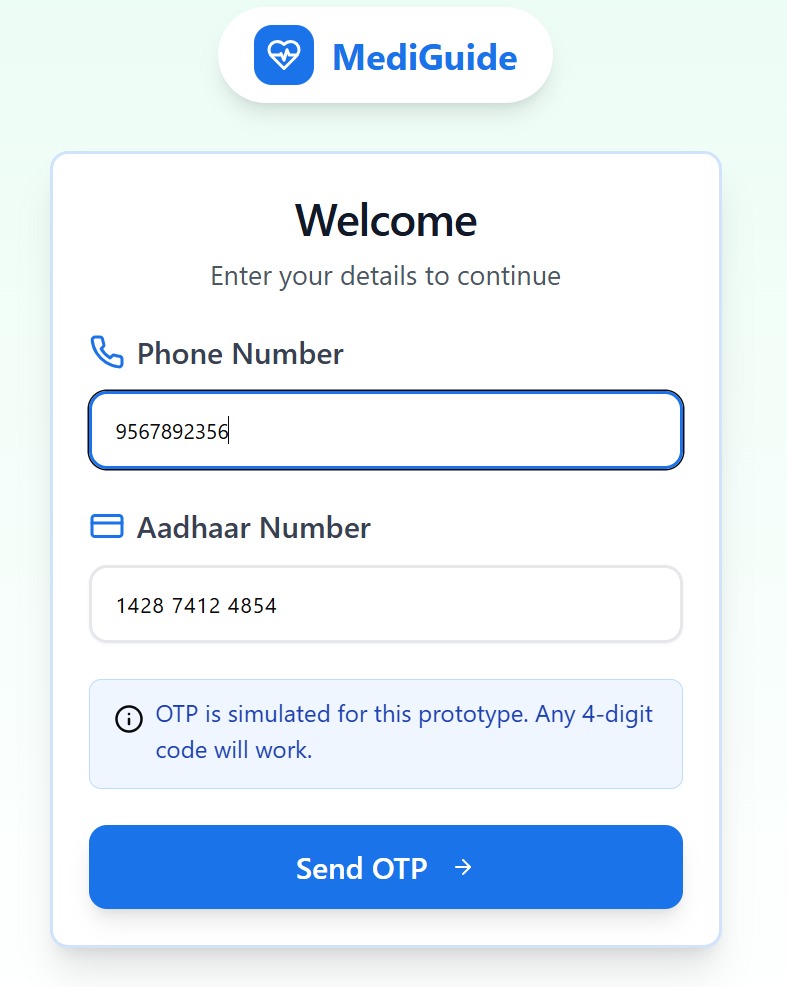
The user has to enter the mobile number and Aadhar card number for OTP
-
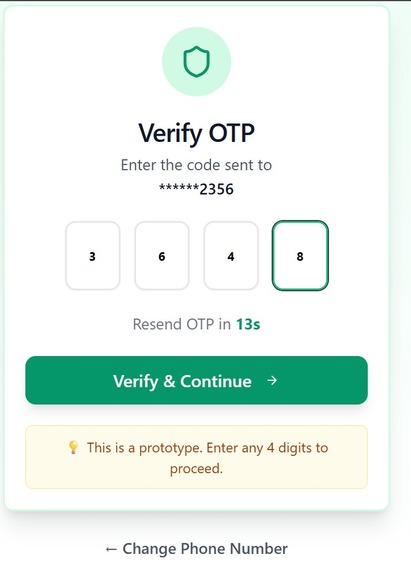
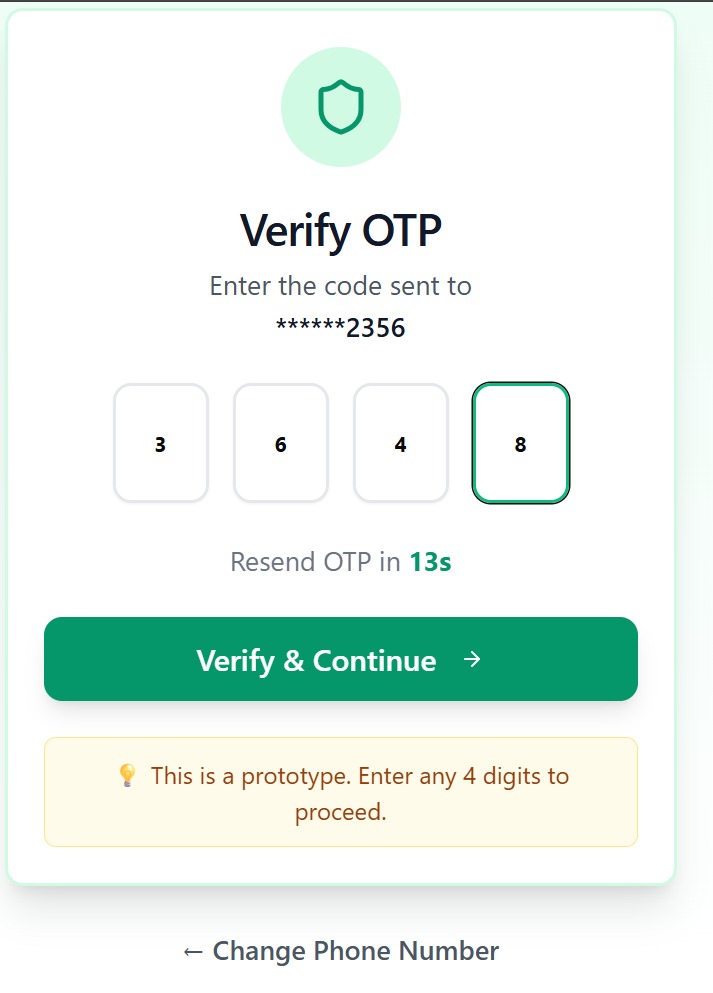
this is the OTP portal
-
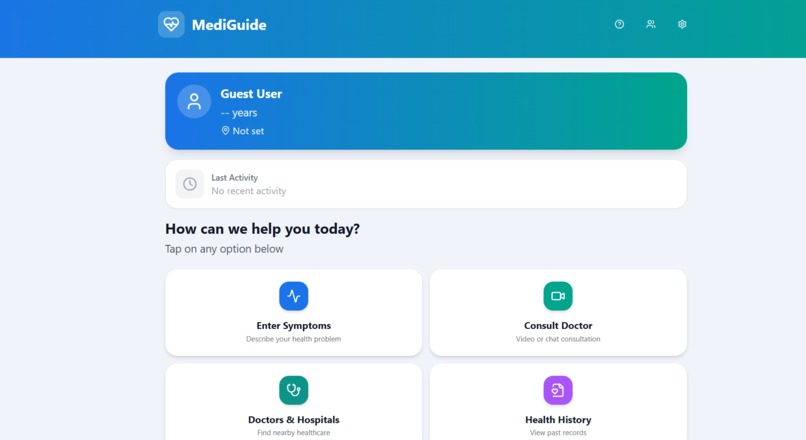
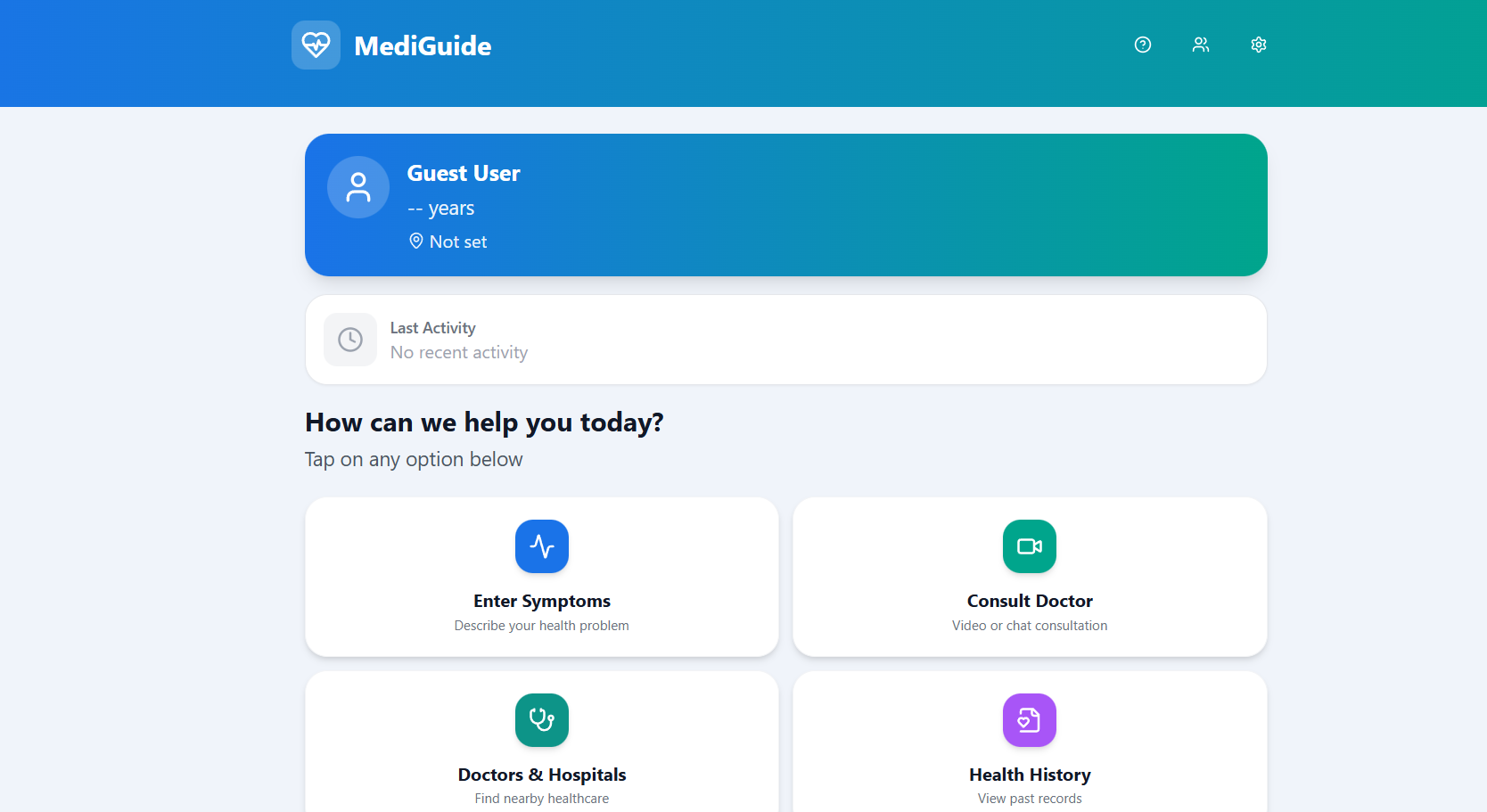
This the dashboard that user gets after entering the otp which have the features
-
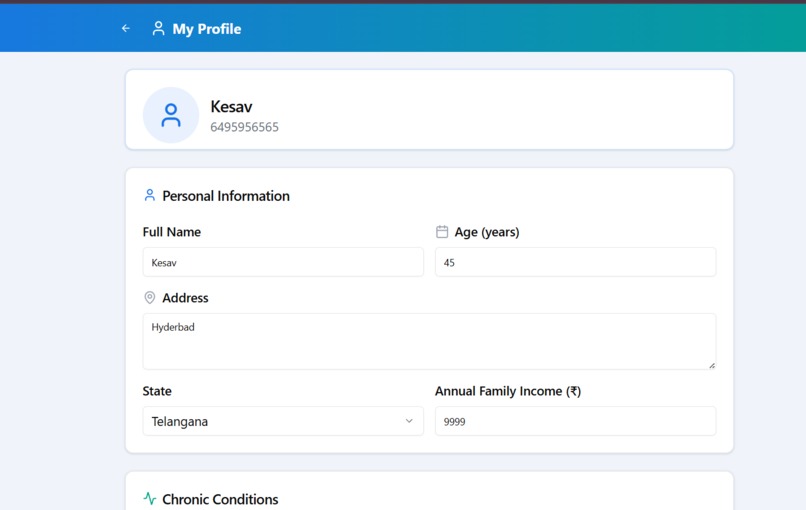
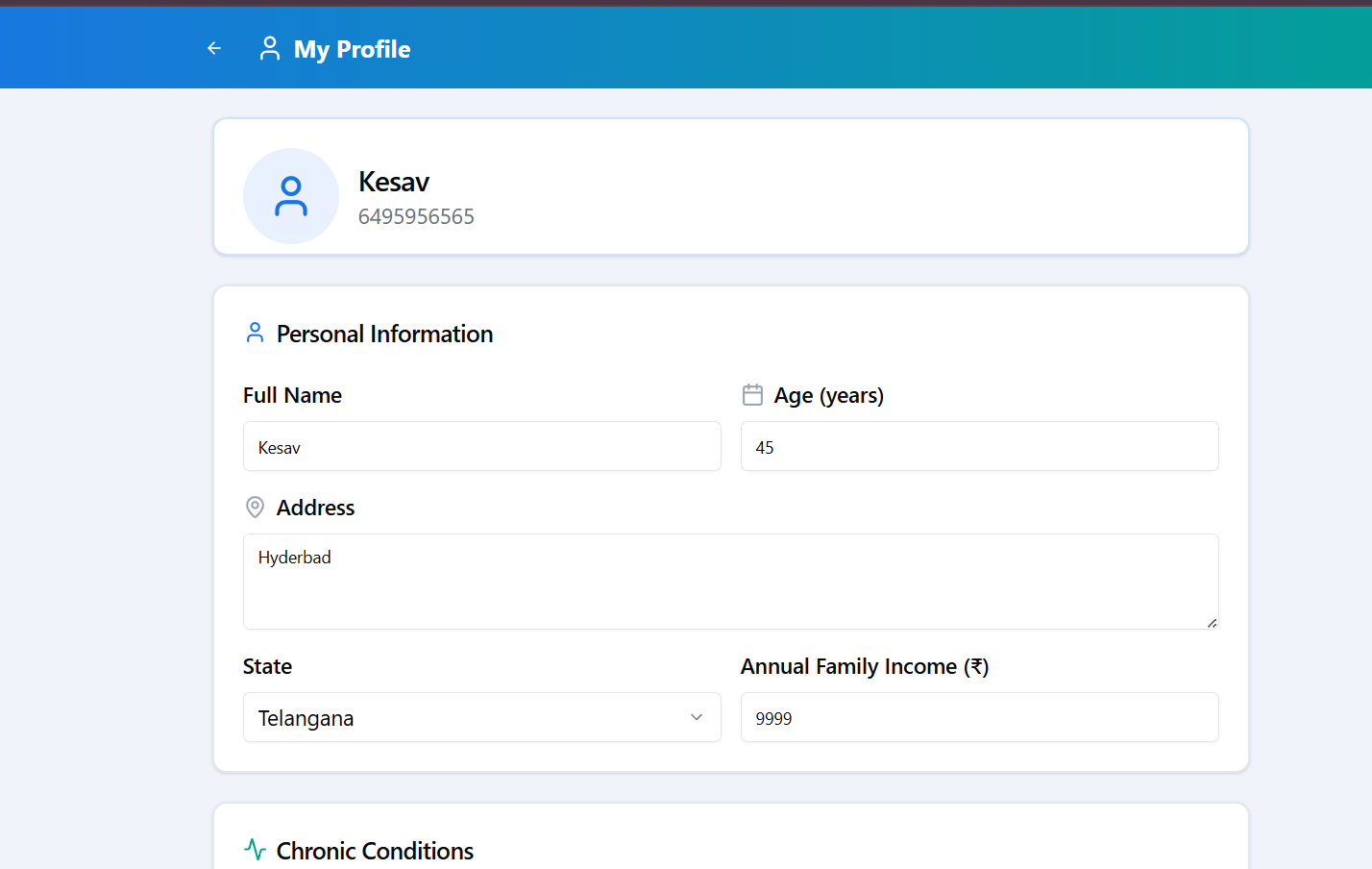
User can update the personal information about the age and location
-
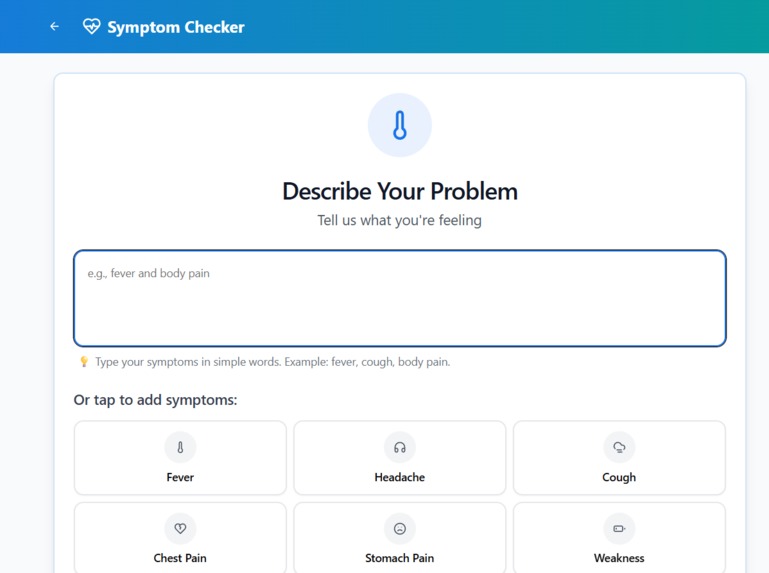
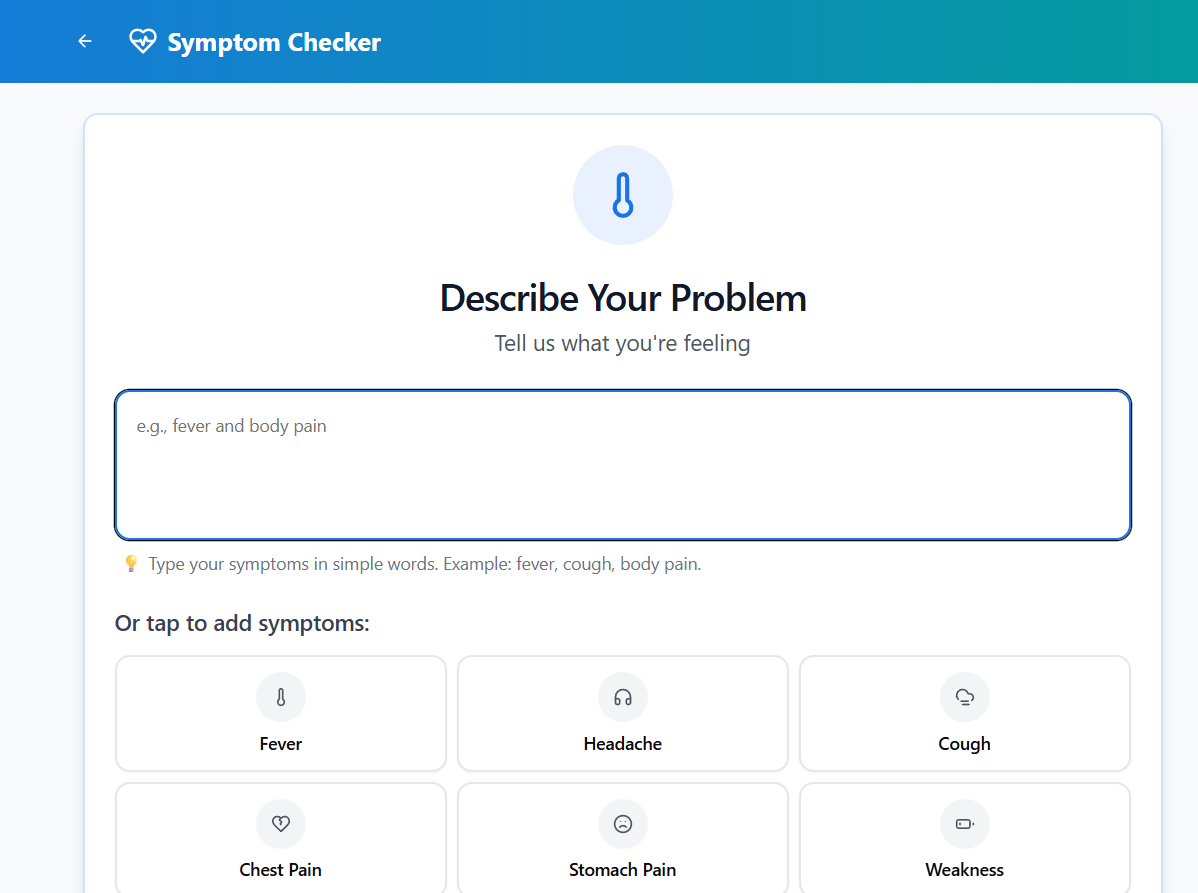
The user can explain the concerned problem he is faccing and appication asks some morre question to understand the problem of the user
-
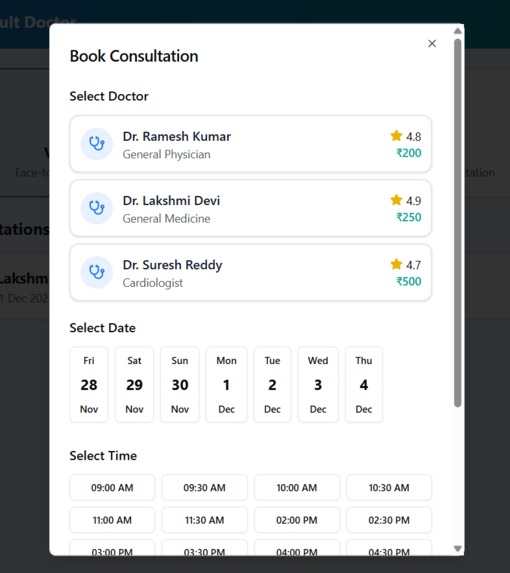
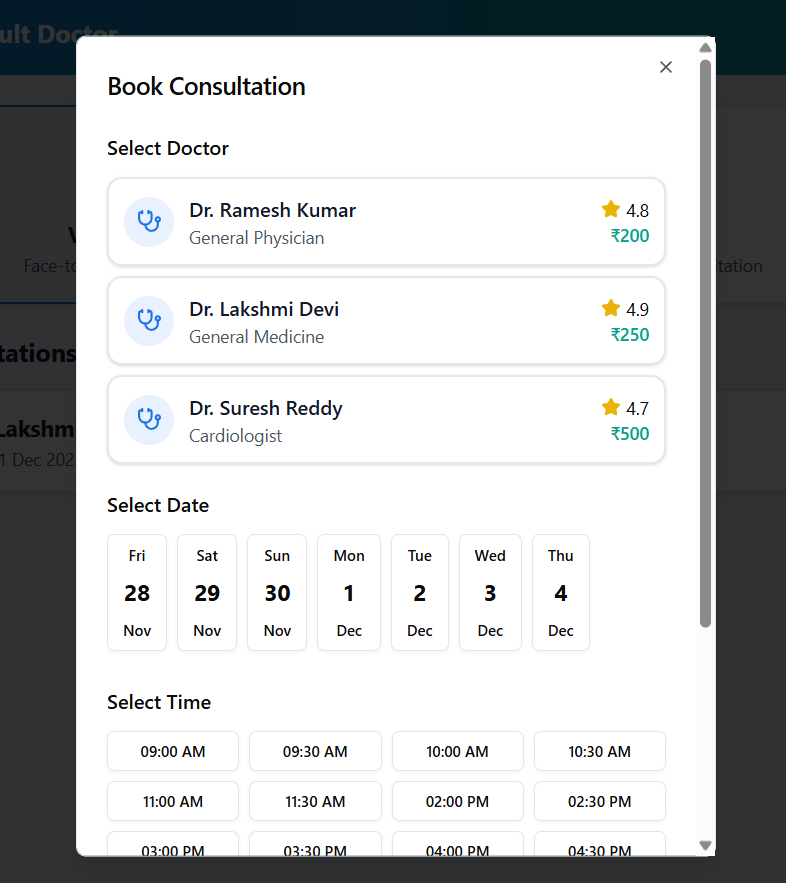
The user can also book the virtual call if incase he/she cannot able to attend through phyical
-
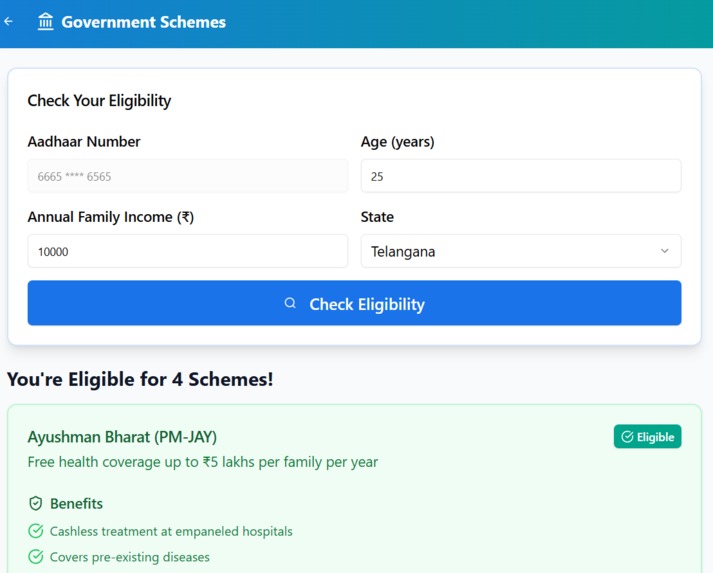
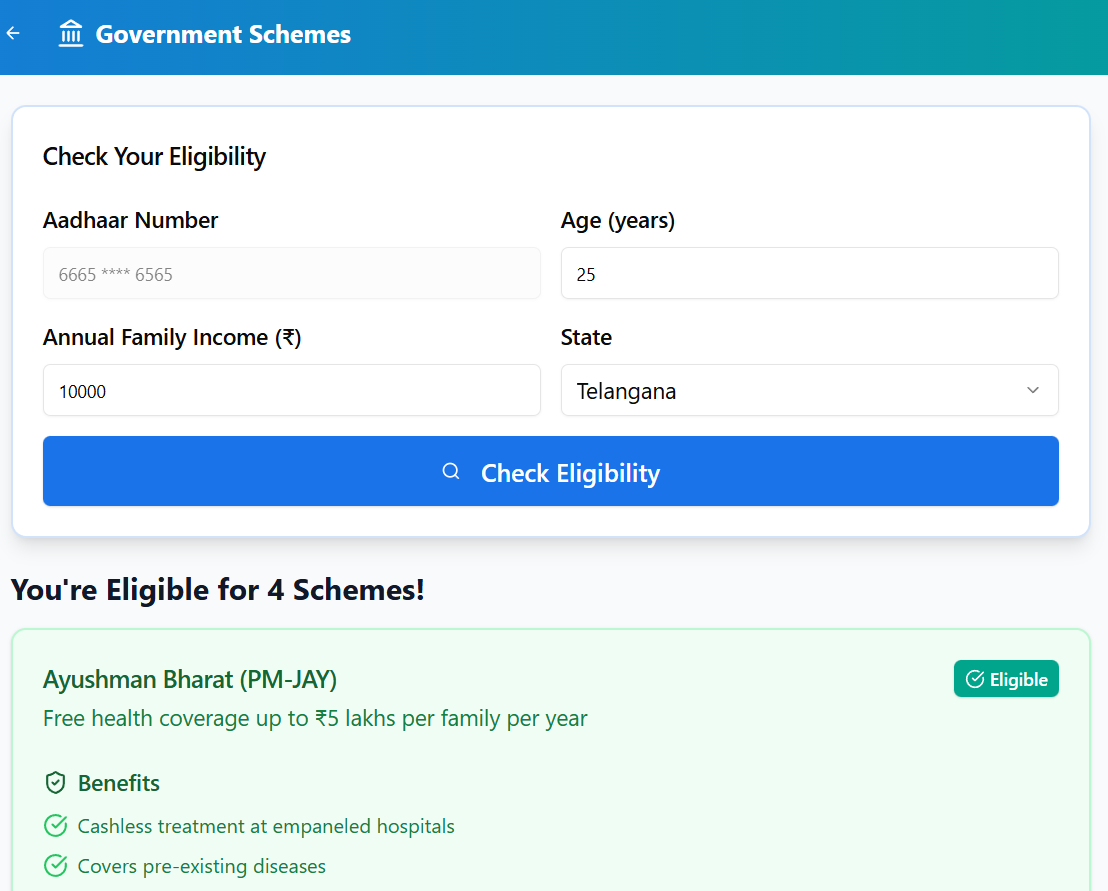
Govnement schemes that is something that user can have idea about what all schemes that he is available so that he can apply
-
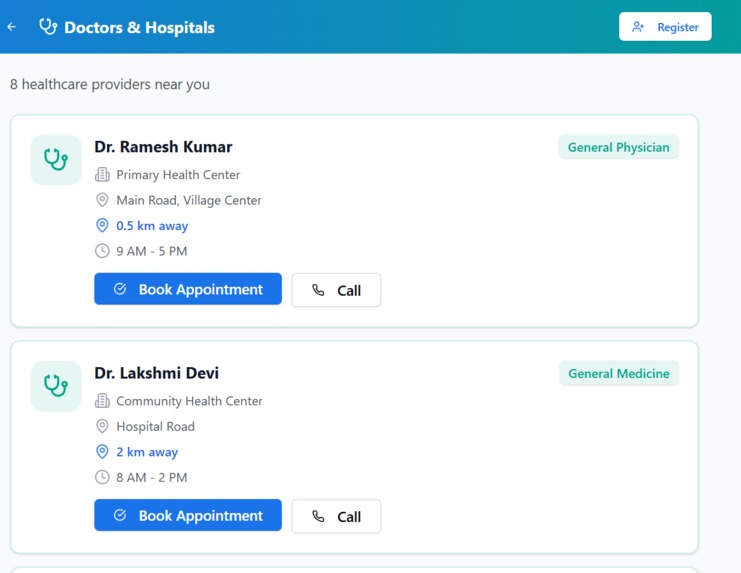
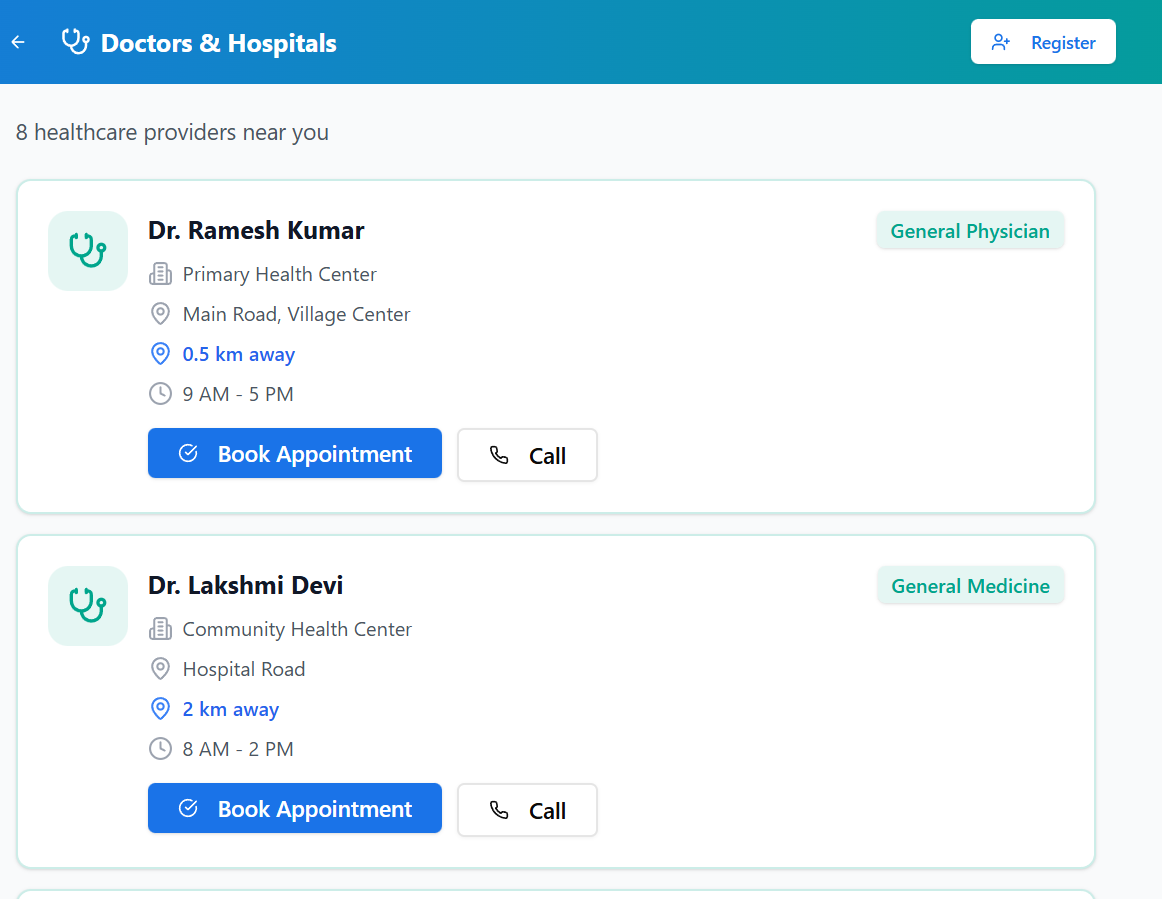
Without waiting for time the user can have the access to book the appointment of the Doctor by online booking or by call
-
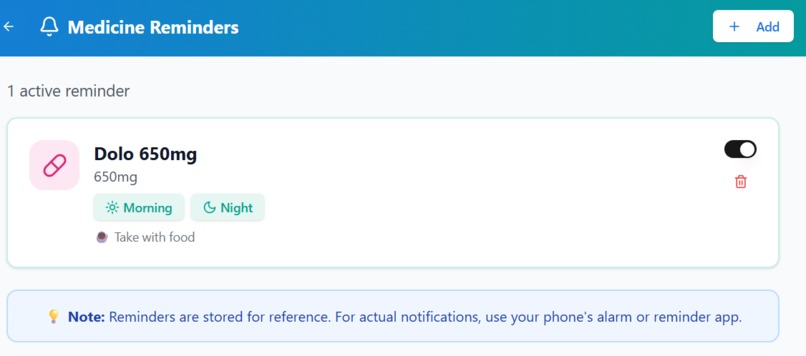
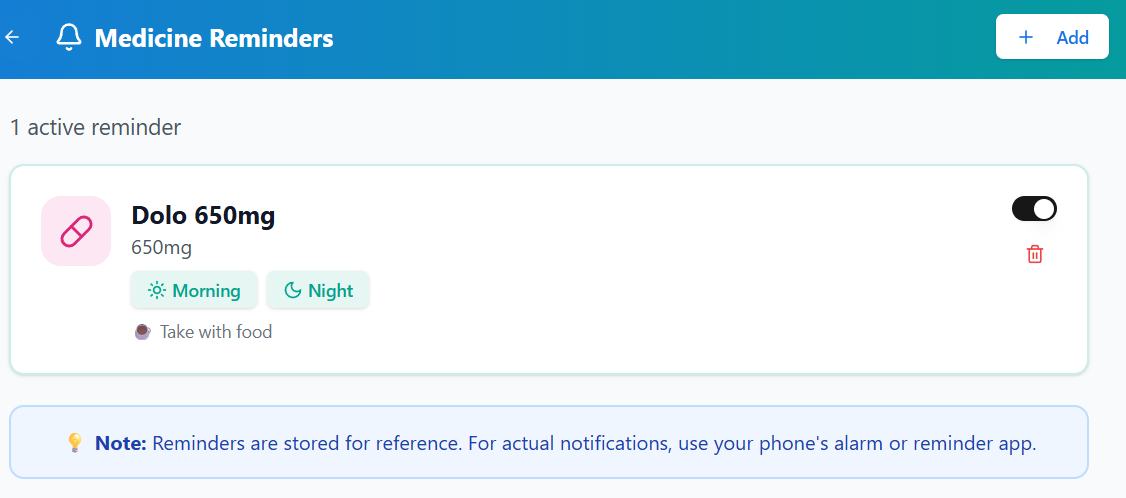
Another key feature is that the user can have keep the reminder of what tablet he/she has to take either before or after meal
-
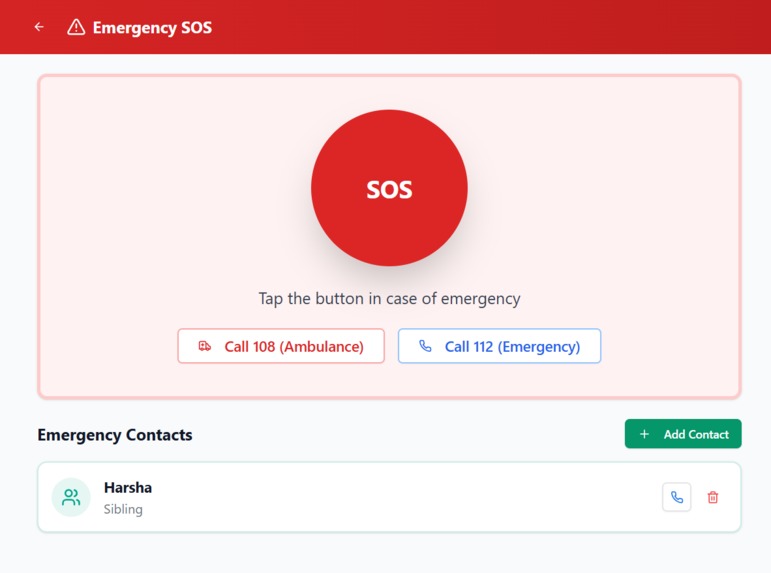
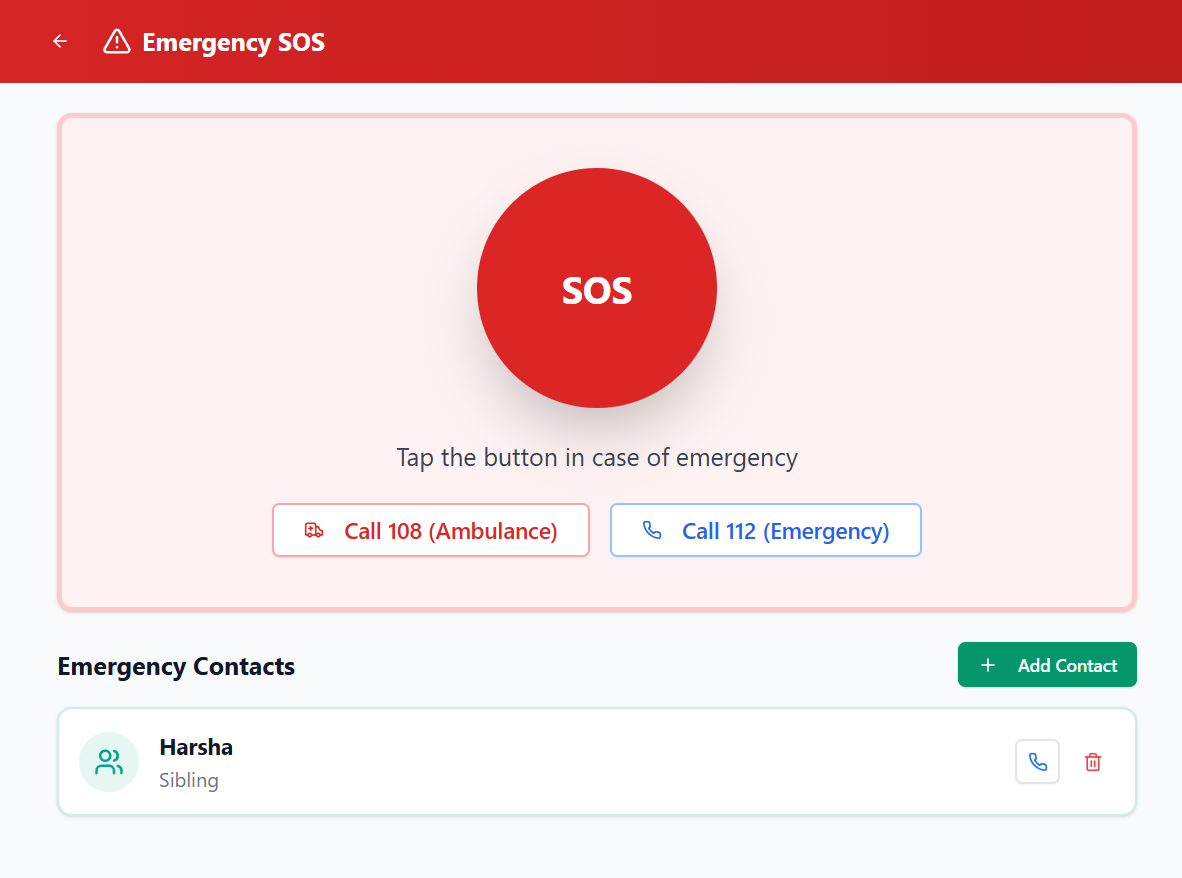
In case of any emergency the use can call to any emergency toll free number or can call to his relation as well for better safe purpose
-
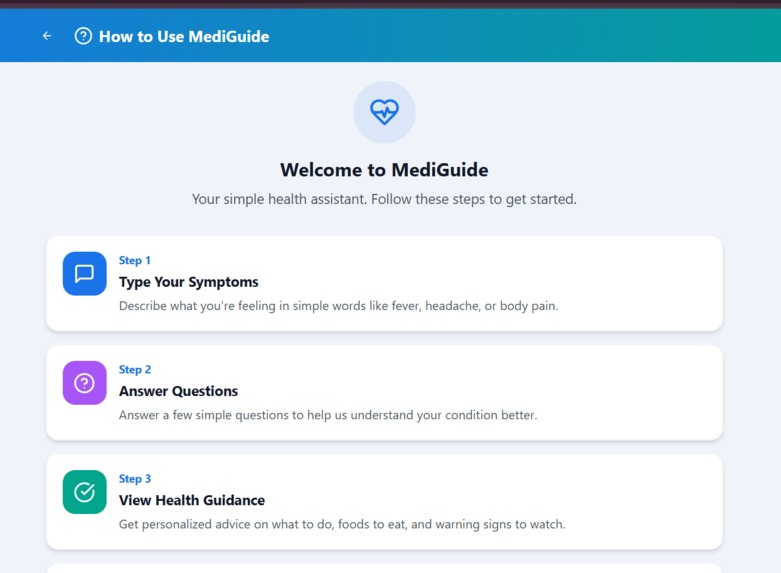
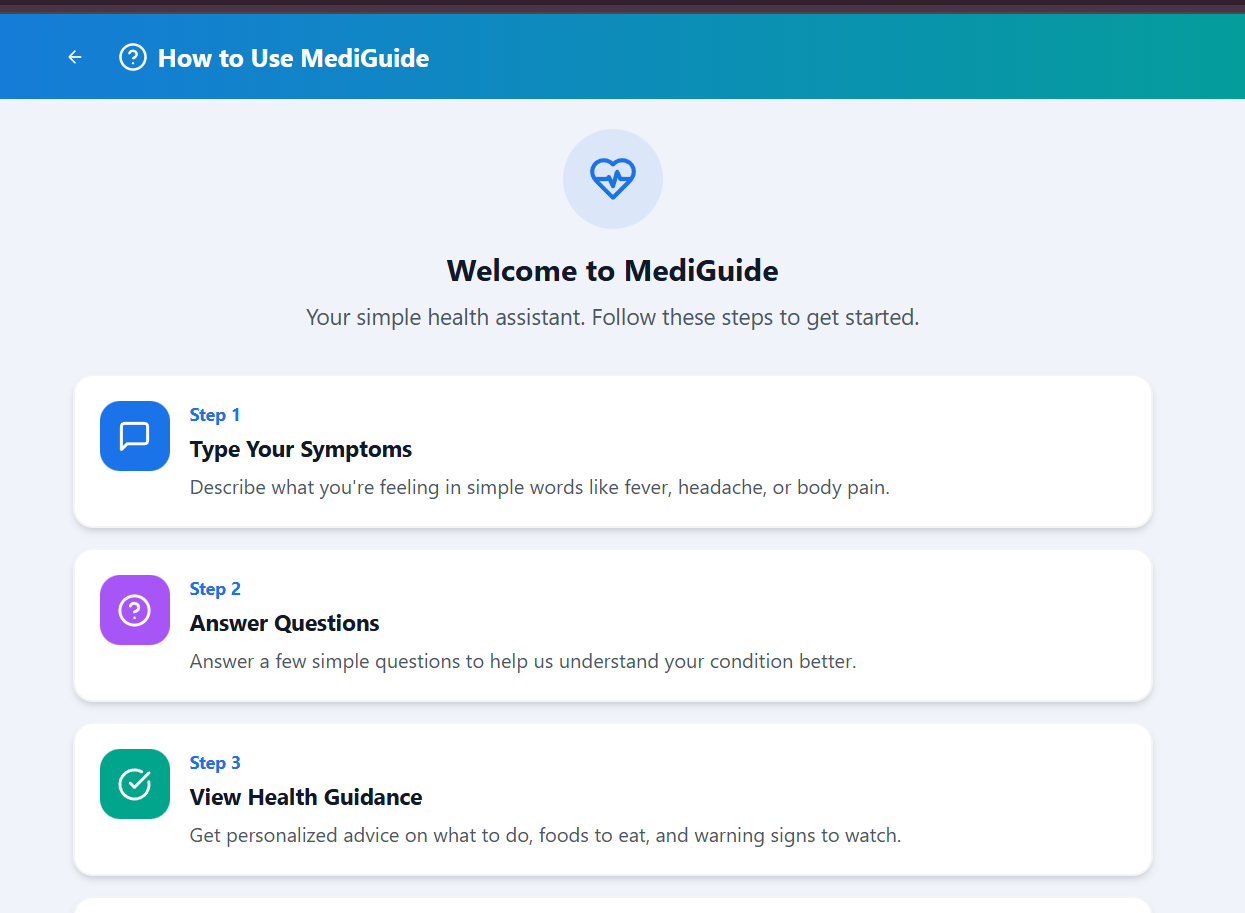
At top the user have the access to how to use the application in a best way
Inspiration
MediGuide was inspired by seeing how elderly and less-educated people struggle with basic healthcare decisions. Whenever an older person feels fever, pain, or discomfort, they often: 1)Cannot read prescriptions or medicine names 2)Don’t understand what symptoms mean 3)Hesitate to decide whether it’s serious or not 4)Don’t know which doctor to approach 5)Are unaware of free government schemes made for them This lack of clarity leads to fear, delay in treatment, and avoidable suffering — not because hospitals are far, but because information is difficult to understand. We wanted to build a solution that speaks their language: simple, text-based, step-by-step medical guidance that even an elderly person can follow with confidence. MediGuide was created to ensure that no senior citizen feels lost or helpless during a health problem, and that they get the right help at the right time.
What it does
MediGuide is a simple, accessible healthcare assistant built for elderly and low-literacy users who struggle to understand symptoms or navigate digital medical apps. The user can type their symptoms in plain language, and MediGuide guides them through easy follow-up questions to better understand what they’re experiencing. Based on the responses, the app provides clear, safe, rule-based guidance, including possible conditions, immediate care steps, food recommendations, and red-flag warnings.
The app also includes major support features such as: Doctor Consultation (Video/Chat Booking): Users can book a doctor, choose a date/time, and consult through video or chat. Doctors can view the patient’s profile, past history, and uploaded reports. Government Scheme Eligibility Checker: Helps users identify the health schemes they qualify for. Medical Report Uploads: Users can upload prescriptions and test results for future reference. Health History Tracking: Stores past symptoms, doctor visits, and reports. Family Dashboard: Allows family members to view updates and stay informed. Emergency SOS: A large, full-width button that sends an instant alert to family during emergencies. Overall, MediGuide acts as a digital health companion that provides clarity, confidence, and support to users who often feel lost when facing health issues.
How we built it
We built MediGuide using a mix of no-code development, structured logic, and AI-assisted planning. The entire application was developed in Base44, focusing on simple UI, large icons, and an elderly-friendly flow.
Planning & Structuring the Experience We used ChatGPT and Gemini 3 Pro to help design:symptom categories,follow-up question flows UI layout ideas,safer wording for medical guidance,AI was used only for planning and content refinement, not for real-time diagnosis.
Building the Application in Base44 All pages, logic, and navigation were manually implemented in Base44 using:variable binding,conditional logic,custom data structures,responsive UI components
Rule-Based Medical Logic We created a deterministic decision system that gives:possible conditions,care steps,food recommendations,red-flag warnings.Everything follows predefined rules to keep it safe for non-clinical use.
Major Features Implemented Symptom input + question flow,Doctor consultation (video/chat),Calendar & time slot booking Doctor-side chat + patient history view Medical report uploads Government scheme checker Health history Family dashboard Emergency SOS
UI Polishing & Branding: We refined the dashboard, cards, icons, and added the full-width SOS button for high visibility and elderly safety.
Challenges we ran into
Designing for elderly and low-literacy users Making the UI simple enough was harder than expected. We needed big icons, fewer steps, very clear wording, and minimal text so seniors could use the app without confusion.
Creating safe symptom logic without using real medical AI We had to convert medical conditions into rule-based flows. Finding the balance between being helpful and staying non-clinical required a lot of iteration.
Structuring follow-up question flows Each symptom needed its own question tree. Managing so many conditions, linking screens, and keeping it simple for users was a major challenge.
Base44 platform limitations Base44 does not support real backend, OTP sending, or complex APIs. We had to simulate OTP flows, build our own data structures, and work around the platform’s limits.
Building the doctor consultation module Creating a full booking system (calendar + time slots) and a doctor-side chat view all within Base44 required careful planning and workarounds.
Making the UI consistent and professional Keeping all cards, colors, sizes, and spacing consistent took more time than expected. Polishing the dashboard and SOS button layout was especially challenging.
Accomplishments that we're proud of
Built a complete healthcare assistant in a short time From symptom checking to doctor consultation, we created a fully functional app that elderly users can actually use without confusion.
Designed an elderly-friendly, accessible UI We created large buttons, simple text, consistent colors, a full-width SOS button, and a clean layout made specifically for senior citizens and low-literacy users.
Implemented a full doctor consultation system We managed to build video/chat booking, calendar selection, time slots, and even a doctor-side chat interface all inside a no-code platform.
Created safe, rule-based medical logic We converted symptoms into structured follow-up questions and non-clinical guidance, ensuring safety without using real medical AI.
Added real-world features like report uploads & history Users can upload prescriptions, track previous health checks, and share updates with family — making MediGuide feel practical and complete.
Built a working emergency support system The full width SOS button with instant family alerts is one of the strongest and most impactful parts of our app.
Used AI tools responsibly We used ChatGPT and Gemini 3 Pro to plan flows and refine wording, while building all logic and UI manually. This helped speed up development while keeping the app safe and original.
What we learned
Designing for elderly users requires a different mindset
We learned how important it is to use: simple language large icons clean layouts minimum steps Creating an app for seniors is more about clarity than features.
How to convert medical logic into decision trees We learned how to break down symptoms into: keywords,follow-up questions,risk levels,care steps It taught us structured thinking and safe guidance design.
Using AI responsibly for planning and content ChatGPT and Gemini 3 Pro helped us:plan UI flows,draft question sets,refine wording,simplify explanations.But we also learned to manually review everything for safety and accuracy.
Working within platform limitations
Base44 has limits (no real OTP, no backend), so we learned to:simulate flows,simplify logic,use creative workarounds.This improved our problem-solving skills.
- Balancing simplicity with usefulness We realized that adding features is easy making them easy to use is the real challenge. This project taught us how to prioritize user experience over complexity.
What's next for MediGuide — Smart Medical Guidance for Everyone
Multi-Language Support To reach elderly users across India, we plan to add regional languages such as Hindi, Telugu, Tamil, Kannada, and Marathi. This will make the app far more inclusive.
Verified Doctor Onboarding Introduce doctor verification, registration, and profile approval so only authenticated healthcare professionals can offer consultations.
Offline Mode for Rural Areas Enable basic symptom guidance, health history access, and family dashboard even without internet. This is essential for low-connectivity regions.
Smarter Health Insights (Safe AI) Add safe, non-clinical AI features like early-warning patterns, lifestyle tips, and risk trend detection — without replacing real medical advice.
Prescription & Report Scanner Allow users to scan prescriptions or lab reports and automatically save them in their history.
Improved Family & Caregiver Support Add features like shared reminders, daily check-ins, medication logs, and automatic alerts for unusual symptoms.
Telemedicine Compliance & Expansion Follow official guidelines, integrate digital prescriptions, and expand the doctor consultation module to more specializations.
Built With
- base44
- claude
- gemini
- gpt5.1
- knowledge
- medical

Log in or sign up for Devpost to join the conversation.