-
-
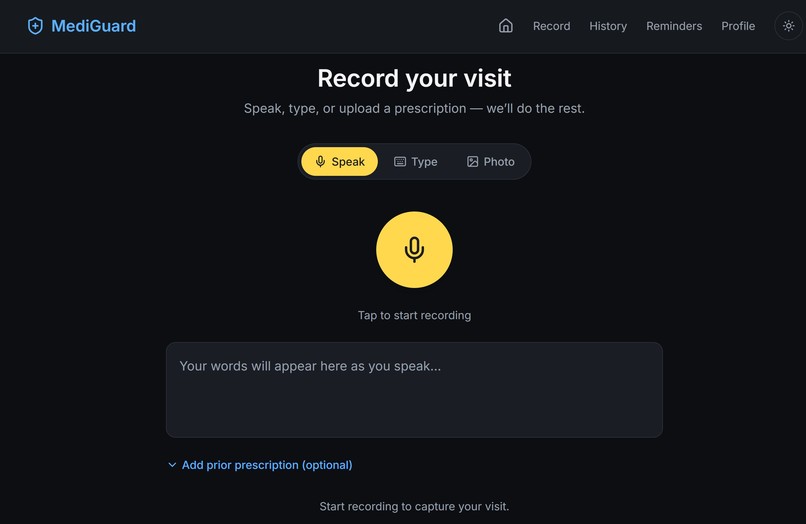
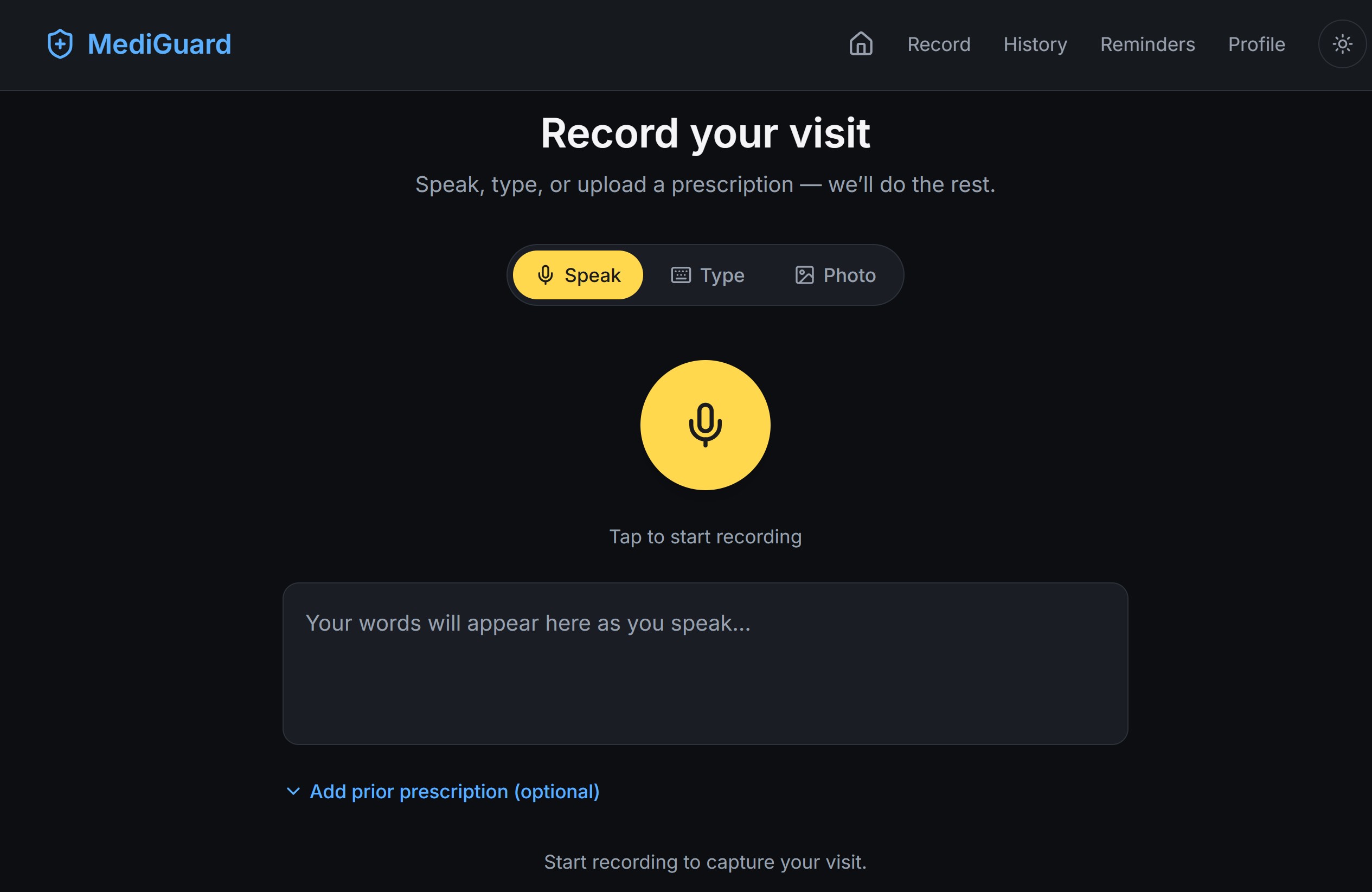
MediGuard Landing Page: Record, Type or upload prescription
-
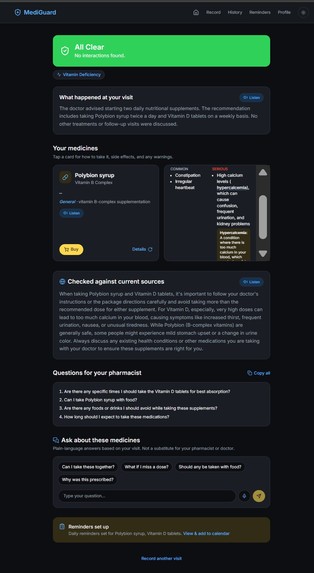
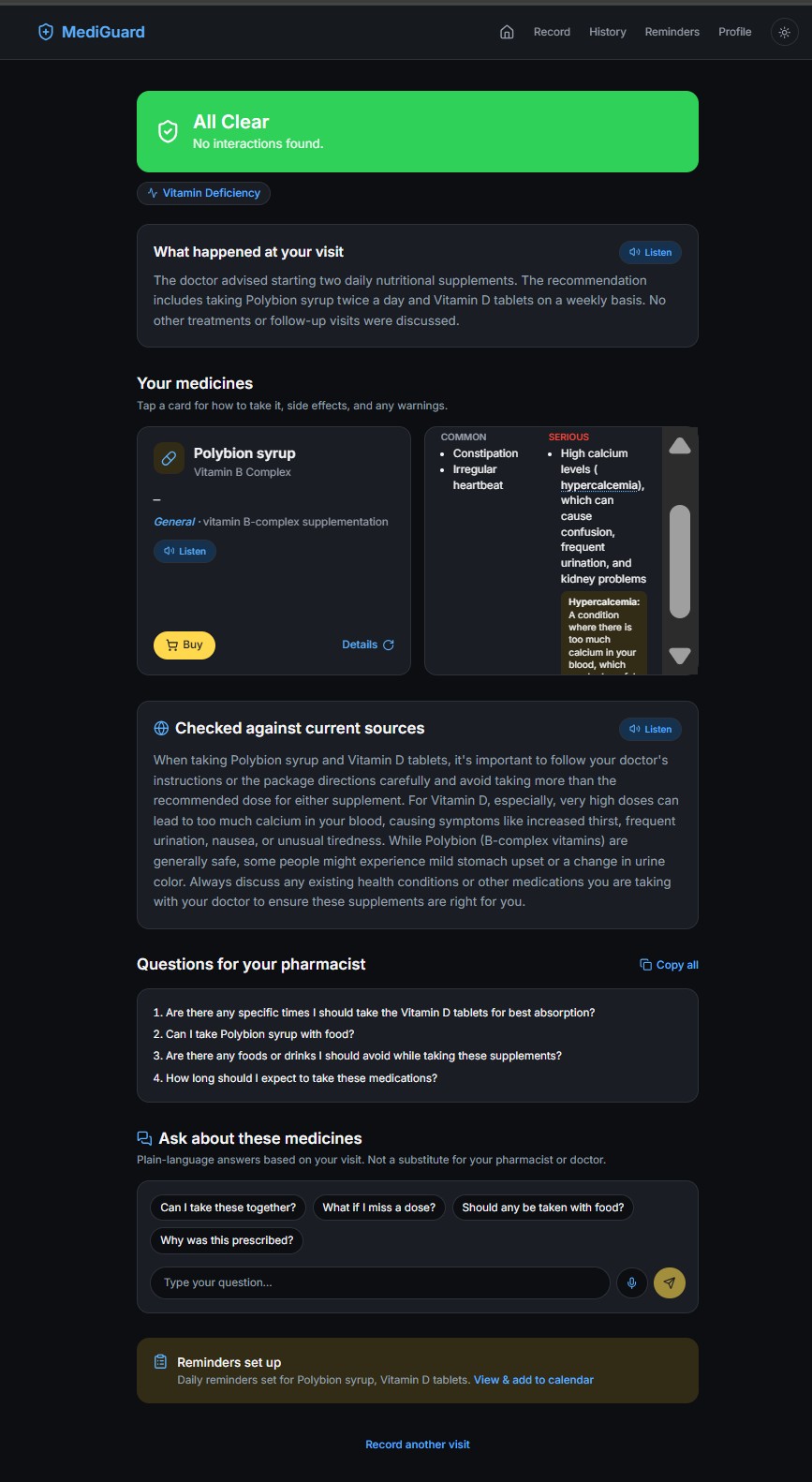
MediGuard Medicines Audit Page with detailed explanation of medicines
-
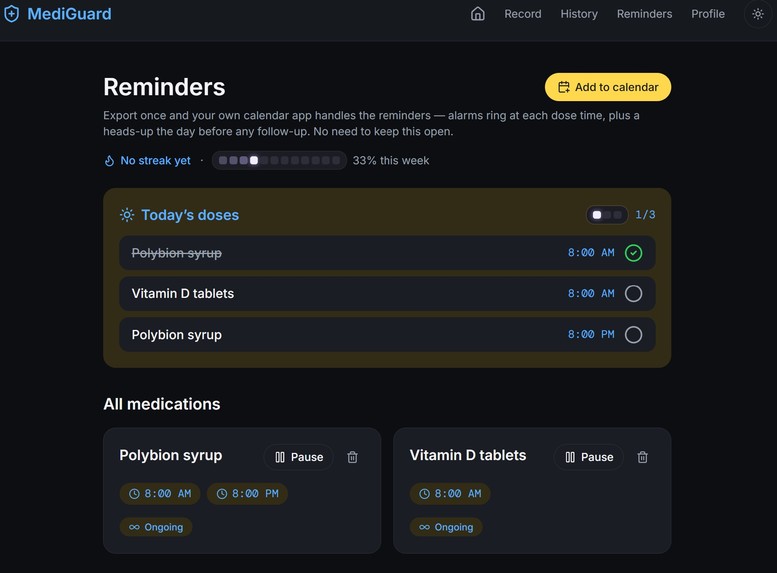
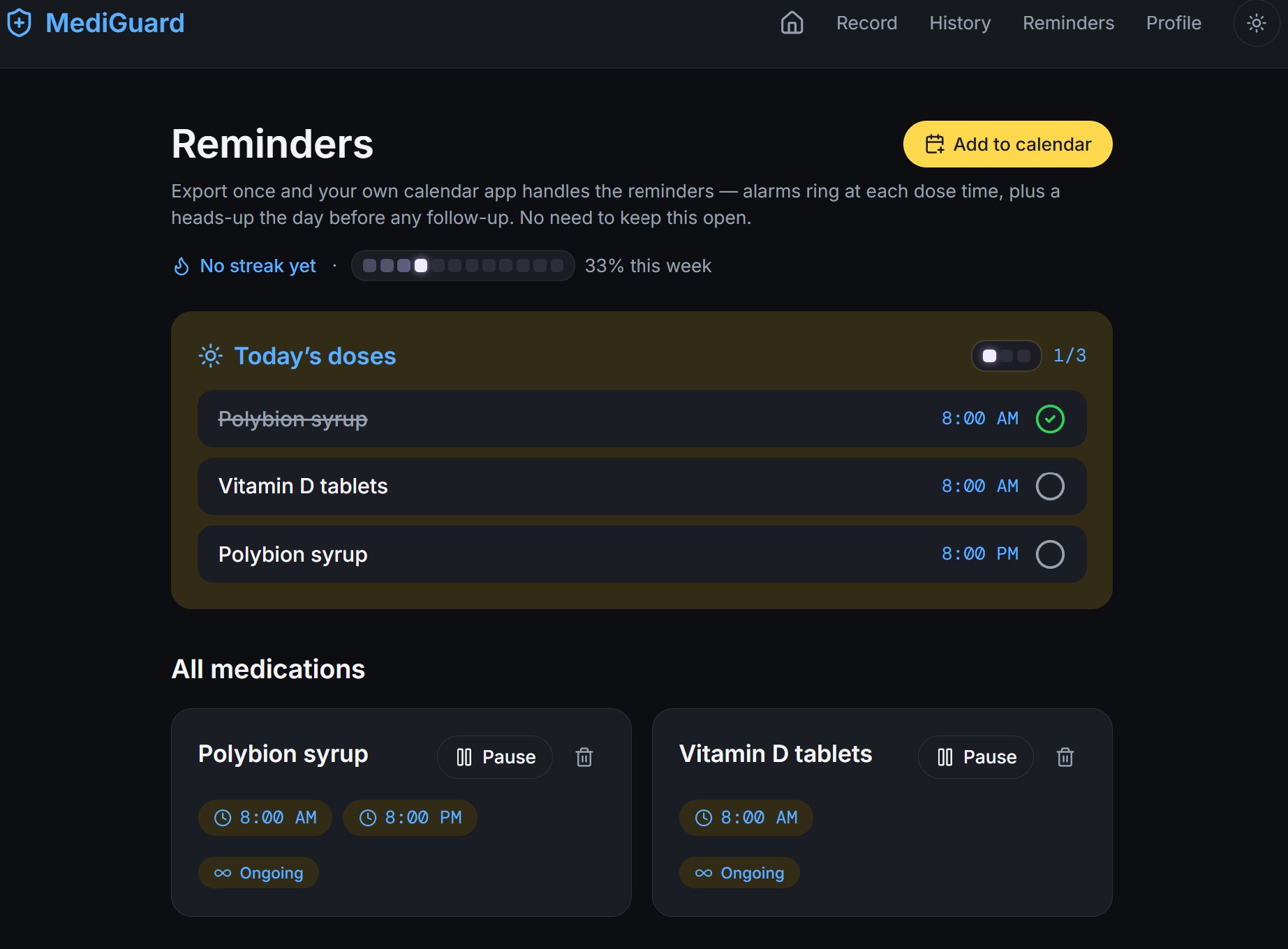
MediGuard Reminders page to track medicines
-
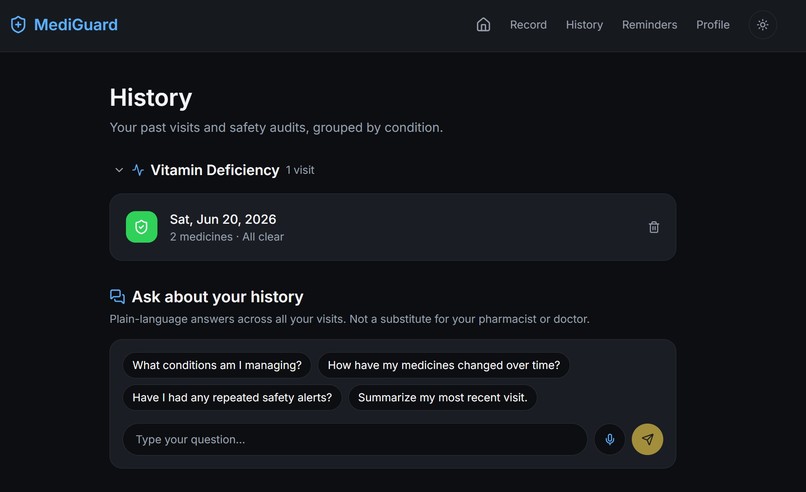
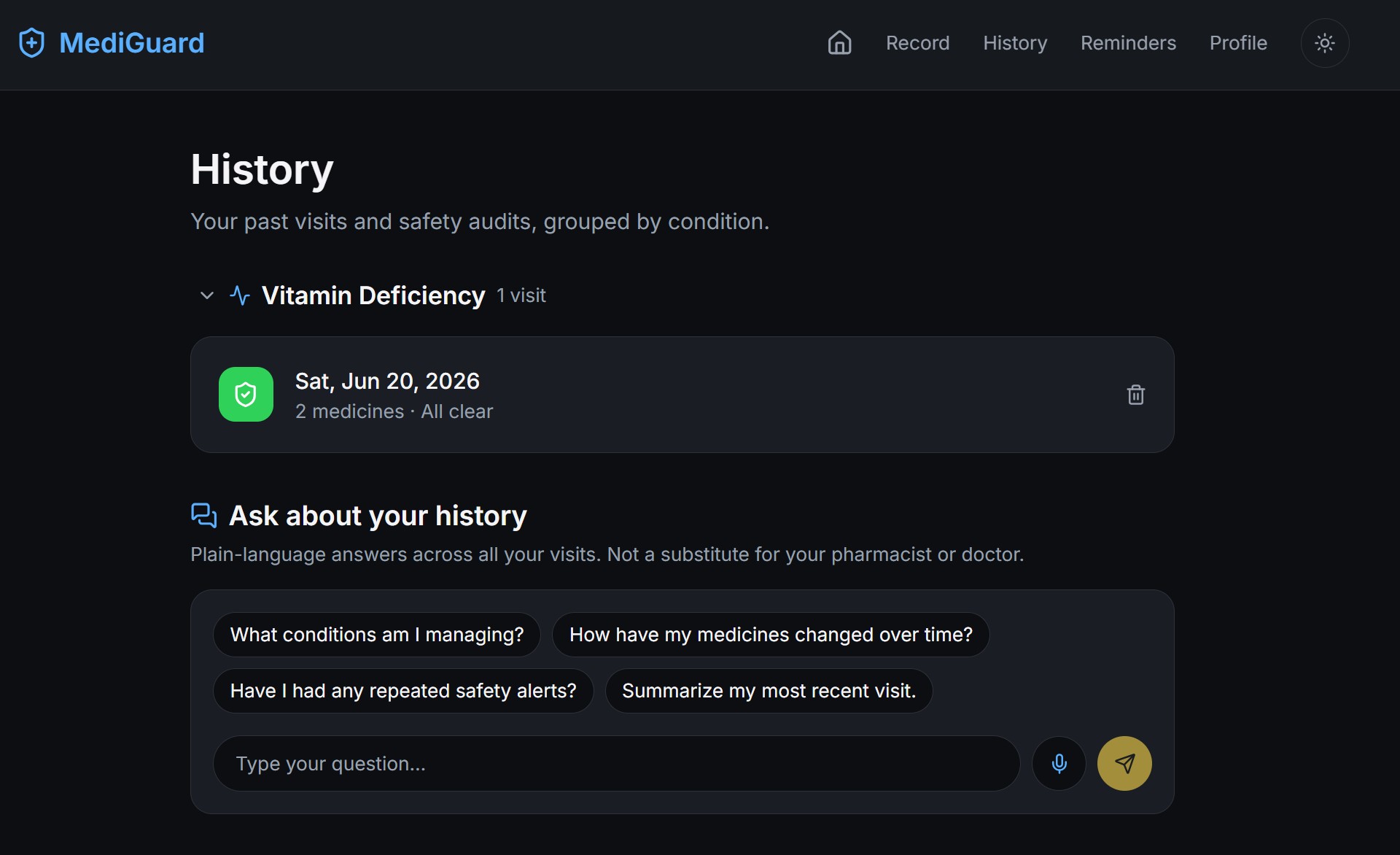
MediGuard History page to store multiple prescriptions and cross question across different medical visits
-
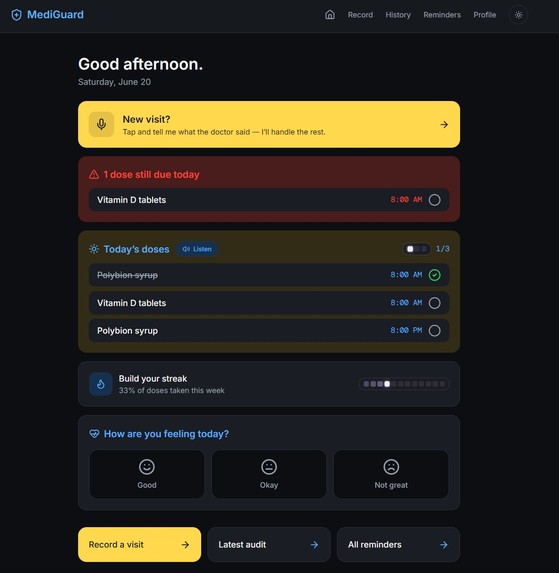
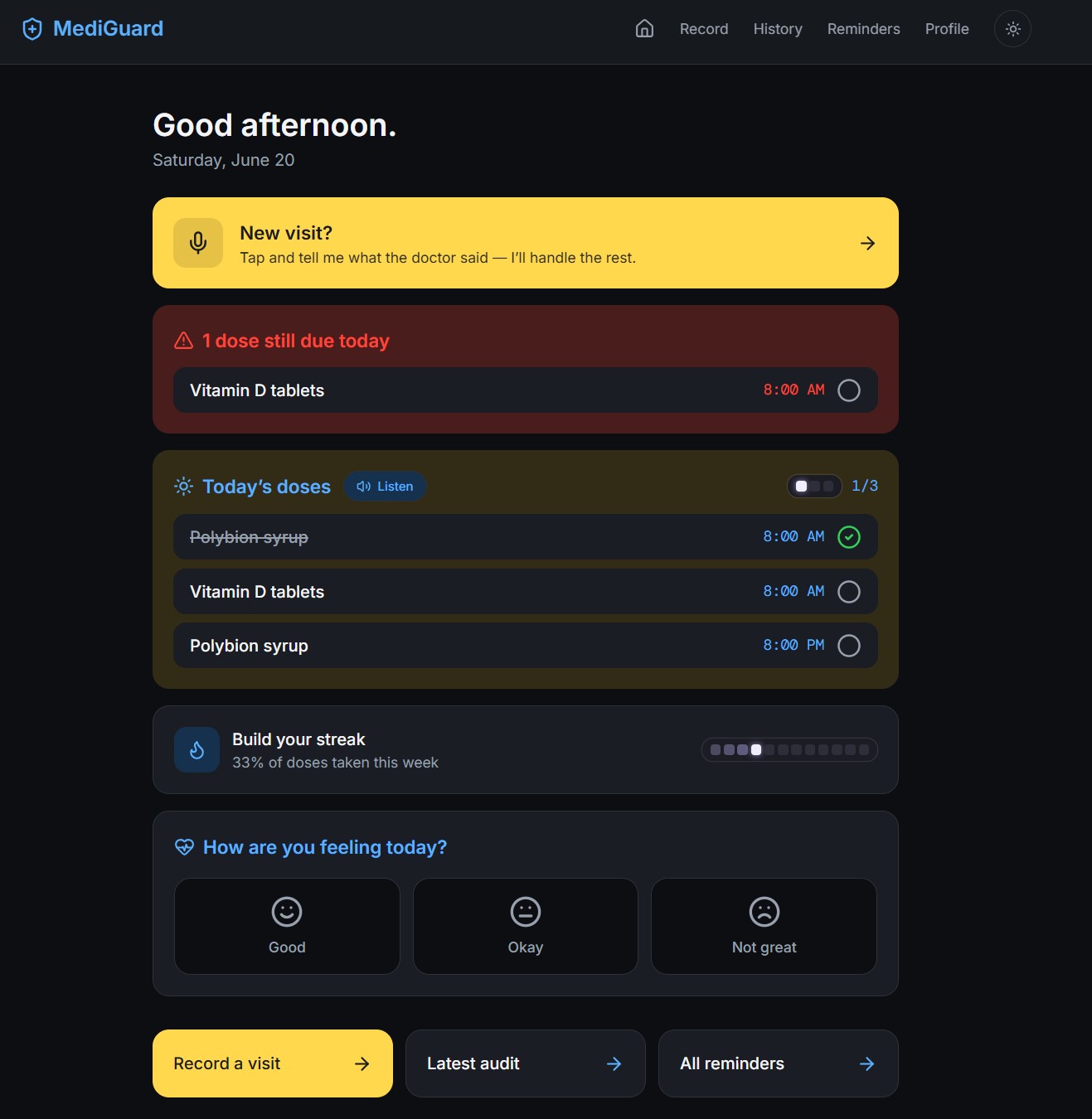
MediGuard Dashboard with Easy mode in yellow for older patients
-
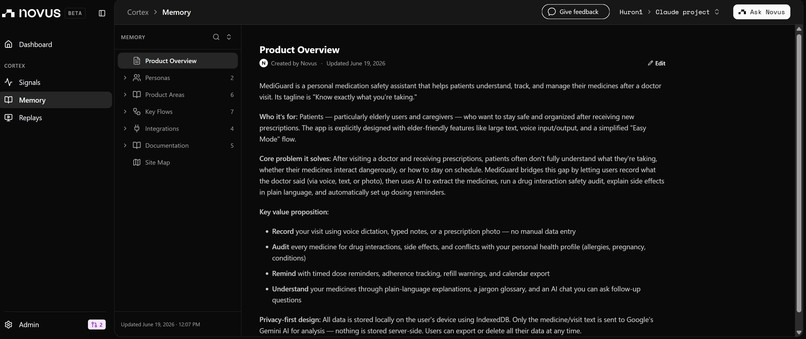
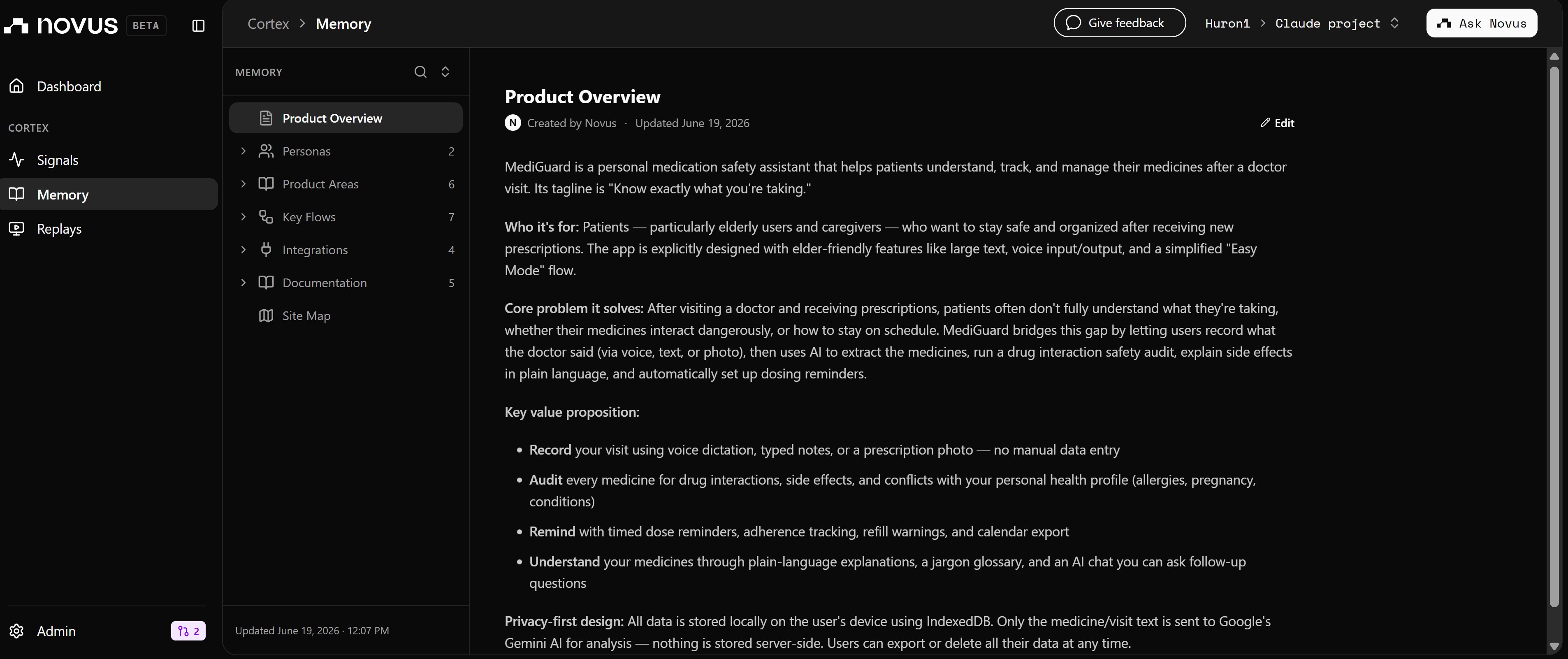
Novus Dashboard page
The moment MediGuard was built for
You've just left your doctor's office. You're holding a prescription for three new medicines on top of two you're already taking. The doctor spoke quickly. You nodded. Now you're in the car park wondering: Can I take all of these together? What was that third one even for? What time do I take it?
This moment happens billions of times a year. Patients forget 40 to 80% of what their doctor told them before they even leave the building. Medication non-adherence, driven largely by this post-visit confusion, causes an estimated 125,000 preventable deaths annually in the US alone.
The gap isn't access to medicine. It's what happens in the ten minutes after the prescription is written.
What MediGuard does
MediGuard is a post-visit medication safety net. It turns the chaos of a doctor's appointment into a clear, personalised safety report in three steps:
1. Record: speak, type, or photograph your prescription right after the visit. Voice is the primary path: patients leaving a clinic often have their hands full, are stressed, or are elderly. A single tap starts recording and transcribes in real time. All three input modes (voice, text, and prescription photo via Gemini Vision) converge on the same editable medicine-review screen.
2. Audit: Google Gemini analyses your new medicines against each other and against anything you're already taking. It flags interactions colour-coded from clear → caution → alert, explains every side effect in plain English, generates smart questions to ask at the pharmacy counter, and builds a tap-to-define glossary so medical jargon doesn't become a barrier. Results are shown as flip-cards, scannable at a glance and detailed on demand.
3. Remind: Dose schedules are generated automatically and exported as a standard calendar file (.ics). Import once into your phone's own calendar app, and your existing alarms handle the rest. No app to open every morning.
The product decisions that shaped it
Privacy-first isn't a constraint. It's the differentiator. MediGuard stores everything in the browser's IndexedDB: visit records, medicine schedules, your health profile, daily symptom check-ins. Nothing reaches a server we own. This isn't a technical shortcut. It's the only honest position for a medical tool. Adding a cloud database would create PHI-handling liability and a data-breach surface for zero user benefit at the demo stage. "Your data never leaves your device" is the strongest privacy story in healthcare, and we state it explicitly.
The AI suggests. You confirm. After extracting medicines from a visit, MediGuard shows an editable review screen before running any safety check. You correct a mis-heard drug name, adjust a dosage, or remove an entry entirely. The AI assists; the human confirms. This single UX decision is what separates a medical tool from a medical liability.
The safety banner lives at the top, always. A HIGH interaction warning is never buried behind a scroll or a card flip. The colour-coded alert banner (green / amber / red) is the first thing you see on every audit page. We kept it there through every design iteration because the most important information should be the hardest to miss.
Easy Mode was built for the people who need it most. Elderly patients, statistically the most likely to be on multiple medicines, are also the least likely to navigate a multi-step form after a stressful clinic visit. Easy Mode is one large button. Tap it, speak your visit, and MediGuard reads the safety report back to you aloud. No scrolling. No reading. No card flips. Voice input and read-aloud output run entirely on the browser's native Speech API (free, private, and zero AI-quota cost), which matters for the next point.
Tools used
| Layer | Technology |
|---|---|
| AI (safety audit, extraction, chat) | Google Gemini API: gemini-2.5-flash + gemini-2.5-flash-lite, multi-model fallback chain |
| AI (prescription photos) | Gemini Vision (same API, multimodal call) |
| Framework | Next.js 14 (App Router) |
| API security | Server-side Next.js Route Handler: Gemini key never reaches the browser bundle |
| Voice | Web Speech API: transcription + read-aloud, browser-native, zero API quota |
| Storage | IndexedDB via idb: versioned local database (v3 with schema migrations), no cloud |
| Styling | Tailwind CSS with Apple-inspired design tokens, light/dark theme |
| Deployment | Vercel |
| Analytics | Novus (Pendo) |
What we learned shipping it
The hardest problem in a medical app is trust, not intelligence. Users will only share health information (allergies, existing conditions, pregnancy status) if they genuinely believe nothing will be misused. Framing privacy as a first-class feature (not fine print) and stating it plainly on the profile page unlocked the personalisation features. Without trust, every audit stays generic. With it, the AI can flag a real penicillin allergy conflict.
Voice is accessibility infrastructure, not a feature. Building Web Speech API integration felt optional on Day 1. By Day 2 it was clearly the core differentiator, particularly for the elder-patient use case. Native browser voice costs nothing, needs no API key, and changes the category of product you're building. It's the difference between "an app for people who are comfortable with apps" and "a tool for the patient who most needs help."
The review step is the product's moral centre. Every time we considered streamlining away the editable medicine-review screen to reduce friction, we couldn't. Drug names get mis-transcribed. Dosages get misheard. Handwriting in prescription photos is notoriously difficult. The one step between "AI extracted" and "AI audited" is where the product earns the right to give safety information.
Multi-model API strategy belongs on Day 1, not discovered on demo day.
We hit Gemini's free-tier RPD limits during testing and had to redesign model allocation mid-build. Building a named fallback chain per task type, with isRetriable() logic that cleanly distinguishes quota errors from genuine bugs, made the app resilient under load. Any team building on AI free tiers during a hackathon should design this from the start.
Local-first forces cleaner product thinking. With no server to fall back on for storage, every feature had to earn its place in the browser. That constraint produced a leaner, faster, and genuinely more private product than a default cloud-backed approach would have.
What's next
The most immediate next priority is language. Medication confusion is not an English-speaking problem. Hindi support is a one-sprint addition with the same AI pipeline and would unlock one of the world's largest patient populations who face exactly this post-visit gap.
Built With
- and-gemini-3.5-flash
- css
- framer
- framer-motion-google-gemini-api-(@google/generative-ai)-?-multi-model-tiering-across-gemini-2.5-flash
- gemini
- gemini-2.5-flash-lite
- indexeddb
- motion
- next.js
- no-backend-database-vercel-?-hosting-+-deployment-pendo-/-novus.ai-?-analytics-pwa-?-installable
- react
- react-18
- tailwind
- tailwind-css
- typescript
- vercel
- with-google-search-grounding-for-cited-safety-sources-web-speech-api-(speechrecognition-+-speechsynthesis)-for-voice-transcription-and-read-aloud-indexeddb-(via-idb)-?-fully-local-first-storage


Log in or sign up for Devpost to join the conversation.