-
-
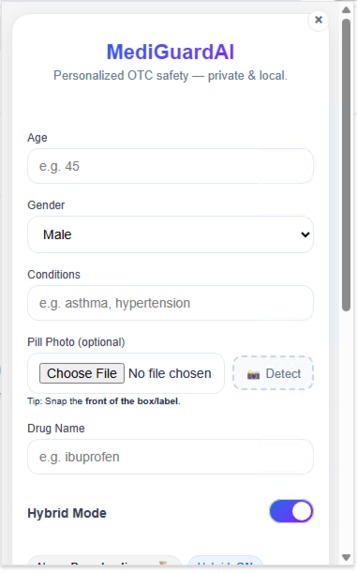
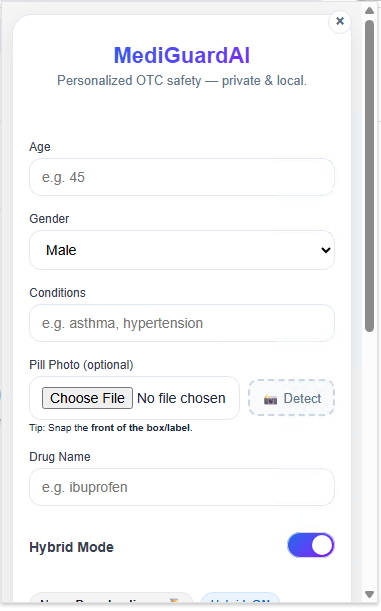
Profile Input: Personalized safety in one view.
-
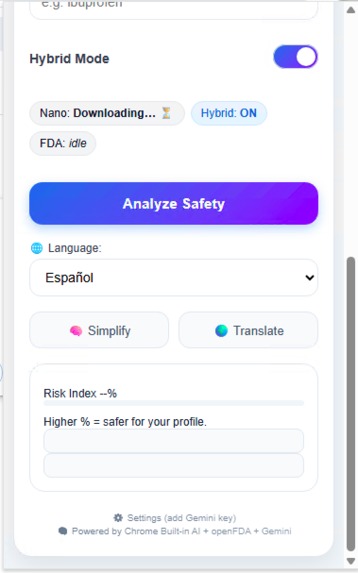
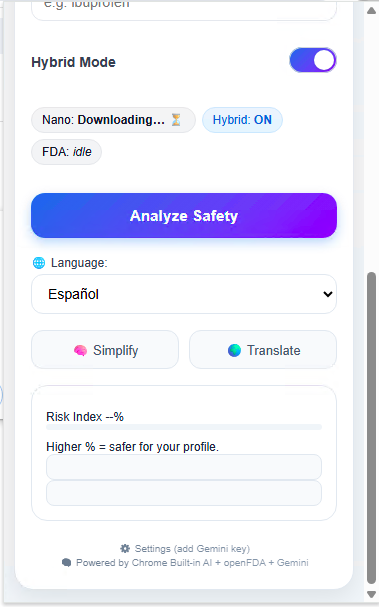
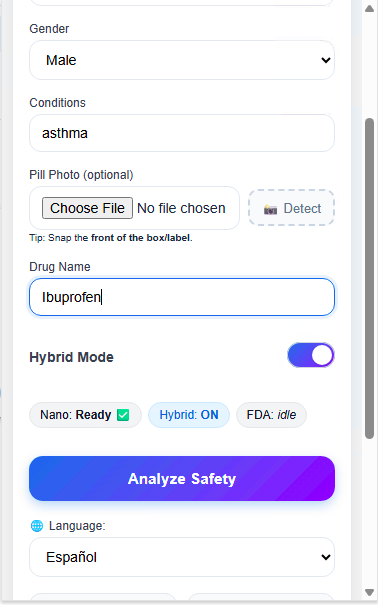
Hybrid Mode Setup: Smart local + cloud balance.
-
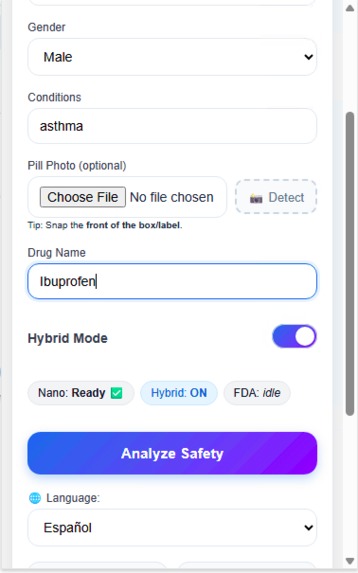
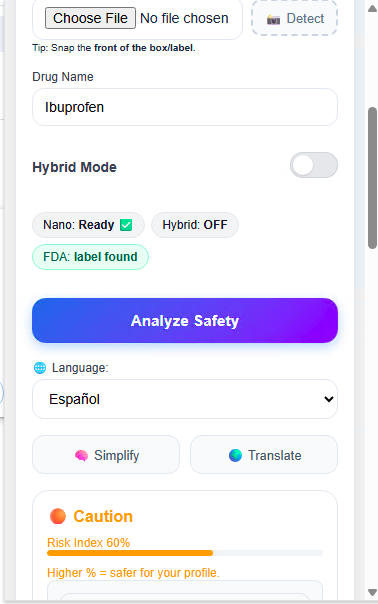
Drug Entry: Input medicine, get insight.
-
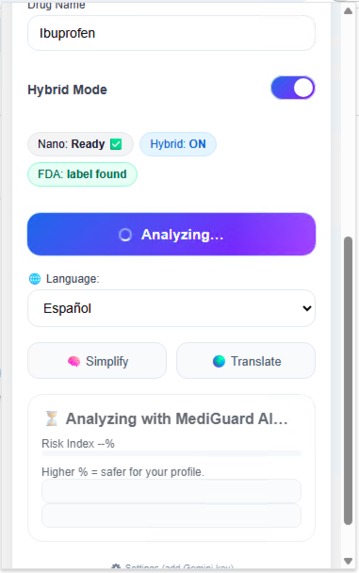
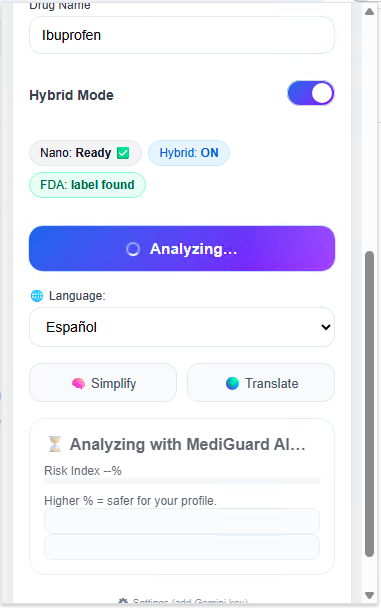
Analyzing: Gemini Nano in action.
-
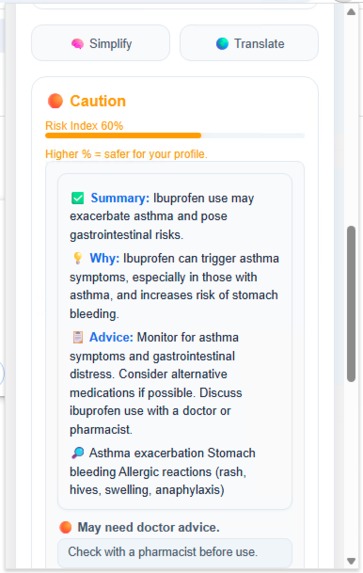
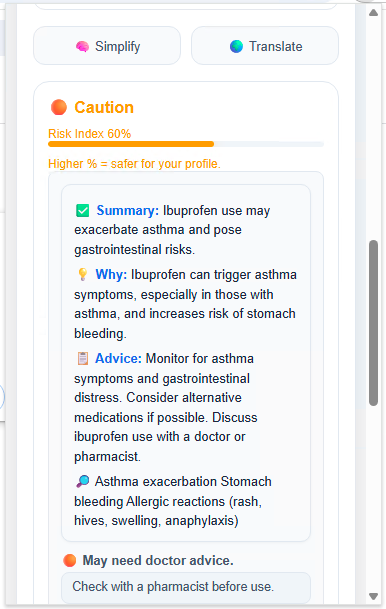
Caution Alert: Instant health risk alert.
-
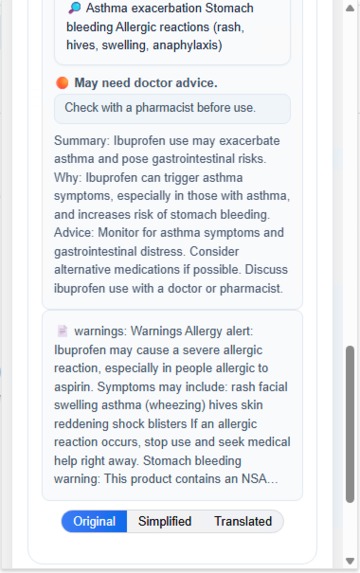
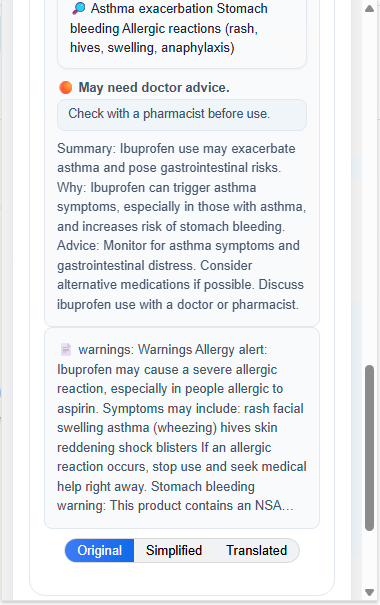
Doctor Advice: Clear next-step guidance.
-
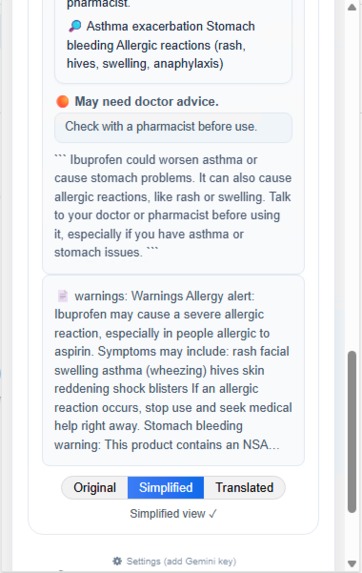
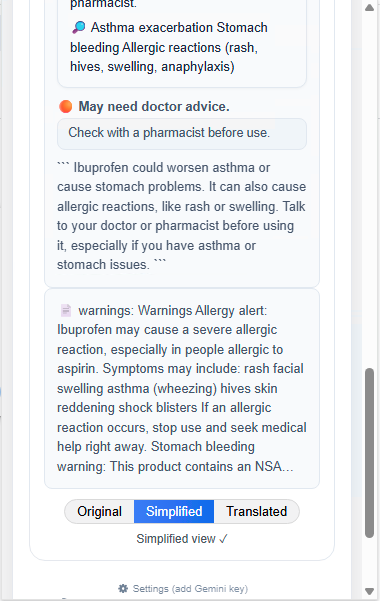
Simplified View: Medical text, made human.
-
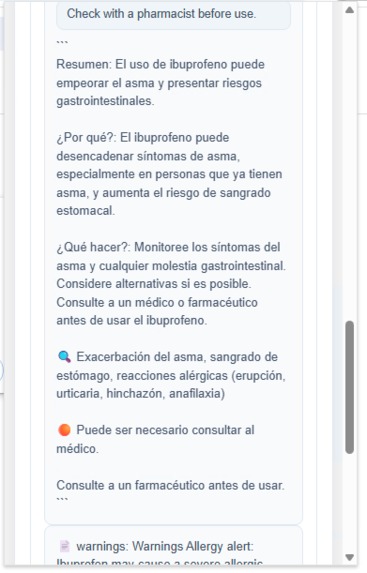
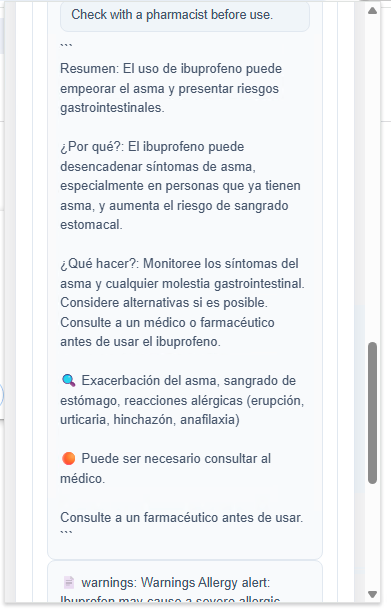
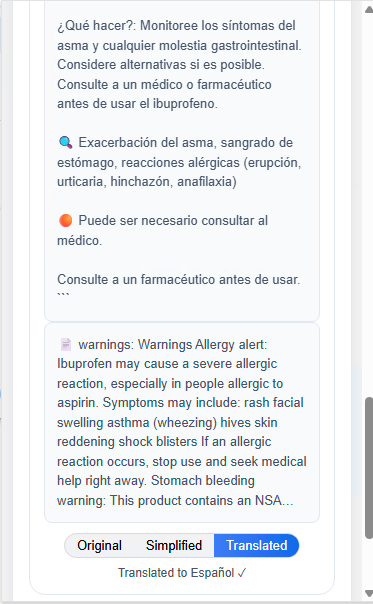
Translated Summary: Clear insight, no jargon, no barriers.
-
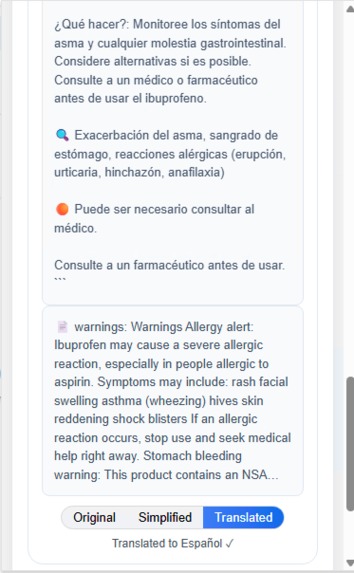
Spanish Translation: Summarize and translate with built-in AI.
-
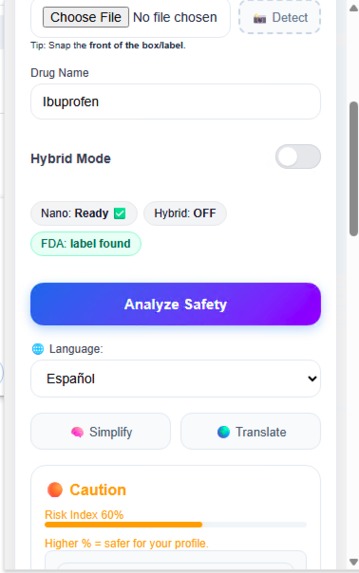
Privacy Mode: On-device AI summarization, 100 % private.
-
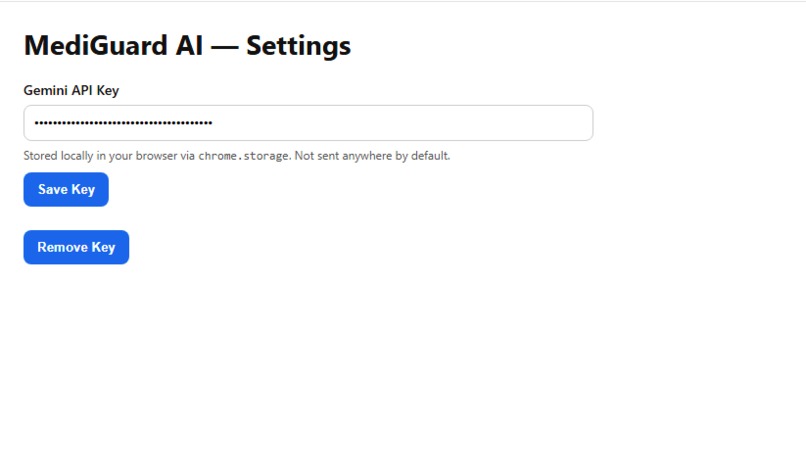
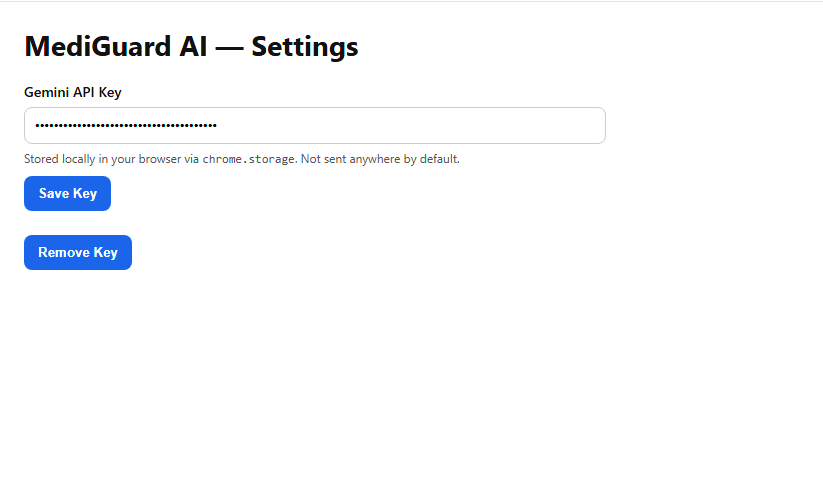
Settings (Fallback Mode): Add Gemini API key for hybrid AI fallback.
-
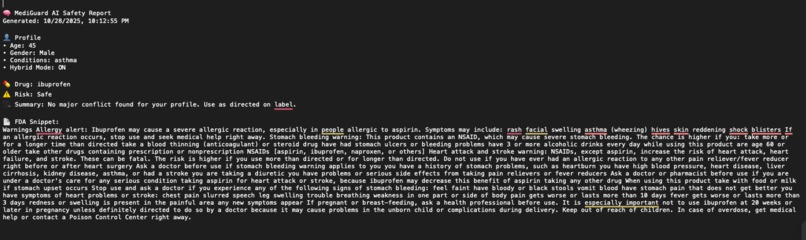
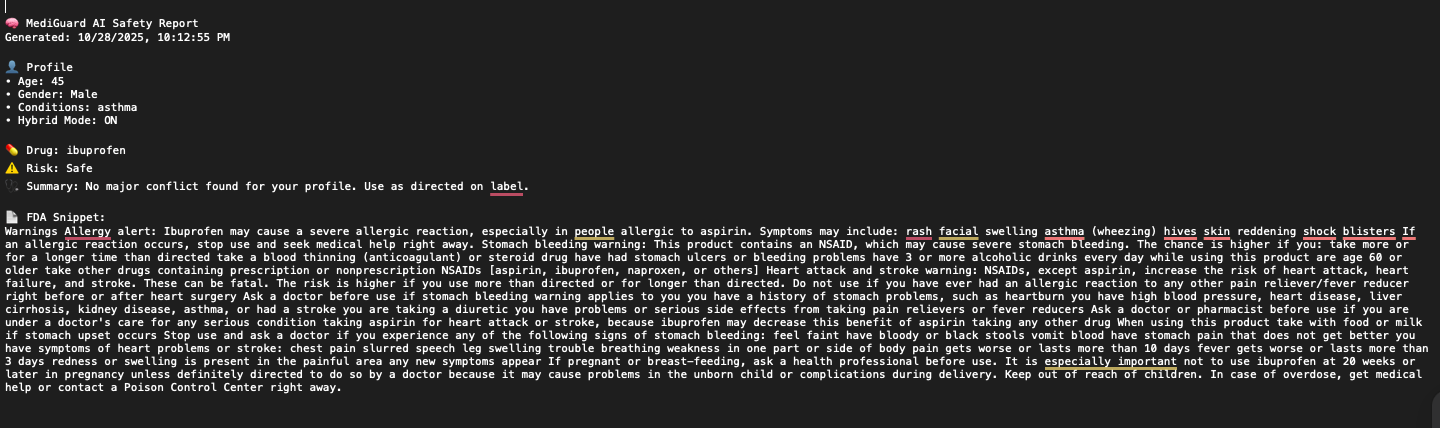
Report: Generates a detailed FDA-backed safety summary.
Inspiration
Every day, millions of people purchase over-the-counter (OTC) medicines without consulting a healthcare professional. Many don’t realize how certain ingredients can interact with chronic conditions or other drugs. As a computer-science student passionate about health tech, I wanted to make drug safety as simple as checking the weather. With the new Chrome Built-in AI and Gemini Nano, I saw the opportunity to create something that runs entirely on-device, protecting user privacy while offering personalized, intelligent health guidance.
What it does
MediGuard AI is a lightweight Chrome extension that helps users instantly check the safety of any OTC medicine by combining:
- ⚙️ Gemini Nano (local): Analyzes drug names directly on your device.
- 🌐 Hybrid Gemini Writer API fallback: adds context from FDA datasets when an internet connection is available.
- 📸 Image detection (optional): Identifies pills and packages from uploaded photos.
- 💬 Risk Index: Computes a personalized safety score based on age, gender, and health conditions.
- 🌍 Multilingual support: Summaries and safety instructions can be simplified or translated with a click.
Everything happens privately inside the browser; no data ever leaves your device unless the hybrid mode is enabled.
How we built it
- Frontend: HTML / CSS / JavaScript
- AI Logic: Chrome Built-in AI (Gemini Nano + Writer API + Translator API + Prompt API + Summarize API)
- APIs: FDA Open Drug Data API, Gemini Writer API (fallback)
- UI Framework: Tailwind-inspired custom CSS (lightweight, responsive)
- Deployment: Packaged as a Chrome Manifest V3 extension with offline reasoning.
The extension detects the environment. If Gemini Nano is available, it performs fully local reasoning; otherwise, it calls the Gemini Writer API for hybrid cloud-assisted responses.
Challenges we ran into
- UI performance: Ensuring a polished, consistent popup design that fits Chrome’s constrained extension layout.
- Model fallback: Designing a seamless switch between local and cloud Gemini models without breaking user flow.
- Regulatory data parsing: FDA datasets are complex and unstructured; normalizing them for instant lookup was a challenge.
- Privacy guarantees: Keeping all health inputs local while maintaining accurate AI reasoning required custom data handling.
Accomplishments that we're proud of
- ✅ Built a fully local AI safety checker powered by Gemini Nano.
- ✅ Designed a beautiful, production-ready interface that runs smoothly on Chrome Extensions.
- ✅ Integrated hybrid AI fallback without latency spikes.
- ✅ Delivered an end-to-end privacy-first medical-assistant experience using only browser technologies.
- ✅ Completed functional inference, reasoning, translation, and risk visualization within a 360 px popup.
What we learned
- How to integrate on-device LLMs (Gemini Nano) within Chrome’s new AI APIs.
- How prompt structure and temperature tuning affect medical reasoning accuracy.
- How to design lightweight, accessible interfaces for small screen contexts.
- How to maintain user trust through local reasoning and transparent UX.
What's next for MediGuard AI
- 🚀 Voice Mode: enable speech input and spoken responses.
- 📱 Mobile Chrome port: make it usable on Android Chrome with Gemini Nano Edge.
- 🧩 Smart Reminders: notify users when two OTC medicines conflict.
- 🧠 Federated health profiles: optional encrypted cloud sync for multi-device use.
Ultimately, I want MediGuard AI to become the world’s most trusted personal medicine safety companion, accessible to anyone, anywhere, without requiring them to share their data.
Built With
- api
- chrome-ai-origin-trail
- chrome-built-in-ai
- css
- fda-drug-data-api
- gemini-nano
- html
- javascript
- manifest
- prompt
- summarizer-api
- translator-api
- writer-api

Log in or sign up for Devpost to join the conversation.