MediConnect - Project Story
💡 Inspiration
I was inspired to create MediConnect because of my family. My parents are both doctors, and my brother is a medical student. Growing up, I always heard them talk about their work—both the amazing things they could do for patients and the challenges they faced.
I saw a need for a single platform that could help everyone in healthcare. I wanted to build a website that could:
- Help patients get help fast, especially in an emergency
- Give doctors and residents AI-powered tools to help them make diagnoses
- Give students a better way to study and learn
MediConnect is my way of using technology to try and solve some of the problems I've seen them face.
🚀 What it does
MediConnect is an all-in-one website that connects patients, doctors, and students.
For Patients:
AI Symptom Checker: You can describe your symptoms to an AI (Google Gemini), which suggests what might be wrong and what kind of doctor you should see.
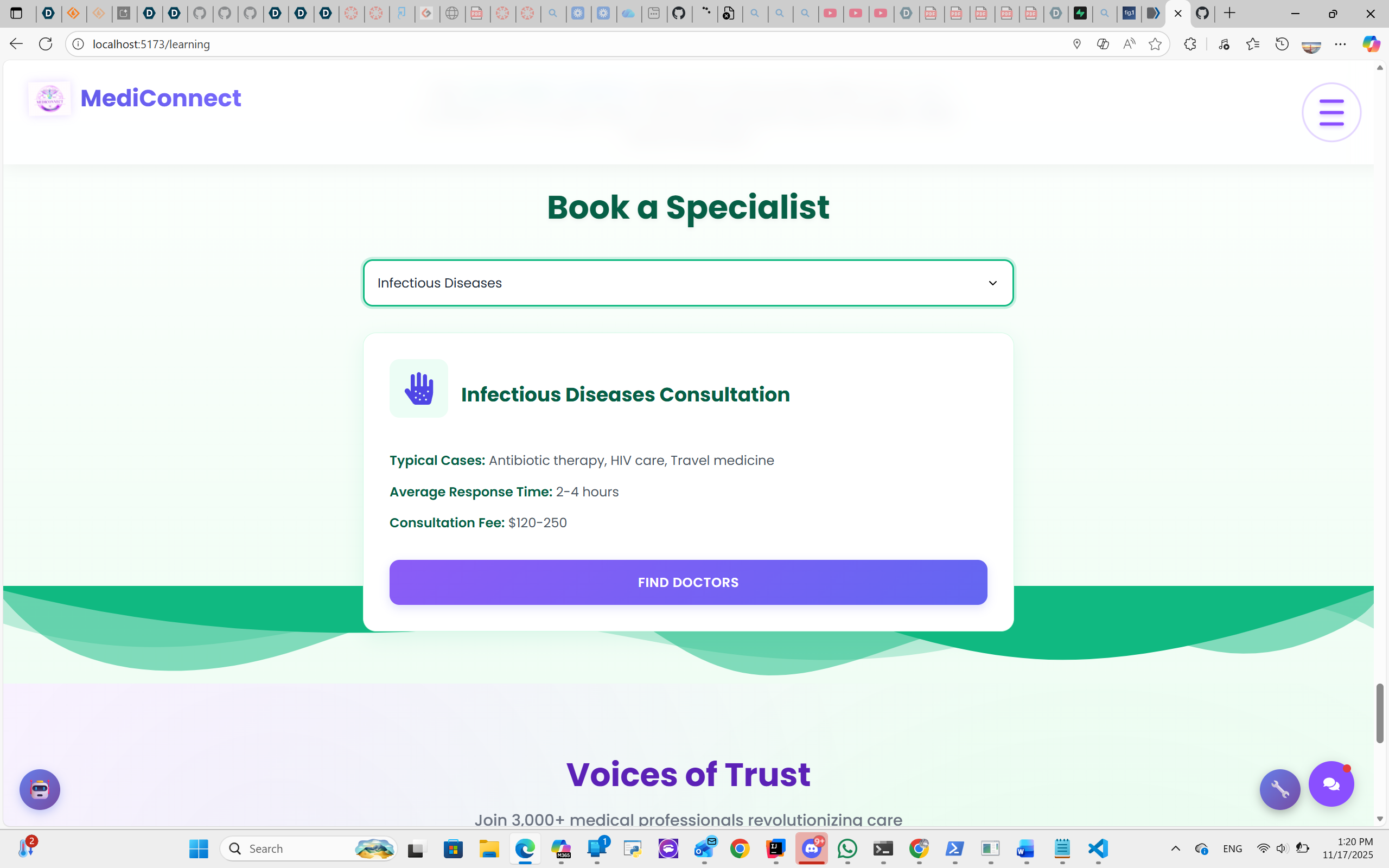
Real Doctor Matching: The site then searches a massive, real-world database (a 704MB file with 2.8M+ records) of actual doctors to find one who matches that specialty.
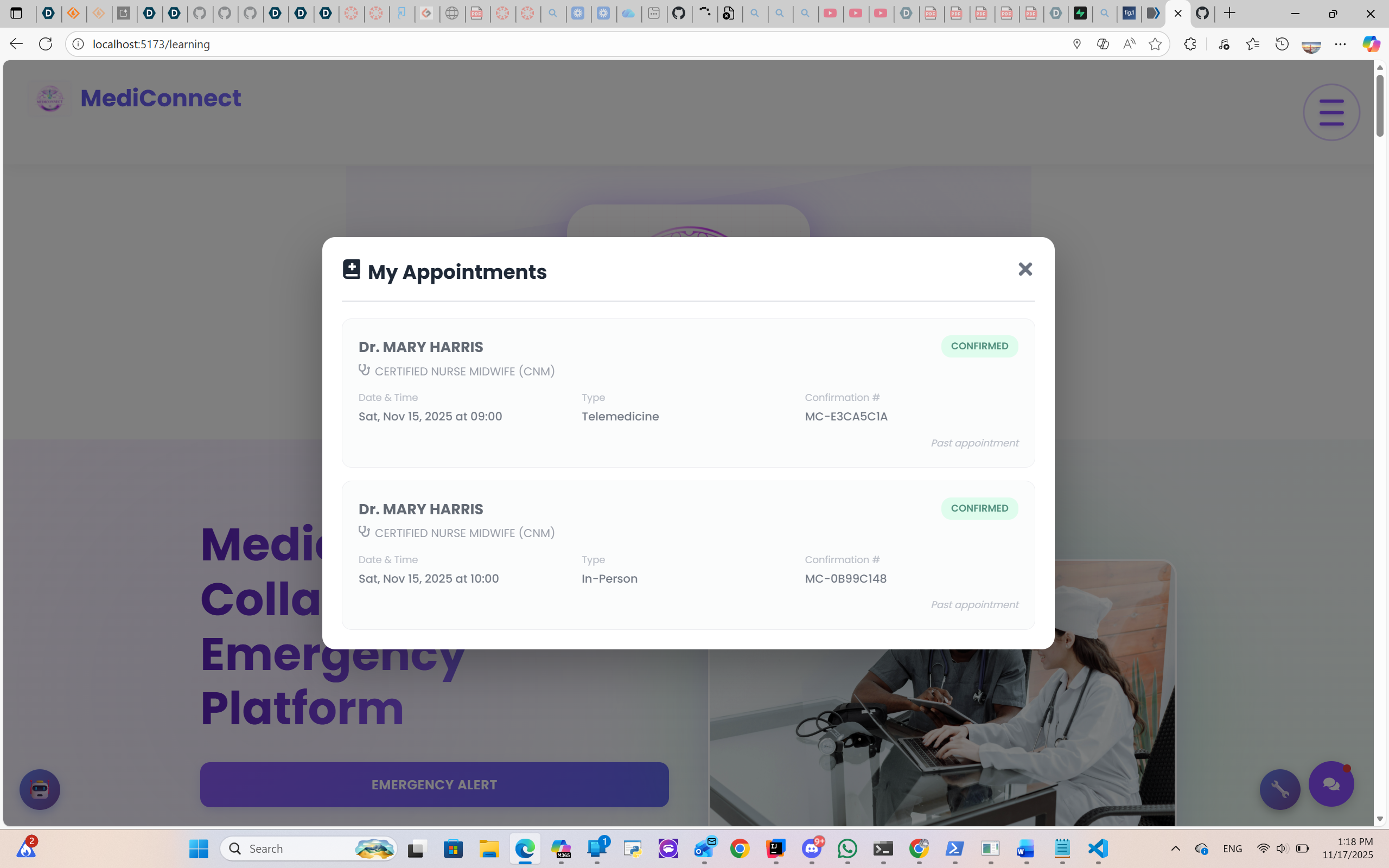
Easy Booking: You can see the doctor's location on a map and book an appointment right from the site.
Emergency SOS: If you're a registered user, you can use an emergency button to send your exact location to get help.
For Doctors & Residents:
AI Support: Professionals can use the AI to get a "second opinion" or ideas for different diagnoses and treatment plans.
For Medical Students:
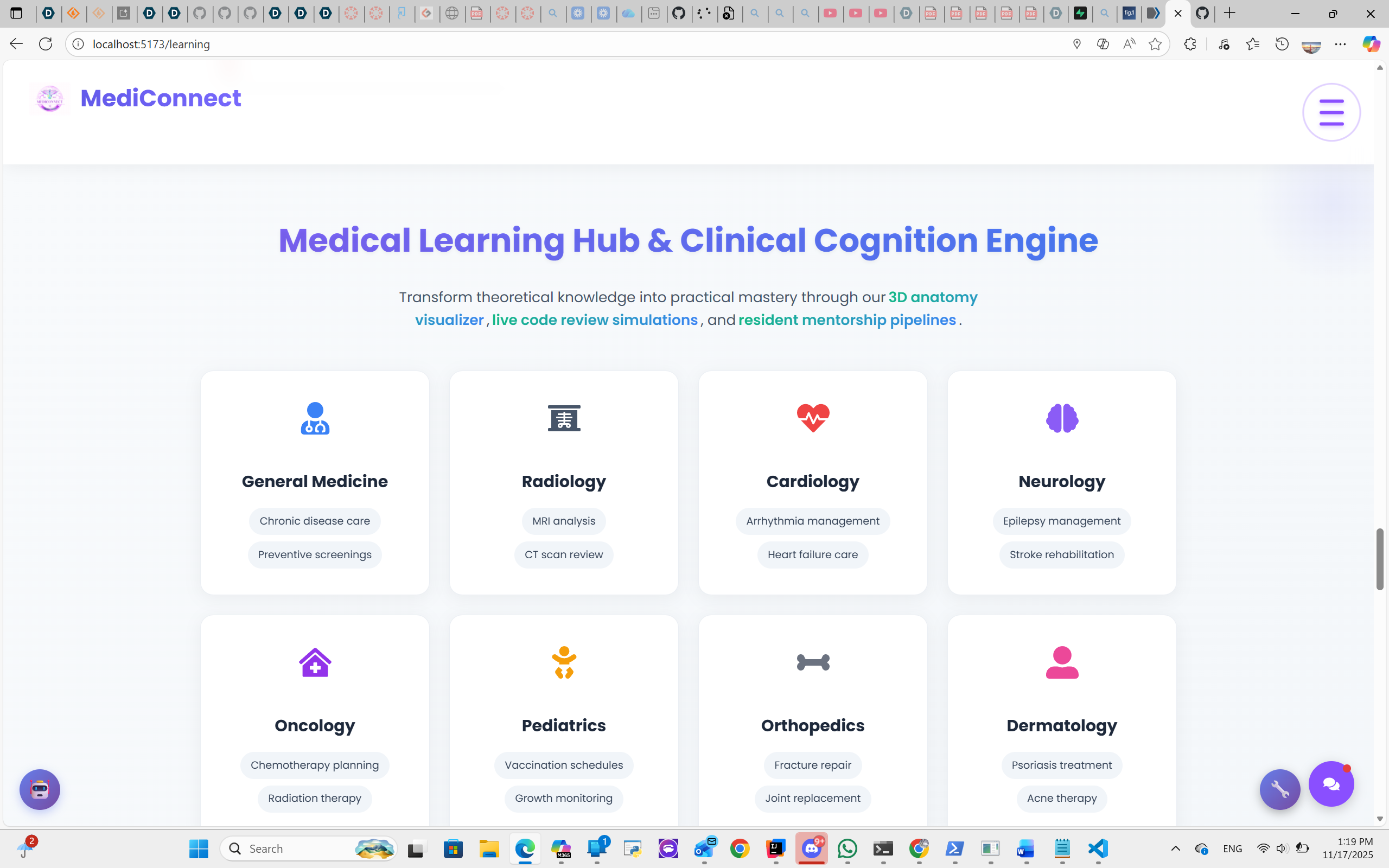
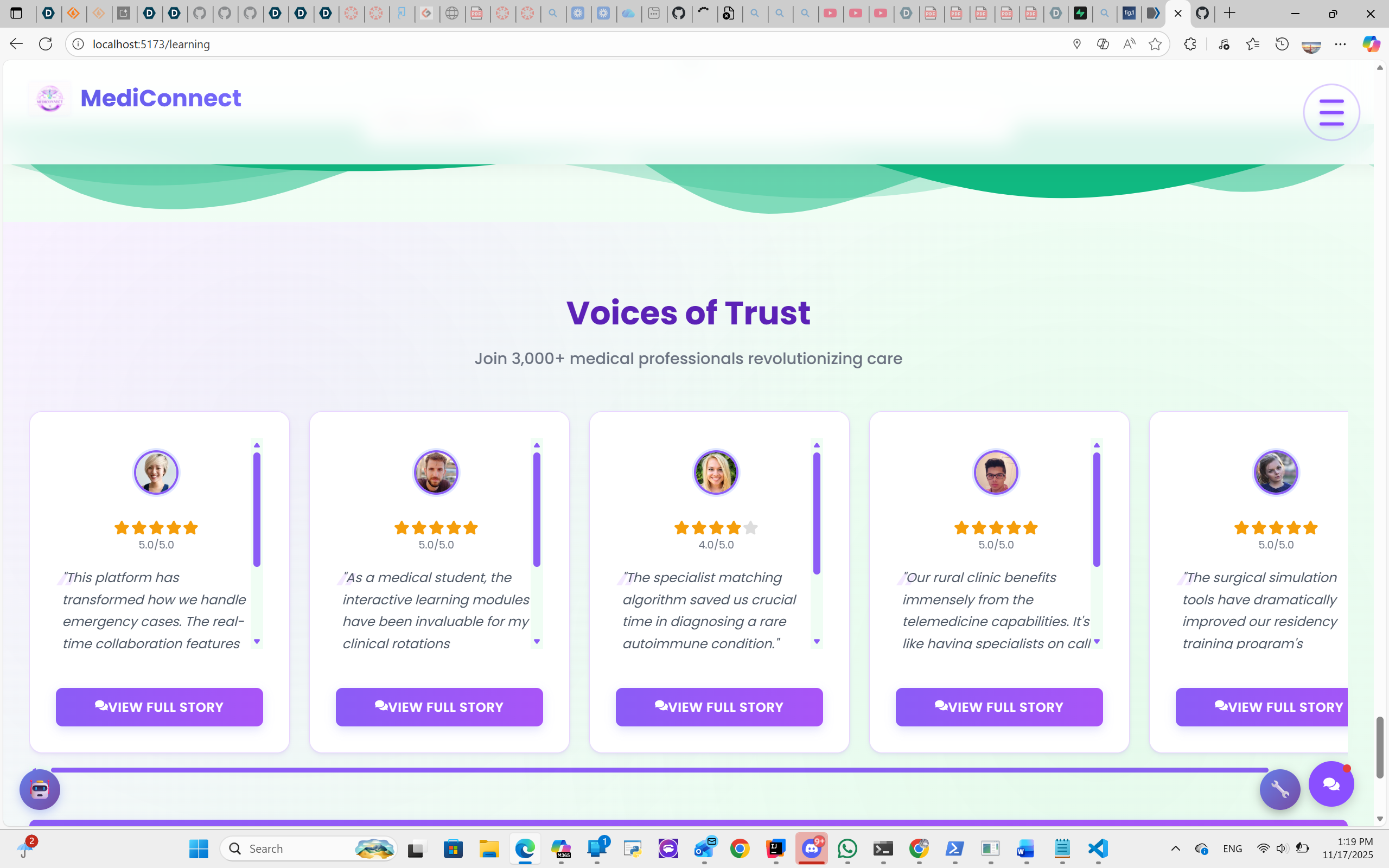
Learning Hub: We built a section called the "Clinical Nexus Academy" with quizzes, case studies, and game-like elements to make learning more interactive.
🛠️ How we built it
We built MediConnect as a full-stack web application.
Frontend (What you see)
We used React and Vite to build a fast, modern user interface. This includes all the interactive components like:
BookingModal.jsxfor appointment schedulingNewMapComponent.jsxfor interactive mapsClinicalNexusAcademy.jsxfor educational contentAuthModal.jsxfor user authentication
Backend (What runs on the server)
We used Node.js and Express to build the "brain" of the website. This handles all the user requests and data processing.
Data & AI
Google Gemini AI powers:
- The symptom checker
- Diagnostic assistance
- All the learning tools
- Clinical reasoning evaluation
Real Healthcare Data: The core of our doctor search is a real 704MB government file (CMS database) containing 2,829,975 doctors and clinicians. We wrote a custom script (csvProcessorUltraStrict.js) to read and search this huge file instantly.
Database: We use Supabase for:
- User authentication
- Real-time chat
- Avatar storage
- And JSON file storage for appointment bookings
🏔️ Challenges we ran into
Handling the 704MB File
This file was huge. Our biggest challenge was figuring out how to make our server search it quickly without crashing or timing out. The file contains:
2,829,975 provider records
Columns: NPI, name, specialty, address, city, state, zip, phone
Total size: 704 MB
We had to write a very specific script to handle this efficiently.
The "Missing Address" Bug
We had a bug where the doctor's address wouldn't show up in the booking modal or on the map. Our code logs just said:
address: undefined
This was a tricky problem with how we were passing data between different parts of our React app. We eventually traced it through the component hierarchy and fixed the prop drilling issue.
Random Syntax Errors
We also spent a lot of time hunting down a vague Uncaught SyntaxError that was hard to find and fix. It turned out to be corrupted emoji characters in our AI service file that needed proper UTF-8 encoding.
Geocoding Rate Limits
Working with OpenStreetMap's Nominatim API taught us about rate limiting. We had to implement sequential geocoding with a 1-second delay:
// Respect 1 request/second rate limit
await new Promise(resolve => setTimeout(resolve, 1000));
🏆 Accomplishments that we're proud of
Making the Doctor Search Work
We are most proud of getting the search to work with that giant 704MB file. It means our app provides users with real doctors, not just fake data. Users can search by:
- Location (city, state)
- Medical specialty
- Symptoms
- Age-appropriate care
Using AI in Three Ways
We didn't just add a chatbot. We successfully used AI to:
- Help patients - symptom analysis and specialty recommendation
- Educate students - interactive quizzes with AI evaluation
- Support doctors - diagnostic assistance and second opinions
A Complete, Working App
We built a full, end-to-end experience. A user can:
- Start by describing their symptoms
- Get AI-powered specialty recommendations
- Search real doctors from the CMS database
- View locations on an interactive map
- Book an appointment
- Receive email confirmation
- All in one place!
Interactive 3D Anatomy
We integrated professional anatomical visualizations:
- Zygote Body for complete human anatomy
- Sketchfab models from Z-Anatomy collection
- Custom 3D models for specialty-specific education
📚 What we learned
"Big Data" is Harder Than it Looks
Working with a 704MB file taught us that real-world data is messy and difficult. We learned:
- Stream processing for large CSV files
- Memory-efficient data structures
- Caching strategies to minimize API calls
- Advanced Node.js techniques for async processing
Performance metrics we achieved:
- CSV loading: 3-5 seconds for 2.8M records
- Doctor search: < 500ms average response time
- Geocoding: 1 address/second (respecting API limits)
Managing App Data is Key
The "missing address" bug was a powerful lesson. It taught us:
- Proper React state management
- Component prop passing patterns
- Debugging techniques with Chrome DevTools
- The importance of TypeScript (for future projects!)
Using Real Data is Motivating
Using a real government list of doctors made the project feel much more important and pushed our team to build a high-quality product. It wasn't just a demo—it's a platform that could help real people find real healthcare.
AI Integration Best Practices
We learned how to work with the Google Gemini API:
- Multi-model fallback (2.5 Flash → 2.0 Flash → 1.5 Pro)
- Request debouncing to avoid rate limits
- Structured prompts for consistent responses
- Error handling with educational fallbacks
🔮 What's next for MediConnect
Now that we've fixed the booking modal bug and upgraded the emergency location tracking, we can focus on expanding the platform's features:
Short-term Goals (Q1 2026)
- Integrate a Payment System: Build a secure payment portal (Stripe) so patients can pay for their appointments directly through the app
- SMS Notifications: Implement Twilio integration for appointment reminders
- Calendar Sync: Enable Google Calendar and Outlook integration
Medium-term Goals (Q2-Q3 2026)
- Expand the Student Academy: Build out the "interactive game-like elements" for the Clinical Nexus Academy to create a more engaging learning simulation
- Add more clinical case studies (target: 200+)
- Implement leaderboards and achievements
- Create virtual patient simulations
- Telemedicine Integration: Add WebRTC video calls for remote consultations
- Medical Records: Secure document upload and storage system
Long-term Vision (Q4 2026+)
- Keep the Data Fresh: Write a script that automatically downloads and processes the latest version of the CMS clinician database to keep our doctor list accurate and up-to-date
- Mobile Applications: Native iOS and Android apps
- Insurance Verification: Real-time insurance eligibility checks
- Prescription Management: E-prescription integration
🎯 Technical Highlights
Architecture
Frontend (React + Vite)
    ↓
Backend (Node.js + Express)
    ↓
├── CMS Database (2.8M records)
├── Google Gemini AI
├── Supabase (Auth + Chat)
└── OpenStreetMap (Geocoding)
Key Technologies
- Frontend: React 18, Vite, Leaflet.js, React Icons
- Backend: Express.js, Nodemailer, CSV Parser
- AI: Google Gemini (multiple models)
- Database: Supabase + JSON file storage
- APIs: OpenStreetMap Nominatim, PubMed
- 3D Visualization: Zygote Body, Sketchfab
Performance Optimizations
- Geocoding cache - Stores address coordinates in memory
- Unique address detection - Only geocodes unique addresses
- CSV streaming - Async loading without blocking
- Rate limiting - Sequential API calls to avoid blocks
- Lazy loading - 3D models loaded on demand
👥 Team
Developers: Koushik Vasa & Tasneem Shabana
Date: November 16-17, 2025
Version: 2.0
📊 Impact & Statistics
- 2,829,975+ healthcare providers searchable
- 70+ clinical case studies
- 20+ 3D anatomical models
- 50+ medical specialties covered
- 15,000+ lines of code
- ~100 hours of development
Built with ❤️ to improve healthcare access for everyone
Built With
- ai
- api
- react
- vite

Log in or sign up for Devpost to join the conversation.