💡 Inspiration
Nearly half of all adults struggle to understand their own medical documents — lab reports filled with cryptic abbreviations, reference ranges, and values that mean nothing without a medical degree. Meanwhile, medication errors cause over 125,000 deaths annually in the US alone [ADD SOURCE]. We asked: what if AI could be the translator between medical jargon and plain language?
As students, we've watched our own family members stare at lab reports in confusion, or take multiple medications without knowing they might interact dangerously. MediClear was born from the simple belief that everyone deserves to understand their own health data.
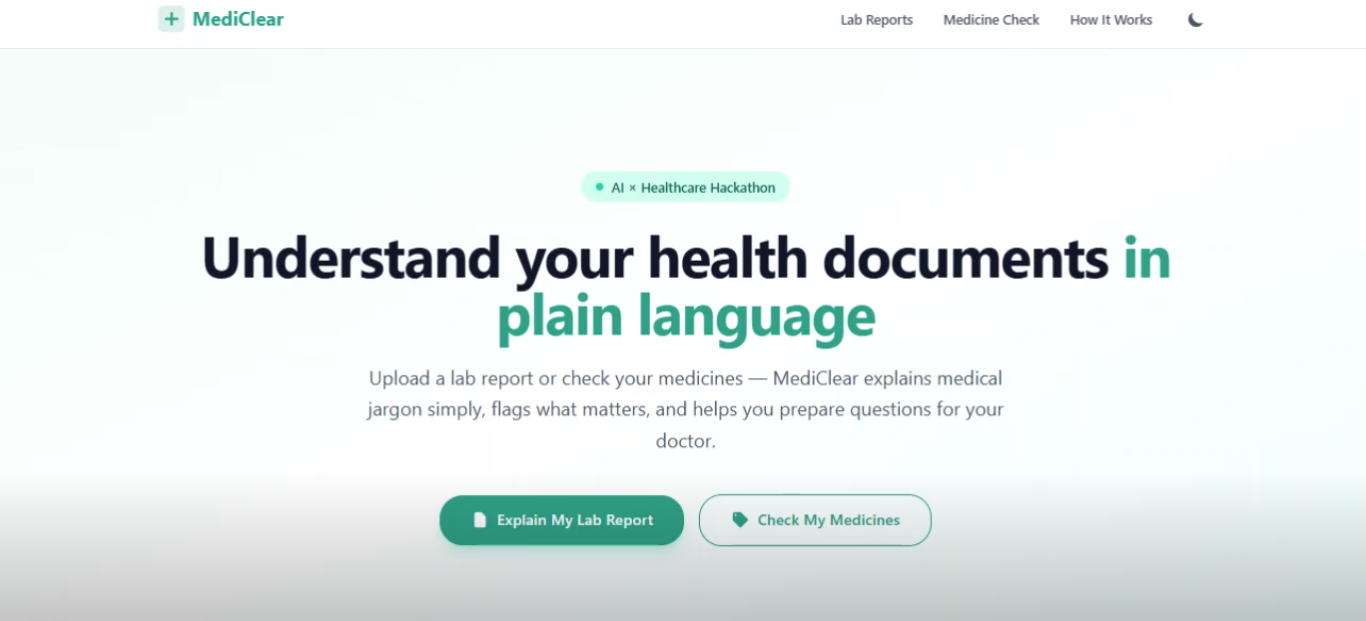
🔍 What it does
MediClear has two core features:
1. Lab Report Explainer
- Upload a lab report (PDF, JPG, or PNG)
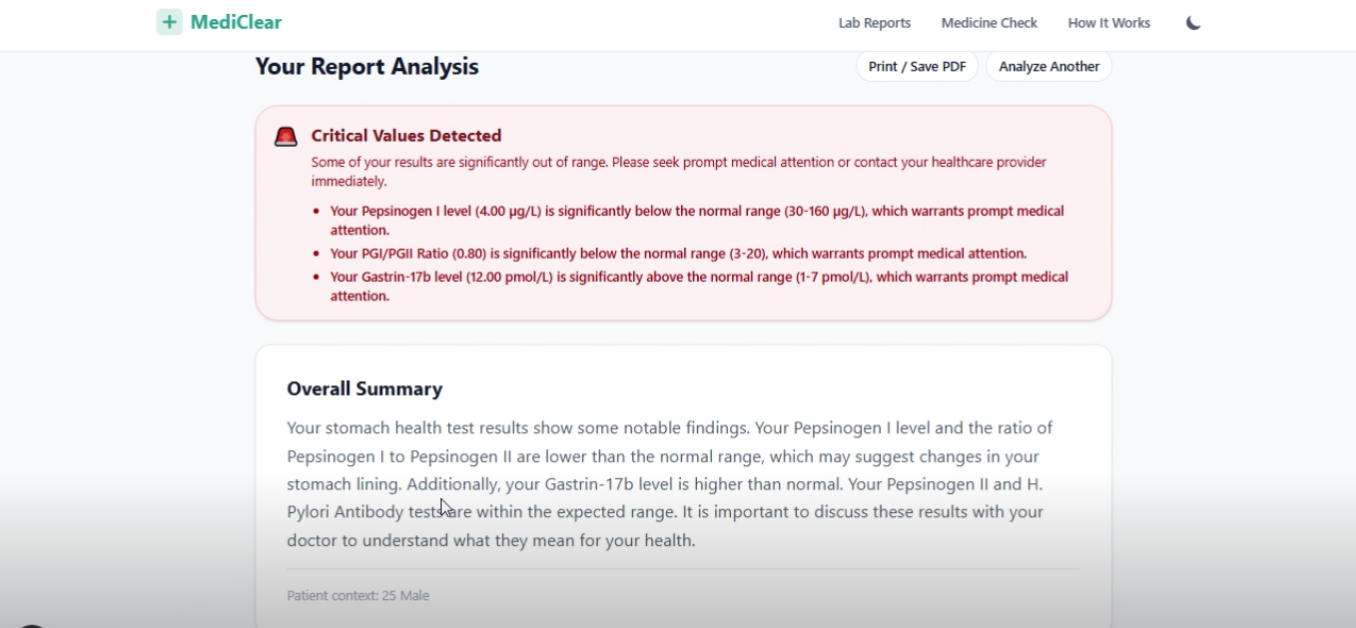
- AI extracts every test value, compares it to the printed reference range on the report
- Each result gets a color-coded status (green/amber/red) with a visual range bar
- Plain-language explanations written at an 8th-grade reading level
- Critically abnormal values trigger an urgent flags banner
- Generates questions to ask your doctor — so you walk into your appointment prepared
- Available in 5 languages (English, Urdu, Hindi, Spanish, Arabic) with proper RTL support
2. Medicine Safety Checker
- Add medicines by name or photo
- Pulls real data from FDA labels (openFDA) and RxNorm (NIH)
- Shows what each drug is for, how to take it, common side effects, and what to avoid
- Checks interactions between all your medicines using real clinical data
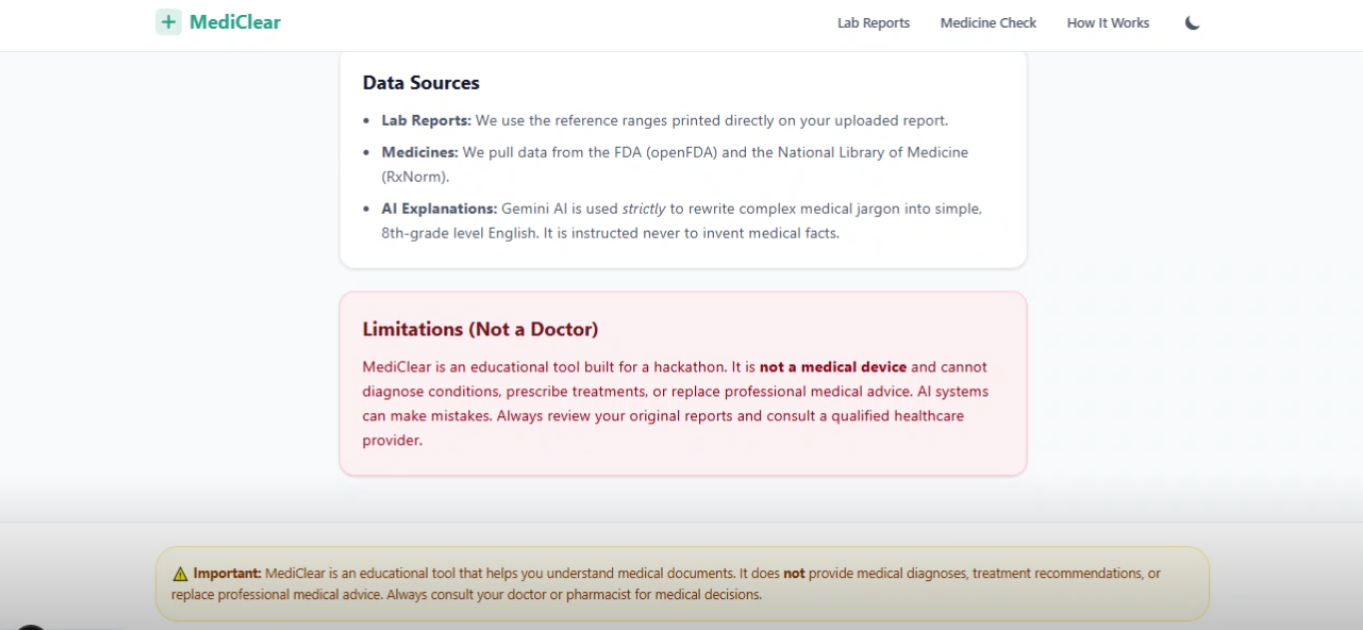
- Every statement is labeled either "From FDA label" or "AI-generated explanation" — so you always know the source
- Build a daily medication schedule (morning/afternoon/evening/night) and export it as an .ics calendar file
🏗️ How we built it
Stack: Next.js (App Router) + TypeScript + Tailwind CSS, deployed on Vercel.
AI Layer: Google Gemini (via the official @google/genai SDK) is called only from server-side route handlers — never from the browser. We use Gemini's structured JSON output mode with Zod schema validation to ensure every response matches our expected format. If the AI returns invalid JSON, the system automatically retries once with error feedback.
Drug Data Pipeline:
- User enters a medicine name → RxNorm API normalizes it to an RxCUI identifier
- RxCUI → openFDA API retrieves real FDA label data (indications, warnings, adverse reactions, dosage)
- Gemini only rewrites the retrieved FDA text into plain language — it never invents medical facts
- Drug interactions are checked via RxNorm's interaction API using real clinical databases
Privacy by Design: No database. No file storage. Every uploaded document is processed entirely in memory and discarded immediately after analysis.
Safety Features:
- First-visit consent modal explaining what the app does and doesn't do
- Disclaimers on every result screen
- Emergency keyword detection (e.g., "chest pain", "suicidal thoughts") triggers an immediate banner with local emergency numbers
- Rate limiting on all API routes
- "Report a wrong result" feedback button
🧗 Challenges we faced
Structured AI output is fragile. Getting Gemini to reliably return valid JSON matching our Zod schemas required careful prompt engineering, system instructions, and a retry-with-feedback mechanism. We learned that validation is non-negotiable when AI output drives a health-related UI.
Reference range parsing is messy. Lab reports express ranges in dozens of formats — "4.0–6.0", "<5.0", ">150", "Negative", etc. Building a visual range bar that handles all these gracefully was trickier than expected.
Responsible AI in healthcare is hard. Every sentence had to be reviewed for language that could be misinterpreted as a diagnosis. We adopted patterns like "can be associated with" and "ask your doctor" throughout, and made sure the app never says what a patient has — only what the numbers might mean.
RTL language support. Supporting Urdu and Arabic required dynamically switching
dir="rtl"on the results container and testing that the entire layout (range bars, cards, chips) rendered correctly in both directions.
📚 What we learned
- How to use the Gemini API with structured output and Zod validation in production
- The difference between AI-generated content and AI-rewritten content — and why source labeling matters in healthcare
- How to build a trust layer around AI: consent, disclaimers, emergency detection, source attribution
- Real-world API integration with RxNorm and openFDA for drug data
- The importance of designing for accessibility and internationalization from day one
🚀 What's next for MediClear
- OCR fallback for scanned/handwritten reports using dedicated OCR before sending to the AI
- Medication reminders via push notifications tied to the schedule builder
- Multi-page PDF support for comprehensive lab reports
- Doctor sharing — generate a QR code your doctor can scan to see the same analysis
- Voice explanations powered by text-to-speech for elderly or visually impaired users
- Formal clinical validation with healthcare professionals
Built With
- css
- gemini
- next.js
- openfda
- tailwind
- typescript
- vercel
- zod


Log in or sign up for Devpost to join the conversation.