-
-
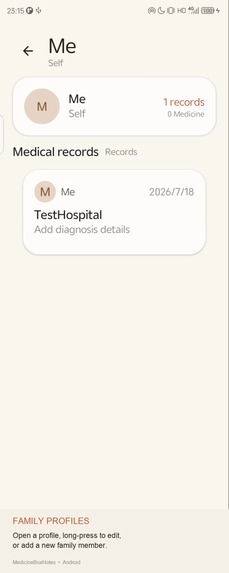
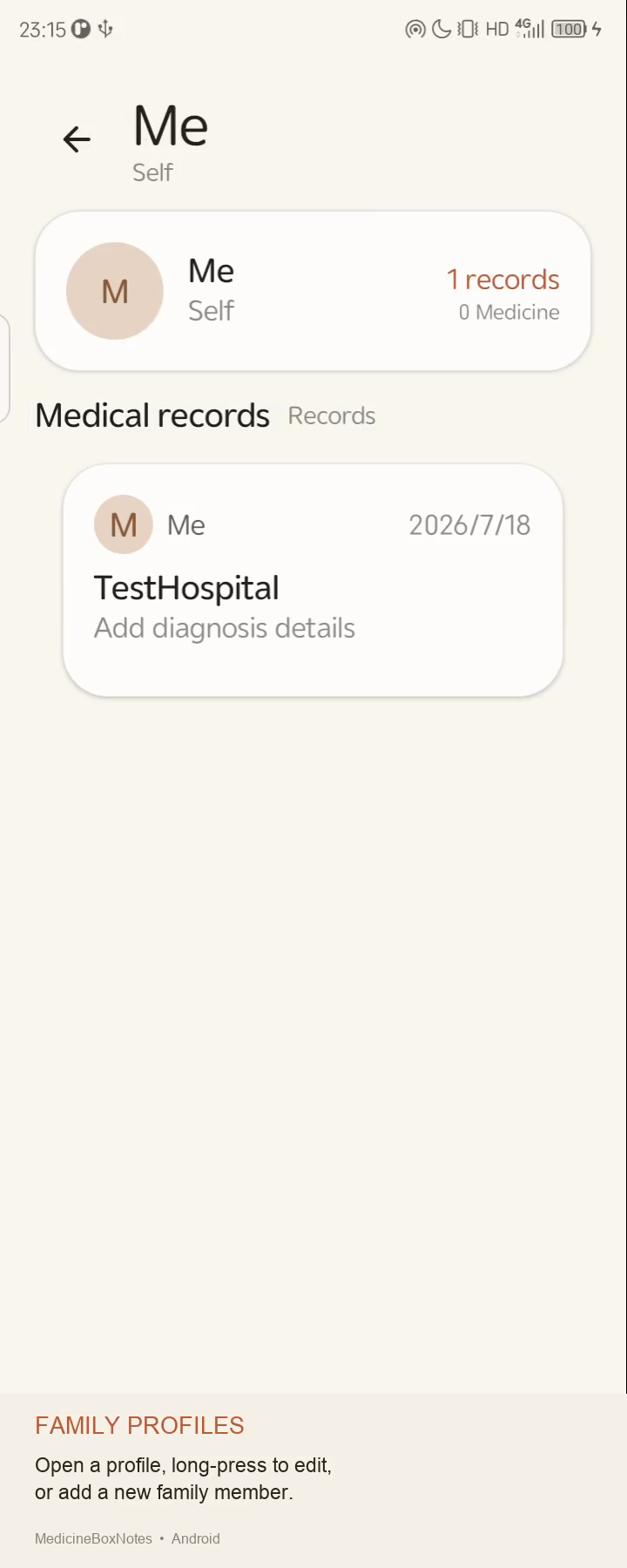
03-family-profiles
-
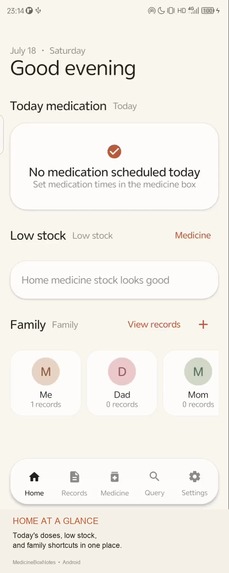
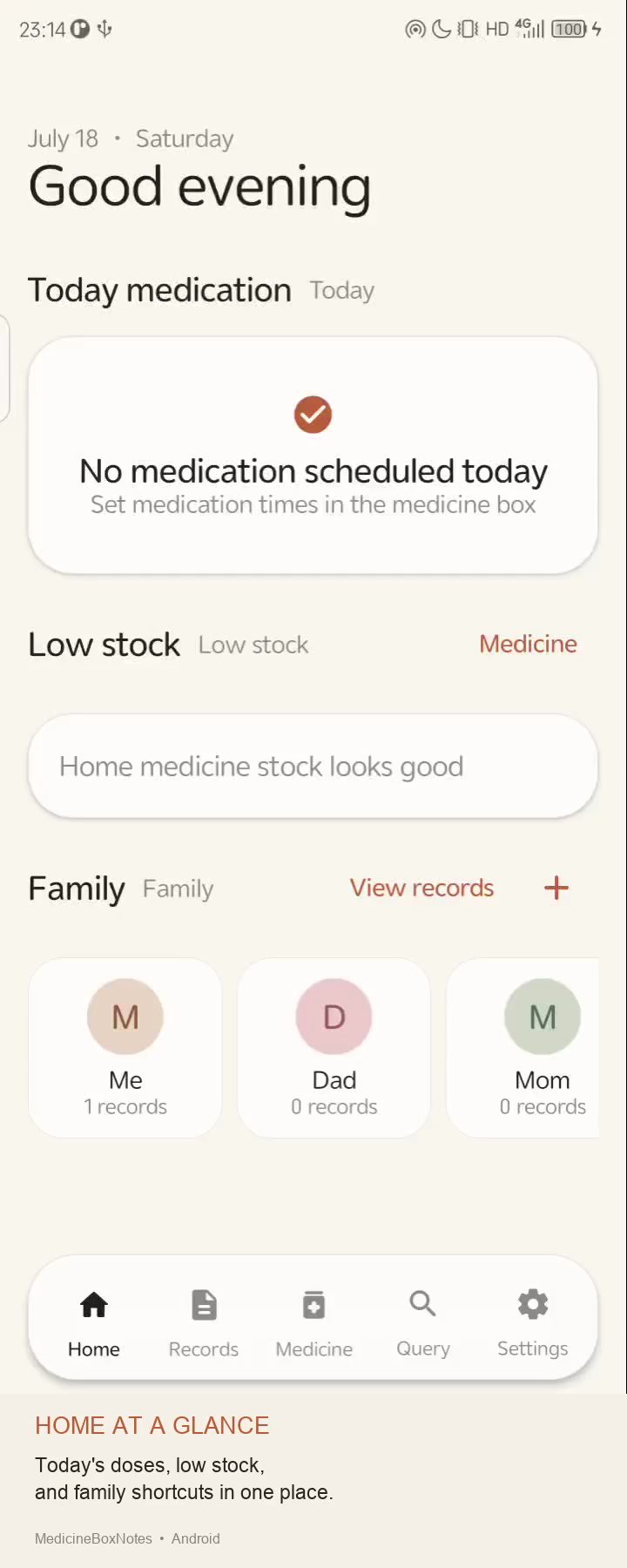
02-home-overview
-
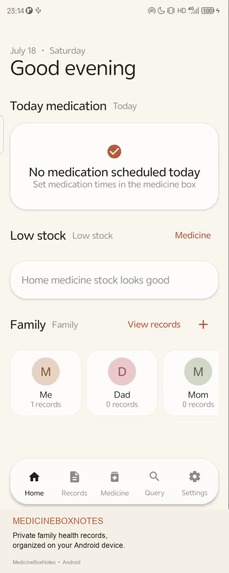
01-introduction-home
-
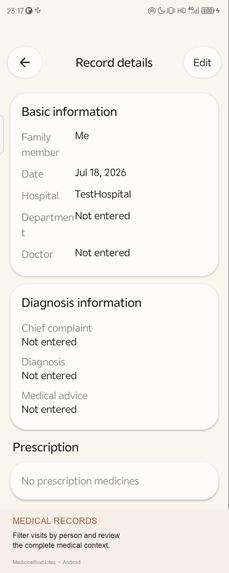
04-medical-records
-
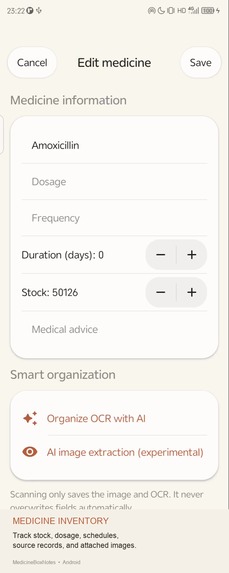
05-medicine-inventory
-
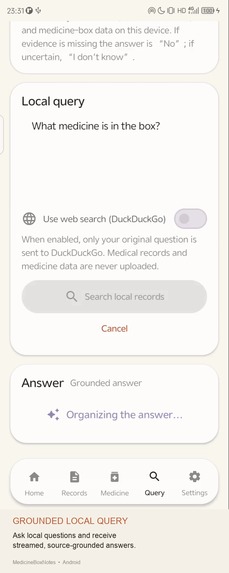
08-local-query
-
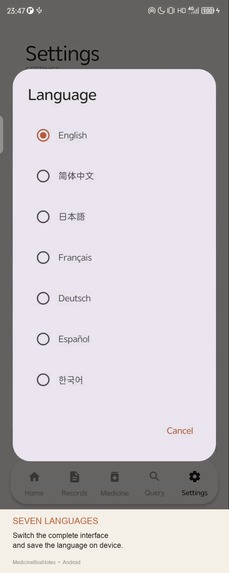
09-language-switching
-
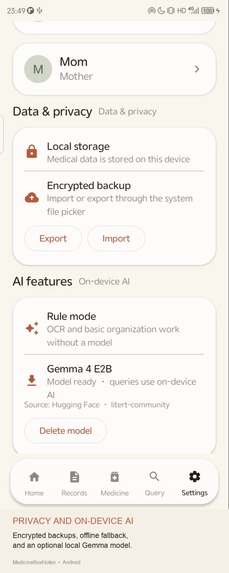
10-privacy-backup-ai
-
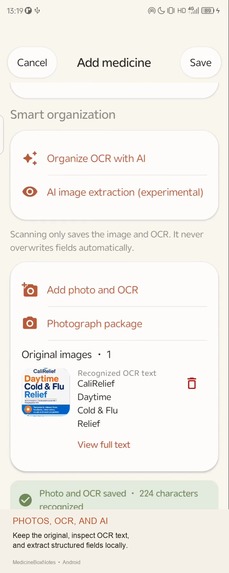
06-photos-ocr-ai
-
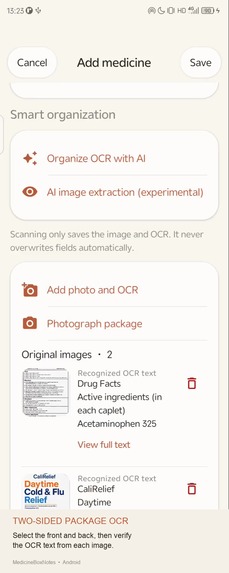
07-two-sided-package-ocr
Project Story
Inspiration
The idea for MedicineBoxNotes came from several everyday problems.
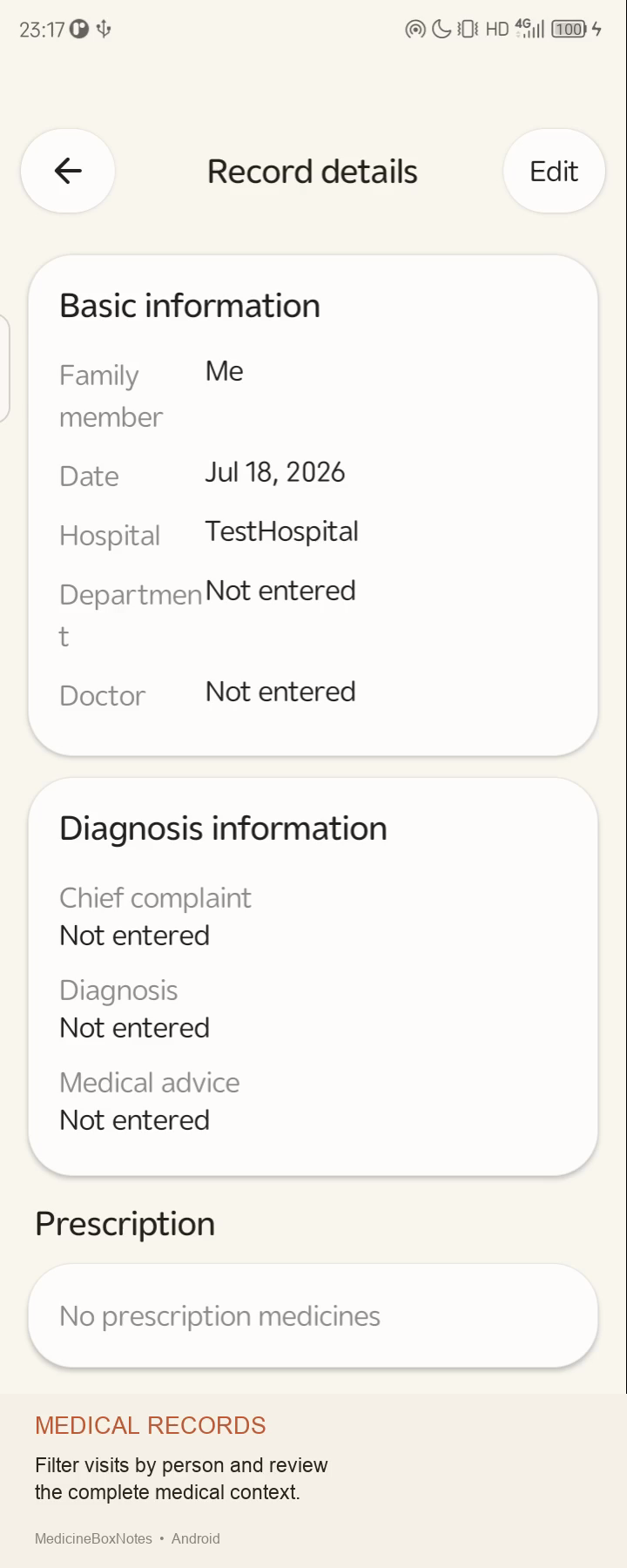
Many people’s medical records still exist primarily as paper documents. They may be scattered across different hospitals, folders, or even different drawers at home. Over time, it becomes difficult to reconstruct a complete medical history.
The same problem applies to household medications. We may not know exactly what is already stored in the medicine cabinet, and sometimes we only discover that we have purchased a duplicate after bringing a new box home. Some medicines may have expired, while people who require long-term treatment may forget whether they have taken their medication that day.
When we want to answer questions such as, “What medicine did I take for my cough last year?” or “How should I take this medicine?”, we often have to search through old medical records, prescriptions, and instruction leaflets.
This information belongs to the individual. It should be possible to organize and search it in one place, and to access it through a more natural and convenient form of interaction.
That is why I decided to create MedicineBoxNotes: an application that brings family medical records, prescriptions, medication inventory, and treatment plans together while keeping the data on the user’s own device whenever possible.
How I Built It
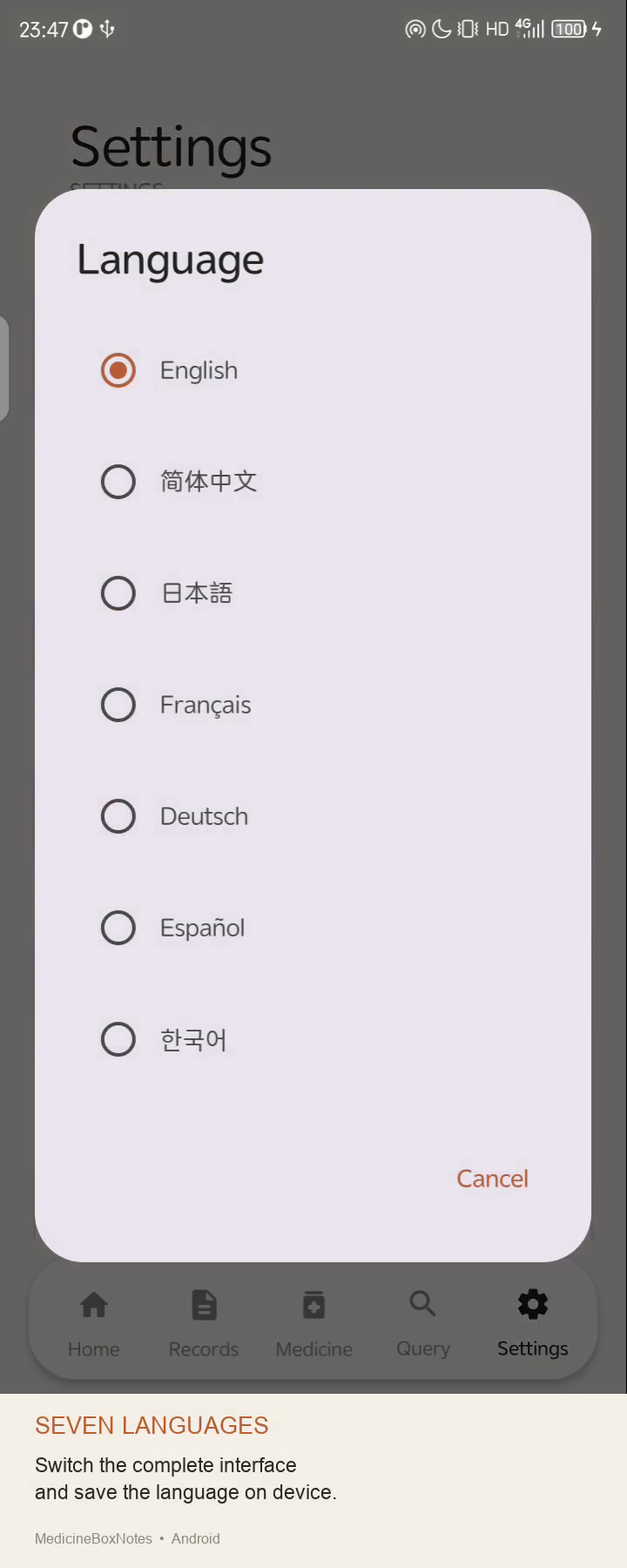
The project was originally developed as an iOS application. After several rounds of design, testing, and feature improvements, I expanded the same product concept by building a native Android version.
The Android version uses Kotlin and Jetpack Compose for the user interface, while Room is used to store family members, medical records, prescriptions, medications, and medication logs.
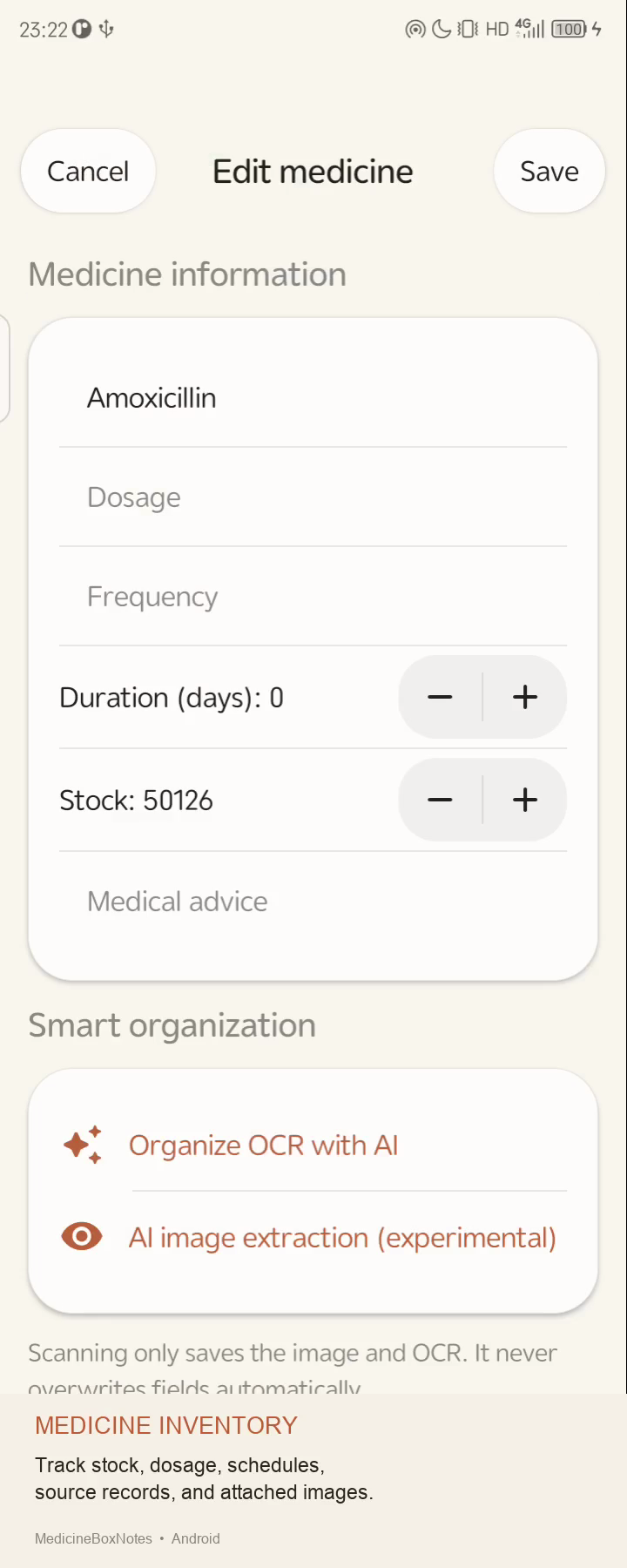
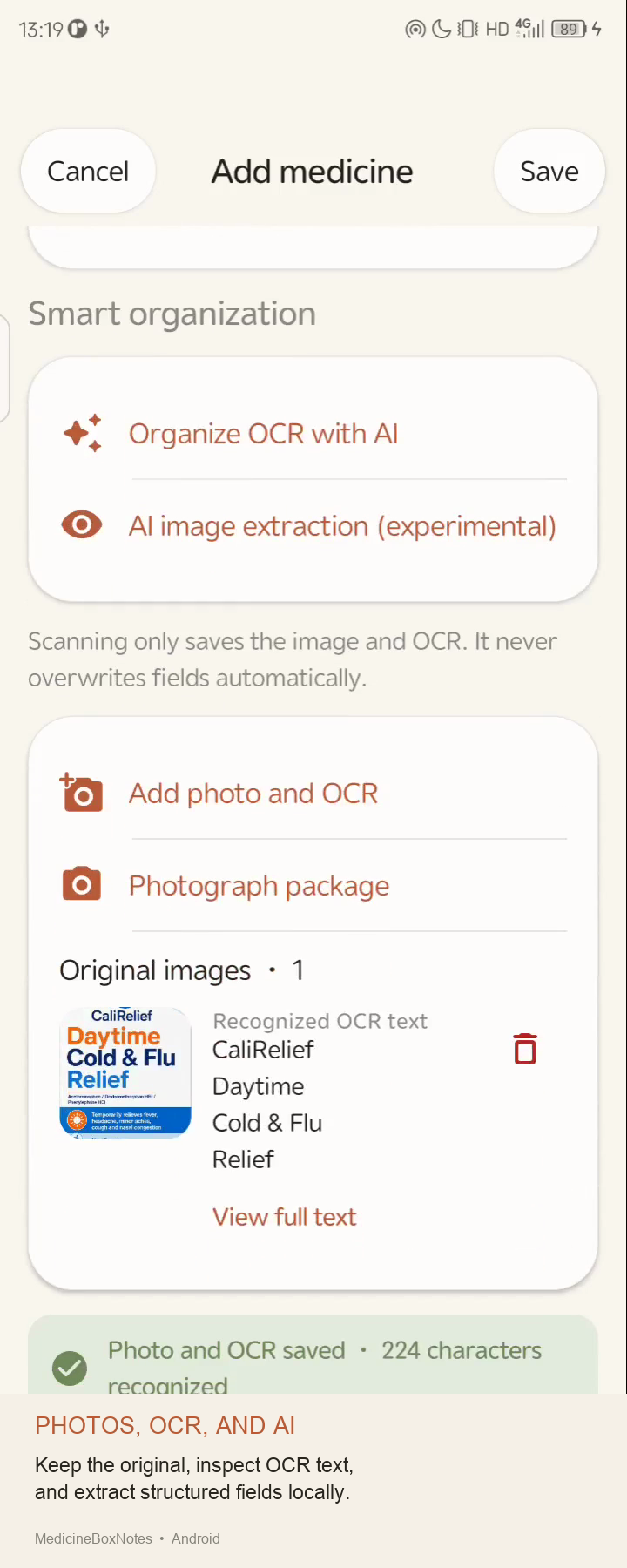
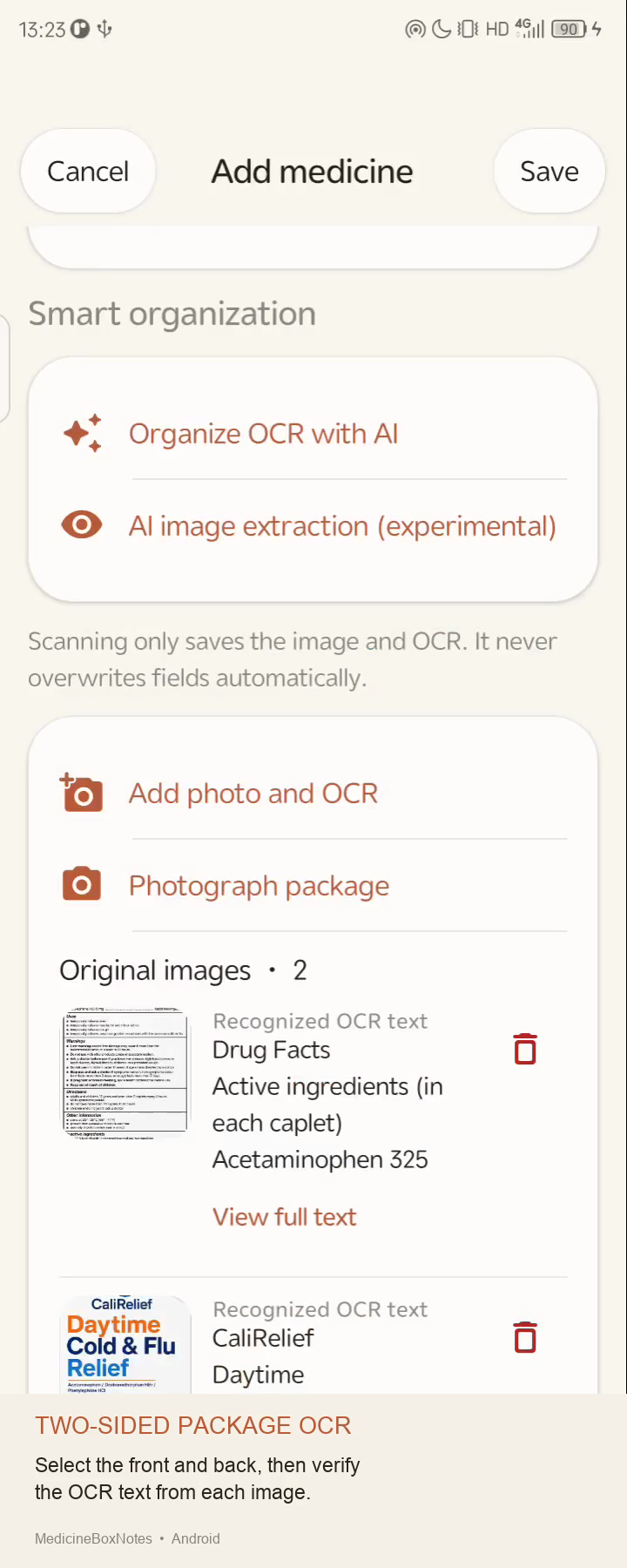
Users can take photos of medical records, prescriptions, and medicine packaging through CameraX. ML Kit OCR then recognizes the text and helps convert paper-based information into searchable and manageable data.
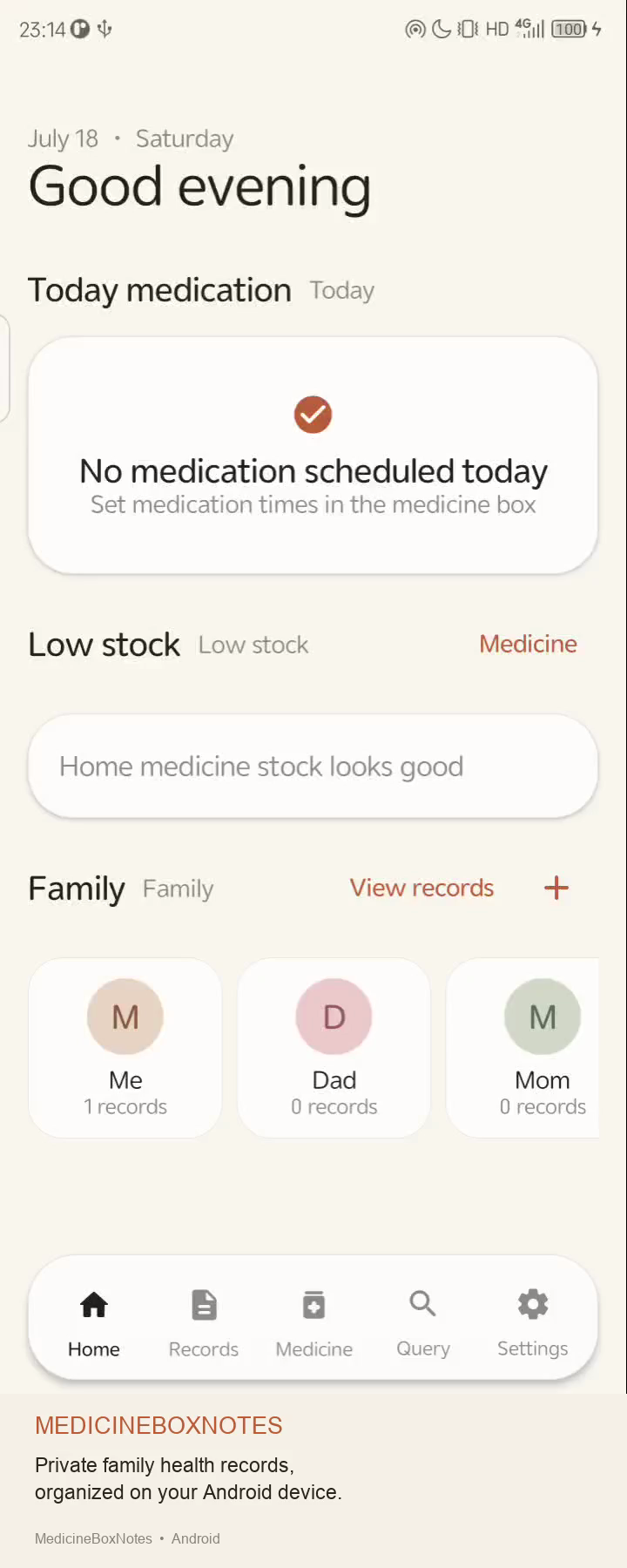
The medicine cabinet feature records the medications available at home, their stock levels, and their treatment plans. Based on medication times and treatment periods, the home screen automatically generates a daily medication checklist. Users can mark each dose after taking it. The application also provides low-stock warnings and follow-up appointment reminders.
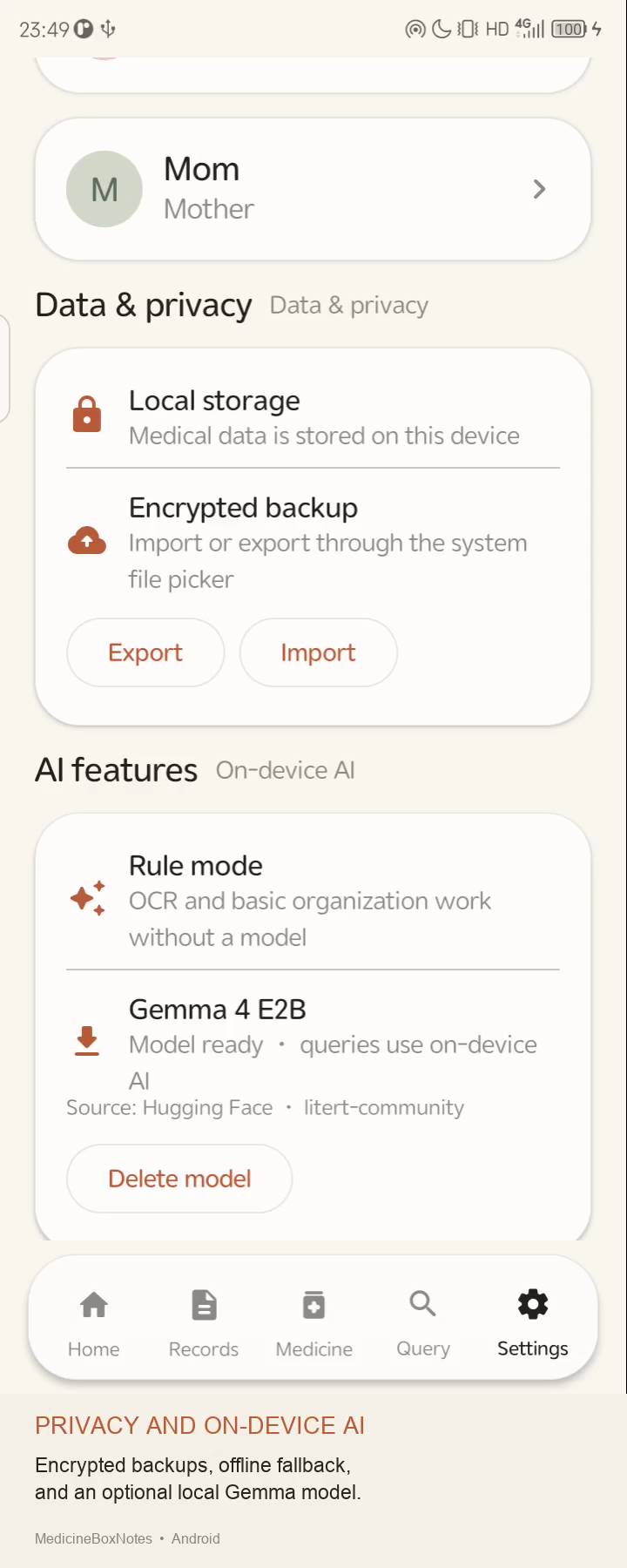
Because medical records and prescriptions contain highly sensitive personal information, I chose an offline-first architecture. Application data, original images, OCR results, and AI inference remain on the device by default, without depending on an account, a cloud database, or an online AI service.
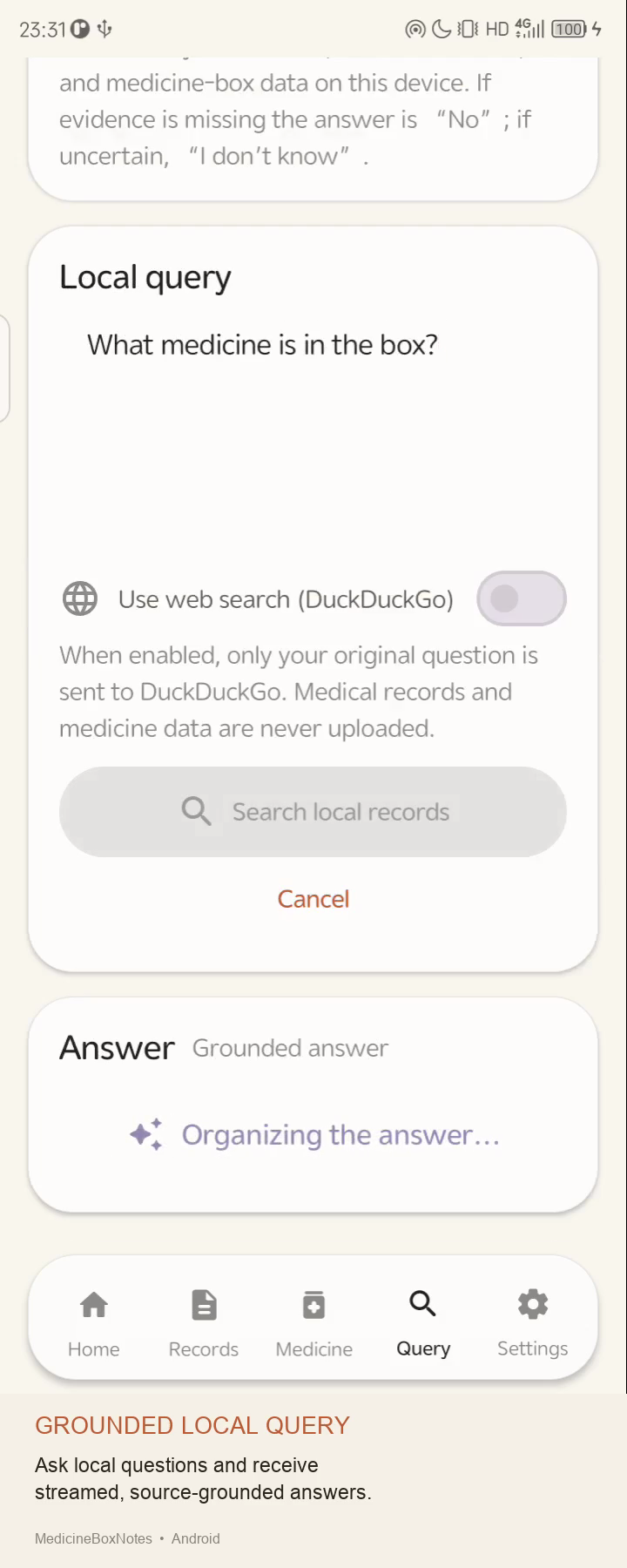
I also integrated an on-device large language model so that users can ask questions about their own health information using natural language. The system searches the locally stored medical records and medicine cabinet data, generates an answer, and displays the relevant sources.
To reduce the risk of incorrect AI-generated answers, I implemented structured output, content cleaning, source validation, and a strict safety gate. When an answer cannot be supported by reliable local information, the system should clearly state that there is insufficient evidence instead of guessing.
When the language model is unavailable or fails to run, the application automatically falls back to a rule-based engine, allowing the core features to remain functional.
Challenges I Faced
The first challenge was the uncertainty of OCR results.
Medical records, prescriptions, and medicine packaging can have very different layouts. Recognition accuracy can also be affected by camera angles, lighting conditions, image quality, and text clarity.
For this reason, I did not allow OCR results to overwrite information that the user had already entered. OCR only fills empty fields. The application also preserves the original images and raw OCR text so that users can compare the extracted information with the original material at any time.
In this project, OCR and AI are designed to assist with organization and retrieval. They do not replace the user’s responsibility to verify the original medical information.
The second challenge was integrating and debugging the on-device language model.
This process involved much more than downloading the model. I also had to handle file verification, model loading, the inference interface, knowledge organization, prompt design, output formats, and compatibility between GPU and CPU execution.
At first, I tried to integrate the model directly into the complete application. However, the application already contained a database, interface state management, image processing, OCR, and other business logic. When a problem occurred, it was difficult to determine whether it came from the model, the runtime environment, or another part of the application.
Even after several rounds of debugging, some issues remained unresolved.
I later changed my approach and created a separate model question-answering demo. This demo contained only the essential functions: model loading, knowledge input, and natural-language question answering.
Without interference from the rest of the application, debugging became much simpler. It was easier to isolate problems, test changes, and determine the exact source of each issue.
After the model loading and question-answering workflow worked reliably in the independent demo, I asked GPT to study the demo project and apply the verified implementation to the main application.
Compared with repeatedly modifying the full application, this “validate with a minimal demo first, then integrate into the main project” approach significantly improved the efficiency of development and debugging.
Mobile devices also differ in performance, available storage, memory, and graphics capabilities. I therefore had to consider model downloads, file integrity checks, memory usage, and GPU and CPU compatibility.
The application supports resumable model downloads and integrity verification. It also attempts to fall back to CPU execution when GPU execution is unavailable.
The third challenge was making AI-generated answers more trustworthy.
Medical information should not be generated freely without supporting evidence. I therefore designed the system to base its answers on locally stored medical records, prescriptions, OCR content, and medication information whenever possible, while also displaying sources that users can inspect.
When the system cannot find enough relevant information, it should honestly respond that there is no supporting evidence or that it does not know, rather than producing a convincing but unsupported answer.
Another major challenge was the workload of developing the project independently.
The application includes interface design, interaction design, database management, camera integration, OCR, reminders, PDF export, on-device AI, model downloads, encrypted backups, and implementations for both iOS and Android.
To improve efficiency, I separated design and testing into two independent GPT conversations. One conversation focused on interaction design, interface adjustments, and user-experience improvements. The other continuously handled verification, testing, application builds, and bug fixes.
I then personally used the application, evaluated the overall experience, and performed the final acceptance review.
How GPT and Codex Contributed
For the visual design, I used ChatGPT’s Image 2 feature to generate some of the logos and design assets.
Throughout the development process, I used GPT and Codex as collaborative tools for different stages of the project. They contributed to requirement organization, interface design, code implementation, troubleshooting, testing, verification, and build automation.
However, I remained responsible for the product direction, feature decisions, user experience, and final acceptance.
The integration of the on-device model is a good example of this collaboration. I first worked with GPT to create and debug an independent model question-answering demo. After confirming that the core technical approach worked, I asked GPT to study both the demo and the main application’s code structure, and then integrate the verified model functionality into the full project.
GPT-5.6 also participated in the overall development and debugging of the Android version. It assisted with the automated build and validation workflow as well.
Previously, when I used GPT-5.5 to develop the iOS version, it even helped automate parts of the App Store publishing process.
I am now applying a similar workflow to several small games that are still under development. I use Image 2 to create visual assets, Tripo3D to generate 3D models, and GPT-5.6 to develop game features and supporting tools.
These tools include polygon-reduction utilities for 3D models, map generators, and gameplay prototypes.
What I Learned
Through this project, I gained practical experience with Kotlin, Jetpack Compose, Room, CameraX, OCR, and on-device large language models. I also developed a deeper understanding of privacy protection, offline-first architecture, and AI safety.
I learned that when introducing a complex or uncertain technology, it is often better to begin with a small, focused demo with minimal dependencies.
By validating the technical approach and resolving the core problems in an isolated environment first, I could later apply the proven implementation to the full application. This was much more efficient than repeatedly debugging the same technology inside a large and complex project, and it made it easier to identify the actual source of each problem.
This project also has special personal significance for me.
Developing the iOS version of MedicineBoxNotes with GPT-5.5 was the first time I had independently developed a complete application. From the initial idea and interface design to feature implementation, debugging, packaging, and publishing, it gave me my first experience with the entire independent application development process.
Later, expanding the project by building the Android version with GPT-5.6 was also my first experience developing an Android application.
I had to learn and understand Kotlin, Jetpack Compose, Room, Android permissions, application lifecycles, device compatibility, and the Android build and packaging process.
Although the iOS and Android versions solve the same problems, the Android version was not created by simply copying the existing code. The two platforms use different technical systems, interaction patterns, and operating-system capabilities. Building the Android version was therefore a new learning experience and a separate development practice.
The most important lesson I learned is that AI does not simply replace developers by writing code for them. Instead, it can act as a collaborative partner throughout design, implementation, debugging, testing, and validation.
The developer still needs to identify real problems, judge whether requirements are reasonable, select appropriate technical solutions, experience the product, discover issues, and take responsibility for the final result.
Only through continuous testing, real-world use, and human review can AI-generated code and designs become a complete, reliable, and usable product.
For me, MedicineBoxNotes is more than a family medicine cabinet application. It represents my first independently developed iOS app, my first Android app, and a complete exploration of mobile development, on-device AI, privacy protection, and AI-assisted software development.
Built With
- android
- android-app
- edge-ai
- family-health
- gemma
- health
- healthcare
- jetpack-compose
- kotlin
- litert
- local-llm
- medication-tracker
- medicine
- ml-kit
- ocr
- offline-first
- on-device-llm
- privacy

Log in or sign up for Devpost to join the conversation.