-
-
Splash Screen – Branding for Medicine Scanner App powered by Perplexity Sonar API.
-
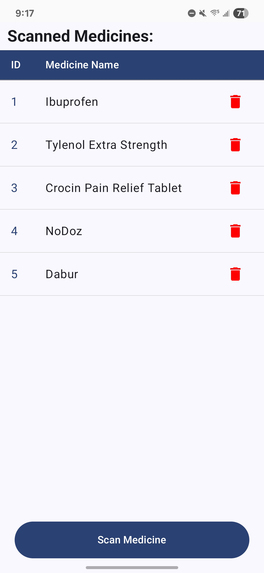
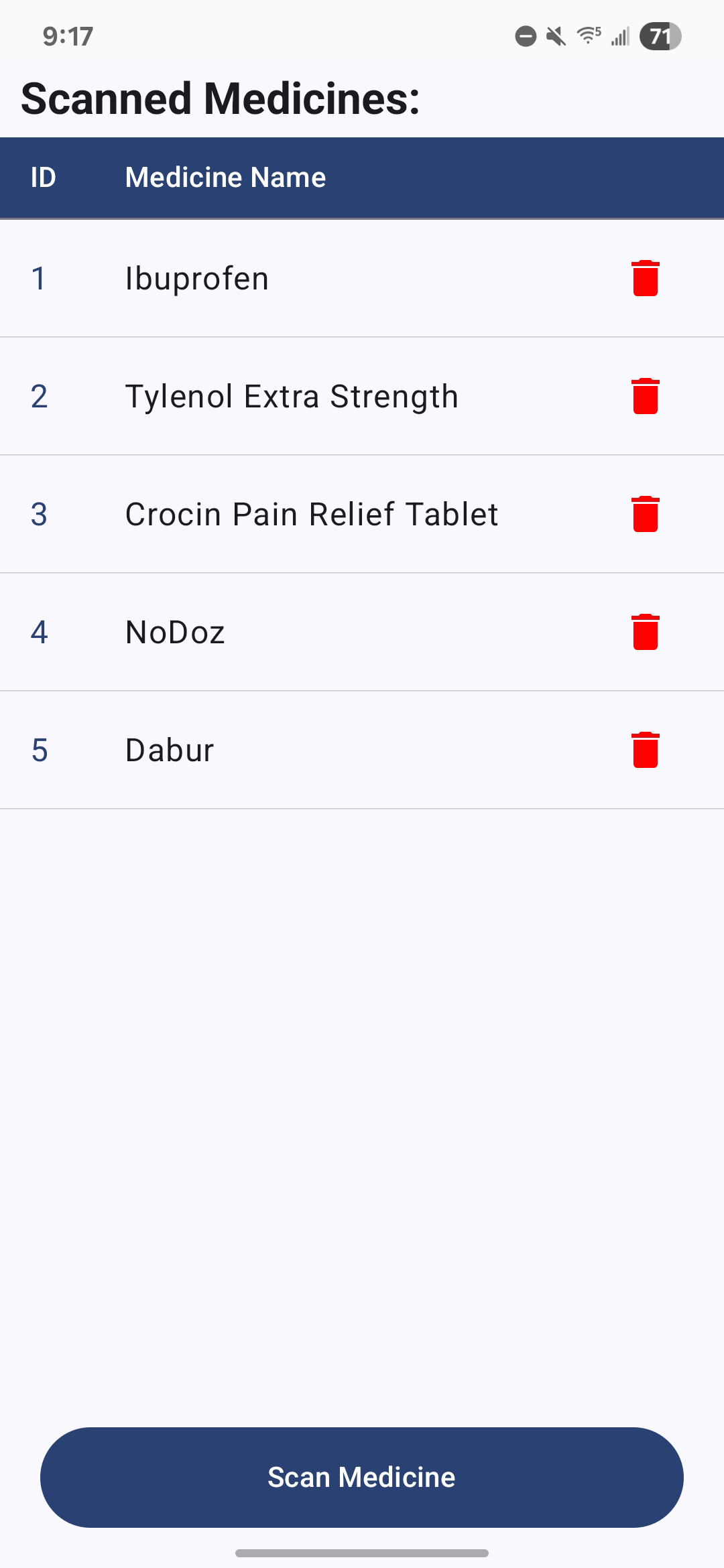
Dashboard – Shows list of previously scanned medicines with a delete icon and “Scan a Medicine” button.
-
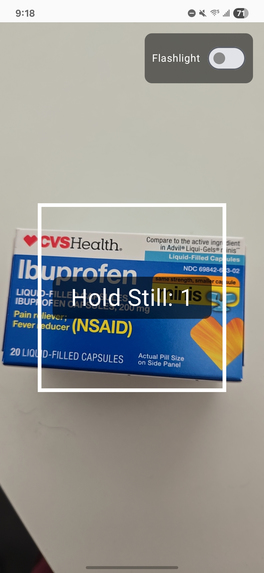
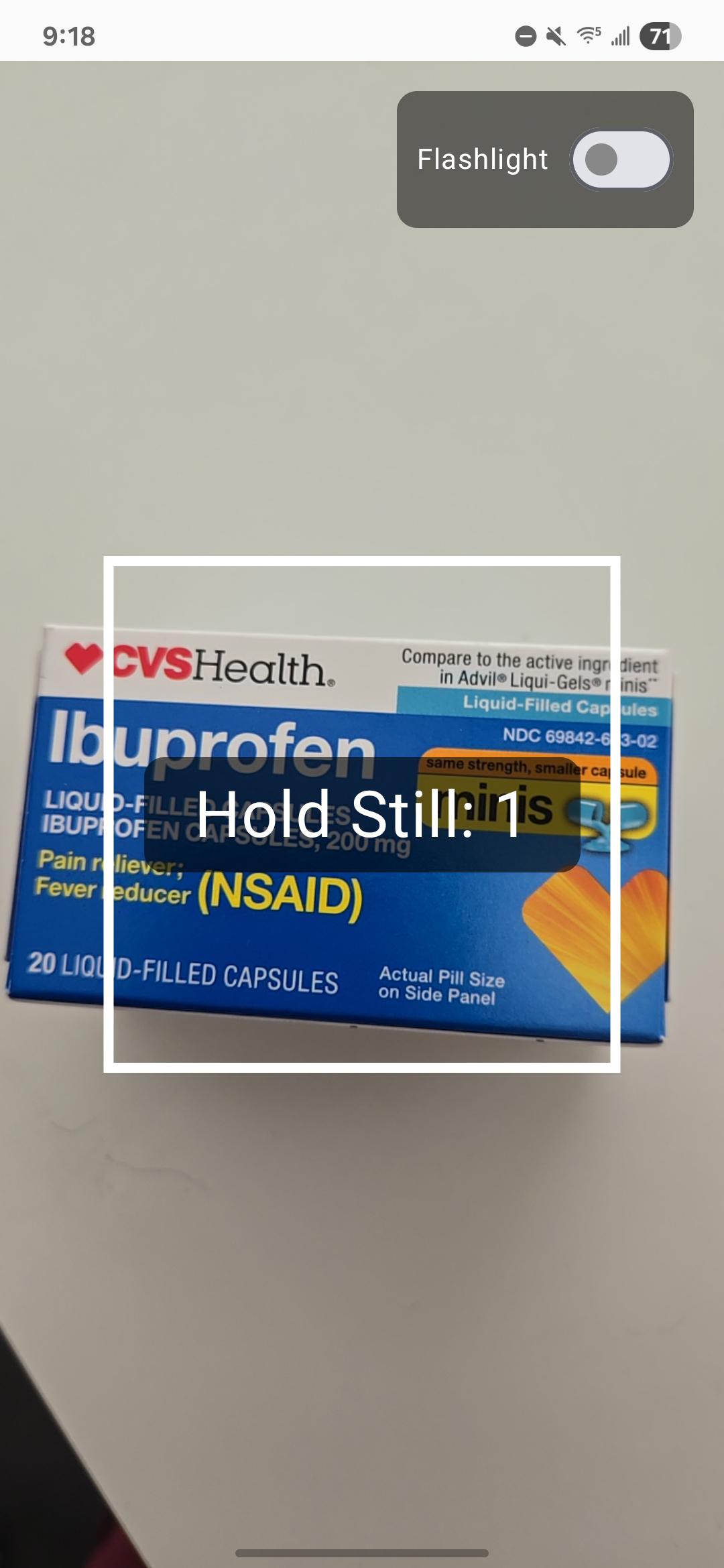
Scanning Medicine – Camera interface powered by ML Kit that scans text from medicine labels.
-
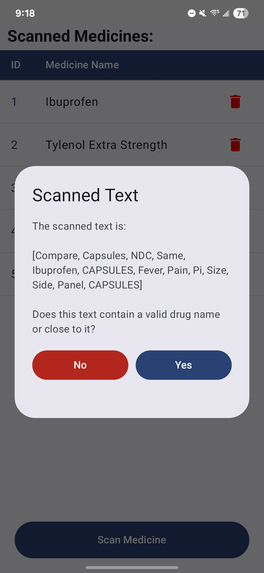
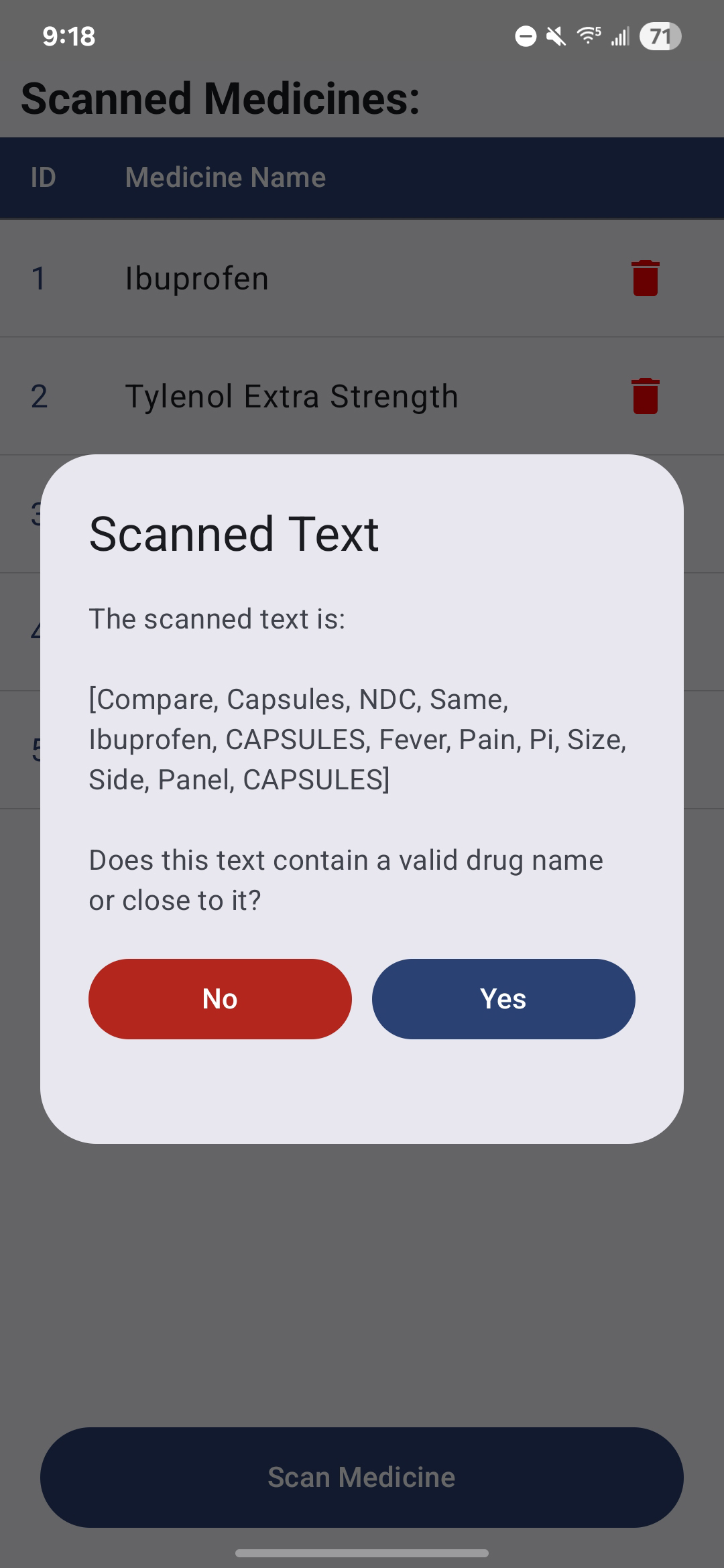
Scan Confirmation – Dialog prompts user to confirm whether the scanned text contains a medicine name.
-
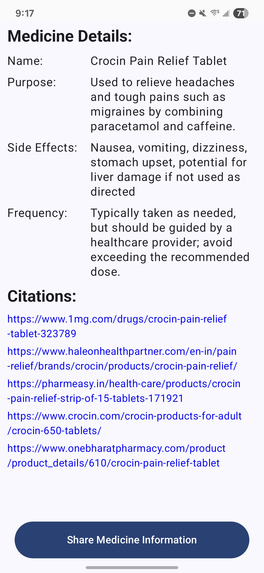
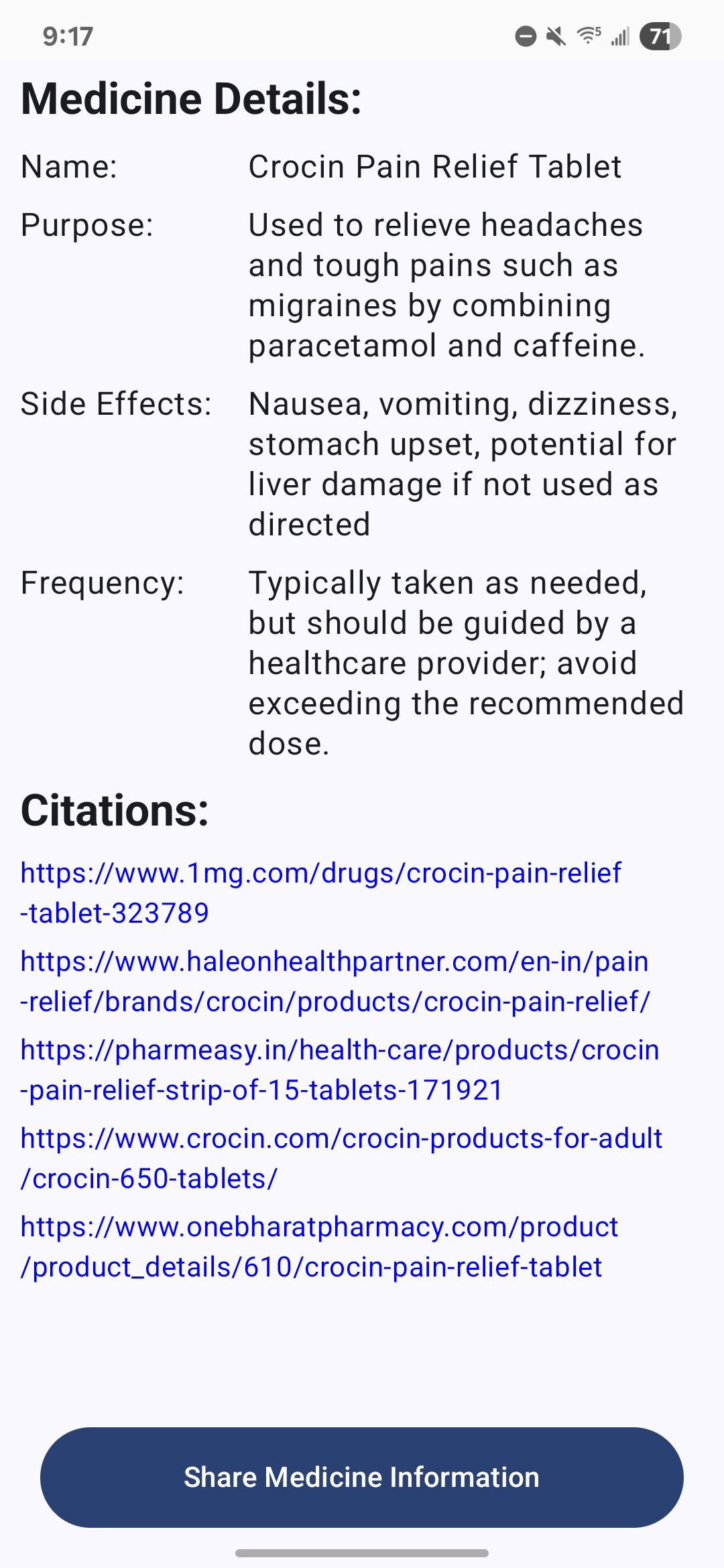
Details Screen – Displays name, purpose, dosage frequency, side effects, and citations fetched via Sonar API.
-
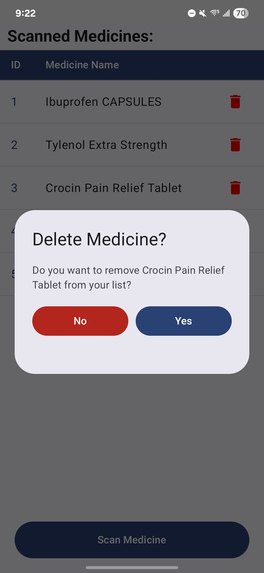
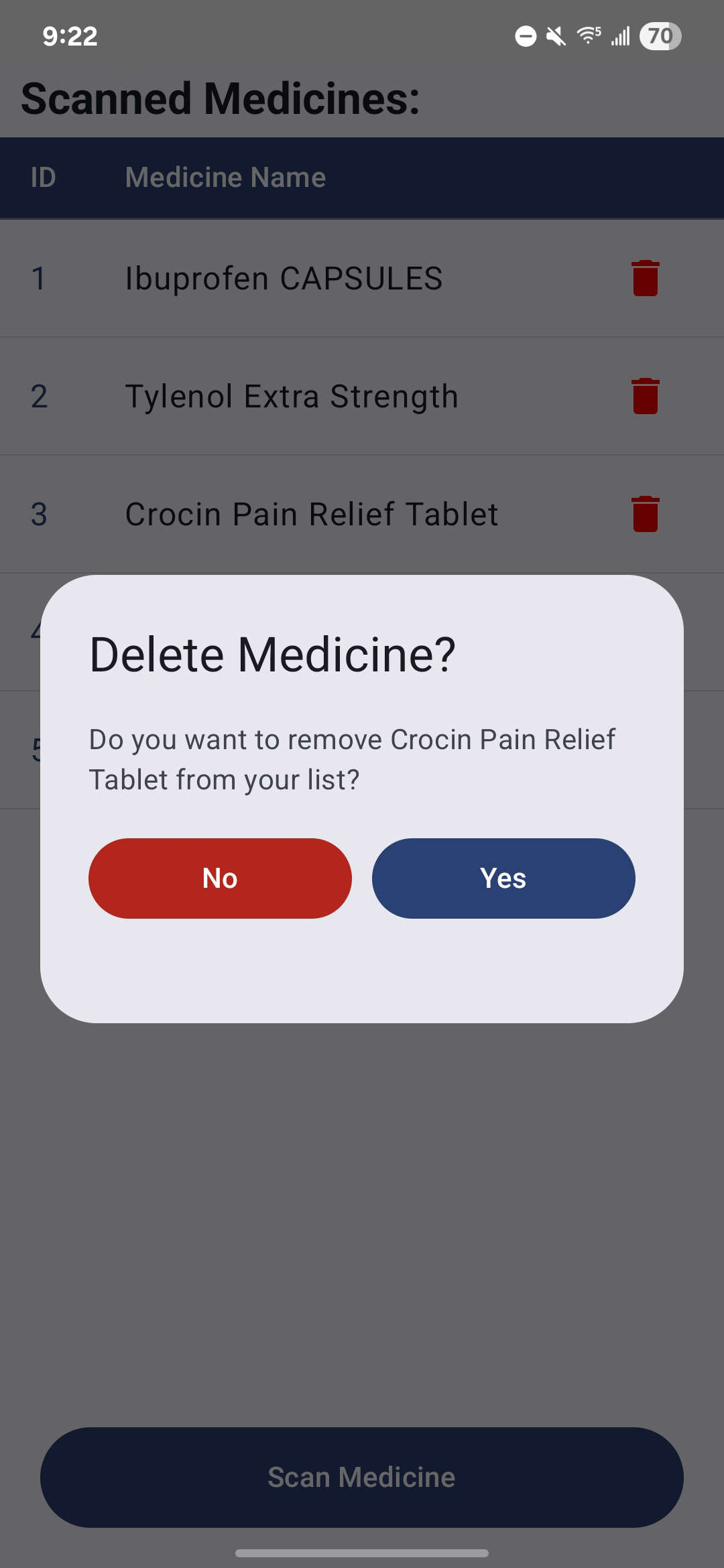
Delete Medicine – Allows user to delete the scanned medicine entry stored locally.
-
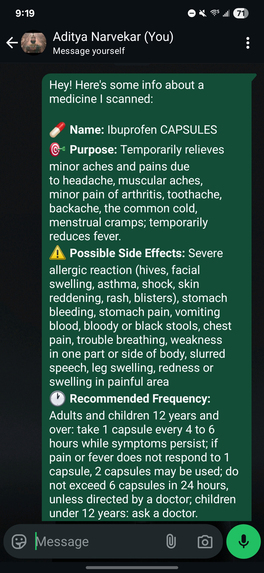
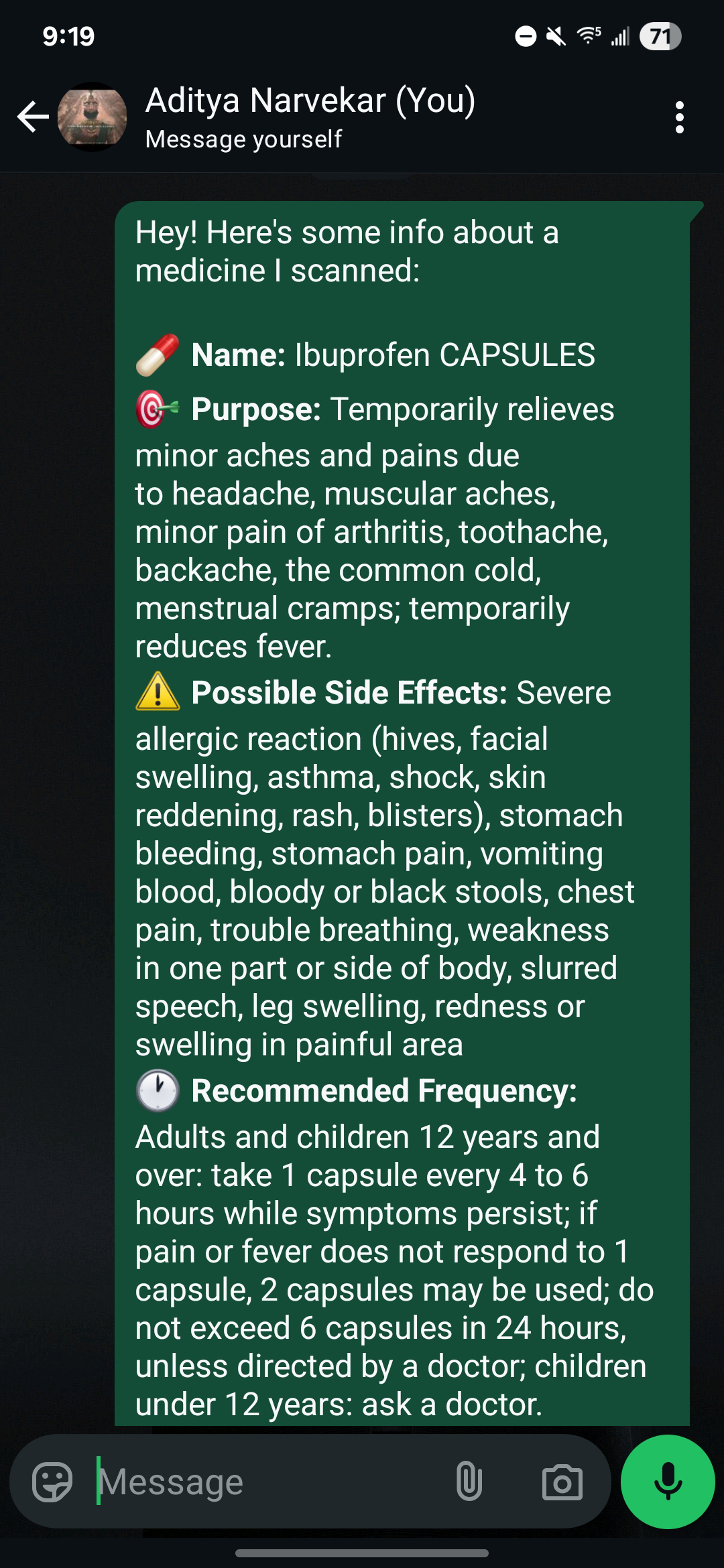
Share Medicine Information – Demonstrates that scanned medicines information can be shared via communication apps
💡 Inspiration
Many people struggle to understand complex medicine labels — especially the elderly, those with visual impairments, or people managing multiple prescriptions. I wanted to create a tool that lets users instantly scan medicine names and get reliable, AI-generated details about them — without needing to Google or decipher medical jargon.
What I Learned
- Working with the Perplexity Sonar API to fetch AI-driven structured information
- Integrating ML Kit’s on-device text recognition in real-time
- Implementing Room DB for offline persistence in a clean architecture setup.
- Managing Jetpack Compose and state flows in a multi-screen architecture.
- Designing a smooth UX for scanning, validating, and displaying medicine data
🏗️ How I Built It
- I used Android Studio and built the app using Jetpack Compose and MVVM with Clean Architecture.
- Text recognition was implemented using ML Kit's TextRecognizer API.
- After confirming scanned text, I made a call to the Perplexity Sonar API to fetch structured medicine details.
- Data was stored in a local Room Database, ensuring the app works even without internet.
- Citations were shown as clickable links that open in Chrome.
🧱 Challenges I Faced
- Ensuring accurate and readable text extraction from varying medicine label fonts and angles
- Designing a simple and non-intrusive UX for scan confirmation
- Managing API data formatting to map correctly into local data models
- Handling edge cases like empty scans, or citation formatting issues.
Built With
- android-studio
- jetpack-compose
- kotlin
- retrofit
- roomdb
- sonar


Log in or sign up for Devpost to join the conversation.