-
-
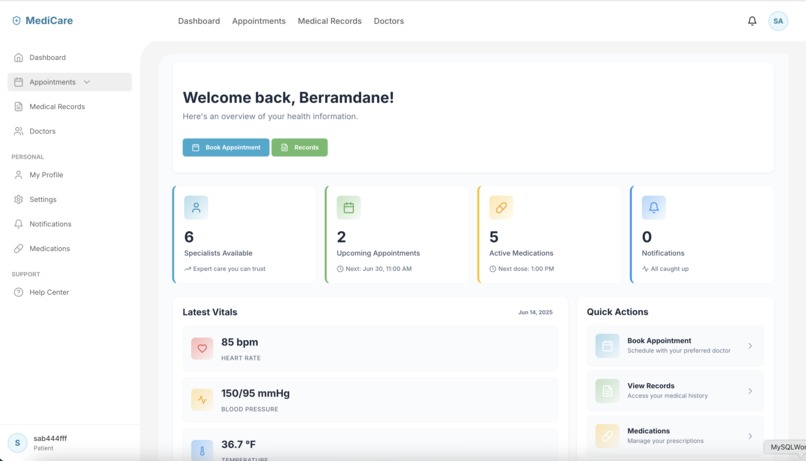
Dashboard - Desktop recommend to watch the video with subtitles
-
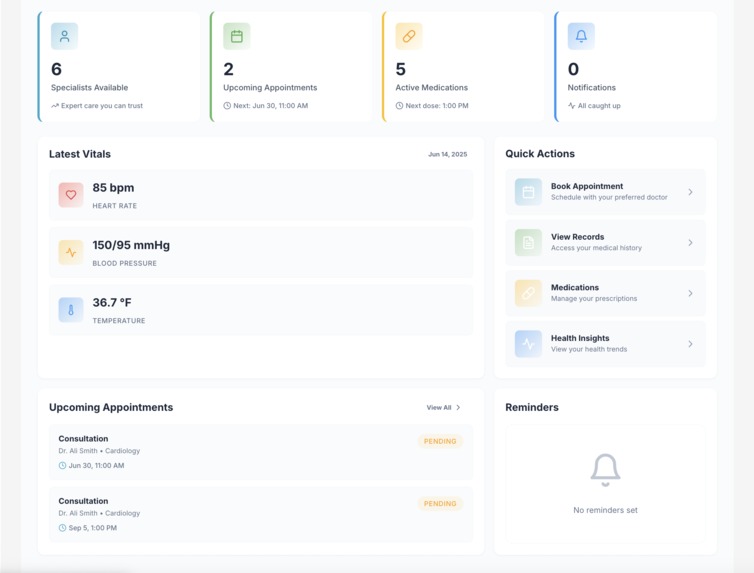
Dashboard - Desktop Stats - Vitals - Quick Actions
-
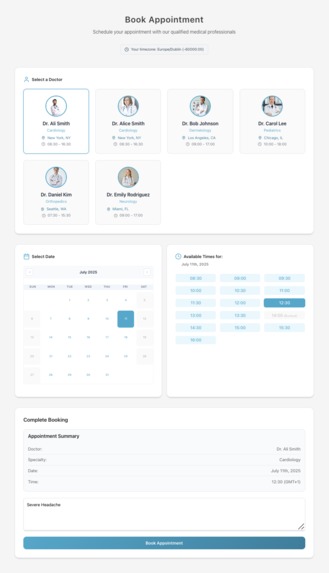
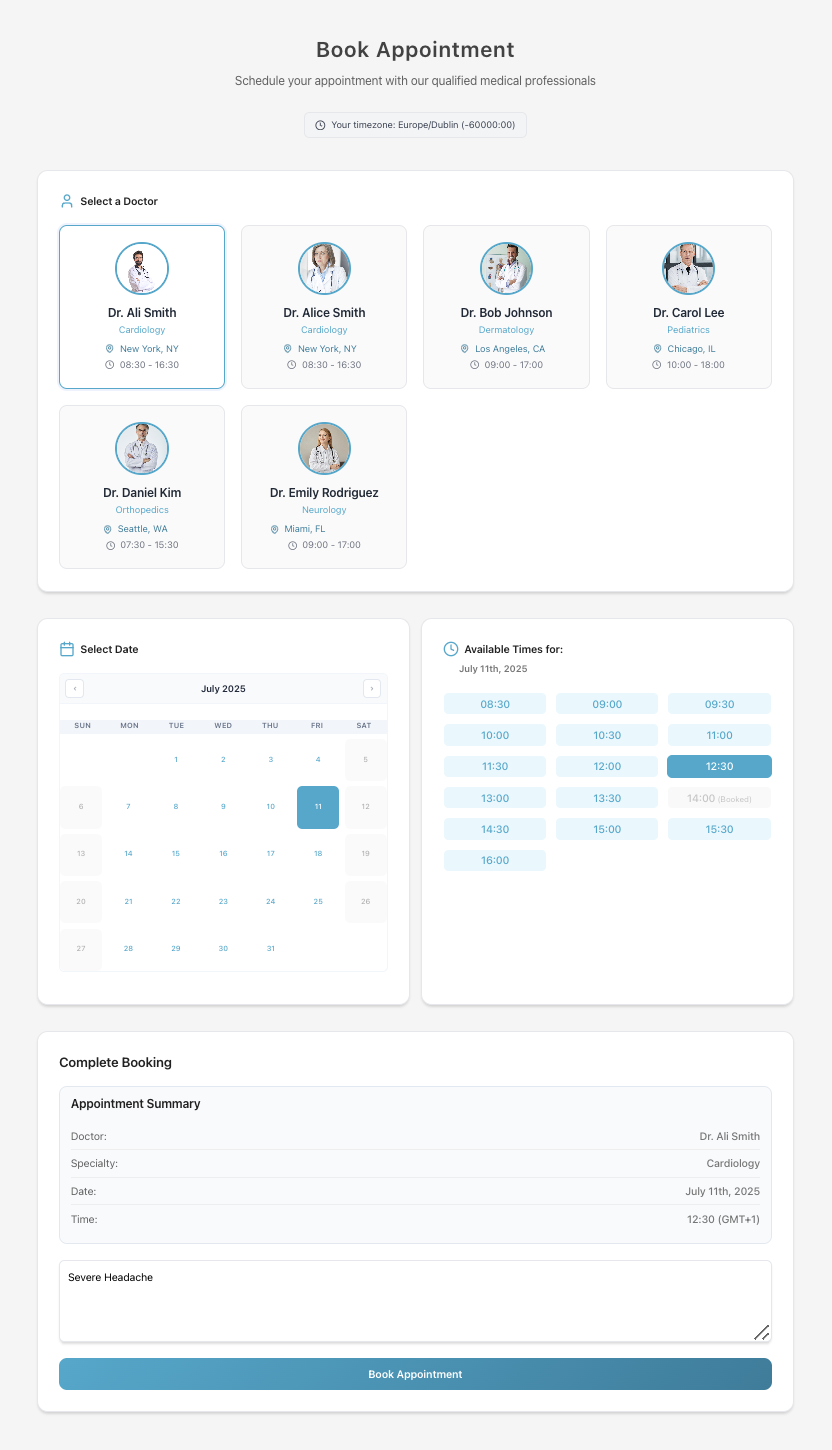
Book appointment page - Unavailable slots are clearly marked to help guide your choice
-
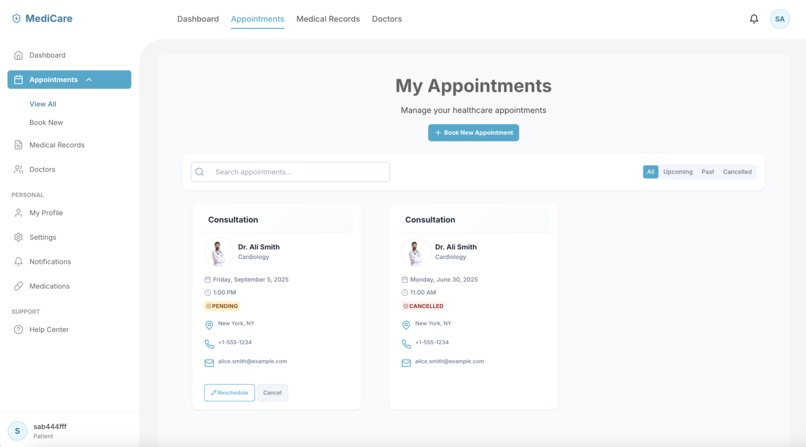
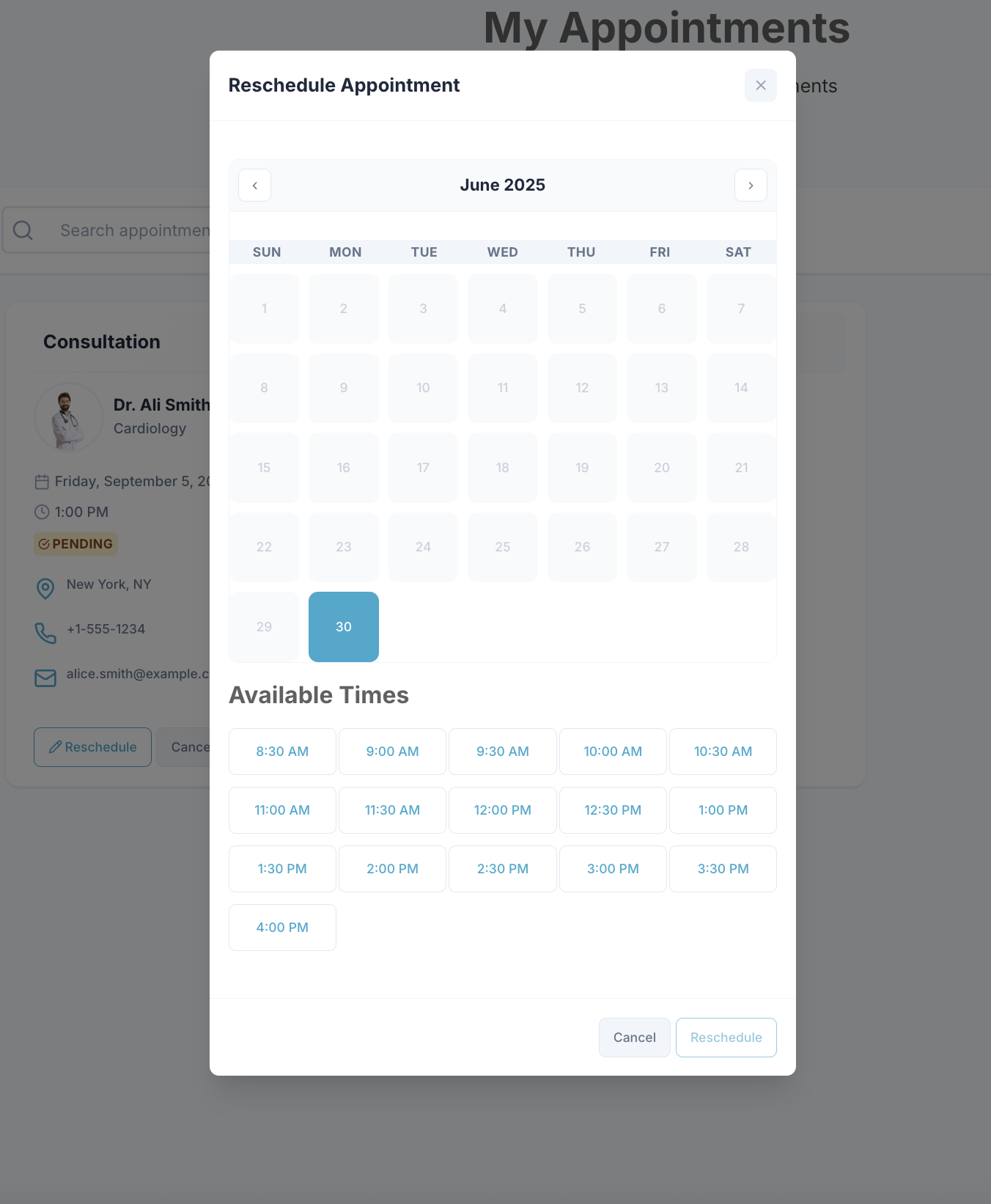
Appointments Page - Reschedule / Cancel appointment /Delete appointments
-
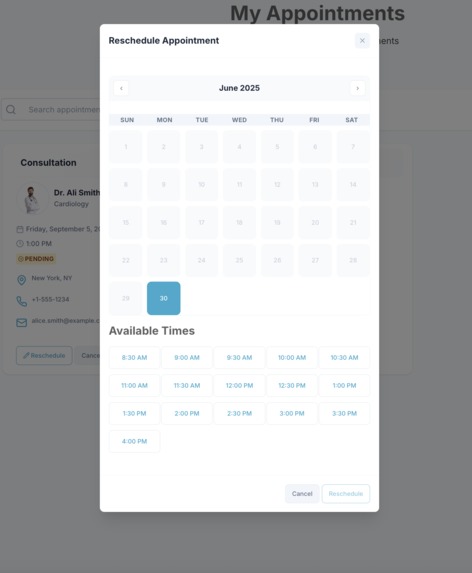
Reschedule Appointment - Desktop
-
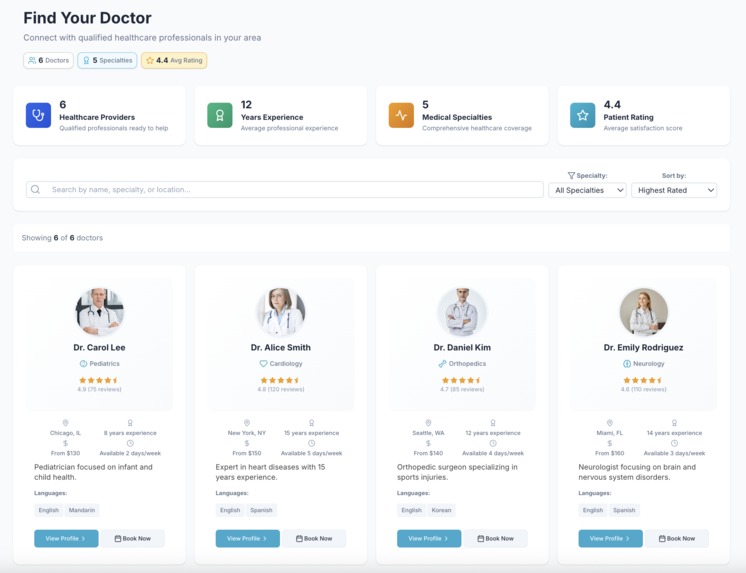
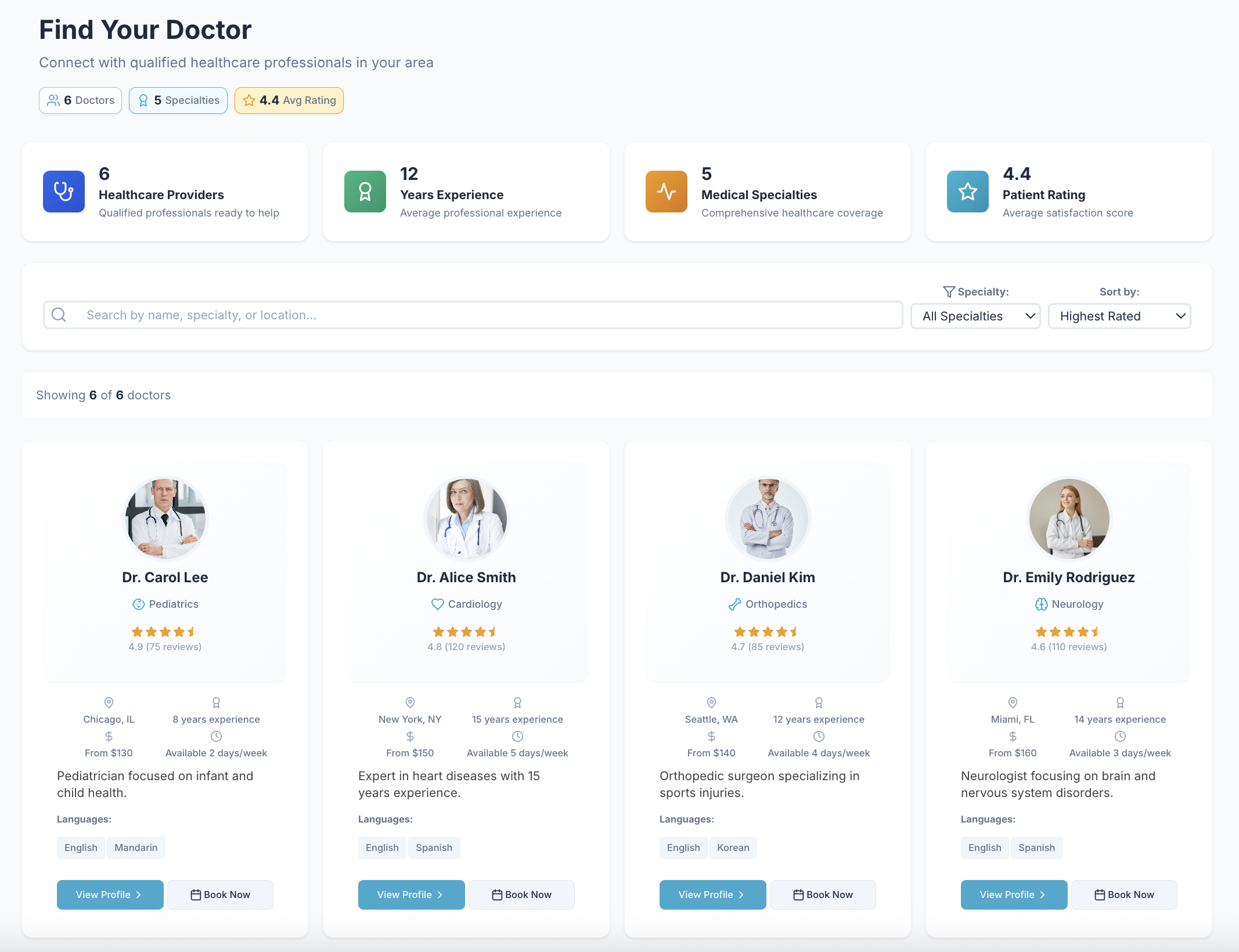
Doctors - Desktop. Patients find and select the right healthcare professional for their needs efficiently
-
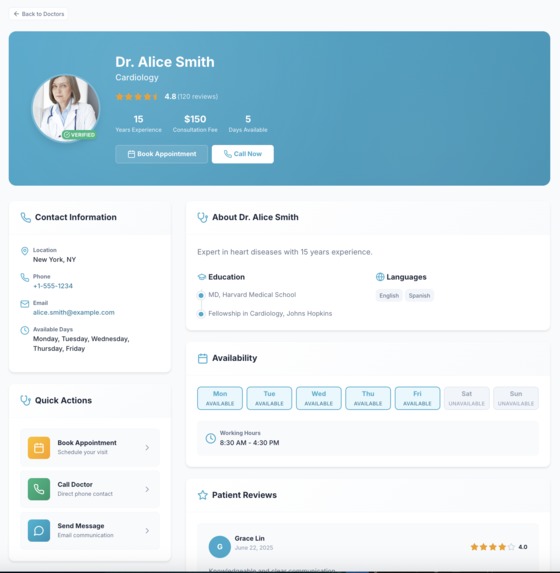
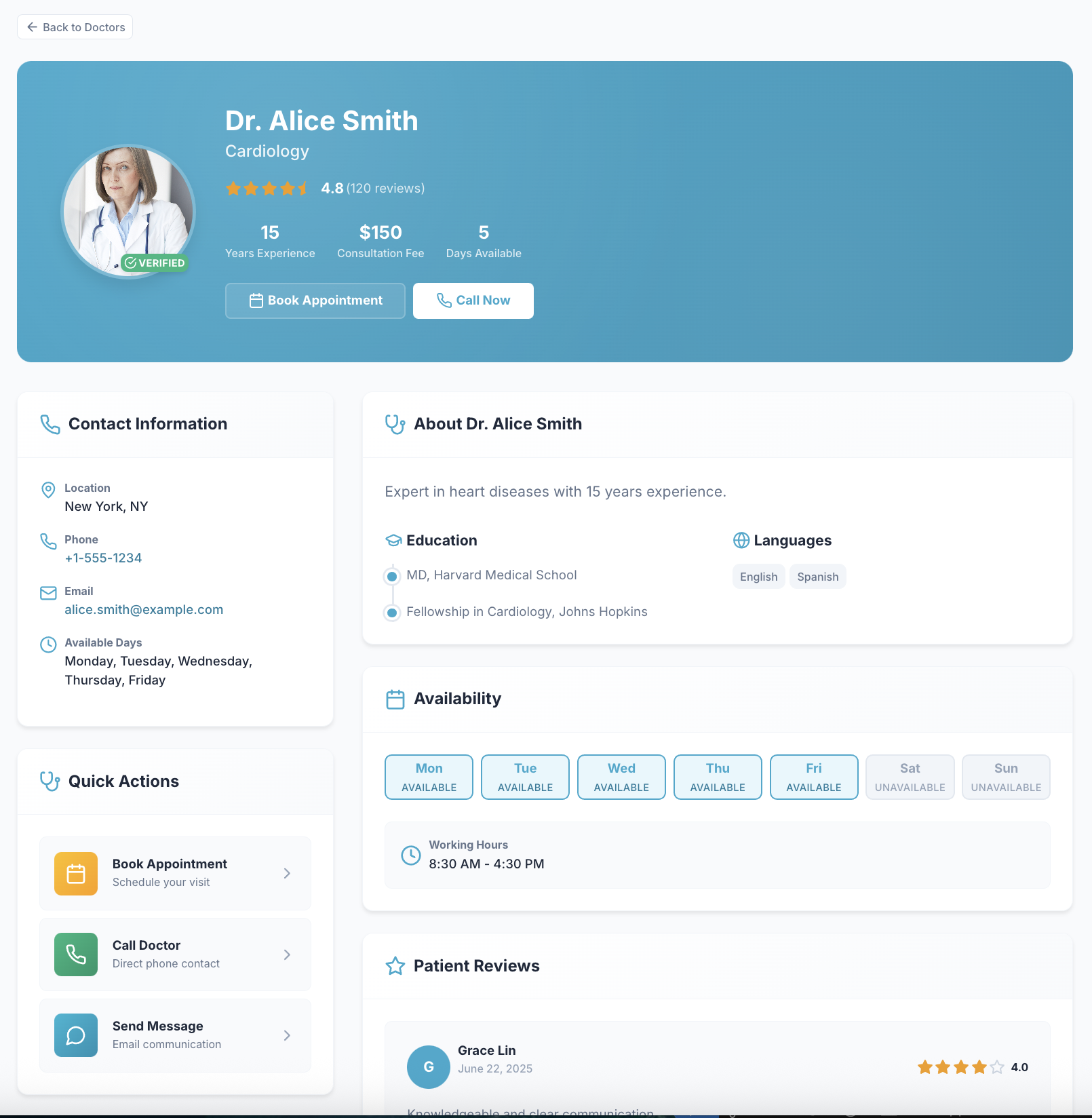
Doctor's Profile - Selecting a doctor opens their profile, where you can view detailed information including qualifications, experience.
-
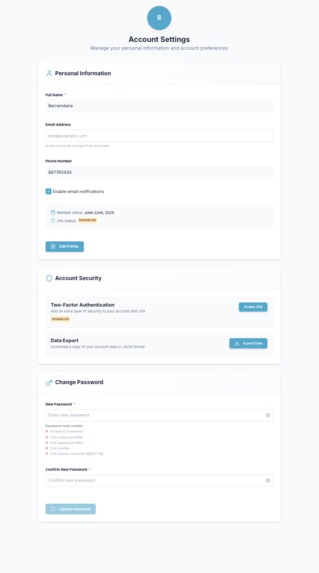
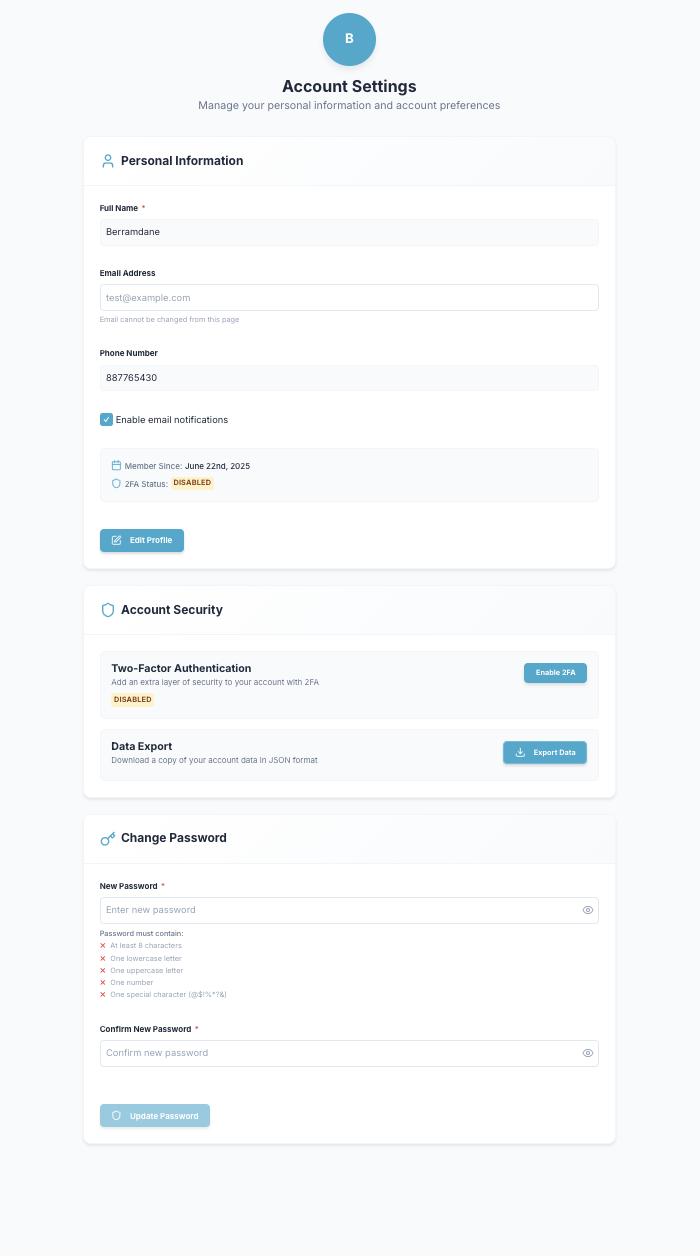
Profile Settings - Update personal info (name, email, phone) Manage password and security (2FA) Privacy and account settings
-
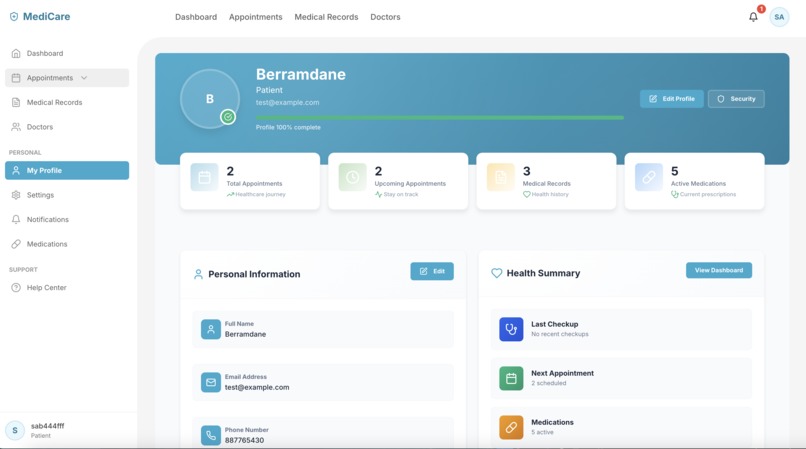
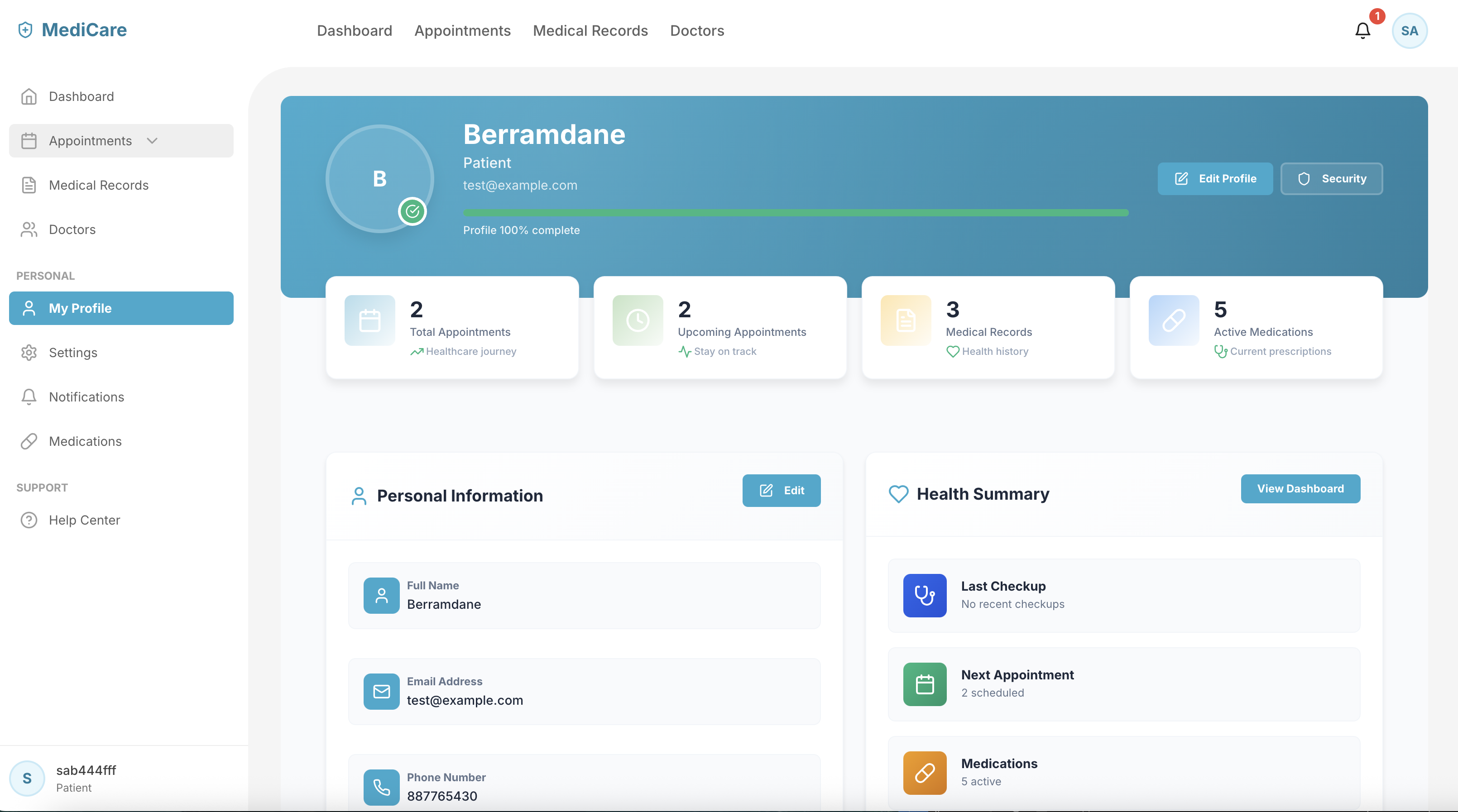
Profile - Desktop - Personal and health info
-
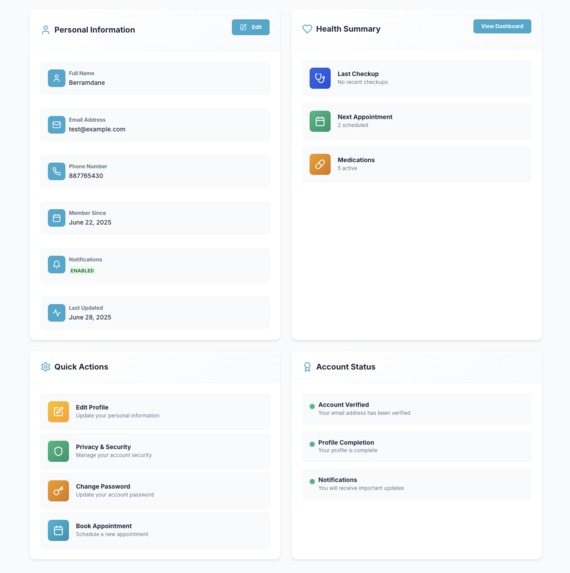
Profile - Desktop - Profile page displays your personal information, including your name, contact details.
-
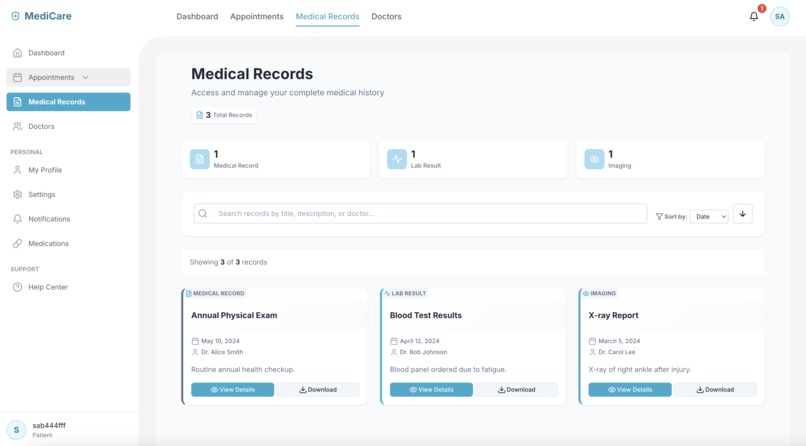
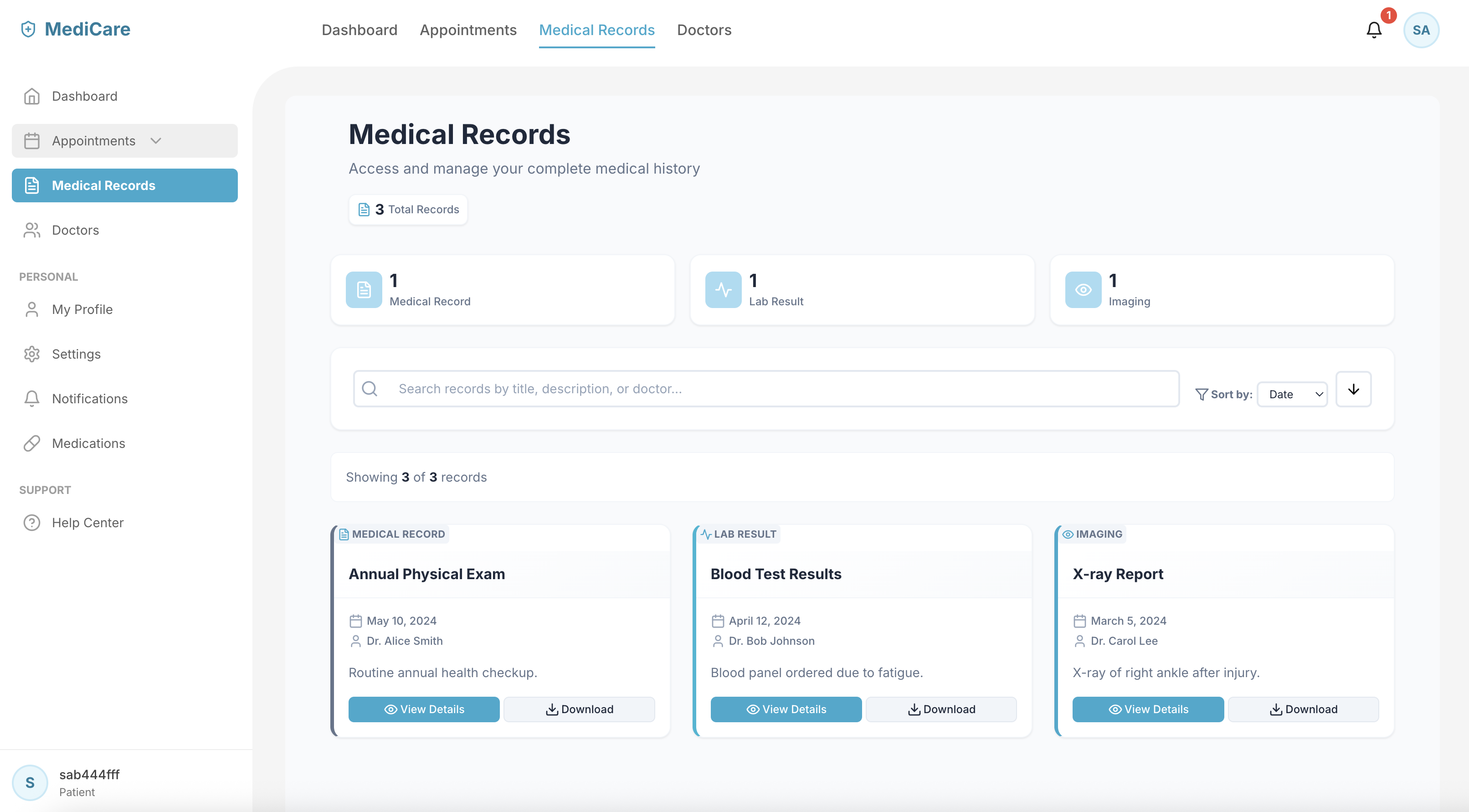
Medical Records - You also have the option to download them securely for your personal use
-
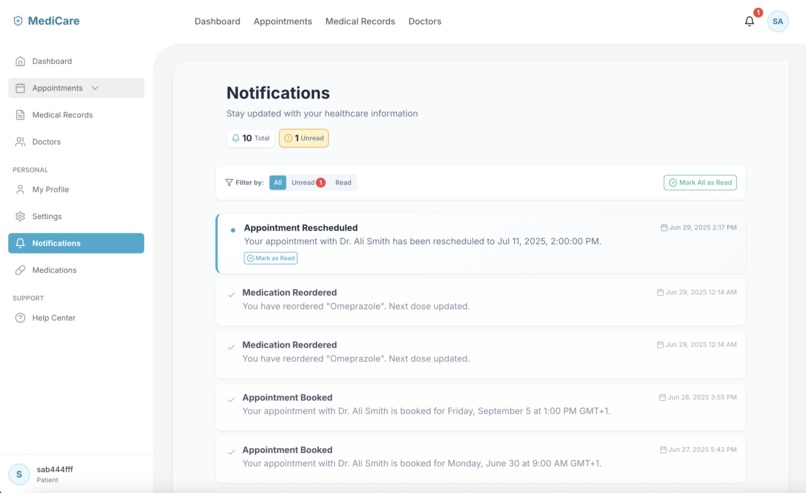
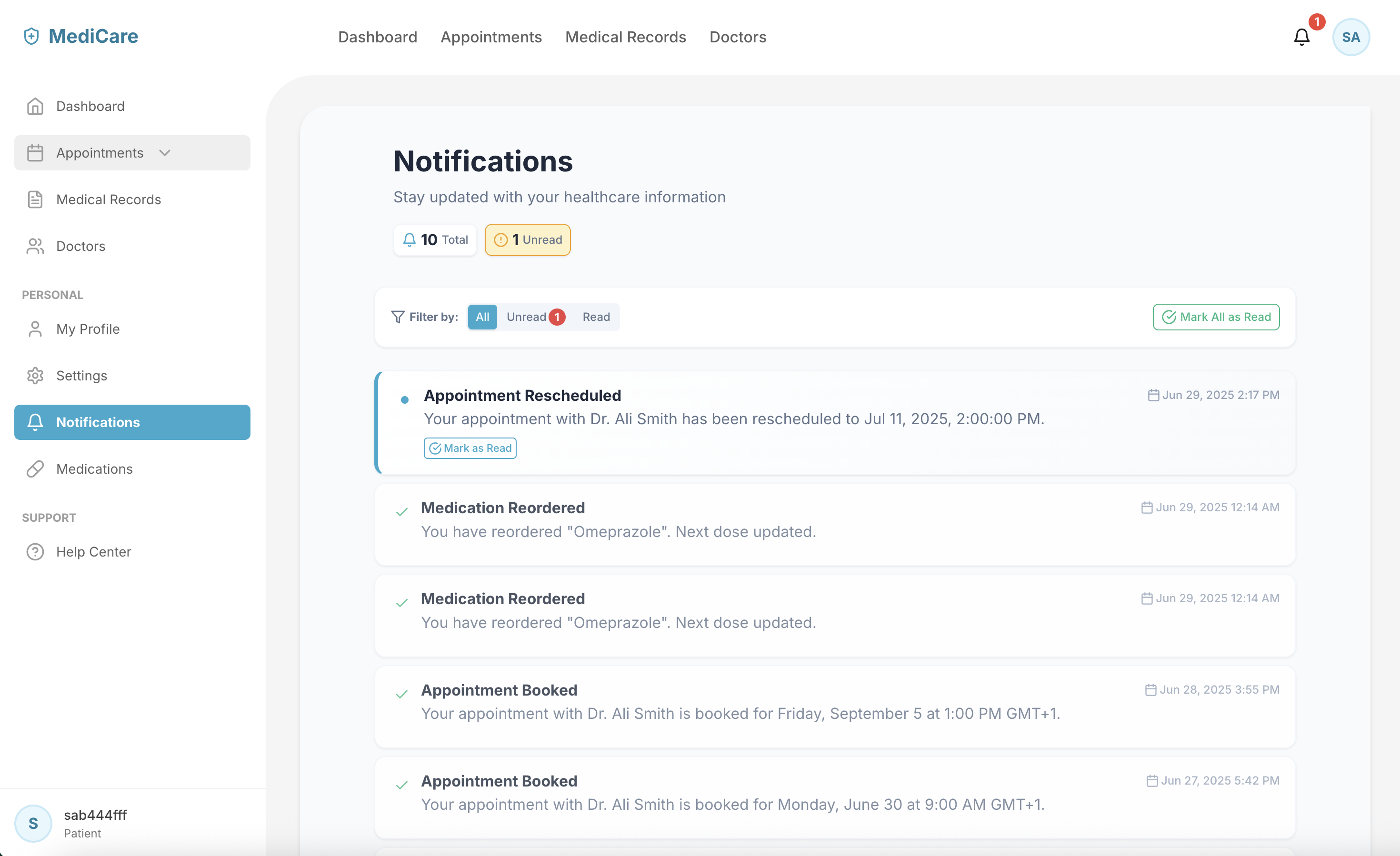
Notifications - you can filter messages to view only unread or read notifications, making it easier to stay organised.
-
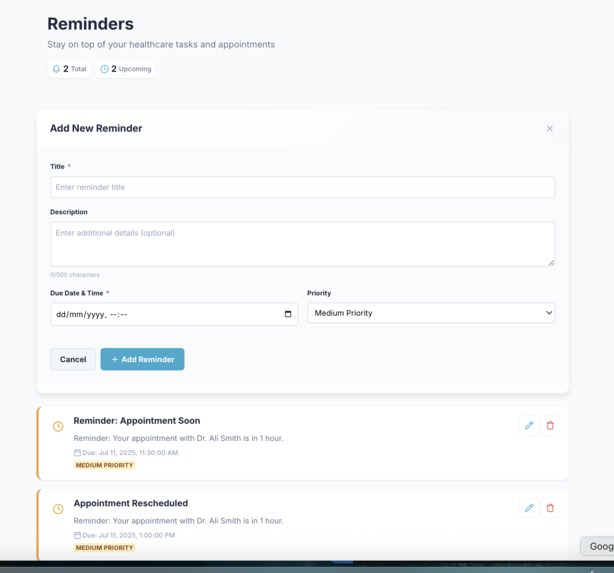
Reminders - Desktop - Set and manage personal health reminders to stay organised and on track.
-
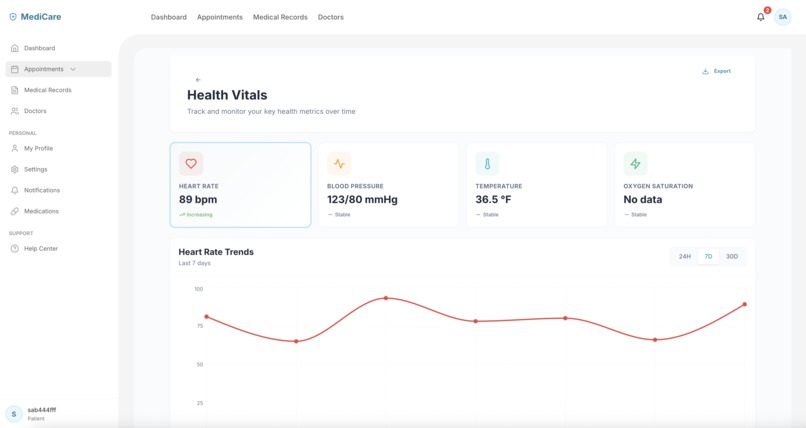
Vitals - Desktop
-
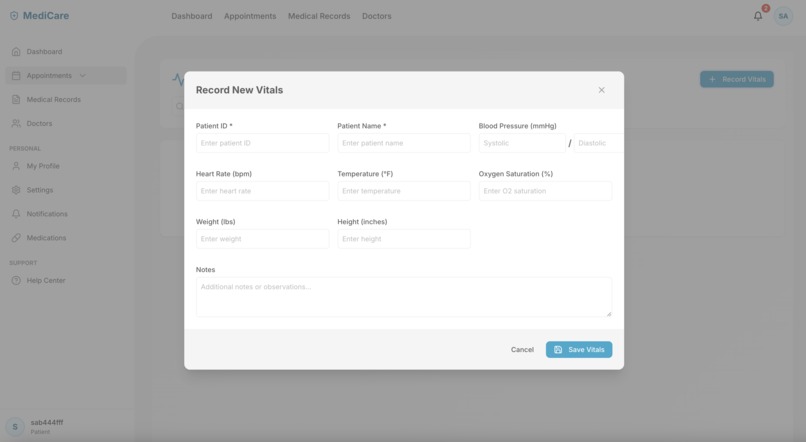
Vitals Records - Desktop
-
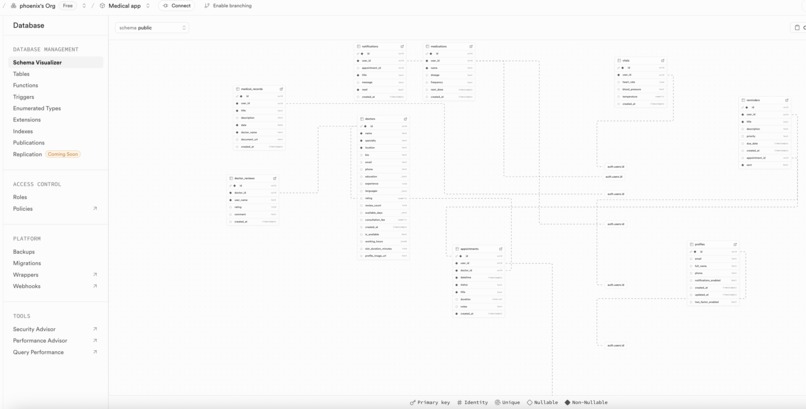
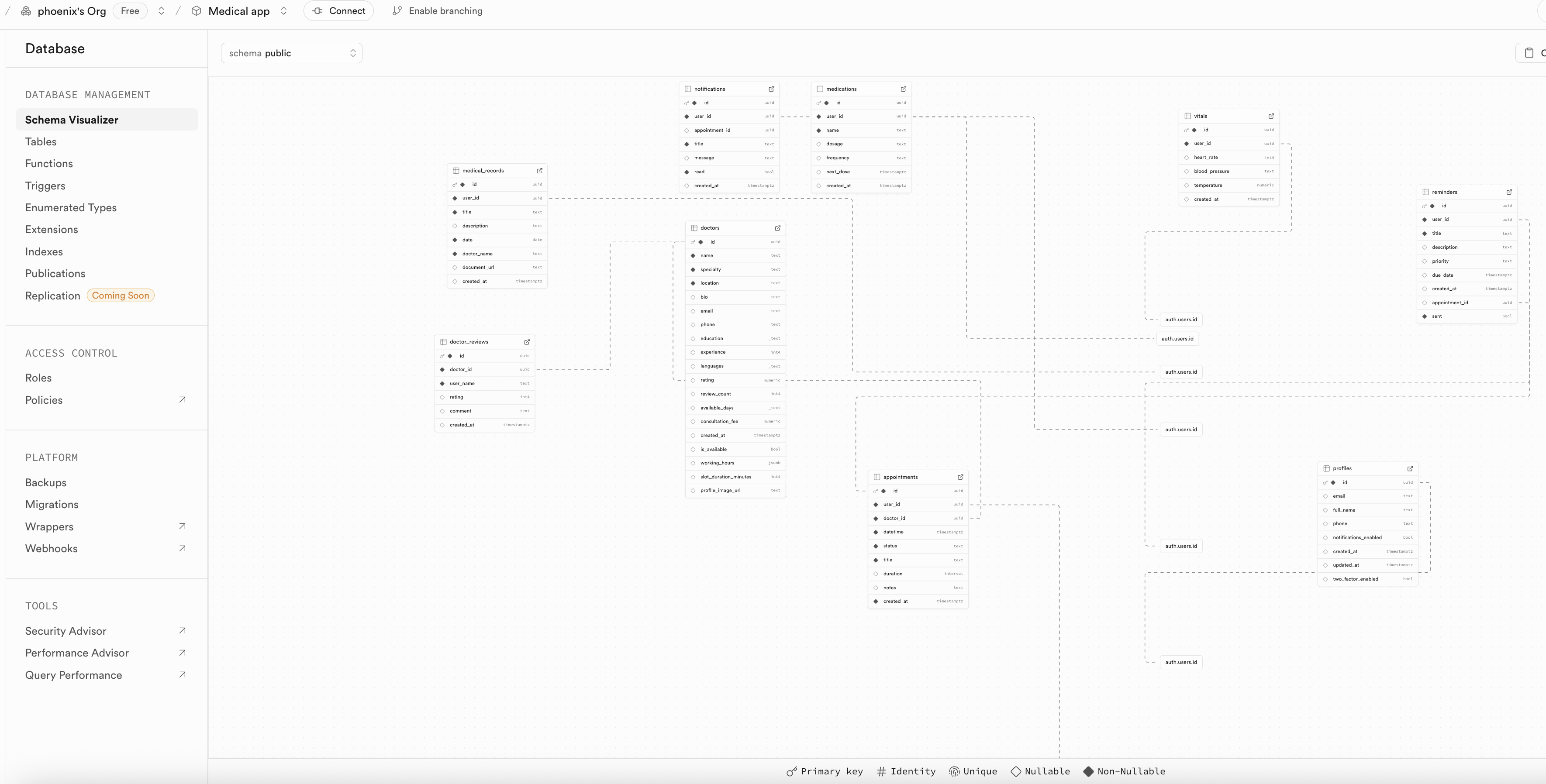
Database structure - Supabase
-
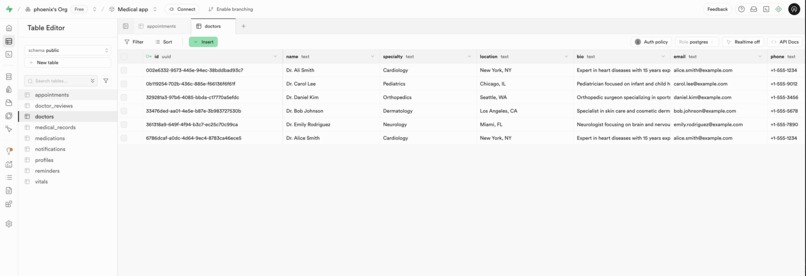
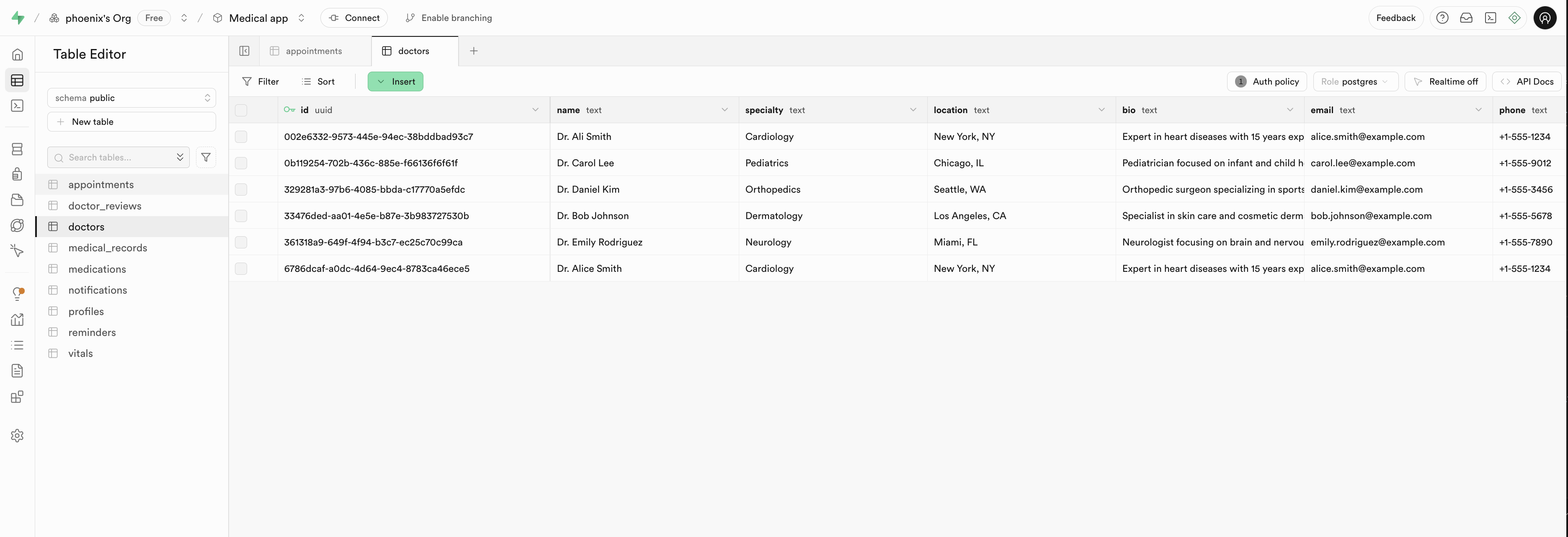
Doctors Table - Supabase
-
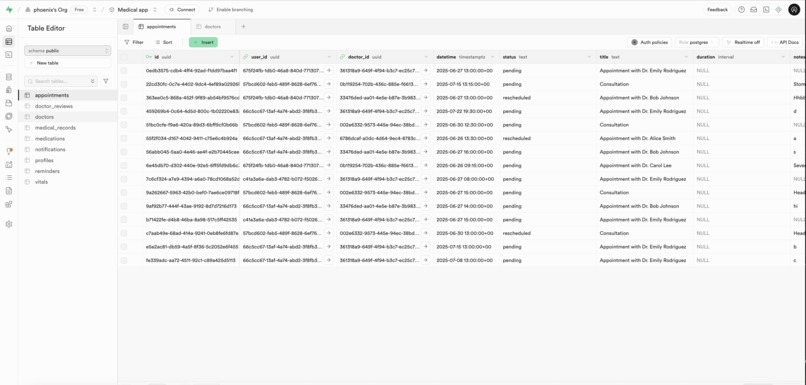
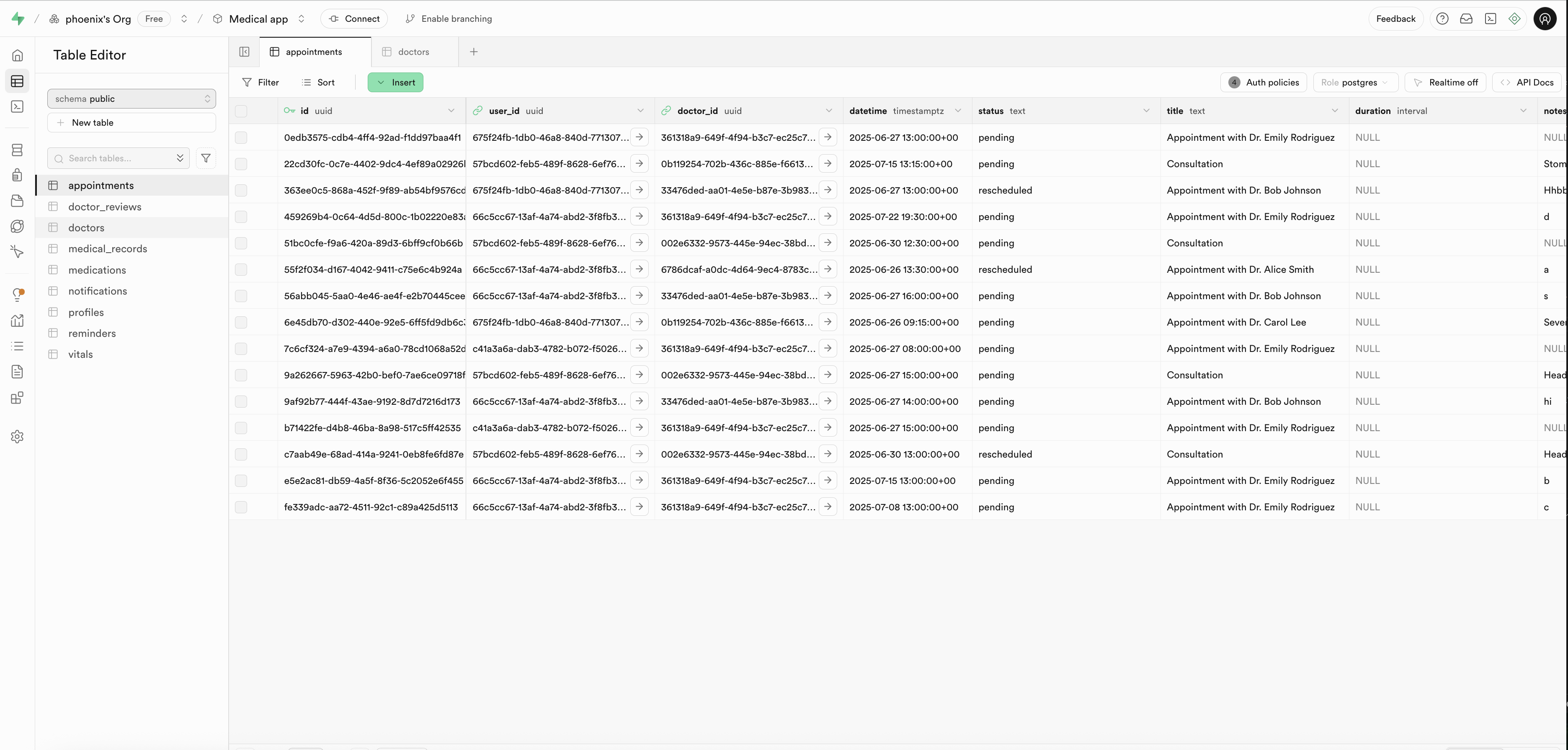
Appointment Table - Supabase






Inspiration
The main inspiration behind building this medical appointment app came from firsthand struggles at our local medical center. Patients, including myself, often had to call receptionists repeatedly just to book or reschedule appointments. This process was time-consuming, prone to errors, and frustrating for both patients and staff. I wanted to create a streamlined, user-friendly platform that would eliminate the need for phone calls, simplify appointment management, and improve overall communication between patients and healthcare providers.
🩺 Challenges I Faced While Building My Medical Appointment Web App
Building my first full-stack app—a medical appointment platform—was an incredibly rewarding yet deeply challenging experience. What initially seemed like a straightforward project quickly evolved into a robust system with complex logic, shaped by real-world constraints like time zones, data consistency, authentication, and user experience. I was inspired to tackle these challenges after noticing that, while many clinics have apps, they often don’t function properly—patients frequently end up calling the receptionist anyway. Here’s a breakdown of the core struggles I faced throughout the project:
⚙️ 1. Initial Setup Issues with Exported Bolt.new Project
One of the early challenges I faced came after exporting the project from Bolt.new. Since I had run out of tokens and wasn’t a Pro member, the export included well-structured SCSS but only basic Tailwind markup, with minimal layout or logic. I had to manually apply styles, build component structures, and add interactivity . These limitations were due to my usage level—not the platform itself—which still provided a great starting point for my full-stack application. Days later, I was able to take advantage of last two extra free days, which helped me push the project further.
2. Building a Dynamic Appointment Booking System
At first, I tried storing predefined time slots for doctors, but I quickly realized how inflexible and unsustainable that was — especially if doctors changed availability or added/remitted time. So I re-engineered the system to dynamically generate time slots based on each doctor's working hours and days. This meant handling:
- Availability parsing from structured inputs (like "Mon-Fri, 9am–5pm")
- Automatically generating valid future time slots
- Ensuring slots didn’t overlap with already booked appointments
- Making sure that past time slots are not shown or bookable
It required carefully writing logic that was performant, flexible, and could evolve with the product.
3. Rescheduling Appointments Intelligently
Rescheduling wasn't just about moving a date. It had to:
- Release the old slot to make it available again for other patients
- Validate the new slot against the doctor’s updated availability
- Prevent users from booking already taken or invalid times
This forced me to rethink my appointment model and build atomic update logic, ensuring no race conditions or ghost appointments were created during high-traffic interactions.
4. Time Zone Discrepancies Across Users
One of the hardest challenges was managing users in different time zones — a real-world problem that web apps can’t ignore. A patient in New York shouldn't see 2:00 PM as the same as a doctor in London. I had to:
- Normalize all date-time data in UTC in the database
- Format and display appointment times according to each user’s local time using
Intl.DateTimeFormator libraries likedate-fns - Be aware of daylight saving changes and time zone offsets
This part alone taught me how critical it is to think globally — even when building a seemingly "local" product.
5. Real-Time Notifications and Reminders
Creating a flexible and editable reminder system required building:
- Local CRUD operations that sync with the backend
- An editable form system for both new and existing reminders
- Notification logic that could eventually evolve into real-time alerts
Though reminders were simple in concept, the UX and backend handling had to be tightly coupled to feel intuitive.
6. Accessibility and UI/UX Challenges
I used SCSS with a BEM-style naming convention to keep styles maintainable. But making the UI accessible and responsive across devices added more work.
💡 What I Learned
This project taught me much more than building a CRUD app. I learned:
- How real-world scheduling and timekeeping works
- That small UX problems (like time zone mismatch) can break core functionality
- The importance of handling both the frontend and backend with careful consideration
- The balance between user experience and technical complexity
📚 Rapid Learning Curve
In just two weeks, I gained experience and problem-solving skills that would normally take months to acquire at a regular pace. From frontend styling with SCSS and dynamic React logic, to handling backend logic with Supabase and solving time zone–based scheduling issues, every challenge pushed me to learn fast, adapt quickly, and build resilient features under pressure.
🩺 Next Feature Suggestions: Vitals Tracking
Let users log their health data:
- Fields to include: Heart rate, blood pressure, temperature, oxygen saturation, weight, height, BMI (auto-calculated).
- UI: A simple form with optional unit conversion (e.g., °C/°F).
- Charting: Visualize trends over time with graphs (line or bar charts).
- Export: Allow export as PDF or CSV for sharing with doctors.
- Comparison: Show how vitals compare with healthy averages.
- Reminders: Daily prompts to enter vitals consistently.
- Emergency Alerts: Notify users or caretakers if any value is dangerously abnormal.
- Future Integration: Sync with wearable devices or health apps like Apple Health or Google Fit.
Ultimately, this project has been an incredible learning journey I pursued independently, turning a hobby into real-world skills. Despite having never built a full-stack app before, Bolt.new made it possible for me to create one from scratch with confidence.
Let me know if you want help implementing any of these next steps!
Built With
- accessibility
- database
- date-fns
- html5
- javascript
- lucide
- postgresql
- react
- react-date-picker
- scss
- supabase
- zustand

Log in or sign up for Devpost to join the conversation.