-

-
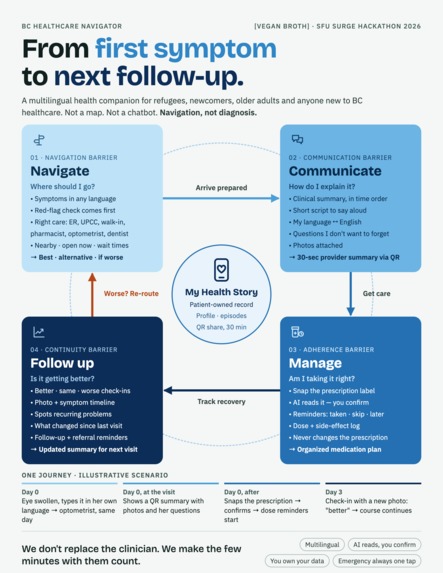
The project main
-
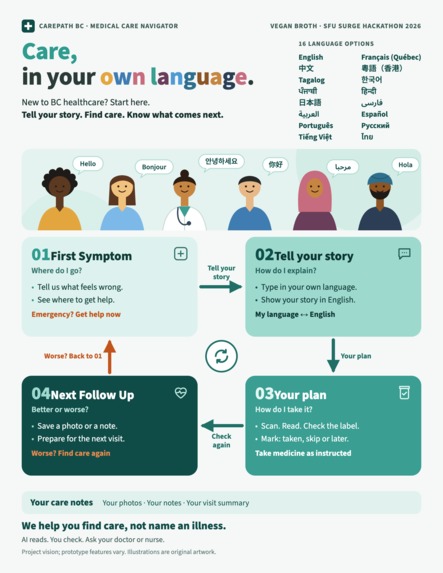
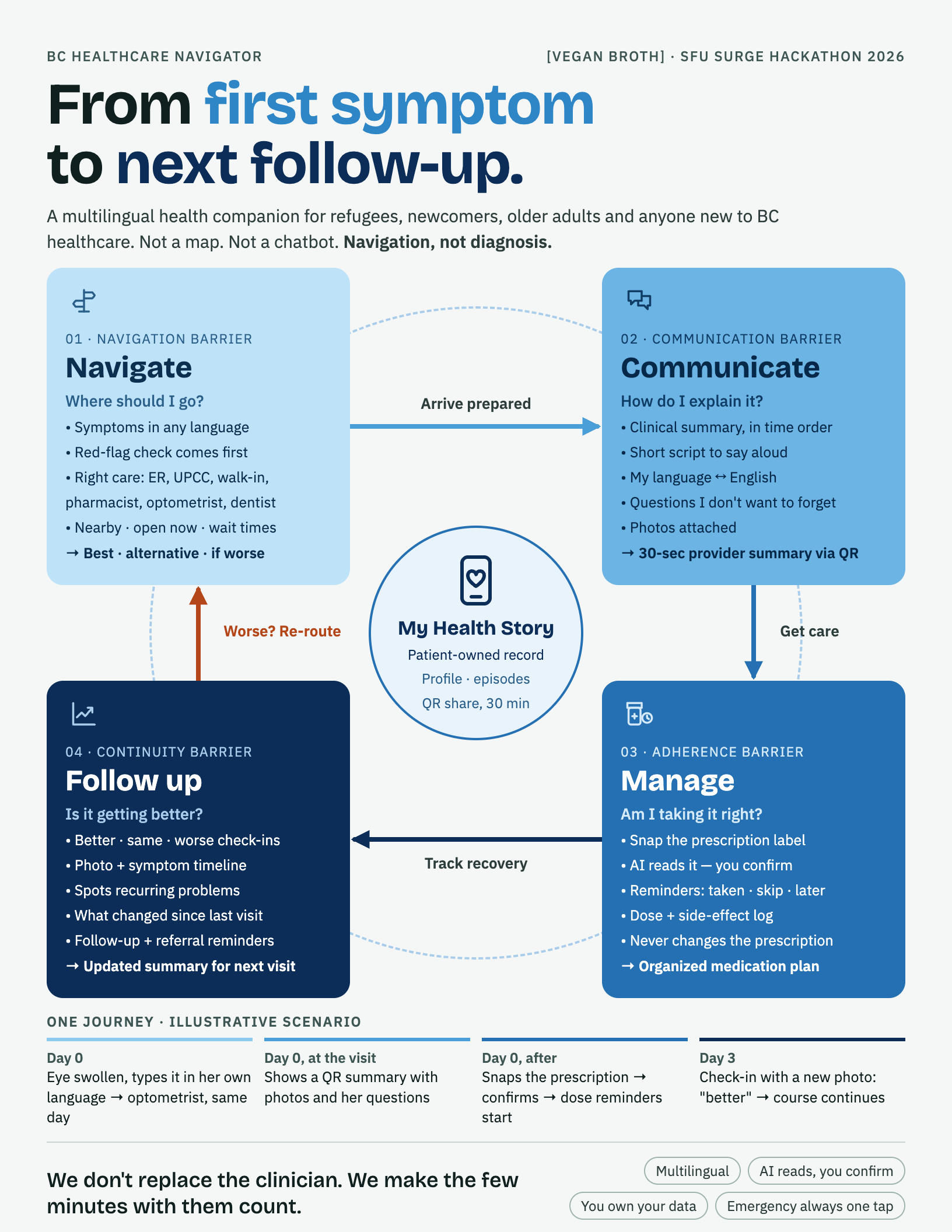
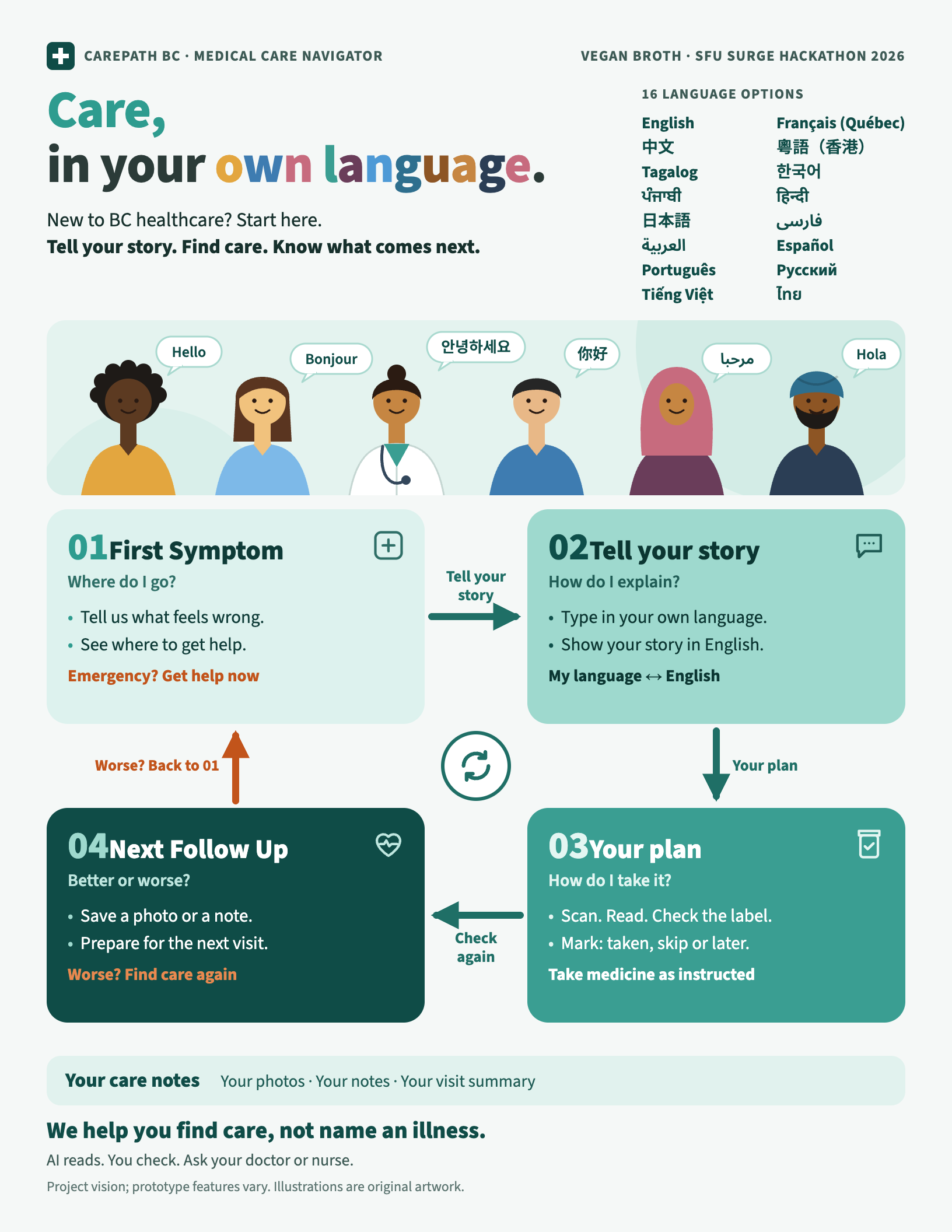
Promotional Campaign - New Commers poster
-
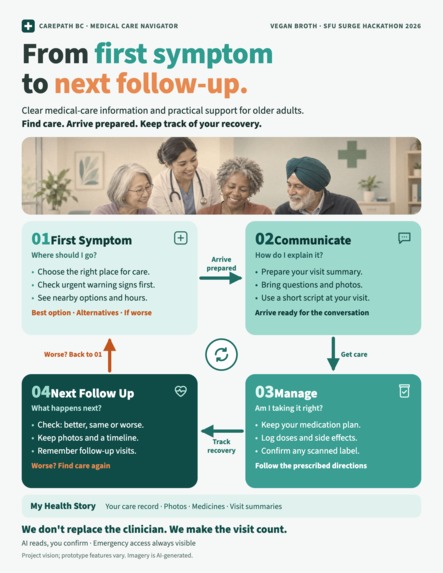
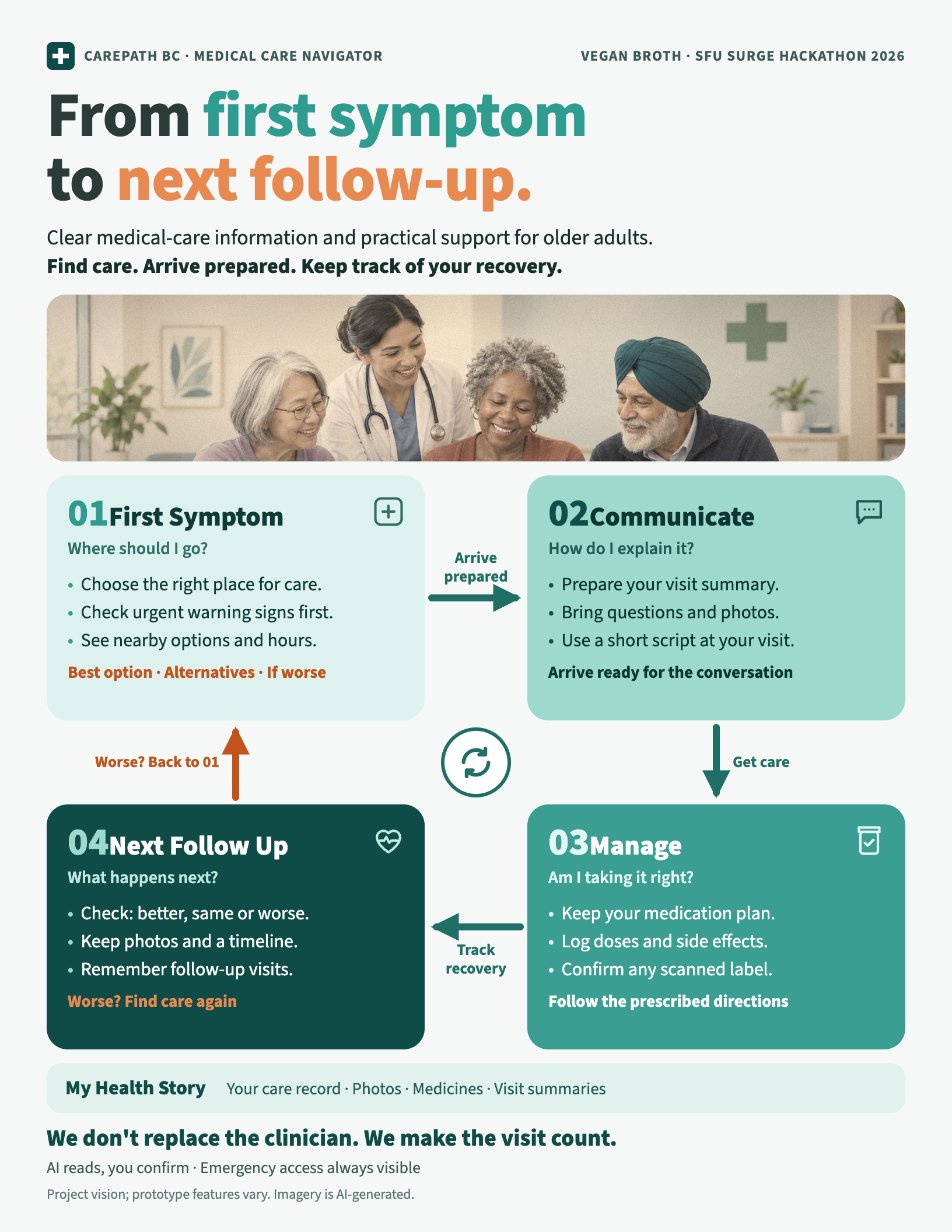
Promotional Campaign - Elders poster
-
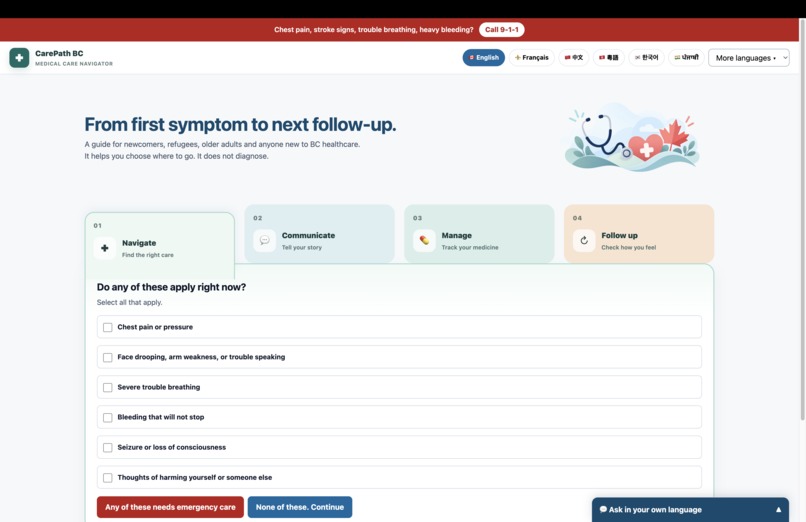
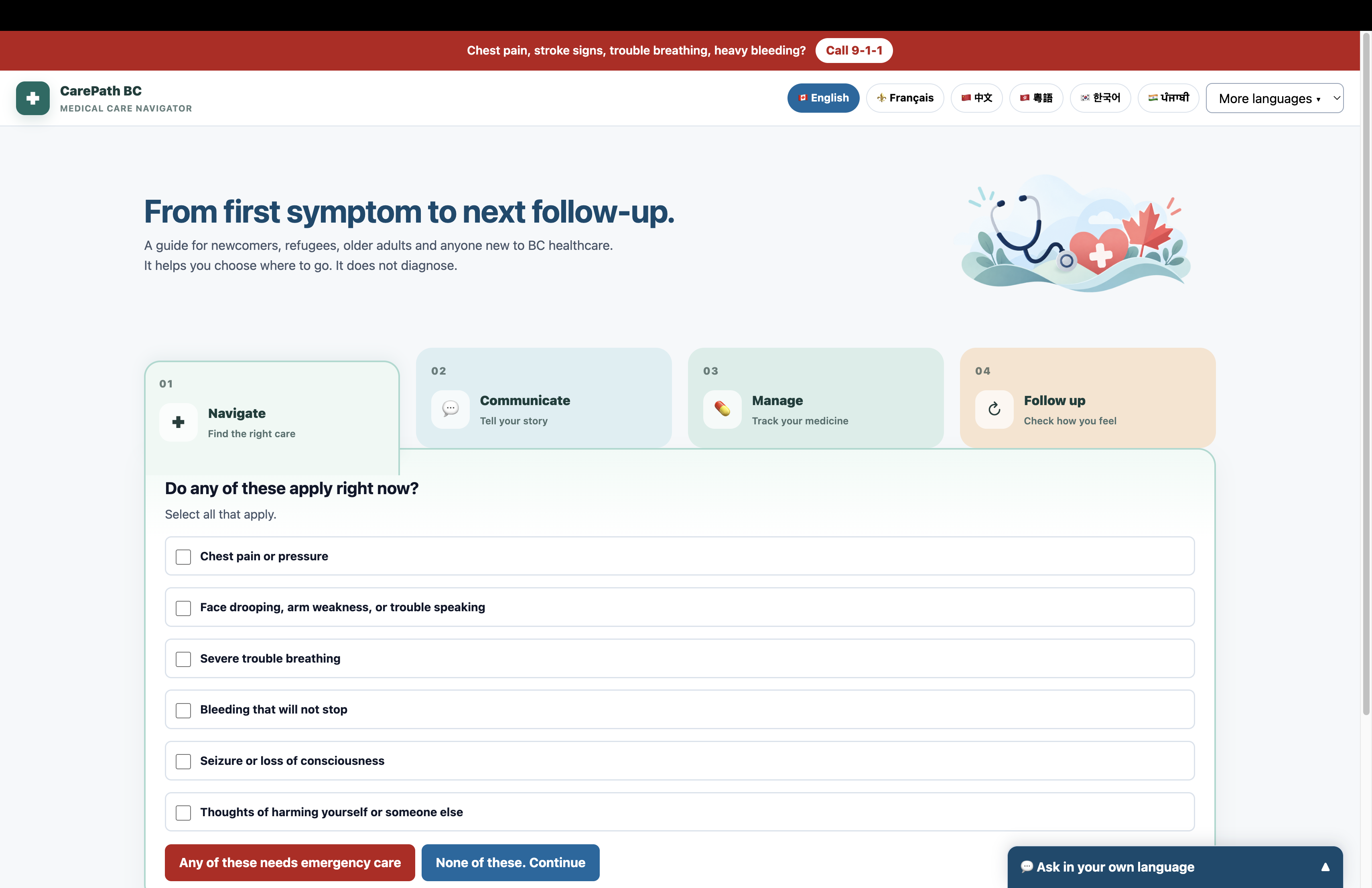
1. Main page - Simple, Accessible Interface
-
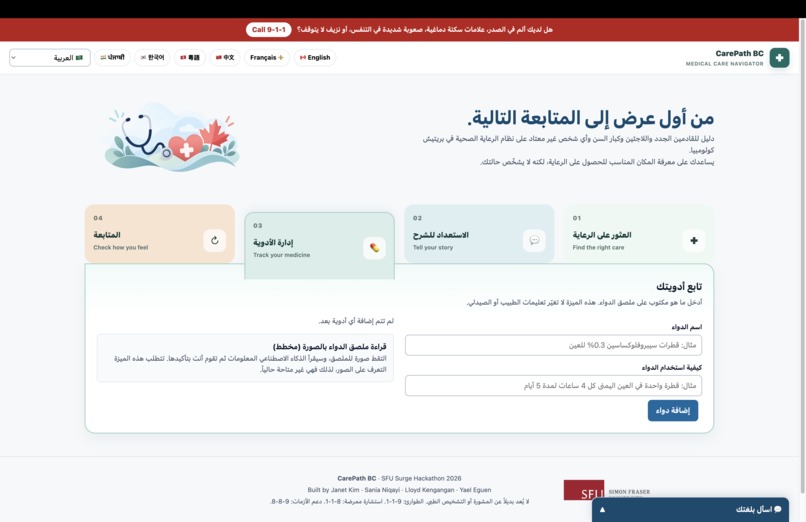
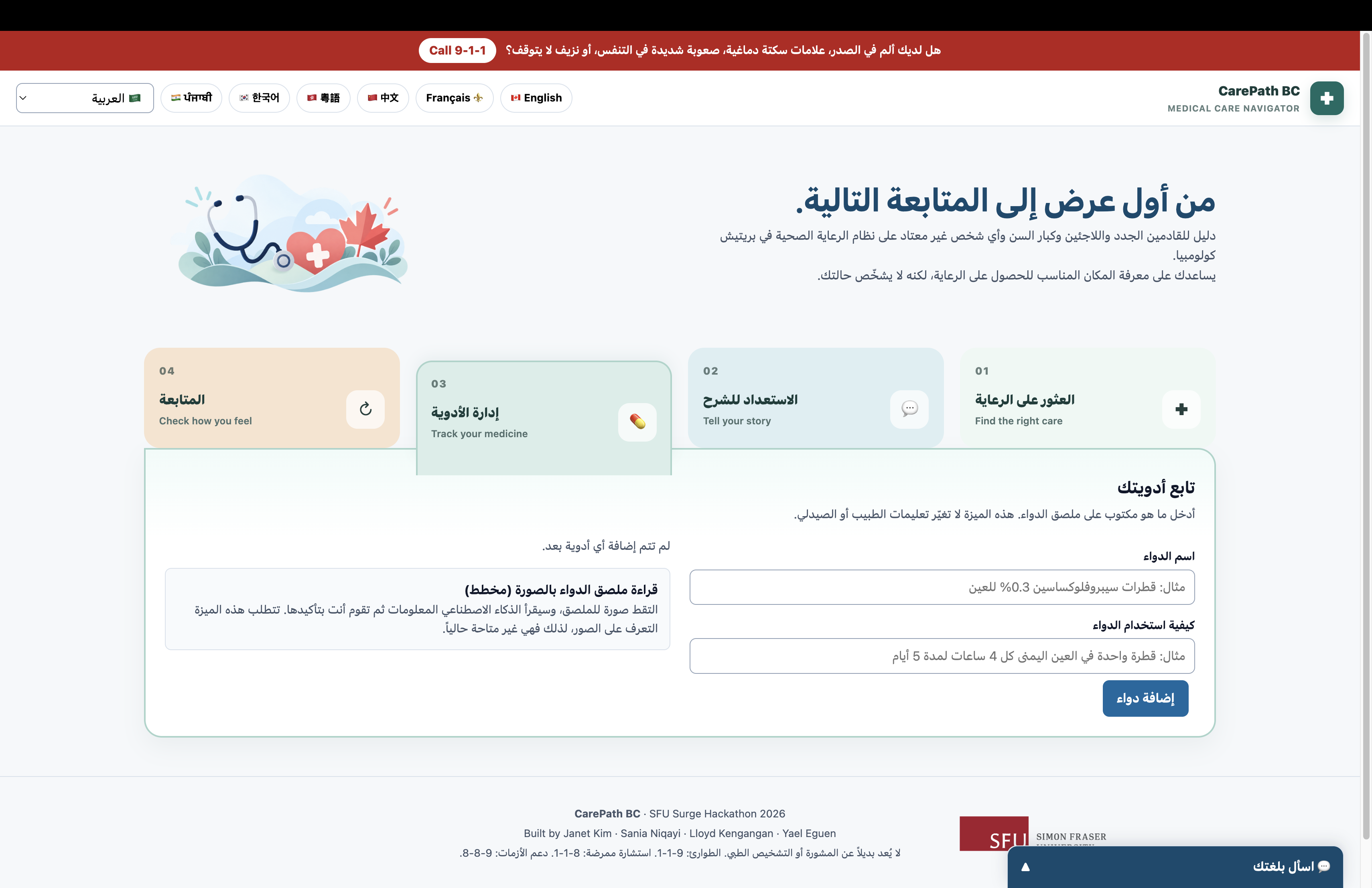
2. Multiple languages (16+) for refugees & immigrants & international students
-
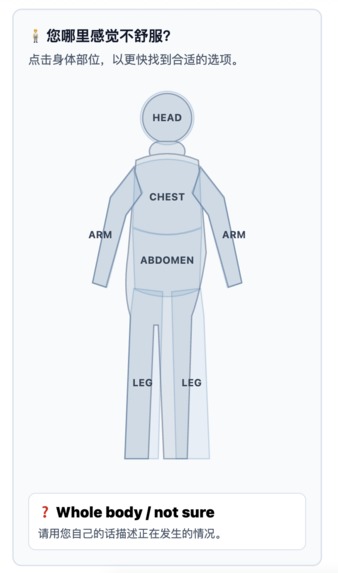
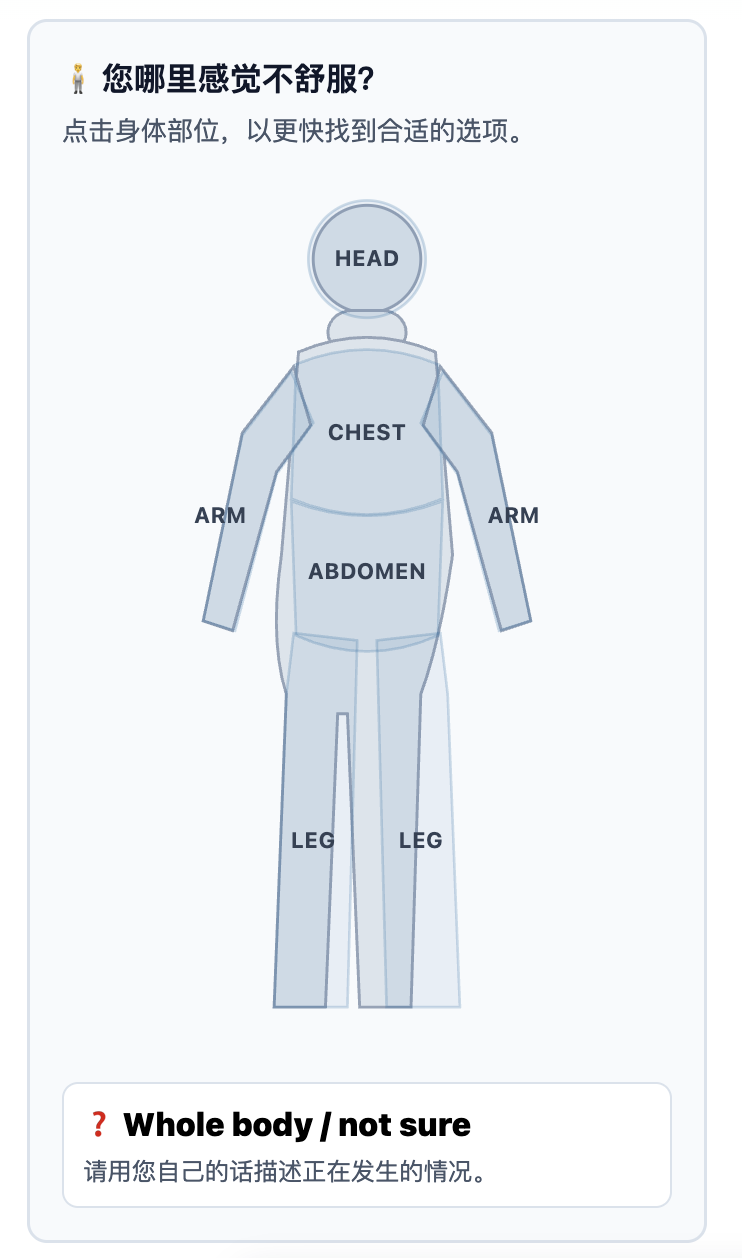
3. Visually Intuitive Interface - Designed for older adults to navigate care without relying on text-heavy menus.
-
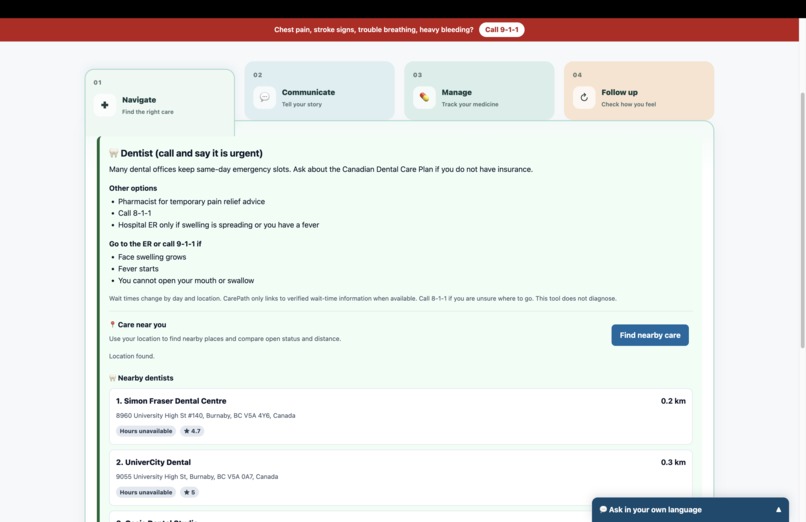
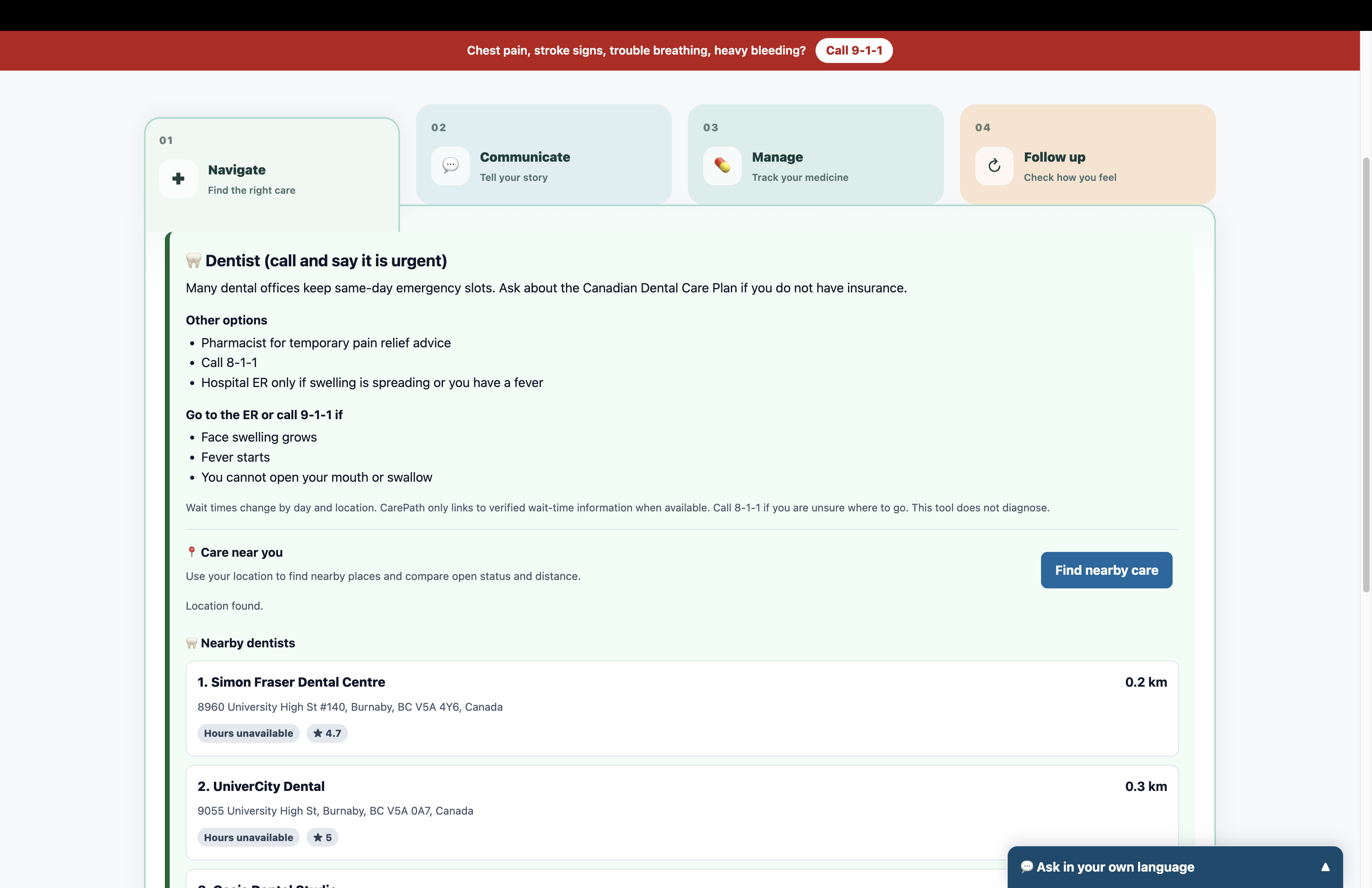
4. Real-Time Location-Based Search (Google Maps API) - find nearby healthcare services.
-
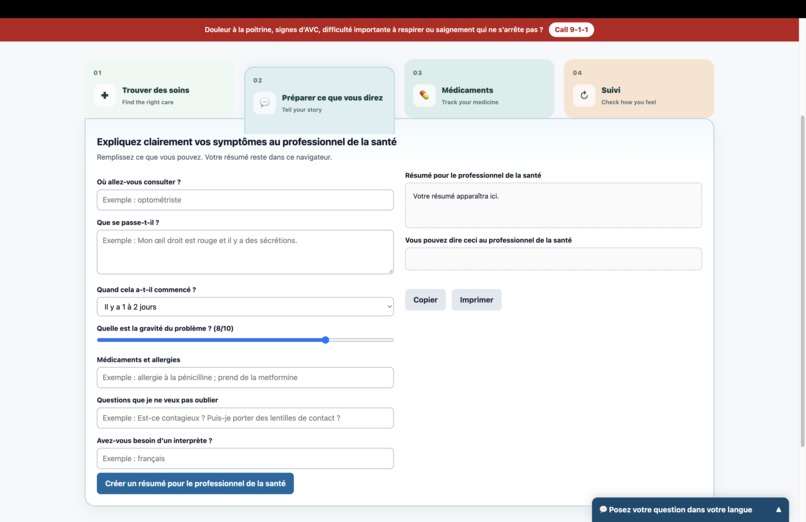
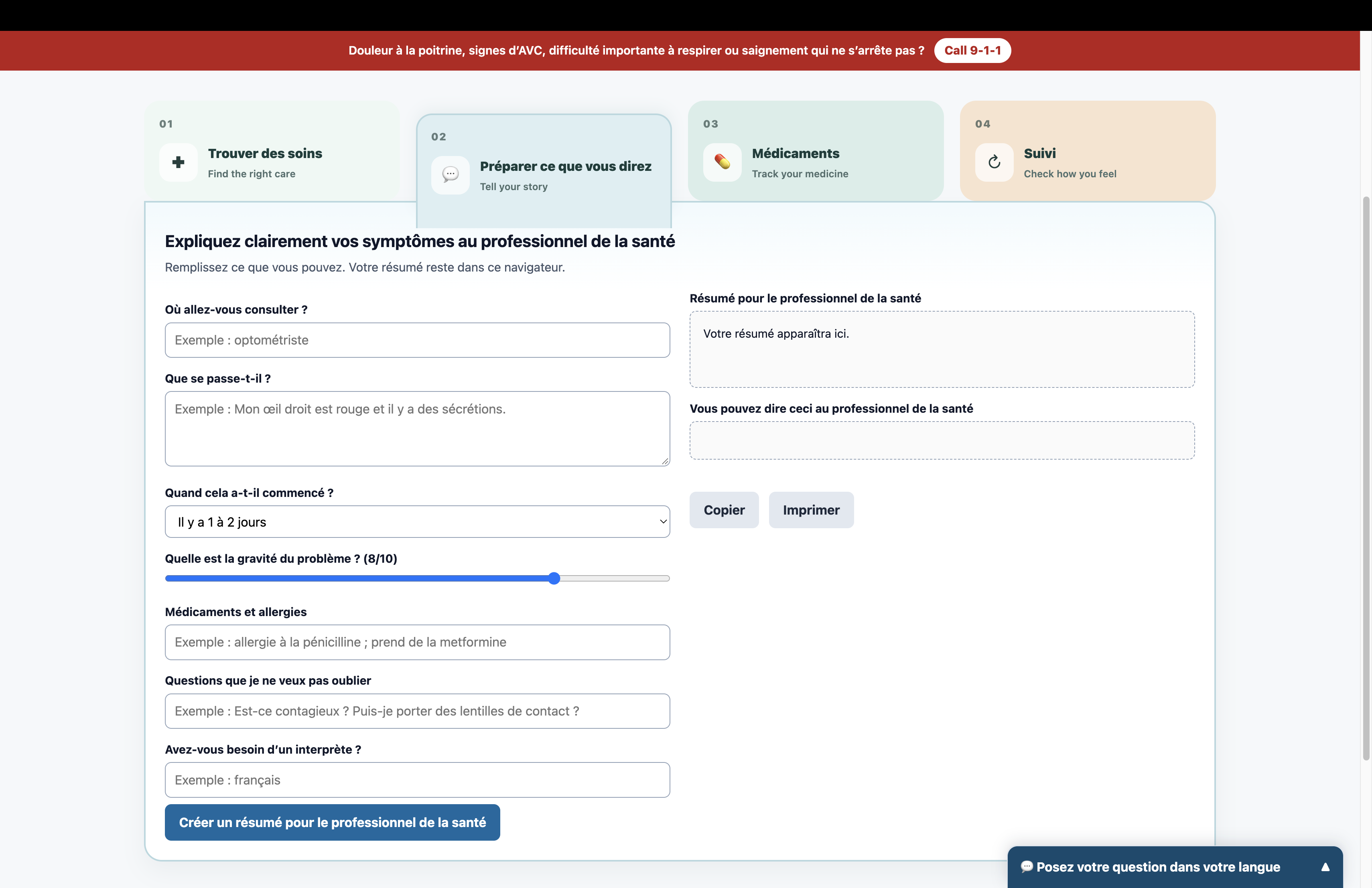
5. Breaking Communication Barriers (Gemini API) - Helps users organize their symptoms and communicate clearly with healthcare providers.
-
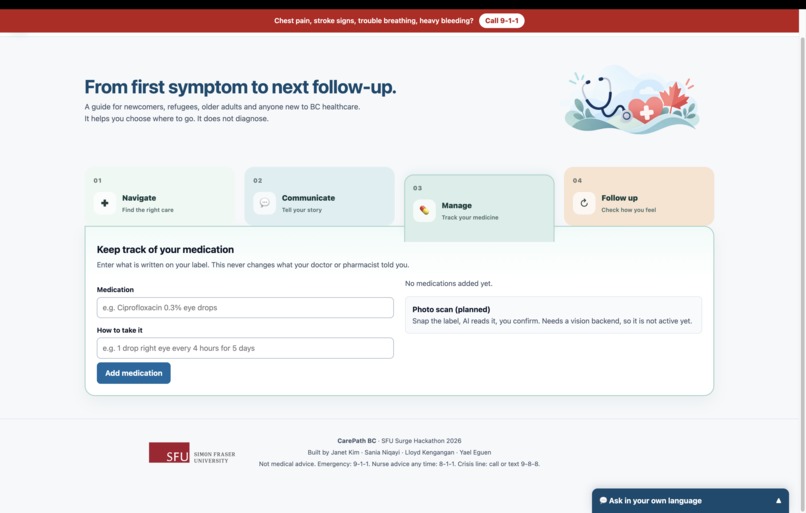
6. Smart Prescription Tracking - Scan a prescription to instantly understand dosage and instructions, then set medication reminders.
-
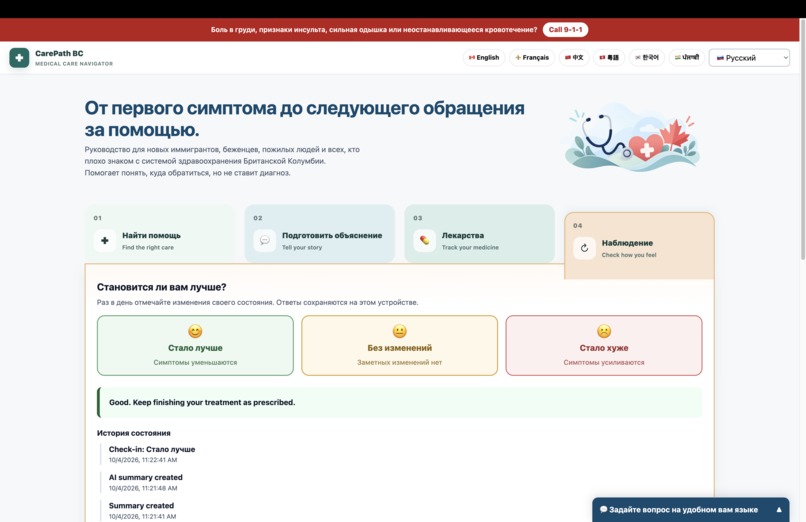
7. Progress Tracking - Simple daily check-ins to see whether symptoms are improving, staying the same, or getting worse.
-
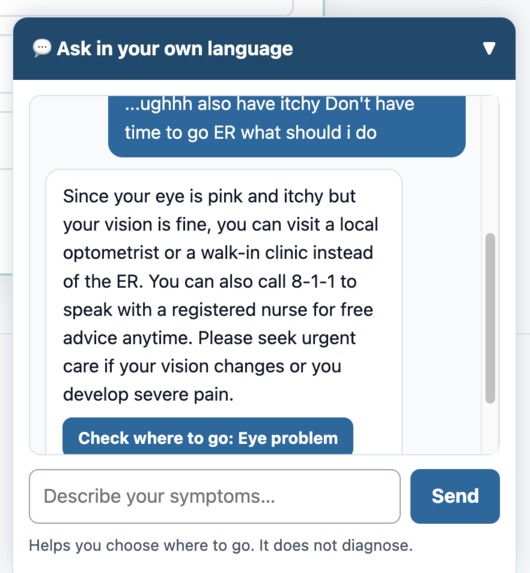
8. Conversational Care Assistant - Ask questions in your own language and get simple guidance on navigating BC healthcare.
-
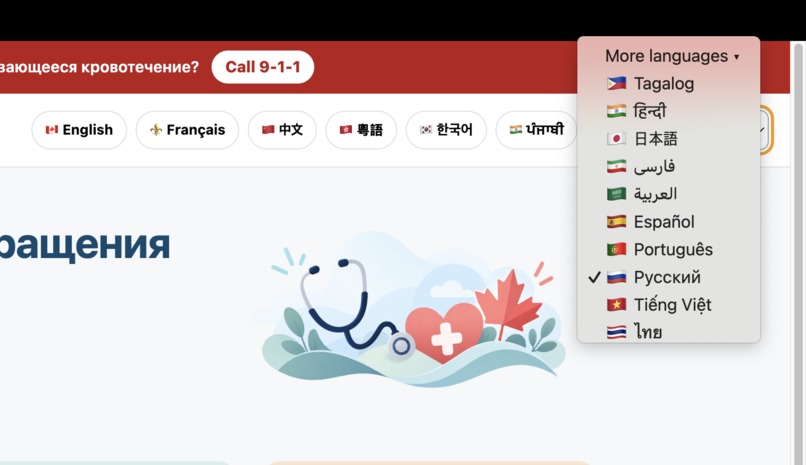
16+ languages!

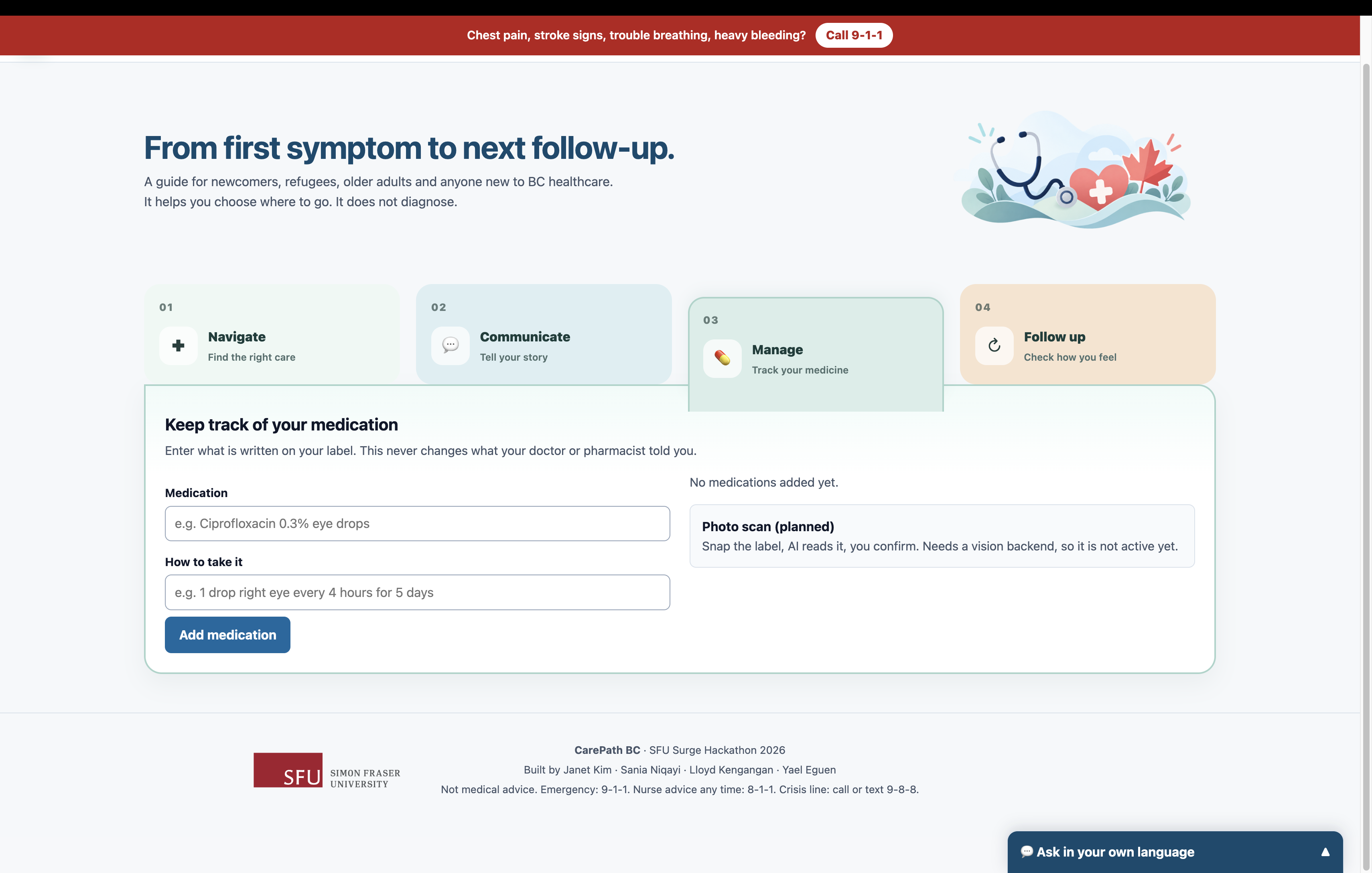
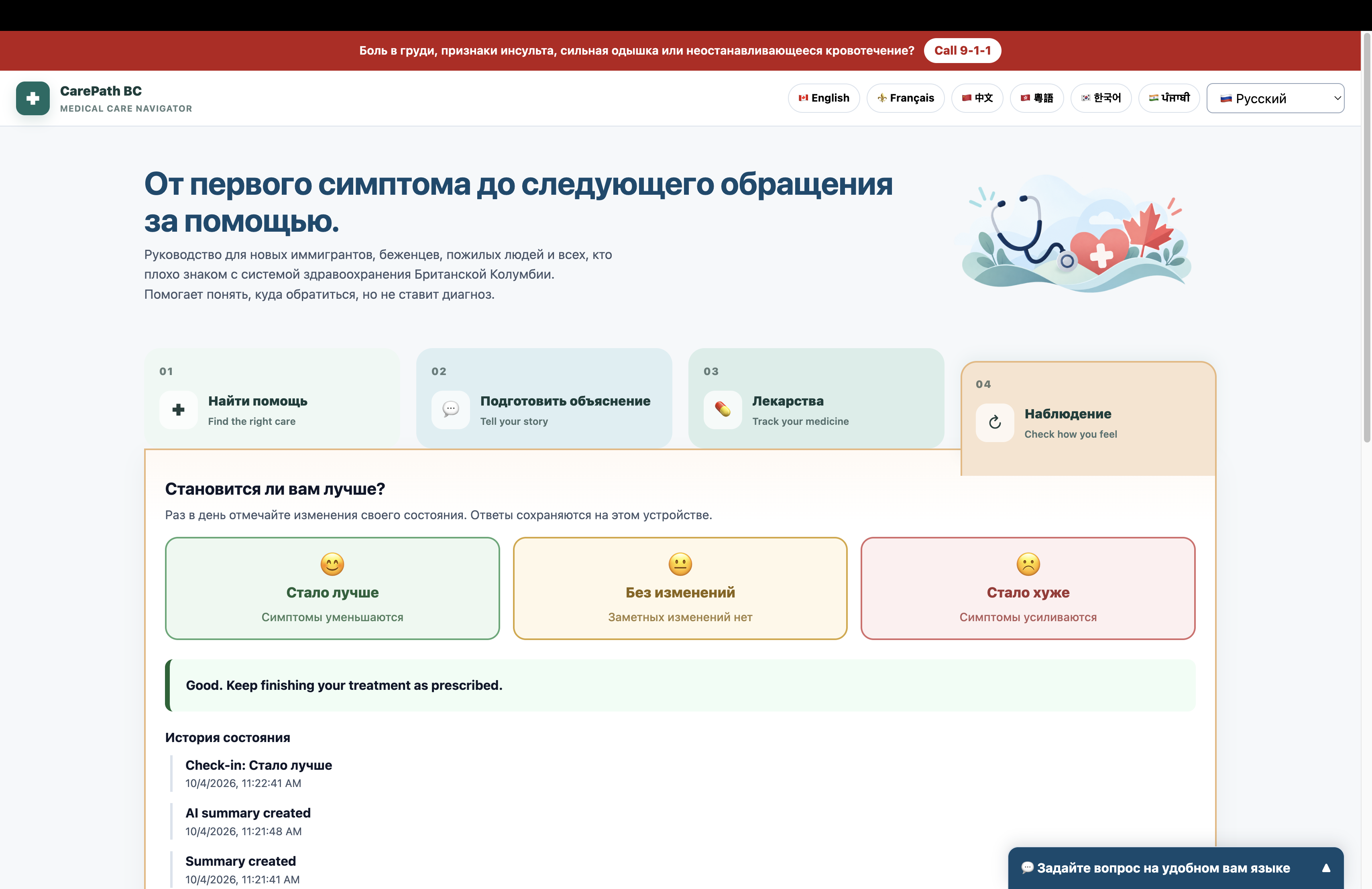
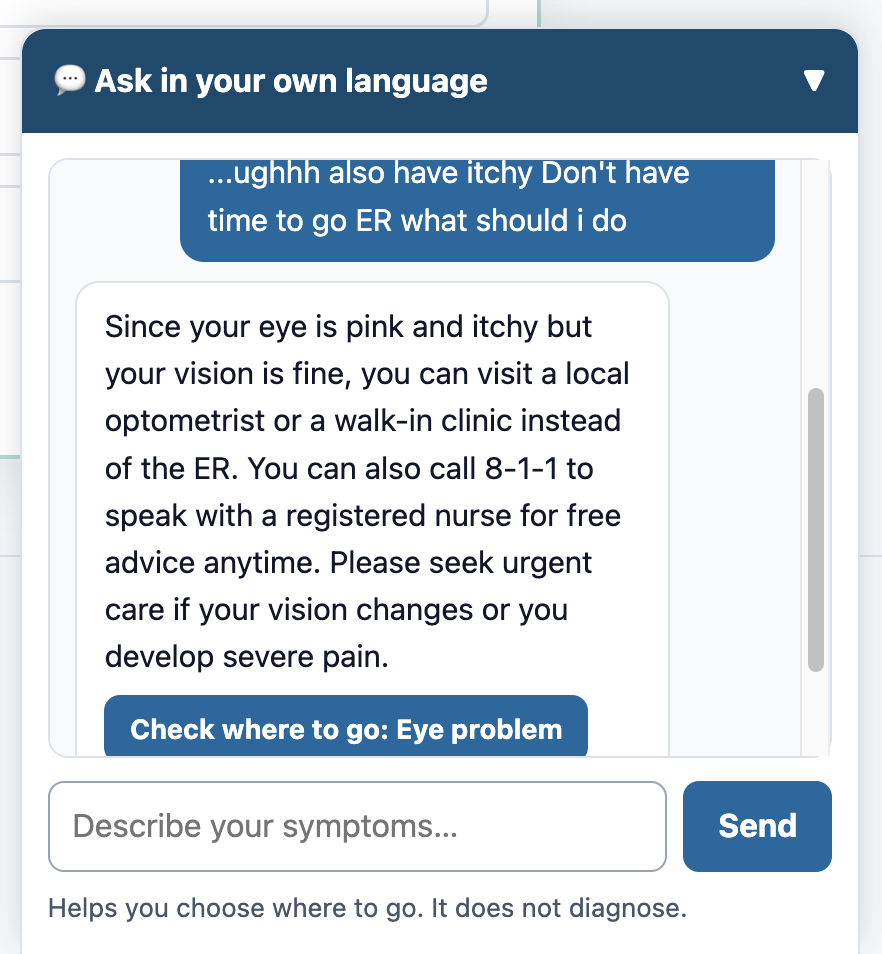
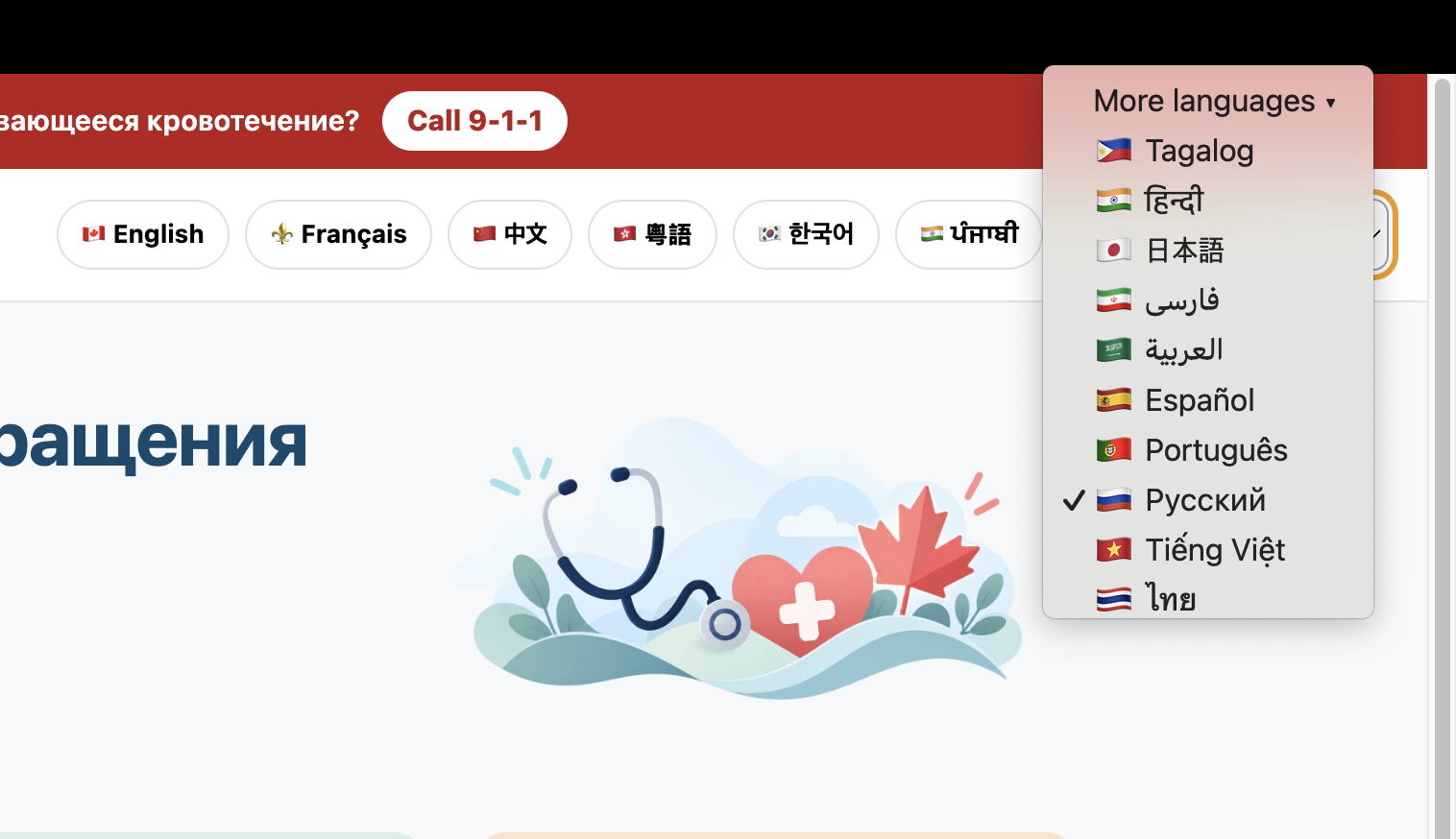
Inspiration
The website helps refugees, newcomers, older adults, and anyone unfamiliar with the Canadian healthcare system find the most appropriate medical service for their situation.
Many people may not know whether they should go to an ER, urgent care, walk-in clinic, pharmacist, optometrist, dentist, or another provider. This can delay care and can also contribute to emergency departments being used for non-emergency problems.
The platform would act as a multilingual (Available in 15+ languages, with more languages easily scalable and ready to be added) healthcare navigation assistant, not a diagnostic tool.
What it does
Medical Navigator guides users through the healthcare system from the moment they notice a symptom to follow-up care.
Users can describe their symptoms in natural language and in their preferred language. The platform identifies the main concern, asks simple follow-up questions, screens for urgent warning signs, and suggests the most appropriate type of care, such as:
- Emergency department
- Urgent care centre
- Walk-in clinic
- Pharmacist
- Optometrist
- Dentist
- Other appropriate healthcare providers
Once a level of care is selected, the platform can show nearby options and relevant information such as hours and estimated wait times when available.
It also helps users prepare for their appointment by turning their symptom history into a short, organized medical summary they can show or read to a healthcare professional.
Medical Navigator also includes a personal health profile where users can store important information such as:
- Allergies
- Medications
- Pregnancy status
- Past medical problems
- Preferred language
Users can upload photos to track visible symptoms over time and scan prescriptions so medication information can be saved and used to create reminders.
After a visit, the platform helps users record instructions, track their progress, and prepare for follow-up care.
How we built it
We designed Medical Navigator around four main stages:
Navigate → Communicate → Manage → Follow Up
Navigate
We use natural-language input to identify key symptoms and convert them into simple follow-up questions.
The system then uses the user's responses to recommend an appropriate level of care rather than attempting to provide a diagnosis.
Communicate
The platform organizes the user's description into a concise clinical-style summary, including:
- Symptom onset
- Severity
- Associated symptoms
- Relevant medical history
- Questions the patient wants to ask
Manage
Users can build a personal health profile, upload symptom photos, and scan prescription labels.
AI can extract:
- Medication names
- Dosage
- Frequency
- Instructions
The user confirms the extracted information before it is saved.
Follow Up
The platform keeps each health concern as a separate timeline so users can record whether symptoms are:
- Improving
- Unchanged
- Worsening
Users can then bring an updated summary to their next healthcare visit.
Challenges we ran into
One of our biggest challenges was balancing usefulness with patient safety.
A healthcare navigation tool can easily begin to sound like a diagnostic tool, so we focused on recommending an appropriate healthcare service rather than identifying a specific disease.
Another challenge was dealing with vague symptom descriptions. People do not usually describe their symptoms using medical terminology, especially when there are language barriers.
We therefore needed to translate free-form descriptions into clear follow-up questions without overwhelming the user.
We also had to consider the reliability of information such as clinic availability and emergency department wait times, since these can change frequently.
Privacy was another major consideration because the platform may store sensitive information such as:
- Photos
- Medication records
- Medical histories
- Personal health information
Finally, prescription scanning introduced another safety challenge. AI or OCR may misread medication names or dosages, so medication information should always be confirmed by the user before reminders are created.
Accomplishments that we're proud of
We are proud that Medical Navigator addresses more than one point of difficulty in the healthcare journey.
Instead of building only a symptom checker, we designed a system that supports patients:
- Before a healthcare visit
- During communication with a provider
- After treatment
- During follow-up care
We also created a workflow that can reduce both language and health-literacy barriers.
A user can:
- Describe a concern naturally
- Receive simple guidance
- Generate a clear medical summary
- Keep important information available for future appointments
Another accomplishment is that the platform remains patient-centred.
Users control their own information and can choose what they want to share with healthcare professionals.
The goal is not to replace healthcare providers, but to help patients reach the right provider and use their limited appointment time more effectively.
What we learned
We learned that one of the biggest barriers in healthcare is not always access to medical knowledge, but knowing how to navigate the system itself.
Healthcare systems contain many different entry points, and what seems obvious to someone familiar with the system may be extremely confusing to a newcomer, refugee, older adult, or someone facing a language barrier.
We also learned that communication is an important part of access.
Even after reaching the correct healthcare provider, patients may have difficulty organizing their symptoms or remembering the questions they wanted to ask.
Creating a clear and concise summary can make a short healthcare interaction much more effective.
Most importantly, we learned that AI in healthcare does not always need to diagnose disease to be useful.
It can instead support:
- Navigation
- Organization
- Translation
- Continuity
- Communication
while leaving clinical decision-making to healthcare professionals.
What's next for Medical Navigator
Our next step is to make Medical Navigator more connected to real healthcare resources.
We would like to integrate live information about:
- Nearby healthcare services
- Opening hours
- Availability
- Emergency department wait times, where reliable data is available
We also want to expand multilingual support and improve accessibility for older adults through:
- Larger text
- Voice input
- Text-to-speech
- Simpler interfaces
Future versions could include secure provider-sharing tools, such as a temporary QR code that lets a healthcare professional view a patient's selected:
- Medical summary
- Symptom timeline
- Photos
We would also like to improve medication management by adding:
- Prescription scanning
- Medication reminders
- Adherence tracking
- Follow-up prompts
- Appropriate safety checks
Ultimately, we envision Medical Navigator as a patient-controlled healthcare companion that helps people:
Navigate → Communicate → Manage → Follow Up
throughout their healthcare journey.
