MEDI-MINDAI---PROJECT
MediMind AI – Intelligent Prescription Assistant
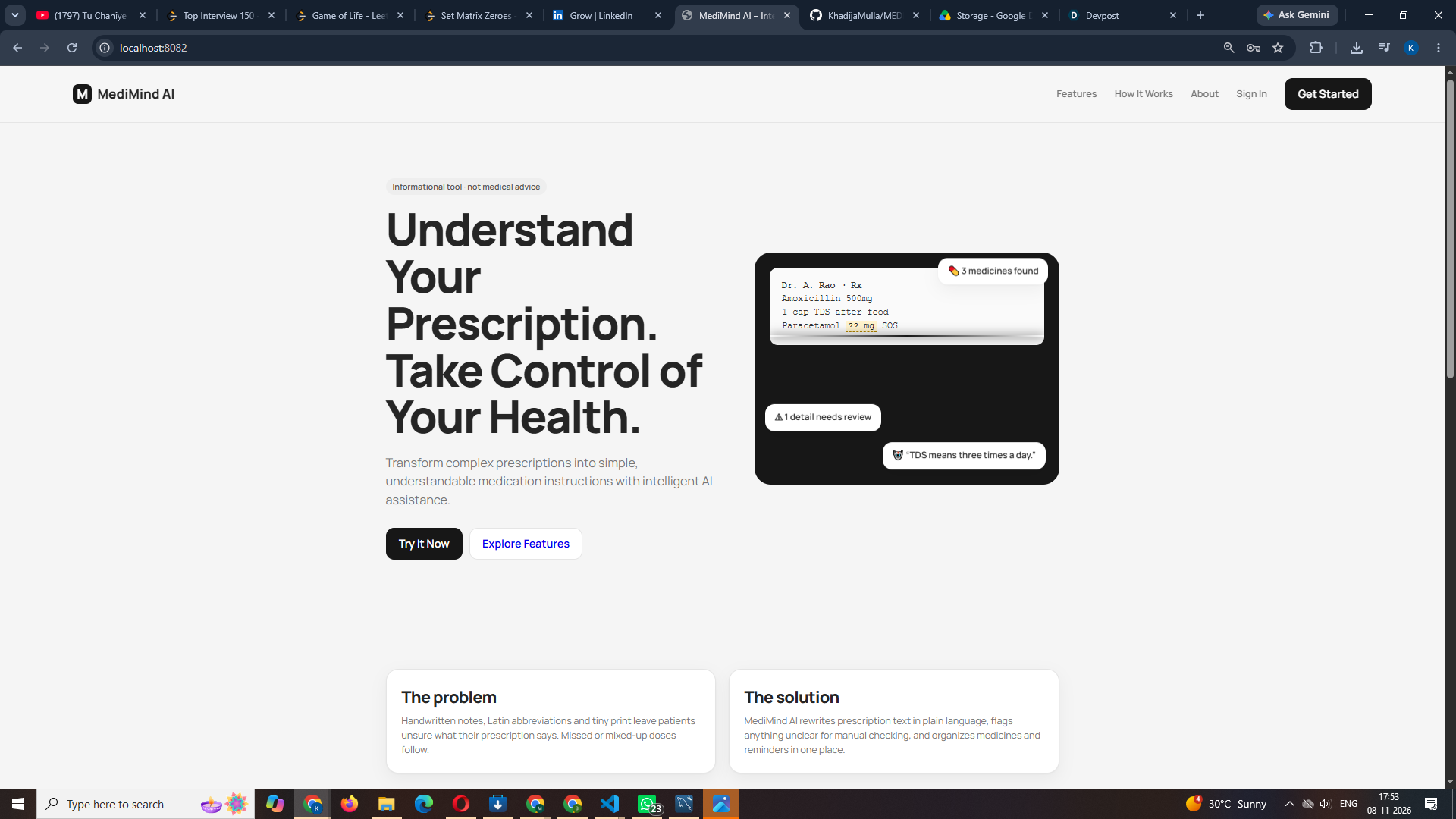
Understand Your Prescription. Take Control of Your Health.
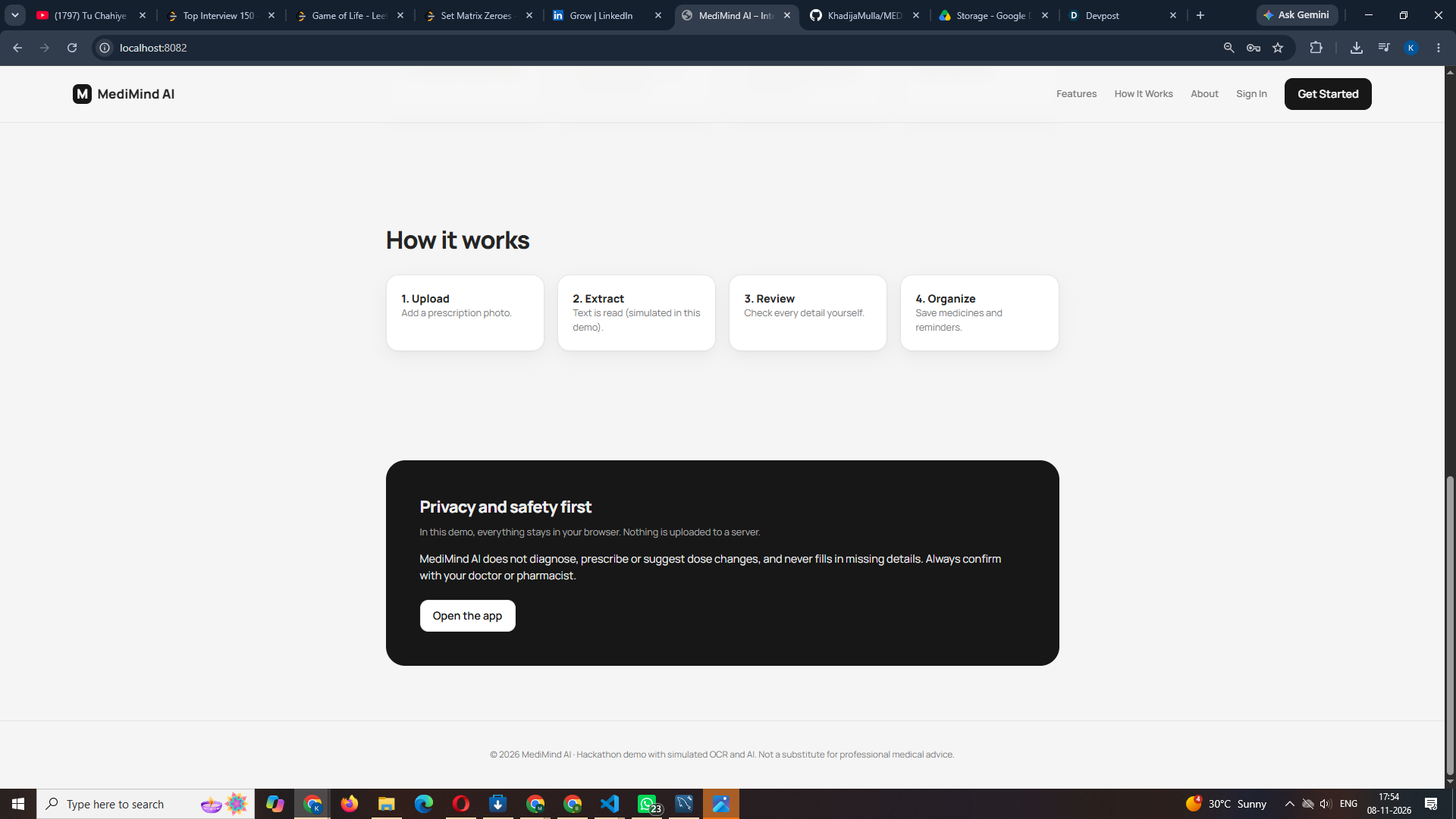
MediMind AI is a full-stack healthcare web application that helps patients understand prescription text, organize their medicines, and manage daily reminders.
⚠️ Medical safety: MediMind AI is an informational and organization tool. It does not diagnose conditions, prescribe medicines, or recommend dosage changes. It never invents missing prescription details; unclear information is always flagged for manual verification. Always confirm details with your doctor or pharmacist.
ℹ️ Demo note: The OCR (text extraction) and AI explanations in this project are simulated demonstration data. No real OCR or AI service is connected yet.
Features
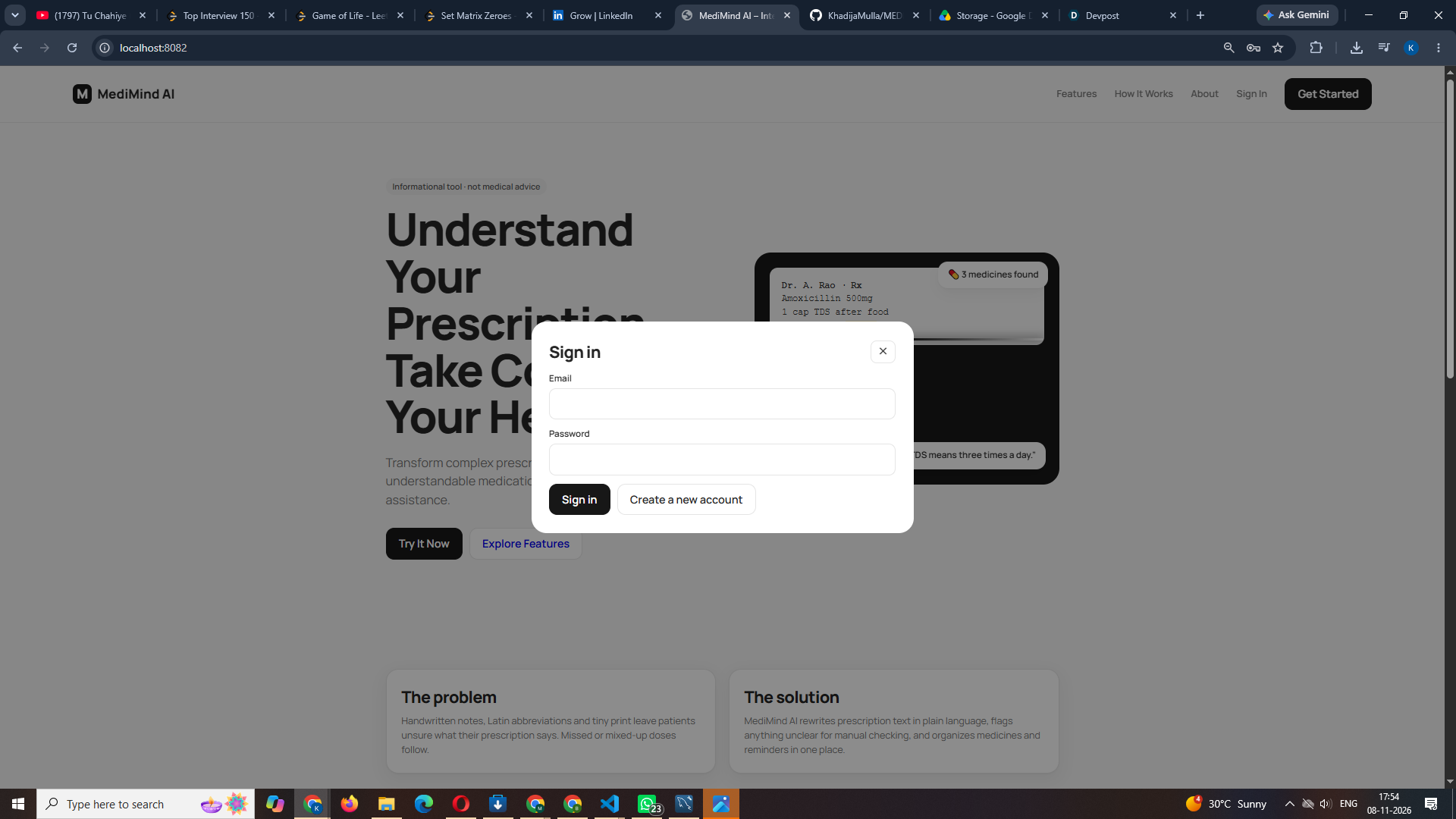
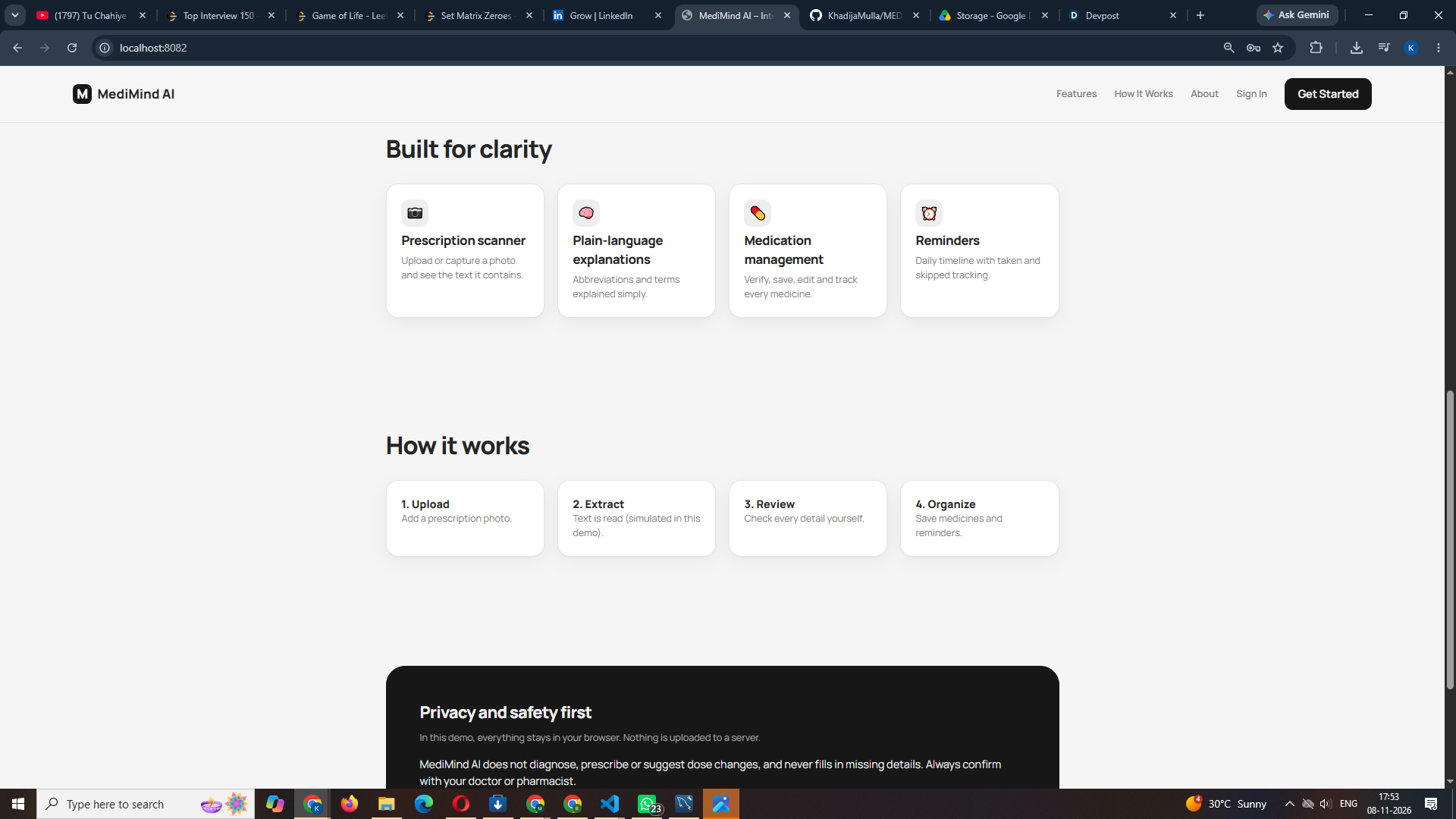
- Landing page with animated prescription mockup, features, how it works, privacy and safety sections
- Accounts: create account and sign in (passwords stored as BCrypt hashes), with separate data for each user
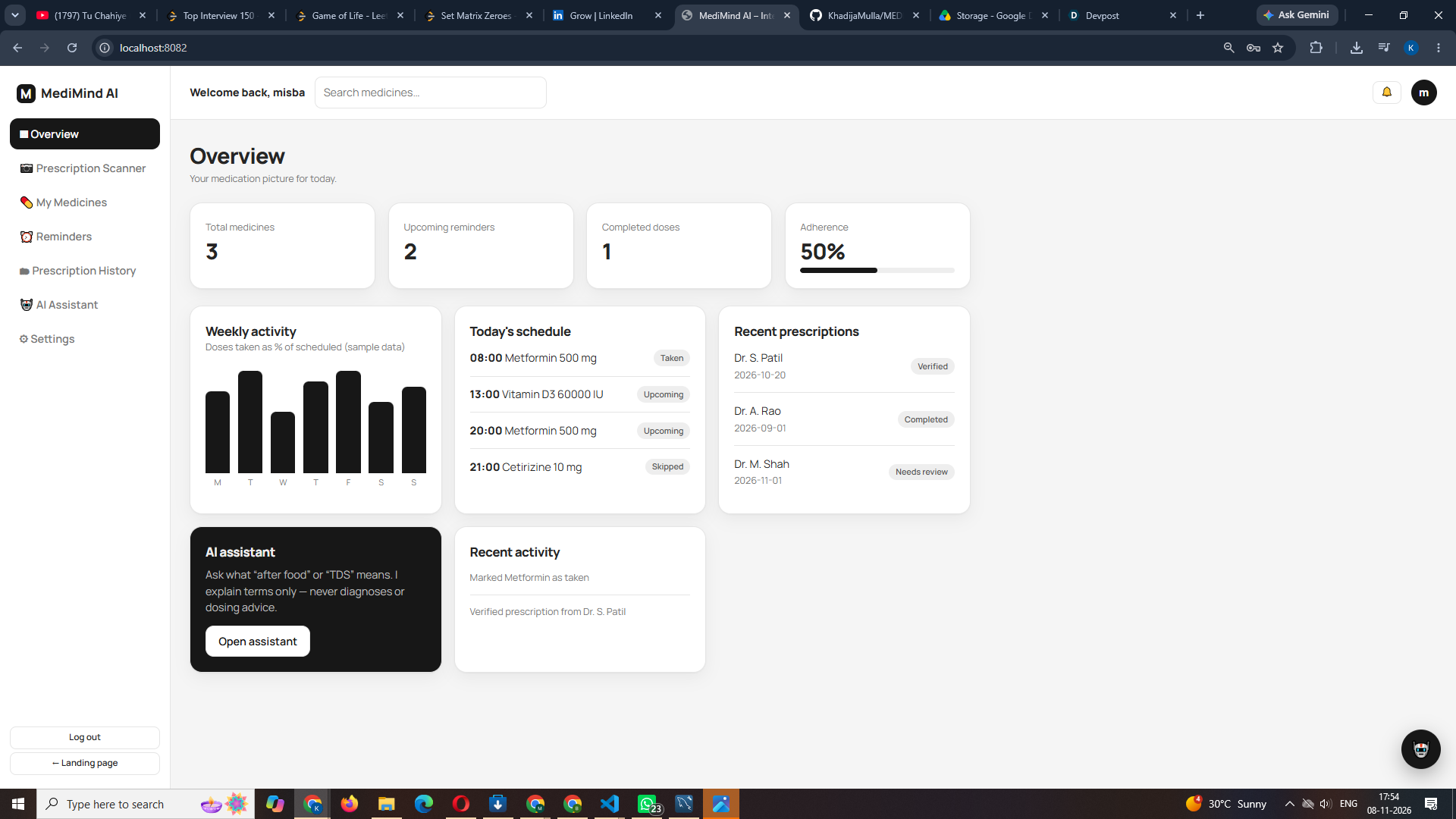
- Dashboard: statistics, weekly activity chart, today's schedule, recent prescriptions, recent activity
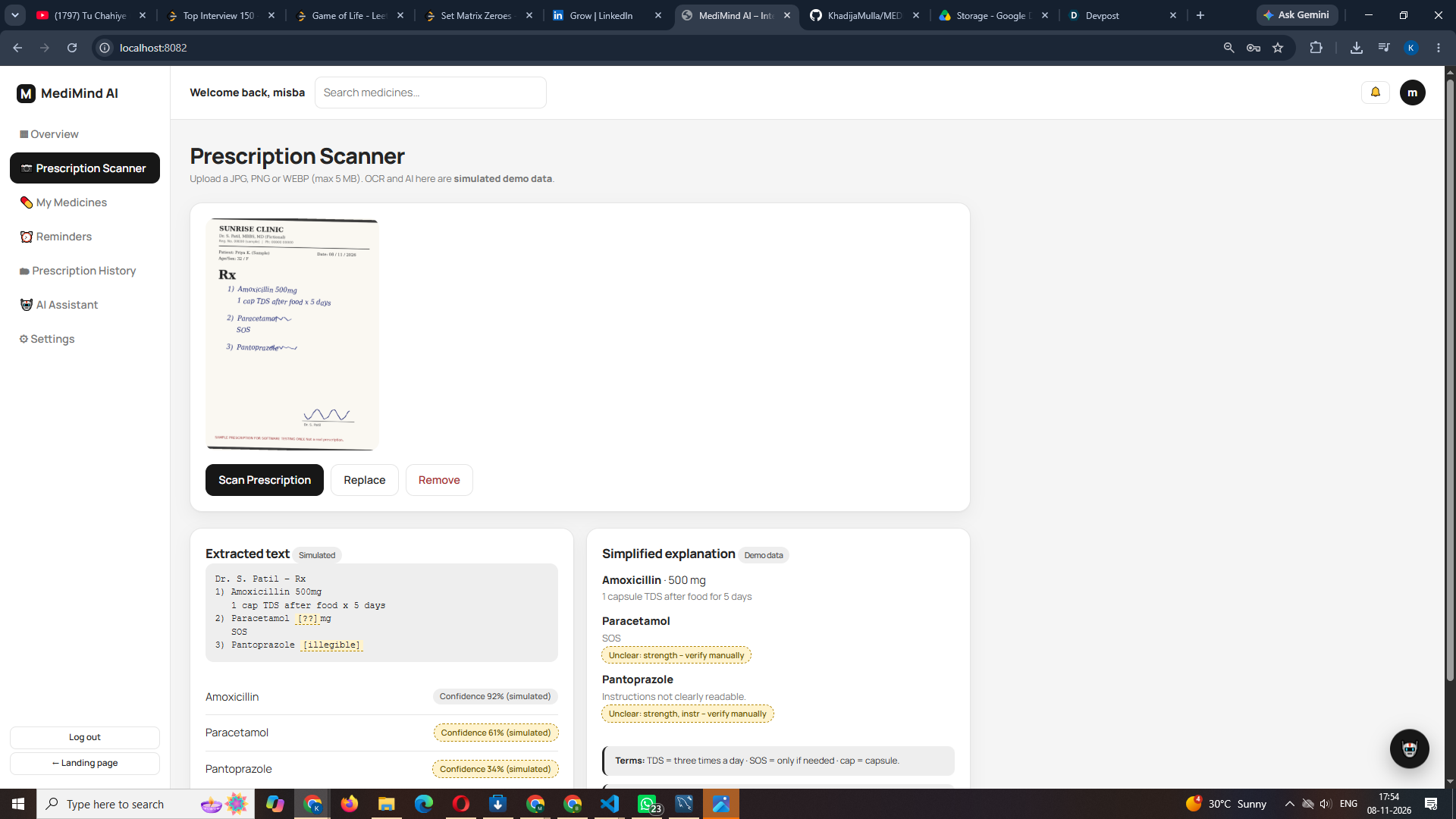
- Prescription scanner: drag and drop, browse, mobile camera capture, file type and size validation, image preview, animated four-stage scan
- AI analysis (simulated): extracted text, highlighted uncertain handwriting, simplified explanations, medical term definitions
- Medicine verification: editable form, unclear fields highlighted, manual confirmation required before saving
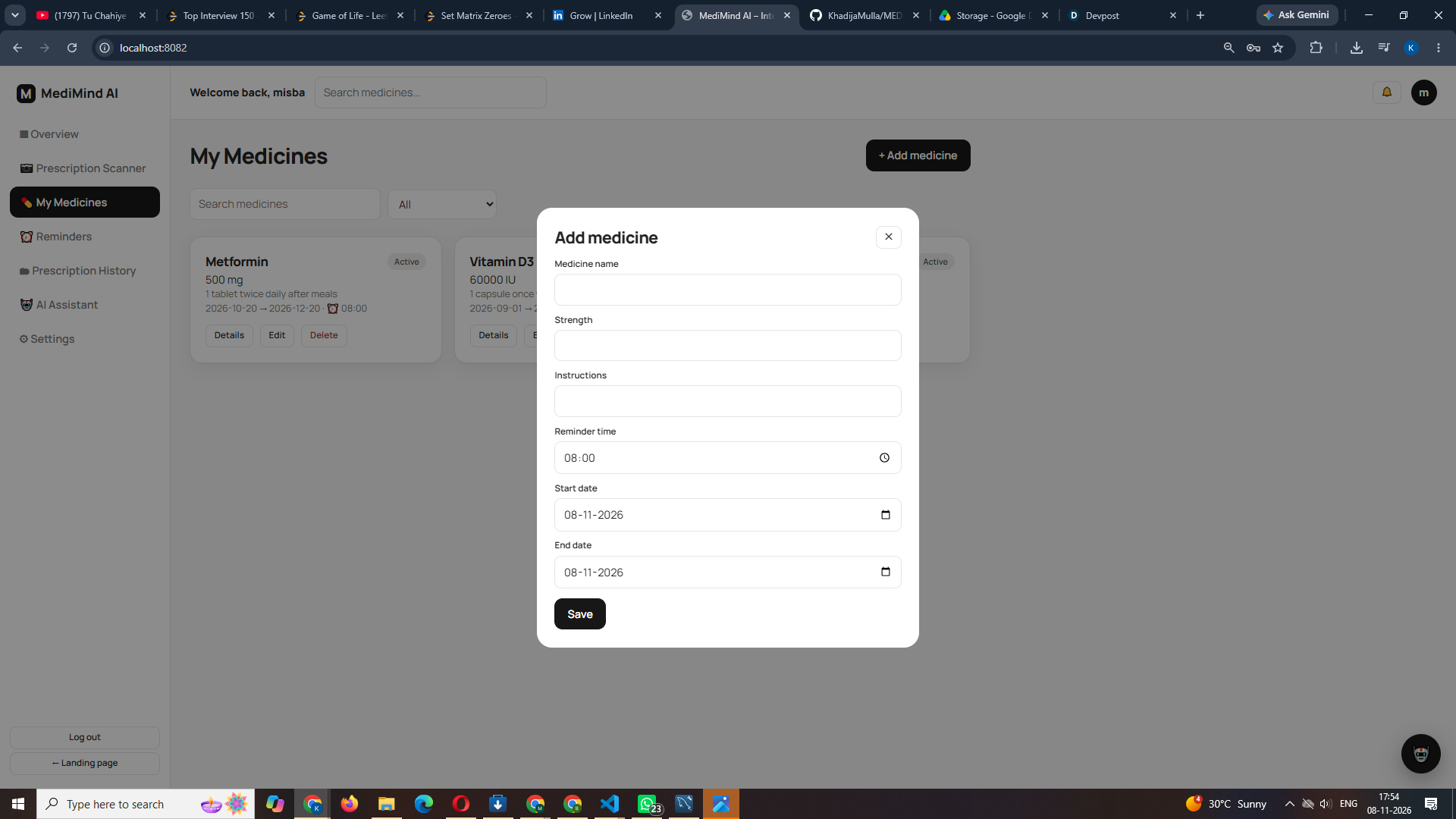
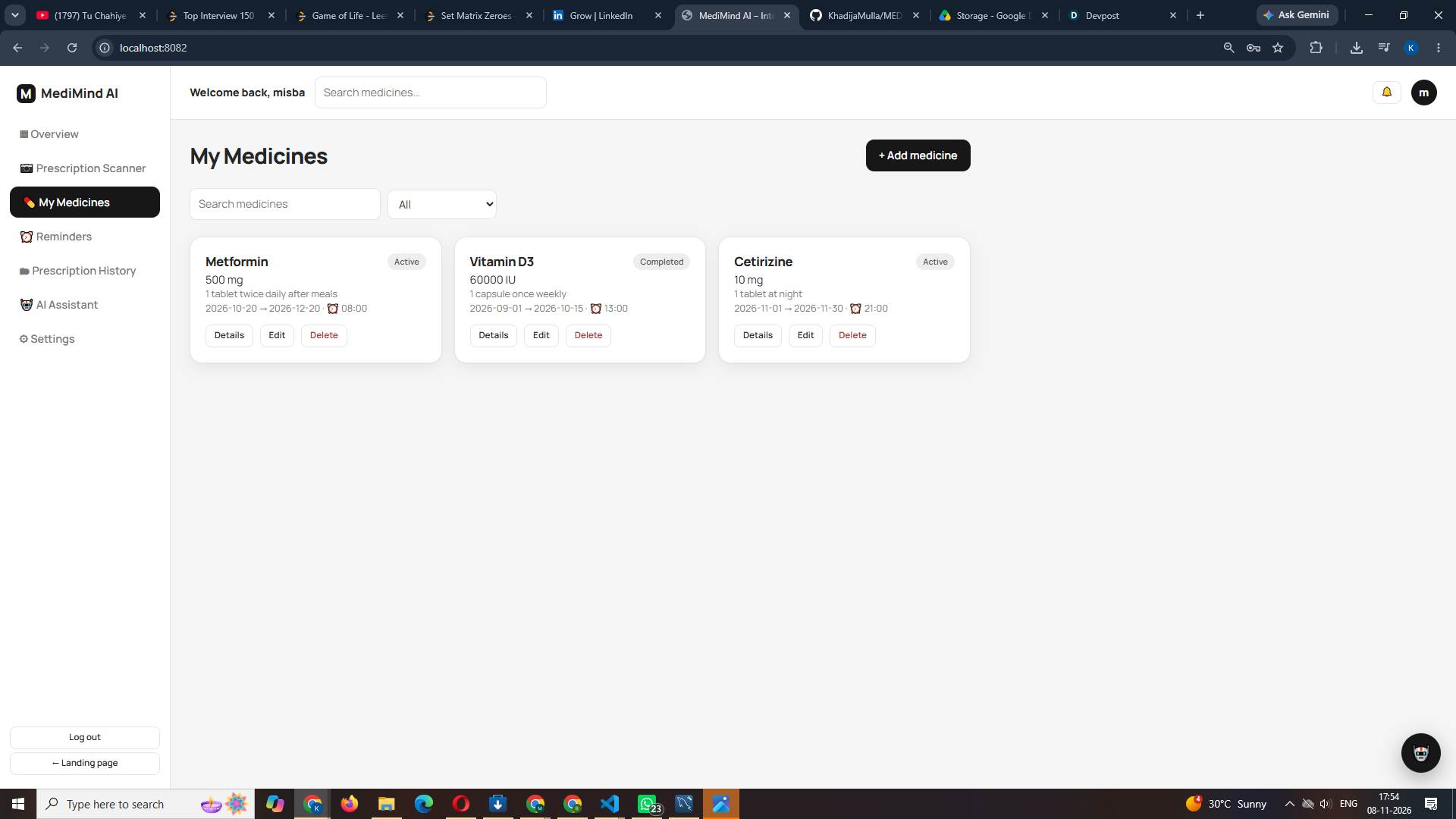
- My Medicines: add, edit, delete, search, filter, details view
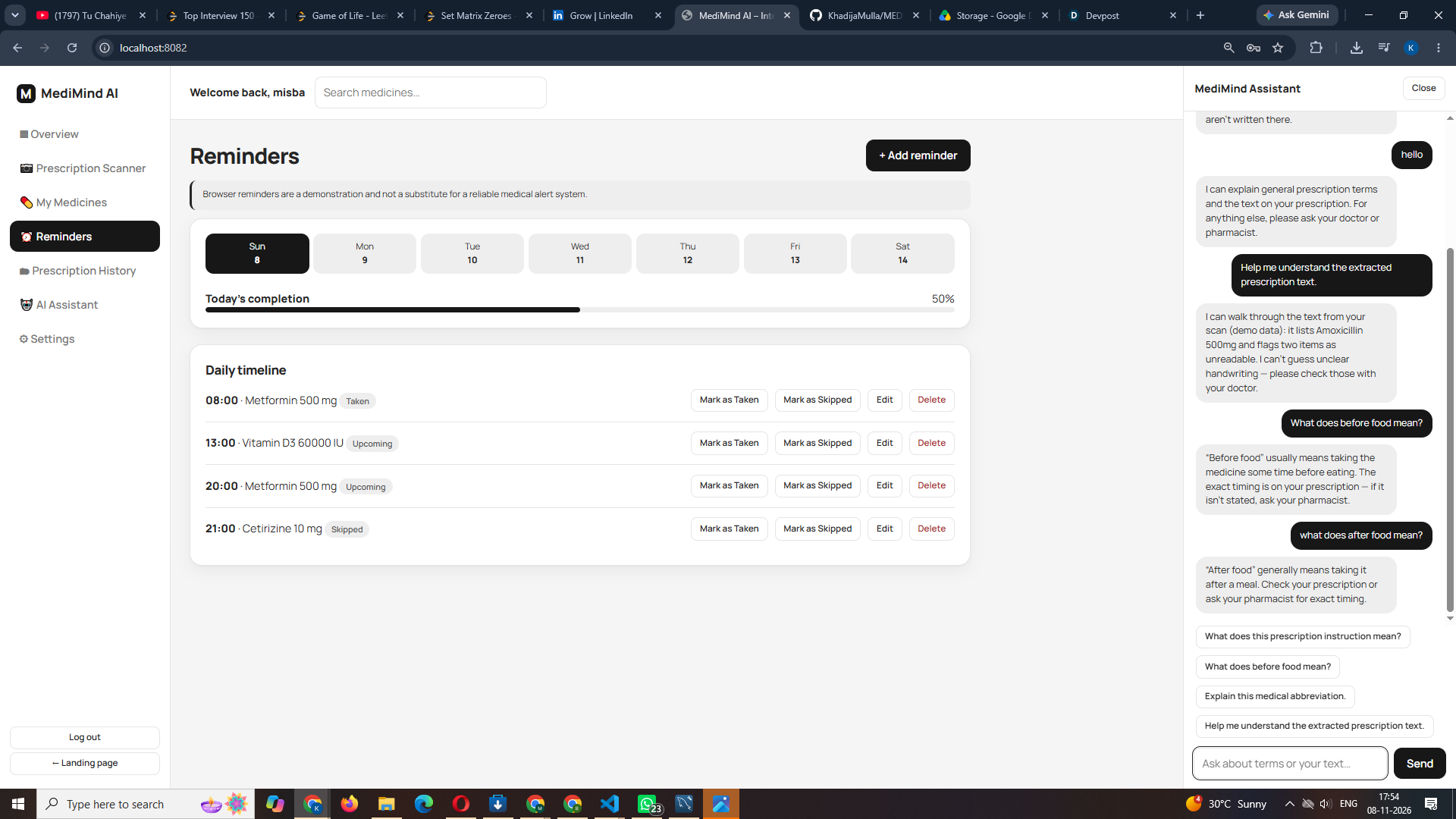
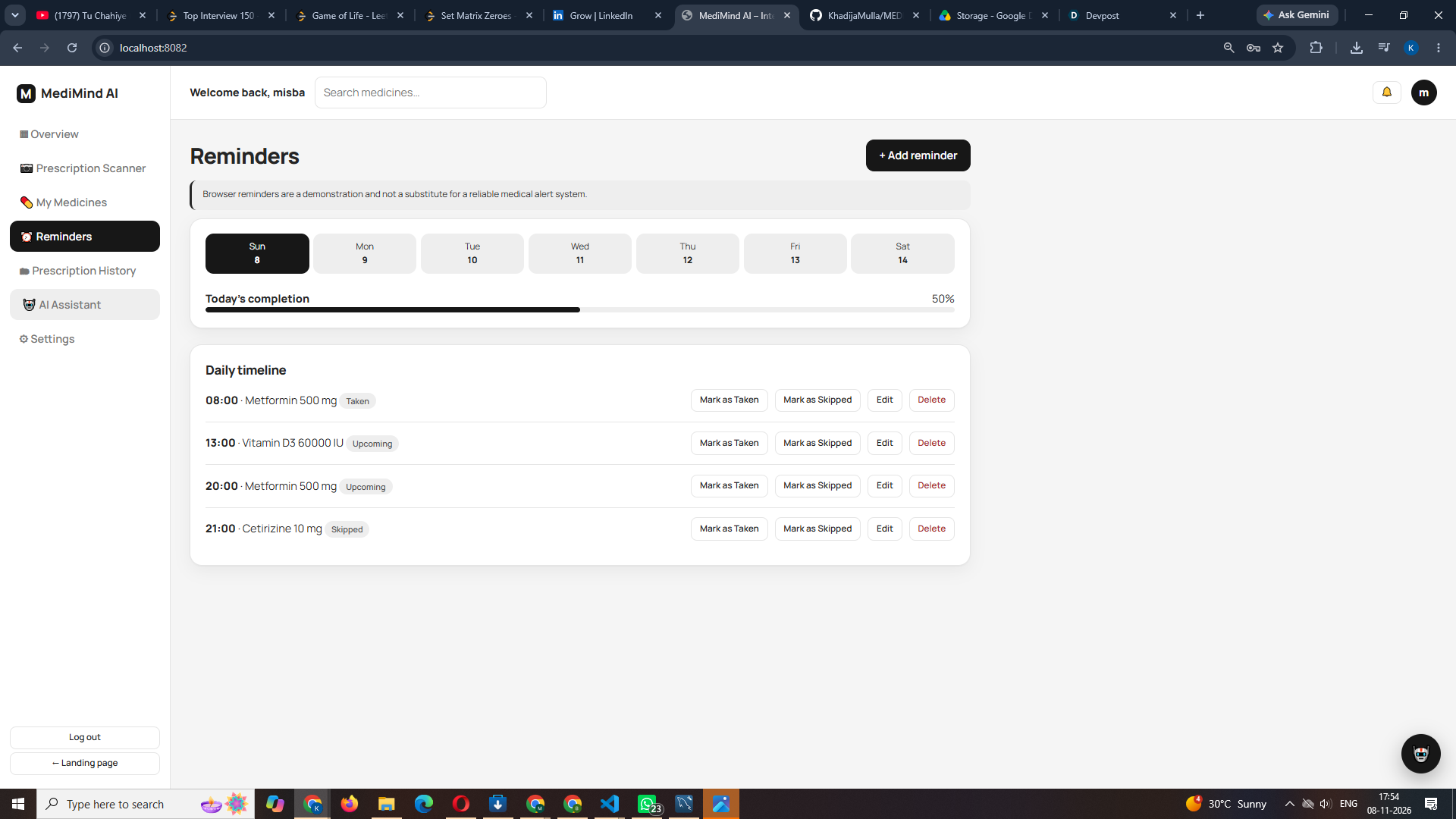
- Reminders: daily timeline, mark as taken or skipped, weekly calendar, completion progress
- Prescription history: search, filter, view, delete
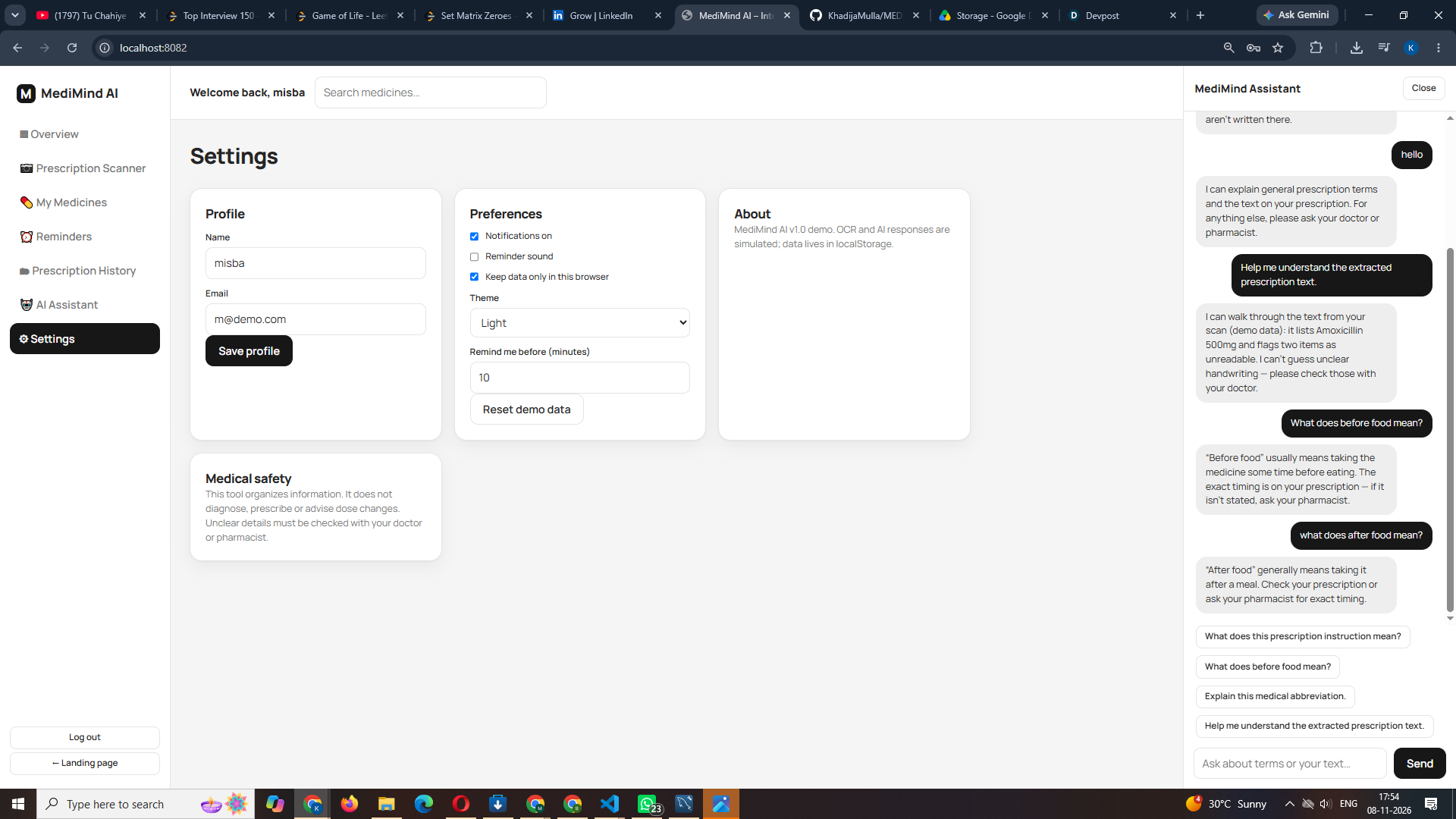
- AI assistant chat: floating chat drawer with scripted answers that only explain general terminology
- Settings: profile, notification preferences, privacy, light/dark theme
- Responsive design with accessibility support and reduced-motion support
Tech Stack
| Layer | Technology |
|---|---|
| Frontend | HTML5, CSS3, JavaScript (ES6+), single file index.html |
| Backend | Java 17, Spring Boot 3 (Web, Data JPA, Validation) |
| Database | MySQL |
| Security | BCrypt password hashing (spring-security-crypto), token-based sessions |
| Build tool | Maven |
Project Structure
demo/
├── pom.xml
└── src/main/
    ├── java/com/example/demo/
    │   └── MediMindApplication.java      # entities, repositories, REST controllers
    └── resources/
        ├── application.properties        # database and server configuration
        └── static/
            └── index.html                # complete frontend (served by Spring Boot)
Getting Started
Prerequisites
- JDK 17 or higher
- Maven (or use the included
mvnwwrapper) - MySQL Server running locally
Setup
Clone the repository
git clone https://github.com/KhadijaMulla/MEDI-MINDAI---PROJECT.git
cd MEDI-MINDAI---PROJECT
Configure the database in
src/main/resources/application.properties:spring.datasource.url=jdbc:mysql://localhost:3306/medimind?createDatabaseIfNotExist=true&useSSL=false&allowPublicKeyRetrieval=true&serverTimezone=UTC spring.datasource.username=root spring.datasource.password=YOUR_MYSQL_PASSWORDThe
mediminddatabase and its tables are created automatically on first run.Run the application
# Windows
.\mvnw.cmd spring-boot:run
# macOS / Linux ./mvnw spring-boot:run
4. **Open the app** at `http://localhost:8080` (or the port set by `server.port` in `application.properties`).

### Try it out
1. Click **Get Started** and create an account.
2. Open **Prescription Scanner** and upload a sample prescription image (JPG, PNG or WEBP, max 5 MB).
3. Click **Scan Prescription** and review the simulated results.
4. Verify each medicine. Fill in any highlighted unclear fields and tick the confirmation box.
5. See your medicines in **My Medicines** and your reminders in **Reminders**.

## REST API

| Method | Endpoint | Description |
|---|---|---|
| POST | `/api/auth/register` | Create an account |
| POST | `/api/auth/login` | Sign in |
| GET / PUT | `/api/state` | Load or save the signed-in user's data (requires `Authorization: Bearer <token>`) |
| GET, POST | `/api/medicines` | List or create medicines (`?q=` to search) |
| GET, PUT, DELETE | `/api/medicines/{id}` | Read, update or delete a medicine |
| GET, POST | `/api/reminders` | List or create reminders |
| PUT, DELETE | `/api/reminders/{id}` | Update or delete a reminder |
| PATCH | `/api/reminders/{id}/status?value=taken` | Mark as taken, skipped or pending |
| GET | `/api/history` | Prescription history |
| GET | `/api/stats` | Dashboard statistics |
| POST | `/api/scan` | Upload an image (returns simulated OCR and AI data) |
| POST | `/api/chat` | Scripted terminology assistant |

## Medical Safety Design

- Strength and instructions are shown **only when present** in the extracted text; missing values are never guessed
- Unclear fields are highlighted and must be reviewed by the user
- A medicine cannot be saved without manual confirmation
- The assistant refuses diagnosis and dosage questions
- All AI-style output is clearly labelled as simulated, with a visible warning to verify with a doctor or pharmacist

## Limitations

- OCR and AI responses are simulated, and the scan always returns the same demo result
- Browser-based reminders are a demonstration and are **not** a substitute for a reliable medical alert system
- Authentication is demo-level (no token expiry or HTTPS); not suitable for real patient data

## Future Scope

- Real OCR (for example Tesseract) and a real AI explanation service
- Push, SMS and email reminders
- Doctor and pharmacist sharing, multi-language support
- Production security (Spring Security, JWT, HTTPS) and separate database tables per feature
- Drug interaction information from trusted sources

## Author

**Khadija Mulla**

---

*This project is a hackathon demonstration and does not provide medical advice.*
Built With
- ai
- apis
- backend
- css
- css3
- database
- html
- java
- javascript
- springboot
