-
-
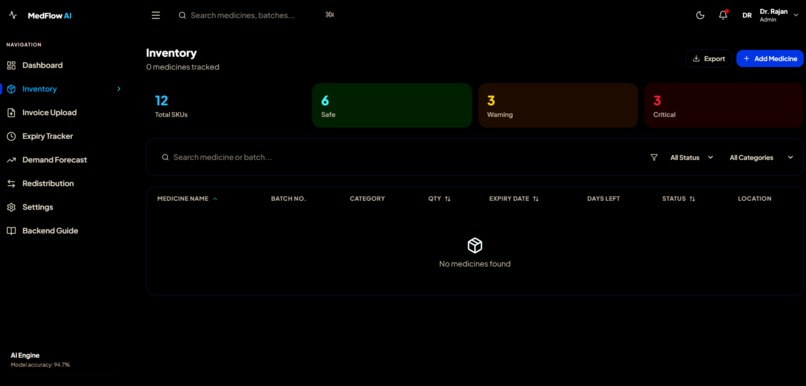
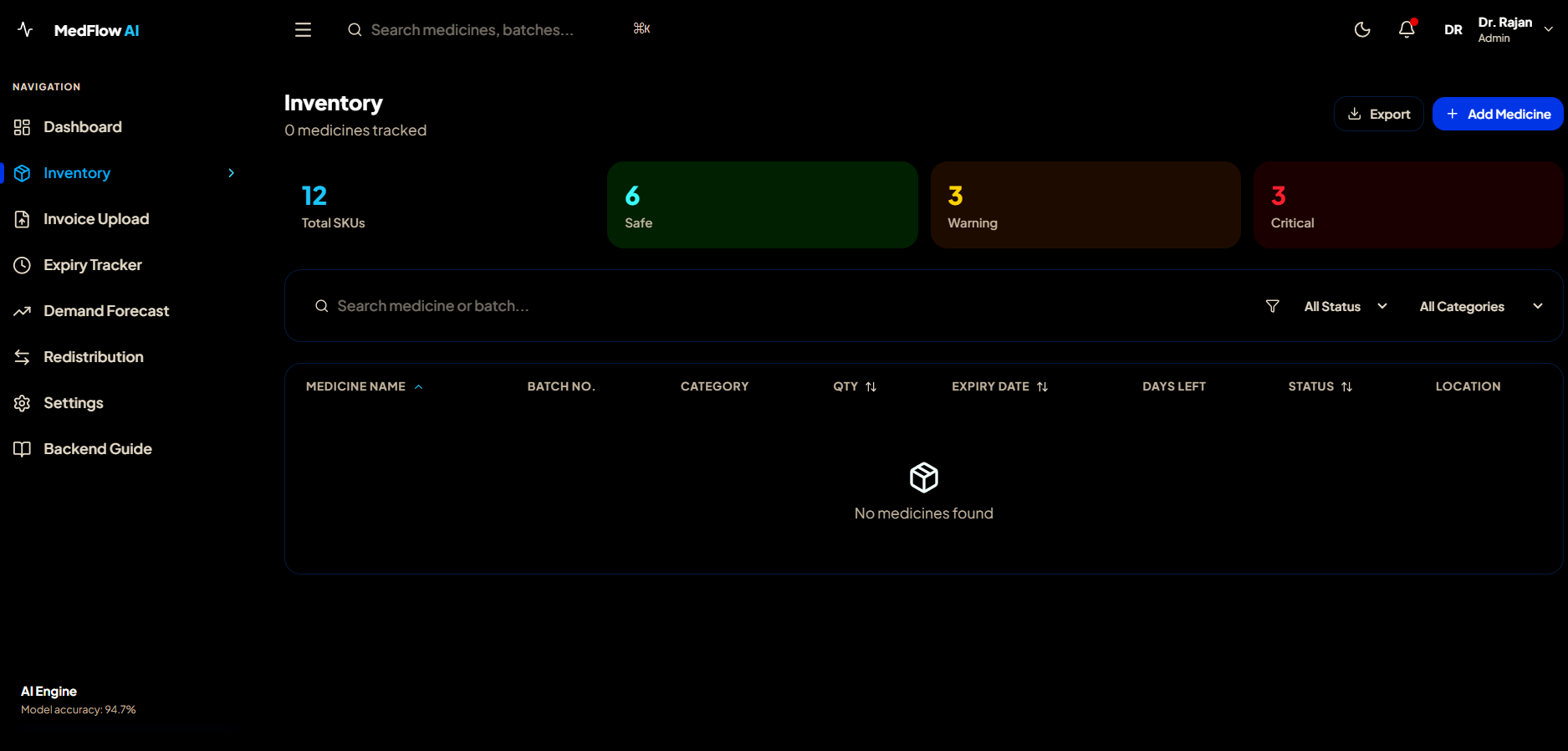
Inventory:Full medicine table with live search, filter by status/category, sort columns, and detail popup.
-
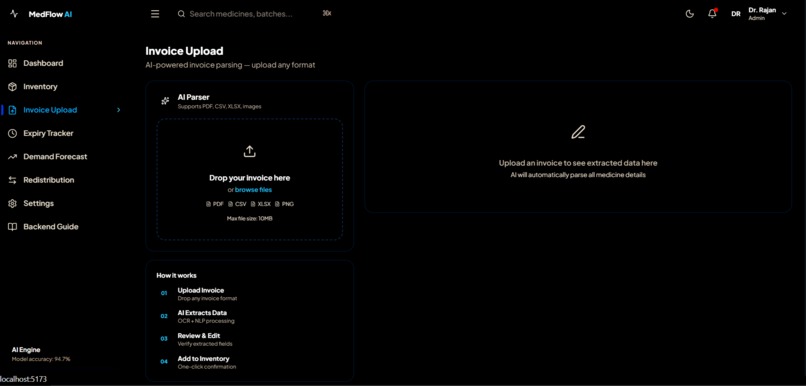
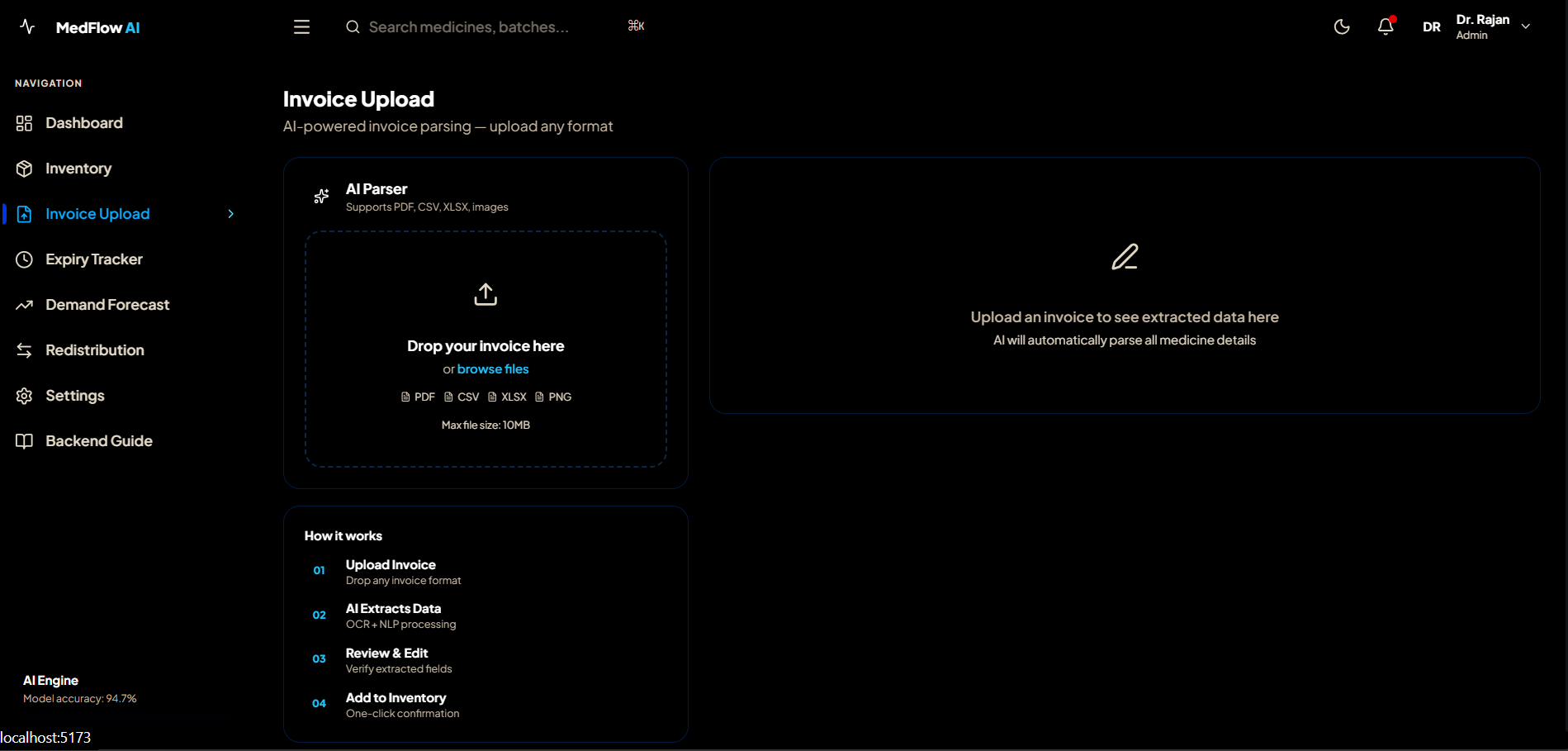
Invoice Upload :Drag-drop invoice file, AI extracts medicine data, edit inline, confirm to add to inventory.
-
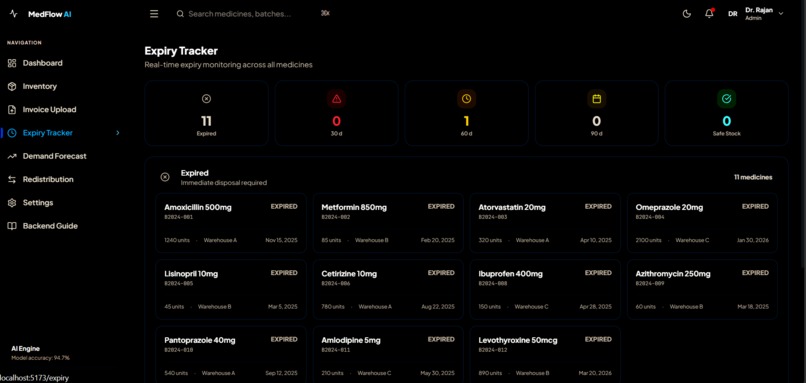
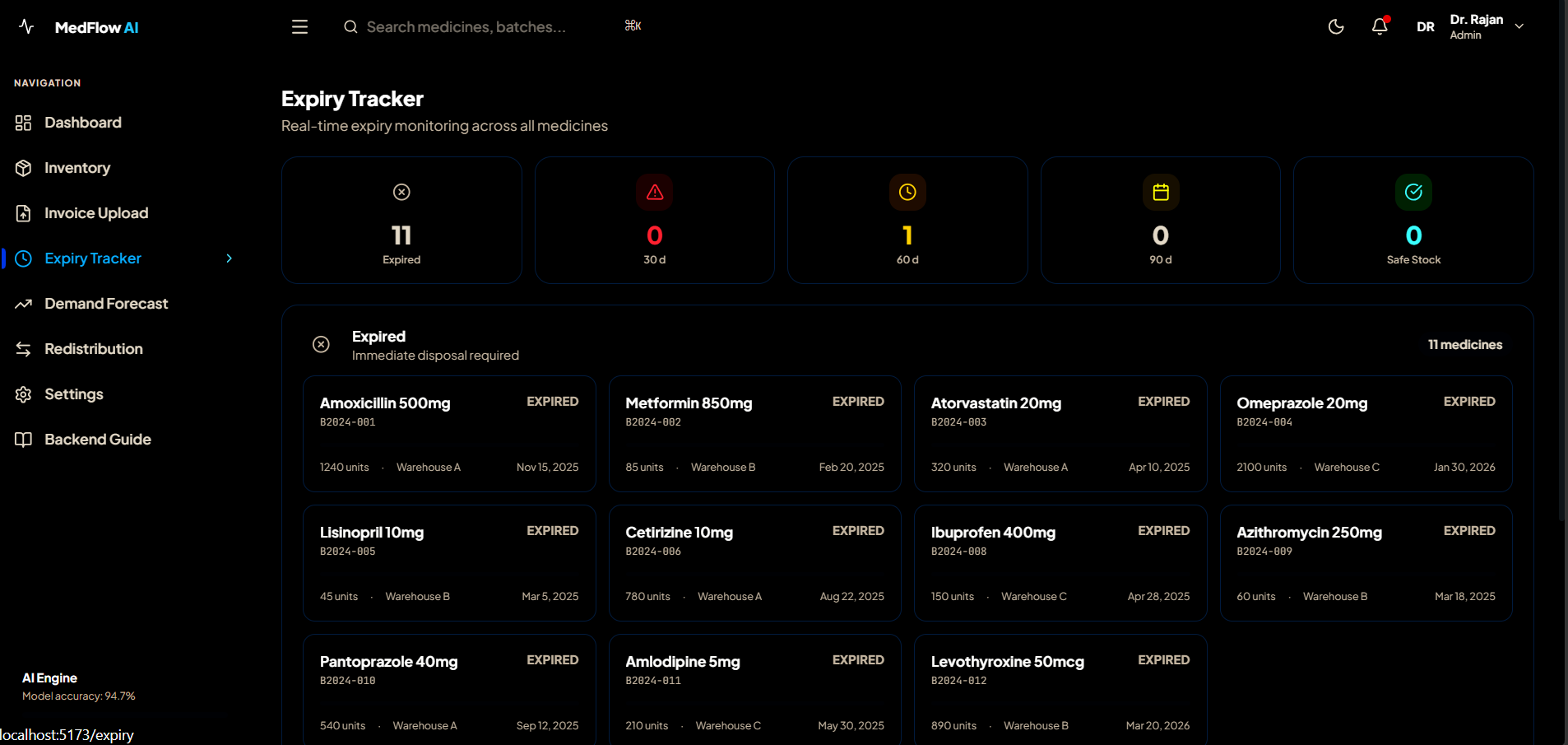
Expiry Tracker: Groups all medicines by expiry urgency — Expired, 30d, 60d, 90d, Safe — with color cards.
-
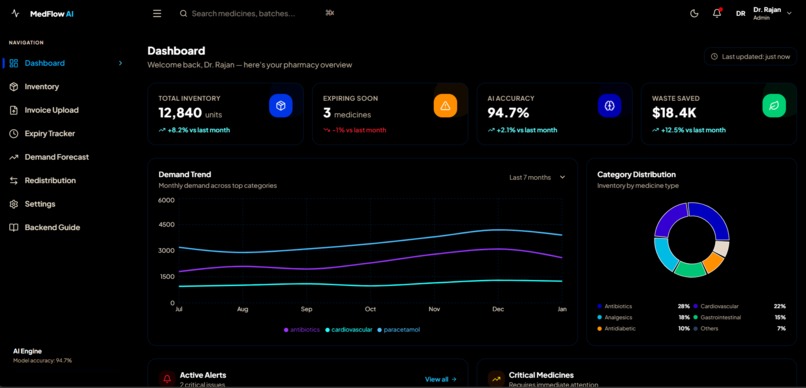
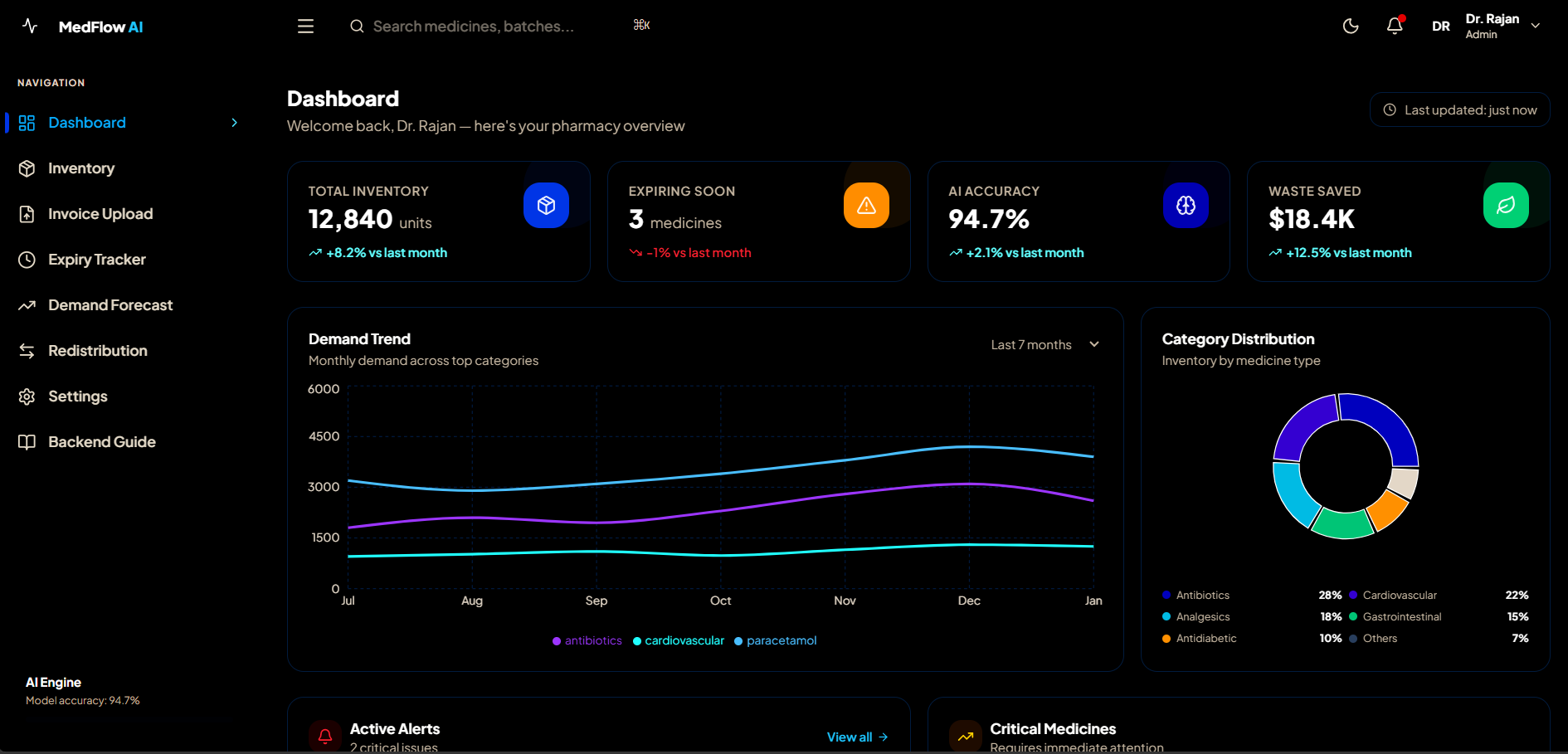
Dashboard : Shows KPI cards, demand charts, category pie chart, active alerts, and critical medicine list.
-
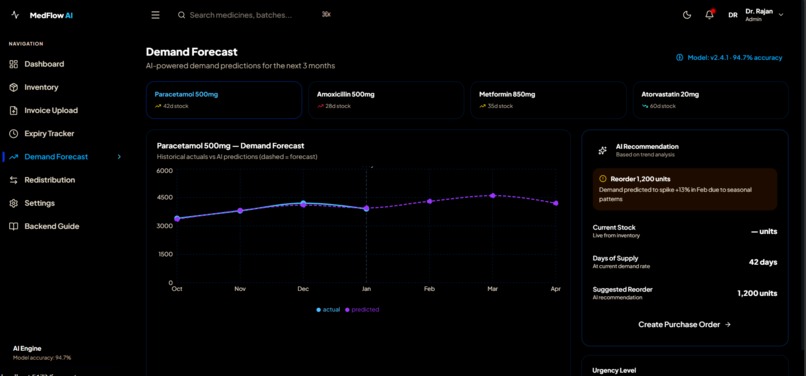
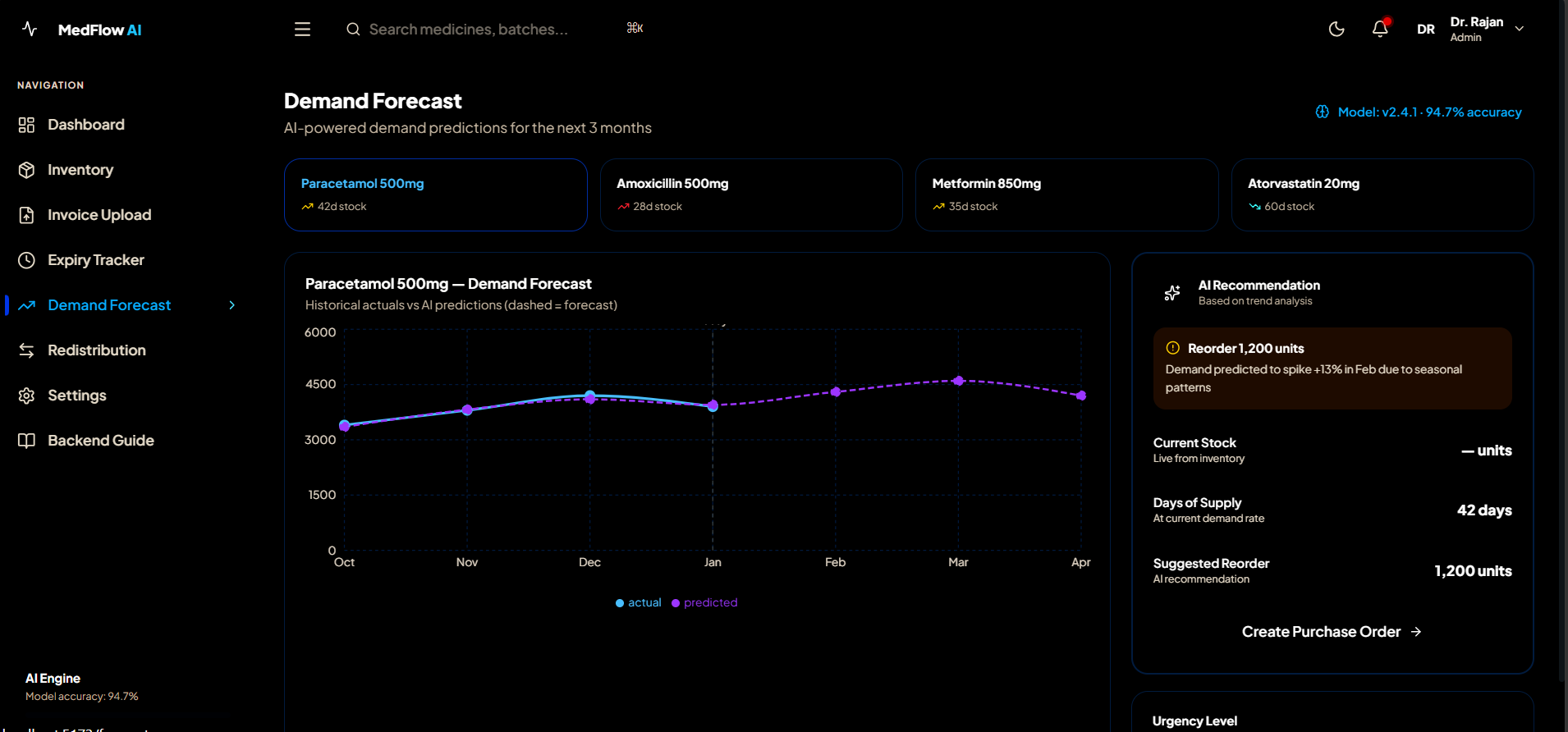
Demand Forcast : Select medicine, view actual vs predicted demand chart, get AI reorder recommendation card.
-
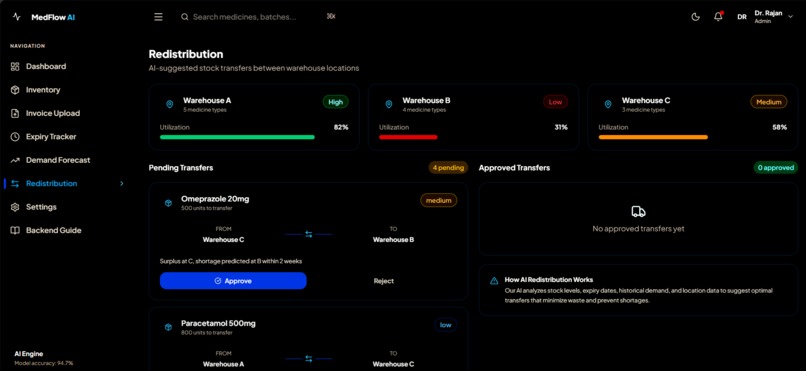
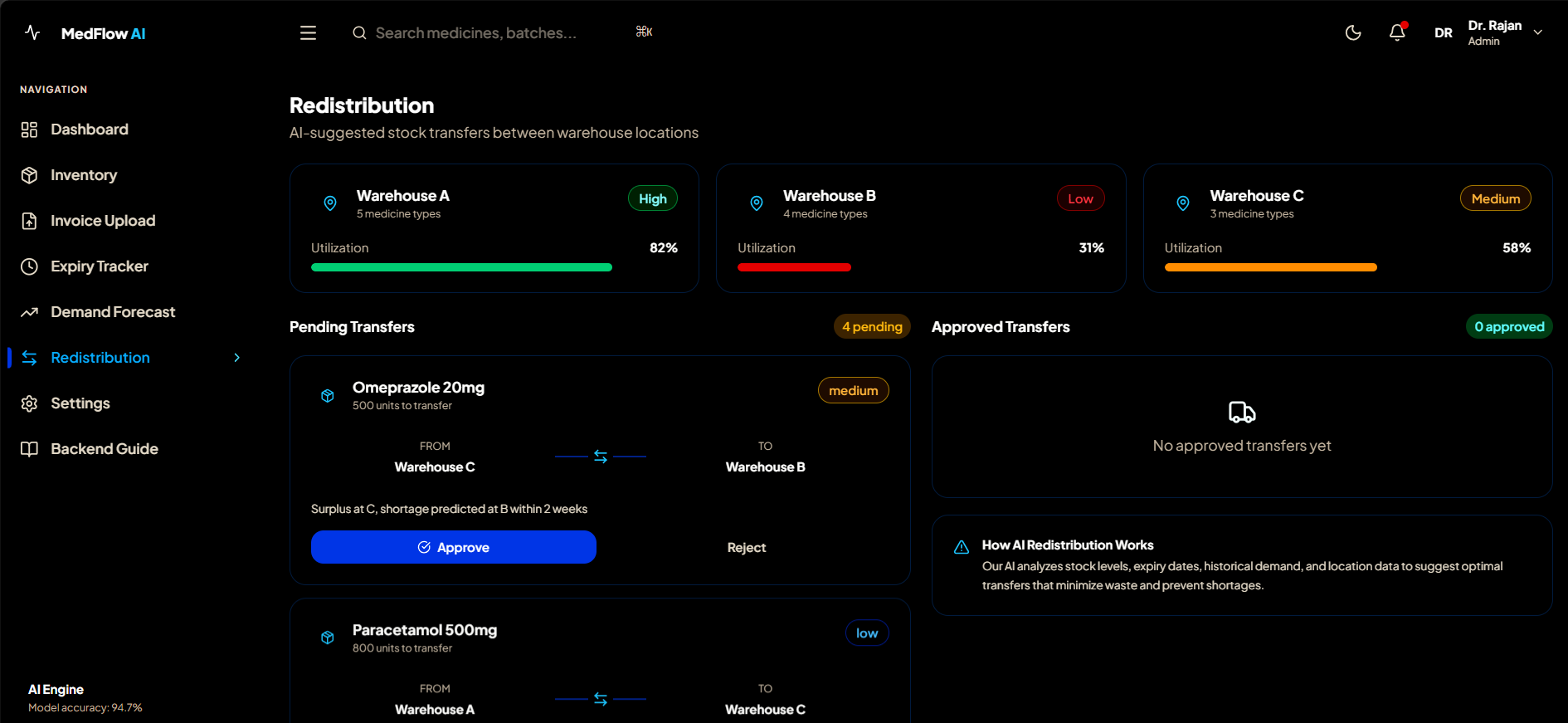
Redestribution : AI suggests stock transfers between warehouses, manager approves or rejects each suggestion.
Inspiration
What it does
💡 Inspiration
Growing up, I always noticed how local pharmacies struggled with the same problems repeatedly — medicines expiring on shelves, running out of critical stock at the wrong time, and staff manually checking hundreds of medicine batches with pen and paper.
One day I visited a relative in the hospital and the pharmacist said they had run out of a critical medicine because "it was not in the system." That moment stuck with me.
I asked myself — why does a 2024 pharmacy still run on spreadsheets and guesswork?
That question became MedFlow AI.
I wanted to build something that a real pharmacist could open on day one and immediately see:
- Which medicines are about to expire
- Which stock is critically low
- What demand will look like next month
- Where surplus stock can be redistributed
Not a tutorial project. A real tool. That was the goal.
🔨 How I Built It
Phase 1 — Planning the Architecture
Before writing a single line of code, I spent time designing the full system architecture.
I decided on:
- Frontend: React 19 + TypeScript + Tailwind CSS v4
- Backend: Supabase (PostgreSQL + Auth + Realtime)
- Charts: Recharts
- Deployment: Vercel
The key decision was using Supabase instead of building a custom backend. This let me focus on the product experience rather than infrastructure — exactly what a solo developer needs.
Phase 2 — Database Design
I designed a normalized PostgreSQL schema with 8 relational tables:
auth.users ├── profiles ├── medicines ├── alerts ├── activity_logs ├── invoices │ └── invoice_items ├── redistribution_transfers └── demand_forecasts
The most interesting part was the auto-status trigger.
Instead of computing medicine status in the frontend, I wrote a PostgreSQL trigger that runs automatically on every INSERT or UPDATE:
CREATE OR REPLACE FUNCTION compute_medicine_status()
RETURNS TRIGGER AS $$
DECLARE
  days_left INTEGER;
BEGIN
  days_left := (NEW.expiry_date - CURRENT_DATE);

  IF days_left <= 30 OR NEW.quantity < 50 THEN
    NEW.status := 'critical';
  ELSIF days_left <= 90 OR NEW.quantity < 100 THEN
    NEW.status := 'warning';
  ELSE
    NEW.status := 'safe';
  END IF;

  RETURN NEW;
END;
$$ LANGUAGE plpgsql;
This means the database itself is intelligent — no matter how data enters the system (UI, API, bulk import), the status is always correctly computed.

Phase 3 — Security with Row Level Security
I implemented Row Level Security (RLS) — a PostgreSQL feature that enforces access control at the database level.

The security model follows this logic:

$$ \text{Access} = f(\text{JWT token}) \cap \text{RLS Policy} $$

Every query is filtered by the user's role:

Role    Read    Write   Delete
Admin   ✅ All ✅ All ✅ Yes
Manager ✅ All ✅ Yes ❌ No
Pharmacist  ✅ All ✅ Yes ❌ No
Viewer  ✅ All ❌ No  ❌ No
Even if someone bypasses the UI completely, the database rejects unauthorized operations. This is true security — not just hiding buttons.

Phase 4 — Frontend Architecture
I built 7 fully functional pages with a persistent layout:

Dashboard — KPI cards, demand trend chart, alerts
Inventory — Searchable, filterable, sortable table
Invoice Upload — Drag & drop AI parser
Expiry Tracker — Color-coded urgency groups
Demand Forecast — Historical vs predicted charts
Redistribution — Warehouse transfer workflow
Settings — Profile, billing, security, data export
Each page uses custom React hooks for data fetching, keeping components clean and focused on UI only.

Phase 5 — The Audit Trail
Every database change is automatically logged using a PostgreSQL trigger:

CREATE OR REPLACE FUNCTION audit_trigger_function()
RETURNS TRIGGER AS $$
BEGIN
  INSERT INTO public.activity_logs (
    user_id, action, entity_type,
    entity_id, old_data, new_data
  )
  VALUES (
    auth.uid(),
    TG_OP,
    TG_TABLE_NAME,
    CASE TG_OP
      WHEN 'DELETE' THEN OLD.id
      ELSE NEW.id
    END,
    CASE TG_OP
      WHEN 'INSERT' THEN NULL
      ELSE row_to_json(OLD)::JSONB
    END,
    CASE TG_OP
      WHEN 'DELETE' THEN NULL
      ELSE row_to_json(NEW)::JSONB
    END
  );
  RETURN COALESCE(NEW, OLD);
END;
$$ LANGUAGE plpgsql SECURITY DEFINER;
This captures who changed what, when, and what the old value was — completely automatically, with zero frontend code needed.

Phase 6 — Realtime Updates
Using Supabase Realtime with WebSockets, inventory updates appear live across all connected users:

const channel = supabase
  .channel('medicines-changes')
  .on(
    'postgres_changes',
    { event: '*', schema: 'public', table: 'medicines' },
    (payload) => {
      if (payload.eventType === 'INSERT') {
        setMedicines(prev => [mapMedicine(payload.new), ...prev]);
      }
      if (payload.eventType === 'UPDATE') {
        setMedicines(prev => prev.map(m =>
          m.id === payload.new.id ? mapMedicine(payload.new) : m
        ));
      }
      if (payload.eventType === 'DELETE') {
        setMedicines(prev => prev.filter(m => m.id !== payload.old.id));
      }
    }
  )
  .subscribe();
No page refresh. No polling. Pure WebSocket push.

📚 What I Learned
1. Database-level security is non-negotiable
Before this project, I thought security meant hiding UI elements based on user roles.

MedFlow AI taught me that real security lives in the database. Row Level Security in PostgreSQL means that even a direct API call with a stolen token cannot access unauthorized data. The database itself rejects it.

This completely changed how I think about application security.

2. PostgreSQL is far more powerful than I thought
I used to think of PostgreSQL as just a place to store data.

Building MedFlow AI showed me it is a programmable system:

Triggers that run business logic automatically
Functions that compute derived values on INSERT
RLS policies that enforce security rules
JSONB columns that store flexible structured data
auth.uid() that reads the JWT token inside SQL
The database is not just storage. It is an active participant in the application logic.

3. TypeScript saves hours of debugging
Every medicine object, every alert, every forecast data point is strictly typed. When I refactored the database schema, TypeScript immediately showed me every place in the frontend that needed to be updated.

Without TypeScript, those would have been silent runtime bugs discovered only in production.

4. Component architecture matters more than I expected
Early versions had all logic inside page components. As the app grew, this became unmanageable.

Refactoring into:

Reusable components (Card, Badge, KPICard, Modal)
Custom hooks (useMedicines, useAlerts, useProfile)
Utility functions (cn, formatDate, daysUntilExpiry)
Made every new feature 3x faster to build because I was composing existing pieces, not rewriting from scratch.

5. UX details make or break a product
The difference between a tutorial project and a real product is in the details:

Skeleton loaders instead of blank screens
Staggered animations with animationDelay
⌘K keyboard shortcut for search
Password strength meter
Auto-computed status badges
Toast notifications for every action
Mobile-responsive sidebar with overlay
None of these are technically complex. But together they make the product feel professional and trustworthy.
Built With
- 19
- auth
- authentication
- backend
- cdn
- cli
- cloud
- css
- database
- deployment
- dom
- framer
- frameworks
- git
- github
- hot
- html
- javascript
- jwt
- languages
- level
- libraries
- lucide
- motion
- npm
- postgresql
- react
- realtime
- recharts
- router
- row
- security
- sql
- supabase
- tailwind
- toast
- tools
- typescript
- v4
- v7
- vercel
- vite
- vs
- websockets


Log in or sign up for Devpost to join the conversation.