-
-
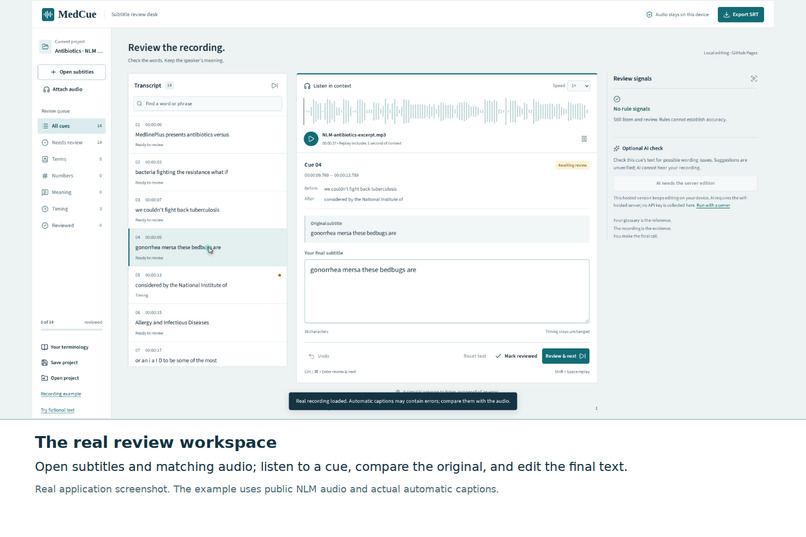
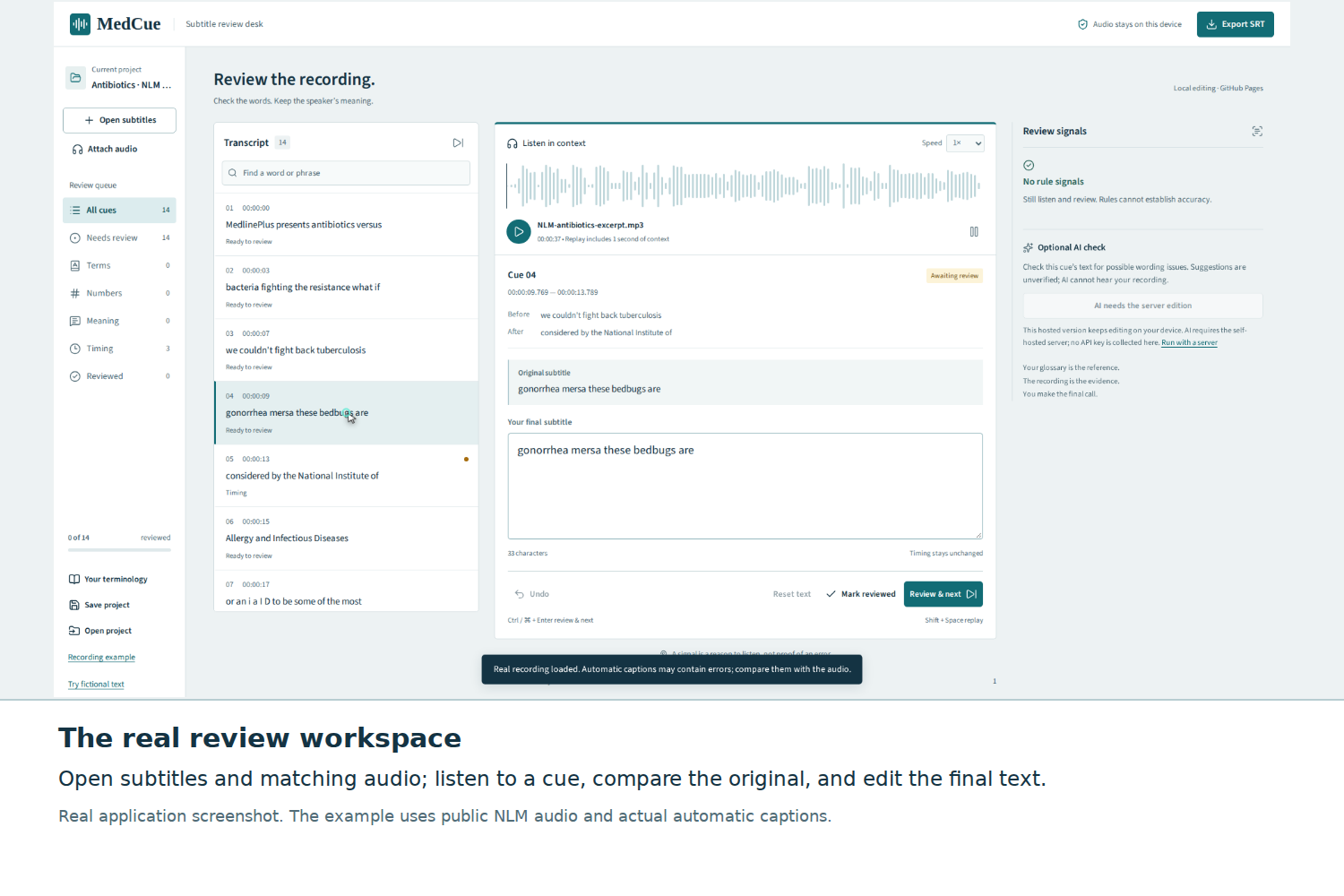
Real application screenshot. The example uses public NLM audio and actual automatic captions.
-
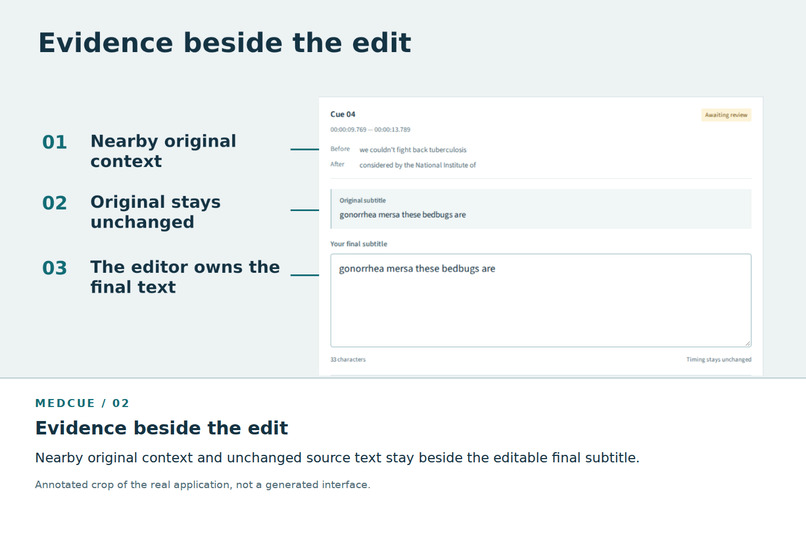
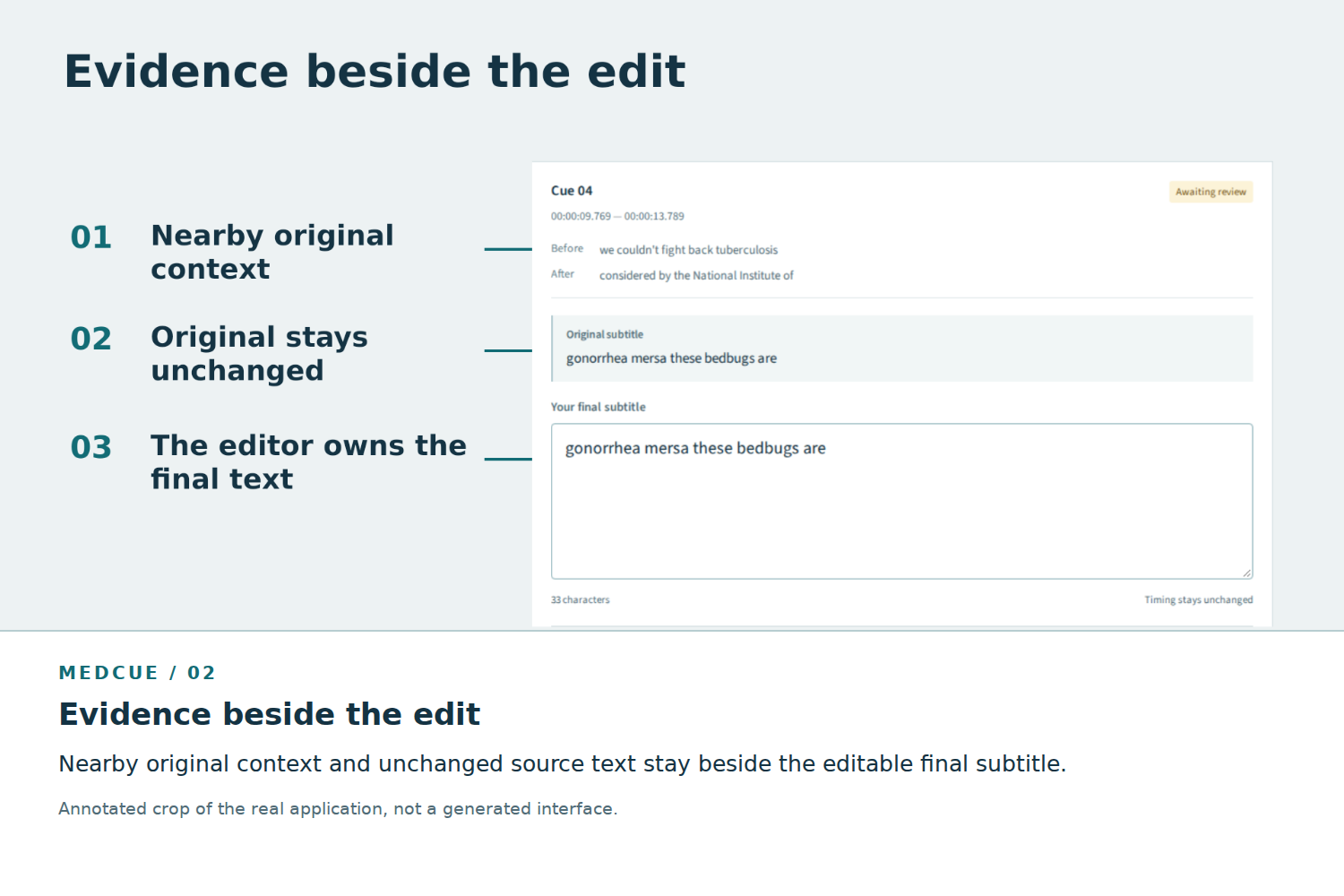
Nearby original context and unchanged source text stay beside the editable final subtitle.
-
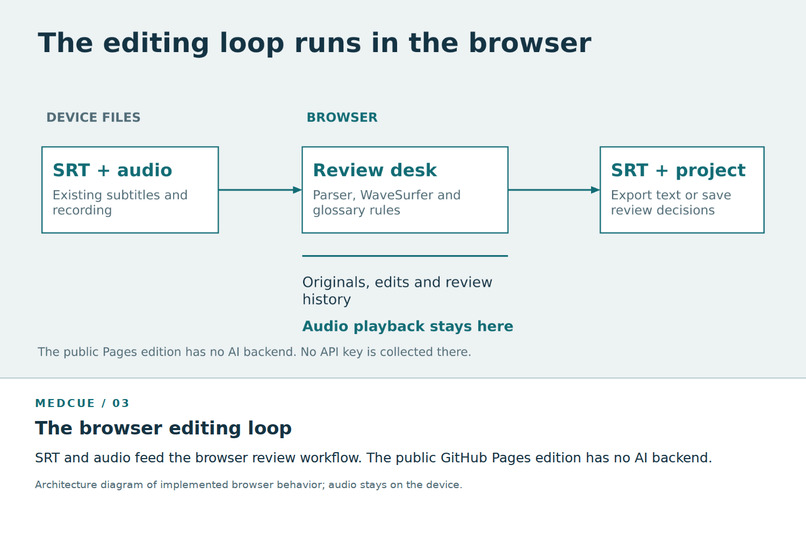
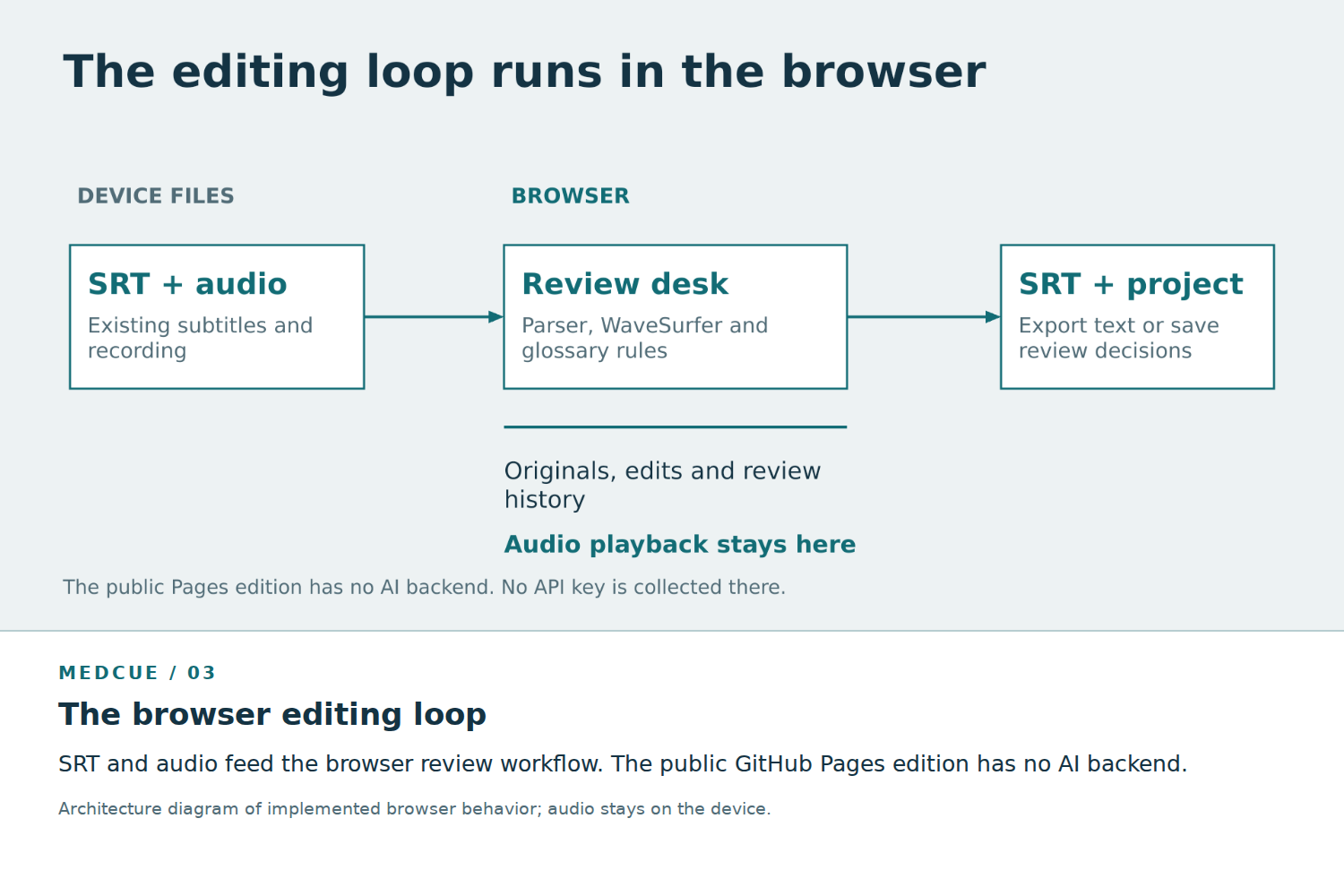
SRT and audio feed the browser review workflow. The public GitHub Pages edition has no AI backend.
-
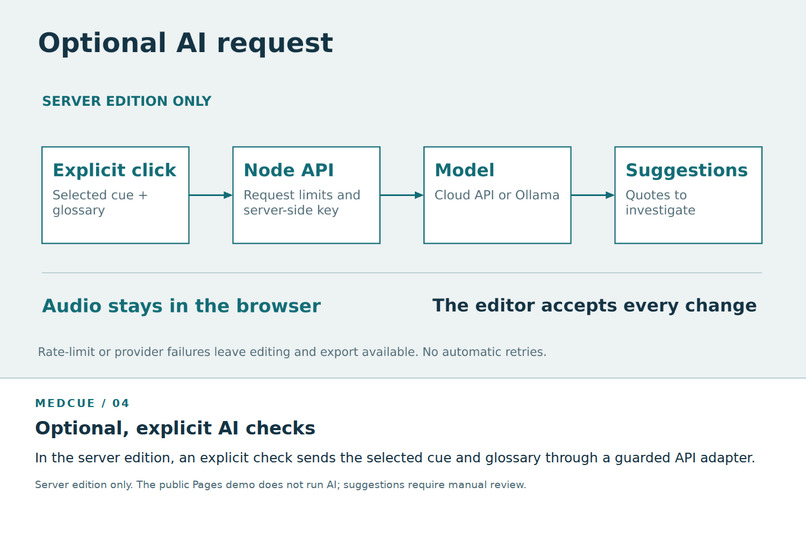
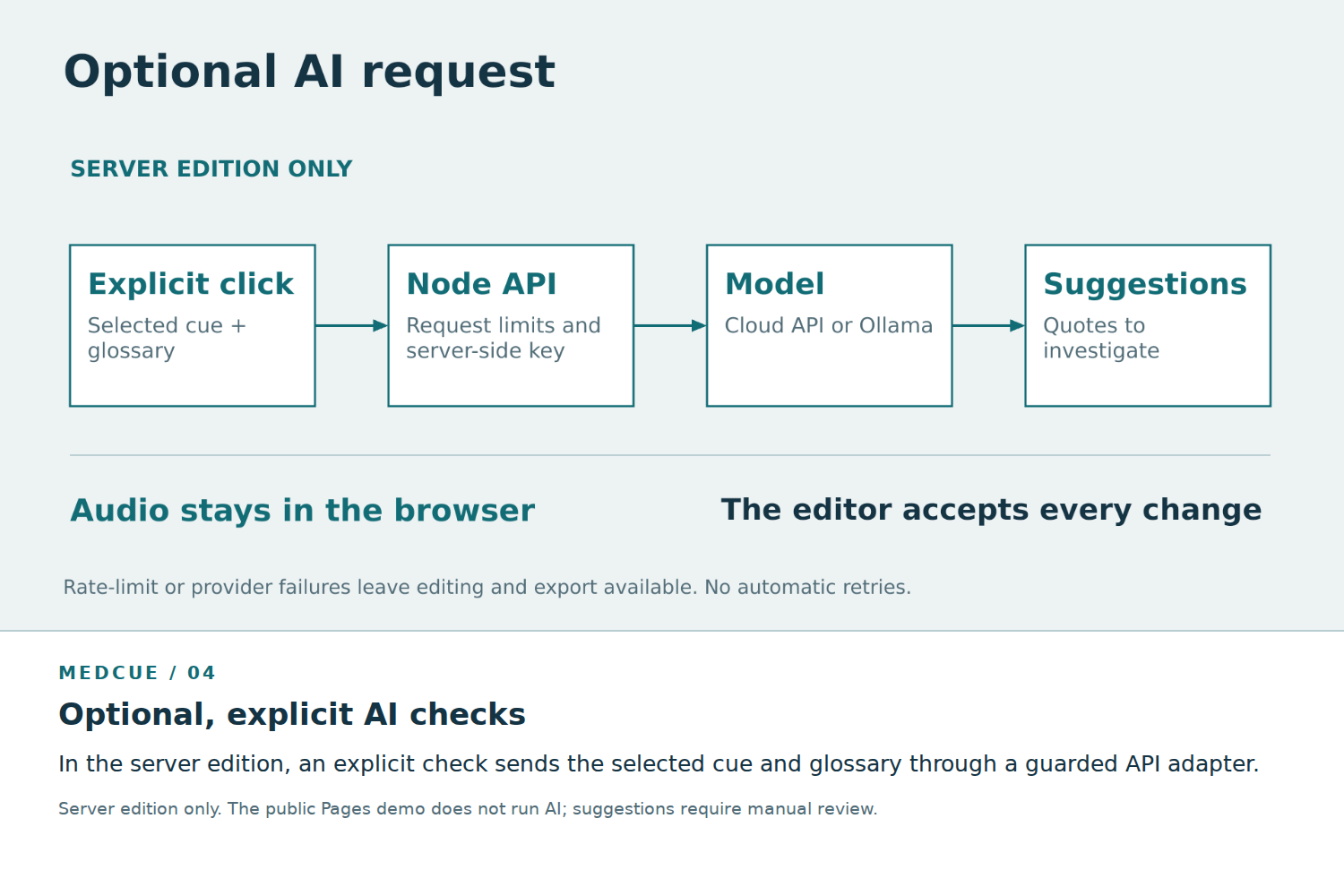
In the server edition, an explicit check sends the selected cue and glossary through a guarded API adapter.
-
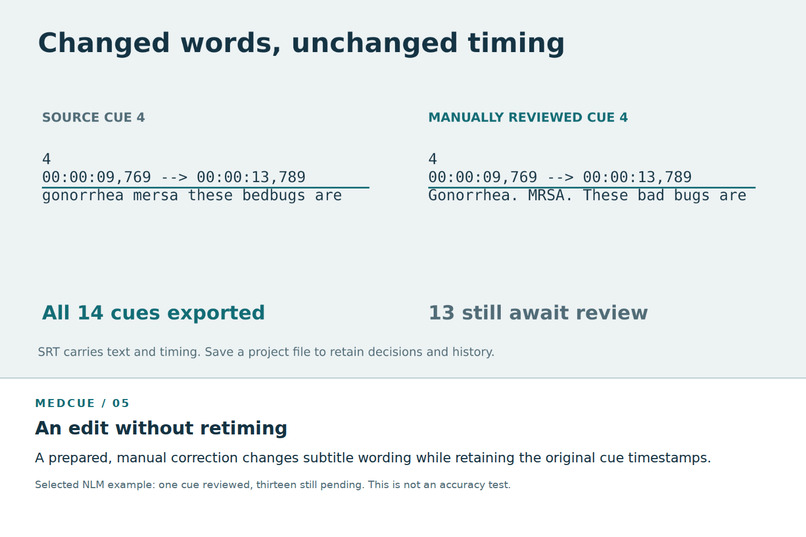
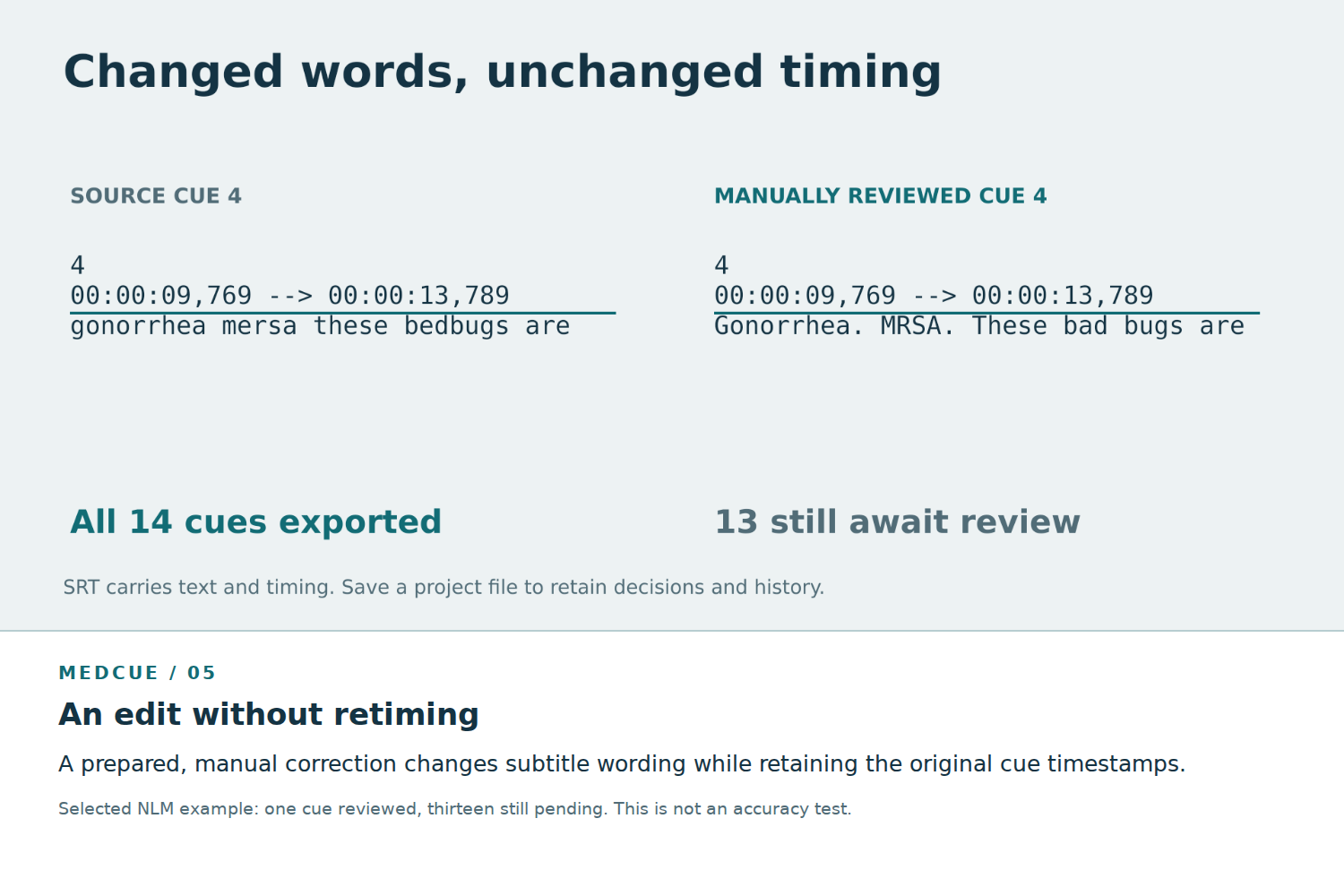
A prepared, manual correction changes subtitle wording while retaining the original cue timestamps.
-
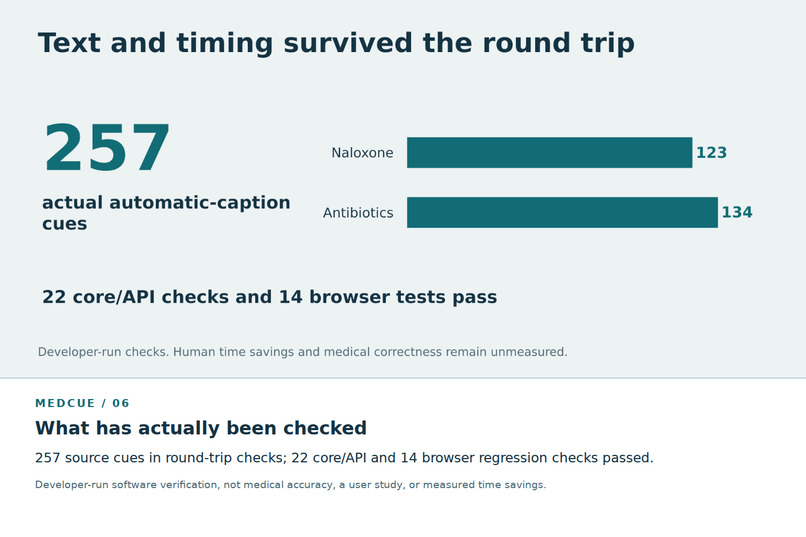
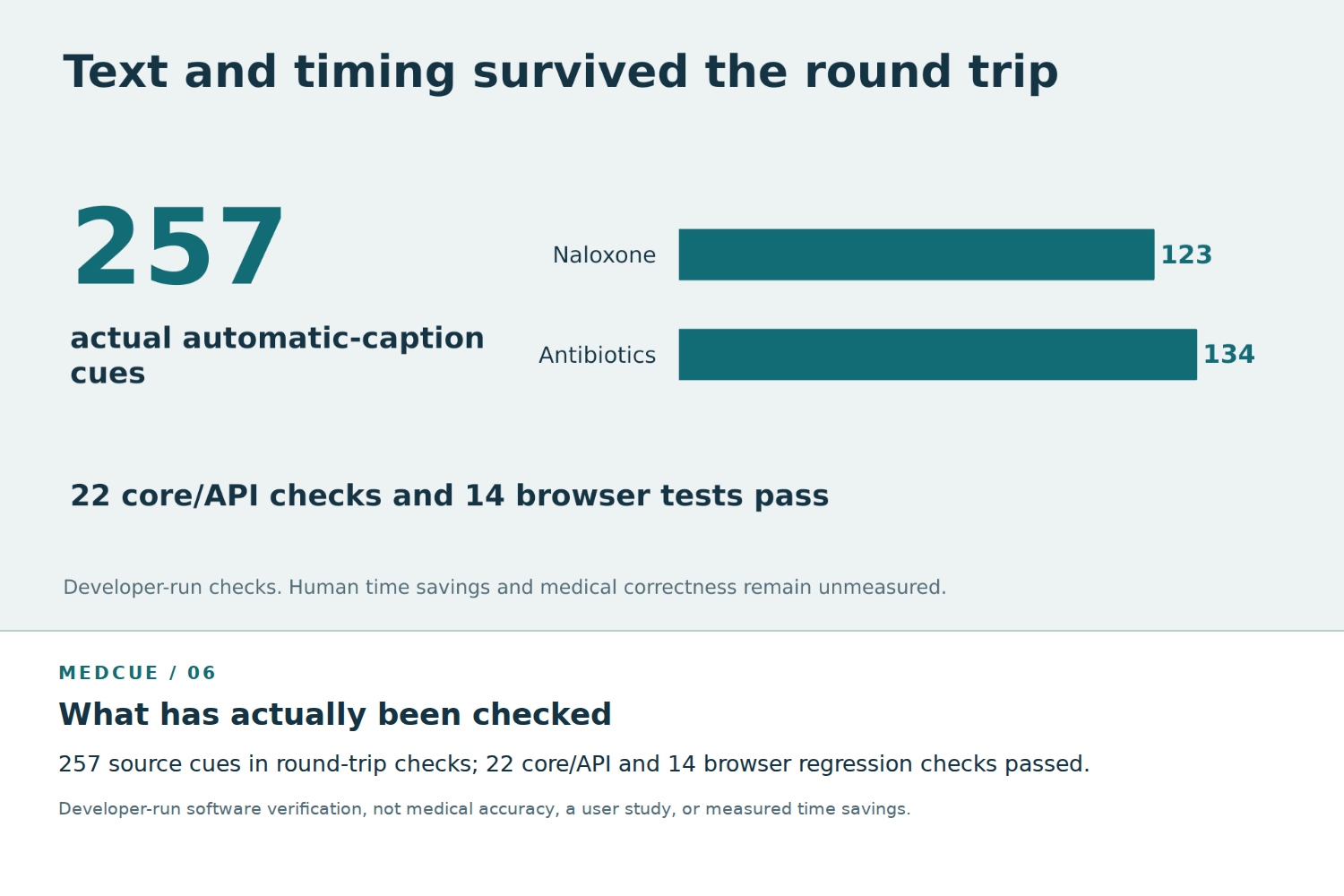
Developer-run software verification, not medical accuracy, a user study, or measured time savings.
Inspiration
A subtitle can look convincing and still mishear an important word. In a public National Library of Medicine video, automatic captions rendered “MRSA” as “mersa” and “bad bugs” as “bedbugs.” These were real transcription differences, not errors planted for a demo.
That suggested a focused question: can reviewing an existing subtitle file feel less like switching between tools, and more like listening, deciding, and moving on?
MedCue is built for people editing medical education subtitles. Its goal is fidelity to the recording, with the editor responsible for the final wording.
What it does
Open an English SRT file and its matching audio. MedCue brings together a waveform, nearby original subtitles, the unchanged source text, and an editable final version.
Replay a cue with surrounding audio, adjust playback speed, and use terminology aliases and rule-based signals to decide where to listen more carefully. Mark a cue reviewed and advance in one action. Undo a decision, recover a saved draft, or export the edited SRT while preserving its timestamps.
The public demo includes a real audio-and-caption example and works without an API key. Editing runs in the browser. An optional server edition adds explicit, selected-cue AI checks; it sends that cue and the glossary, not the audio. Suggestions never apply themselves.
How we built it
MedCue uses JavaScript, HTML, CSS, and Vite, with WaveSurfer.js for audio visualization and an existing subtitle parser. A small Node.js server provides an OpenAI-compatible API adapter, tested with Gemini, and optional Ollama support.
Original subtitles and timestamps remain separate from edits. Browser storage restores drafts, while project files preserve review decisions and edit history. The server keeps credentials outside the frontend and limits request frequency and concurrency. GitHub Pages hosts the browser-only edition.
Development combined AI-assisted implementation with source review, automated checks, and real-browser verification. The project builds on maintained libraries rather than replacing subtitle parsing or waveform playback from scratch.
Challenges we ran into
The hardest problem was making suggestions useful without making them authoritative. Selected Gemini checks produced helpful terminology leads, but also a misplaced warning. That reinforced the need to keep audio evidence visible and require a human decision.
Reliability mattered just as much: handling malformed subtitle files without losing the current project, restoring audio without overwriting edits, and keeping editing available when an API returns a rate-limit error. Static hosting also required an honest boundary: the public site cannot run the optional AI backend.
Accomplishments that we're proud of
A working browser demo with real source audio, editable subtitles, undo, draft recovery, and SRT export.
A focused review workflow that keeps the original beside the edit and combines review-and-advance into one action.
Developer-run import/export checks across 257 automatic-caption cues from two public NLM videos, preserving subtitle text and timestamps in the round trip.
A verified application release with 22 core/API checks and 14 browser regression checks passing.
These checks establish specific software behavior; they do not establish medical accuracy or measured human time savings.
What we learned
A warning is a reason to listen, not proof that a subtitle is wrong. AI can miss a real discrepancy or question a correct word. Keeping the source available and edits reversible is more useful than presenting a confident correction without evidence.
We also learned that a smaller product can have a clear role. MedCue complements established subtitle editors by concentrating on the listen–compare–review loop instead of trying to match every format and timing feature.
What's next for MedCue
The next priority is validation with subtitle editors and medical education reviewers: task completion, unnecessary steps, missed discrepancies, and repeat use. That feedback should determine whether terminology support or the review queue needs further work.
For the optional server edition, the next deployment work is access control and persistent usage limits. MedCue remains a prototype for editorial review, not a clinically validated tool.
Built With
- css3
- html5
- javascript
- node.js
- vite
- wavesurfer.js

Log in or sign up for Devpost to join the conversation.