Inspiration
Most people managing medicines aren't pharmacists. 63 million Americans care for someone else, and only 1 in 5 caregivers has any training in managing medicines (AARP, 2025). The risky moment is ordinary: a second medicine comes into the house. A cold remedy and a pain reliever can both contain acetaminophen, and the only place that's written is in small print on two different boxes.
We wanted something that could read those boxes for you and point at what they share, without pretending to be a doctor.
What it does
MedCheck is a phone-first web app. Photograph your medicine labels, and it shows what they share, straight from the FDA label.
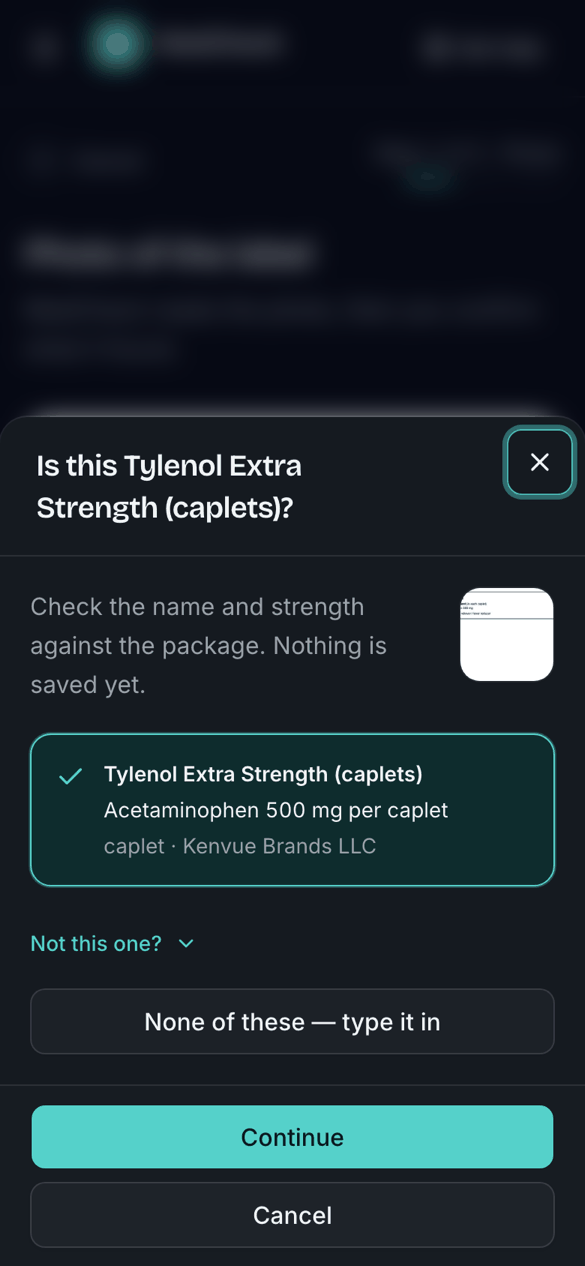
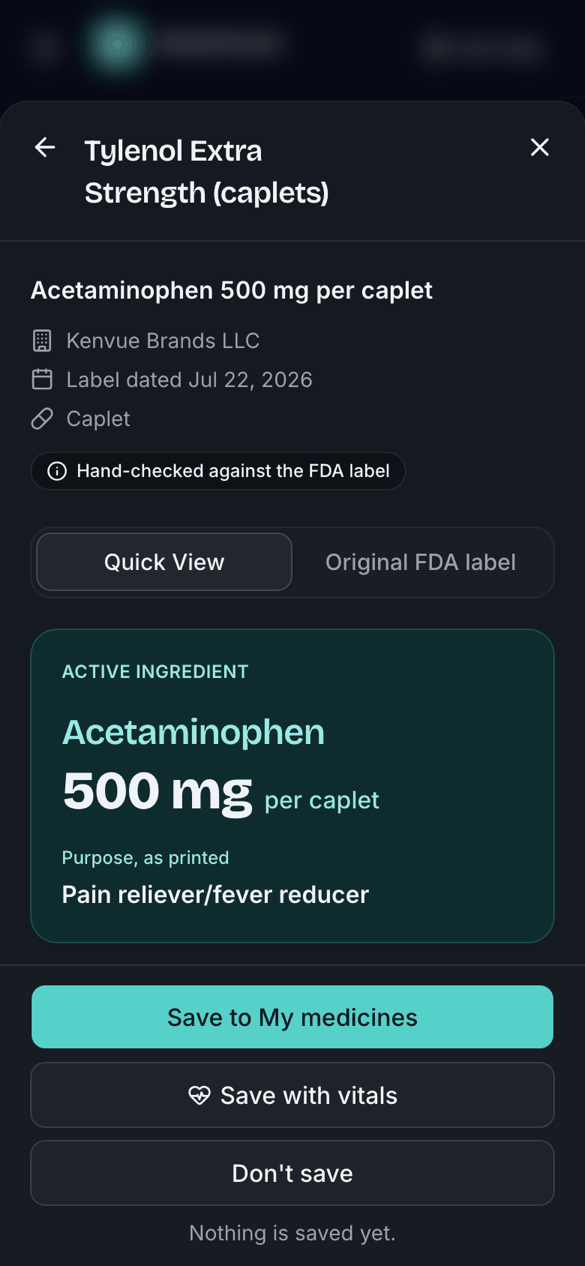
- One photo, instant answers. Gemini reads the package and MedCheck asks "Is this Tylenol Extra Strength?" One tap confirms it, and you get a dashboard of that medicine's FDA label: the active ingredient, what it's for, directions by age, and every warning.
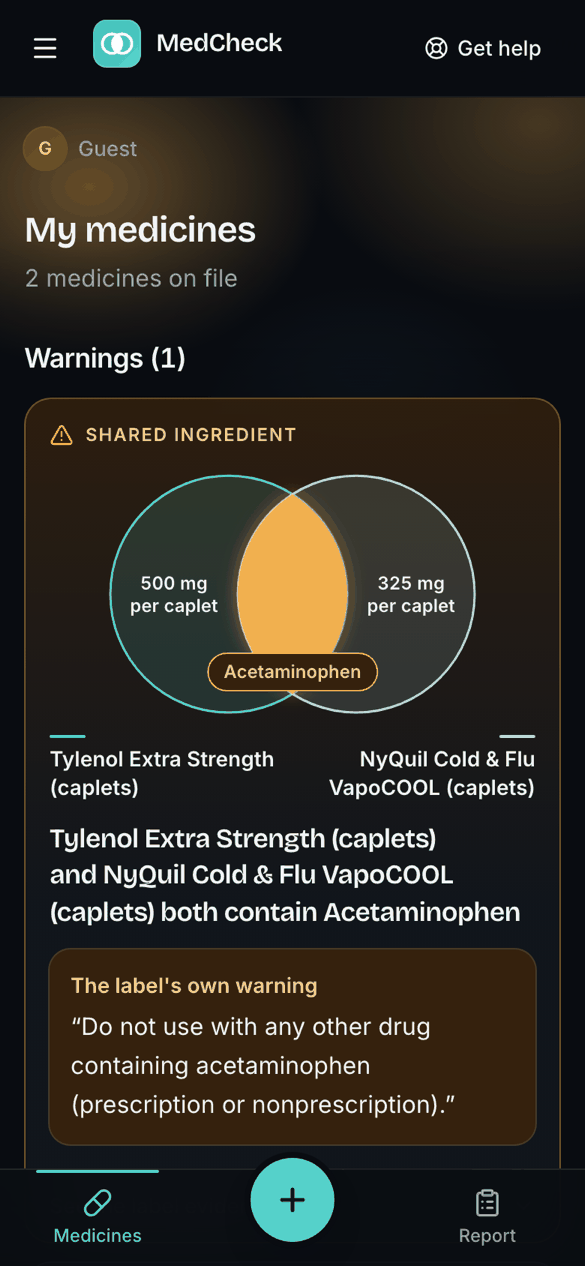
- See what overlaps. For two or more medicines, MedCheck draws a Venn diagram of the shared active ingredients and quotes the label's own warning, such as "Do not use with any other drug containing acetaminophen." It also catches same-family pairs (two NSAIDs, two antihistamines), but only when the labels' own words say so.
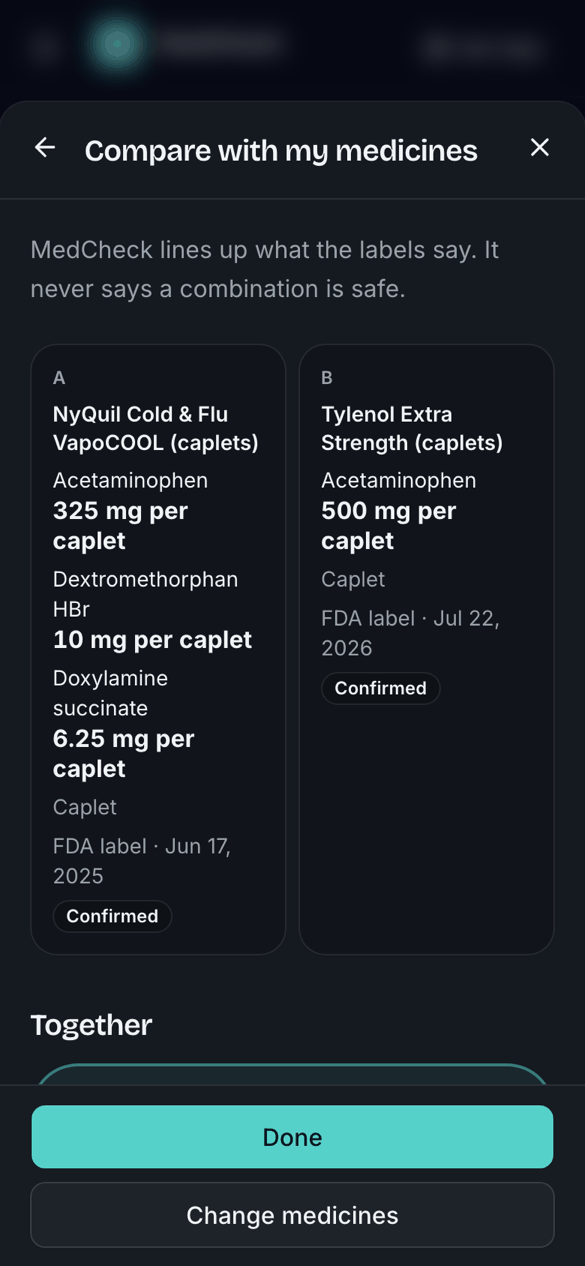
- Compare with my medicines. Line any medicine up against the ones you've saved, with a question for your pharmacist you can copy.
- Barcode and NDC lookup. Scan a barcode or type an NDC, and MedCheck opens the one FDA label with that code.
- Prescriptions and discharge lists. These go through a field-by-field review where you confirm, edit or mark each value "Can't tell".
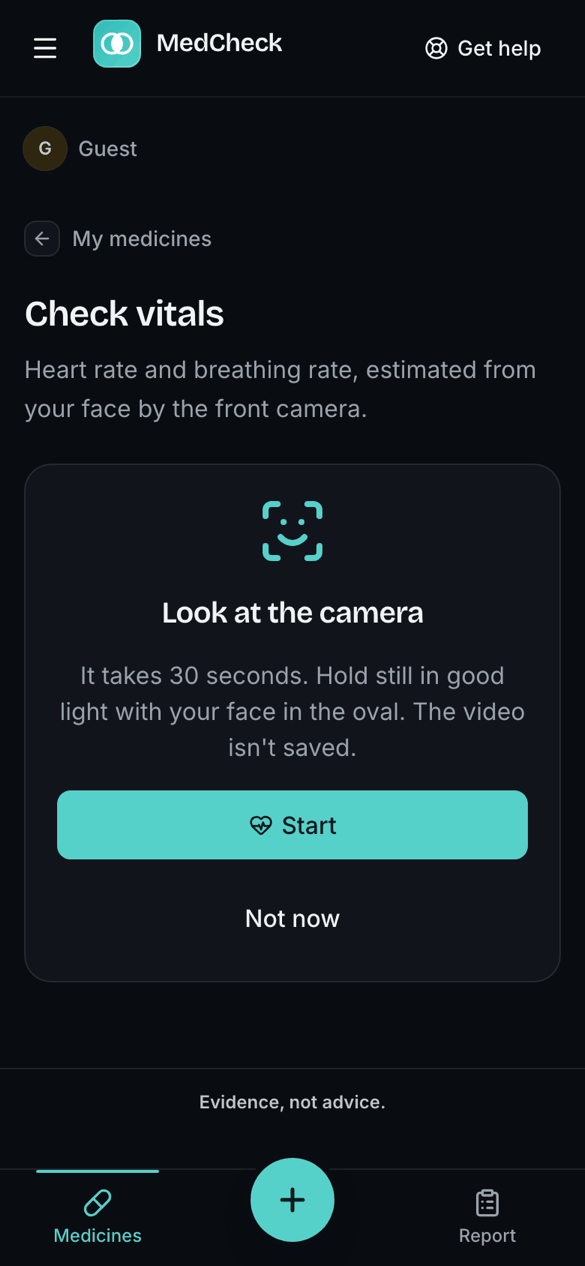
- Save with vitals. An optional 30-second face scan (VitalLens) estimates heart rate and breathing rate. Only the numbers are stored, never the video.
- Medicine report. A PDF of your medicines and warnings that you can share with your pharmacist or doctor.
Our one rule is evidence, not advice. MedCheck never calculates a dose, never says a combination is "safe", and never picks a product for you. When nothing is found it says "No shared ingredient found in confirmed fields". It never shows a green checkmark.
How we built it
- Next.js 16 (App Router, React 19, TypeScript, Tailwind 4, shadcn/ui on Base UI), hosted on Vercel.
- Supabase for Postgres with row-level security on every table, auth (Google, email one-time code, or guest), and private photo storage.
- Gemini through the AI SDK reads the photo: brand, ingredients, strengths, any printed NDC, and what kind of document it is. It only suggests. A value counts only after the user confirms it, and once a package matches an FDA label, every value comes from that label instead.
- openFDA: we imported about 12,000 US oral over-the-counter labels by joining the Drug Label and NDC Directory datasets. Each label is split into bullets by code and never reworded.
- A deterministic check engine. Pure TypeScript functions find shared ingredients, same-family pairs, repeated entries, different concentrations and mismatched units. Every screen and the PDF use the same engine, so they can't disagree.
- Tested first. About 1,500 Vitest unit tests and 50 Playwright end-to-end tests. The end-to-end tests run against a fake Gemini server, so they never spend real AI quota.
- We built it with Claude Code agents working in parallel Git worktrees, each feature a PR into a
devbranch gated by CI.
Challenges we ran into
- Messy real-world data. openFDA labels arrive with empty metadata blocks, strengths that don't match the printed label, dot-leader formatting and many near-identical relabeled products. We wrote a parser and a de-duplicator so the picker offers distinct products.
- Keeping the AI honest. It's easy to let a language model "explain" a label. We kept Gemini as a reader, not an advisor: every word on the medicine card points back to a specific bullet in the FDA label, and a test enforces that.
- Wording is a safety feature. Saying "no interaction found" can sound like "safe". We wrote every empty state and finding so it reports what the labels say and nothing more.
- Quotas as design constraints. We hit Vercel's 100-deploys-a-day limit, Gemini's free daily limit and Supabase's guest sign-in rate limit during a single day of building. We moved to manual deploys and built the fake Gemini so testing doesn't burn the demo's quota.
- Phone cameras. Phones only allow the camera on HTTPS, and the vitals scan first showed a black screen. The fix was attaching the camera before waiting for the video to play.
Accomplishments that we're proud of
- About 12,000 real FDA labels, matched from a photo in one tap.
- A Venn diagram a caregiver understands at a glance, backed by the label's own warning sentence.
- Guardrails written as code and tests, not just as a policy document: no dose math, no "safe", and children's dosing tables always shown whole with no row highlighted.
- Privacy by default: row-level security everywhere, guest data deleted when you leave, and vitals stored as numbers only.
- It works on a phone in light and dark mode, with 44-pixel tap targets throughout.
What we learned
- The most useful thing AI did here was read, not advise. Turning a blurry photo into a confirmed FDA label is enough for a deterministic engine to do the rest.
- Healthcare UX is mostly wording. "None found in confirmed fields" and "safe" differ by a few words and a lot of trust.
- Real public datasets need as much engineering as the app itself.
- API limits shape architecture. Designing for quotas early (fake services in tests, manual deploys) would have saved us a stressful night.
What's next for MedCheck
- More of the catalog: topical, nasal and eye products, and a scheduled refresh from openFDA.
- Households: one caregiver managing several people's medicines.
- Offline and installable: a PWA for pharmacies and homes with poor signal.
- Pharmacist hand-off: sending the report and its copied questions straight to a pharmacy.
- Real-world testing of the vitals scan and photo reading with caregivers on their own phones.

Log in or sign up for Devpost to join the conversation.