-
-
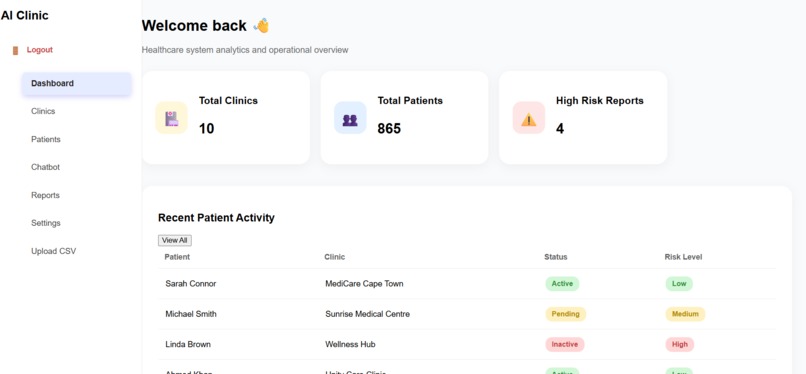
Dashboard
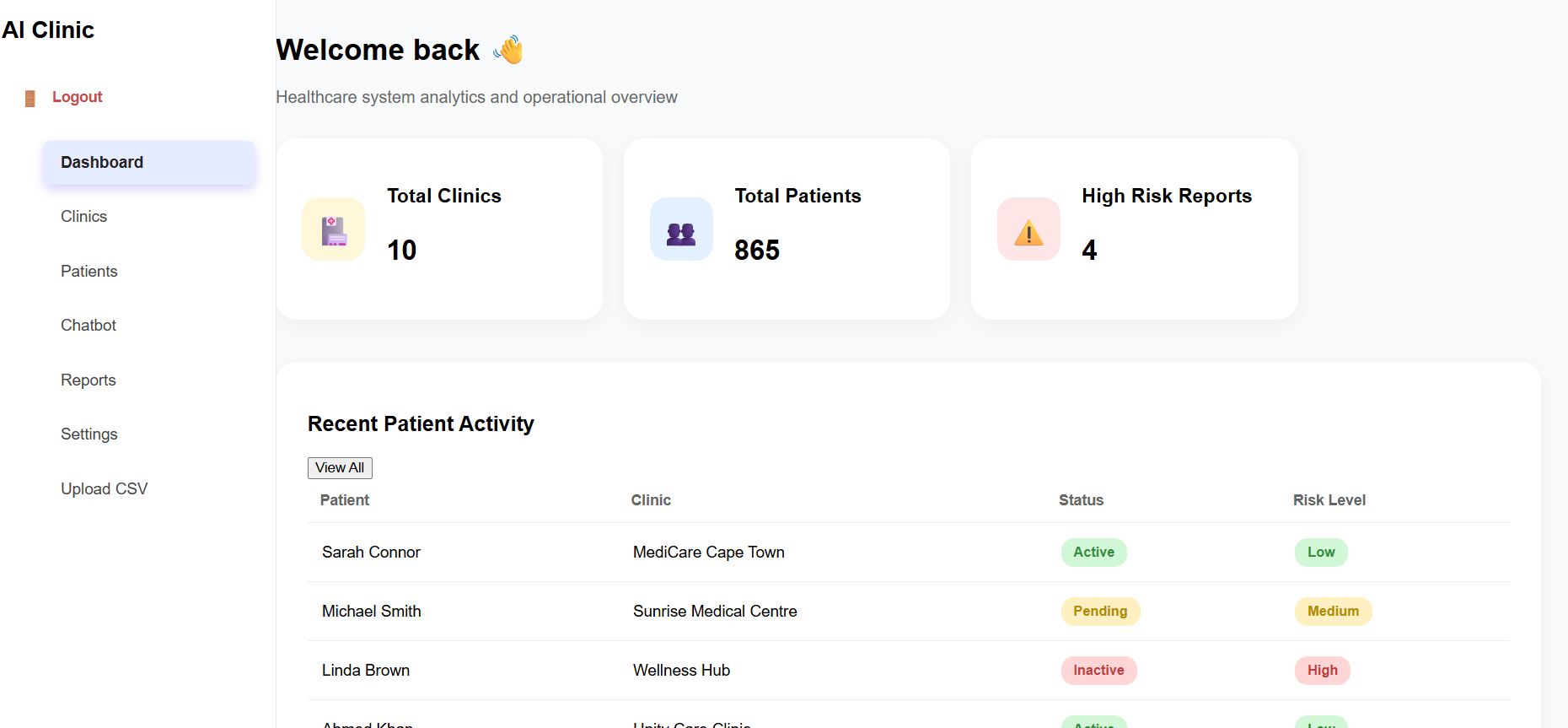
Healthcare Management Dashboard – My Journey
🌟 Inspiration
The idea for this project came from observing the challenges that clinics face in managing patients efficiently. Many clinics rely on paper-based records or multiple disconnected systems, making it difficult to track patient history, monitor clinic performance, and identify high-risk patients quickly.
I wanted to build a single, unified platform that makes data-driven decisions possible for healthcare teams. The goal was to create a tool that is intuitive, responsive, and future-ready, integrating AI insights and predictive analytics to empower clinics to provide better care.
🧠 What I Learned
This project was a huge learning experience. I gained hands-on experience in:
Frontend Development: Using React to build a responsive, dynamic, and interactive user interface.
State Management & Hooks: Efficiently managing data with useState and useEffect.
UI/UX Design: Building a fixed sidebar and intuitive dashboards for better navigation.
Data Presentation: Displaying tables, badges, and analytics in a clear and readable way.
Future-proofing for AI & Analytics: Designing components for predictive patient risk scoring and KPIs.
Markdown & Documentation: Writing professional README files and clear setup instructions.
I also explored LaTeX support for potential statistical formulas in analytics:
Risk Score
High Risk Events Total Patients × 100 Risk Score= Total Patients High Risk Events
×100
This formula can later be used to calculate the percentage of high-risk patients in a clinic.
🏗 How I Built the Project
Planning & Wireframes
Defined the main features: Dashboard, Patients, Clinics, AI Risk Analysis.
Sketched layouts for responsive design, including a fixed sidebar.
Frontend Development
Built reusable React components for the sidebar, stat cards, tables, and badges.
Added responsive CSS with flexbox and styled components for clean UI.
Demo Data & State Management
Used useState and useEffect to simulate backend API calls for clinics and patients.
Designed tables with color-coded badges for patient status and risk levels.
Future-proofing
Created placeholders for AI modules, system alerts, and predictive analytics.
Structured code so backend integration with Django REST Framework is straightforward.
⚡ Challenges I Faced
Responsive Sidebar: Keeping the sidebar fixed while the dashboard scrolls was tricky. I had to carefully manage CSS positioning and flexbox layout.
Data Representation: Designing tables that are readable and visually appealing required multiple iterations.
Future AI Integration: Planning components for predictive analytics without a real backend initially required careful abstraction.
Time Management: Balancing features, UI design, and clean code while keeping the project beginner-friendly for viewers.
💡 Key Takeaways
Planning your UI/UX is as important as building the functionality.
React state management is essential for dynamic dashboards.
Preparing for future features (like AI risk scoring) from the start makes scaling easier.
Documentation (like this README) is critical to explain your project clearly to others.
🏁 Next Steps
Integrate Django REST Framework backend for live patient and clinic data.
Implement AI-driven predictive analytics for risk scoring.
Add system alerts and notifications.
Make the dashboard fully mobile responsive.
Deploy on a cloud platform like Render or AWS for real-world usage.

Log in or sign up for Devpost to join the conversation.