-
-
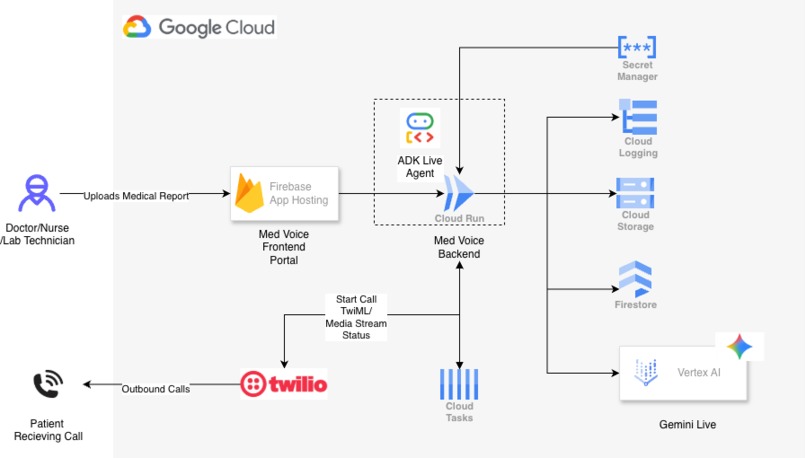
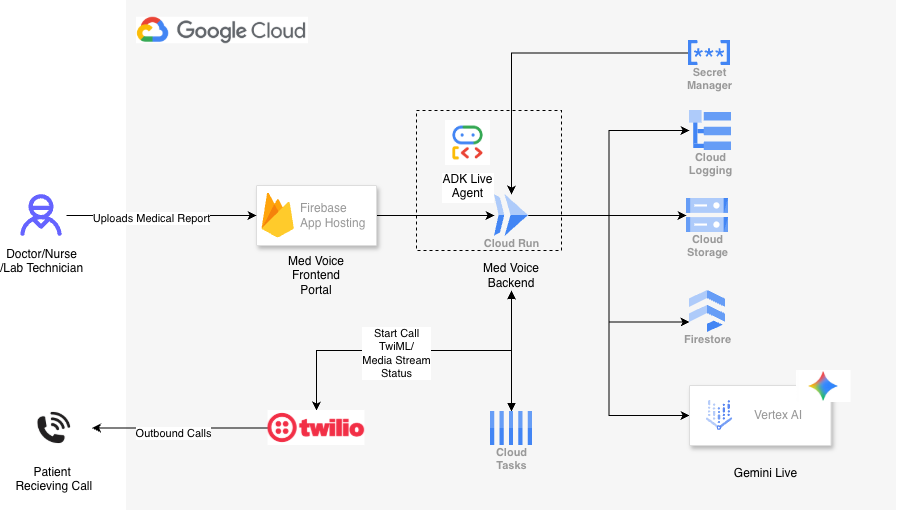
Architecture
-
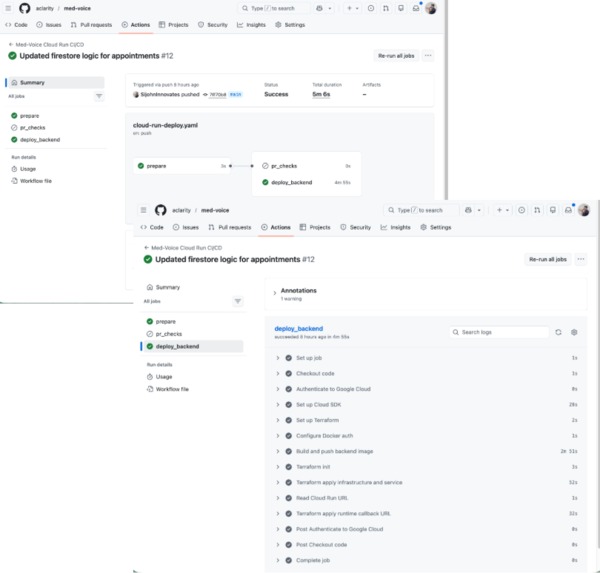
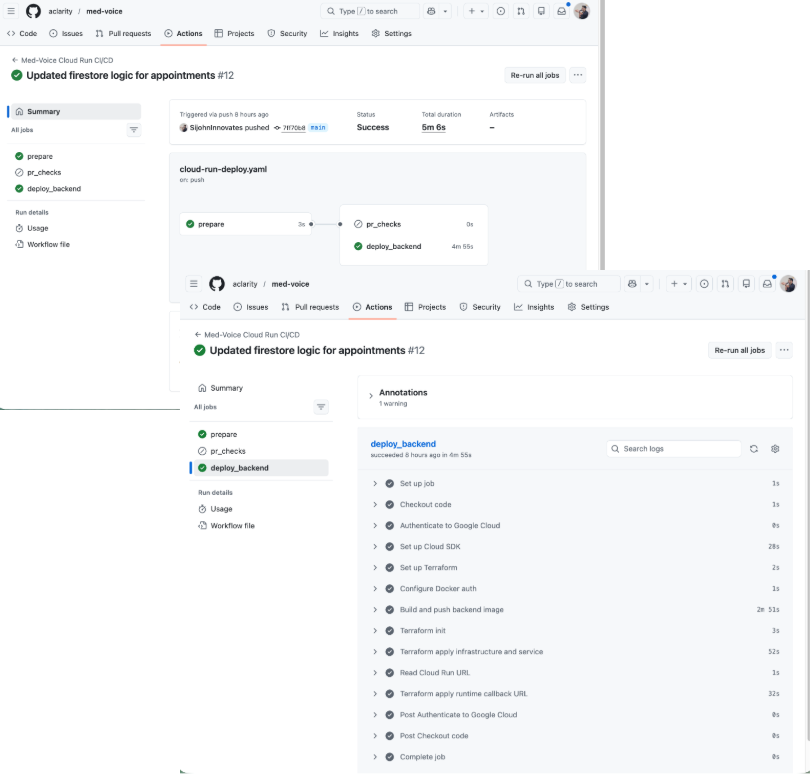
git actions
-
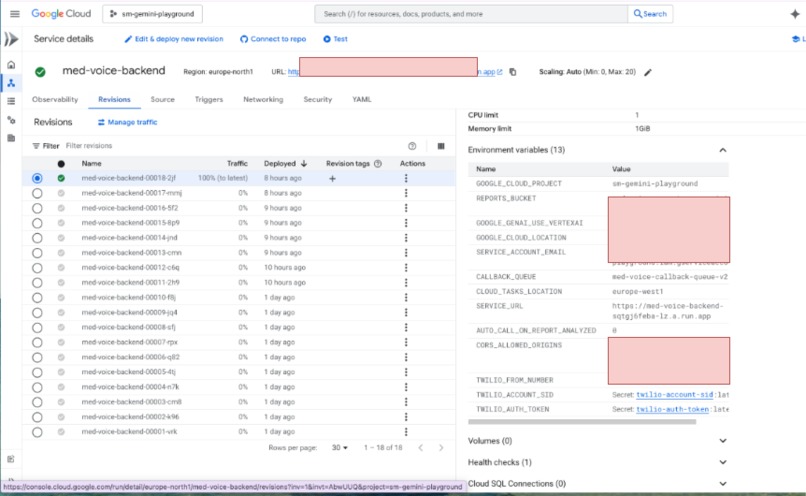
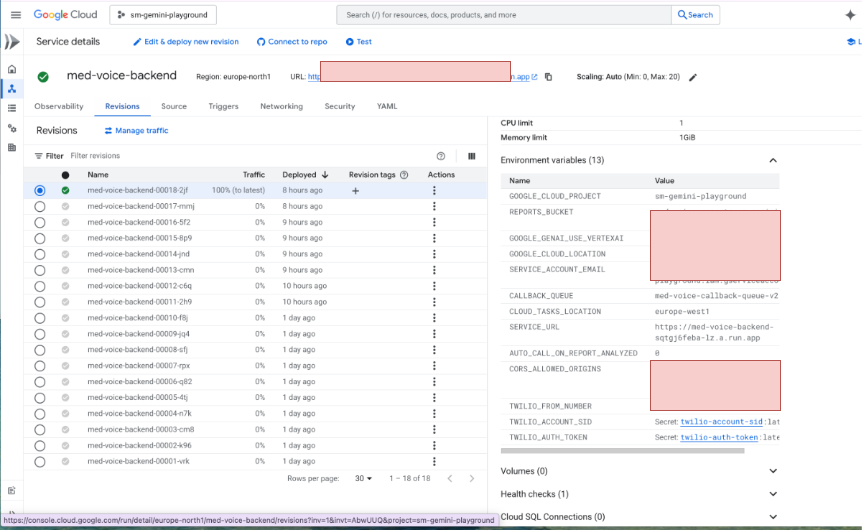
cloud run
-
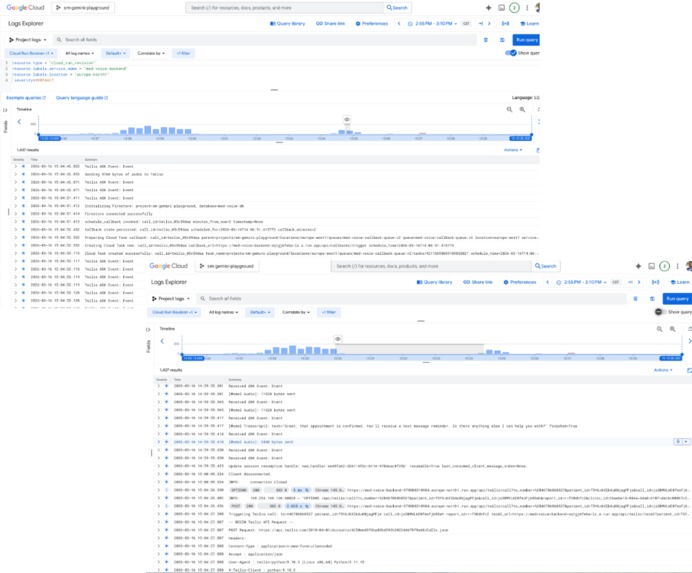
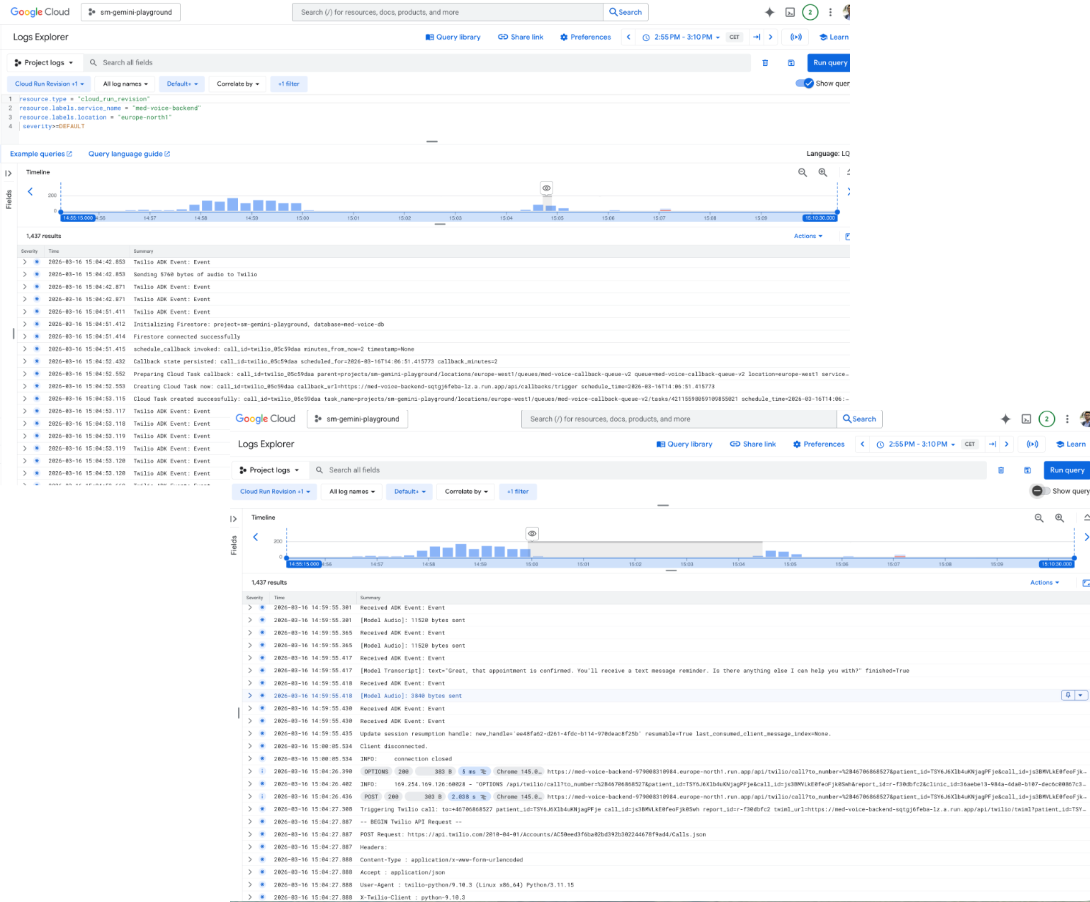
Cloud logging
-
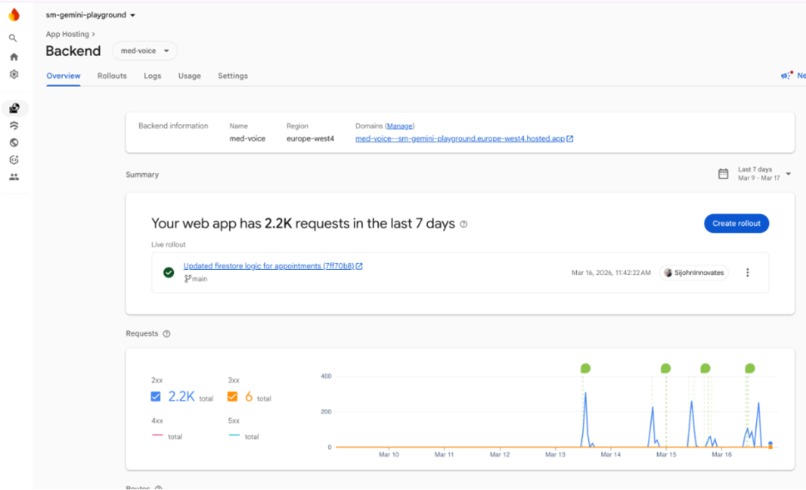
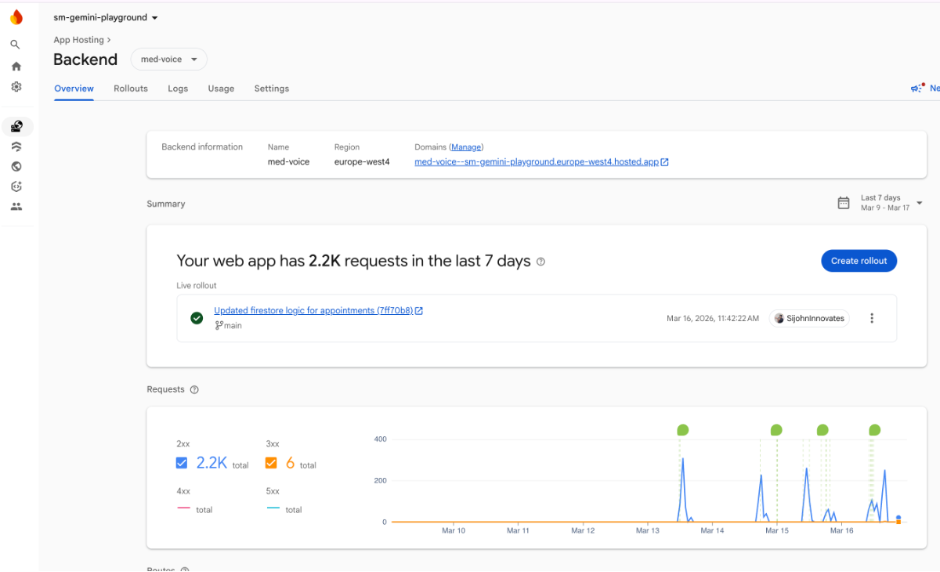
Firebase app hosting
-
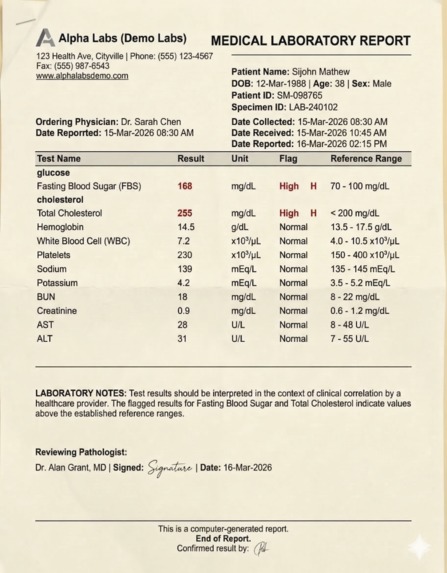
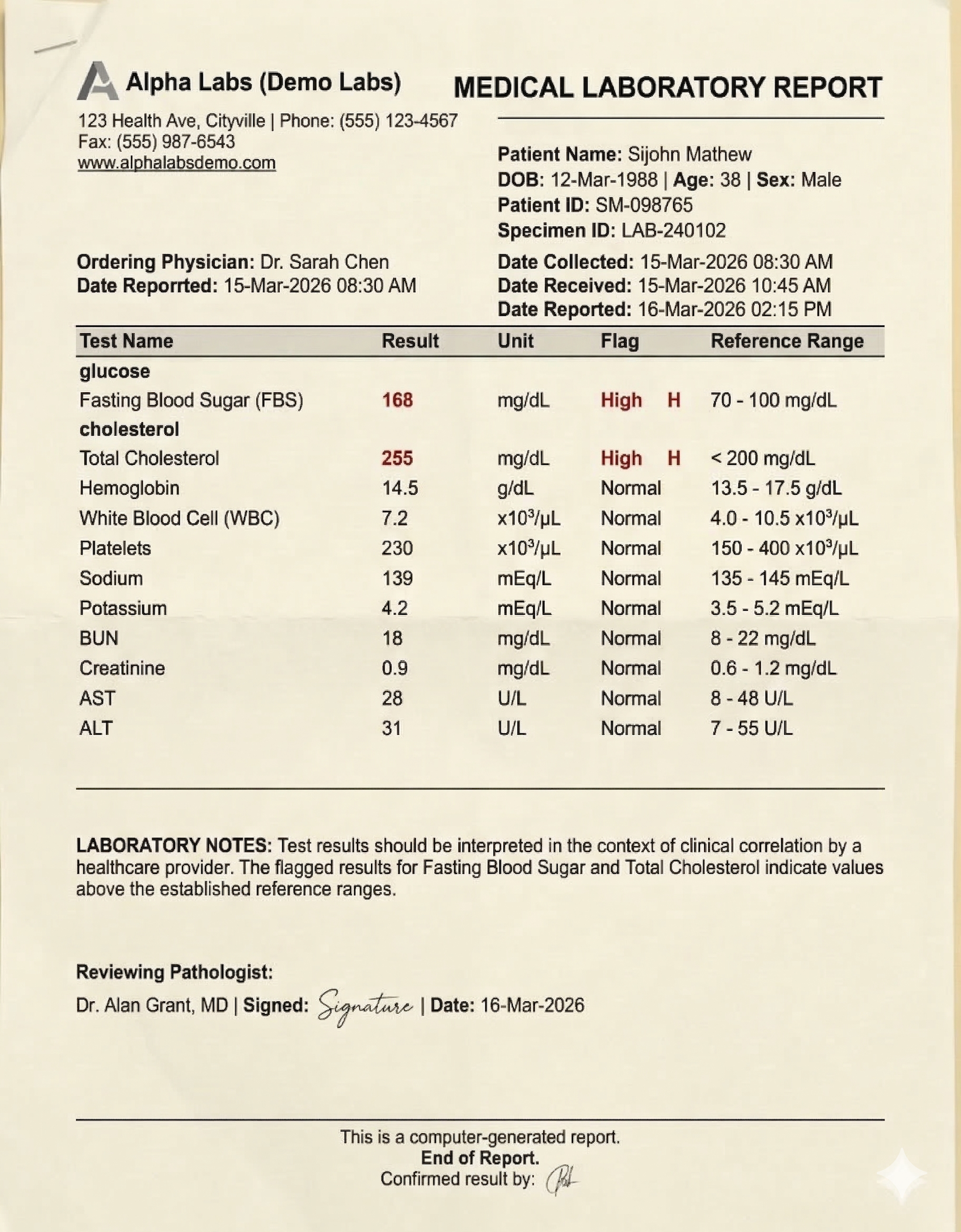
Medical Report Sample
-
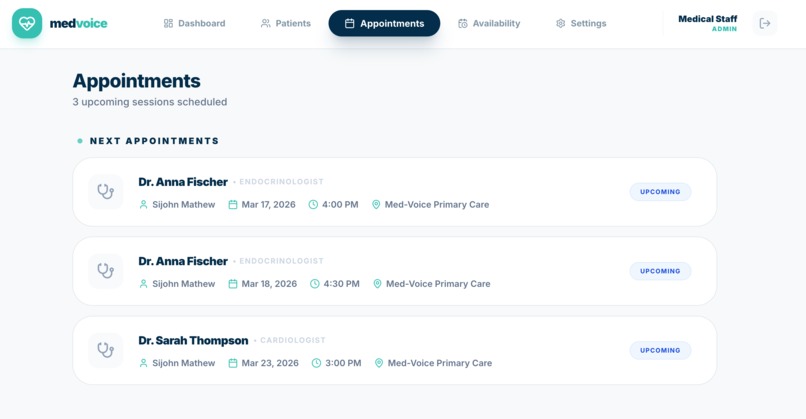
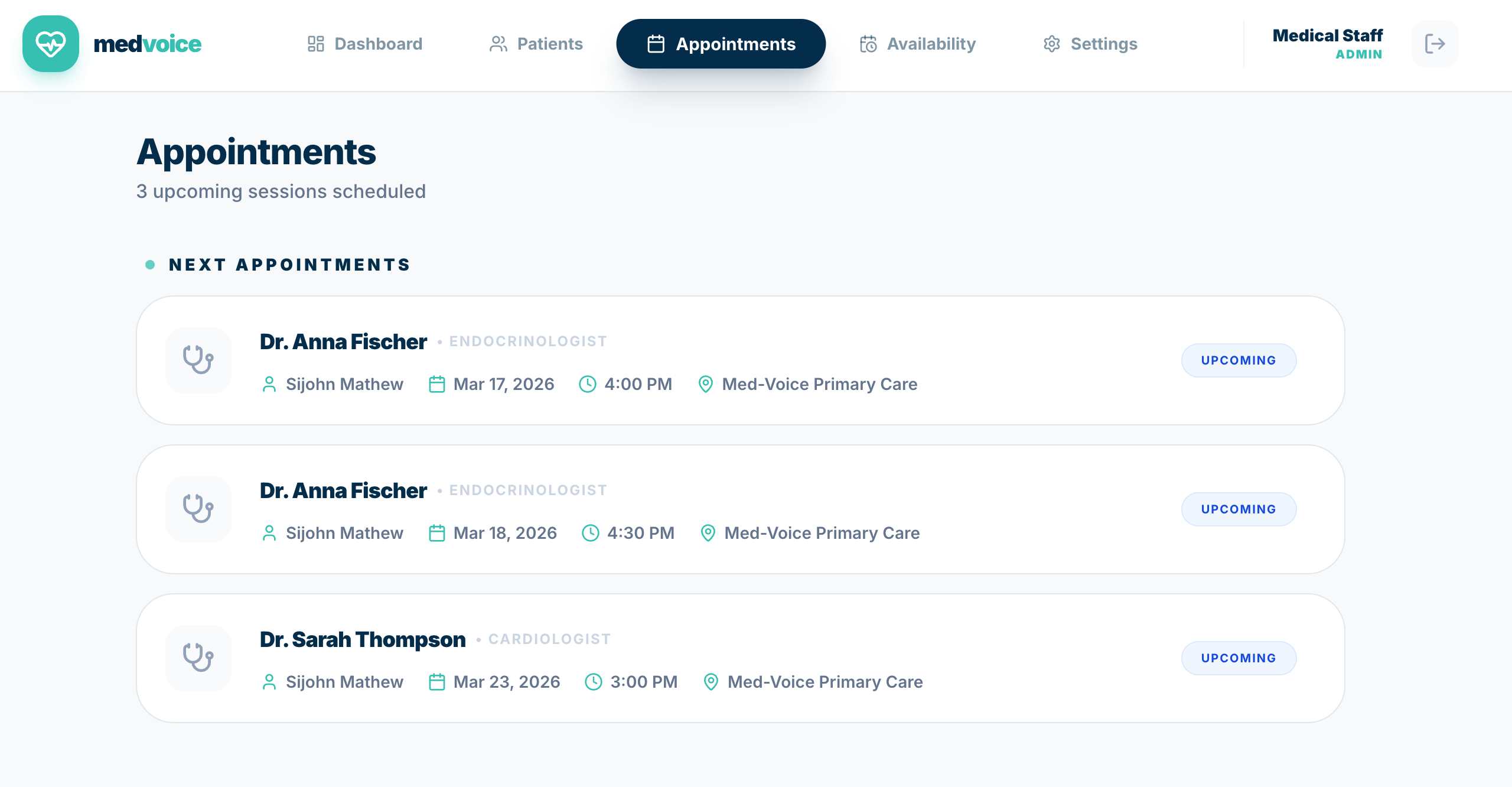
Appointments Screen
-
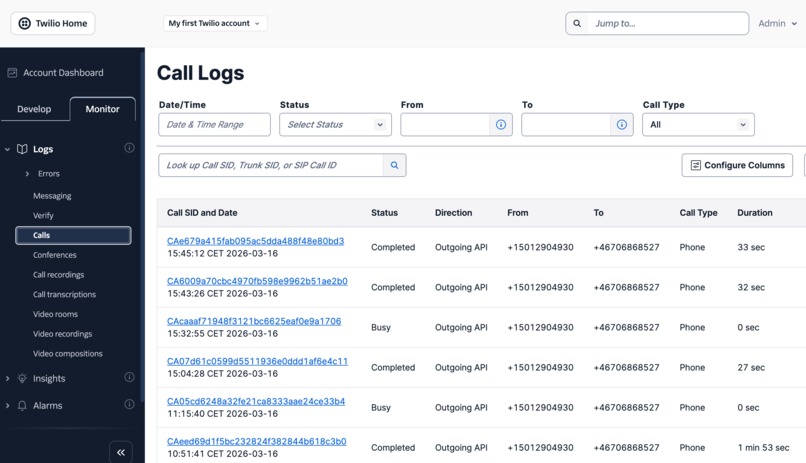
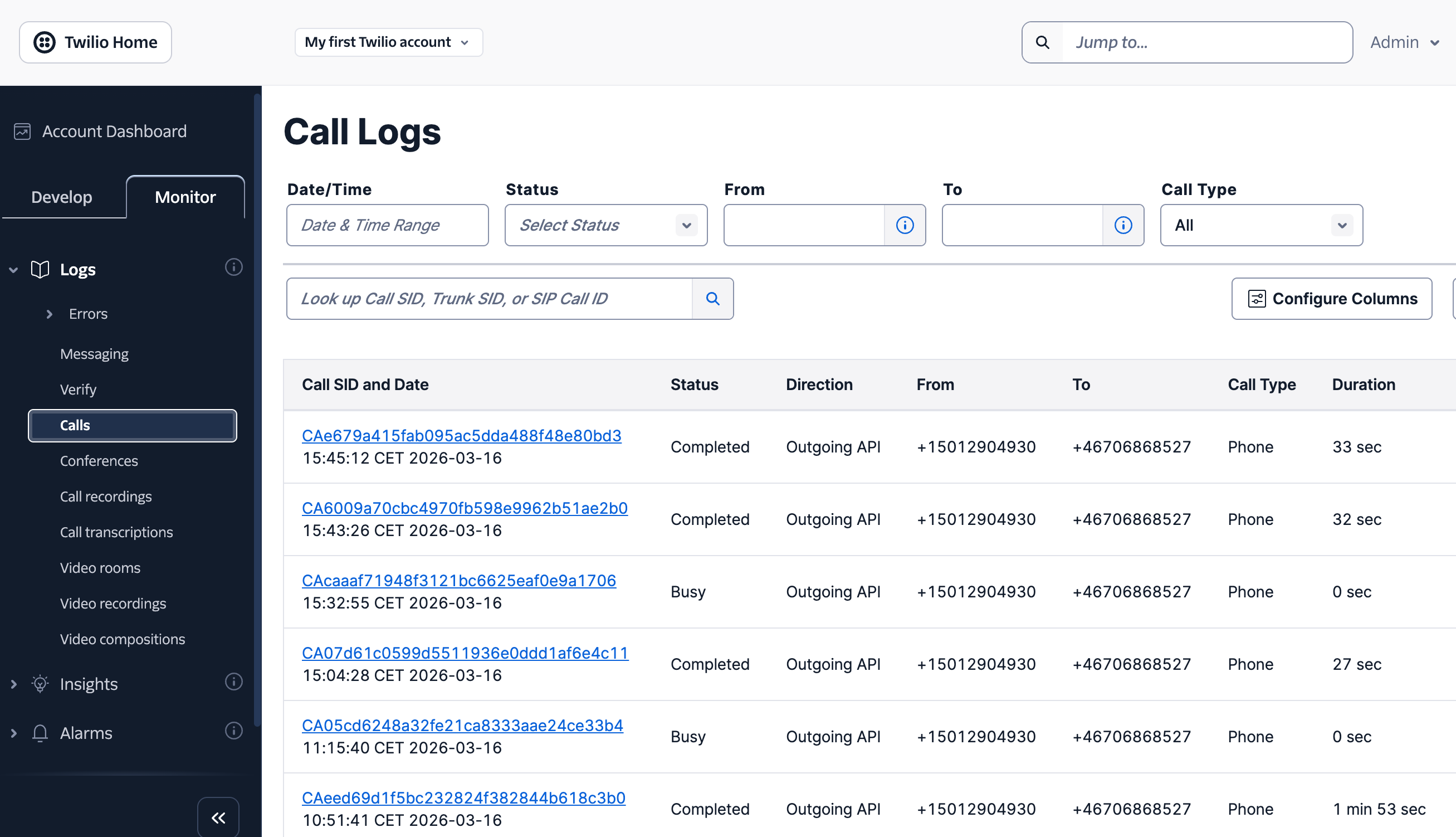
twillio call logs proof
Inspiration
After a patient receives a medical report, the follow-up process is often slow, manual, and inconsistent. A doctor or nurse may need to review the report, explain it to the patient in simple language, handle questions, and then coordinate a follow-up appointment. In practice, this becomes a fragmented workflow across phone calls, scheduling systems, and clinical notes.
We built Med Voice to make that experience proactive and human-friendly. The goal was to create a real-time AI voice agent that can call a patient, explain the important findings from a lab report, answer follow-up questions, and help schedule the next step, all while handling interruptions naturally and switching language if the patient prefers another language.
What we built
Med Voice is a live medical outreach agent built for the Live Agents category.
The system starts when clinical staff upload a patient report from a web portal. The backend stores the report in Google Cloud Storage, summarizes it once using Gemini flash multimodal capability, saves the structured result in Firestore, and then makes that summary available to a Gemini Live voice agent. The live agent can then:
- call the patient over the phone through Twilio
- ask politely if it is a good time to talk
- schedule a callback using Cloud Tasks if the patient asks to be called later
- explain the report in simple language
- highlight normal findings and abnormal findings without sounding alarmist
- answer follow-up questions in real time
- switch languages when the patient changes languages
- offer available appointment slots
- book the appointment
We also added a mock browser call mode for testing the same live conversation flow without paying for Twilio test calls each time.
Why this fits the challenge
This project moves beyond simple text-in/text-out interaction:
- Live multimodal input/output: the main experience is real-time audio conversation using Gemini Live
- Context-aware voice agent: the agent works from uploaded medical reports and persisted patient/report context
- Interruptible conversation: the agent is designed to stop speaking when the patient interrupts
- Natural voice persona: the agent introduces itself as Natasha from Med Voice and maintains a calm, empathetic tone
- Real backend on Google Cloud: the application backend runs on Cloud Run and orchestrates storage, scheduling, and live voice sessions
Architecture
The project is split into three layers:
1. Frontend
A Next.js portal is deployed with Firebase App Hosting. Clinical staff can:
- manage patients
- upload reports
- review analyzed reports
- trigger a real patient call
- schedule a callback
- view doctor availability
- view booked appointments
2. Backend
A FastAPI backend runs on Cloud Run. It handles:
- report upload orchestration
- signed upload flow for Cloud Storage
- report analysis and summary persistence
- Twilio outbound calling
- Twilio media stream handling
- browser WebSocket live testing
- callback scheduling through Cloud Tasks
- appointment booking writes to Firestore
3. Agent layer
The voice workflow uses Google ADK with Gemini Live as the real-time conversation engine. We deliberately split the flow into:
- a pre-call analysis step that summarizes the report once
- a live voice step that uses only the saved summary during the call
That design keeps the live call fast and avoids expensive or slow PDF parsing during a patient conversation.
Google Cloud services used
We used multiple Google Cloud services in production:
- Cloud Run: hosts the backend API and ADK based Agent which handles the live voice orchestration service
- Vertex AI / Gemini: powers report summarization and the real-time Gemini Live voice agent
- Cloud Storage: stores uploaded reports
- Cloud Firestore: stores patients, reports, call records, summaries, doctor availability, and appointments
- Cloud Tasks: schedules callback calls for later, such as “call me back in 2 minutes”
- Secret Manager: stores all credentials including Twillio secrets
- Cloud Build: builds and pushes backend container images during deployment
- Cloud Logging: captures runtime logs, callback scheduling logs, Twilio status updates, and live agent activity
- Firebase App Hosting: deploys the Next.js frontend
Agent behavior and user experience
The live agent is designed to feel conversational rather than robotic:
- opens with: “Hello, I am Natasha. I am calling from Med Voice. Is it a good time to talk?”
- waits for confirmation before explaining the report
- stops when interrupted
- supports multilingual turn-taking
- explains findings in short, plain language
- avoids diagnosis and medication advice
- escalates urgent cases instead of hallucinating
- offers appointment booking only after clearly confirming the patient wants it
Callback flow
One of the key scenarios is callback handling.
If the patient says they are busy and asks to be called later, Med Voice:
- stores the callback state in Firestore
- creates a Cloud Task with the scheduled callback time
- triggers the backend again at that future time
- re-initiates the patient call through Twilio
- resumes the conversation using saved patient and report context
This makes the callback flow persistent and cloud-native rather than temporary in-memory logic.
CI/CD and deployment automation
We also automated the backend deployment pipeline.
The repository includes:
- GitHub Actions workflow for CI/CD
- Terraform for infrastructure provisioning
- Workload Identity Federation so GitHub Actions can authenticate to Google Cloud without long-lived service account keys
The deployment flow:
- GitHub Actions authenticates to Google Cloud using Workload Identity Federation
- Cloud Build builds and pushes the backend container image
- Terraform provisions or updates Cloud Run, Cloud Tasks, IAM, Secret Manager bindings, and supporting resources
- Cloud Run is updated with runtime configuration such as callback queue name, service URL, region, CORS allowlist, and Twilio settings
Data sources
The primary data sources are:
- uploaded sample medical reports
- patient records stored in Firestore
Challenges we faced
Some of the challenges were:
- keeping the live voice experience responsive while still using report context
- making the agent interruptible without clipping or overlapping speech
- ensuring callback scheduling survives beyond the current call session
- testing the live experience cheaply, which is why we added a mock browser call mode
What we learned
The biggest product and engineering lesson was that live agents work best when they are given prepared context, not raw documents, during a real-time conversation. By analyzing the report first and storing the summary, we made the live experience faster, more reliable, and easier to control.
We also learned that callback and scheduling flows are not “extra features”; they are core to making a voice agent useful in a real operational setting. Cloud Tasks, Firestore state, and clear logging turned out to be essential parts of the user experience, not just backend plumbing.
Future work
If we continue beyond the hackathon, the next steps are:
- richer clinical report extraction and structured reasoning
- tighter clinic workflow integrations
- doctor-side schedule management in the UI
- more robust multilingual personalization
- analytics and observability dashboards for agent outcomes
- deploy the agent to Agent engine for more deeper Observabilioty and Tracability and also enhance with agent memory and bigquery plugin for agent analytics
Med Voice shows how Gemini Live, ADK, and Google Cloud can work together to create a proactive, real-time healthcare communication workflow instead of another chatbot.
Built With
- antigravity
- cloud-build
- cloud-firestore
- cloud-logging
- cloud-run
- cloud-storage
- cloud-tasks
- fastapi
- firebase-app-hosting
- gemini-live-api
- gemini-models
- geminicli
- github-actions
- google-adk
- next.js
- python
- secret-manager
- terraform
- twilio
- typescript
- vertex-ai
- workload-identity-federation


Log in or sign up for Devpost to join the conversation.