-
-
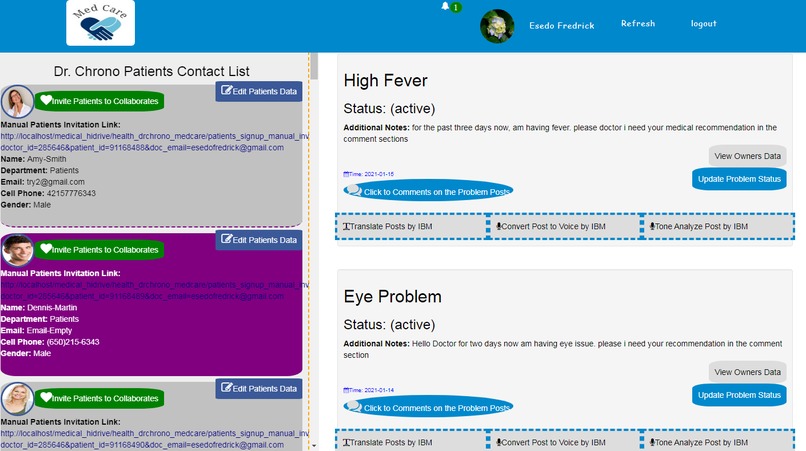
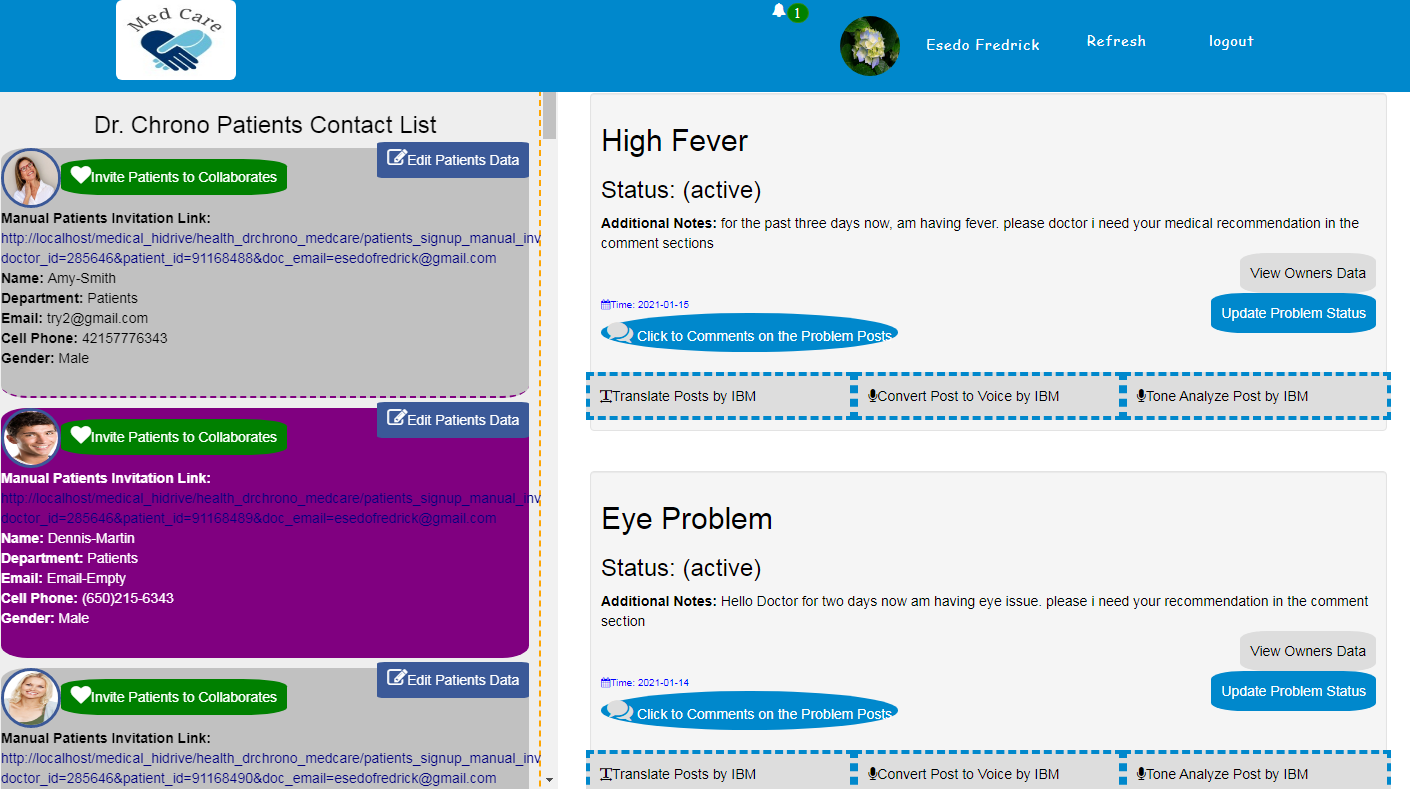
Applications Dashboard
-
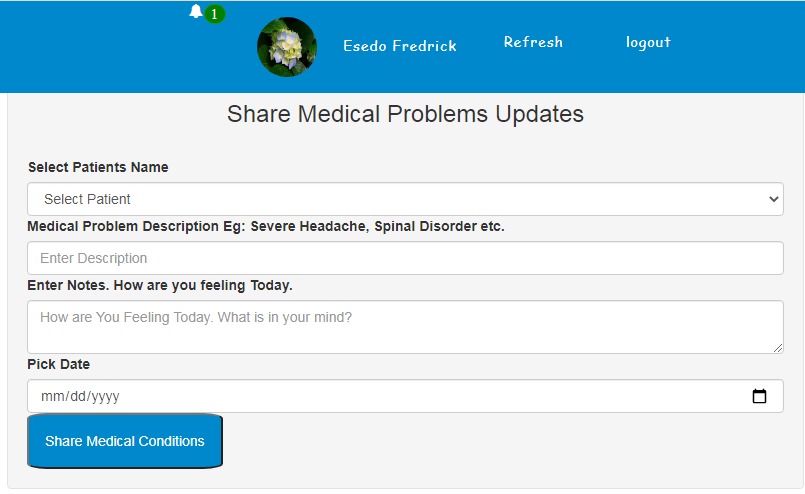
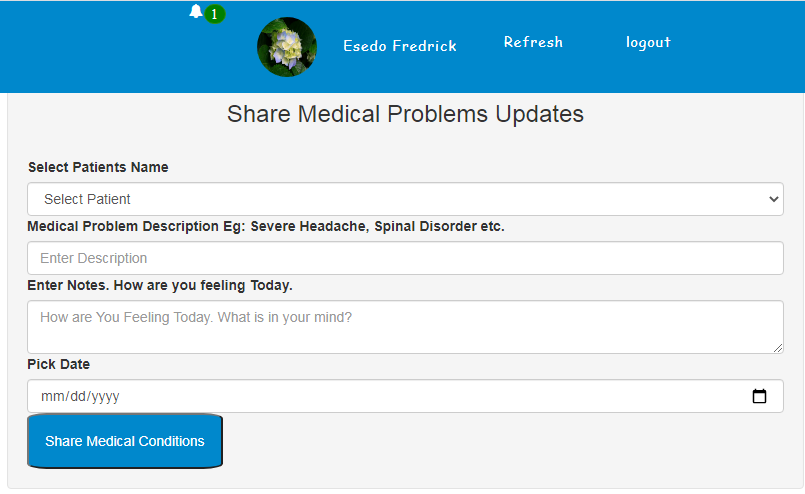
Medical Status Problem updates Form
-
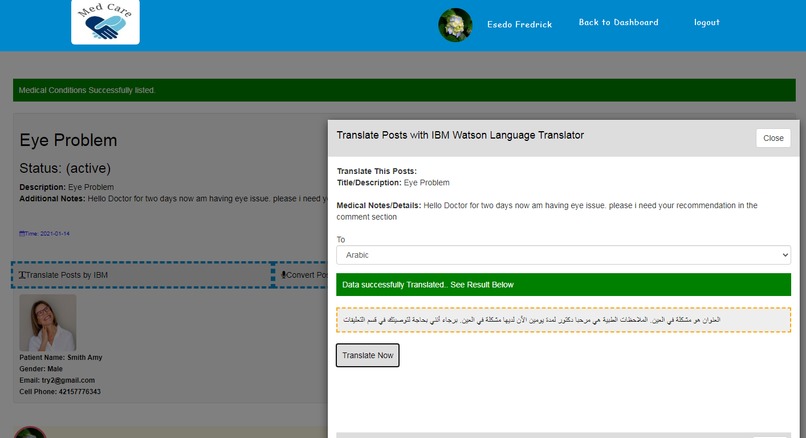
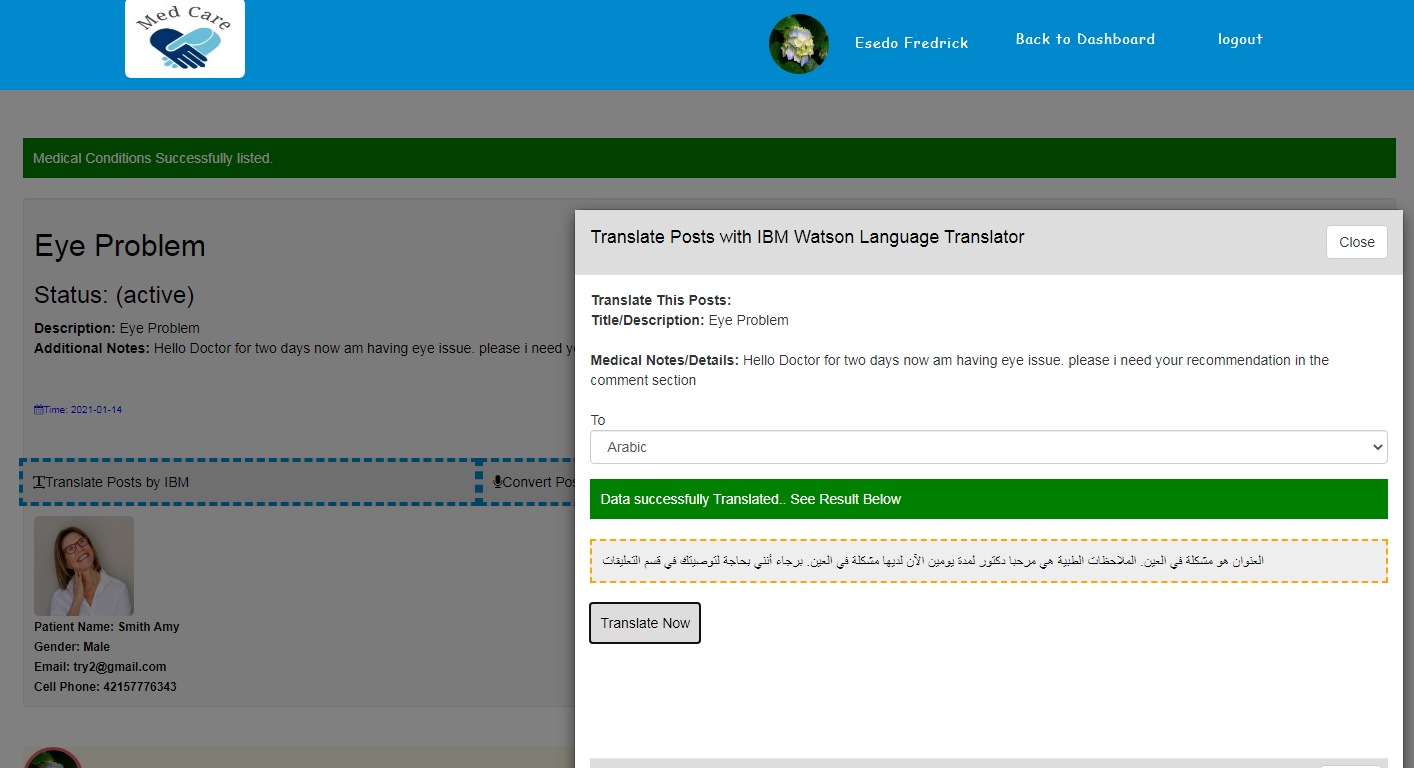
Translating Medical status Updates via IBM Watson Language Translator
-
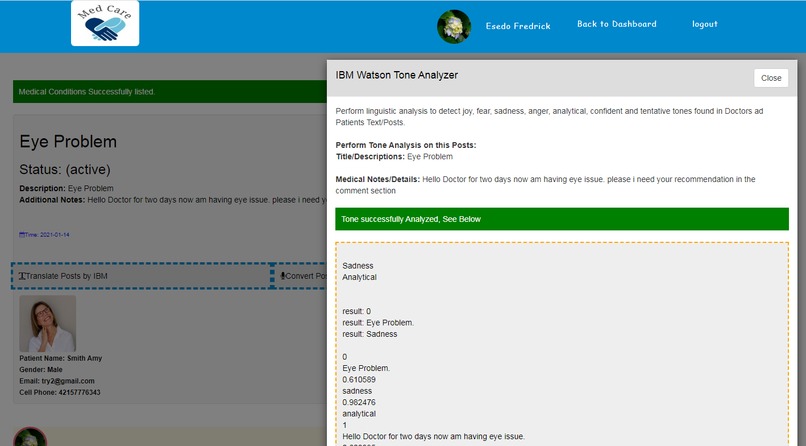
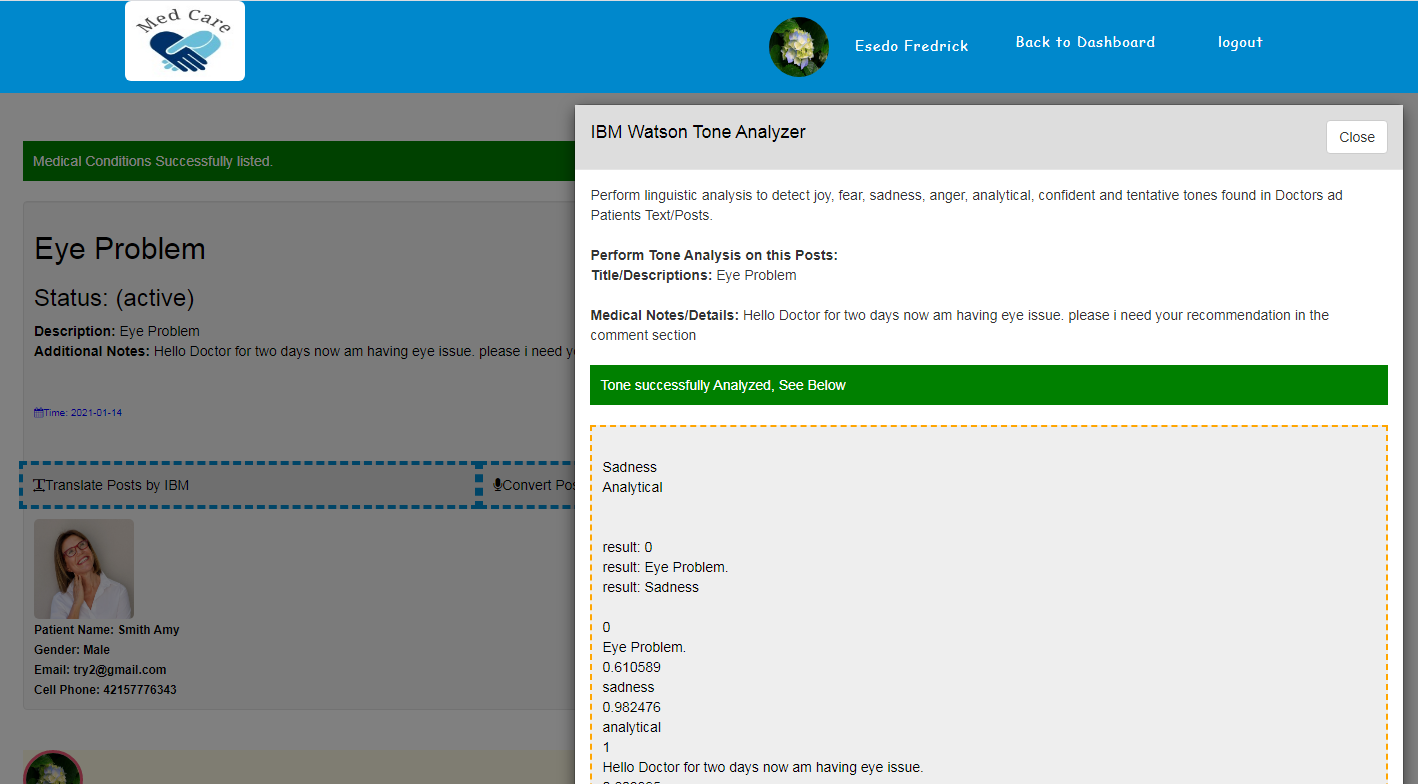
Medical status updates being tone analyze by IBM Watson Tone Analyzer
-
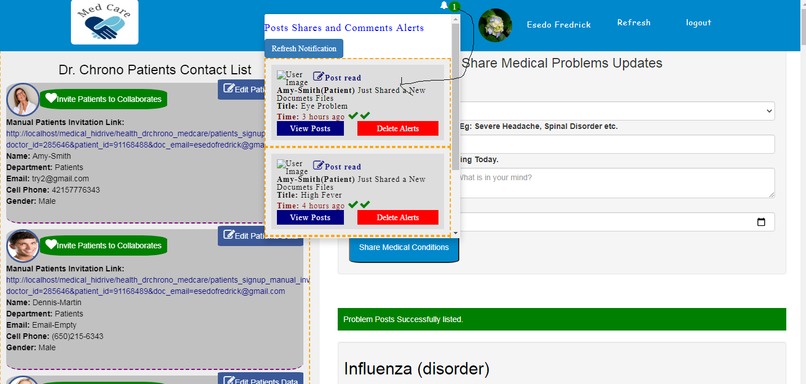
Medical Status Real Time Notification Alerts
-
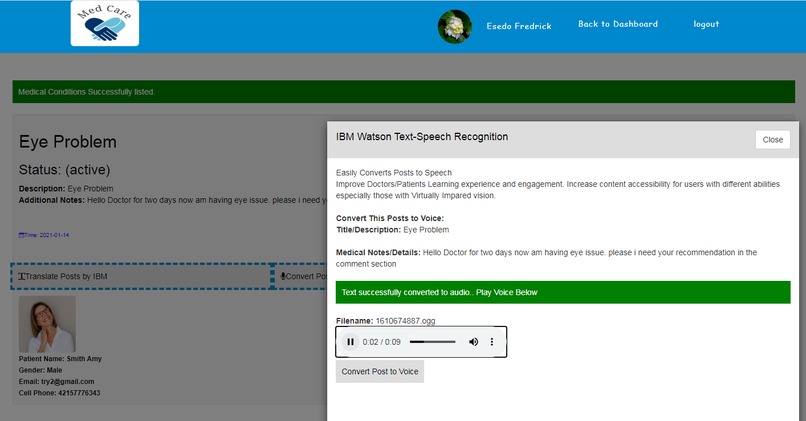
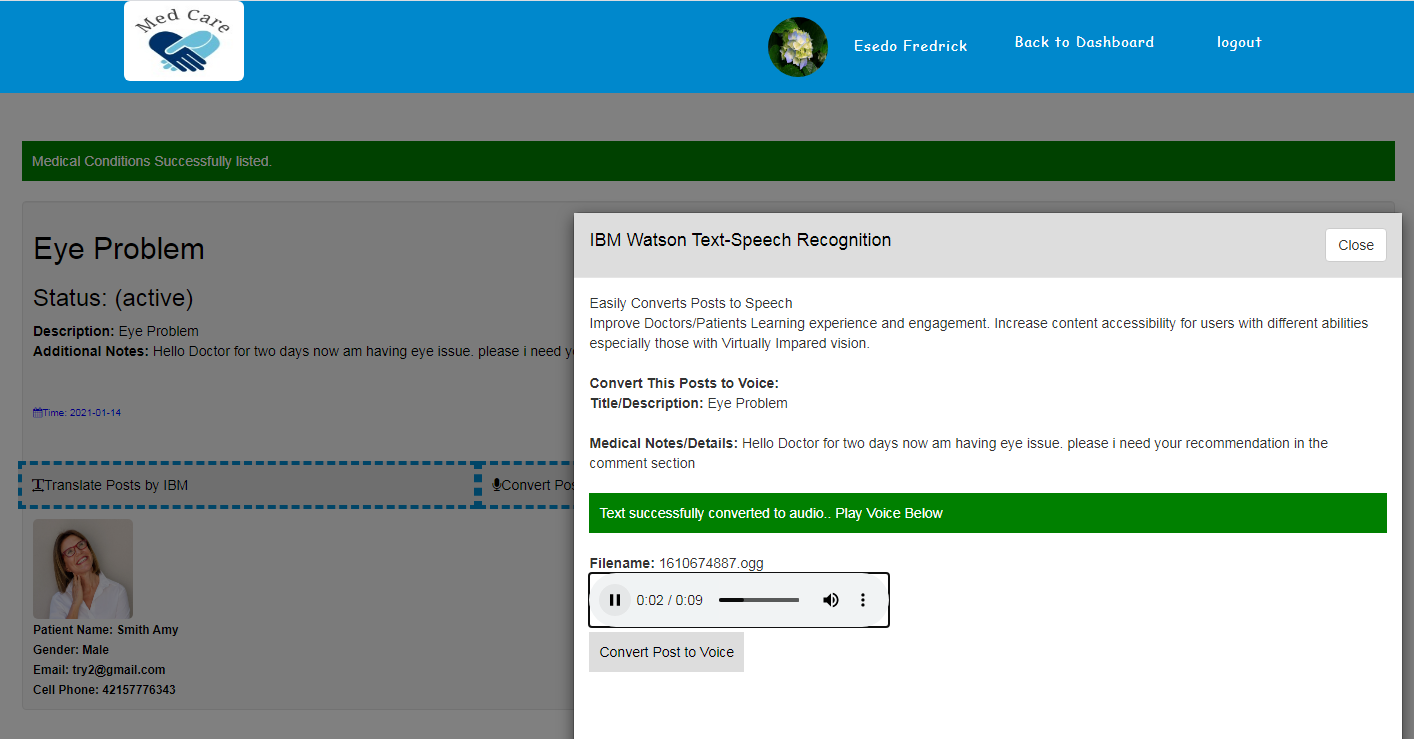
Medical status updates being converted from Text to Speech to help patients with impaired visions
-
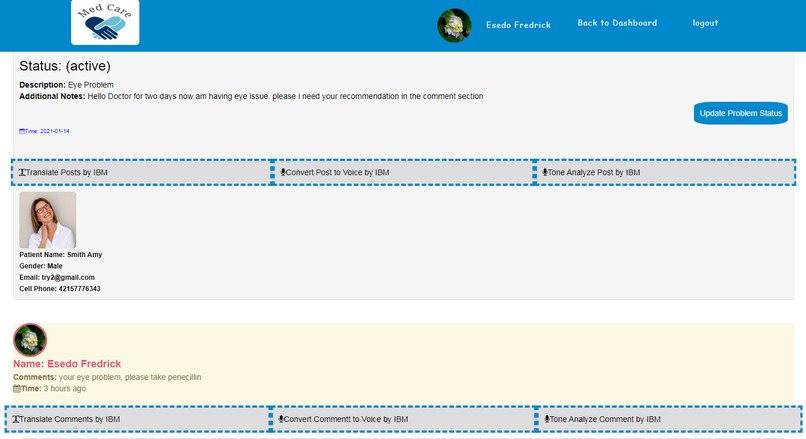
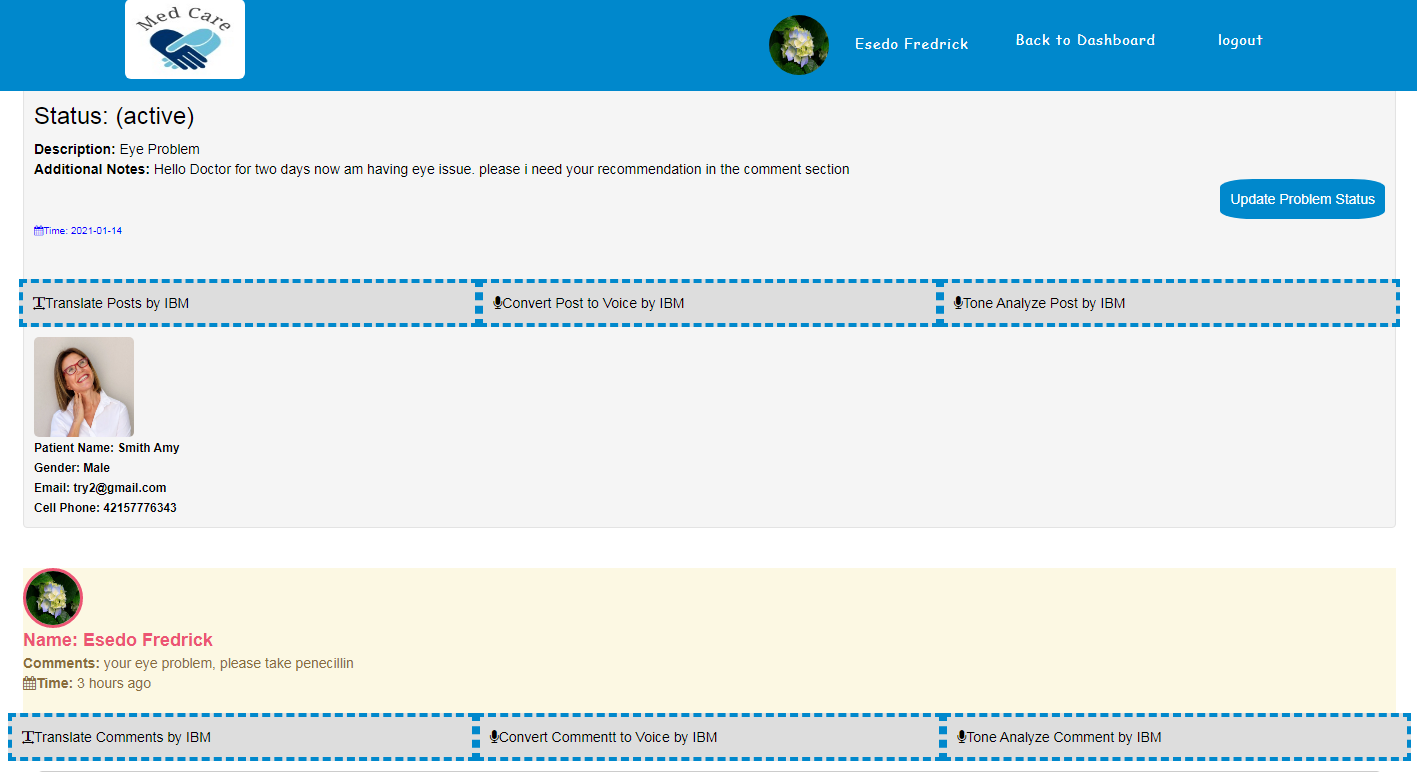
Medical Status Updates with Medical Recommendation in the comment section
-
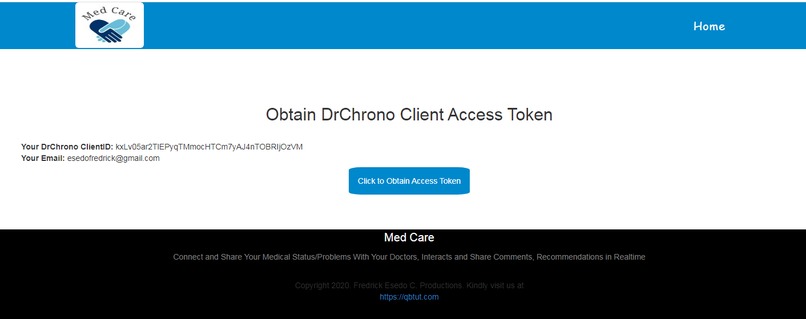
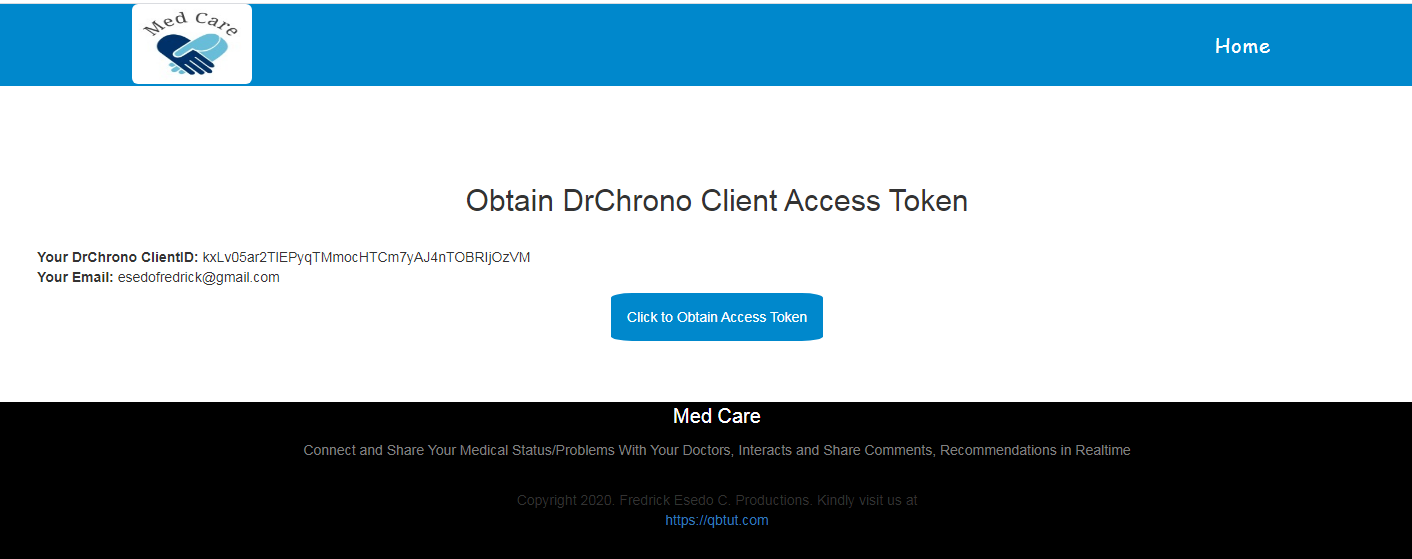
Dr Chrono Access Token Authentications
-
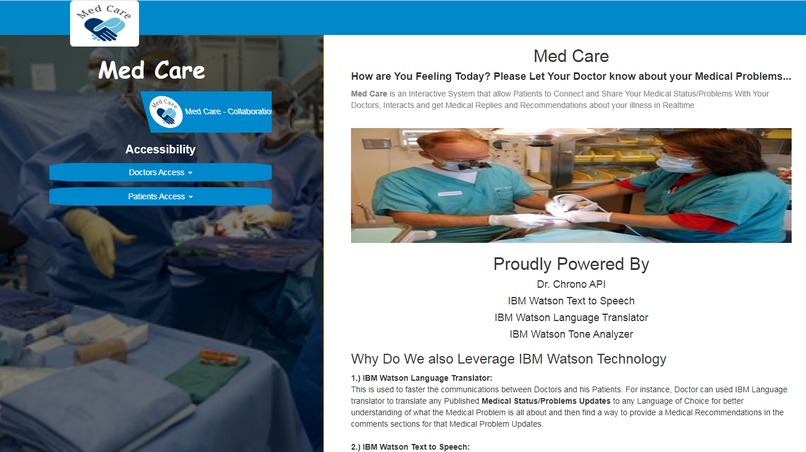
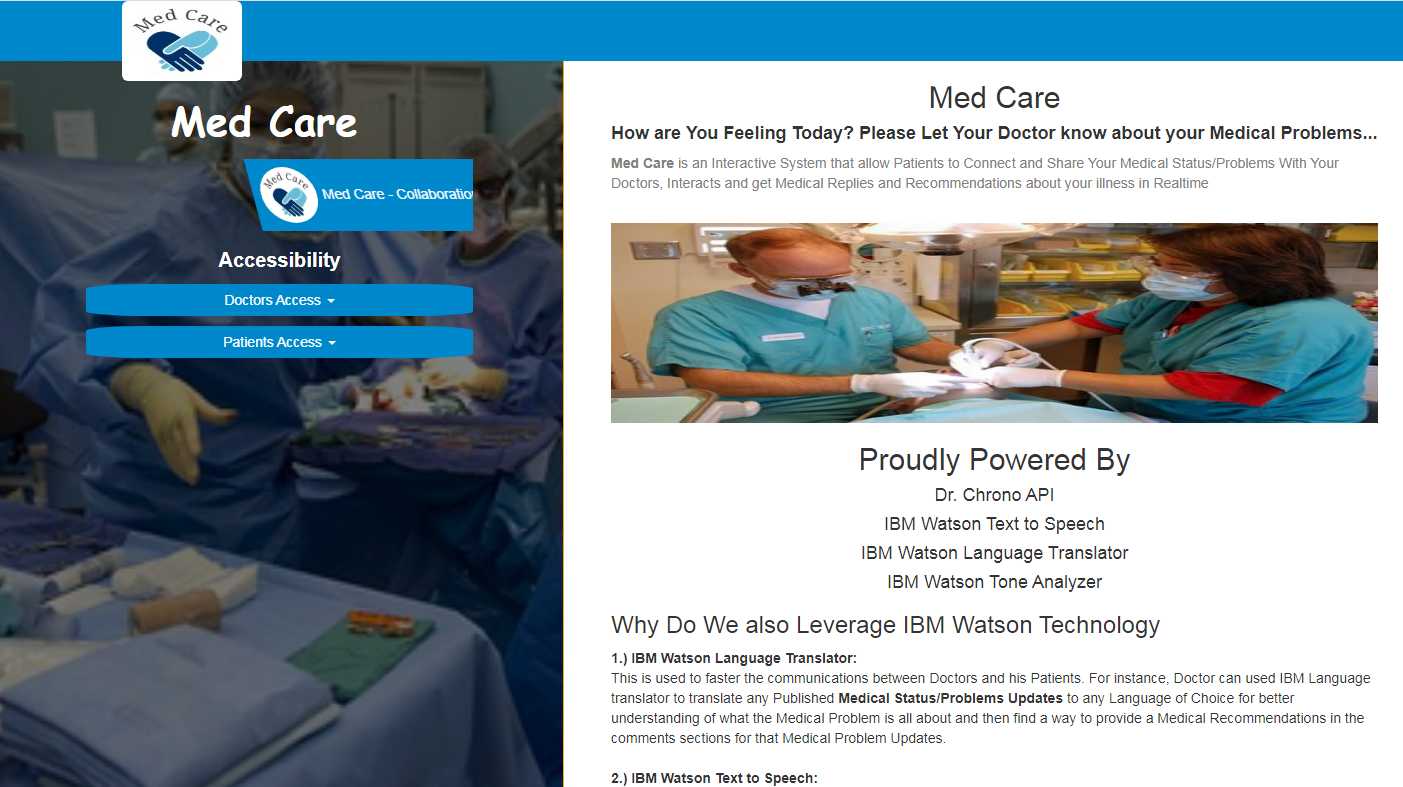
Landing Page

Inspiration
Having you been traveling and all of a sudden, you become sick and want to reach your doctor for an immediate Medical recommendations on your problems while you are still on transit.
Again Facebook Status Updates will simply ask you: what is in your Mind?
When I look at Facebook and how user friendly its for Users to share their Status Updates with Friends and loved one and how People react back to the published status updates especially in the Comments section.
It is really awesome and I felt it will nice to bring it to Dr. Chrono to allow Patients to be able to share their Medical Problems as Status Updates and then get immediate medical recommendations, interactions and follow up discussion with his doctor in the comment section.
Your Medical Problem Status are Saved, Queried and updates back to various Dr. Chrono Problem API(/api/problems)
To crown it all, Once your Medical Problem is resolved by You and your doctor after series of discussions in the comments section following the Published Medical Problem Updates, You or Your Doctor can updates/mark the medical problem status from Active(Open) to Resolved(Closed) and then updates the status back to Dr. Chrono Server via Dr. Chrono Problem API(/api/problems)
When someone is sick or having a health issues, there is a need to see a Doctor.
Med Care will simply ask you: How are You Feeling Today? Please Let Your Doctor know about your Medical Problems.
Med Care is an Interactive System that allow Patients to Connect and Share his Medical Status/Problems updates with his Doctors and then Interacts and get Medical Replies, Comments and Recommendations about your illness in Real-time. The Medical Problem Status Updates discussion is just you and your Doctors only. Just tell or share with your Doctor how you are feeling, and you will automatically get real-time medical recommendation alerts and solutions in the comments section at your own end.
You can then also followup the Conversation with your Doctor from the comment sections.
Med Care also uses various IBM Technologies along with Dr. Chrono API to assist Doctors in diagnosing and communicating to his patients
while also allowing Patients to better communicate with his doctors in find solutions to his problems.
Why Do We also Leverage IBM Watson Technology
1.) IBM Watson Language Translator:
This is used to faster the communications between Doctors and his Patients.
For instance, Doctor can used IBM Language translator to translate any Published Medical Status/Problems Updates to any Language of Choice for better understanding of what the Medical Problem is all about and then find a way to provide a Medical Recommendations in the comments sections for that Medical Problem Updates.
Consequently, in our African Countries, Statistics has also showed that most Patients will better express and communicate with their doctors about their medical problems in their own Language. For instance a french Patients if given a room will like to communicate effectively in French Language to his Doctor. If his Doctor is an English Doctor, the Doctor will automatically leverage IBM Watson Language Translator to convert the french post to English language for better understanding. Do you see how far IBM Watson Language Translator can go in facilitating communication between Doctors and Patients especially when they are coming from two different Language barriers.
2.) IBM Watson Text to Speech:
This helps Patients with impaired vision to convert Text Posts to Speech/audio or Voice to better
comunicate with their Medical Teams.
3.) IBM Watson Tone Analyzer:
When a Patient is severely sicked, they Often Fear and Panic a lots.
IBM Watson Tone Analyzer helps the Medical Teams(Doctors) to Perform linguistic analysis to detect joy, fear, sadness, anger,
analytical, confident and tentative tones found in the Medical Status Updates/Problems Published on the platform
by his Patients to better understand the whole Critical medical situations before providing a Medical solutions in the comments sections.
Application Flow Summary:
1.) Patients can create a Medical Problem status Updates and Shared it with his Doctors. Optionally, Doctor can also updates Medical Problem Status on behalf the Patients Directly from the applications if the Patients is unable to do so.
Your Medical Problem Status are Saved, Queried and updates back to various Dr. Chrono Problem API(/api/problems)
2.) Doctors Analyzed and evaluates the Patients Medical Problem Updates to find out what is really happening to his Patients. Doctor can also leverage any of the IBM Watson Technology listed above to fasten the diagnosis and communications to his Patients medical Problem.
3.) Doctors then Interacts and Share Medical Recommendations, Replies, Comments etc on each published Medical Problems in real-time.
4.) Both Doctors and Patients can further discussion on the published Medical Problem Status Updates directly from the comments sections.
5.)Get Real-time Notification Alerts whenever Doctor or Patients Published his Medical Problem Status Updates, Replies or Comments on your problem Status.
6.) Either Doctor or Patients can updates/mark the medical problem status from Active(Open) to Inactive(Closed) and then updates the status back to Dr. Chrono Server via Dr. Chrono Problem API(/api/problems)
User Experience
The application has two Interface one for Doctors Signup and Login and the other for Patients Signup and LoginDoctors signup by entering their Dr. Chrono ClientID, Client Secrets and any email address and password that we can use to identify him in the database. once signup is successful, Doctors can now signin.
After Doctors signing in via Dr. Chrono API Authentication calls, an Access Token is generated which is updated in our database with the authenticating Doctors Email ID.
From Doctors End
The applications dispalys lists of all the patients in the doctors contact list by querying
Dr. Chrono Patients API(/api/patients).
This API Call automatically displays all the Patients under the Doctor list
from the Dr. Chrono System. If a New Patients is added by the Doctor from Dr. Chrono System/Server, the Patient,
will automatically reflect on our App via the API Call.
The applications automatically allow Doctors to do all the followings:
1.) Allow Doctor to create a Medical Problem status Updates on behalf of his Patients if the Patients is unable to do so.
2.) Doctors Analyzed and evaluates the Patients Medical Problem Updates to find out what is really happening to his Patients. Doctor can also
leverage any of the IBM Watson Technology to fasten the diagonosis and communications to his Patients medical Problem.
3.) Doctors then Interacts and Share Medical Recommendations, Replies, Comments etc on each published Medical Problems in real-time.
4.) Both Doctors and Patients can further discussion on the published Medical Problem Status Updates directly from the comments sections.
5.) Doctors Real-time Notification Alerts whenever his Patients Published Medical Problem Status Updates, Replies or Comments on any of his(Patients) Medical problem Status.
6.) Doctor can updates/mark the medical problem status from Active(Open) to Inactive(Closed) and
then updates the status back to Dr. Chrono Server via Dr. Chrono Problem API(/api/problems)
From Patients End
The application allows the Patients to signup by following the Invitation Link sent to his Email Address by his Doctors or by following
a manual signup Invitation link sent to him by his Doctor through any other means.
The Patients Enters Email Address and a Password used to identify him and our applications automatically link him up to his doctor
via Doctors ID coming from Doctor Chrono API Call(/api/doctors).
After Patients signing in, Patients is automatically connected to his Doctors Via Doctors ID from Dr.Chrono API and
Access Token which is generated by the Doctor during 3-legged Dr.chrono API Authentication is automatically leverage by his Patients to Share and Send Medical Problems Status Updates to and from Dr Chrono Problems API Call(/api/problems).
Patients can now do the followings:
1.) Allow Patients to publish a Medical Problem status Updates and share it with his Doctors.
2.) His Doctors Analyzed and evaluates the Patients Medical Problem Updates to find out what is really happening to the Patients. Doctor can also
leverage any of the IBM Watson Technology to fasten the diagnosis and communications to his Patients medical Problem. Consequently Patients can also Leverage IBM Watson Technology just like his doctors
3.) your Doctors then Interacts and Share Medical Recommendations, Replies, Comments etc on each of your published Medical Problems in real-time.
4.) Patients can further discussion on the published Medical Problem Status Updates directly from the comments sections based on Doctors post updates.
5.) Patients recieves a Real-time Notification Alerts whenever his Doctors Replies or Comments on any of his Medical problem Status.
6.) Patients can also updates/mark the medical problem status from Active(Open) to Inactive(Closed) and
then updates the status back to Dr. Chrono Server via Dr. Chrono Problem API(/api/problems)
How We Built it
The application was built using PHP, Curl, Mysql, Ajax/Jquery, Bootstraps etc.
Dr. Chrono Technology Leveraged includes
Doctor Chrono Authorizaton/Authentication API,
Problems API(/api/problems),
Patients API(/api/patients),
Doctors API(/api/doctors).
IBM Watson Language Translator
IBM Watson Text to Speech
IBM Watson Tone Analyzer
Only the Comments or medical discussions made on each of the published Patients Medical Problem Status Updates are saved in the database by leveraging Problems ID of any of the published Medical Problems Updates as a unique identity for each comments in the database.
Very Important:
Our Uploaded zipped Source Code containsReadme.txt file. Please read that file to get instructions on how to run our applications Locally.
To run PHP, you will need to have XAMPP Server Installed and ensured that Apache and Mysql server is also running as well.
Challenges I ran into
Dr. Chrono API is very simple but my issue is that it does not Provides Examples in PHP, so I have to find my own way to write the API Call in PHP/Curl and its working fine. Honestly, I really spend alot of time on this. Am glad its working great.
How is it Possible that a Patient can Connect to its Doctor at Dr. Chrono API Level.
This Possible via access token. I have stated this above before. When a Doctor successfully signed in via Dr. Chrono Authorization/Authentication API, an access token is generated and save in the database along with authenticating Doctors ID and registered Email Address.
When a Patients successful signed from invitation link sent to him by his Doctor, Doctors ID from Dr. chrono API Call (/api/doctors) is assigned to its Patients along with the registered Doctors Email Address.
The Patients automatically leverage the his Doctors access token based on the connecting Doctors ID and Email Address to connect and interacts with its Doctors at API Level
In production, since Dr. Chrono Access token expires every 48 hours, someone can set up a Cron Jobs that that can run once every 24 hours.
The Cron-jobs leverages the authenticated refresh token in the database for the said doctors and make an API Call to Dr. Chrono Authorization/Authentication API to get new access token and then updates the database. This can be done once every 24 hours.
This cronjobs will ensure perpertual API Authorization connections of Patients to their Doctors
Please see cron_jobs.php file in the zip files uploaded in the submission.
Testing the applications.
I have included how to test our applications in the Form submission that says " Please list the technologies and data sets used with a brief explanation of how they were used."
What's next for Med Care
coming soon

Log in or sign up for Devpost to join the conversation.