-
-
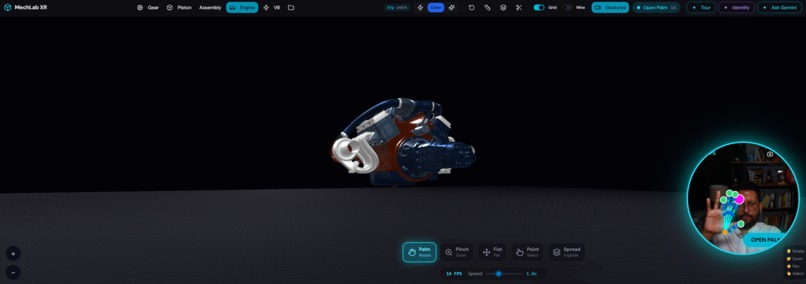
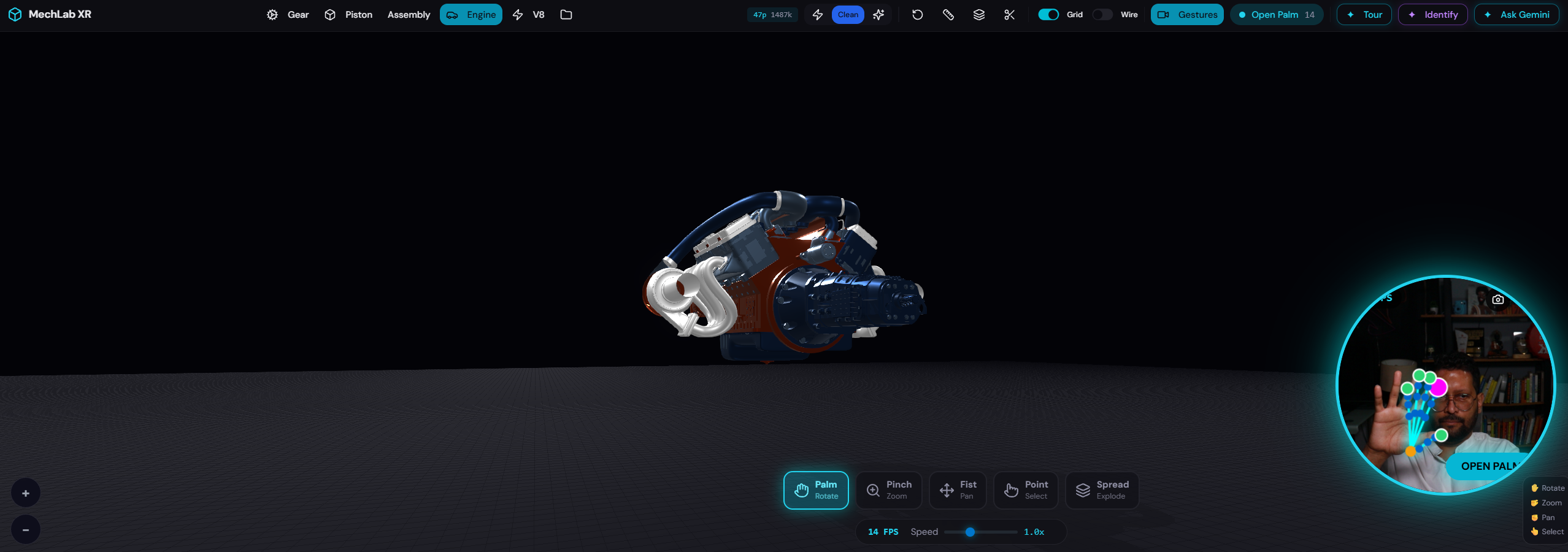
MechLabXR plam gesture
-
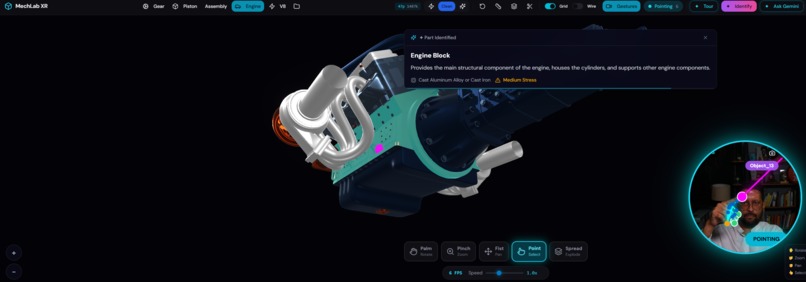
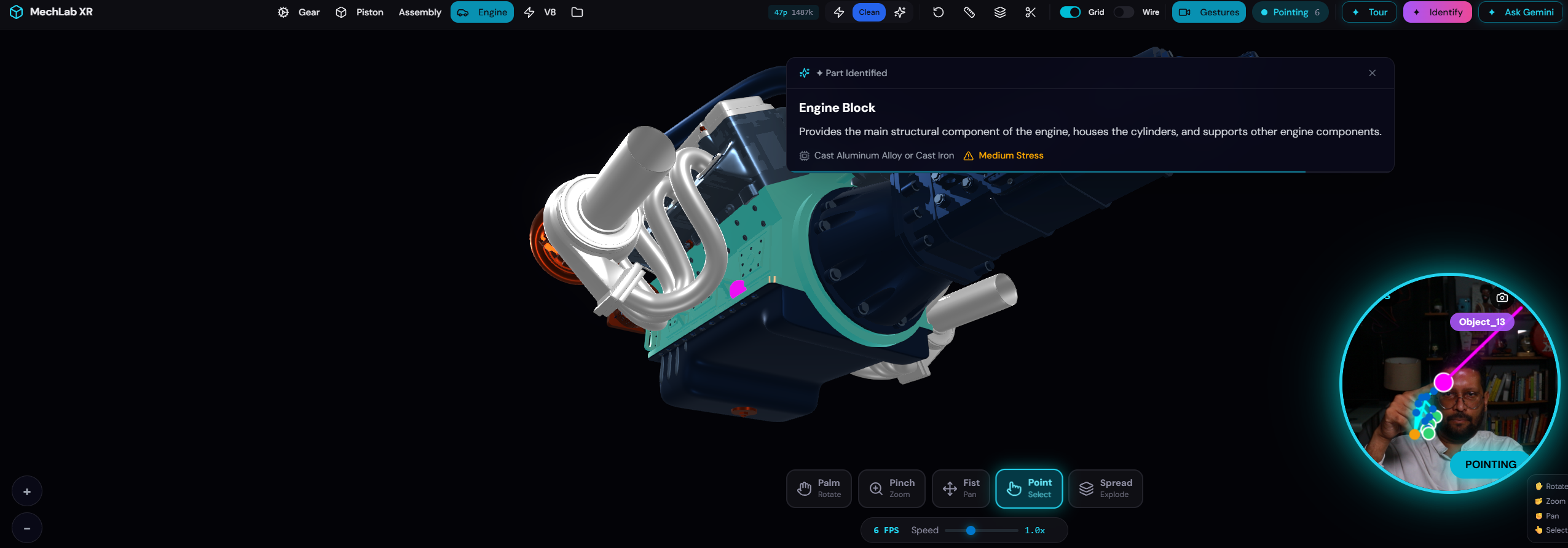
MechLabXR pointer gesture revealing part name
-
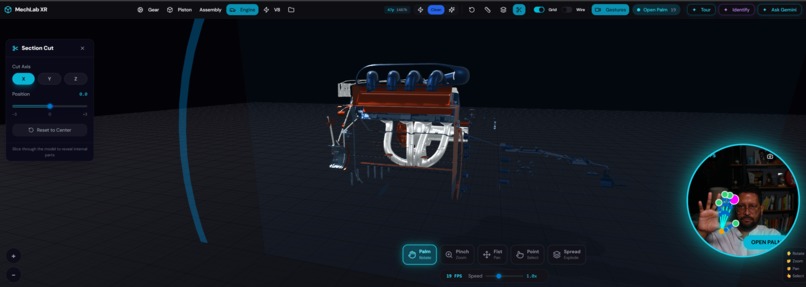
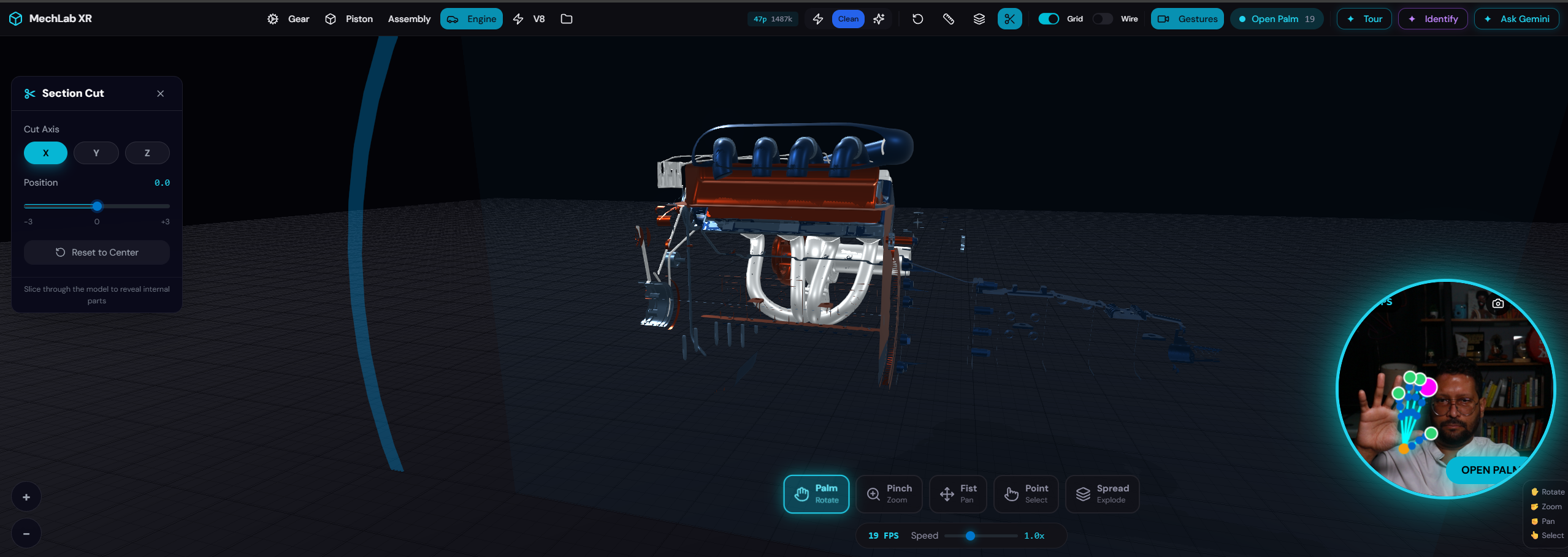
MechLabXR AI section view of the engine
-
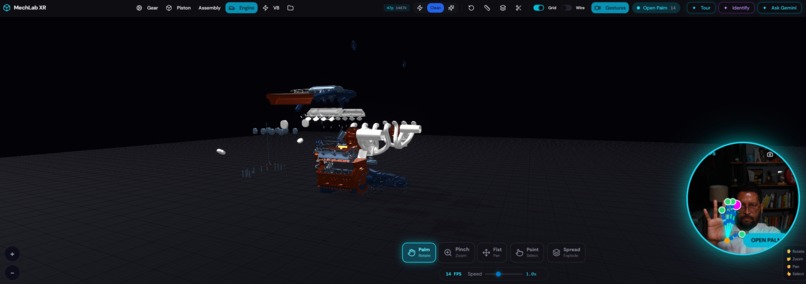
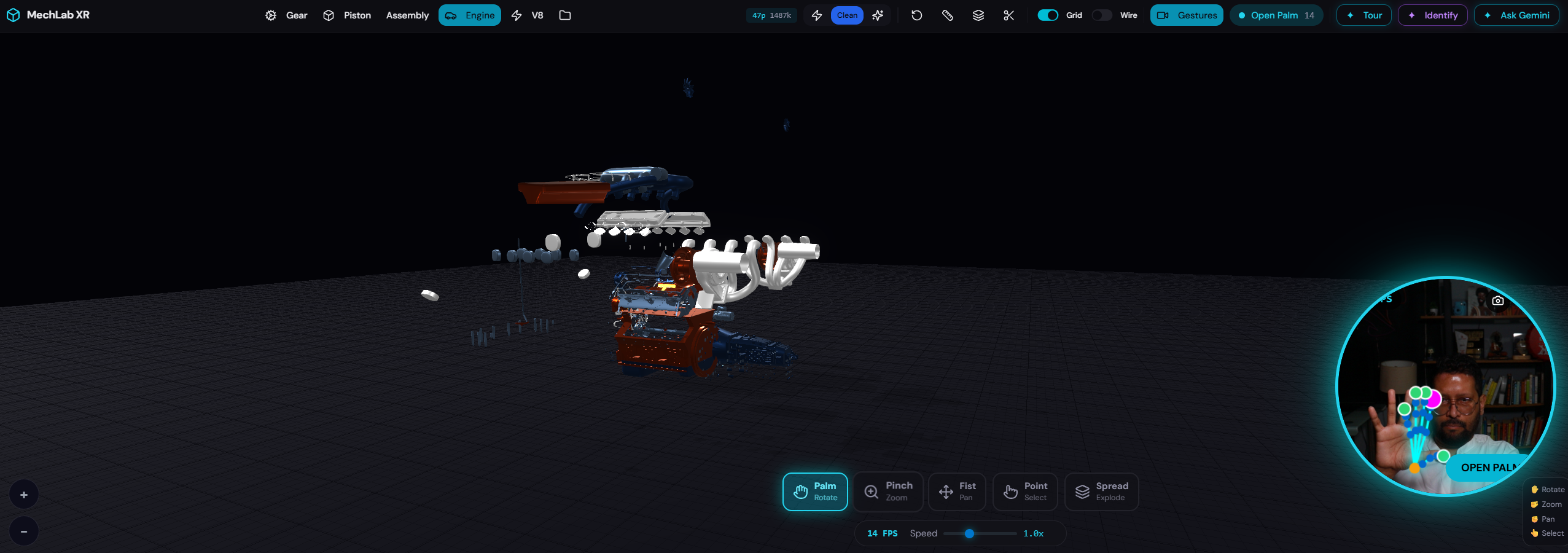
MechLabXR AI explode view of the engine
Inspiration
I've spent years working with CAD software like SolidWorks and CATIA with mouse in one hand, keyboard shortcuts memorized, clicking through endless menus. When I moved into AI and saw what Gemini 3 could actually see and understand from images, it hit me: why am I still using a mouse to inspect engines when I could just point at a part and have AI tell me everything about it?
MechLab XR is the CAD tool I wish I had as an engineering student, free, browser-based, controlled by hand gestures, and powered by Gemini 3 that thinks like a mechanical engineer.
What it does
🖐️ Gesture Control — Six webcam-tracked hand gestures replace mouse/keyboard:
| Gesture | Action |
|---|---|
| 🖐️ Open Palm | Rotate view |
| 🤏 Pinch | Zoom in/out |
| ✊ Fist | Pan viewport |
| ☝️ Point | Select + identify part |
🤖 Gemini 3 AI Features:
- ✦ Part Identification — Point at any part → name, function, material, stress level
- ✦ Assembly Analysis — Full structural analysis from viewport screenshot
- ✦ AI Guided Tour — 5-step engine operation walkthrough
- ✦ Engineering Report — Risk scores + PASS/FAIL verdict
- ✦ AI Smart Explode — Recommends optimal explode level
How I built it
Built on Emergent.sh through AI-driven iterative development.
- Frontend: React + Next.js + Three.js (SMAA, bloom, ACES tone mapping)
- Hand Tracking: Google MediaPipe Hands via webcam
- AI: Gemini 3 multimodal API via LiteLLM backend
- 3D Models: glTF 2.0 (.glb) with custom metallic materials
- Design: Dark glassmorphism UI, cyan accents, studio lighting
Architecture: App captures live viewport screenshots → sends to Gemini 3 with engineering context → parses structured JSON into tooltips, reports, and tours.
How Gemini 3 is central
| Feature | Gemini 3 Capability |
|---|---|
| Part Identification | Image → JSON (name, material, stress) |
| Assembly Analysis | Image + Text → Engineering insights |
| Guided Tour | Image → 5-step sequential reasoning |
| Engineering Report | Image → Risk-assessed inspection |
| Smart Explode | Image → Parameter recommendation |
Every feature uses live viewport screenshots — no pre-baked metadata. Change the angle, explode the view, or switch models, and Gemini 3 adapts in real-time.
Challenges I faced
- Zoom snap-back — OrbitControls overriding gesture input. Fixed with multiplicative zoom factors
- Black screenshots — WebGL clears buffer before capture. Fixed by forcing render frame first
- White V8 model — No embedded materials. Built auto-assignment system (steel, bronze, blue-steel)
- Explode calibration — Parts flying off screen. Tuned displacement multipliers
Accomplishments that I am proud of
- Built a fully working gesture-controlled 3D CAD viewer in the browser, no plugins, no installs
- 6 hand gestures recognized in real-time with smooth camera control
- 5 distinct Gemini 3 AI features that go beyond a chatbot, the AI actually sees and understands the 3D viewport
- Gemini 3 accurately identifies engine parts like crankshafts, oil filters, and camshafts from raw screenshots with correct material and stress analysis
- Professional dark theme with metallic materials the V8 engine looks like it belongs in a product showcase
- AI Guided Tour turns any mechanical model into an interactive learning experience
- Engineering Report with risk scores replicates what a senior engineer delivers during design review, generated in seconds
- The entire app was built using Emergent.sh through conversational AI development concept to working prototype in days
What we learned
- Gemini 3 accurately identifies mechanical components from raw viewport screenshots, no CAD metadata needed. Gemini made my CAD software smart.
- Gesture-based 3D navigation feels natural once properly calibrated
- Emergent.sh enabled rapid prototyping through conversational development
- Dark backgrounds with studio lighting make metallic parts look dramatically better
What's next for MechLab XR - Gesture-Controlled CAD with Gemini 3 AI
- Improve UI/UX
- Mechanical animation playback
- Multi-user collaborative review
- PDF report export
- Voice commands + gesture control
- Mobile AR mode

Log in or sign up for Devpost to join the conversation.