-
-
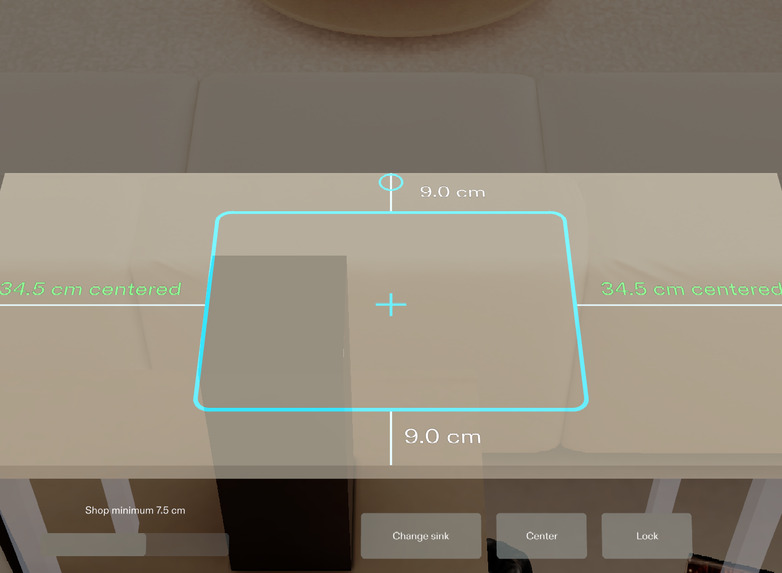
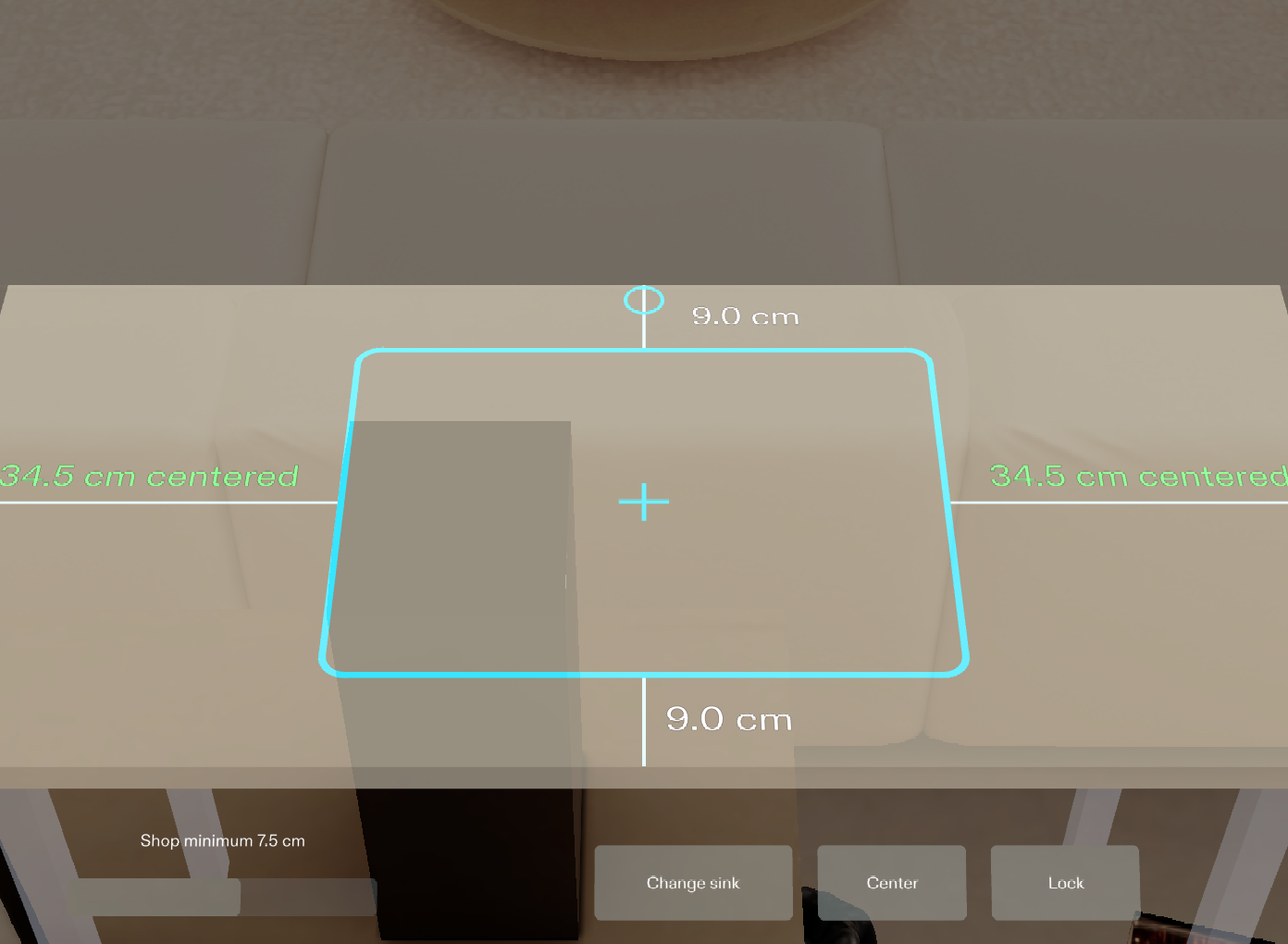
The cutout at real size on the slab, with the four distances to the edges written on the stone (Lens Studio preview)
-
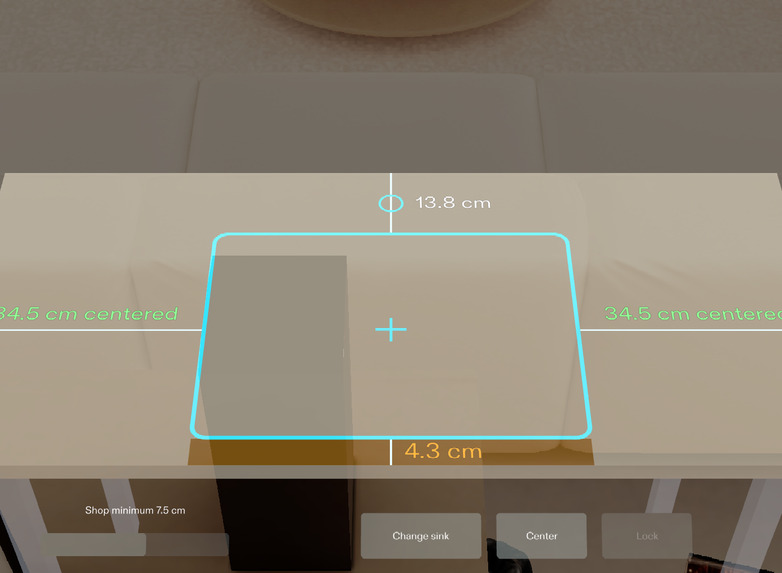
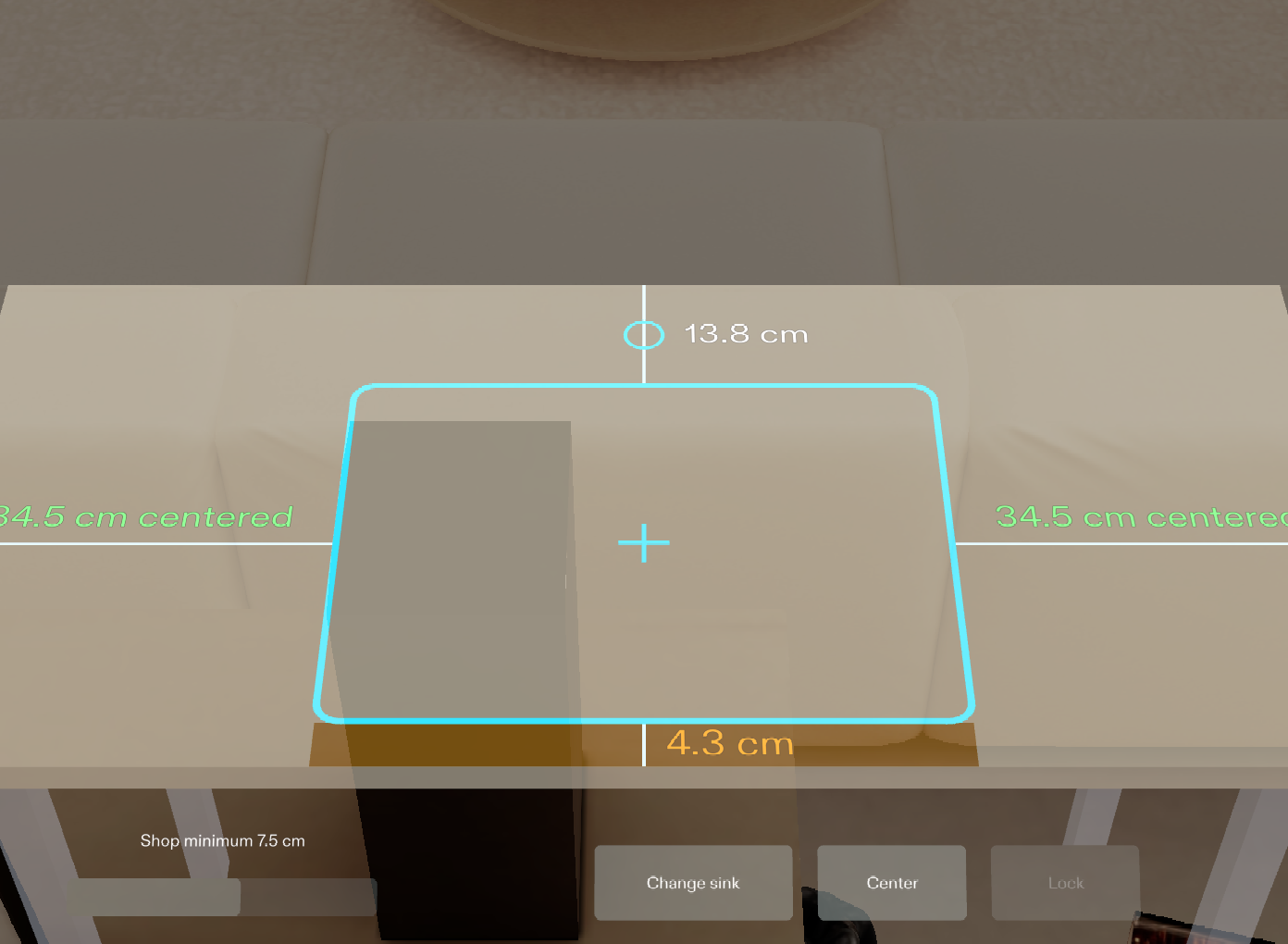
Front rail below the shop minimum turns amber and Lock is dimmed
-
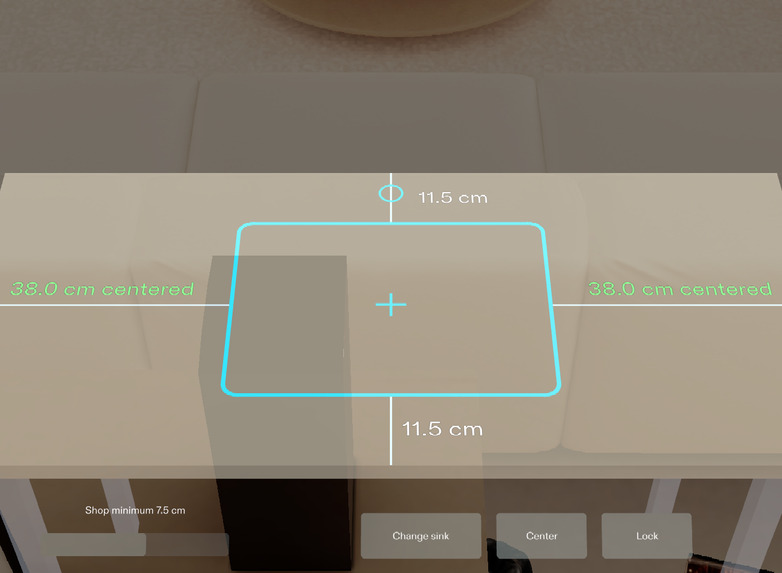
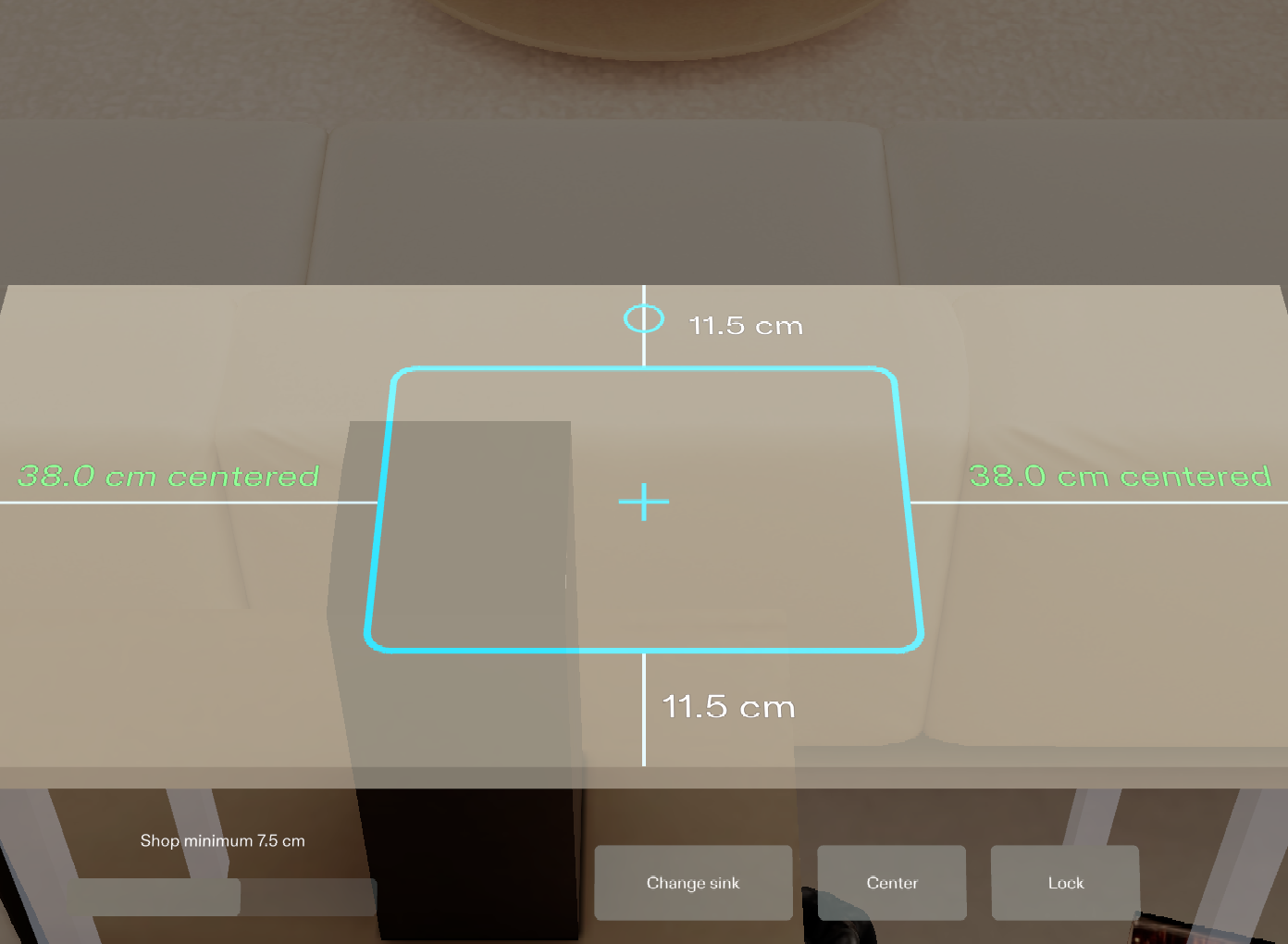
Center makes left and right equal; both numbers turn green
-
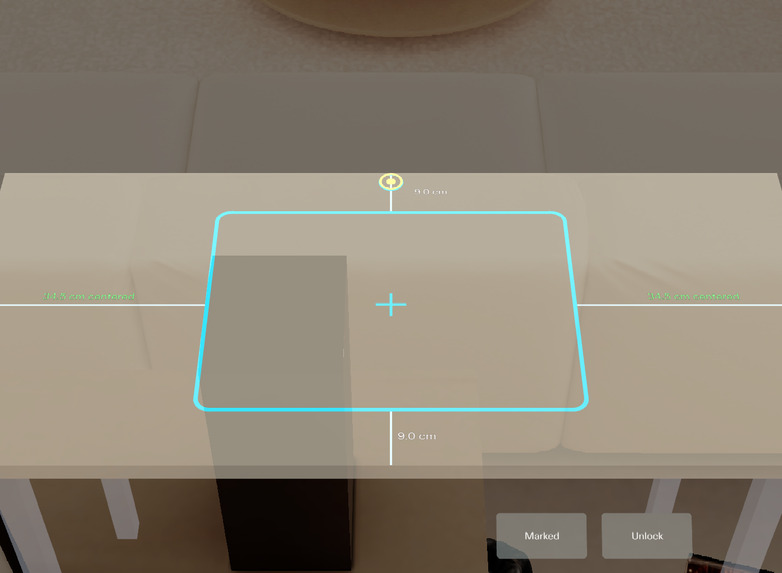
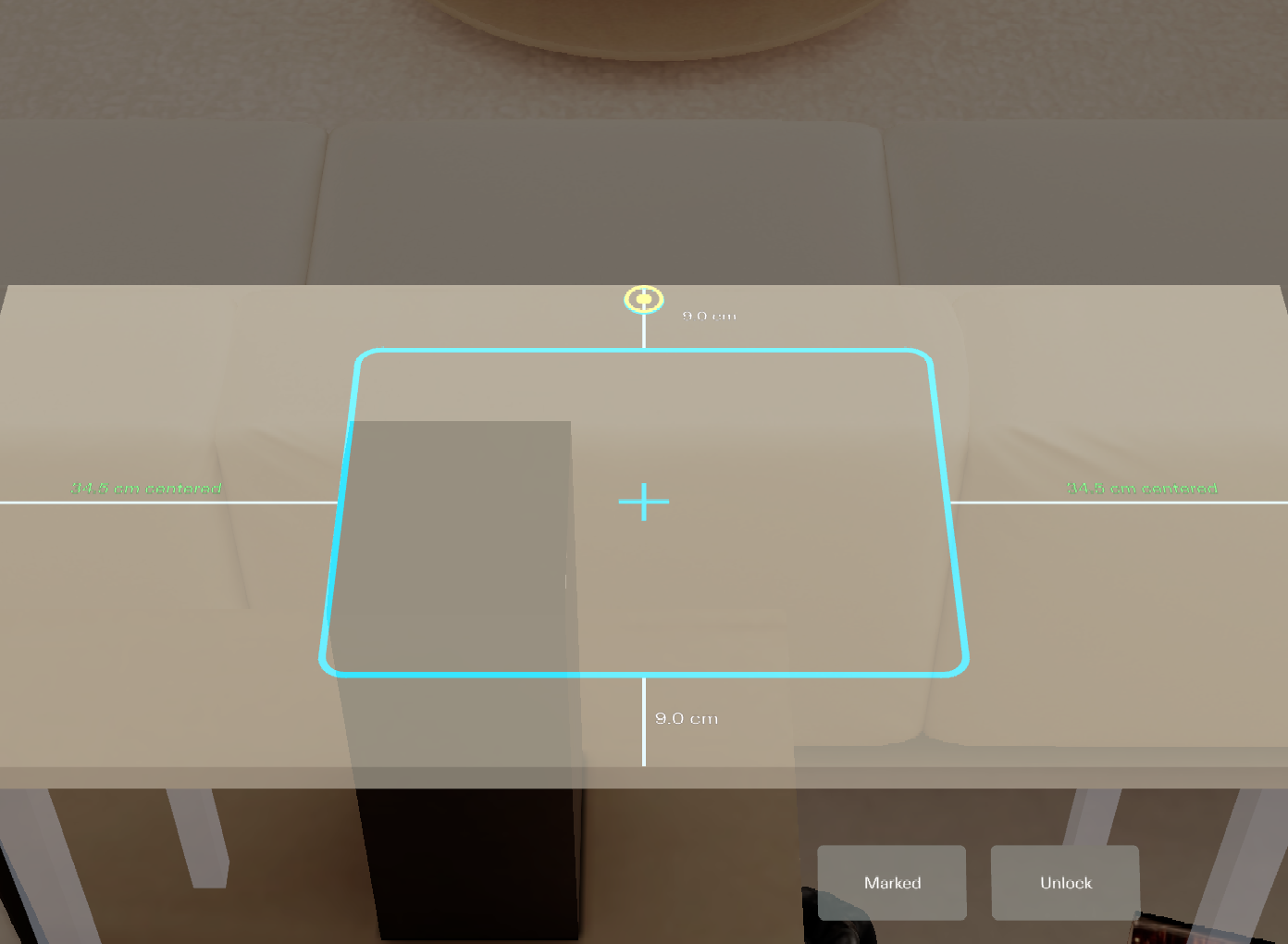
Locked: a pulsing marker walks the four corners and the faucet hole, one pencil mark at a time
Inspiration
I run Stone Project, a marketplace for fabricators' stone remnants, so I spend time around shop tables. Before a sink cutout is cut, the layout is a paper template taped to the slab and a tape measure, checked several times, because a cutout in the wrong place scraps the piece. Both hands are busy with a pencil and a square. That is a job for glasses, not for a phone.
What it does
- Lays the cutout outline of the chosen sink flat on the slab at real size, with a center cross and the faucet hole behind it.
- Writes the four distances to the slab edges on the stone, in cm, and updates them while you drag the outline.
- Turns a rail amber when it is thinner than the shop minimum, and refuses to lock while the front or back rail is amber.
- "Center" makes left and right equal; both numbers turn green.
- "Lock" freezes the position, then a pulsing marker walks you through the four corners and the faucet hole, one pencil mark at a time.
- Ends with one line on the stone built from the values at lock time, for example "Front 10.8 cm · Back 12.2 cm · Centered · 5 marks".
How I built it
I planned it with the Devpost Learn plan-lens skill pack (devpost/design-brief.md, 7 done criteria) and built it with Snap's CLAD agents through the Lens Studio MCP: Lens Studio 5.24.1, Spectacles Interaction Kit, UI Kit. The layout math is one pure TypeScript module with an assert-based self-check. Each done criterion has a LEAF scenario that drives the Lens with real SIK input; 7 of 7 pass in the preview, and one was made to fail on purpose first to prove the tests can fail. An eighth scenario drives LEAF's inverse kinematics arm, with no fallback, to every control on the stand edge and pinches each sink card with the hand ray; it passes in the preview.
Challenges
- Keeping every number on the stone and none on a floating panel, without labels colliding with the outline, the dimension lines or the faucet hole.
- Dragging on a flat surface: the hand ray is projected onto the slab-top plane and clamped, so the outline can never leave the slab.
- Reach: the IK arm test failed on my first layout. With the slab 80 cm out, even the nearest button was 7.7 cm beyond a standing arm. I moved the slab to 60 cm and pulled Lock and the slider in toward the middle until every control was within reach.
- The slab is wider than the view at working distance, so the next corner can be out of sight. An arrow on the stone and a tick sound from the corner point to it.
What I learned
Writing the done criteria before building made the tests almost write themselves, and the test that failed on purpose was the one that gave me confidence in the other six.
What it does not do yet
- It runs in the Lens Studio preview only. Nothing has been tried on SPECS glasses.
- The slab is a virtual stand-in of 122 x 56 cm. The real version would sense the slab top and outline.
- The three sink sizes and the 7.5 cm shop minimum are samples, not an industry standard.
- "Marked" is a button. In a shop it should be voice, because both hands hold tools.
- The IK arm reaches each near button, but in the preview SIK does not register a touch press from it; the presses are proven with simulated pinches, and the cards with the hand ray.
What's next
Surface detection for a real slab, voice for "marked", and loading the shop's own sink list and rail rule.
Built With
- clad
- leaf
- lens-studio
- lens-studio-mcp
- spectacles-interaction-kit
- typescript
- ui-kit
