-
-
App Icon
-
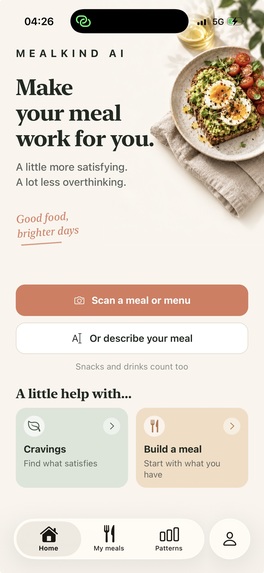
App screenshot home screen
MealKind AI
Inspiration
MealKind began at home, not at work.
As a father of two, I often find myself looking at leftovers and wondering how I can turn them into a meal that feels more complete and satisfying. I do not want to waste the food, but I also do not always have the time or energy to prepare something entirely new.
The flexible, non-restrictive nutrition philosophy behind the Nutrition & Healthy Eating challenge gave that everyday problem a clear direction. Instead of counting calories or judging what is already on the plate, a meal can be approached more practically: keep the food you want and consider whether one simple addition could make it more satisfying.
That became the central idea behind MealKind AI:
Work with the food someone already has, understand what is realistic for them right now, and suggest one practical addition.
What it does
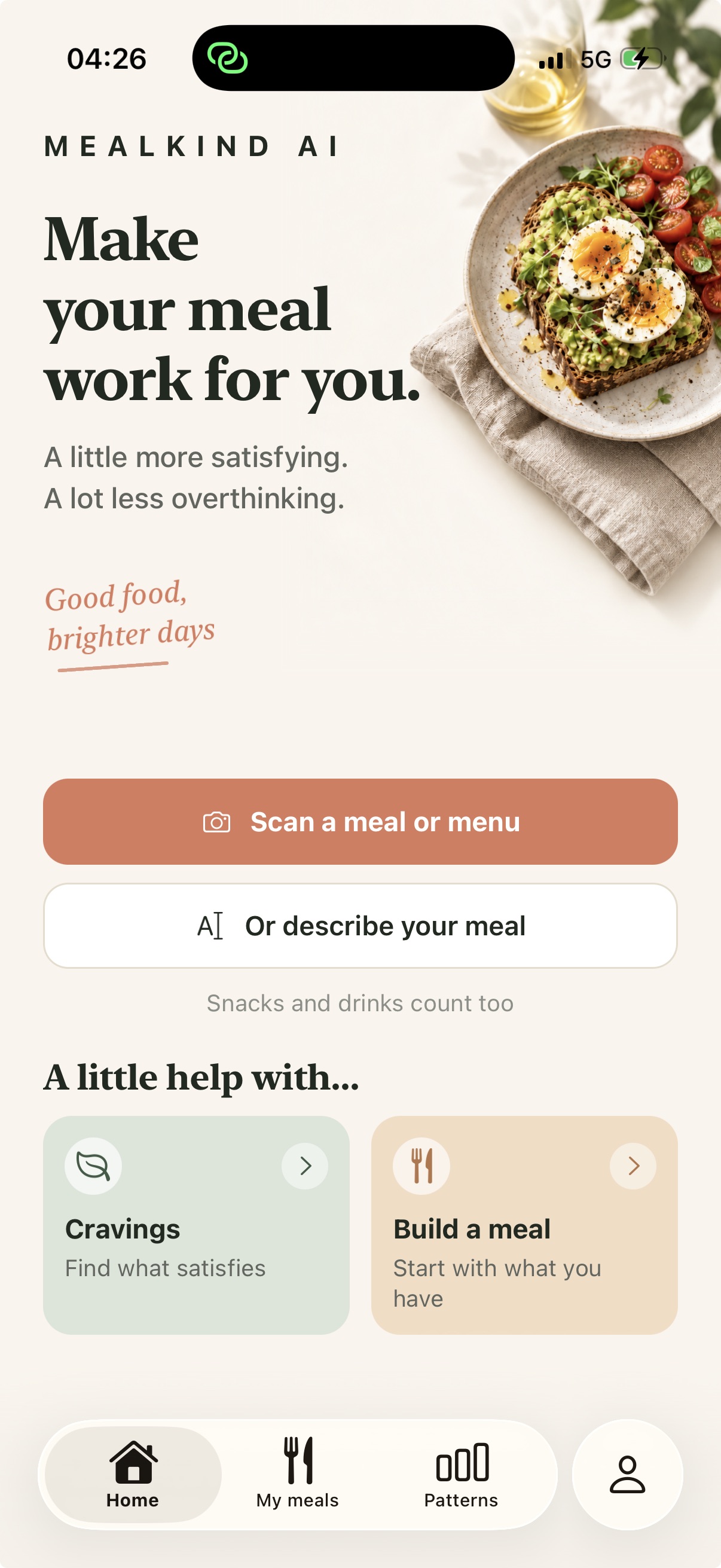
With Snap a Meal, someone photographs the food they are about to eat and tells MealKind what is realistic at that moment. For example, they might be able to prepare something, only grab something ready-made, or simply want to work with what is already available.
MealKind considers the existing meal, the person’s preferences, and their situation before suggesting one addition. It does not provide calorie totals, macro targets, food scores, or restrictive meal plans.
The app also includes:
- Build a Meal, a three-step flow for choosing a meal type, an intention, and any available ingredients or time constraints.
- Scan a Menu for finding an option while eating out.
- Describe a Meal when taking a photograph is not convenient.
- Cravings, which starts with what the person genuinely wants.
- What We Should Know, where dietary preferences, allergies, and foods to avoid can shape every suggestion.
- Travel Mode, my personal favorite, which adapts suggestions to the food and context of the city someone is visiting.
When someone saves a meal, a deployed OneSignal Journey checks in later to ask how that meal is holding up. Tapping the notification opens the relevant check-in, and the answer contributes to Patterns that can make future guidance more useful.
RevenueCat powers MealKind Pro and manages subscription access, purchases, and restoration.
How I built it
MealKind is a mobile app built with React Native, Expo SDK 57, TypeScript, and Expo Router.
I used AI-assisted, iterative development extensively throughout the project. It helped me move quickly from an idea to working screens, test different approaches, and solve unfamiliar platform problems. At the same time, I personally reviewed the critical paths, including several Supabase Edge Functions, authentication, AI usage enforcement, subscription verification, notification events, privacy controls, and account deletion.
The AI functionality uses the OpenAI Responses API through authenticated Supabase Edge Functions. Keeping these requests on the server protects private API credentials and allows usage limits to be enforced independently of the app.
The RevenueCat integration connects the App Store subscription to the MealKind Pro entitlement. It supports purchasing, restoring purchases, localized pricing, and server-side verification through webhooks.
The OneSignal integration connects each authenticated user to their notification subscription. When a meal is saved, the backend sends a custom event to a Journey. The resulting notification can deep-link back to the correct meal check-in, including when the app is launched from a closed state.
Challenges
The integrations were by far the most difficult part of the project.
OneSignal required coordinating the native SDK, APNs configuration, notification permissions, the service extension, external user identities, custom Journey events, and deep links. Every part had to agree on which user and saved meal the notification belonged to.
RevenueCat involved another chain of configuration across App Store Connect, products, offerings, entitlements, webhooks, purchase restoration, and server-side verification.
Supabase added authentication, database security, Edge Functions, secrets, and deployment configuration. On top of that, I had to understand Apple certificates, provisioning, signing, capabilities, privacy requirements, review information, and the complete App Store submission process.
At several points, the number of services, keys, dashboards, and configuration steps made me think I might never finish. A small mistake in one system could look like a completely unrelated problem inside the app.
The product itself presented another challenge: making AI guidance specific and useful without turning it into another tracking or dieting tool. The responses needed to be practical and concise while remaining flexible, encouraging, and respectful of what the person actually wanted to eat.
What I learned
Although I have worked as a developer for more than ten years, MealKind is the first app I have ever published under my own name on the App Store.
I already knew how to build software, but this project taught me the complete journey from a personal idea to a real product: defining the experience, building it, connecting production services, protecting user data, configuring subscriptions and notifications, testing on a physical device, preparing the store listing, and navigating App Review.
The experience gave me confidence that I can take my own ideas all the way to users. I no longer see App Store publishing as an unfamiliar final barrier, and I believe MealKind will be the first of many apps I publish.
The most memorable moment came when I received the email confirming that MealKind was live on the App Store. After all the difficult integrations and moments of doubt, I happy-screamed. Then I went out to dinner with my wife and our two children.
It felt like the right way to celebrate an app inspired by the meals and everyday situations we share as a family.
Award categories
Nutrition & Healthy Eating Influencer Award
MealKind provides practical, compassionate meal support without calorie counting, macro tracking, food scores, or restrictive meal plans. It works with what someone already wants to eat and offers flexible additions designed for real-life situations.
Keep Them Coming Back Award
MealKind uses a deployed OneSignal Journey to continue an experience the user intentionally started. A saved meal produces a thoughtfully timed check-in, the notification deep-links to that specific meal, and the answer contributes to Patterns that improve future guidance.
Built With
- expo.io
- onesignal
- openai
- react-native
- revenuecat
- supabase

Log in or sign up for Devpost to join the conversation.