-
-
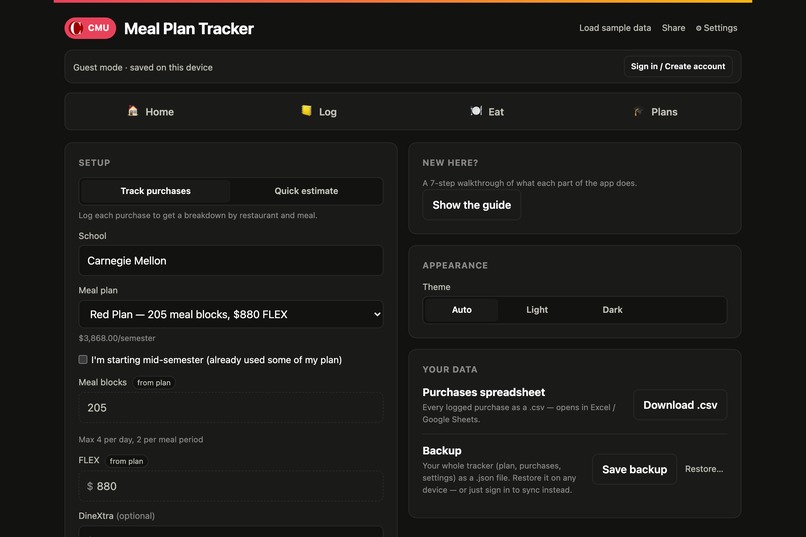
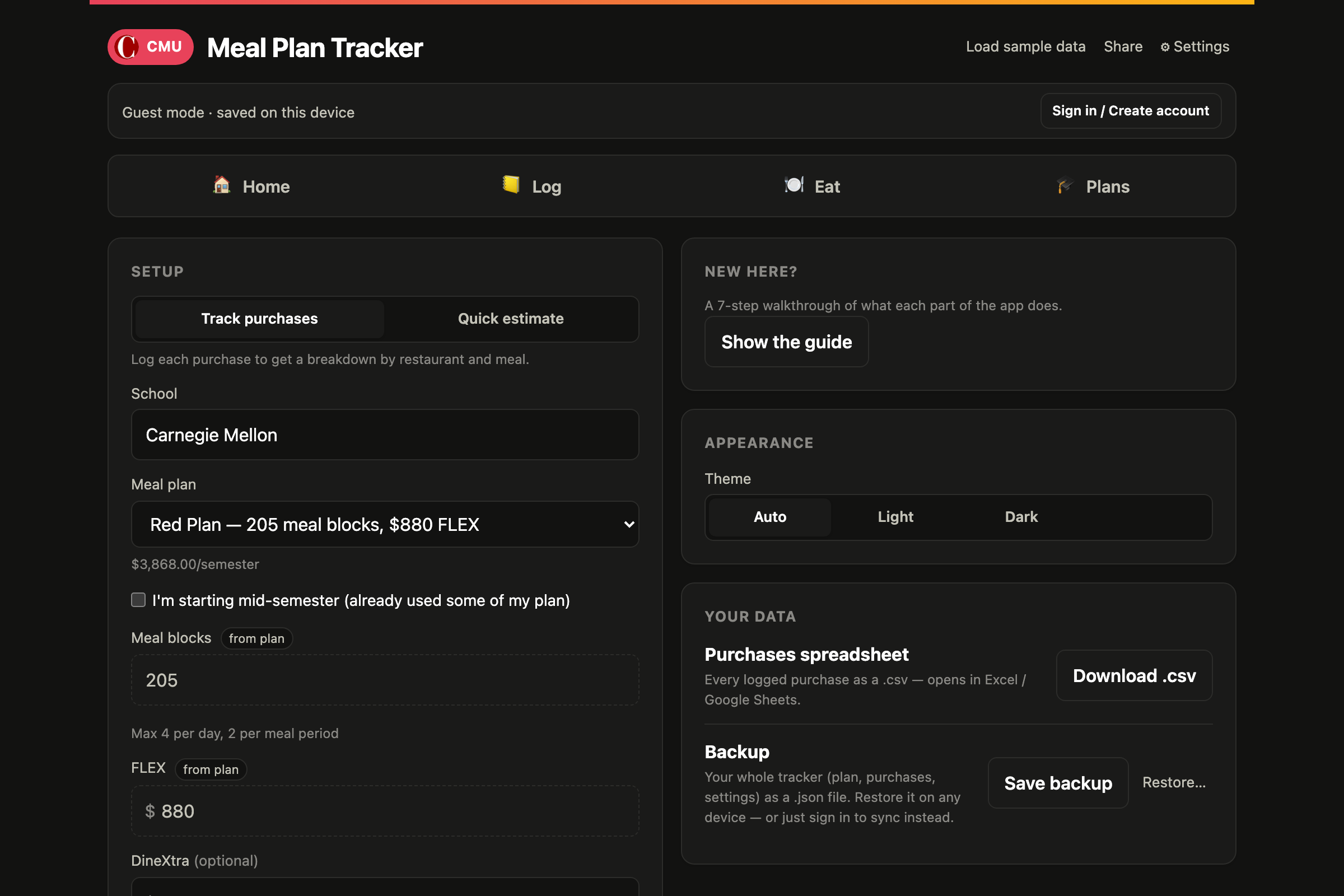
Settings: 10 schools with official plans, dates, and breaks; mid-semester start; light/dark; on-device receipt OCR
-
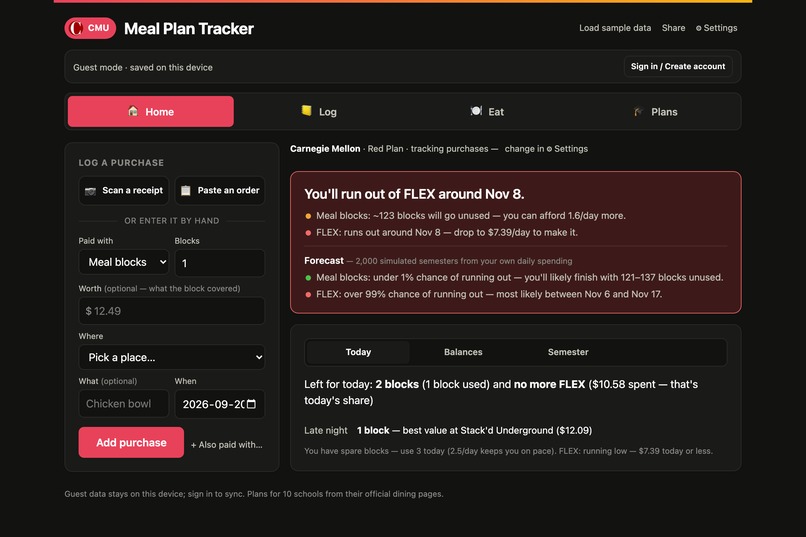
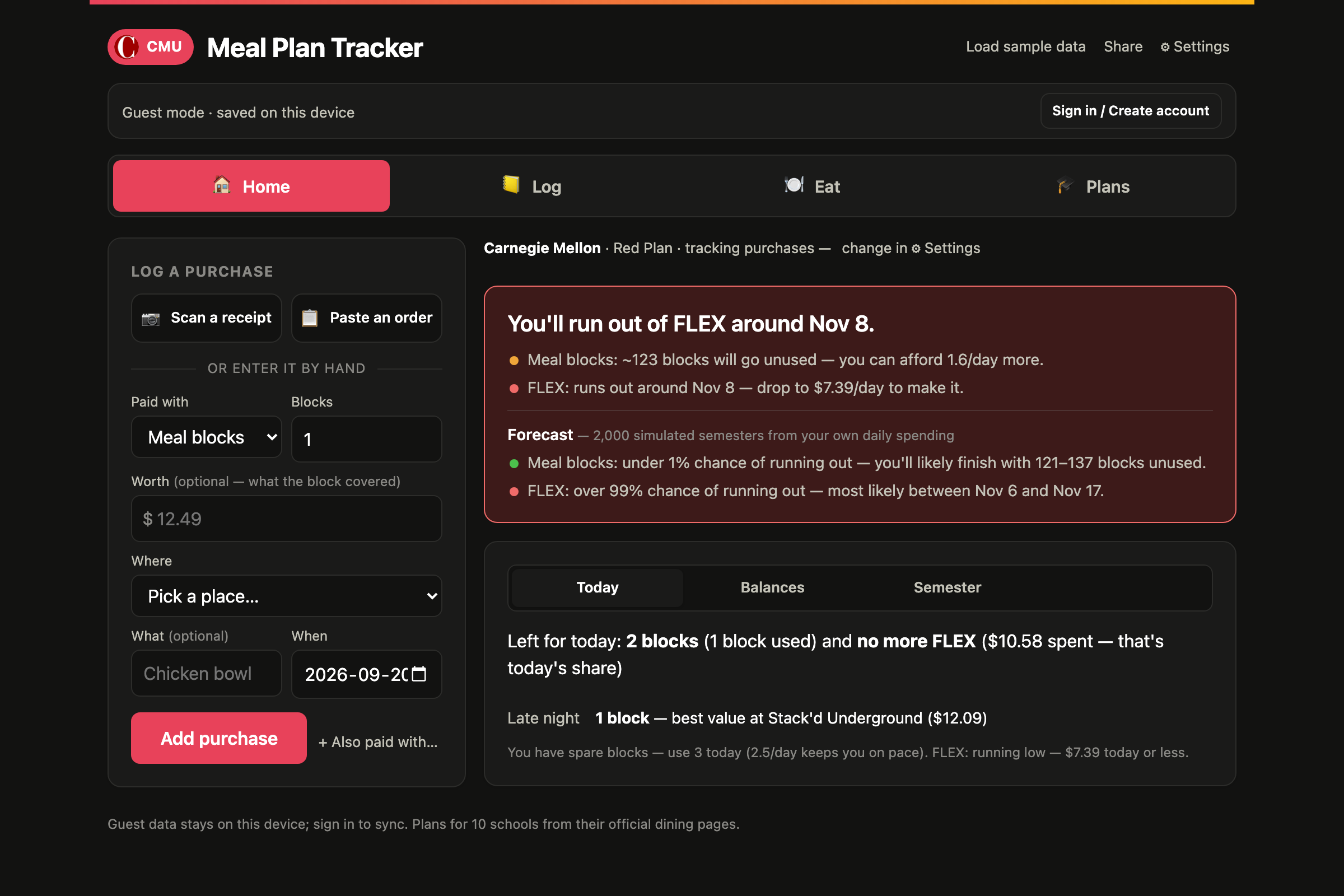
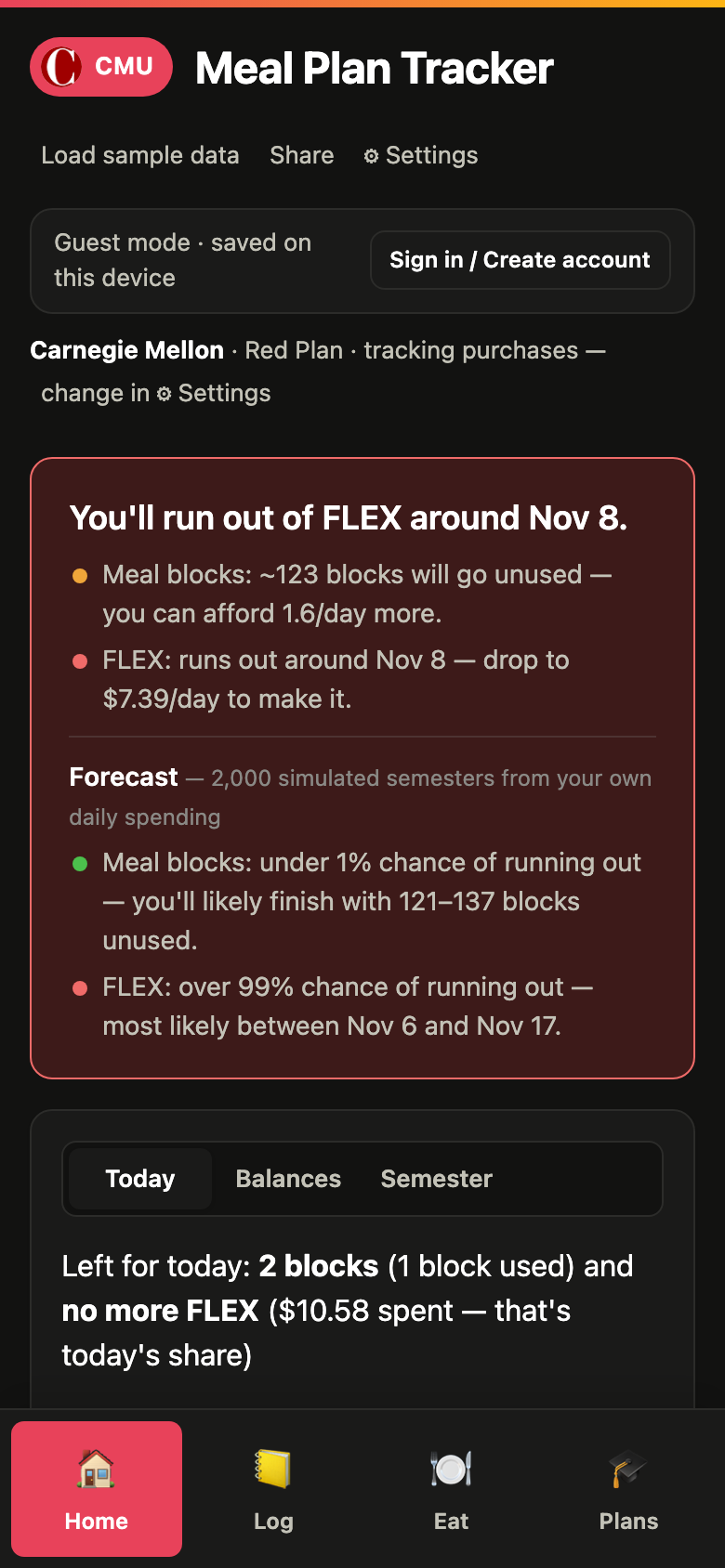
Home: the dashboard, diagram, and what to use for the rest of today, split by meal periods
-
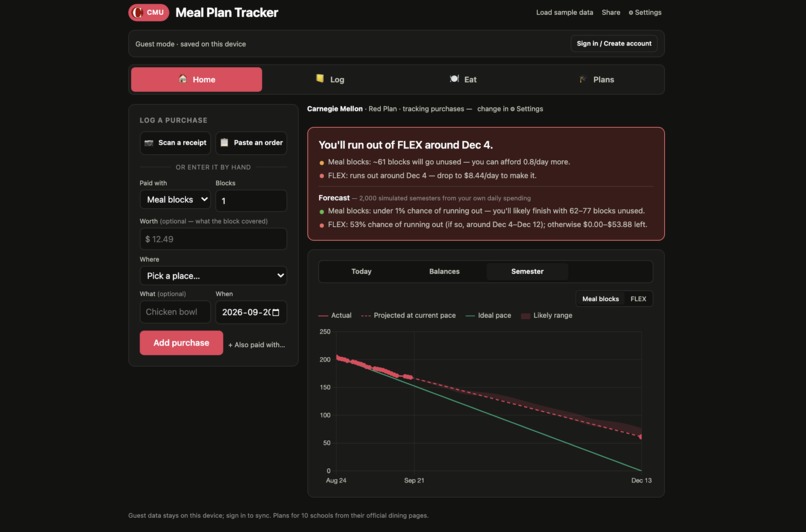
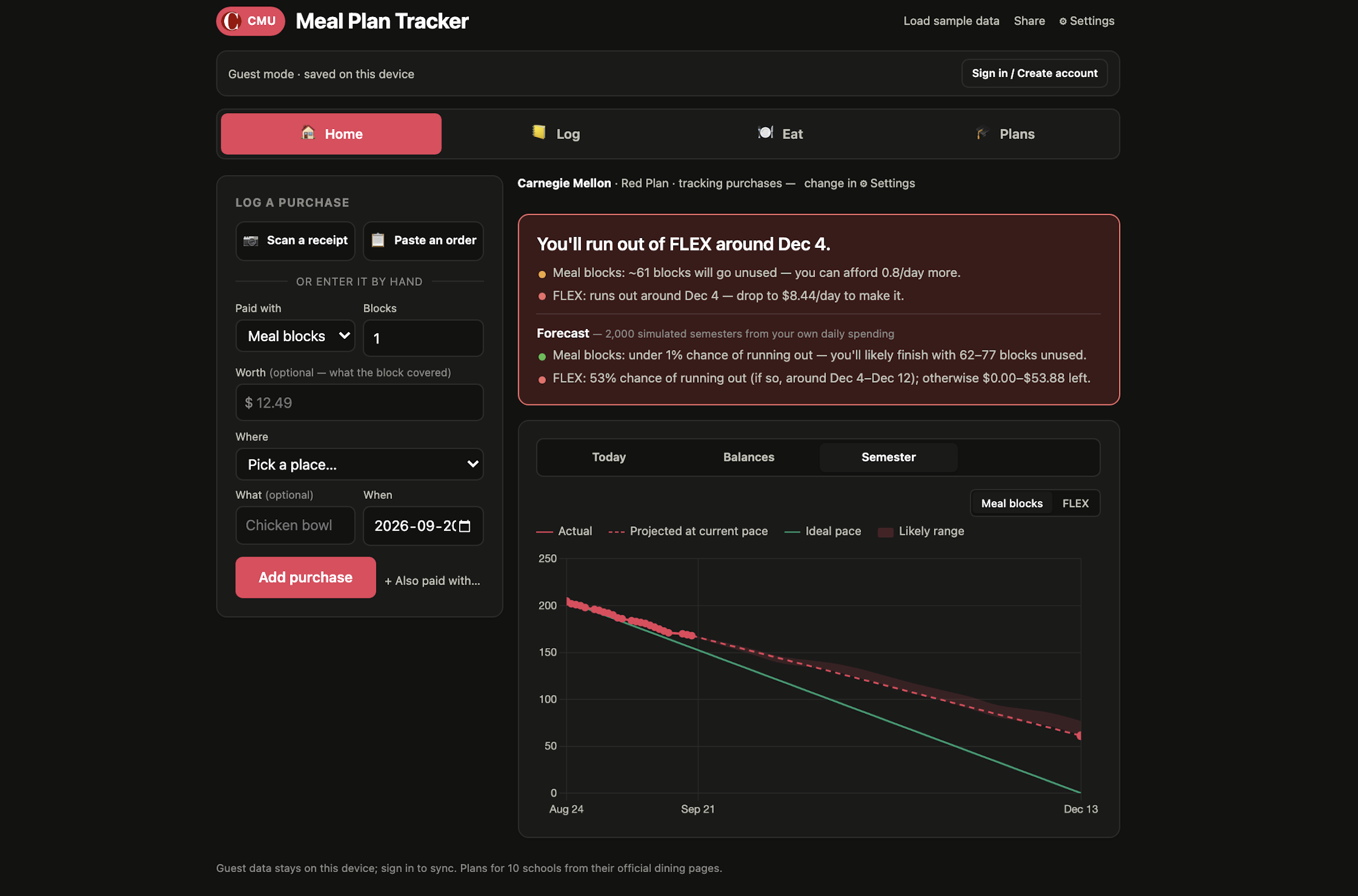
Your semester: actual spend, straight-line projection, ideal pace, and the shaded range from the Monte Carlo forecast
-
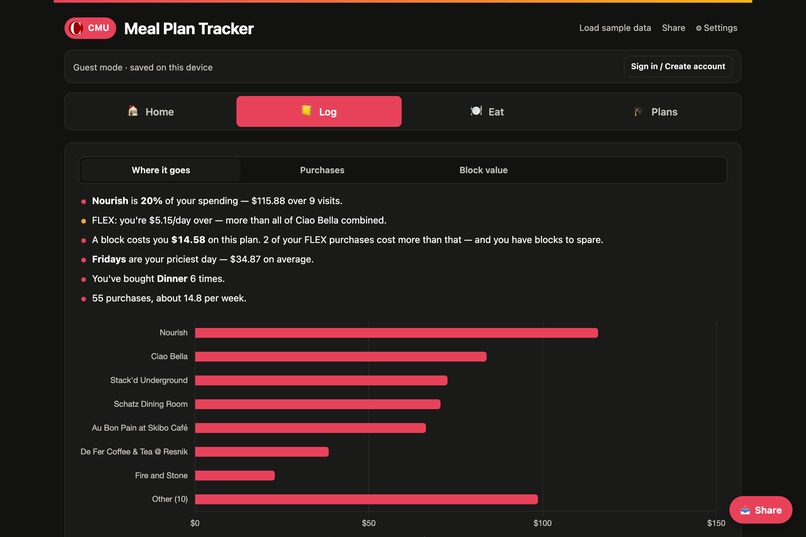
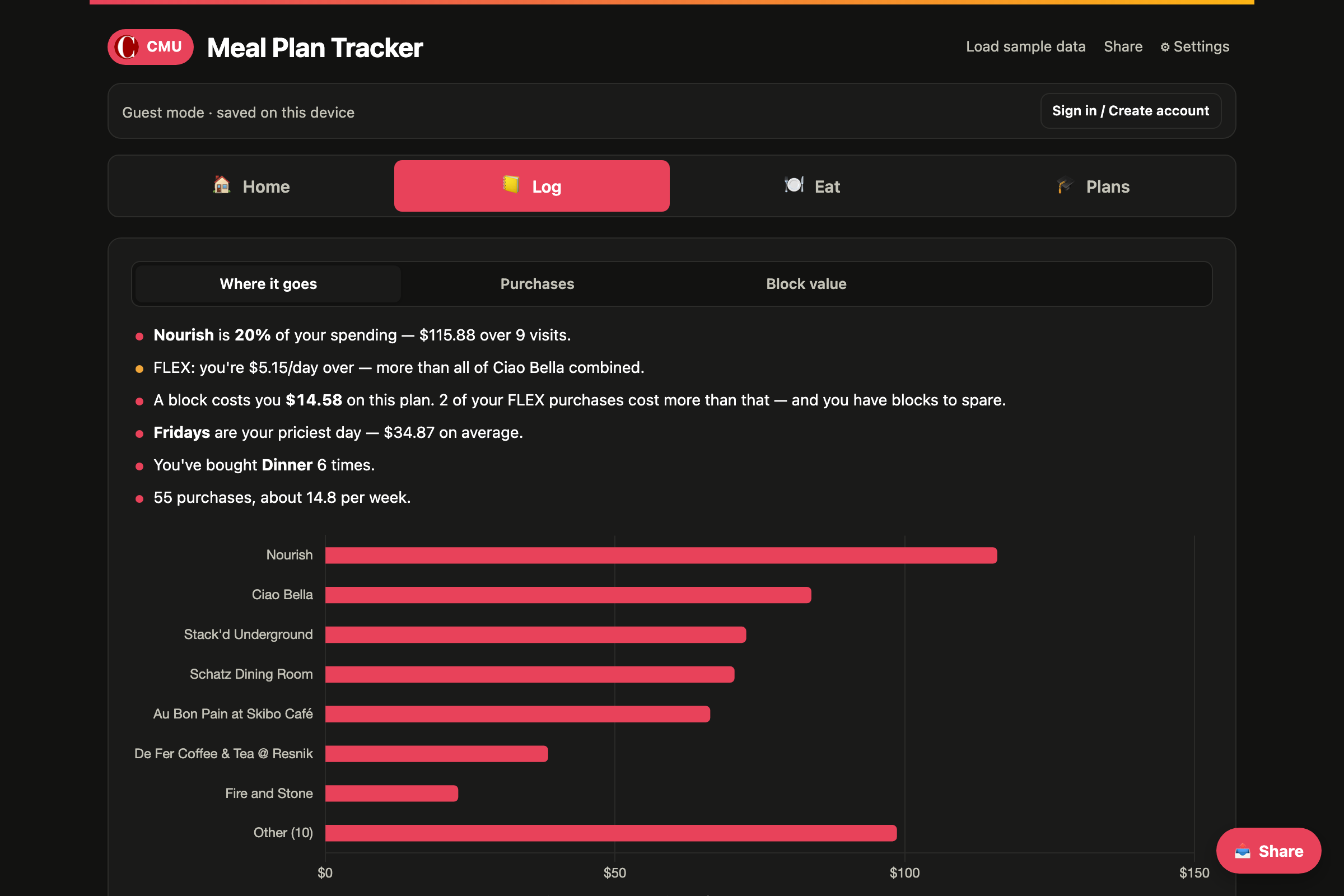
Where it goes: spend by place, plus insights like which spot to cut to get back on pace
-
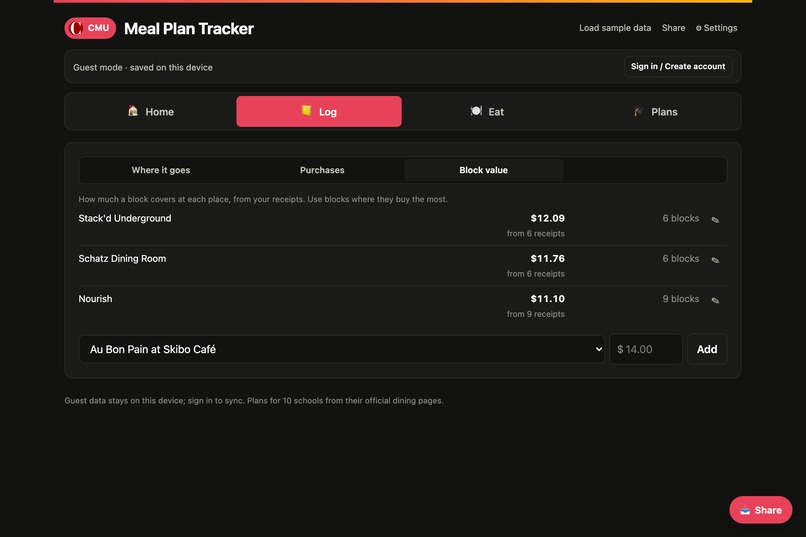
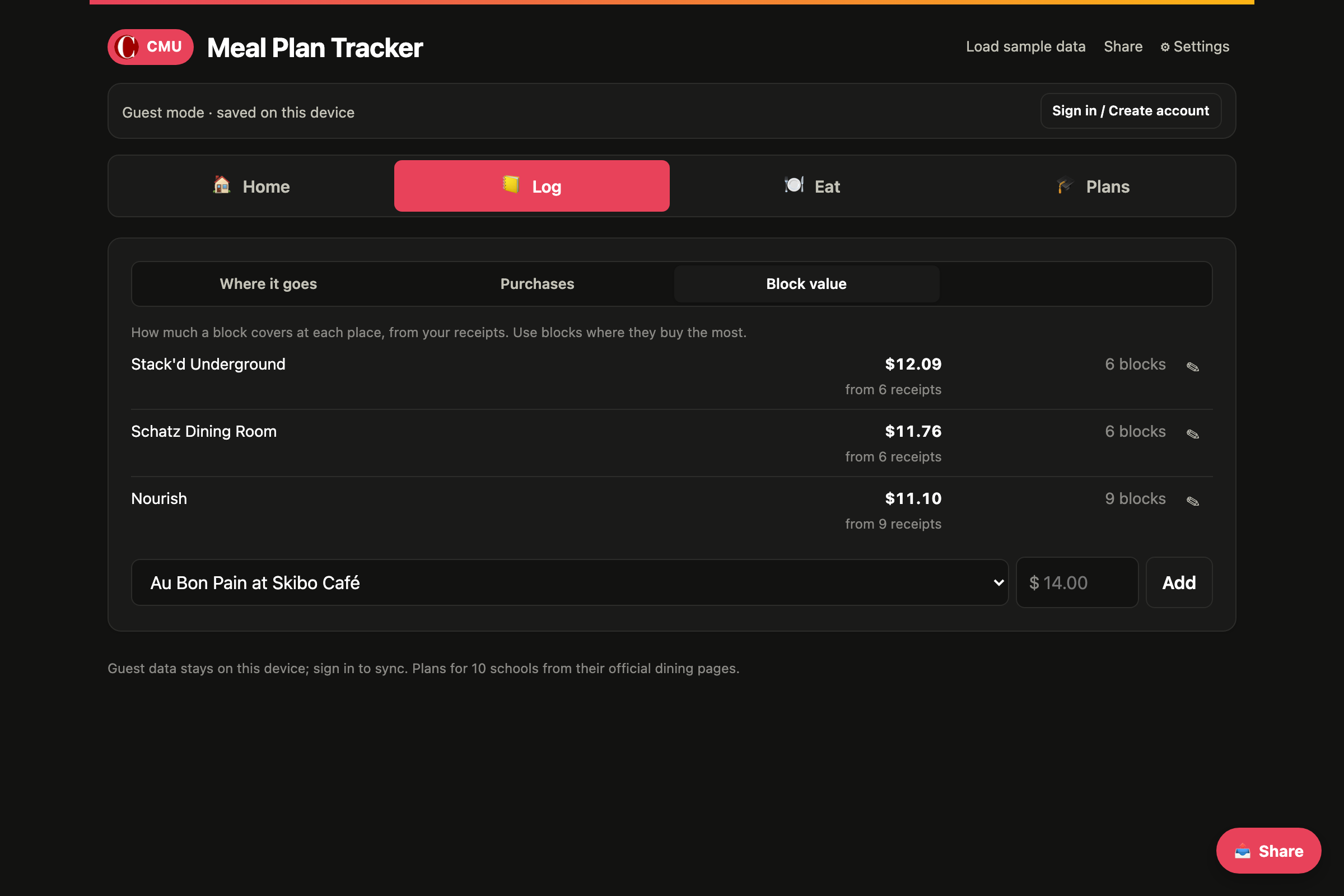
Block value by place, learned from receipts, so you use blocks where they buy the most and dollars where they don't
-
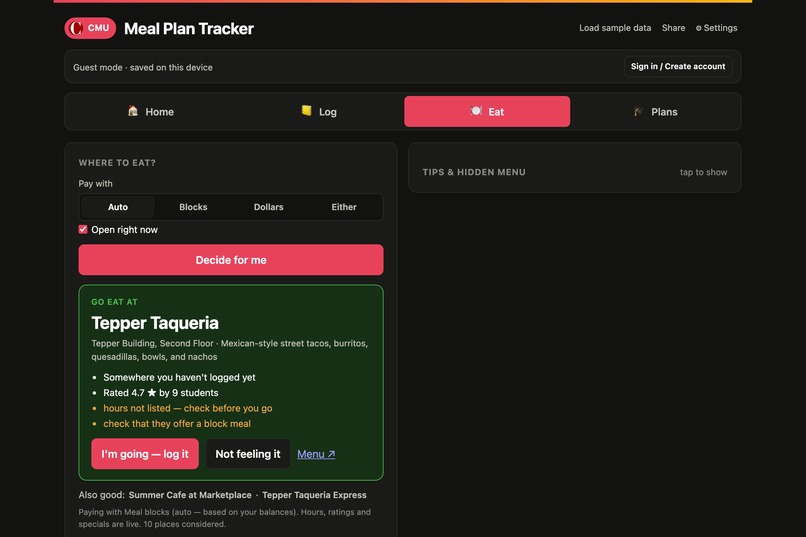
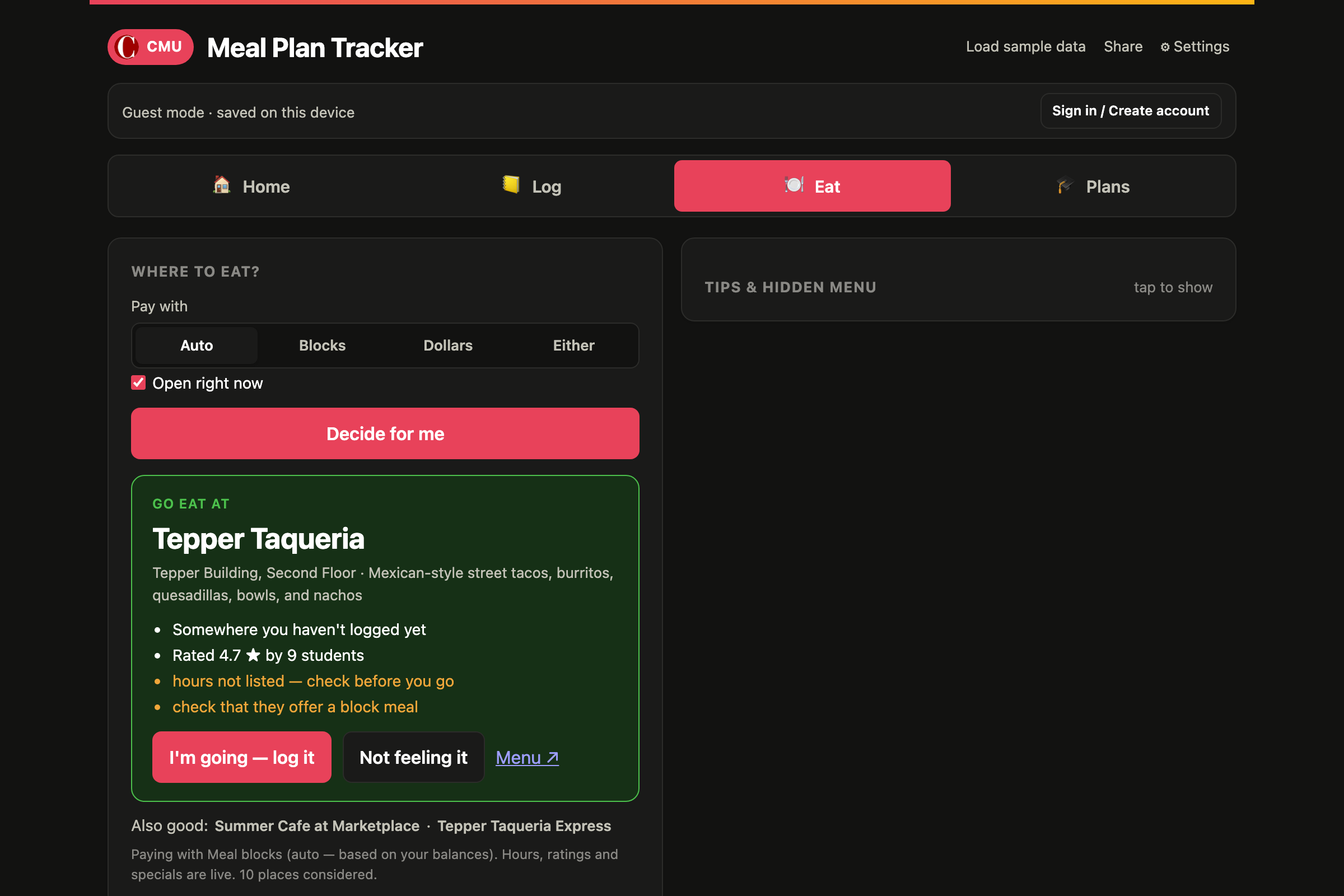
Can't decide? One tap picks a place using live hours, ratings, how you're paying, and where you haven't been lately
-
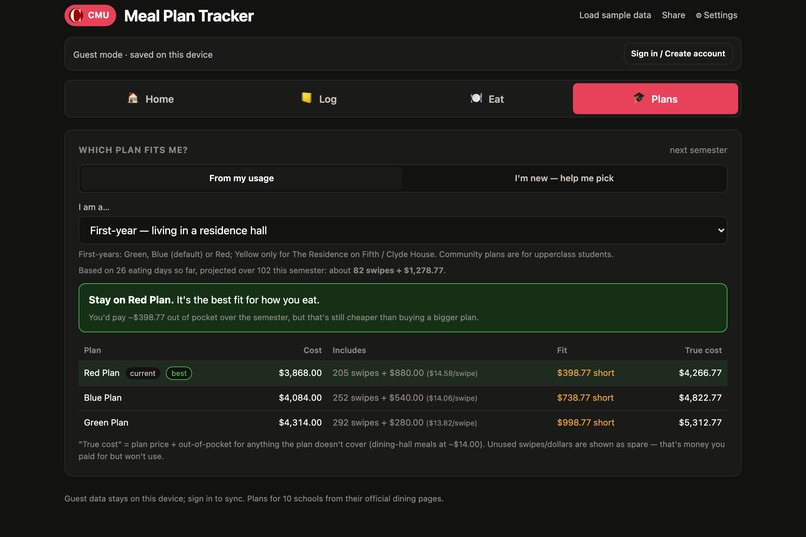
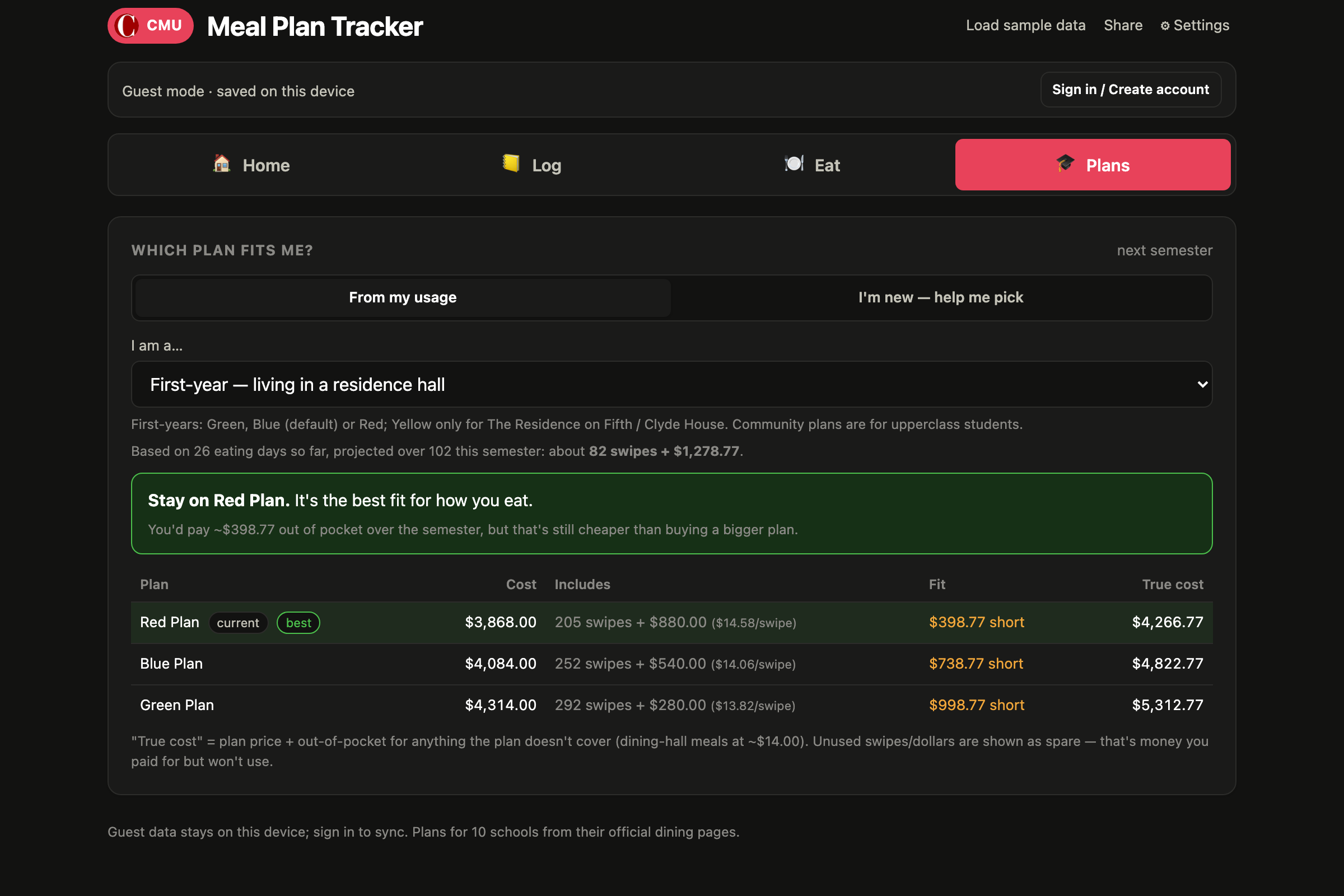
Which plan fits: your habits projected across every plan you're eligible for, scored by true cost
-
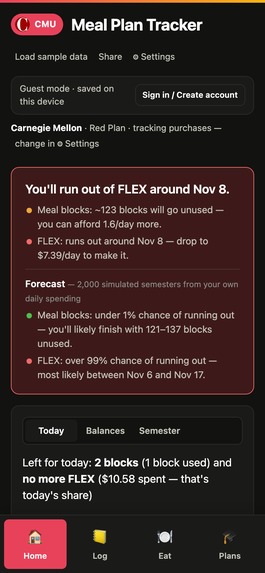
On a phone: install to the home screen, scan a receipt, and it works offline
Inspiration
It's November. You open the dining app and it says 183 blocks, $41.20 FLEX. One friend is rationing cereal; another will hand $300 back to the university in December. A CMU meal plan costs almost $4,000 a semester, it's made of two different currencies with different rules, and the only thing the school gives you is a balance.
We wanted the number the app should show: will this last, and what should I do today?
What it does
Pick your school and plan, log what you buy, and it tells you where you stand, plus a plan for the rest of today.
- Log in seconds: photo of a receipt, a pasted Grubhub email, or a two-field form. Split payments just work.
- Real forecasts, not a straight line: 2,000 simulated semesters from your own daily spending give a probability of running out and a likely range, drawn as a band on the chart.
- Where to eat: a one-tap pick using live hours, ratings and specials, how you're paying, and where you haven't been lately.
- Which plan next semester: projects your habits over the plans you're eligible for and scores each by true cost.
- 10 schools: Major universities in Pennsylvania. Every plan, price, eligibility rule, semester date and break taken from the school's official pages.
How we built it
We used plain HTML + CSS + JavaScript, hosted as static files. The core idea with different meal plan systems is that those parameters are a set of buckets, and a purchase is a list of amounts drawn from buckets. One set of math then covers all ten schools and beyond.
Receipts are read on the device with Tesseract.js: we binarize the photo, recognize text, then parse tender lines into buckets. The forecast is a Monte Carlo resampling of your own spending. Accounts use Supabase with row-level security and version checks so two devices can’t overwrite each other.
Challenges we ran into
- Ten schools, ten systems. Blocks, meals, dollars; semester, quarter, unlimited. Getting to one model that fits all of them took several rewrites.
- Thermal receipts are ugly. OCR misreads a letter here and a digit there, so every scanned result is flagged "check this" with one-tap undo and edit rather than trusted blindly.
- Sync conflicts. When the same account edits on two devices, the second save is refused with a clear message instead of overwriting.
Accomplishments that we're proud of
- It gives an answer. It helps students with real pain and gives them an actionable, customized solution.
- A student at any of ten schools can pick their real plan and get correct dates, breaks and rules on day one.
- Receipt scanning that works on a phone with no account, no key and no server.
What we learned
About the problem
- The balance isn't the product; the decision is. Dining apps already show numbers. What nobody shows is whether it's enough, and once we framed the app around one sentence, every other feature either served that sentence or got cut.
- "Days left" is a lie. A straight-line projection over calendar days was wrong for everyone: students go home for holiday and skip weekends. Counting only the days you'll actually eat on campus changed the answer by 10–20%.
About building it
- Get the model right before the features. We rewrote the core three times (single balance → blocks + dollars → arbitrary "buckets" with semester/weekly/unlimited periods). Only the last one let ten very different schools share one code path.
- Client-only has real limits. Without access to a dining-history API, we let students paste order confirmations or scan receipts on-device, keeping their photos private without an account or server.
About users
- Watching people use it beat every assumption. Testers typed over the plan's fixed allotments and broke their own numbers; the fix was to lock what the plan defines and leave editable only what's theirs.
- Clutter is a feature failure. The app became overwhelming the moment it did everything on one screen. The last hours went to cutting: tabs, stacked panels, collapsed tips, a settings page.
What's next
- Better receipt reading: detecting the receipt’s edges and flattens the photo before OCR, plus an optional cloud reader for hard photos.
- Automatic updates from the campus card system: browser extension that pushes purchases into the tracker.
- Reminder before money expires: push notifications from the installed app deliver it without opening anything.
- More schools, added by students: students can add their own schools without admin.
Built With
- canvas
- chart.js
- css3
- github
- html5
- javascript
- json
- localstorage
- monte-carlo
- ocr
- postgresql
- pwa
- python
- scottylabs-api
- service-worker
- supabase
- tesseract
- web-share-api
- webmanifest


Log in or sign up for Devpost to join the conversation.