-
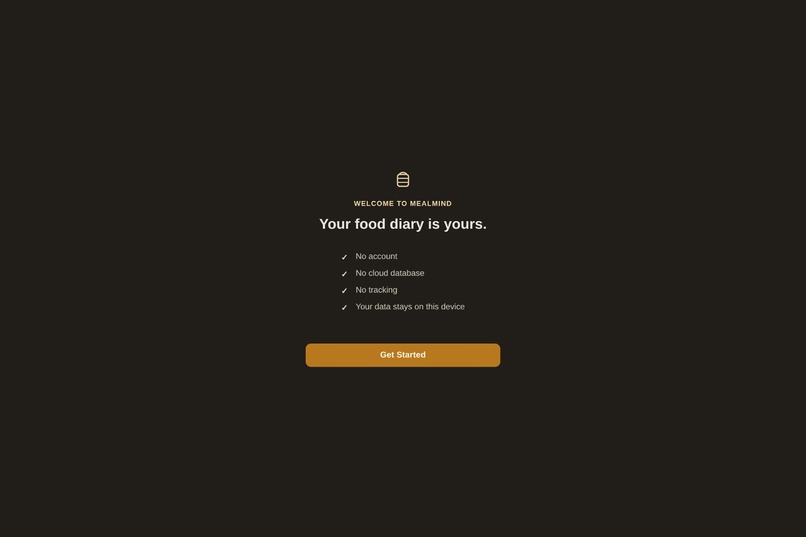
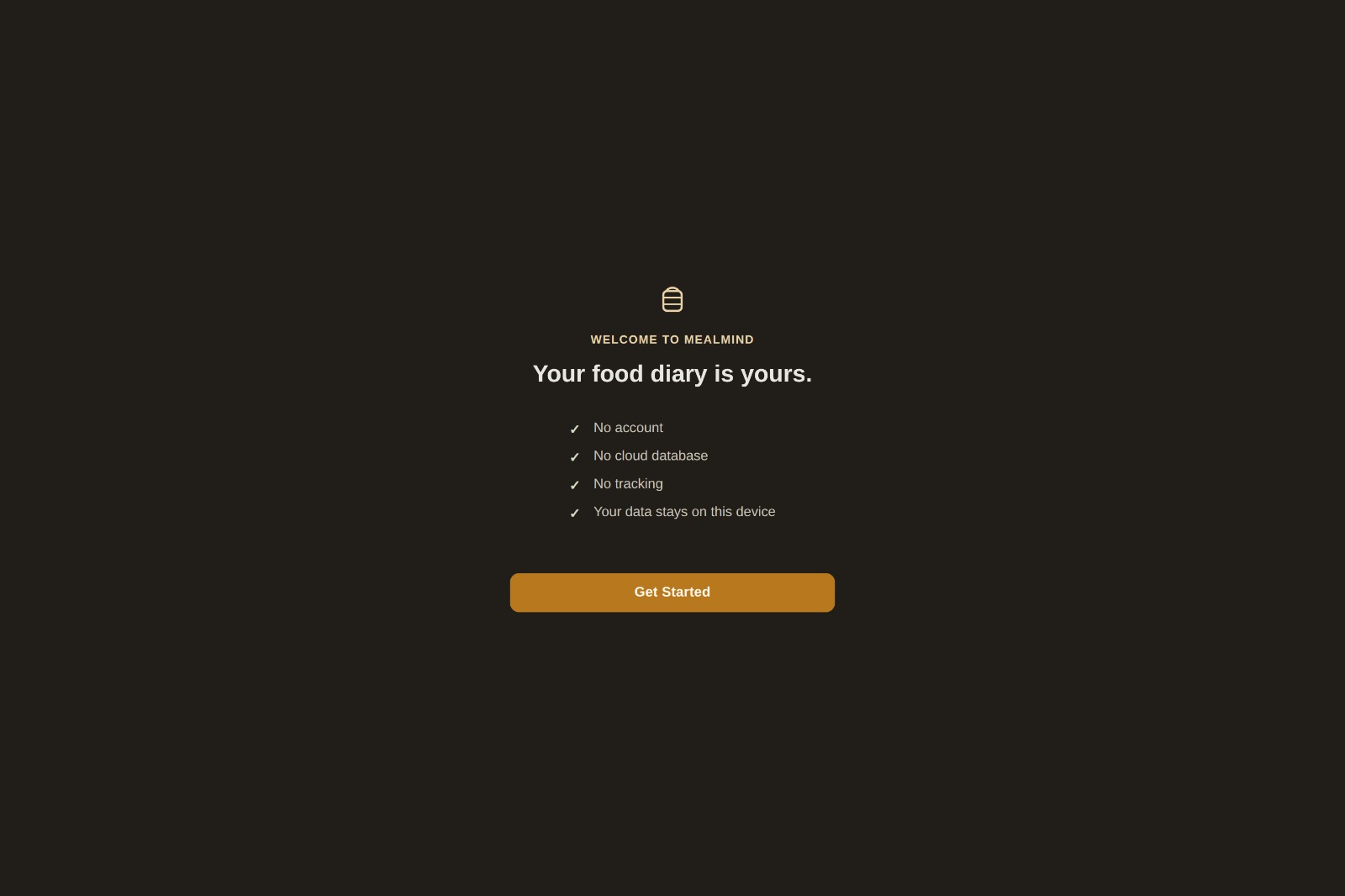
Meal Mind starts with privacy by design — no account, no cloud database, and no tracking. Your nutrition data stays on your device.
-
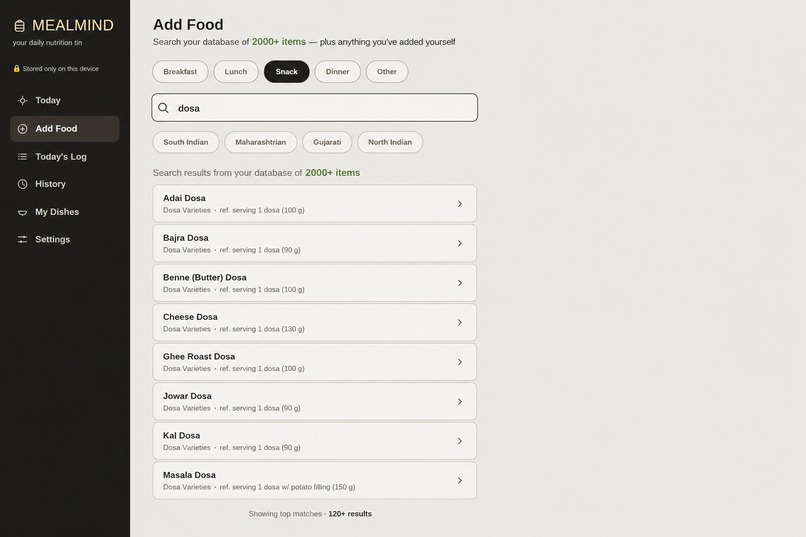
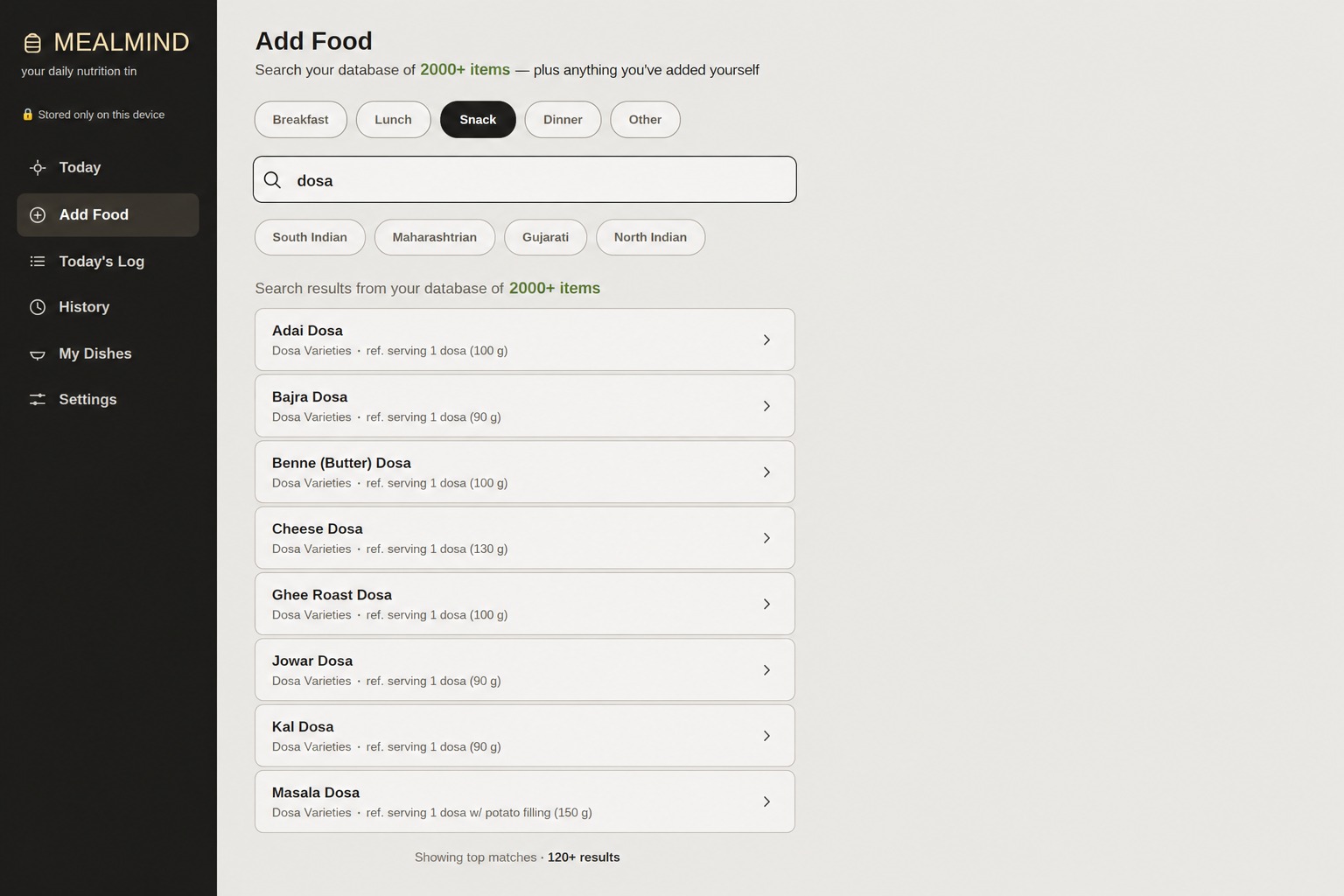
Search nearly 2,000 Indian vegetarian foods with category and regional filters.
-
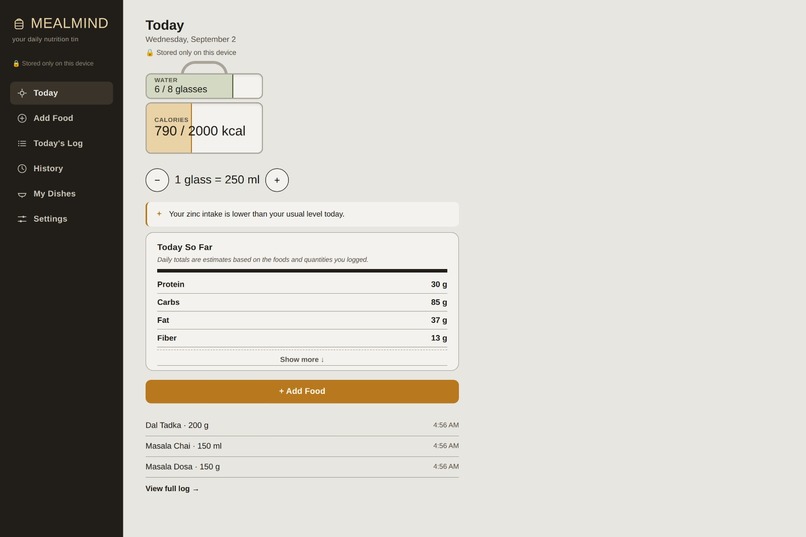
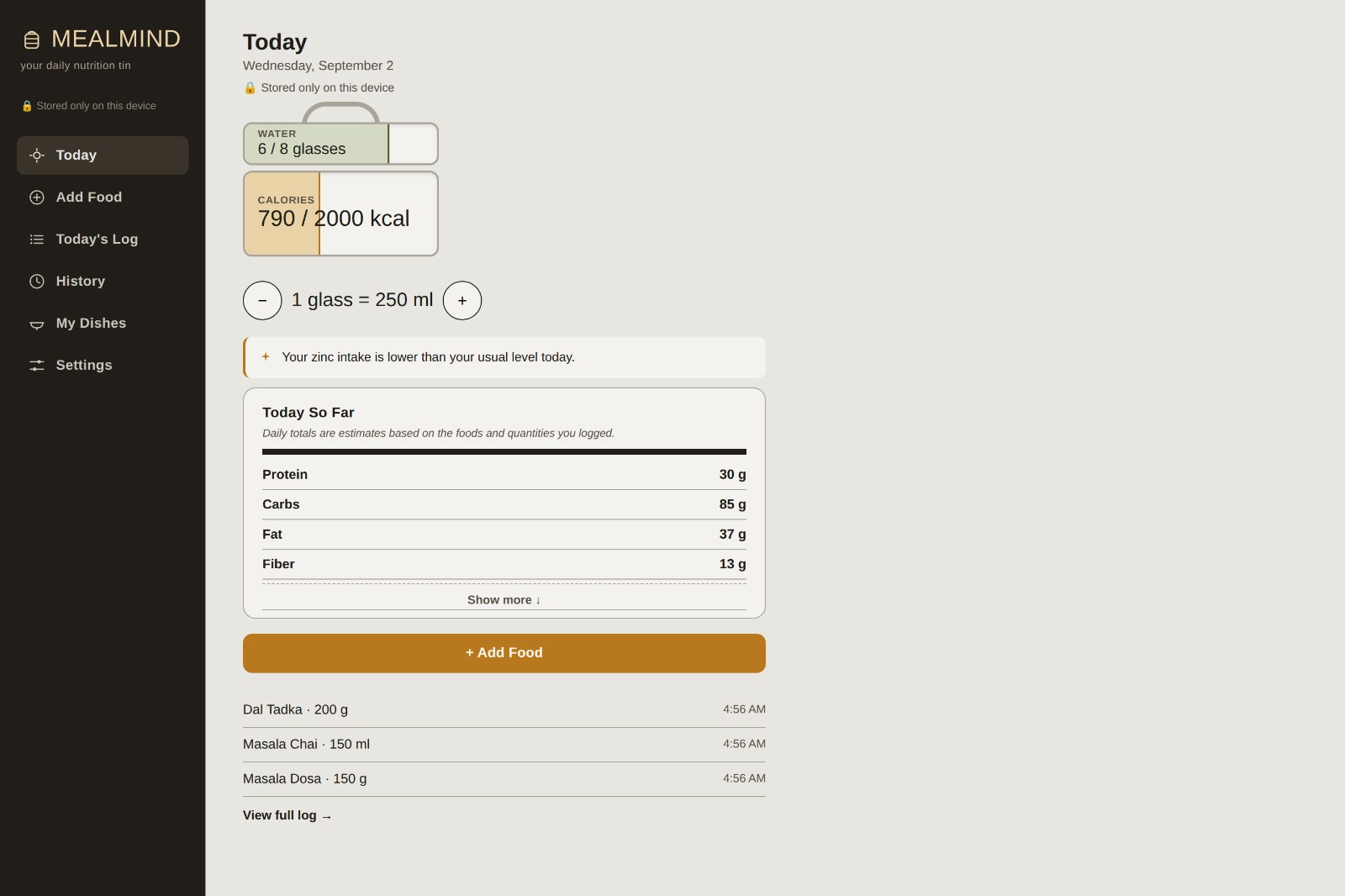
The daily dashboard gives a quick view of calories, water intake, macros, nutrition insights, and recently logged foods.
-
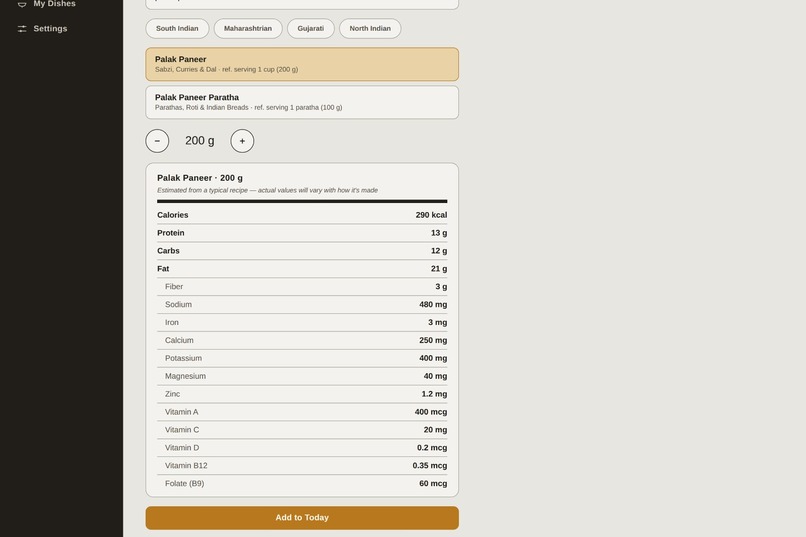
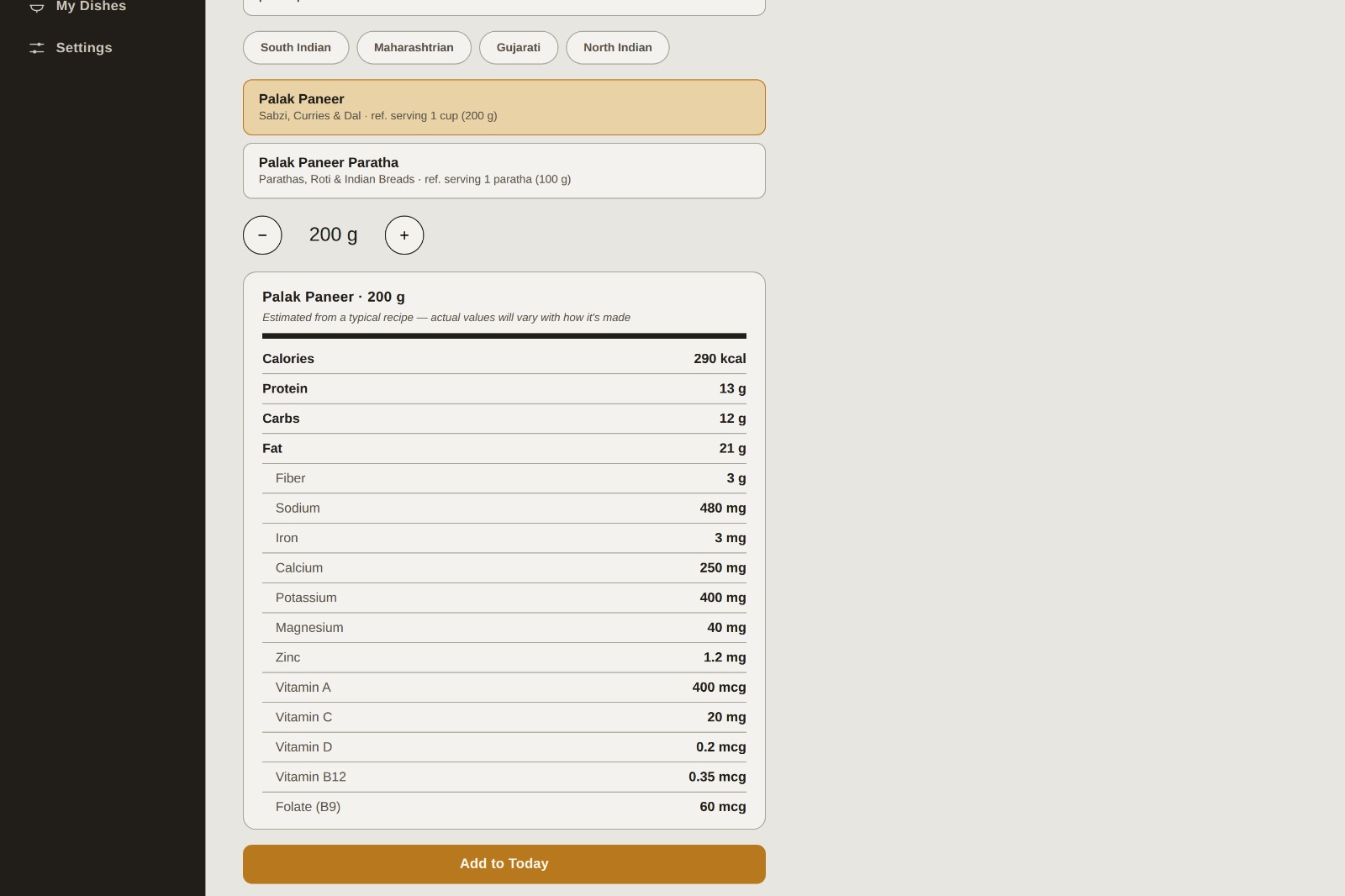
Detailed nutrition breakdowns include calories, macros, and key micronutrients like iron, calcium, zinc, and vitamin B12
-
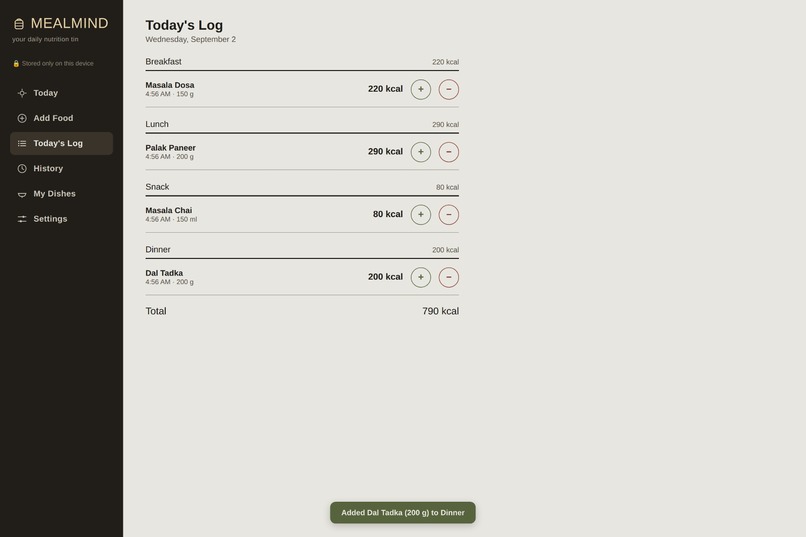
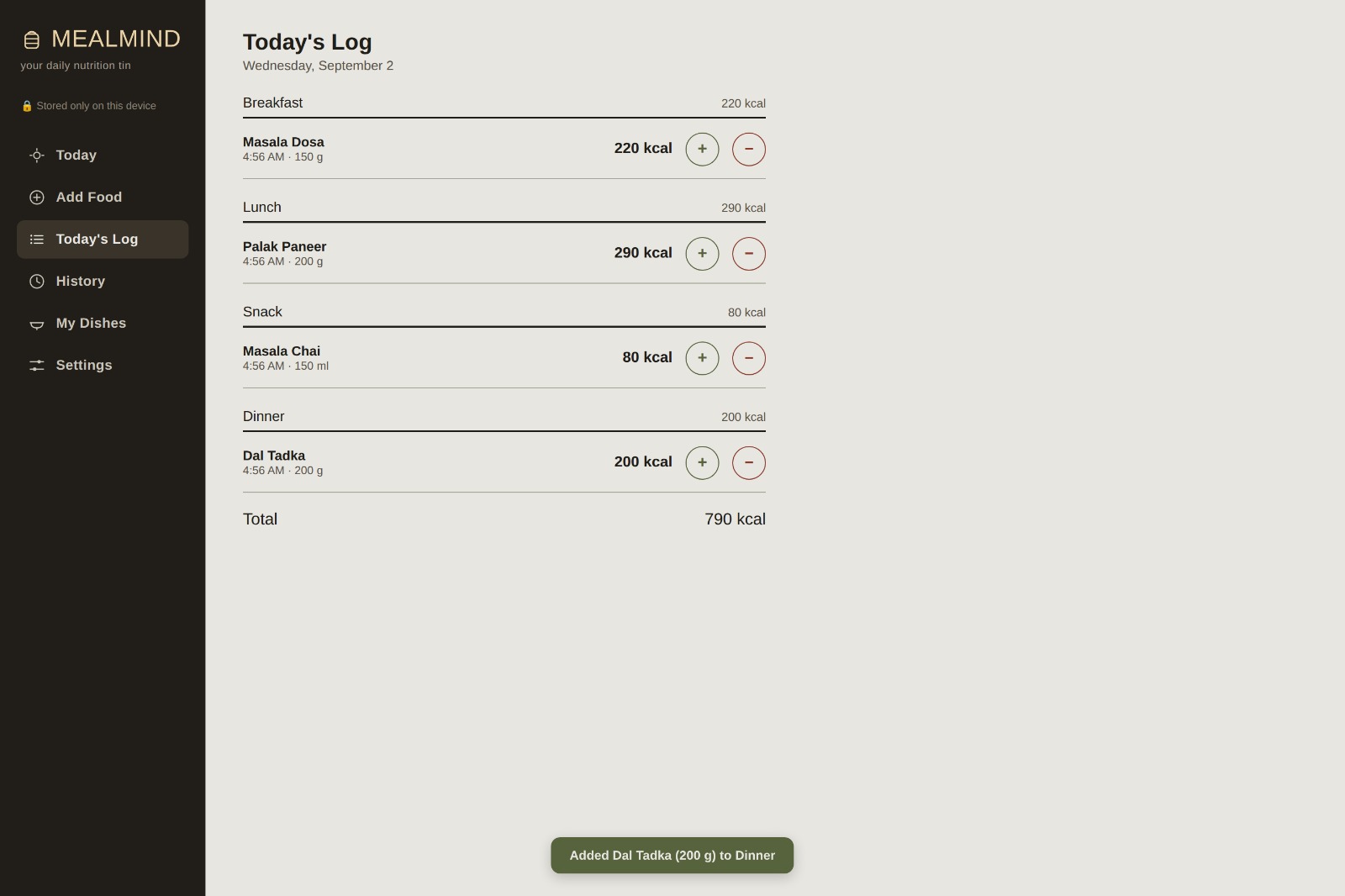
The daily log organizes meals by time and lets users adjust quantities or remove foods while tracking daily intake.
-
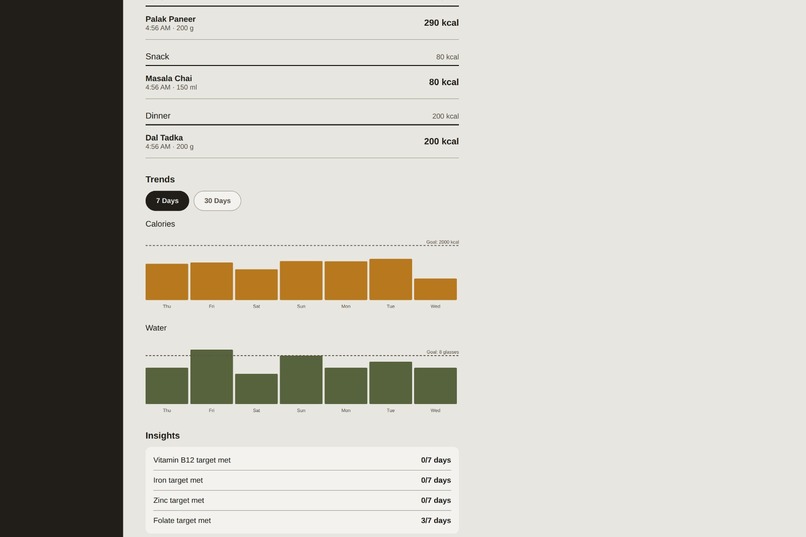
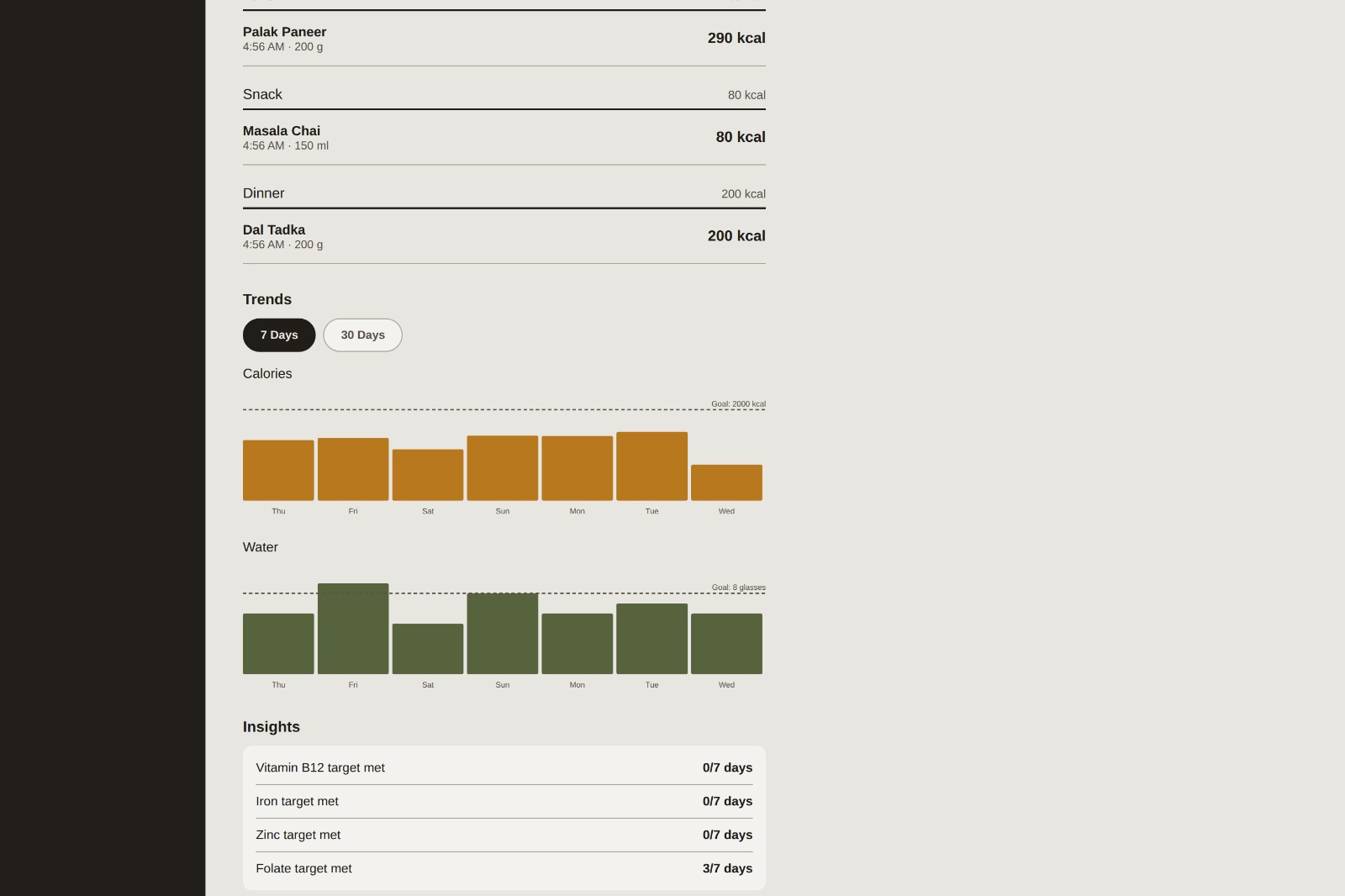
View calorie and water trends over time alongside progress toward key nutrient targets
-
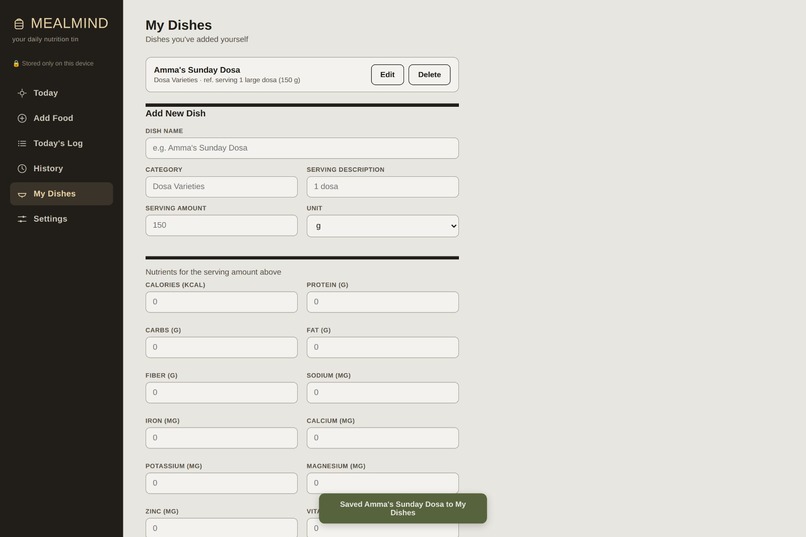
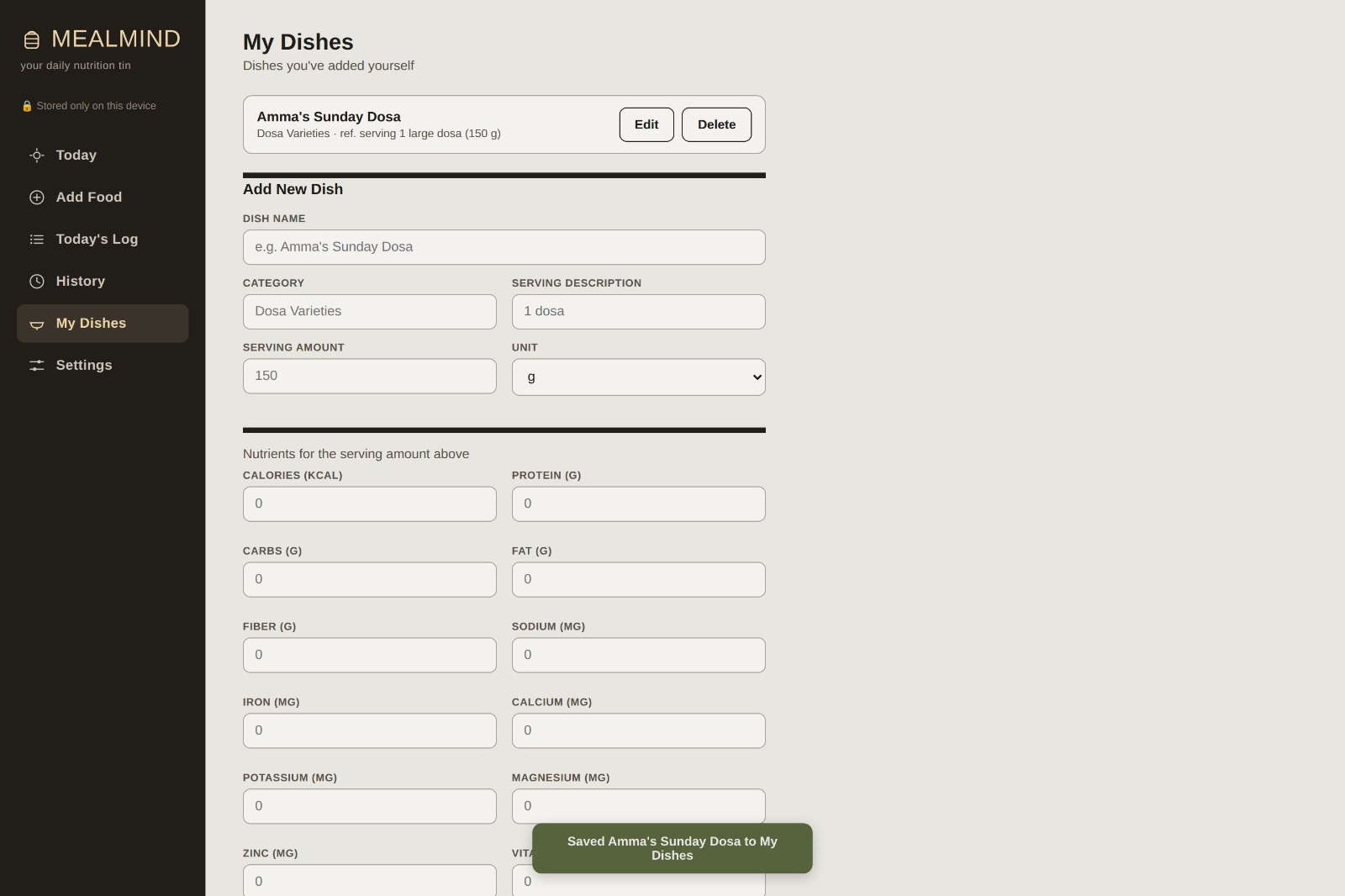
Add homemade or personal dishes to track them alongside foods from the built-in database.
-
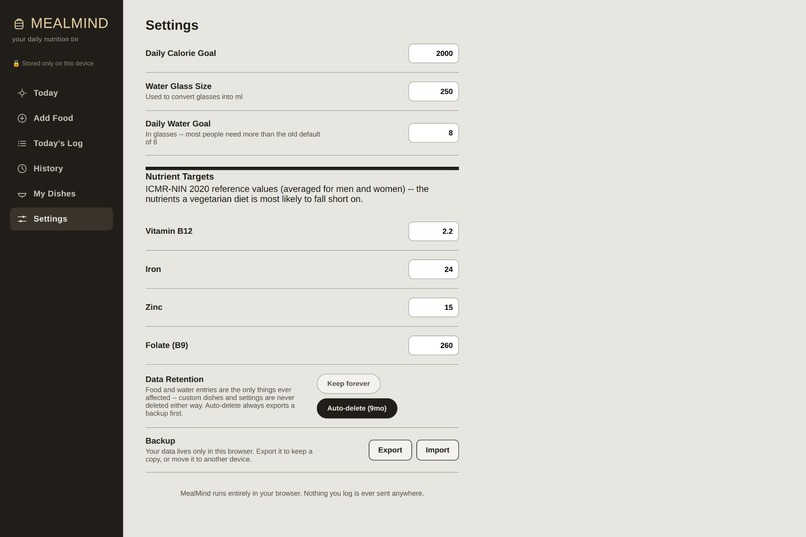
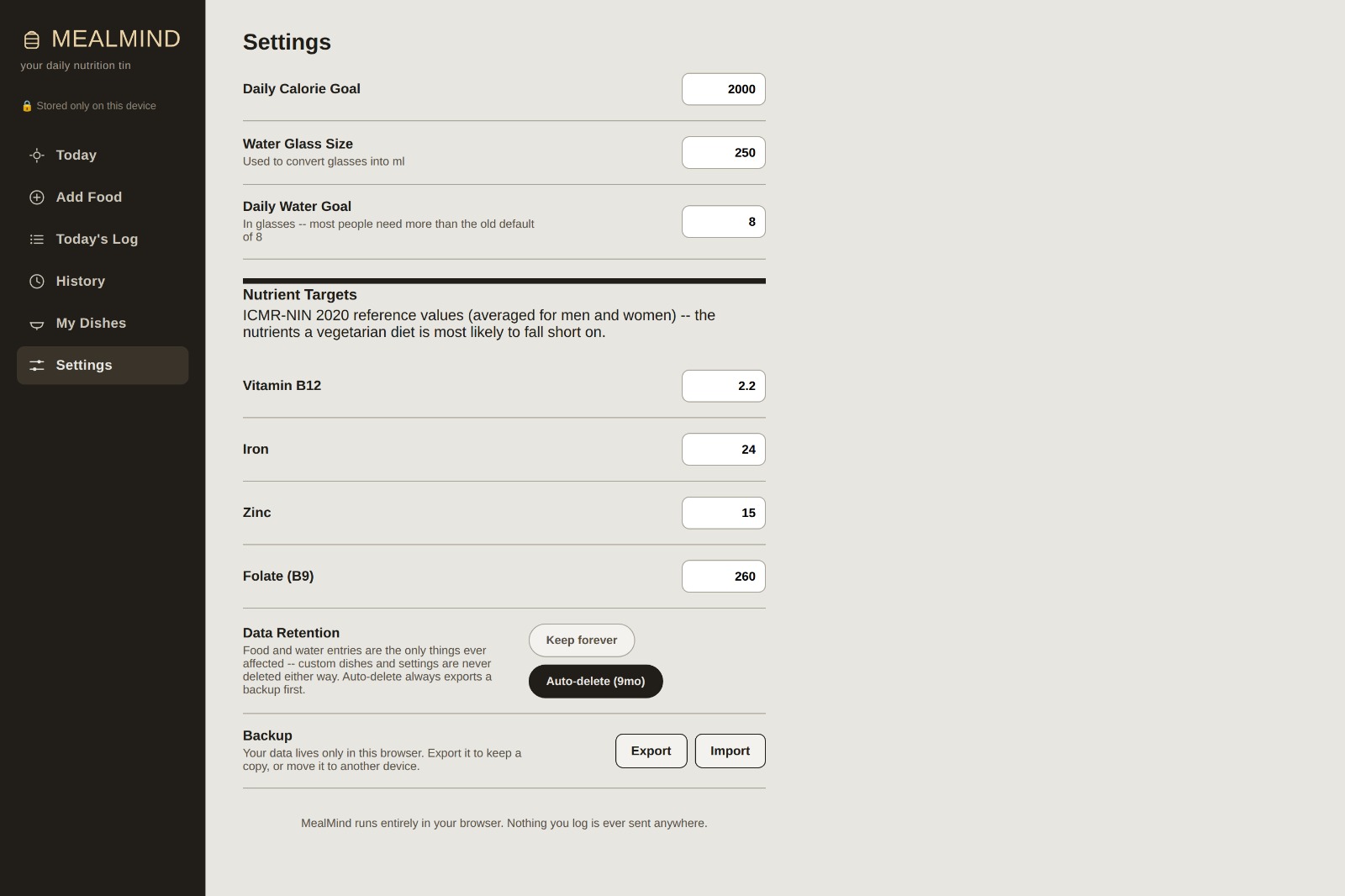
Set calorie, nutrient, and water goals, manage data retention, and export or import your data.
Why I Built Meal Mind
Nutrition tracking sounds simple until you actually try to do it.
Most nutrition apps are built around large Western food databases, which can make tracking everyday Indian vegetarian meals surprisingly difficult. Even when a food is available, the information often stops at calories and a few macronutrients.
I wanted to build something more useful for someone who regularly eats Indian vegetarian food and wants to understand their nutrition in more detail.
That idea became Meal Mind.
The goal was not to build another calorie counter. I wanted to make nutrition tracking simple, detailed, accessible, and private.
What Meal Mind Does
Meal Mind is a nutrition tracking platform built around an Indian vegetarian food database.
Users can search for foods, log what they eat, create custom dishes, track their daily calories and water intake, and look back at their nutrition over time.
Instead of focusing only on calories, Meal Mind provides information about macronutrients as well as 11 key micronutrients, including nutrients such as iron, calcium, folate, vitamin B12, and zinc.
The food database is also one of the parts I'm continuing to develop. It is currently growing toward nearly 2,000 Indian vegetarian food items, with the goal of making everyday Indian meals easier to track accurately.
The idea is simple: give people enough information to understand what they're eating without making them need a nutrition expert just to use the application.
Accessibility Was Part of the Idea
I didn't want accessibility to be something added at the very end.
Meal Mind was designed with accessibility in mind from the beginning, including keyboard navigation, screen-reader labels, visible focus states, and reduced-motion support.
The goal is for the application to remain usable for people who interact with websites differently from the typical mouse-and-screen workflow.
There is still more I want to improve here, but making accessibility part of the development process was important to me.
Privacy Was Another Important Decision
Meal Mind doesn't require an account or login.
Nutrition logs, water tracking, custom foods, and settings are stored locally on the user's device using IndexedDB rather than requiring a server or personal account.
That was a deliberate choice.
Food and nutrition data can become surprisingly personal, and I didn't see a reason to collect someone's information just so they could track what they ate.
For this project, I wanted the default to be simple:
Open the app, use it, and keep your data on your own device.
How I Built It
Meal Mind is built using HTML, CSS, and JavaScript, with IndexedDB handling persistent local storage in the browser.
I chose a relatively lightweight approach instead of building a large backend or relying on a complicated framework. This kept the project manageable while allowing me to focus on the parts that actually mattered: the nutrition database, calculations, tracking experience, accessibility, and usability.
I also used Claude as an AI coding assistant during development.
Claude helped me with parts of the implementation, debugging, problem-solving, code generation, and refining the application as I built it. I still had to decide what Meal Mind should do, how the pieces should fit together, what information mattered to users, and how I wanted the final product to work.
Using AI as part of the development process also became part of the learning experience for me. Instead of treating it as something that simply writes the application for me, I used it as a tool to help me work through technical problems and move faster while building the project.
The Hard Parts
One of the biggest challenges was the nutrition data itself.
It is easy to make a screen that displays calories. It is much harder to structure a food database that can support detailed nutrition tracking across a large number of Indian vegetarian foods while keeping the information usable inside an application.
Another challenge was making the application feel simple despite the amount of information behind it.
There are calories, macronutrients, micronutrients, daily logs, water intake, custom foods, historical data, and accessibility considerations. I had to constantly balance how much information the application could provide with how much information a user actually needs to see at once.
Building the application without requiring an account or backend also meant thinking carefully about how data should be stored and retrieved locally.
What I Learned
Building Meal Mind taught me that creating a useful application is about much more than writing code.
The database structure matters.
The user experience matters.
Accessibility matters.
Privacy matters.
And even small design decisions can make a significant difference to whether an application actually feels easy to use.
I also learned how useful AI-assisted development can be when used as a development partner rather than simply as a code generator. Working with Claude helped me investigate problems, iterate on implementations, and learn while building.
At the same time, the project made it clear that AI doesn't replace the decisions that make a product a product. I still had to define the problem, choose the features, evaluate the output, test the application, and decide what was worth keeping.
What I Want Meal Mind to Become
Meal Mind is still a work in progress.
The immediate goal is to continue improving the food database, polish the user experience, strengthen accessibility, and make the nutrition information as useful and understandable as possible.
Longer term, I'd like Meal Mind to become something that people can actually rely on as a simple everyday nutrition companion — particularly people whose diets don't fit neatly into the food databases used by many existing nutrition apps.
The database is Indian.
The idea isn't.
Everyone should have a simple way to understand what they're eating.
Built With
- css3
- html5
- indexeddb
- javascript
