
Inspiration
Every MCP server installs differently: one wants an API key in an env var, another a config file in your home directory, a third a repo clone and a build. Once it's running, it has whatever your shell has: your files, your network, your credentials. That's a lot of trust to hand a tool you found in a README five minutes ago.
I wanted MCP servers to install like npm packages but run like containers. One command to install and wire into my editor, and no access to my machine beyond what the server declares up front.
What it does

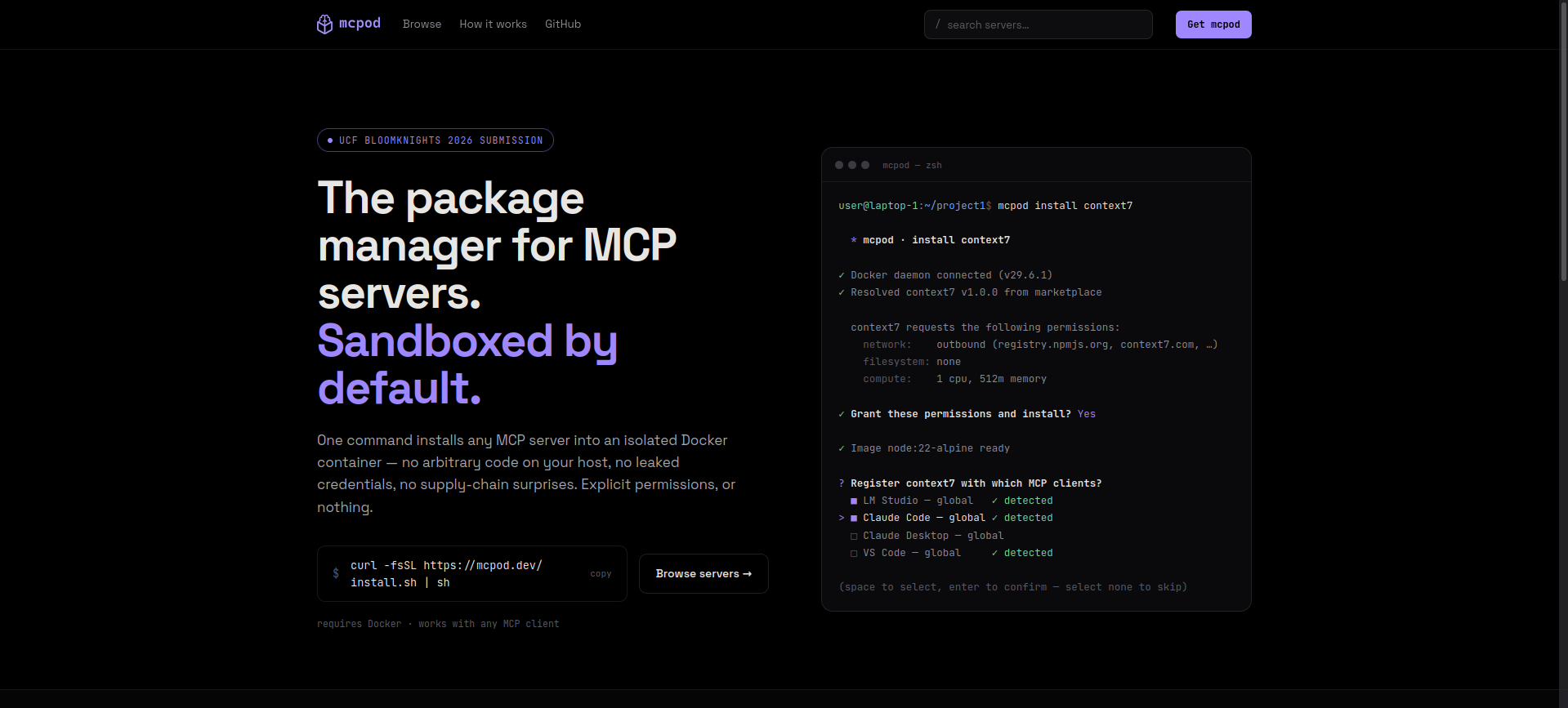
mcpod is a CLI that runs each MCP server in its own Docker container, gated by a permission file the server ships with.
- 📦 Containerized: one container per server, nothing running loose on your host.
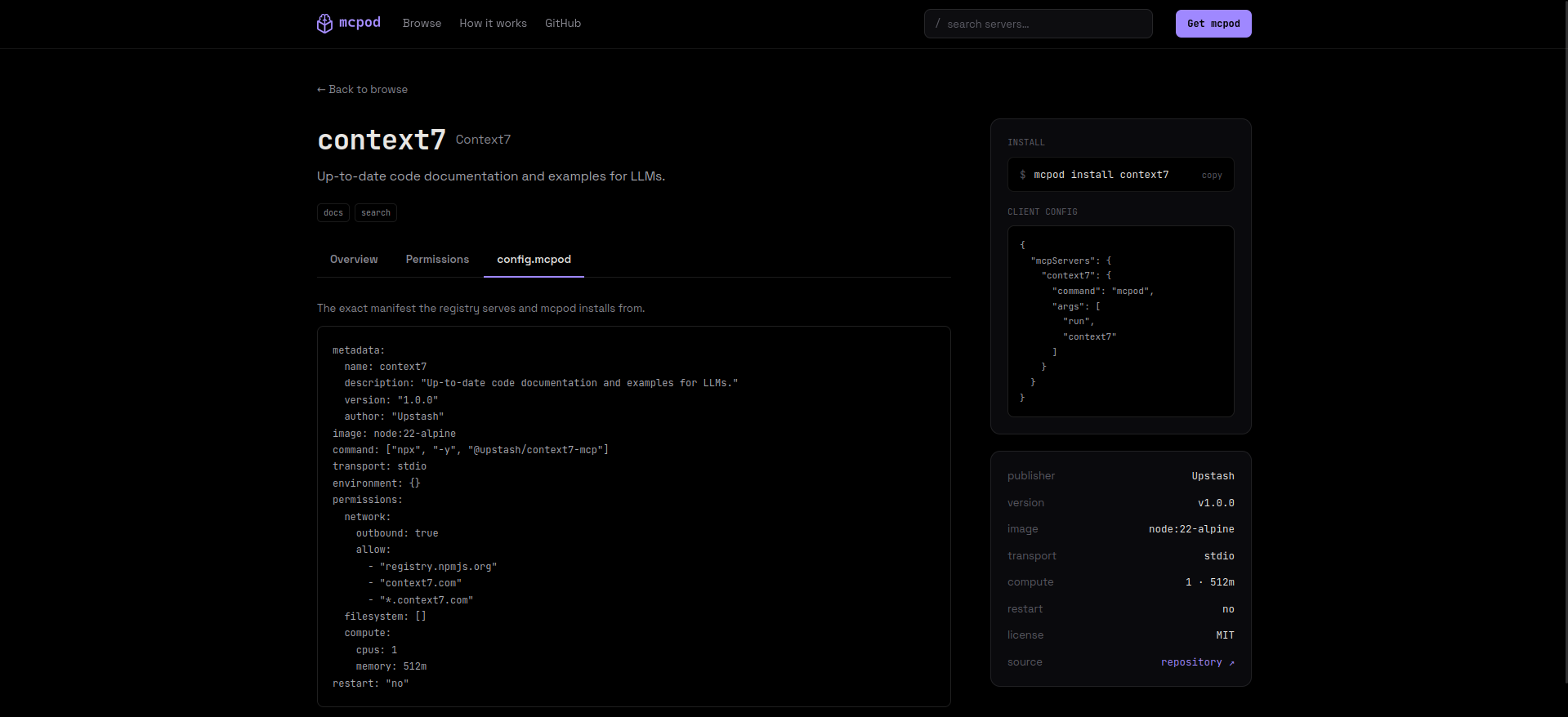
- 🛡️ Default-Deny: no network and no host filesystem unless the server's
config.mcpodasks and you approve. Bind mounts are read-only unless it asks for write. - 👀 Consent Screen: before install, mcpod shows the requested hostnames, paths, CPU, and memory as one plain screen, the way an app store shows permissions before you tap install.
- 🔌 Client Wiring:
mcpod install <server> --client claude-code:projectdrops the entry straight into Claude Code, Claude Desktop, VS Code, Cursor, or LM Studio. No hand-edited JSON. - 🔎 Marketplace: browse, install, run, stop, remove, and update servers from the CLI.
- 🤖 Config from docs: an opt-in
--interpret-unsafeflag reads a config-less server's docs with the Gemini API and drafts aconfig.mcpodfor me to review before anything runs. - 🌎 GUI MCP Marketplace: View the MCP server marketplace in the browser! No need for that pesky terminal... well until you want to install it that is...
How I built it
Commander.js was used to power the Node.js-based CLI and Dockerode was used to directly interface with the Docker daemon. Inquirer was used to create the install and consent screens. YAML was used to parse the YAML config files (config.mcpod) which tells the CLI how to install MCP servers.
The CLI keeps a constant log of the state of Docker containers tied to mcpod and install statuses, among other things. Containers are entirely disposable and near-stateless.
For the web GUI, I used Next.js and TailwindCSS. All values are pulled from the Express.js powered backend.
Challenges I ran into
- "Works on My Machine": Every single config has to be created either by AI (which doesn't get it right all the time) or by hand. Some things work, some things don't. YMMV
- Gemini Rate Limits: Free tier is rate limited, so I kept running into 429s
- Solo for 12 hours.: Only so much I can do, even with coding agents.
- Network and Filesystems: Not implemented due to time constraints, but should be straight forward via iptables and bind mounts
Accomplishments I'm proud of
- Full lifecycle runs end to end against a Docker daemon.
- One install command registers a server across five MCP clients in different scopes
- Gemini handles config-less servers and usually gets it right (despite zero training on a
.mcpodfile) - Full frontend working and it looks great!
What I learned
- MCP documentation is poor and the culture is propagated throughout the industry as a result
- CLIs can be hard to get right, but the right libraries make it easier
- XKCD #927 applies.
What's next for mcpod
- Actual security scoping (right now filesystem and network permissions are shown on the consent screen but not enforced)
- Better config generation
- Front-end for the marketplace server
- Better error handling and logging
- Global user configs
- Private marketplace support
Built With
- ai
- bash
- css3
- docker
- javascript
- mcp
- next.js
- node.js
- tailwind
- typescript


Log in or sign up for Devpost to join the conversation.