-
-
MCPs I've made
-
how to use MCParrot
-
building the Canvas MCP
-
multiple MCPs working together
-
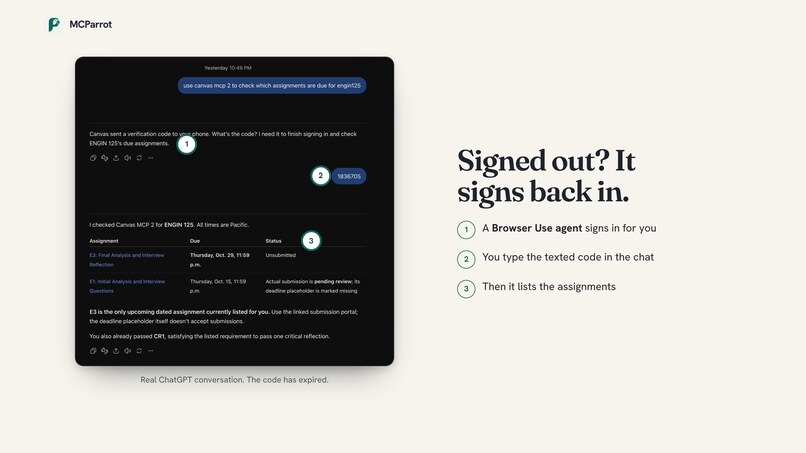
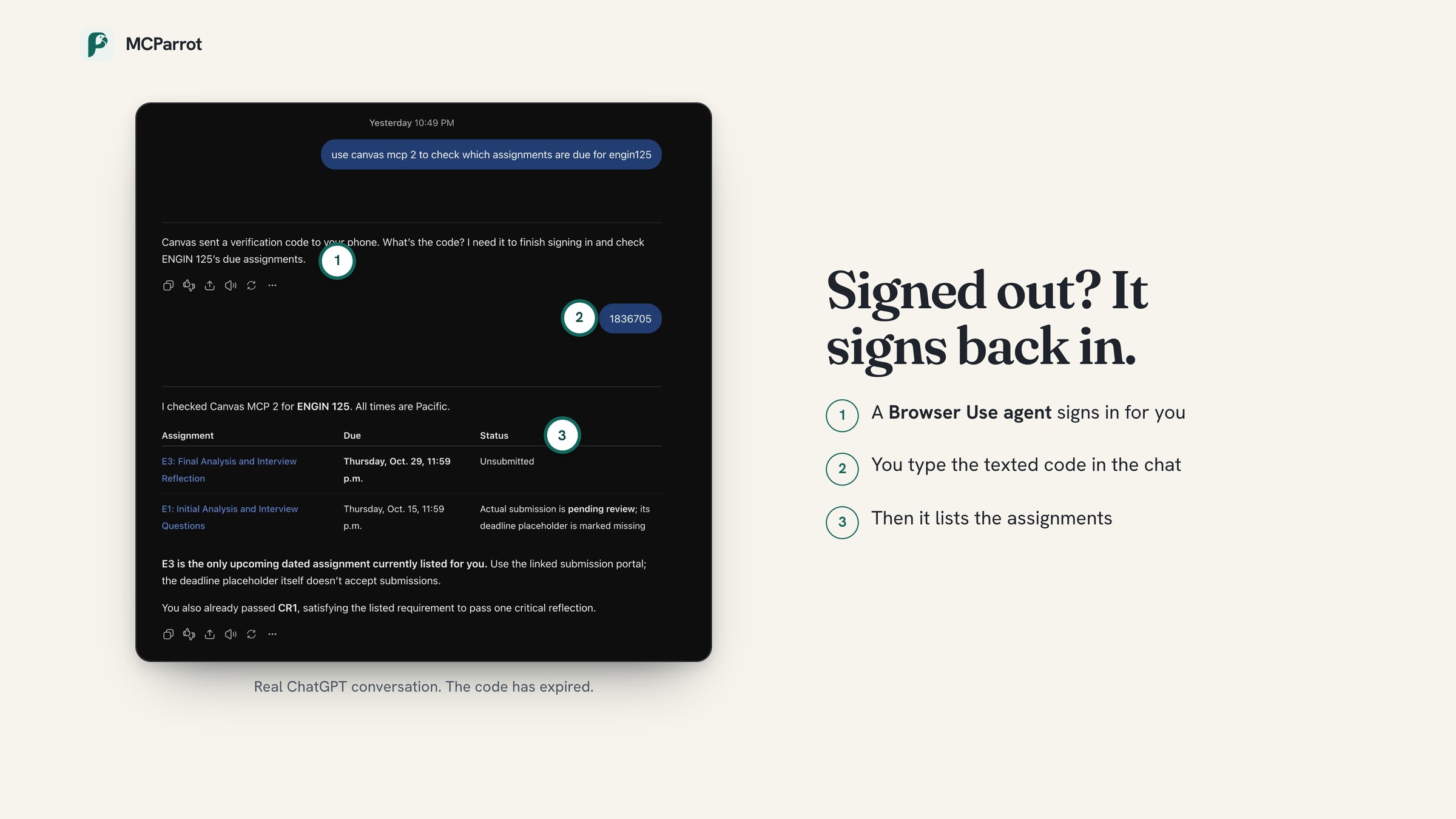
handles authentication
-
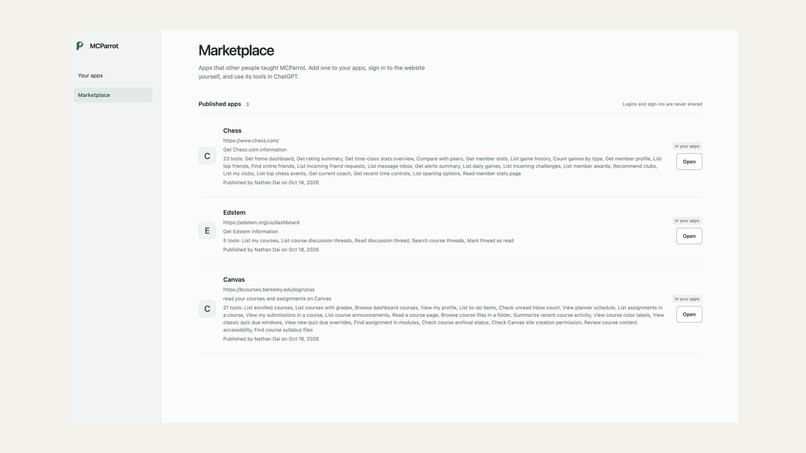
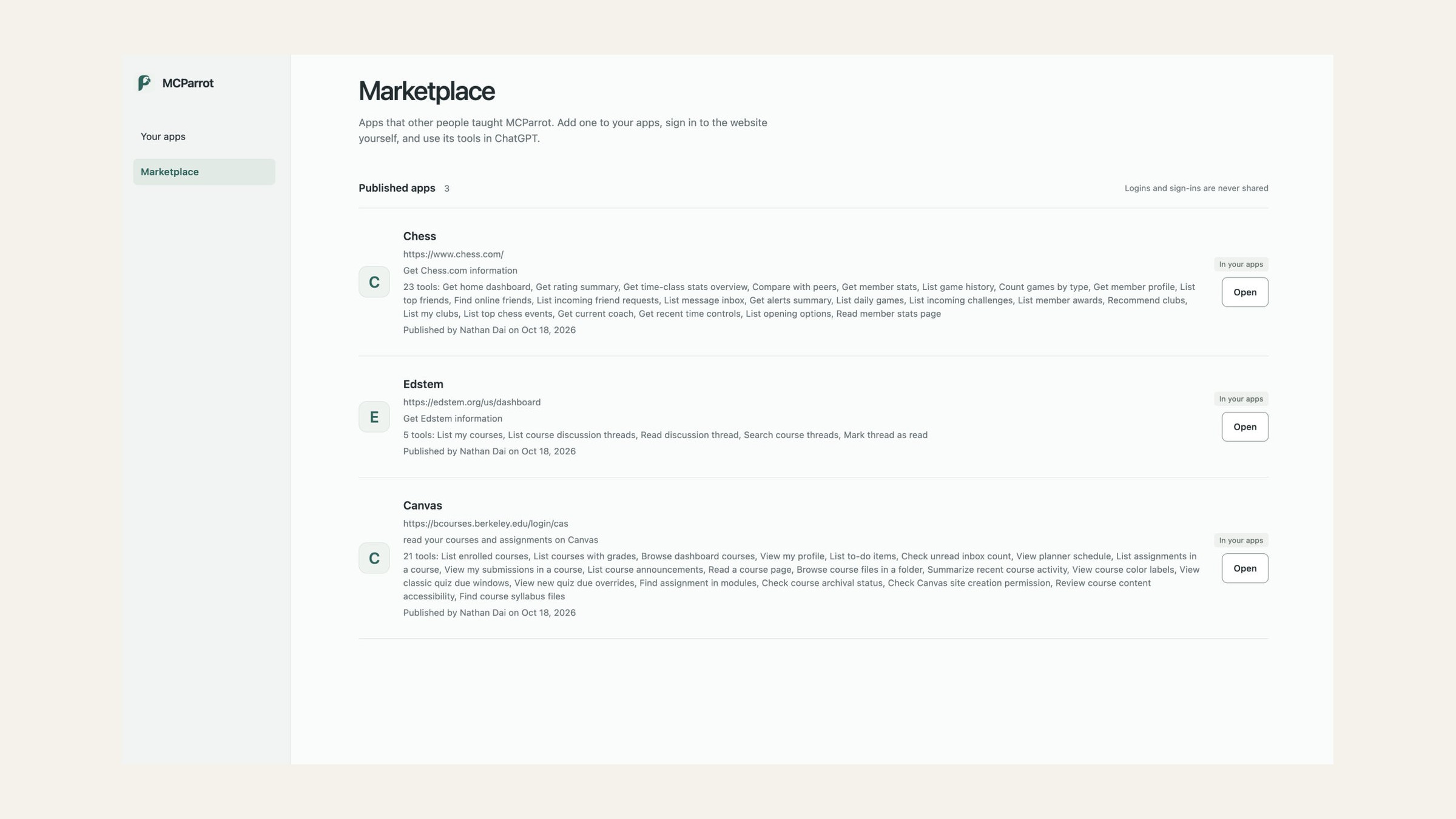
MCP marketplace
-
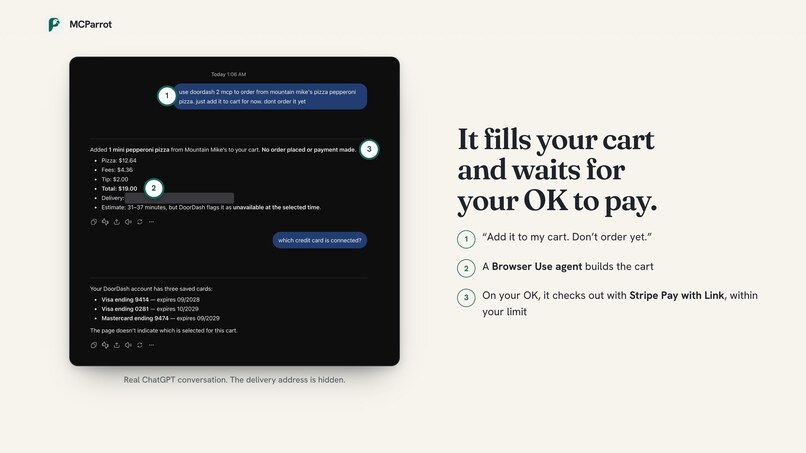
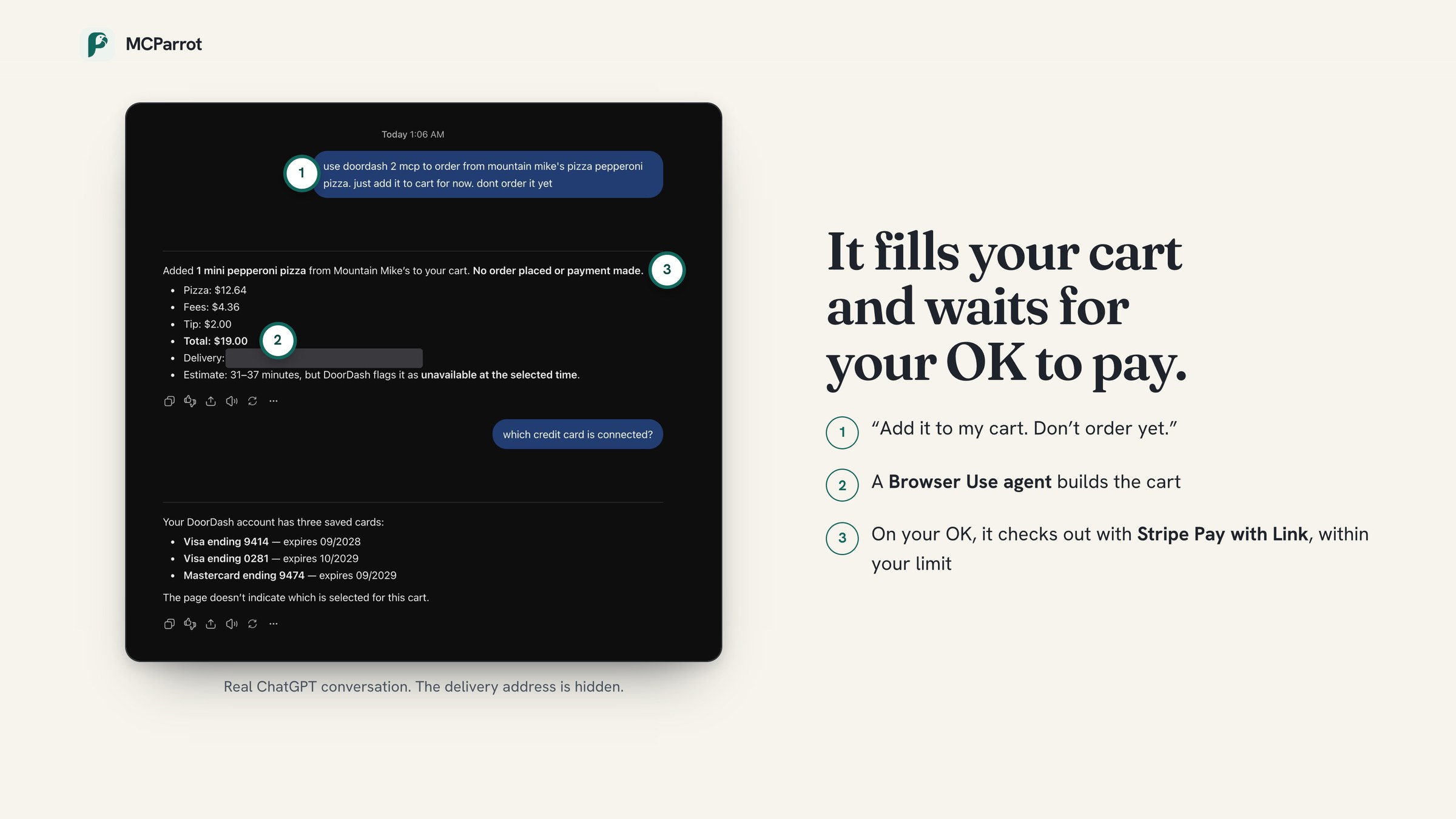
agent that pays
-
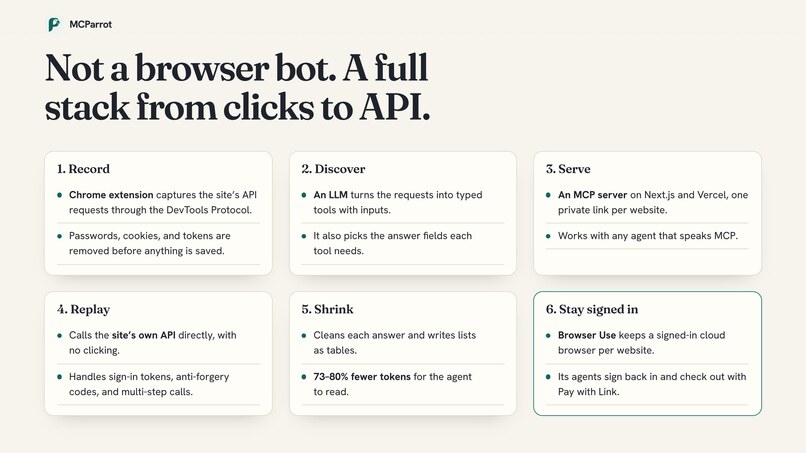
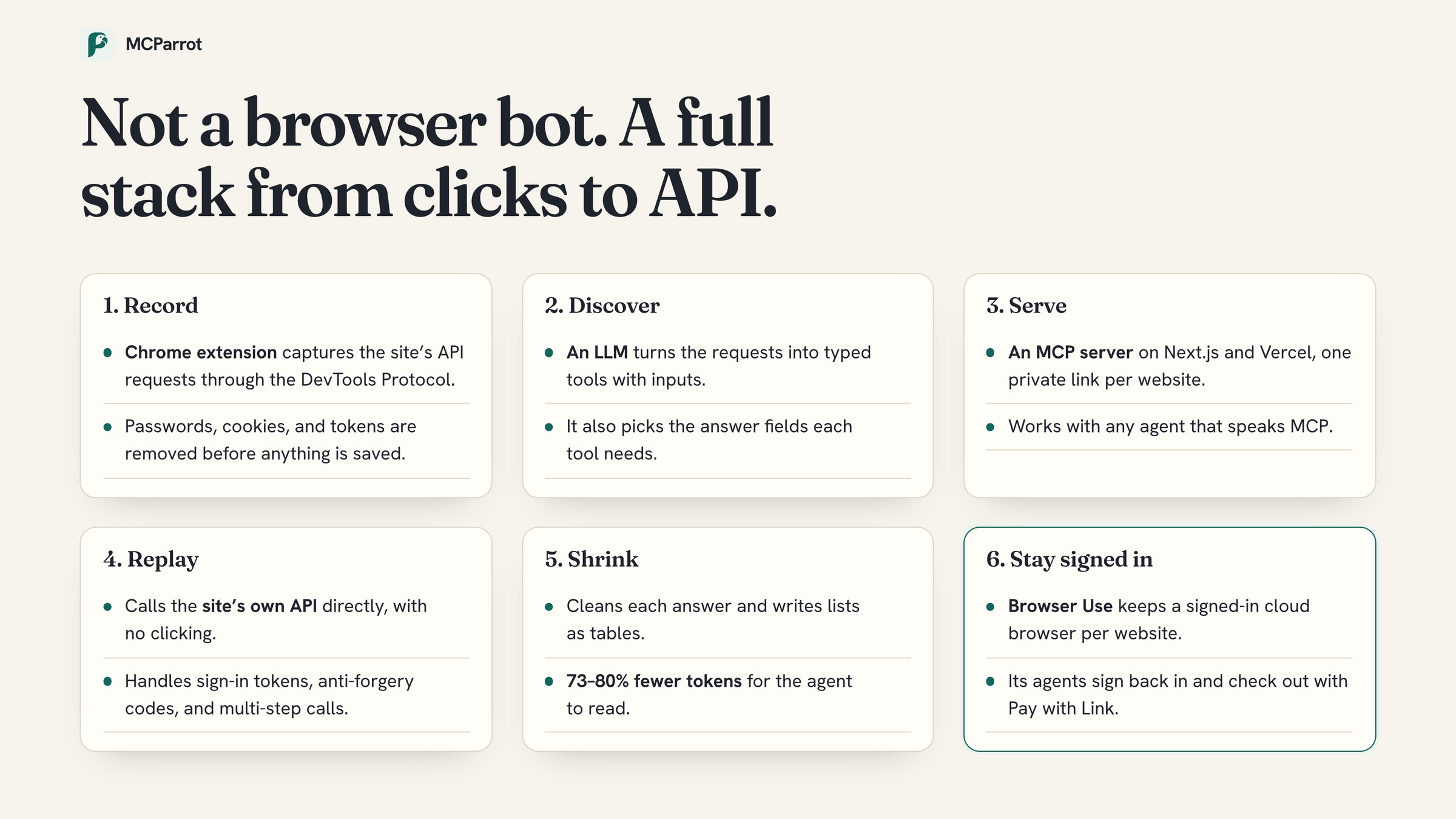
the stack
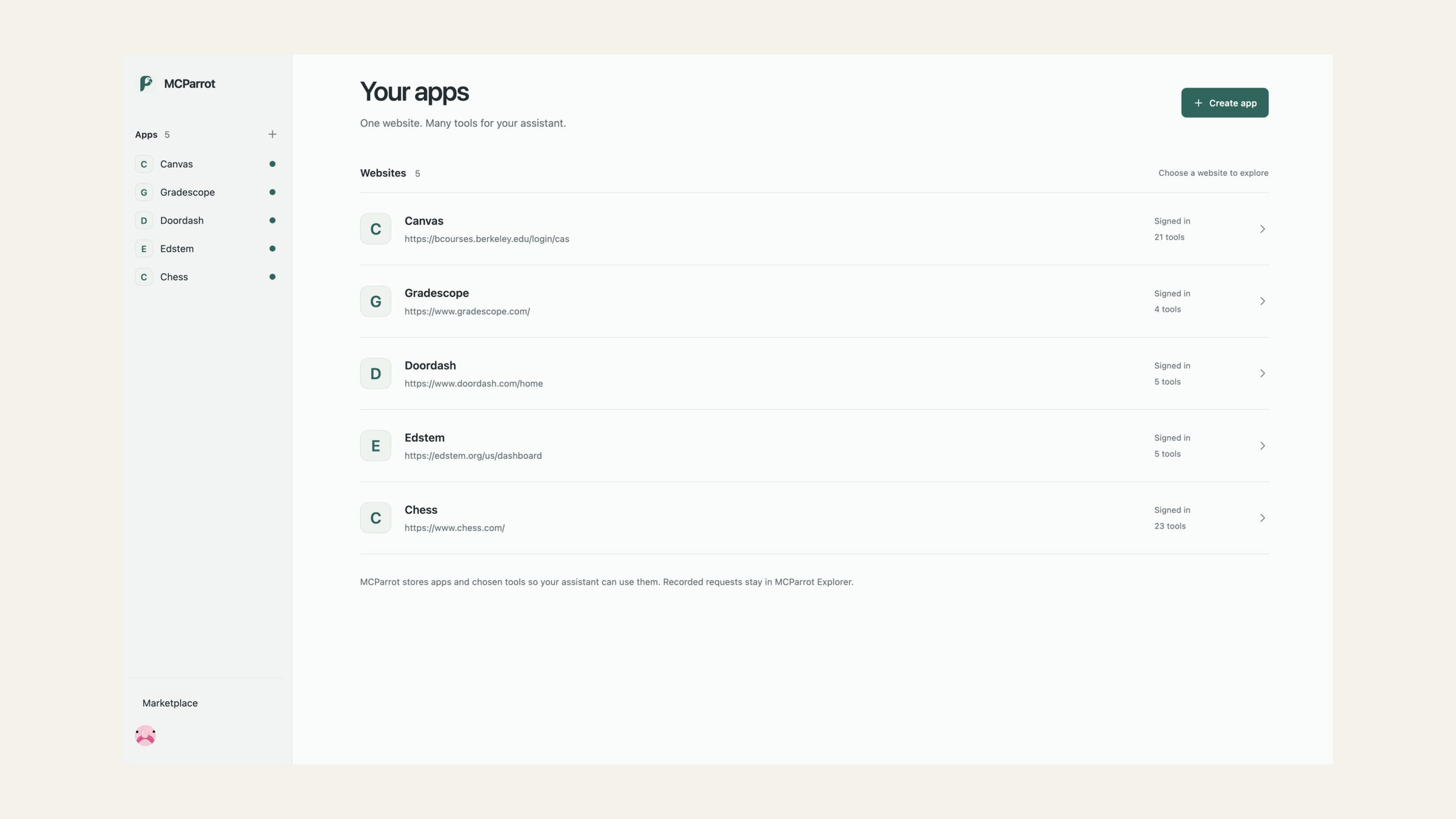
Anything you can do by clicking through a UI, you should be able to do by asking your agent.
The problem
Too many websites make you click through a slow interface to do something simple. Checking one Canvas deadline means signing in, waiting for a two-factor code, finding the course, and opening Assignments. Ordering on DoorDash or topping up API credits is just as slow. Anyone can vibe-code an interface now. What matters is the data behind it, and today your agent can't reach that data.
The solution
MCParrot turns any website you sign in to into an MCP server that any AI agent can use.
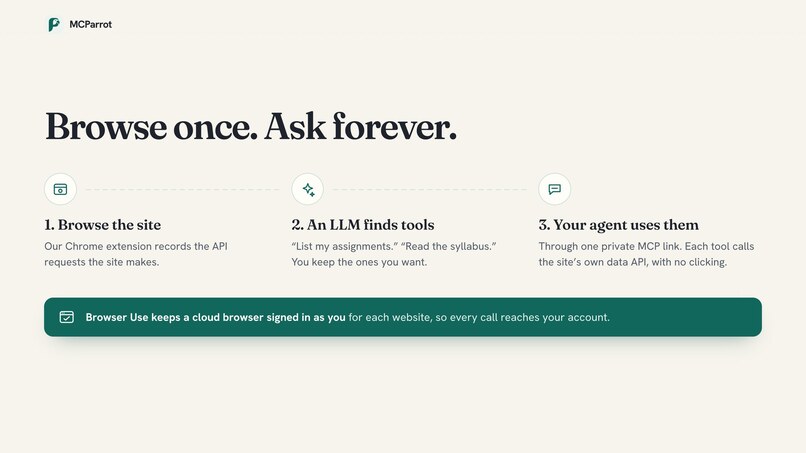
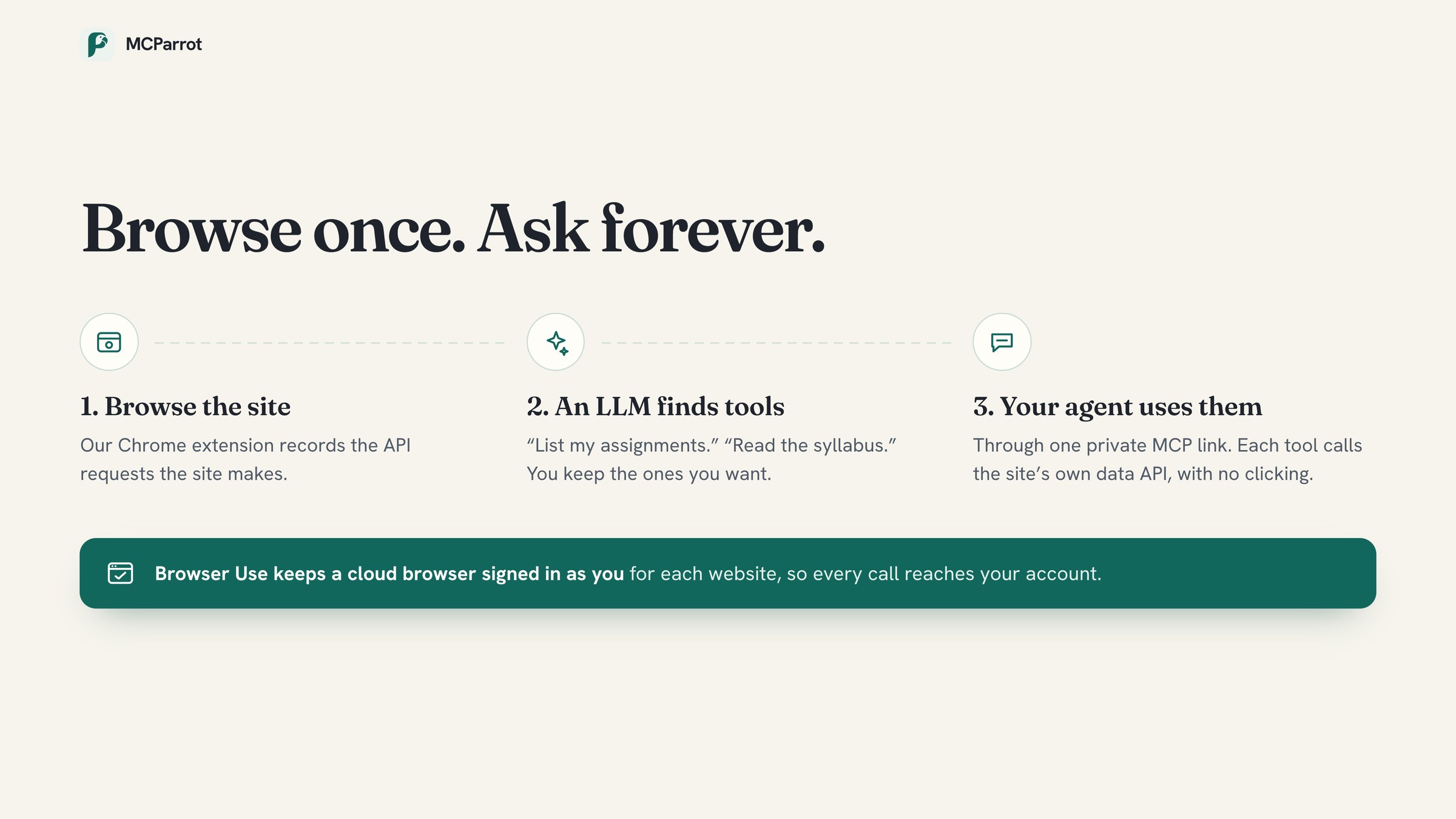
- Record: browse the site once with our Chrome extension, which records its API requests.
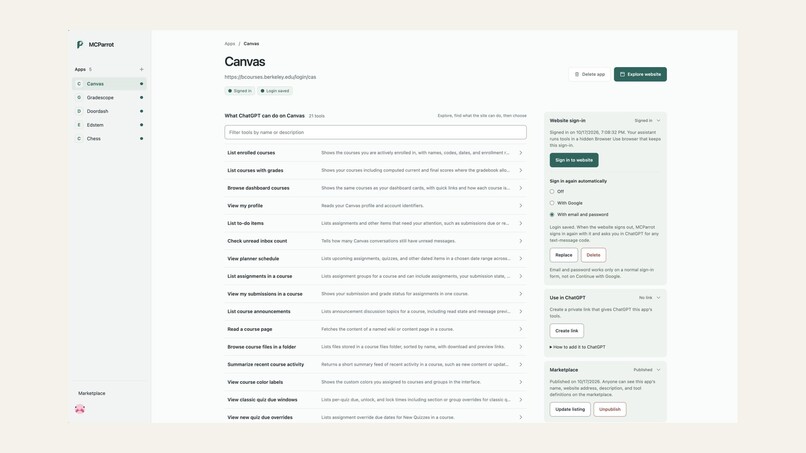
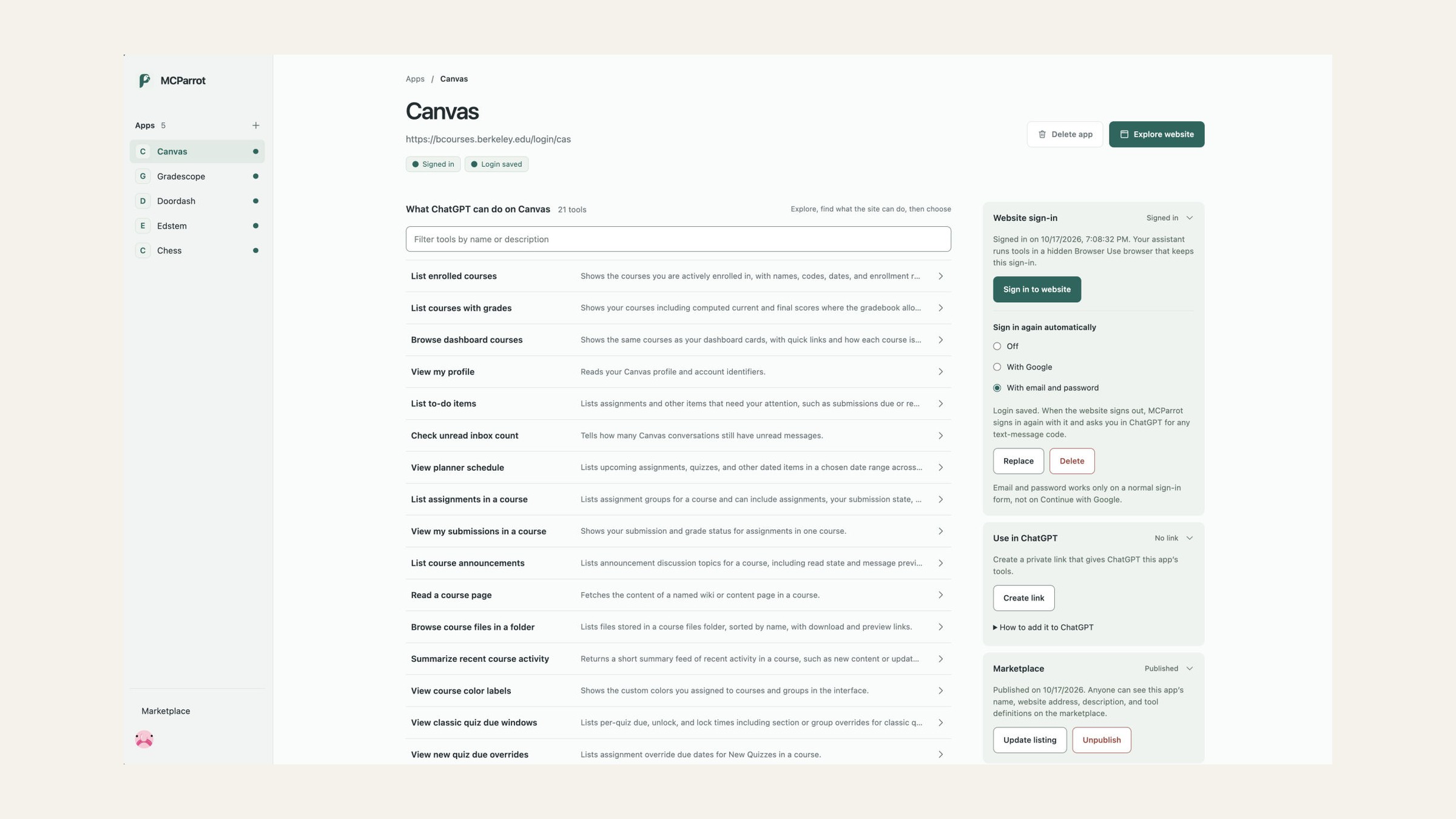
- Discover: an LLM turns those requests into tools, such as "List my assignments".
- Use: connect one private link to your agent. Each tool calls the site's own API directly, with no clicking.
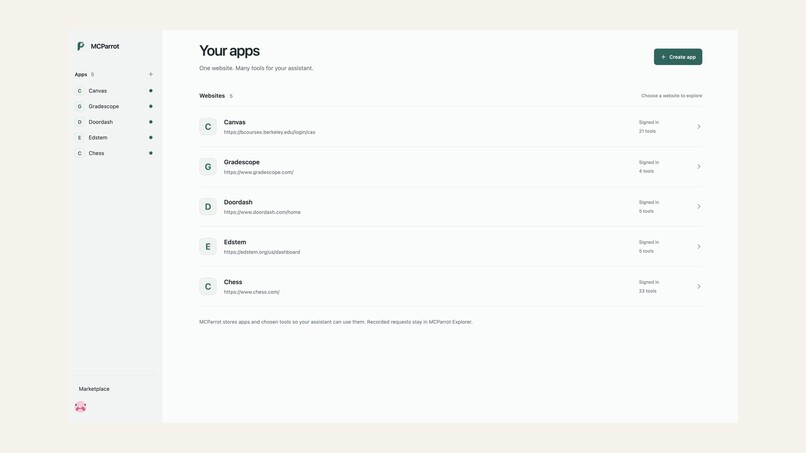
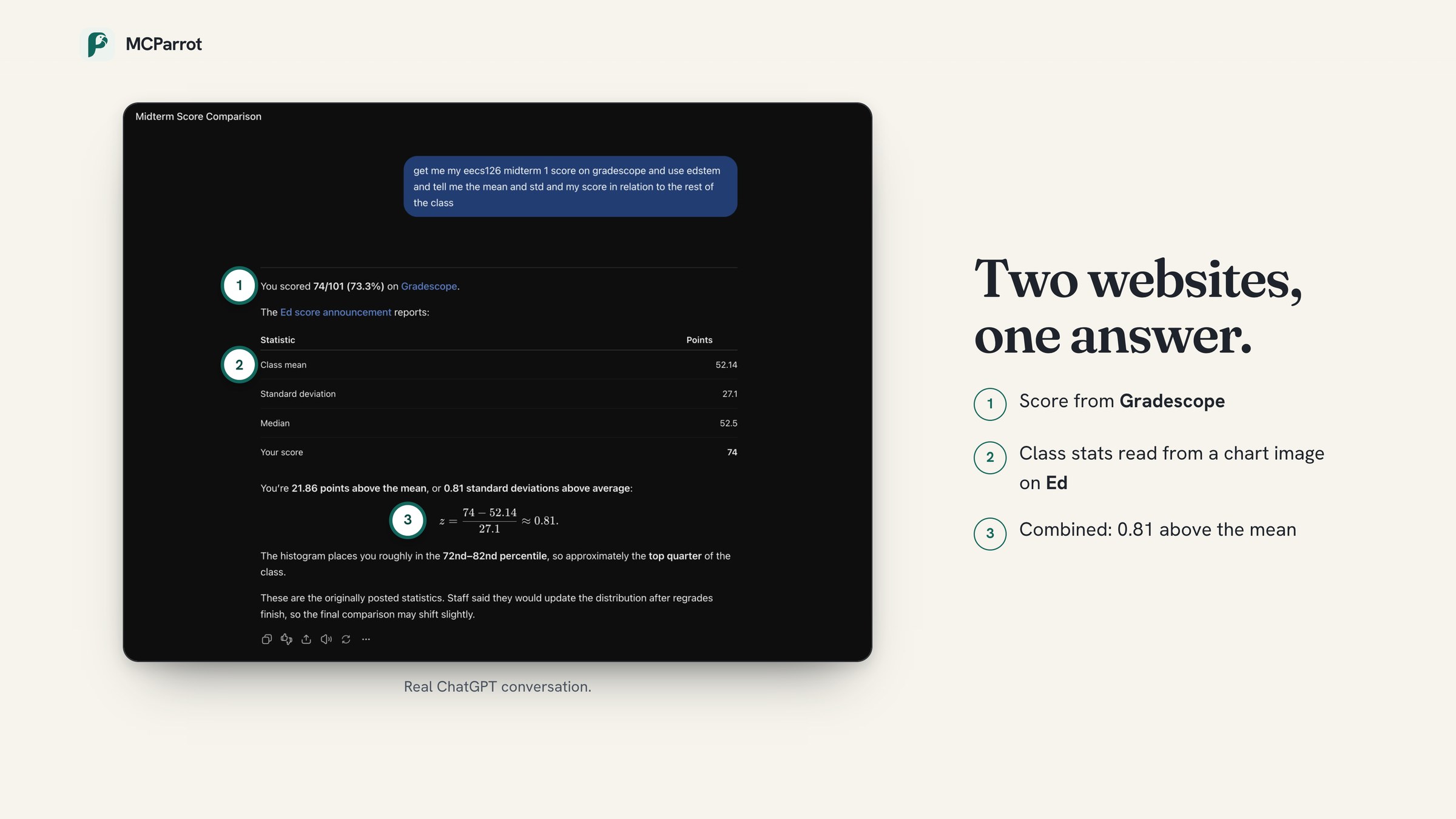
It works on sites that need sign-in: Browser Use keeps a cloud browser signed in as you, signs back in when the site logs you out, and asks you for any two-factor code. We used it on Chess.com, Canvas, Gradescope, Ed, and DoorDash, where it builds your cart and checks out with Stripe Pay with Link after you approve. A marketplace lets people share tools for common websites without sharing their logins.
Browser Use Challenge
We're entering the Browser Use Challenge. MCParrot isn't a wrapper around any single tool: our own extension, LLM discovery, API replay engine, and MCP server do the core work, and every tool call goes straight to the website's own API instead of clicking through screens. Browser Use is what makes this possible on real, signed-in websites. It keeps a persistent cloud browser signed in as you for each site, its agents sign back in when a session expires (typing your password as a secret the model never sees, and asking you for any two-factor code), and it checks out with Stripe Pay with Link once you approve. Without Browser Use, an agent couldn't get past the login page.
Others use Browser Use to scrape the web; we use it for its unique ability to sign in, act, and pay as you on the sites you use.
The stack
- Next.js + React on Vercel, with Clerk for accounts
- Chrome extension that records API requests through the Chrome DevTools Protocol
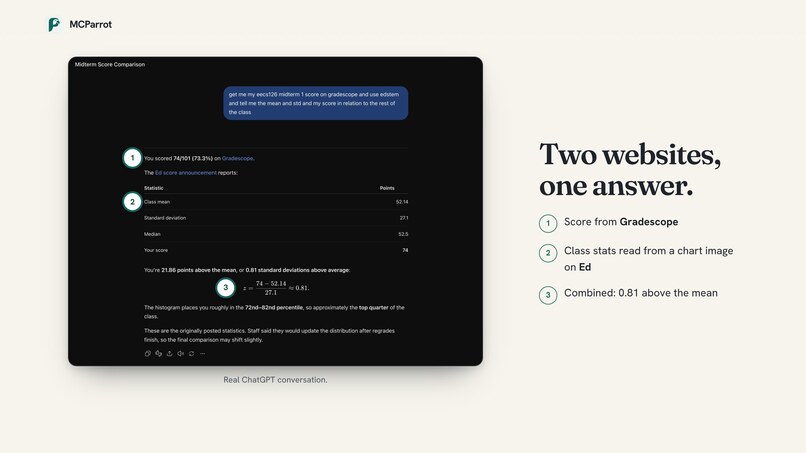
- LLM (Claude through the Cursor SDK) that turns recordings into tools and reads chart images
- MCP server that works with any agent
- Browser Use for signed-in cloud browsers, sign-in agents, and checkout, driven with Playwright
- Upstash Redis for storage, Stripe Pay with Link for payments, Sentry for monitoring
What's next
Tools that test themselves, adding websites just by asking, and managing MCParrot from your agent.


Log in or sign up for Devpost to join the conversation.