-
-
MBudget Overview
Inspiration
The inspiration behind this app was that I am a reckless spender and having an simplistic app that allows me to see what I need to spend in the month/day/week is really helpful as a visual person. I tend to ApplePay away and it's not a good habit for learning to have retention with my paycheck.
What it does
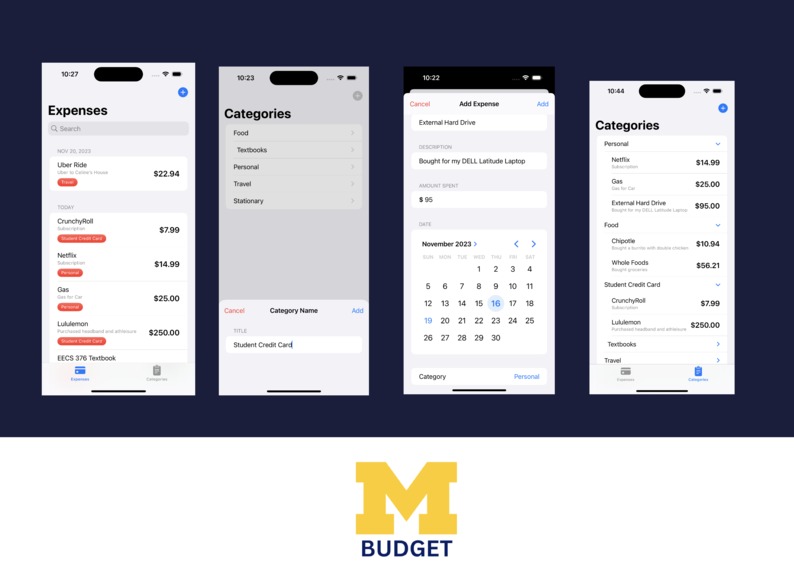
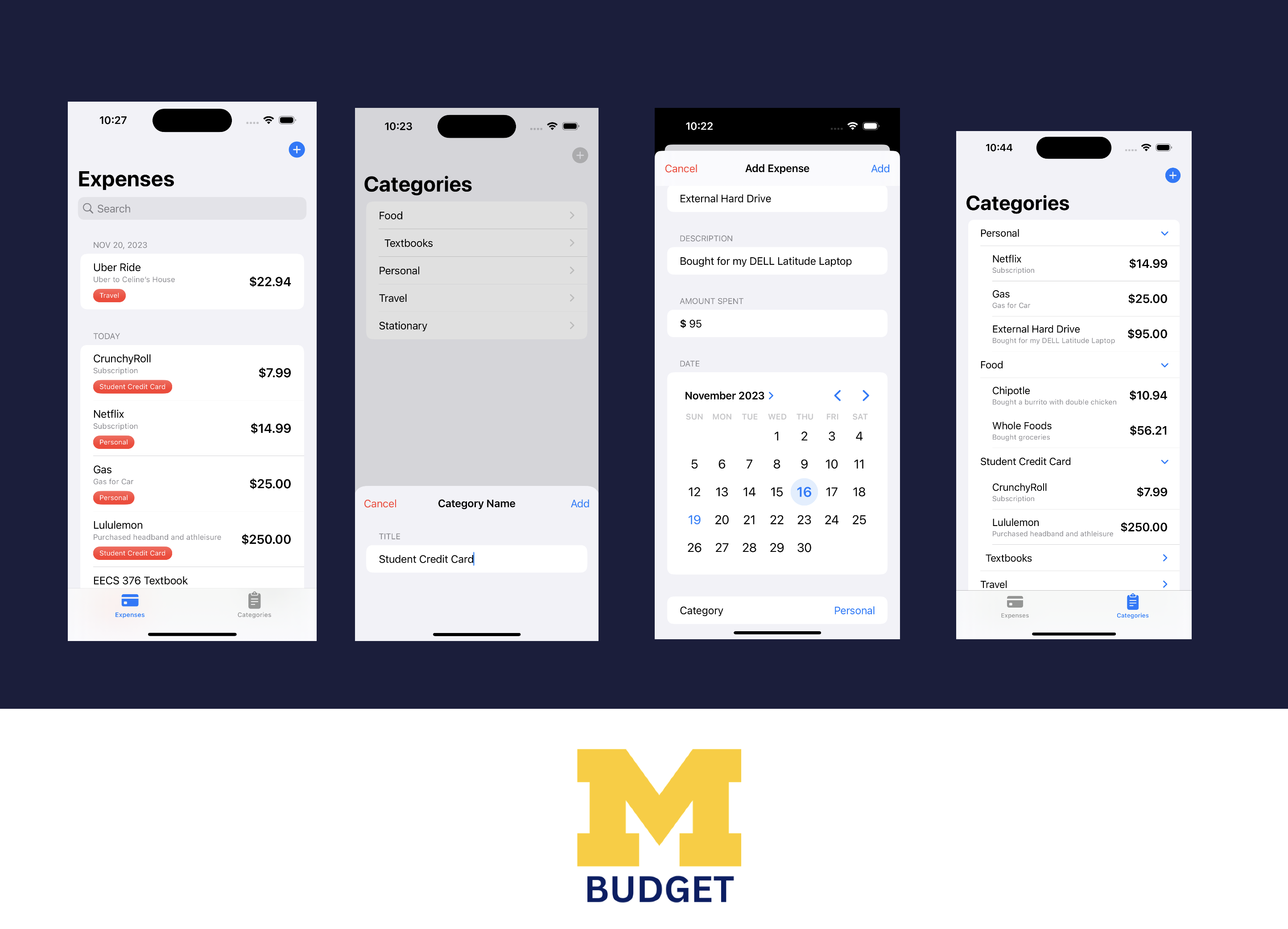
This app is a simple budgeting app! It has 2 features that allow you to input transaction that you've spent, will spend, or currently spending and organizes into one huge database so the user can scroll through their expenses.
How we built it
This app is purely built through Swift with pre-knowledge of Swift from CodePath.
Challenges we ran into
I tried to integrate a way for your expenses to be shown on a pie chart as a home page so you could see what category is the heaviest to the user's spending. An issue I ran into was seeing if Swift was downloaded because I trying to use a Data Object protocol through SwiftData that was not being recognized and without that, I couldn't use supporting features to make the data fetching algorithm to fetch all the created categories for items. I will probably include the correct code later on my GitHub having more time to debug.
Accomplishments that we're proud of
I am proud of spending 7 hours coding up the graphing portion of my code. Although it did not work, getting through those bugs and actually breaking through little by little was very rewarding.
What we learned
I learned more about Swift and it's processes. I also learned a couple more algorithms through StackOverflow that may help with mobile application development later on.
What's next for MBudget
Maybe an app that syncs with Financial Aid so students are able to see daily updates to their student balances, paying student balances, booking appointments with Financial advisors and more.

Log in or sign up for Devpost to join the conversation.