-
-
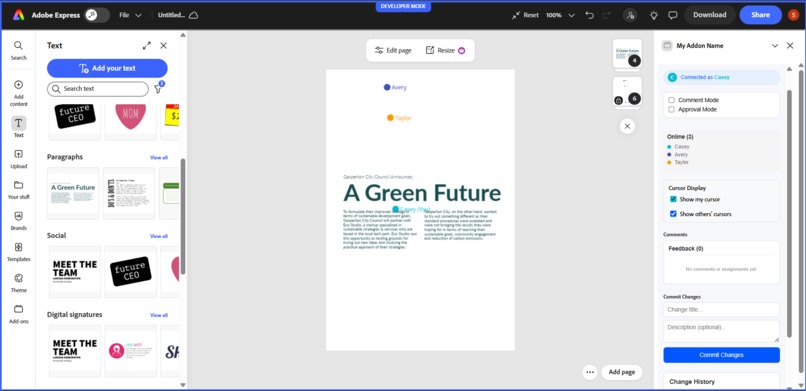
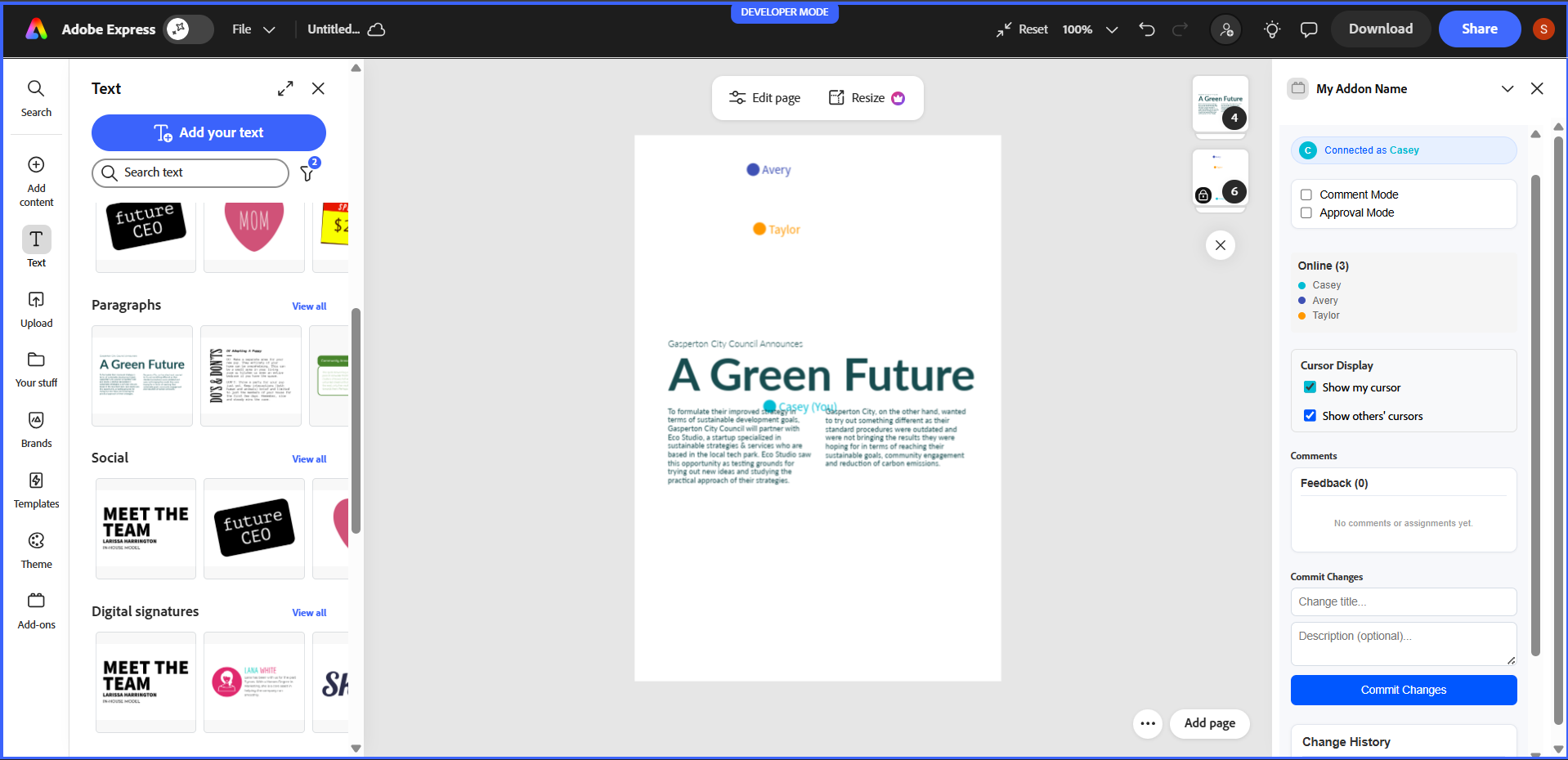
live cursor feature where multiple people can work together
-
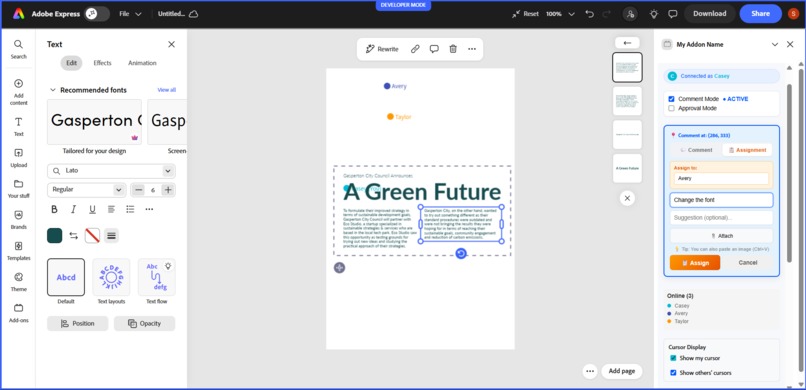
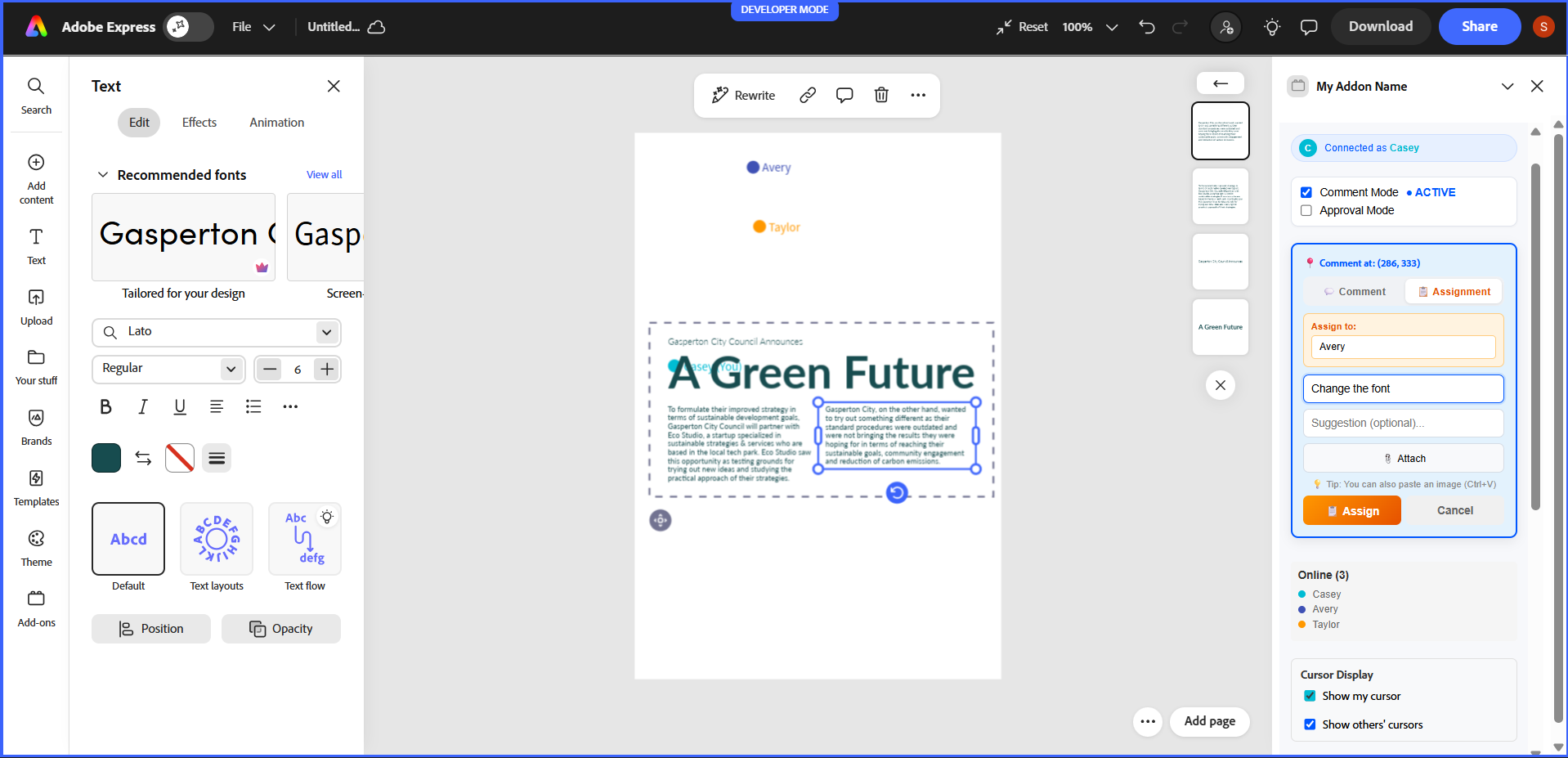
feature to give assignment to a particular person
-
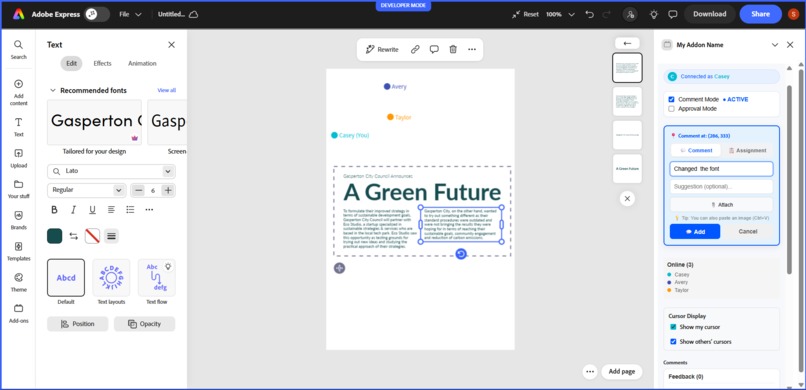
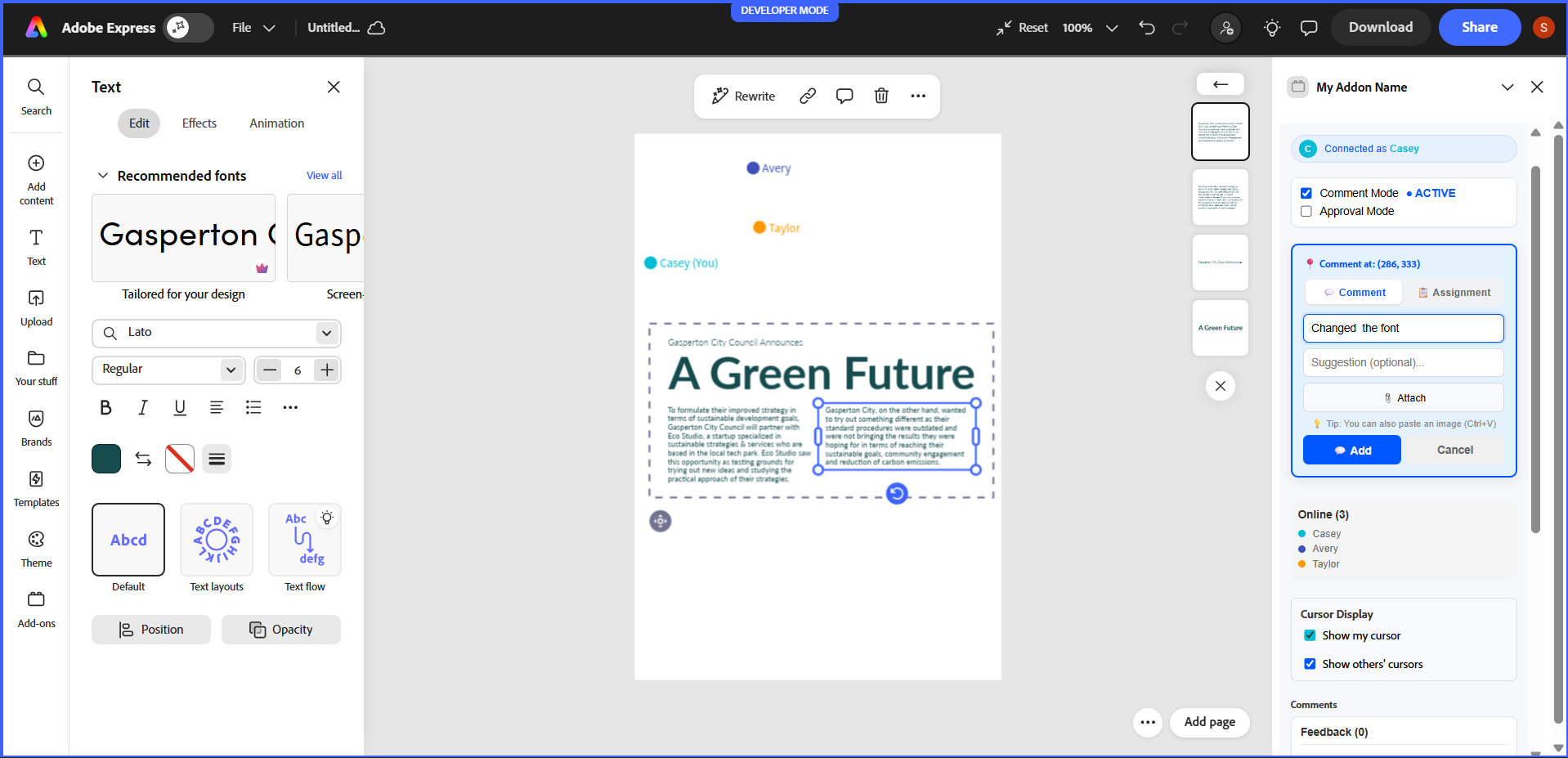
feature to add comment
-
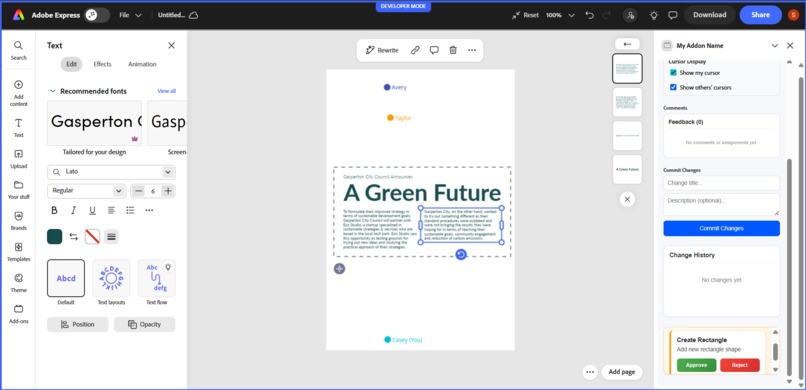
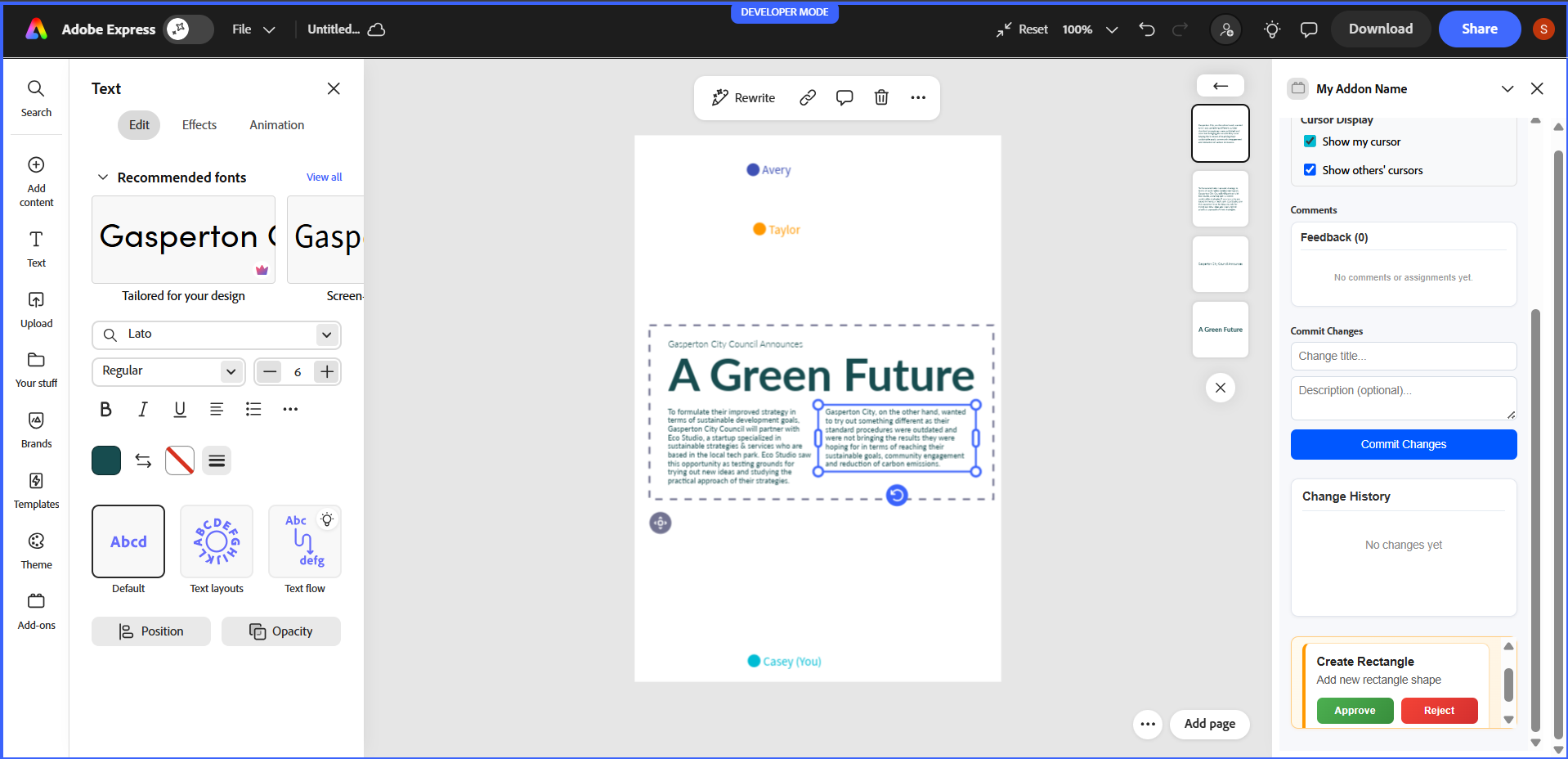
feature aprove or decline pending request
Inspiration
The design feedback received could be ambiguous. One might hear a person saying, “move this left” or “make this bigger” and follow through with a screenshot. It led to rework and confusion. They wanted to bring the ease of commenting on Figma into Adobe Express because a lot of the community already uses Adobe Express to do their quick designs, but there isn’t a pixel-level collaboration there.
What it does
A lightweight add-on for Adobe Express that enables design reviewing as a visual and real-time discussion. Reviewers click on exactly where they want - a marker is placed, comments or tasks are added, and all parties are updated simultaneously. The add-on includes real cursors, awareness indicators, assignments with ownership requirements, a change log, and a basic approval queue to enable accurate design reviews even from a distance.
How we built it
I built the add-on using a React-based Adobe Express UI connected to a Node.js Socket.IO server. The server acts as a real-time event hub and keeps in-memory state for comments, presence, assignments, history, and approvals.
Core flows:-
Cursor movement is broadcast so collaborators see each other live. Comments are created by clicking on the canvas and synced instantly. Assignments include an assignee and can only be completed by that person. Approval requests are queued and resolved in real time. Key components :-
App.jsx — main UI and state Markers.jsx — pinned markers on canvas CommentsList.jsx — comments & assignments server-example.js — real-time Socket.IO backend
Challenges we ran into
- Marker misalignment with zoom & transforms:-
Problem: The markers placed from the raw clientX/Y coordinates are affected by the zoom and scroll of the canvas Fix: Canvas local coordinates are calculated through the use of the bounding rect and the current scale and scroll values (see formula above).
2.Ownership enforcement of assignments:-
Problem: Assignments were visible to everyone with a Complete button. Fix: Save assignee with assignment. The UI compares currentUser (case-insensitive, trimmed) with assignee prior to displaying the Complete button; anyone else sees a locked badge.
3.Export gating logic confusion :-
Problem: Exporting became enabled even if there had been no review. Fix: Removed export button in demo version by requirement, or logic may need at least one resolved item to export.
4.Maintaining scope hackathon-friendly:-
Problem: Temptation to add DB, auth, complex sync. Fix: Held server in-memory for fast and robust demoing. Focus on overall E2E flow. None of the production features.
5.Dealing with restrictions of AI solutions while developing:-
Problem: Cursor AI session limits prevented some iterations. Approach: Utilize local VS Code, and copy compacted context to a new Cursor chat, if required. Minimal changes and a patching approach to be adopted.
Accomplishments that we're proud of
Key Accomplishments
Product:- ->Built a working pixel-pinned feedback system: click → marker → threaded comment visible to all. ->Added assignments with ownership rules (only assignee can complete). ->Live multi-cursor presence so collaborators see each other in real time.
Technical:- ->Real-time backend with Socket.IO powering cursors, comments, presence, history, and approvals. ->Solved marker drift: converted screen coords → canvas-local coords to keep pins accurate under zoom/scroll. ->Kept the system demo-friendly with in-memory state (fast, deterministic for hackathon). UX & Demo ->Clean, focused sidebar UI showing modes, presence, comments, history, and approvals. ->Improved readability and visual hierarchy for judge-friendly demos. ->Removed nonessential export flow to avoid distraction and keep demo scope tight.
Process:- Prioritized minimal, reversible patches — shipped features that judges can test in 5 minutes. Successfully iterated despite tooling limits (Cursor AI), using concise context handovers and local dev fallbacks.
What we learned
->Building robust real-time UX is mostly about state mapping (e.g., coordinates, presence) and clear event contracts. Small mismatches in coordinate spaces break the whole experience.
->Enforcement of simple rules (assignment ownership) dramatically improves perceived product quality.
->For hackathons, favor solutions that are: ->deterministic (no surprise background jobs), ->demonstrable in 5 minutes,
->small and reversible (easy to explain to judges).
->Writing a compact CONTEXT.md and a one-line issue summary massively speeds up productive help from AI tools.
What's next for Mayhem
->Persist comments & rooms — add DB (Mongo/Postgres) and session/room support. ->Auth & profiles — SSO + display names/avatars for reliable assignee mapping. ->Export integration — hook into Adobe Express export API for final delivery. ->Offline & reconnection — resilient syncing, queuing, and state reconciliation. ->Role & permission controls — viewer/editor/reviewer + export-only roles. ->Polish UI & accessibility — spacing, typography, ARIA, keyboard flows. ->Telemetry & demo scripts — basic analytics + a 3-minute judge demo checklist.

Log in or sign up for Devpost to join the conversation.